kfconcept

K&F Concept UK
K&F Concept United Kingdom    Blog >

Enjoy Your Selected Digital Life

Recently Viewed
  • Recently Viewed
  • K&F CONCEPT Curved Reflector U-Shape Reflector 180x60cm with 4-in-1 Reflective Fabric, Black/Gold/White/Silver, with 1.9m Stand, with Storage Bag, for Photography Studios
    K&F CONCEPT Curved Reflector U-Shape Reflector 180x60cm with 4-in-1 Reflective Fabric, Black/Gold/White/Silver, with 1.9m Stand, with Storage Bag, for Photography Studios
    £79.99
    77mm Magnetic CPL Filter, High-Definition, Coated with Waterproof Anti-Scratch Anti-Reflection Green Film, with Magnetic Adapter Ring Nano-Xcel Series
    77mm Magnetic CPL Filter, High-Definition, Coated with Waterproof Anti-Scratch Anti-Reflection Green Film, with Magnetic Adapter Ring Nano-Xcel Series
    £45.99
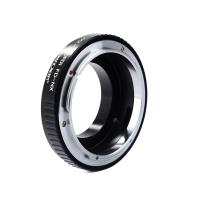
    Konica Series Lens to Canon RF Mount Camera High Precision Lens Adapter, K/AR-EOS R
    Konica Series Lens to Canon RF Mount Camera High Precision Lens Adapter, K/AR-EOS R
    £45.99
    24MP*1296P night vision, 120° wide angle*0.2S trigger 2" screen tracking camera Deadwood with AA alkaline battery and 64G high speed SD card
    24MP*1296P night vision, 120° wide angle*0.2S trigger 2" screen tracking camera Deadwood with AA alkaline battery and 64G high speed SD card
    £89.99 £55.99
Compare (0) 0
  • Compare
  • You have not chosen any products to compare.

  • Compare
Currency: GBP
  • Currency

Log Into Your Account

Account

Order History

Wish List

Login

Forgotten Password?

Or connect with

Register Account

Already have an Account?Log In

  • Shopping Cart
  • Your shopping cart is empty!

  • Register/Login to purchase, earn points
  • Favorite
  • Your wish list is empty.

  • Register/Login to like, earn points
  • Tripods
    • Aluminum Tripods
    • Carbon Fiber Tripods
    • Travel Tripods
    • Video Tripods
    • Monopods
    • Lightweight Tripods
    • Mini Tripod
    • Tripod Accessories
    • Gimbal Stabilizers
    • Tripod Head
    • Tripod Kit
    • Action Camera Mounts
    • Phone Tripods
    • Studio Parts
      • Camera Flash
      • Photography Fill Light
      • Ring light
      • Soft Box
      • Tripod Light Stands
      • Reflectors
    • Clearance Tripods
  • Lens Filters
    • UV Filters
      • Nano-Xcel Series
        • MCUV
        • Ultra-low Reflectivity MCUV Filters
        • MCUV Super Hard
        • Explosion-proof MCUV - Nano-Xcel
        • MCUV+Lens Cap+Cleaning Cloth
        • Super Hard&Ultra Low Reflection MCUV Filters - Nano-Xcel
        • MCUV - Magnetic Series
      • Nano-Dazzle Series
        • MCUV
        • MCUV+Lens Cap+Cleaning Cloth
      • Nano-Klear Series
        • MCUV
        • Ultra Thin Frame MCUV Filters
        • MCUV+Lens Cap+Cleaning Cloth
      • Nano-Xcel Pro Series
        • MCUV
    • CPL Filters
      • Nano-Xcel Series
        • CPL
        • CPL True Color
        • Ultra-low Reflectivity CPL
        • CPL+Lens Cap+Cleaning Cloth
        • Magnetic CPL
          • Magnetic CPL + Apater ring + Cap - Nano-X
        • True Color Ultra-low Reflectivity CPL - Nano-Xcel
      • Nano-Dazzle Series
        • CPL
        • CPL+Lens Cap+Cleaning Cloth - Nano-Dazzle
      • Nano-Klear Series
        • CPL
        • Ultra Thin Frame CPL Filters
        • CPL+Lens Cap+Cleaning Cloth
        • CPL+Lens Cap - Nano-Klear
      • Nano-Xcel Pro Series
        • CPL
    • Neutral Density Filters
      • Neutral Density (Solid) Filters
        • ND8 (3 stops) - Nano-Xcel Series
        • ND64 (6 stops) - Nano-Xcel Series
        • ND1000 (10 stops) - Nano-Xcel Series
        • ND100000 (16.6 stops) - Nano-Xcel Series
        • ND1000000 (20 stops) - Nano-Xcel Series
        • ND100000 (16.6 stops) - Nano-Klear Series
        • ND1000000 (20 stops) - Nano-Klear Series
        • Solid ND - Magnetic Series
      • Graduated Neutral Density
        • 100mm GND Filter
          • Soft GND8 Filters - Nano-Xcel Series
          • Hard GND8 Filters - Nano-Xcel Series
          • Reverse GND8 Filters - Nano-Xcel Series
          • Soft GND16 Filters - Nano-Xcel Series
          • Reverse GND16 Filters - Nano-Xcel Series
          • Soft GND8 Filters - Nano-Xcel Pro Series
          • Hard GND8 Filters - Nano-Xcel Pro Series
          • Reverse GND8 Filters - Nano-Xcel Pro Series
          • Soft GND16 Filters - Nano-Xcel Pro Series
          • Reverse GND16 Filters - Nano-Xcel Pro Series
        • Circular GND Filter
          • GND8
          • GND16
      • 2 in 1 Filters
        • ND2-ND32&CPL Filters - Nano-Xcel Series
        • ND2-ND32&CPL Filters - Nano Dazzle Series
        • ND2-32&CPL Filters - Nano-Klear Series
        • ND2-ND32&CPL Filter - Nano-X Pro
        • ND2-ND32&CPL True Color Filters - Nano-Xcel Series
        • ND4-ND64&CPL Filter
      • 3 in 1 Filters
        • ND2-32&CPL&Black Mist 1/4 Filters - Nano-Xcel Series
        • ND2-32&CPL&Black Mist 1/4 Filters - Nano-Klear Series
      • Variable Neutral Density
        • Nano-Xcel Series
          • ND2-ND32 - Nano-Xcel
          • ND2-ND32 True Color - Nano-Xcel
          • ND2-ND400 - Nano-Xcel
          • ND8-ND128 - Nano-Xcel
          • ND32-ND512 - Nano-Xcel
          • ND3-ND1000 - Nano-Xcel
          • ND2-32 True Color Ultra-Low Reflection - Nano-Xcel
          • ND2-400 Ultra-Low Reflection - Nano-Xcel
        • Nano-Dazzle Series
          • ND2-ND32 - Nano-Dazzle
          • ND2-ND400 - Nano-Dazzle
          • ND3-ND1000 - Nano-Dazzle
          • ND8-ND2000 - Nano-Dazzle
        • Nano-Klear Series
          • ND2-ND32 - Nano-Klear
          • ND2-ND400 - Nano-Klear
          • ND2-ND2000 - Nano-Klear
          • True Color ND2-ND400 - Nano-Klear
        • Nano-Xcel Pro Series
          • ND2-ND32 - Nano-Xcel Pro
        • Nano-B Series
          • ND2-ND400 - Nano-B
    • Black Mist & Soft Focus Filters
      • Black Mist Filters
        • Black Mist 1/8
          • Black Mist 1/8 - Nano-Xcel Series
          • Black Mist 1/8 - Nano-Dazzle Series
          • Black Mist 1/8 - Nano-Klear Series
          • Black Mist 1/8 - Nano-Xcel Pro Series
          • Black Mist 1/8+Lens Cap+Cleaning Cloth - Nano-Klear Series
        • Black Mist 1/4
          • Black Mist 1/4 - Nano-Xcel Series
          • Black Mist 1/4 - Nano-Dazzle Series
          • Black Mist 1/4 - Nano-Klear Series
          • Black Mist 1/4 - Nano-Xcel Pro Series
          • Black Mist 1/4+Lens Cap+Cleaning Cloth - Nano-Klear Series
        • Black Mist 1/2
          • Black Mist 1/2 - Nano-Xcel Series
          • Black Mist 1/2 - Nano-Klear Series
        • Black Mist 1
          • Black Mist 1 - Nano-Xcel Series
          • Black Mist 1 - Nano-Klear Series
        • Black Mist Kit
          • Black Mist 1/4 + 1/8 Nano Xcel Series
          • Black Mist 1/4 + 1/8 - Nano Klear Series
          • Black Mist 1/4 + CPL - Nano Klear Series
        • Black Mist & CPL
          • Black Mist 1/4&CPL - Nano-Klear Series
        • Black-Mist & VND
          • Black Mist 1/4 & ND2-32 Filters - Nano-Klear Series
          • Black Mist 1/4 & ND2-400 Filters - Nano-Xcel Series
          • Black Mist 1/4 & ND2-32 Filters - Nano-Xcel Series
          • Black Mist 1/8 & ND2-32 Filters - Nano-Klear Series
          • Black Mist 1/4 & ND2-400 Filters - Nano-Klear Series
      • White Mist Filters
        • White Mist 1/4 - Nano-Xcel Series
        • White Mist 1/4 - Nano-Klear Series
      • Shimmer Diffusion
        • Shimmer Diffusion 1 - Nano-Xcel Series
        • Shimmer Diffusion 1 - Nano-Klear Series
    • Light Pollution Cut Filter
      • Light Pollution Cut Filter - Circular
      • Light Pollution Cut Filter - Square
    • Magnetic Lens Filters
      • MCUV Filters
        • Magnetic MCUV - Nano-Klear Series
        • Magnetic MCUV+Lens Caps - Nano-Xcel Series
      • CPL Filters
        • Magnetic CPL + Adapter Ring
        • Magnetic CPL+Adapter Ring - Nano-Klear Series
      • Black-Mist
        • Black Mist 1/8 Filters - Nano-Xcel Series
        • Black Mist 1/4 Filters - Nano-Xcel Series
      • Neutral Density (Solid) Filter
        • Magnetic ND8 - Nano-Xcel Series
        • Magnetic ND64 - Nano-Xcel Series
        • Magnetic ND1000 - Nano-Xcel Series
      • Unlimited Variable ND Filter
        • Magnetic ND2-ND32 - Nano-Xcel Series
        • Magnetic ND8-ND128 Filters - Nano-Xcel Series
      • Accessories
        • Magnetic Adapter Ring
        • Magnetic Filter Ring
        • Magnetic Cap
      • Kits
        • MCUV+CPL+ND1000+Adapter Ring - Nano-Xcel Series
        • CPL+ND8+ND64+Adapter Ring+Lens Cap - Nano-Xcel Series
        • GND8+ND8+ND64+ND1000+Adapter Ring - Nano-Xcel Series
        • CPL+VND2-32+Black Mist 1/4+Magnetic Ring+Lens Cap - Nano-Xcel Series
    • Square Filter System
      • Basic System
        • Square ND Filters
          • ND4 Filters - Nano-Xcel Series
          • ND16 Filters - Nano-Xcel Series
          • ND1000 Filters - Nano-Xcel Series
          • ND2000 Filters - Nano-Xcel Series
          • ND32000 Filters - Nano-Xcel Series
          • Full Color ND8 Filters - Nano-Xcel Series
          • Full Color ND64 Filters - Nano-Xcel Series
        • Square GND Filters
        • Light Pollution Cut Filter
          • Light Pollution Cut Filter - Nano-Xcel Series
        • Square Black Mist Filters
          • Square Black Mist 1 - Nano-Xcel Series
          • Square Black Mist 1/4 - Nano-Xcel Series
          • Square Black Mist 1/8 - Nano-Xcel Series
        • Brackets and Accessories
          • Adapter Ring - Nano-Xcel Series
        • Kits
          • 100mm Square Filter System - Nano-Xcel Series
          • 100mm ND1000+Holder Kit - Nano-Xcel Series
          • 100mm ND1000+Soft GND8+Holder Kit - Nano-Xcel Series
          • 100mm Soft GND8+Holder Kit - Nano-Xcel Series
      • Professional System
        • ND
          • Full Color ND8 Filters - Nano-Xcel Pro Series
          • Full Color ND64 Filters - Nano-Xcel Pro Series
          • Full Color ND1000 Filters - Nano-Xcel Pro Series
        • GND
        • PL
        • Black Mist 1/4&CPL - Nano-Xcel Pro Series
        • Light Pollution Cut Filter
          • Light Pollution Cut Filter - Nano-Xcel Pro Series
        • Kits
          • 100mm ND1000+Holder Kit - Nano-Xcel Pro Series
          • 100mm ND1000+Soft GND8+Holder Kit - Nano-Xcel Pro Series
          • 100mm ND8+ND64+ND1000+Holder Kit - Nano-Xcel Pro Series
          • 100mm Holder Kit - Nano-Xcel Pro Series
        • Brackets and Accessories
          • 100x100mm Square Filter Protect Frame - Nano-Xcel Pro Series
          • 100x150mm Square Filter Protect Frame - Nano-Xcel Pro Series
          • Adapter Ring - Nano-Xcel Pro Series
    • Drone Filter
      • DJI Air 3S
      • DJI Avata2
      • DJI Flip
      • DJI Mavic 3 Pro
      • DJI NEO
      • DJI Mini 1/2/SE
      • DJI Mini 4 Pro Filters
      • DJI Mavic 3
      • DJI Mini 3 PRO
      • DJI Avata
      • DJI Mavic 4 Pro
      • DJI Mini 5 Pro
      • DJI Air 2S
    • Effects Filters
      • Prism Filters
        • Central Prism Filters
          • Central Pentagonal Filters - Nano-Basic Series
          • Central Hexagonal Filters - Nano-Basic Series
        • Ordinary Prism Filters
          • Triangular Filtres - Nano-Basic Series
        • Single Linear Prisms
      • Streak Filters
        • Blue Streak Filters - Nano-Xcel Series
        • Gold Streak Filters - Nano-Xcel Series
        • Colorful Streak Filters - Nano-B Series
        • Blue Streak Filters - Nano-Klear Series
      • Star Filter
        • Star Filters 4-8 Points - Nano-Klear Series
        • Star Filter Kits 4+6+8 Points - Nano-Klear Series
        • 4-Point Fine-Line Star Filters - Nano-Klear Series
        • 6-Point Fine-Line Star Filters - Nano-Klear Series
      • Kaleidoscope Filters
        • Kaleidoscope Filters - Nano-Basic Series
        • Handheld Kaleidoscope Filters - Nano-B Series
      • Motion Blur Filters
        • Directional Motion Blur - Nano-Basic Series
        • Bidirectional Motion Blur - Nano-Basic Series
        • Handheld Motion Blur Filters - Nano-Basic Series
      • Spiral Filters
        • Spiral Halo Filters - Nano-B Series
        • Handheld Spiral Filters - Nano-Basic Series
      • Diopter Filters
        • Centerfield Split Diopter Filters - Nano-Basic Series
        • Handheld Diopter Filters - Nano-Basic Series
    • Filter Accessories
      • Lens Hoods
      • Rings Kits
        • Step Up Rings
        • Step Down Rings
      • Filter Holders & Frames
      • Filter Holder Adapter Rings
        • Filter Adapter Rings
      • Filter Pouches
      • Lens Caps
        • Caps for Magnetic Filters
        • Caps for Variable ND Filters
        • Anti-lost Lens Cap
          • 4 in 1
          • 5 in 1
          • 9 in 1
      • Polarized Film
    • Filter Kit
      • Black Diffusion 1/4 + 1/8
      • Screw-In Filters
        • MCUV+CPL Filter - Nano-Klear Series
        • MCUV+CPL+Lens Cap - Nano-Klear Series
        • MCUV+CPL+Metal Lens Cap - Nano-Xcel Series
        • MCUV+CPL+ND1000+Lens Cap - Nano-Dazzle Series
        • MCUV+CPL+ND2-400 - Nano-Klear Series
        • ND8+ND64+ND1000 - Nano-Dazzle Series
        • MCUV+CPL+ND4 - Nano-Klear Series
        • ND1000+CPL - Nano-Klear Series
        • ND4+ND8+ND64+ND1000 - Nano-Xcel Series
        • MCUV+CPL
      • Magnetic Filters
      • Square Filters
    • Action Camera Filters
      • DJI Osmo Action 4 / Action 5 Pro
      • DJI Osmo Action 6
      • DJI Osmo Nano
      • DJI Osmo Pocket 3
      • GoPro HERO 4K
      • GOPRO Hero 9/10/11/12/13 Filters
      • Insta360 Ace pro 2
      • Insta360 Go Ultra
      • Insta360 GO3
      • Insta360 GO3S
      • Action Camera Accessories
        • DJI Osmo Action 3/4/5 Pro
        • Head Strap & Chest Mount
        • Insta360 X5
        • Magnetic Neck Mount
        • DJI Osmo 360
        • DJI Osmo Pocket 3 Charging Base
        • DJI Osmo Pocket 3
    • Phone Lens Filters
    • Matte Box & Filter Systems
      • Neutral Density (Solid) Filters
        • ND4 - Nano-Xcel Series
        • ND8 - Nano-Xcel Series
        • ND16 - Nano-Xcel Series
        • ND32 - Nano-Xcel Series
        • ND64 - Nano-Xcel Series
        • ND8+ND64 - Nano-Xcel Series
      • UV Filters
      • Black Mist Filters
        • Black Mist 1/4 - Nano-Xcel Series
        • Black Mist 1/8 - Nano-Xcel Series
      • Blue Streak Filters
      • Accessories
      • Kits
        • Matte Box - Nano-Xcel Series
        • Matte Box Pro - Nano-Xcel Series
        • Matte Box+ND8 Square Filter - Nano-Xcel Series
        • Matte Box+ND4+ND32 Square Filter - Nano-Xcel Series
        • Matte Box+Black Mist 1/4 Square Filter - Nano-Xcel Series
    • Brand-specific Filters
      • Fujifilm X100
      • Ricoh GR
  • Lens Adapters
    • PL Mount Lenses
    • A Mount Body(Sony/Minolta)
    • Fujifilm X Mount Body
    • Fujifilm G (GFX) Mount Body
    • C-Mount Body
    • Leica M Mount Body
    • MFT(M4/3) Mount Body
    • Pentax K Mount Body
    • Pentax Q Mount Body
    • Samsung NX Mount Body
    • Nikon F Mount Body
    • Nikon 1 Mount Body
    • Nikon Z Mount Body
    • Canon EOS EF/EF-S Mount Body
    • Canon EOS M Mount Body
    • Canon RF Mount Body
    • Sony E Mount Body
    • L-Mount Alliance (Leica)
  • Camera
    • Digital Camera & Camcorders
      • Digital Cameras & Camcorders
      • Underwater Cameras
      • Action Cameras
      • Kids’ Cameras
      • Time lapse camera
    • Wildlife Camera
      • Wifi Trail Cameras
      • Non-Cellular Trail Cameras
      • Accessories
      • Cellular Trail Cameras
    • Surveillance Cameras
      • 4G Camera
      • Battery Camera
      • Baby Monitor
      • WiFi Camera
      • Feeder Camera
      • Floodlight camera
      • Monitoring Detector
    • Camera Lenses
    • On-Dash Camera
    • Fishing camera
    • Memory Cards
      • Micro SD Card
      • SD Card
    • Camera Accessories
      • Camera Caps
      • Camera Screen Protectors
        • Canon
        • Sony
        • Fujifilm
        • Nikon
        • Olympus
        • Ricoh
        • GoPro
        • DJI Osmo Pocket 3
      • Camera Hot Shoe Covers
      • Camera Viewfinder Eyecups
        • Nikon
        • Sony
        • Canon
      • Adjustment Iris
  • Camera Bags
    • Camera Backpacks
    • Camera Shoulder Bags
    • Camera Cases
    • Digital Storage Bag
    • Lens Cases
    • Camera Straps
    • Backpack Accessories
  • Camera Battery
    • Sony
    • Canon
    • Nikon
    • FUJIFILM
    • Ricoh
    • Gopro
    • Osmo Action
    • Lumix
    • V Mount Battery
    • Memory Card Case
  • Optics
    • Microscope
      • Optical Microscope
      • Digital Microscope
      • Kids' Microscopes
    • Binoculars
    • Monocular
    • Telescope
    • Night Vision Goggles
    • Rangefinder
  • Endoscope
    • Professional Endoscope
    • Household Endoscope
    • Portable Endoscope
    • Otoscope/Oral Endoscope
  • More
    • Cleaning Kits
    • Digital Voice Recorders
    • Language Translator Device
    • Smart Glasses
    • Metal Detectors
    • Light
      • Video fill light
      • Live Ring Light
      • Outdoor Lighting
    • Motorcycle Bluetooth Headset
    • Laser Engraver Machine
    • Headphones
    • Weather Station & Household Sensors
    • Microphone
    • Drone Accessories
      • DJI Air 2S Accessories
      • DJI Air 3 Accessories
      • DJI Avata Accessories
      • DJI Drone Universal Accessories
      • DJI Mavic Mini 2/Mini 2 SE/Mini Accessories
      • DJI Mavic Mini 3 Accessories
      • DJI Mini 3 Pro Accessories
    • Smart Watch
    • Smart lock
    • Studio
    • Solar Panels
  • Deals
    • Specials
    • Coupon
    • New Arrivals
  • Home
  • Blog
  • How To Calibrate A Blue Tees Rangefinder ?

How To Calibrate A Blue Tees Rangefinder ?

K&f concept 2023-08-28 10:13:09 0 Comments

To calibrate a Blue Tees rangefinder, follow these steps:

1. Start by ensuring that the rangefinder is fully charged or has fresh batteries.

2. Find a known distance target, such as a flagstick on a golf course, that is at a distance you can accurately measure.

3. Stand at the known distance from the target and aim the rangefinder at it.

4. Press the power button to activate the rangefinder and wait for it to lock onto the target.

5. Once the distance is displayed, compare it to the known distance. If there is a significant difference, you may need to calibrate the rangefinder.

6. Consult the user manual or manufacturer's instructions for specific calibration steps for your Blue Tees rangefinder model.

7. Follow the calibration instructions carefully, which may involve adjusting settings or using specific buttons or functions on the rangefinder.

8. After completing the calibration process, repeat step 4 to ensure that the displayed distance matches the known distance accurately.

9. If the calibration is successful, your Blue Tees rangefinder should now provide accurate distance measurements.

Note: It is important to refer to the specific instructions provided by Blue Tees for your rangefinder model, as the calibration process may vary.

1、 Understanding the Blue Tees Rangefinder's Calibration Process

Understanding the Blue Tees Rangefinder's Calibration Process

Calibrating a Blue Tees rangefinder is a crucial step to ensure accurate distance measurements on the golf course. Calibration is necessary to account for any variations or inaccuracies that may occur over time. Here is a step-by-step guide on how to calibrate a Blue Tees rangefinder:

1. Start by locating the calibration button or feature on your Blue Tees rangefinder. This button is usually found on the side or bottom of the device.

2. Turn on the rangefinder and aim it at a target with a known distance. This could be a flagstick on the golf course or any other object with a known distance.

3. Press and hold the calibration button until the rangefinder enters calibration mode. This mode may be indicated by a specific display or a series of beeps.

4. Once in calibration mode, the rangefinder will prompt you to enter the known distance of the target. Use the buttons or controls on the device to input the correct distance.

5. After entering the known distance, the rangefinder will automatically adjust its internal settings to ensure accurate measurements.

6. Repeat this process with multiple targets at different distances to ensure the calibration is accurate across various ranges.

It is important to note that the specific calibration process may vary slightly depending on the model of the Blue Tees rangefinder you are using. Therefore, it is always recommended to consult the user manual or contact the manufacturer for detailed instructions.

In recent years, Blue Tees rangefinders have incorporated advanced technologies such as laser technology and GPS integration to enhance accuracy and ease of use. These advancements have made the calibration process more efficient and user-friendly. Some models even offer automatic calibration, where the rangefinder adjusts itself based on GPS data or other built-in features.

Regular calibration is essential to maintain the accuracy of your Blue Tees rangefinder. It is recommended to calibrate the device at the beginning of each golf season or whenever you notice any inconsistencies in the distance measurements. By following the proper calibration process, you can ensure that your Blue Tees rangefinder provides reliable and precise distance readings on the golf course.
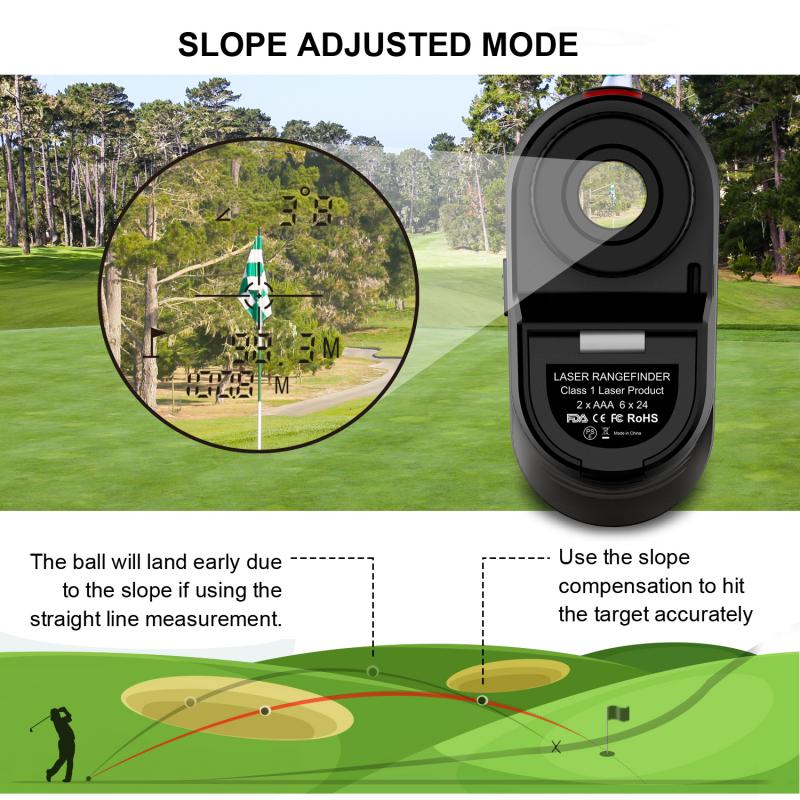
Understanding the Blue Tees Rangefinder's Calibration Process

2、 Adjusting the Focus and Clarity Settings on the Rangefinder

To calibrate a Blue Tees rangefinder, you can follow a few simple steps to ensure accurate distance measurements. One important aspect of calibration is adjusting the focus and clarity settings on the rangefinder.

First, locate the focus ring on the eyepiece of the rangefinder. This ring allows you to adjust the focus of the internal optics. Look through the rangefinder and slowly rotate the focus ring until the target image appears sharp and clear. It is essential to calibrate the focus to ensure accurate distance readings.

Next, check the clarity settings on the rangefinder. Some models may have adjustable settings for brightness, contrast, or image sharpness. Refer to the user manual or manufacturer's instructions to determine if your rangefinder has these options. Adjust the settings according to your preference and the environmental conditions in which you will be using the rangefinder.

It is worth noting that the latest Blue Tees rangefinder models often come with advanced features like auto-focus or image stabilization. These features can greatly enhance the accuracy and ease of use. If your rangefinder has these capabilities, make sure to familiarize yourself with the specific instructions provided by the manufacturer to optimize their performance.

Remember to periodically check and recalibrate your rangefinder to maintain accurate measurements. Factors such as temperature, humidity, and general wear and tear can affect the calibration over time. By regularly adjusting the focus and clarity settings, you can ensure that your Blue Tees rangefinder provides reliable distance readings for your golf game or other outdoor activities.
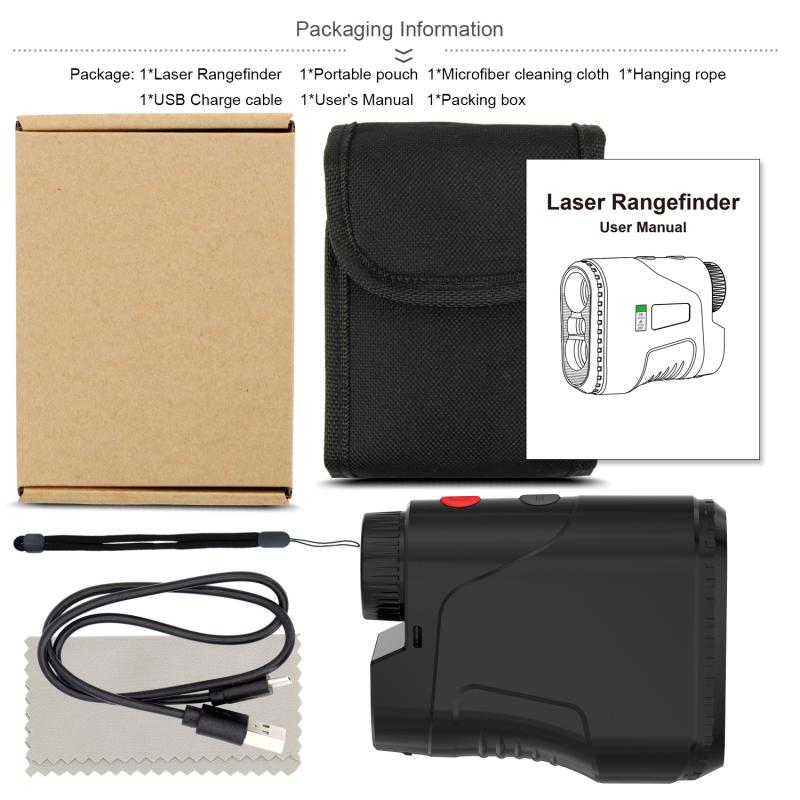
Adjusting the Focus and Clarity Settings on the Rangefinder

3、 Calibrating the Distance Measurement Accuracy of the Rangefinder

Calibrating the Distance Measurement Accuracy of the Rangefinder

To ensure accurate distance measurements with your Blue Tees rangefinder, it is important to calibrate the device properly. Calibration helps to eliminate any potential errors or discrepancies in the distance readings, ensuring reliable and precise measurements on the golf course. Here is a step-by-step guide on how to calibrate a Blue Tees rangefinder:

1. Start by finding a known distance marker on the golf course. This could be a yardage marker or a physical object with a known distance, such as a flagstick.

2. Stand at the known distance marker and aim the rangefinder at the target. Make sure you have a clear line of sight and that there are no obstructions between you and the target.

3. Press the power button on the rangefinder to activate it. Look through the viewfinder and align the crosshairs with the target.

4. Once the target is in focus, press the measurement button to obtain the distance reading. Take note of the displayed distance.

5. Compare the rangefinder's reading with the known distance. If there is a significant difference, you may need to adjust the calibration settings.

6. Some Blue Tees rangefinders have a calibration feature that allows you to manually adjust the distance readings. Refer to the user manual or contact the manufacturer for specific instructions on how to access and adjust the calibration settings.

7. Follow the manufacturer's instructions to make the necessary adjustments. This may involve entering a correction factor or adjusting the rangefinder's internal settings.

8. After making the calibration adjustments, repeat the process by aiming the rangefinder at the known distance marker and obtaining a new distance reading. Compare the new reading with the known distance to ensure accuracy.

It is important to note that the calibration process may vary slightly depending on the specific model of Blue Tees rangefinder you are using. Always refer to the user manual or contact the manufacturer for detailed instructions and the latest information on calibrating your specific device.

By regularly calibrating your Blue Tees rangefinder, you can ensure that your distance measurements are accurate and reliable, helping you make more informed decisions on the golf course.
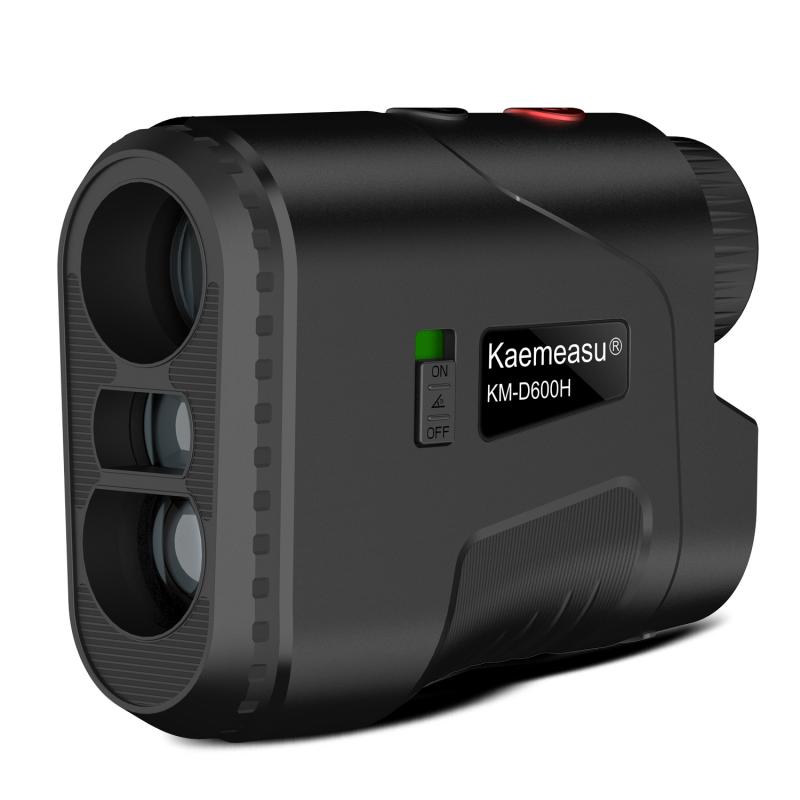
Calibrating the Distance Measurement Accuracy of the Rangefinder

4、 Fine-tuning the Target Acquisition and Lock-On Features

To calibrate a Blue Tees rangefinder, you can follow a few simple steps to ensure accurate measurements and optimal performance. The process involves fine-tuning the target acquisition and lock-on features. Here's how you can do it:

1. Start by selecting a target at a known distance. It could be a flagstick on a golf course or any other object with a known distance marker.

2. Stand at a reasonable distance from the target, ensuring that it is within the rangefinder's range capabilities.

3. Aim the rangefinder at the target and press the power button to activate it. Look through the viewfinder and align the crosshairs with the target.

4. Press the "Mode" or "Calibrate" button on the rangefinder. This will initiate the calibration process.

5. The rangefinder will emit a laser beam towards the target, and the device will calculate the distance based on the time it takes for the laser to bounce back. The rangefinder will display the measured distance on the screen.

6. Compare the measured distance with the known distance of the target. If there is a significant difference, you may need to adjust the rangefinder's settings.

7. Some Blue Tees rangefinders offer adjustable settings for target acquisition and lock-on features. Use the device's menu or settings options to fine-tune these features. This will help improve accuracy and ensure the rangefinder locks onto the target more effectively.

8. Repeat the calibration process with different targets at various distances to ensure consistent and accurate measurements.

It's important to note that the specific steps and features may vary depending on the model of the Blue Tees rangefinder you are using. Therefore, it is always recommended to consult the user manual for detailed instructions specific to your device.

In conclusion, calibrating a Blue Tees rangefinder involves fine-tuning the target acquisition and lock-on features. By following the steps mentioned above and adjusting the settings as necessary, you can ensure accurate measurements and enhance the performance of your rangefinder.
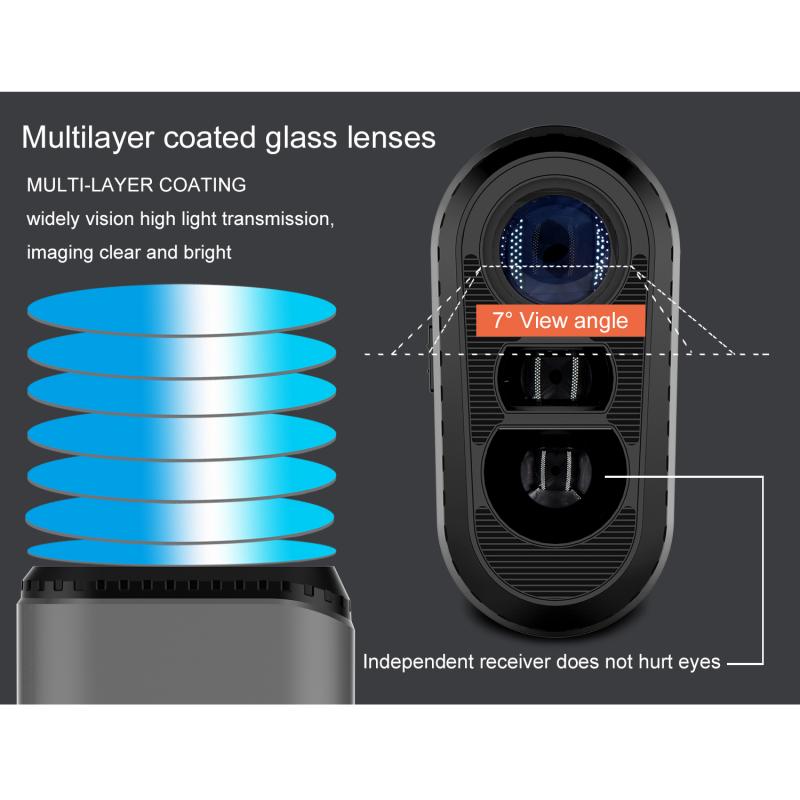

Fine-tuning the Target Acquisition and Lock-On Features

Leave your comment
Cancel reply
Note: HTML is not translated!
Related products
M42 Lenses to Minolta A / Sony A Camera Mount Adapter
59
£39.99
Minolta A / Sony A Lenses to Fuji X Mount Camera Adapter
36
£43.99 £35.99
Minolta A / Sony A Lenses to Pentax Q Camera Mount Adapter
52
£31.99 £22.99
Minolta A / Sony A Lenses to Leica M Camera Mount Adapter
49
£52.99
Minolta A / Sony A Lenses to Nikon Z Mount Camera Adapter
62
£55.99 £45.99
Minolta A / Sony A Lenses to Canon EOS M Camera Mount Adapter
56
£43.99 £31.50
Minolta A / Sony A Lenses to Canon EOS R Mount Camera Adapter
69
£55.99 £40.00
Minolta A / Sony A Lenses to Nikon 1 Camera Mount Adapter with Tripod Mount
77
£38.99 £27.99
Minolta A / Sony A Lenses to Pentax Q Camera Mount Adapter with tripod mount
52
£37.99 £26.99
37mm CPL Filter ultra-thin Trapezoidal Frame  Blue-Coated Film with a piece of vacuum cleaning cloth Nano-Klear
37mm CPL Filter ultra-thin Trapezoidal Frame Blue-Coated Film with a piece of vacuum cleaning cloth Nano-Klear
10
£16.99 £9.99
Guess you like products
Wildlife Trail Camera with Night Vision 0.3S Trigger Motion Activated 48MP 4K IP66 Waterproof Hunting Camera for Outdoor & Home security
40
£97.67 £72.99
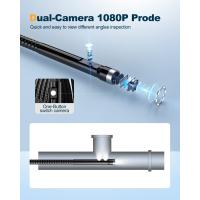
Kentfaith Industrial Endoscope Inspection Camera borescope, 8 LED lights specially designed, 8mm lightning interface snake camera, suitable for all series iPhone and Android supports IP67 waterproof 5 meters rigid cable
26
£32.99 £29.99
62mm Snap-On Center Pinch Lens Cap 5 in 1 with Anti-Loss Keeper Leash Compatible with Nikon, Canon, Sony, Fujifilm Camera Lenses
£9.99 £7.99
40.5mm Black Mist 1/4 & CPL Filter 2 in 1 Black Diffusion Circular Polarizing Effect Filter with 18 Multi-Layer Coatings Nano-Klear Series
26
£25.99 £19.99
Cordless Engraving Pen with 3 Speeds, 30 Bits, 16 Stencils, for Rocks, Wood, Glass, etc. Kentfaith
16
£43.74 £34.99
49mm Variable ND Filter, Fader ND2 to ND400 Adjustable HD Neutral Density Grey Filter with Cleaning Cloth for Camera Lenses
186
£43.00 £23.99
83''/2.1m Camera Video Tripod For Dslr Compact Aluminum Tripod With Fluid Head And 5kg Load For Travel And Work K234A7+FH-03
26
£117.99 £99.99
Metal detector, IP68 waterproof, 10 inch detection disk, with higher precision and Stong mode
21
£122.99 £97.99
55MM Polarising Filter Circular Polarizing CPL, Ultra Slim, Japan Optics, Multi Coated
61
£15.99
Children's entry-level metal detector, high sensitivity, with LCD display and sound indication, suitable for beginners Kentfaith
57
£38.99 £33.99
Related articles
Are Blue Tees Rangefinder Good ?
How To Calibrate Bushnell Rangefinder ?
How To Calibrate Microscope Stage Micrometer ?
What Is Blue Filter Lens ?
How To Use A Rangefinder?
How To Focus A Rangefinder Camera ?
How To Use A Rangefinder Reticle ?
How To Hold A Rangefinder Camera ?
How To Use A Rangefinder Golf ?
How To Use Olympus Digital Camera Updater ?
Guess you like articles
What's The Best Wifi Security Camera ?
How To Mount Lens On Nikon D7000 ?
What Size Filter For Sigma 35 Lens ?
Microscopes How They Work ?
How To Boost Wifi Camera Signal ?
How To Use Tripod Stand With Ring Light ?
What Is Bright Field Microscope ?
How To Replace Battery In Blink Xt Camera ?
How To Set Up Monocular Telescope ?
What Lenses Do I Need For Photography ?
Related categories
golf range finder UK Sony A mount lens adapter​ accessories for a drone Sony E mount adapter variable ND and CPL filter​ ND2 Filters Bluetooth microphone Language Translator Device ND8 lens filter​ ND64 Filter
Popular products
sony camera adapter minolta md to leica m adapter minolta nikon adapter canon adapter sony sony minolta mount sony a mount adapter sigma sony adapter golf rangefinder battery archery hunting rangefinder pro golf rangefinder
Related searches
Binoculars With A Rangefinder Blue Microphone To Iphone Parts To A Telescope Sony A To Ef Adapter Sony A Mount To E Minolta Md To A Mount M42 To Sony A Mount Sony A To Nex Adapter Sony A Mount To Canon M42 To A Mount Adapter
Blog Category
  • Camera Reviews
  • News & Reviews
    • News
  • Tutorials
    • Animal Photography
    • Food Photography
  • Inspiration
    • Travel
    • Travel Stories
    • Photography Tricks
Search Article
Latest from the Blog
​What is ND Filter in Photography?
How Do Metal Detectors Work?
How To Set Up Digital Camera As Webcam?
Secure Camera Which Works On Home Wifi?
Can Wifi Camera Work Without Internet?
What Sd Card For Dslr Camera?
What Is Exposure On Dash Cam?
How Do Wireless Outdoor Security Cameras Work?
How To Detect Wireless Spy Cameras?
How To Hide Gold From Metal Detector?
Powered By K&F Concept © 2025