
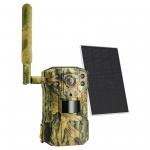
4G LTE solar wildlife camera, Hunting Infrared Night Vision Camera,2.7K HD 0.2s fast trigger, solar and battery powered, UK/EU Version SIM card without contract
SKU: KF35.138EU
Q
A
APN in network configuration does not match Please reset APN according to APP reminder. android phone can check APN name in phone, apple phone need to ask operator, different station corresponding operator and APN name can refer to sub table 2
The device can't connect to the APP, connected also often disconnected Generally this problem and the network has a relationship, you can put the hunting camera in a place with more than 2 frames of signal, and at the same time ensure that the camera has sufficient power and SIM has enough traffic, in general, a month of 3G traffic to meet the camera use
Connection method "1, please in the manual two-dimensional code or in Google search UCon, download APP to the phone;
2、Load the SIM card into the hunting camera, load the battery and turn on the camera;
3、Status indicator blue light is always on and start to connect the device on the APP: click add device - install 4G device - click next - scan the hunting camera body on QR code - wait for the device to be added successfully"
A
Please use a DC5V-1A charger to charge the device in time. The charging indicator is always on in green when the device is charging and goes off when it is fully charged;
If it fails to charge please replace the charger or USB cable and try charging again.
A
It is recommended that the Micro SD card be inserted and removed after a power failure;
Check whether the Micro SD card is normally available and in FAT32 format;
The app may also indicate that the Micro SD card is not recognised if the network on the mobile phone or the device is unstable.
A
The red light of the indicator is always on, the signal is too weak, please adjust the position and direction of the device;
The red and blue indicator light is flashing fast alternately, the device has not detected the SIM card, please confirm that the SIM card is inserted. If the SIM card has PIN turned on, you need to insert the SIM card into the phone to disable the PIN code first and retry after inserting the device;
red and blue lights flashing alternately slowly, insufficient traffic or unpaid stop, please replace the SIM card or top up;
A
There is a function to share the device on the APP, you need the receiver to download UCon as well, you can share it by scanning the code or entering the personal account of the other app.
A
Recorded images and videos are stored on the micro SD card in the device (not included). They can therefore be viewed via the app.
How to view videos Tap on the UCon app to view live videos, record videos online or take photos
A
like your mobile phone, the 4G hunting camera requires a SIM card with a data plan in order to transmit video over the 4G network.
Does the camera support a tablet connection? No, please use your mobile phone to connect
A
Please check sub-table 2 for the operators corresponding to different countries, please update the operation according to your site. For example Germany is: T-Mobile, Vodafone, E-Plus E-+ Mobilfunk
A
A 12*9mm Nano SIM card is required