kfconcept

K&F Concept UK
K&F Concept United Kingdom    Blog >

Enjoy Your Selected Digital Life

Recently Viewed
  • Recently Viewed
  • 62mm 6-Point Fine-Line Star Effect Filter, Cine & Dreamlike Special Filter 18-Layer Coated Optical Glass with 3 Vacuum Cleaning Cloths - Nano-Klear Series
    62mm 6-Point Fine-Line Star Effect Filter, Cine & Dreamlike Special Filter 18-Layer Coated Optical Glass with 3 Vacuum Cleaning Cloths - Nano-Klear Series
    £28.99
    DJI MINI 3 PRO Dedicated High-Definition Tempered Film Explosion-Proof Screen Remote Control Protective Film (2 Pieces)
    DJI MINI 3 PRO Dedicated High-Definition Tempered Film Explosion-Proof Screen Remote Control Protective Film (2 Pieces)
    £10.99
    K&F Concept Camera Neck Strap with Quick Release for Photographers, Adjustable Camera Shoulder Sling Strap Compatible for Nikon Canon Sony Olympus DSLR Camera - Strap URBAN WANDER 01 (Gray)
    K&F Concept Camera Neck Strap with Quick Release for Photographers, Adjustable Camera Shoulder Sling Strap Compatible for Nikon Canon Sony Olympus DSLR Camera - Strap URBAN WANDER 01 (Gray)
    £44.99 £33.99
    46mm UV Filter Ultra Low Reflection Tempered Glass Protection Lens Filter, Slim Lens HD Optical Glass Scratch-resistant, Ultraviolet Filters for DSLR Cameras Nano-X Series
    46mm UV Filter Ultra Low Reflection Tempered Glass Protection Lens Filter, Slim Lens HD Optical Glass Scratch-resistant, Ultraviolet Filters for DSLR Cameras Nano-X Series
    £33.99
Compare (0) 0
  • Compare
  • You have not chosen any products to compare.

  • Compare
Currency: GBP
  • Currency

Log Into Your Account

Account

Order History

Wish List

Login

Forgotten Password?

Or connect with

Register Account

Already have an Account?Log In

  • Shopping Cart
  • Your shopping cart is empty!

  • Register/Login to purchase, earn points
  • Favorite
  • Your wish list is empty.

  • Register/Login to like, earn points
  • Tripods
    • Aluminum Tripods
    • Carbon Fiber Tripods
    • Travel Tripods
    • Video Tripods
    • Monopods
    • Lightweight Tripods
    • Mini Tripod
    • Tripod Accessories
    • Gimbal Stabilizers
    • Tripod Head
    • Tripod Kit
    • Action Camera Mounts
    • Phone Tripods
    • Studio Parts
      • Camera Flash
      • Photography Fill Light
      • Ring light
      • Soft Box
      • Tripod Light Stands
      • Reflectors
    • Clearance Tripods
  • Lens Filters
    • UV Filters
      • Nano-Xcel Series
        • MCUV
        • Ultra-low Reflectivity MCUV Filters
        • MCUV Super Hard
        • Explosion-proof MCUV - Nano-Xcel
        • MCUV+Lens Cap+Cleaning Cloth
        • Super Hard&Ultra Low Reflection MCUV Filters - Nano-Xcel
        • MCUV - Magnetic Series
      • Nano-Dazzle Series
        • MCUV
        • MCUV+Lens Cap+Cleaning Cloth
      • Nano-Klear Series
        • MCUV
        • Ultra Thin Frame MCUV Filters
        • MCUV+Lens Cap+Cleaning Cloth
      • Nano-Xcel Pro Series
        • MCUV
    • CPL Filters
      • Nano-Xcel Series
        • CPL
        • CPL True Color
        • Ultra-low Reflectivity CPL
        • CPL+Lens Cap+Cleaning Cloth
        • Magnetic CPL
          • Magnetic CPL + Apater ring + Cap - Nano-X
        • True Color Ultra-low Reflectivity CPL - Nano-Xcel
      • Nano-Dazzle Series
        • CPL
        • CPL+Lens Cap+Cleaning Cloth - Nano-Dazzle
      • Nano-Klear Series
        • CPL
        • Ultra Thin Frame CPL Filters
        • CPL+Lens Cap+Cleaning Cloth
        • CPL+Lens Cap - Nano-Klear
      • Nano-Xcel Pro Series
        • CPL
    • Neutral Density Filters
      • Neutral Density (Solid) Filters
        • ND8 (3 stops) - Nano-Xcel Series
        • ND64 (6 stops) - Nano-Xcel Series
        • ND1000 (10 stops) - Nano-Xcel Series
        • ND100000 (16.6 stops) - Nano-Xcel Series
        • ND1000000 (20 stops) - Nano-Xcel Series
        • ND100000 (16.6 stops) - Nano-Klear Series
        • ND1000000 (20 stops) - Nano-Klear Series
        • Solid ND - Magnetic Series
      • Graduated Neutral Density
        • 100mm GND Filter
          • Soft GND8 Filters - Nano-Xcel Series
          • Hard GND8 Filters - Nano-Xcel Series
          • Reverse GND8 Filters - Nano-Xcel Series
          • Soft GND16 Filters - Nano-Xcel Series
          • Reverse GND16 Filters - Nano-Xcel Series
          • Soft GND8 Filters - Nano-Xcel Pro Series
          • Hard GND8 Filters - Nano-Xcel Pro Series
          • Reverse GND8 Filters - Nano-Xcel Pro Series
          • Soft GND16 Filters - Nano-Xcel Pro Series
          • Reverse GND16 Filters - Nano-Xcel Pro Series
        • Circular GND Filter
          • GND8
          • GND16
      • 2 in 1 Filters
        • ND2-ND32&CPL Filters - Nano-Xcel Series
        • ND2-ND32&CPL Filters - Nano Dazzle Series
        • ND2-32&CPL Filters - Nano-Klear Series
        • ND2-ND32&CPL Filter - Nano-X Pro
        • ND2-ND32&CPL True Color Filters - Nano-Xcel Series
        • ND4-ND64&CPL Filter
      • 3 in 1 Filters
        • ND2-32&CPL&Black Mist 1/4 Filters - Nano-Xcel Series
        • ND2-32&CPL&Black Mist 1/4 Filters - Nano-Klear Series
      • Variable Neutral Density
        • Nano-Xcel Series
          • ND2-ND32 - Nano-Xcel
          • ND2-ND32 True Color - Nano-Xcel
          • ND2-ND400 - Nano-Xcel
          • ND8-ND128 - Nano-Xcel
          • ND32-ND512 - Nano-Xcel
          • ND3-ND1000 - Nano-Xcel
          • ND2-32 True Color Ultra-Low Reflection - Nano-Xcel
          • ND2-400 Ultra-Low Reflection - Nano-Xcel
        • Nano-Dazzle Series
          • ND2-ND32 - Nano-Dazzle
          • ND2-ND400 - Nano-Dazzle
          • ND3-ND1000 - Nano-Dazzle
          • ND8-ND2000 - Nano-Dazzle
        • Nano-Klear Series
          • ND2-ND32 - Nano-Klear
          • ND2-ND400 - Nano-Klear
          • ND2-ND2000 - Nano-Klear
          • True Color ND2-ND400 - Nano-Klear
        • Nano-Xcel Pro Series
          • ND2-ND32 - Nano-Xcel Pro
        • Nano-B Series
          • ND2-ND400 - Nano-B
    • Black Mist & Soft Focus Filters
      • Black Mist Filters
        • Black Mist 1/8
          • Black Mist 1/8 - Nano-Xcel Series
          • Black Mist 1/8 - Nano-Dazzle Series
          • Black Mist 1/8 - Nano-Klear Series
          • Black Mist 1/8 - Nano-Xcel Pro Series
          • Black Mist 1/8+Lens Cap+Cleaning Cloth - Nano-Klear Series
        • Black Mist 1/4
          • Black Mist 1/4 - Nano-Xcel Series
          • Black Mist 1/4 - Nano-Dazzle Series
          • Black Mist 1/4 - Nano-Klear Series
          • Black Mist 1/4 - Nano-Xcel Pro Series
          • Black Mist 1/4+Lens Cap+Cleaning Cloth - Nano-Klear Series
        • Black Mist 1/2
          • Black Mist 1/2 - Nano-Xcel Series
          • Black Mist 1/2 - Nano-Klear Series
        • Black Mist 1
          • Black Mist 1 - Nano-Xcel Series
          • Black Mist 1 - Nano-Klear Series
        • Black Mist Kit
          • Black Mist 1/4 + 1/8 Nano Xcel Series
          • Black Mist 1/4 + 1/8 - Nano Klear Series
          • Black Mist 1/4 + CPL - Nano Klear Series
        • Black Mist & CPL
          • Black Mist 1/4&CPL - Nano-Klear Series
        • Black-Mist & VND
          • Black Mist 1/4 & ND2-32 Filters - Nano-Klear Series
          • Black Mist 1/4 & ND2-400 Filters - Nano-Xcel Series
          • Black Mist 1/4 & ND2-32 Filters - Nano-Xcel Series
          • Black Mist 1/8 & ND2-32 Filters - Nano-Klear Series
          • Black Mist 1/4 & ND2-400 Filters - Nano-Klear Series
      • White Mist Filters
        • White Mist 1/4 - Nano-Xcel Series
        • White Mist 1/4 - Nano-Klear Series
      • Shimmer Diffusion
        • Shimmer Diffusion 1 - Nano-Xcel Series
        • Shimmer Diffusion 1 - Nano-Klear Series
    • Light Pollution Cut Filter
      • Light Pollution Cut Filter - Circular
      • Light Pollution Cut Filter - Square
    • Magnetic Lens Filters
      • MCUV Filters
        • Magnetic MCUV - Nano-Klear Series
        • Magnetic MCUV+Lens Caps - Nano-Xcel Series
      • CPL Filters
        • Magnetic CPL + Adapter Ring
        • Magnetic CPL+Adapter Ring - Nano-Klear Series
      • Black-Mist
        • Black Mist 1/8 Filters - Nano-Xcel Series
        • Black Mist 1/4 Filters - Nano-Xcel Series
      • Neutral Density (Solid) Filter
        • Magnetic ND8 - Nano-Xcel Series
        • Magnetic ND64 - Nano-Xcel Series
        • Magnetic ND1000 - Nano-Xcel Series
      • Unlimited Variable ND Filter
        • Magnetic ND2-ND32 - Nano-Xcel Series
        • Magnetic ND8-ND128 Filters - Nano-Xcel Series
      • Accessories
        • Magnetic Adapter Ring
        • Magnetic Filter Ring
        • Magnetic Cap
      • Kits
        • MCUV+CPL+ND1000+Adapter Ring - Nano-Xcel Series
        • CPL+ND8+ND64+Adapter Ring+Lens Cap - Nano-Xcel Series
        • GND8+ND8+ND64+ND1000+Adapter Ring - Nano-Xcel Series
        • CPL+VND2-32+Black Mist 1/4+Magnetic Ring+Lens Cap - Nano-Xcel Series
    • Square Filter System
      • Basic System
        • Square ND Filters
          • ND4 Filters - Nano-Xcel Series
          • ND16 Filters - Nano-Xcel Series
          • ND1000 Filters - Nano-Xcel Series
          • ND2000 Filters - Nano-Xcel Series
          • ND32000 Filters - Nano-Xcel Series
          • Full Color ND8 Filters - Nano-Xcel Series
          • Full Color ND64 Filters - Nano-Xcel Series
        • Square GND Filters
        • Light Pollution Cut Filter
          • Light Pollution Cut Filter - Nano-Xcel Series
        • Square Black Mist Filters
          • Square Black Mist 1 - Nano-Xcel Series
          • Square Black Mist 1/4 - Nano-Xcel Series
          • Square Black Mist 1/8 - Nano-Xcel Series
        • Brackets and Accessories
          • Adapter Ring - Nano-Xcel Series
        • Kits
          • 100mm Square Filter System - Nano-Xcel Series
          • 100mm ND1000+Holder Kit - Nano-Xcel Series
          • 100mm ND1000+Soft GND8+Holder Kit - Nano-Xcel Series
          • 100mm Soft GND8+Holder Kit - Nano-Xcel Series
      • Professional System
        • ND
          • Full Color ND8 Filters - Nano-Xcel Pro Series
          • Full Color ND64 Filters - Nano-Xcel Pro Series
          • Full Color ND1000 Filters - Nano-Xcel Pro Series
        • GND
        • PL
        • Black Mist 1/4&CPL - Nano-Xcel Pro Series
        • Light Pollution Cut Filter
          • Light Pollution Cut Filter - Nano-Xcel Pro Series
        • Kits
          • 100mm ND1000+Holder Kit - Nano-Xcel Pro Series
          • 100mm ND1000+Soft GND8+Holder Kit - Nano-Xcel Pro Series
          • 100mm ND8+ND64+ND1000+Holder Kit - Nano-Xcel Pro Series
          • 100mm Holder Kit - Nano-Xcel Pro Series
        • Brackets and Accessories
          • 100x100mm Square Filter Protect Frame - Nano-Xcel Pro Series
          • 100x150mm Square Filter Protect Frame - Nano-Xcel Pro Series
          • Adapter Ring - Nano-Xcel Pro Series
    • Drone Filter
      • DJI Air 3S
      • DJI Avata2
      • DJI Flip
      • DJI Mavic 3 Pro
      • DJI NEO
      • DJI Mini 1/2/SE
      • DJI Mini 4 Pro Filters
      • DJI Mavic 3
      • DJI Mini 3 PRO
      • DJI Avata
      • DJI Mavic 4 Pro
      • DJI Mini 5 Pro
      • DJI Air 2S
    • Effects Filters
      • Prism Filters
        • Central Prism Filters
          • Central Pentagonal Filters - Nano-Basic Series
          • Central Hexagonal Filters - Nano-Basic Series
        • Ordinary Prism Filters
          • Triangular Filtres - Nano-Basic Series
        • Single Linear Prisms
      • Streak Filters
        • Blue Streak Filters - Nano-Xcel Series
        • Gold Streak Filters - Nano-Xcel Series
        • Colorful Streak Filters - Nano-B Series
        • Blue Streak Filters - Nano-Klear Series
      • Star Filter
        • Star Filters 4-8 Points - Nano-Klear Series
        • Star Filter Kits 4+6+8 Points - Nano-Klear Series
        • 4-Point Fine-Line Star Filters - Nano-Klear Series
        • 6-Point Fine-Line Star Filters - Nano-Klear Series
      • Kaleidoscope Filters
        • Kaleidoscope Filters - Nano-Basic Series
        • Handheld Kaleidoscope Filters - Nano-B Series
      • Motion Blur Filters
        • Directional Motion Blur - Nano-Basic Series
        • Bidirectional Motion Blur - Nano-Basic Series
        • Handheld Motion Blur Filters - Nano-Basic Series
      • Spiral Filters
        • Spiral Halo Filters - Nano-B Series
        • Handheld Spiral Filters - Nano-Basic Series
      • Diopter Filters
        • Centerfield Split Diopter Filters - Nano-Basic Series
        • Handheld Diopter Filters - Nano-Basic Series
    • Filter Accessories
      • Lens Hoods
      • Rings Kits
        • Step Up Rings
        • Step Down Rings
      • Filter Holders & Frames
      • Filter Holder Adapter Rings
        • Filter Adapter Rings
      • Filter Pouches
      • Lens Caps
        • Caps for Magnetic Filters
        • Caps for Variable ND Filters
        • Anti-lost Lens Cap
          • 4 in 1
          • 5 in 1
          • 9 in 1
      • Polarized Film
    • Filter Kit
      • Black Diffusion 1/4 + 1/8
      • Screw-In Filters
        • MCUV+CPL Filter - Nano-Klear Series
        • MCUV+CPL+Lens Cap - Nano-Klear Series
        • MCUV+CPL+Metal Lens Cap - Nano-Xcel Series
        • MCUV+CPL+ND1000+Lens Cap - Nano-Dazzle Series
        • MCUV+CPL+ND2-400 - Nano-Klear Series
        • ND8+ND64+ND1000 - Nano-Dazzle Series
        • MCUV+CPL+ND4 - Nano-Klear Series
        • ND1000+CPL - Nano-Klear Series
        • ND4+ND8+ND64+ND1000 - Nano-Xcel Series
        • MCUV+CPL
      • Magnetic Filters
      • Square Filters
    • Action Camera Filters
      • DJI Osmo Action 4 / Action 5 Pro
      • DJI Osmo Action 6
      • DJI Osmo Nano
      • DJI Osmo Pocket 3
      • GoPro HERO 4K
      • GOPRO Hero 9/10/11/12/13 Filters
      • Insta360 Ace pro 2
      • Insta360 Go Ultra
      • Insta360 GO3
      • Insta360 GO3S
      • Action Camera Accessories
        • DJI Osmo Action 3/4/5 Pro
        • Head Strap & Chest Mount
        • Insta360 X5
        • Magnetic Neck Mount
        • DJI Osmo 360
        • DJI Osmo Pocket 3 Charging Base
        • DJI Osmo Pocket 3
    • Phone Lens Filters
    • Matte Box & Filter Systems
      • Neutral Density (Solid) Filters
        • ND4 - Nano-Xcel Series
        • ND8 - Nano-Xcel Series
        • ND16 - Nano-Xcel Series
        • ND32 - Nano-Xcel Series
        • ND64 - Nano-Xcel Series
        • ND8+ND64 - Nano-Xcel Series
      • UV Filters
      • Black Mist Filters
        • Black Mist 1/4 - Nano-Xcel Series
        • Black Mist 1/8 - Nano-Xcel Series
      • Blue Streak Filters
      • Accessories
      • Kits
        • Matte Box - Nano-Xcel Series
        • Matte Box Pro - Nano-Xcel Series
        • Matte Box+ND8 Square Filter - Nano-Xcel Series
        • Matte Box+ND4+ND32 Square Filter - Nano-Xcel Series
        • Matte Box+Black Mist 1/4 Square Filter - Nano-Xcel Series
    • Brand-specific Filters
      • Fujifilm X100
      • Ricoh GR
  • Lens Adapters
    • PL Mount Lenses
    • A Mount Body(Sony/Minolta)
    • Fujifilm X Mount Body
    • Fujifilm G (GFX) Mount Body
    • C-Mount Body
    • Leica M Mount Body
    • MFT(M4/3) Mount Body
    • Pentax K Mount Body
    • Pentax Q Mount Body
    • Samsung NX Mount Body
    • Nikon F Mount Body
    • Nikon 1 Mount Body
    • Nikon Z Mount Body
    • Canon EOS EF/EF-S Mount Body
    • Canon EOS M Mount Body
    • Canon RF Mount Body
    • Sony E Mount Body
    • L-Mount Alliance (Leica)
  • Camera
    • Digital Camera & Camcorders
      • Digital Cameras & Camcorders
      • Underwater Cameras
      • Action Cameras
      • Kids’ Cameras
      • Time lapse camera
    • Wildlife Camera
      • Wifi Trail Cameras
      • Non-Cellular Trail Cameras
      • Accessories
      • Cellular Trail Cameras
    • Surveillance Cameras
      • 4G Camera
      • Battery Camera
      • Baby Monitor
      • WiFi Camera
      • Feeder Camera
      • Floodlight camera
      • Monitoring Detector
    • Camera Lenses
    • On-Dash Camera
    • Fishing camera
    • Memory Cards
      • Micro SD Card
      • SD Card
    • Camera Accessories
      • Camera Caps
      • Camera Screen Protectors
        • Canon
        • Sony
        • Fujifilm
        • Nikon
        • Olympus
        • Ricoh
        • GoPro
        • DJI Osmo Pocket 3
      • Camera Hot Shoe Covers
      • Camera Viewfinder Eyecups
        • Nikon
        • Sony
        • Canon
      • Adjustment Iris
  • Camera Bags
    • Camera Backpacks
    • Camera Shoulder Bags
    • Camera Cases
    • Digital Storage Bag
    • Lens Cases
    • Camera Straps
    • Backpack Accessories
  • Camera Battery
    • Sony
    • Canon
    • Nikon
    • FUJIFILM
    • Ricoh
    • Gopro
    • Osmo Action
    • Lumix
    • V Mount Battery
    • Memory Card Case
  • Optics
    • Microscope
      • Optical Microscope
      • Digital Microscope
      • Kids' Microscopes
    • Binoculars
    • Monocular
    • Telescope
    • Night Vision Goggles
    • Rangefinder
  • Endoscope
    • Professional Endoscope
    • Household Endoscope
    • Portable Endoscope
    • Otoscope/Oral Endoscope
  • More
    • Cleaning Kits
    • Digital Voice Recorders
    • Language Translator Device
    • Smart Glasses
    • Metal Detectors
    • Light
      • Video fill light
      • Live Ring Light
      • Outdoor Lighting
    • Motorcycle Bluetooth Headset
    • Laser Engraver Machine
    • Headphones
    • Weather Station & Household Sensors
    • Microphone
    • Drone Accessories
      • DJI Air 2S Accessories
      • DJI Air 3 Accessories
      • DJI Avata Accessories
      • DJI Drone Universal Accessories
      • DJI Mavic Mini 2/Mini 2 SE/Mini Accessories
      • DJI Mavic Mini 3 Accessories
      • DJI Mini 3 Pro Accessories
    • Smart Watch
    • Smart lock
    • Studio
    • Solar Panels
  • Deals
    • Specials
    • Coupon
    • New Arrivals
  • Home
  • Blog
  • How To Charge Battery On Samsung L313 Camera ?

How To Charge Battery On Samsung L313 Camera ?

K&f concept 2023-09-18 09:10:00 0 Comments

To charge the battery on a Samsung L313 camera, you will need to follow these steps:

1. Locate the battery compartment on the camera. It is usually on the bottom or side of the camera.

2. Open the battery compartment by sliding or flipping the latch.

3. Take out the battery from the camera.

4. Connect the provided USB cable to the camera's USB port.

5. Plug the other end of the USB cable into a power source, such as a computer USB port or a wall adapter.

6. Ensure that the power source is turned on.

7. Leave the camera connected to the power source until the battery is fully charged. This may take a few hours.

8. Once the battery is fully charged, disconnect the USB cable from the camera and the power source.

9. Reinsert the battery into the camera and close the battery compartment.

10. Your Samsung L313 camera is now ready to be used with a fully charged battery.

1、 Connect the camera to a power source using the provided charger.

To charge the battery on a Samsung L313 camera, you can follow these steps:

1. Connect the camera to a power source using the provided charger. The charger usually comes with a USB cable that connects to the camera's charging port. Plug the USB cable into the charger and then plug the charger into a wall outlet or a USB port on your computer.

2. Make sure the camera is turned off before connecting it to the charger. This will ensure that the battery charges properly.

3. Once the camera is connected to the charger, a charging indicator light may appear on the camera or the charger itself. This light will usually turn on to indicate that the battery is charging.

4. Leave the camera connected to the charger until the battery is fully charged. The charging time may vary depending on the battery's current level and the charger's specifications. It is recommended to refer to the camera's user manual for specific charging times.

5. Once the battery is fully charged, disconnect the camera from the charger. Unplug the charger from the power source and remove the USB cable from the camera's charging port.

It is important to note that the latest Samsung cameras may have different charging methods or features. Therefore, it is always advisable to consult the camera's user manual or visit the official Samsung website for the most up-to-date information on how to charge the battery.
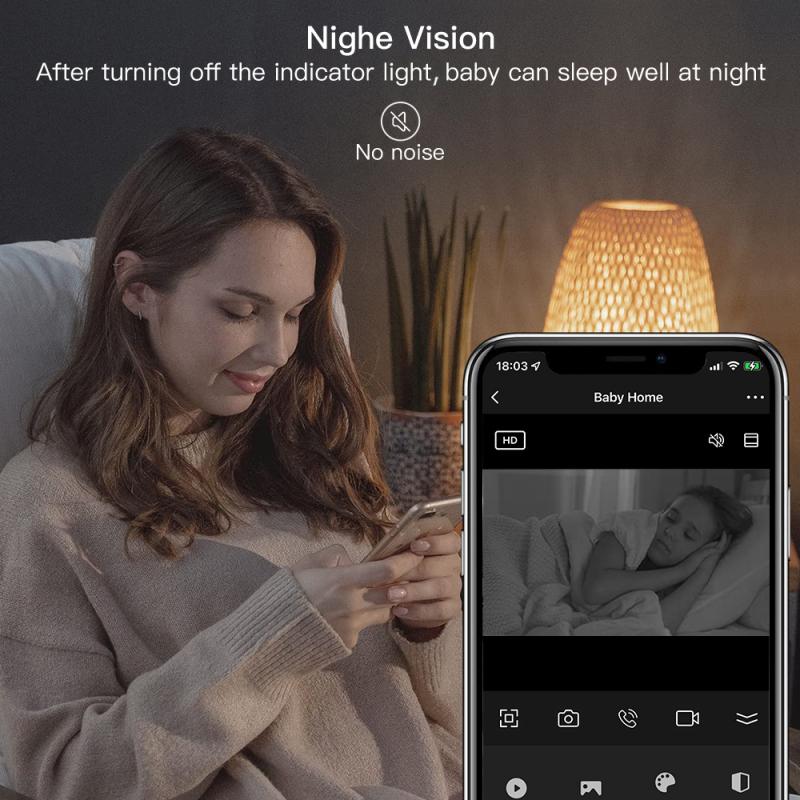
Connect the camera to a power source using the provided charger.

2、 Insert the battery into the camera.

To charge the battery on a Samsung L313 camera, you will need to follow a few simple steps. The first step is to locate the battery compartment on the camera. This is usually located on the bottom or side of the camera, and it may be labeled with a battery symbol.

Once you have located the battery compartment, you will need to open it. This can usually be done by sliding a latch or pressing a button. Once the compartment is open, you can insert the battery into the camera. Make sure that the battery is inserted correctly, with the positive and negative terminals aligned properly.

After inserting the battery, you will need to connect the camera to a power source. This can be done using the USB cable that came with the camera. Plug one end of the cable into the camera, and the other end into a USB port on your computer or a wall adapter. The camera should automatically start charging once it is connected to a power source.

While the camera is charging, you may see a light or indicator on the camera that shows the charging status. This can vary depending on the model of the camera, so consult the user manual for specific information. Once the battery is fully charged, you can disconnect the camera from the power source and begin using it.

It is important to note that the latest point of view on charging the battery of a Samsung L313 camera may include the option of using a separate battery charger. Some camera models come with a separate charger that allows you to charge the battery outside of the camera. This can be useful if you have multiple batteries and want to charge them simultaneously. If your camera does not come with a separate charger, you can still charge the battery using the USB cable and a power source as described above.

Additionally, it is worth mentioning that some newer camera models may also support wireless charging. This means that you can charge the camera by placing it on a compatible wireless charging pad or dock. However, it is important to check the specifications and user manual of your specific camera model to determine if it supports wireless charging.

In conclusion, to charge the battery on a Samsung L313 camera, you need to insert the battery into the camera and connect it to a power source using a USB cable. The camera will automatically start charging, and you can monitor the charging status using the indicator on the camera. If available, you can also use a separate battery charger or wireless charging pad to charge the battery.

Insert the battery into the camera.

3、 Ensure the camera is turned off during charging.

To charge the battery on a Samsung L313 camera, follow these steps:

1. Ensure the camera is turned off during charging: This is an important step to prevent any potential damage to the camera or the battery. It is always recommended to turn off electronic devices before charging them.

2. Locate the battery compartment: On the Samsung L313 camera, the battery compartment is usually located on the bottom or side of the camera. Open the compartment by sliding or flipping the latch.

3. Remove the battery: Take out the battery from the camera by gently sliding it out or pressing the release button, depending on the model. Make sure to handle the battery with care to avoid any damage.

4. Connect the charger: Plug the charger into a power outlet and connect the other end to the camera's battery compartment. Ensure that the charger is compatible with the camera model to avoid any compatibility issues.

5. Charging indicator: Once the charger is connected, a charging indicator light should turn on. This light usually changes color or blinks to indicate that the battery is being charged.

6. Charging time: The charging time may vary depending on the battery's capacity and the charger's specifications. It is recommended to refer to the camera's user manual for specific charging times.

7. Charging complete: Once the battery is fully charged, the charging indicator light should turn off or change color to indicate that the charging process is complete. At this point, you can disconnect the charger from the camera.

It is worth noting that the latest Samsung camera models may have different charging methods or features. Therefore, it is always advisable to consult the user manual or visit the official Samsung website for the most up-to-date information on charging the battery of a specific camera model.

Ensure the camera is turned off during charging.

4、 Allow the battery to charge fully before use.

To charge the battery on a Samsung L313 camera, follow these steps:

1. Locate the battery compartment on the camera. It is usually on the bottom or side of the camera.

2. Open the battery compartment by sliding the latch or pressing the release button, depending on the camera model.

3. Remove the battery from the camera by gently pulling it out.

4. Connect the charger to a power source, such as a wall outlet or a USB port on your computer.

5. Insert the battery into the charger. Make sure the metal contacts on the battery align with the contacts on the charger.

6. Allow the battery to charge fully before use. The charging time may vary depending on the battery capacity and the charger's output.

7. While the battery is charging, you may see a charging indicator light on the charger. This light usually turns green when the battery is fully charged.

8. Once the battery is fully charged, remove it from the charger and reinsert it into the camera.

9. Close the battery compartment securely.

It is important to note that lithium-ion batteries, like the one used in the Samsung L313 camera, have a limited lifespan. Over time, their capacity to hold a charge decreases. If you notice that the battery does not last as long as it used to, it may be time to consider purchasing a new battery. Additionally, it is recommended to avoid overcharging the battery, as it can shorten its lifespan.

Allow the battery to charge fully before use.

Leave your comment
Cancel reply
Note: HTML is not translated!
Related products
Shipping Charge
Shipping Charge
1
£5.00
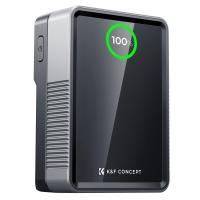
V Mount Battery 50Wh 3400mAh Mini V-Mount Battery with 65W Output and TFT Screen, 2H Full Charge, DC, D-Tap, USB-C, USB-A for Camera Camcorder Video Light Monitor
5
£119.99 £84.99
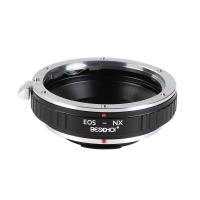
Beschoi Canon EOS EF Lens to Samsung NX SLR Camera Body K&F Concept Lens Mount Adapter
£26.99 £22.99
Clip-On Magnetic CPL Filter Kit For iPhone and Samsung Galaxy S22 S23 Ultra & 67mm Camera lens Magnetic Circular Polarizers Polarizing Filter Compatible with iPhone Mobile Camera Filter
10
£38.99 £34.99
67mm Clip-on CPL Phone Camera Lens Filter Kit Applicable to All Mobile Phone Models
48
£20.42 £18.99
67mm Clip-on ND2-32 Phone Camera Lens Filter Kit Applicable to All Mobile Phone Models
48
£38.18 £33.99
67mm Clip-on Black Mist 1/4 Phone Camera Lens Filter Kit Applicable to All Mobile Phone Models
£35.99 £32.99
67mm Clip-on Black Mist 1/8 Phone Camera Lens Filter Kit Applicable to All Mobile Phone Models
48
£38.99 £32.99
67mm Clip-on CPL&Black Mist 1/4 2-in-1 Phone Camera Lens Filter Kit Applicable to All Mobile Phone Models
48
£38.99 £32.99
K&F CONCEPT Mini On-Camera Flash GN12, 5600K, 2000mAh Built-in Battery, Compatible with Canon, Fuji, Sony, Nikon, Panasonic, Olympus, Pentax & Other DSLR/Mirrorless Cameras with Standard Hot Shoe.
2
£59.99 £39.99
Guess you like products
43mm CPL Filter Circular Polarizer Filter with Lens Cap Optical Glass Ultra Slim 18 Multi-Layer for Camera Lens Nano-Klear Series
14
£19.53 £11.99
K&F Concept Camera Backpack Air 25L, Camera Bags for Photographers Large Capacity with Raincover, Backpack  25L Nature Wander 01(Green)
K&F Concept Camera Backpack Air 25L, Camera Bags for Photographers Large Capacity with Raincover, Backpack 25L Nature Wander 01(Green)
75
£159.83 £109.99
Sony A (Minolta AF) Lens to Sigma, Leica, Panasonic L-mount Camera Adapter
78
£30.99
DJI Mavic 3 Classic ND32-512 Lens Filter (5-9 Stop), 28 Multi-Coated Variable Neutral Density Filter
£30.00 £24.99
49mm Lens Filter Black Mist 1/8 & Variable ND2-32 2 in 1 Filter Cinematic Effect Neutral Density Filter with 18 Multi-Layer Coatings - Nano-Klear Series
5
£33.29 £29.99
82mm  Black Mist Filter 1 Special Effects Filter Ultra-Clear Multi-layer Coated With Waterproof Scratch-Resistant and Anti-Reflection Nano-Xcel Series
82mm Black Mist Filter 1 Special Effects Filter Ultra-Clear Multi-layer Coated With Waterproof Scratch-Resistant and Anti-Reflection Nano-Xcel Series
68
£161.99 £99.99
Kentfaith Endoscope Dual Lens Inspection Camera 1080P HD Borescope, 5.5mm Snake Camera Endoscopic with Metal Cable & 4.3'IPS Hard Screen,Gadgets for Men
85
£127.99 £119.99
Dash Cam Hardwire Kit, Kentfaith Mini-USB Hard Wire Kit 11.5ft, 12-24V to 5V Car Dash Camera Charger Power Cord, Gift 5 Fuse Tap Cable with Battery Drain Protection for 24h Parking Monitor
20
£19.99 £15.99
K&F Concept 46mm lens filter adapter ring for 100mm filter system
74
£8.99
72mm MCUV Filter Nano-Xcel PRO Series HD Ultra-Thin brass Frame, 36-Layer Anti-Reflection Green Film
20
£93.99 £74.99
Related articles
How To Charge Sony Camera Battery ?
Ring Camera How To Charge Battery ?
How To Charge A Camera Battery ?
How To Charge Action Camera Battery ?
How To Charge Eufy Camera Battery ?
When To Charge Camera Battery ?
How To Charge Sony Battery With Camera ?
How To Charge A Lumix Camera Battery ?
How To Charge A Digital Camera Battery ?
How To Fix Camera Strap ?
Guess you like articles
How To Use Jvc Compact Vhs Camcorder ?
What's The Best Outdoor Cameras ?
How To Mount Sd Card To Samsung J5 ?
Can I Keep Rhinoshield Lens Adapter On Phone ?
Where Is The Ocular Lens On A Microscope ?
How To Do Disposable Camera Filter ?
How To Connect Wyze Camera To New Wifi ?
How To Connect Old Jvc Camcorder To Tv ?
What Type Of Battery For Blink Camera ?
What Month Is Best For Bird Watching ?
Related categories
battery operated surveillance camera outdoor Samsung NX mount DJI Mavic 3 Pro filters​ Sony E mount adapter variable ND and CPL filter​ baby camera 4g security camera camera monopod​ hunting camera camera gimbal stabilizer​
Popular products
samsung nx mount adapter​ polarization filter for iPhone canon ef to samsung nx smart adapter clip on mic bluetooth iPhone nd filter Ultra-low Reflection UV Filter camera lens cap nikon canon camera lens cap fujifilm fixed lens camera sony camera lens cap
Related searches
Ring Battery Charge Lights Canon Charge Battery In Camera Ring Outdoor Camera Battery Charge Power Up Charge On Earbuds Nikon D7000 Charge Battery In Camera Canon M50 Charge Battery In Camera Canon 5d Charge Battery In Camera Bluetooth Headset For Samsung Phone Smart Watch No Need To Charge Camera Battery Carry On
Blog Category
  • Camera Reviews
  • News & Reviews
    • News
  • Tutorials
    • Animal Photography
    • Food Photography
  • Inspiration
    • Travel
    • Travel Stories
    • Photography Tricks
Search Article
Latest from the Blog
What Games Are On The Retro Handheld Console?
How to Choose Phone Tripod?
How To Mount Go Pro On Tripod?
How to Make a Bird Feeder – And When to Buy Rather Than Build
Exploring the new Sony A7M5 camera: What are the upgrades and is it worth buying?
Digital Cameras That Can Go Underwater?
How To Install Video Surveillance Cameras?
How To Hide Outdoor Cameras?
Where Can You Use a Metal Detector?
​What is ND Filter in Photography?
Powered By K&F Concept © 2025