kfconcept

K&F Concept UK
K&F Concept United Kingdom    Blog >

Enjoy Your Selected Digital Life

Recently Viewed
  • Recently Viewed
  • Recently Viewed list is empty.

Compare (0) 0
  • Compare
  • You have not chosen any products to compare.

  • Compare
Currency: GBP
  • Currency

Log Into Your Account

Account

Order History

Wish List

Login

Forgotten Password?

Or connect with

Register Account

Already have an Account?Log In

  • Shopping Cart
  • Your shopping cart is empty!

  • Register/Login to purchase, earn points
  • Favorite
  • Your wish list is empty.

  • Register/Login to like, earn points
  • Tripods
    • Aluminum Tripods
    • Carbon Fiber Tripods
    • Travel Tripods
    • Video Tripods
    • Monopods
    • Lightweight Tripods
    • Mini Tripod
    • Tripod Accessories
    • Gimbal Stabilizers
    • Tripod Head
    • Tripod Kit
    • Action Camera Mounts
    • Phone Tripods
    • Studio Parts
      • Camera Flash
      • Photography Fill Light
      • Ring light
      • Soft Box
      • Tripod Light Stands
      • Reflectors
    • Clearance Tripods
  • Lens Filters
    • UV Filters
      • Nano-Xcel Series
        • MCUV
        • Ultra-low Reflectivity MCUV Filters
        • MCUV Super Hard
        • Explosion-proof MCUV - Nano-Xcel
        • MCUV+Lens Cap+Cleaning Cloth
        • Super Hard&Ultra Low Reflection MCUV Filters - Nano-Xcel
        • MCUV - Magnetic Series
      • Nano-Dazzle Series
        • MCUV
        • MCUV+Lens Cap+Cleaning Cloth
      • Nano-Klear Series
        • MCUV
        • Ultra Thin Frame MCUV Filters
        • MCUV+Lens Cap+Cleaning Cloth
      • Nano-Xcel Pro Series
        • MCUV
    • CPL Filters
      • Nano-Xcel Series
        • CPL
        • CPL True Color
        • Ultra-low Reflectivity CPL
        • CPL+Lens Cap+Cleaning Cloth
        • Magnetic CPL
          • Magnetic CPL + Apater ring + Cap - Nano-X
        • True Color Ultra-low Reflectivity CPL - Nano-Xcel
      • Nano-Dazzle Series
        • CPL
        • CPL+Lens Cap+Cleaning Cloth - Nano-Dazzle
      • Nano-Klear Series
        • CPL
        • Ultra Thin Frame CPL Filters
        • CPL+Lens Cap+Cleaning Cloth
        • CPL+Lens Cap - Nano-Klear
      • Nano-Xcel Pro Series
        • CPL
    • Neutral Density Filters
      • Neutral Density (Solid) Filters
        • ND8 (3 stops) - Nano-Xcel Series
        • ND64 (6 stops) - Nano-Xcel Series
        • ND1000 (10 stops) - Nano-Xcel Series
        • ND100000 (16.6 stops) - Nano-Xcel Series
        • ND1000000 (20 stops) - Nano-Xcel Series
        • ND100000 (16.6 stops) - Nano-Klear Series
        • ND1000000 (20 stops) - Nano-Klear Series
        • Solid ND - Magnetic Series
      • Graduated Neutral Density
        • 100mm GND Filter
          • Soft GND8 Filters - Nano-Xcel Series
          • Hard GND8 Filters - Nano-Xcel Series
          • Reverse GND8 Filters - Nano-Xcel Series
          • Soft GND16 Filters - Nano-Xcel Series
          • Reverse GND16 Filters - Nano-Xcel Series
          • Soft GND8 Filters - Nano-Xcel Pro Series
          • Hard GND8 Filters - Nano-Xcel Pro Series
          • Reverse GND8 Filters - Nano-Xcel Pro Series
          • Soft GND16 Filters - Nano-Xcel Pro Series
          • Reverse GND16 Filters - Nano-Xcel Pro Series
        • Circular GND Filter
          • GND8
          • GND16
      • 2 in 1 Filters
        • ND2-ND32&CPL Filters - Nano-Xcel Series
        • ND2-ND32&CPL Filters - Nano Dazzle Series
        • ND2-32&CPL Filters - Nano-Klear Series
        • ND2-ND32&CPL Filter - Nano-X Pro
        • ND2-ND32&CPL True Color Filters - Nano-Xcel Series
        • ND4-ND64&CPL Filter
      • 3 in 1 Filters
        • ND2-32&CPL&Black Mist 1/4 Filters - Nano-Xcel Series
        • ND2-32&CPL&Black Mist 1/4 Filters - Nano-Klear Series
      • Variable Neutral Density
        • Nano-Xcel Series
          • ND2-ND32 - Nano-Xcel
          • ND2-ND32 True Color - Nano-Xcel
          • ND2-ND400 - Nano-Xcel
          • ND8-ND128 - Nano-Xcel
          • ND32-ND512 - Nano-Xcel
          • ND3-ND1000 - Nano-Xcel
          • ND2-32 True Color Ultra-Low Reflection - Nano-Xcel
          • ND2-400 Ultra-Low Reflection - Nano-Xcel
        • Nano-Dazzle Series
          • ND2-ND32 - Nano-Dazzle
          • ND2-ND400 - Nano-Dazzle
          • ND3-ND1000 - Nano-Dazzle
          • ND8-ND2000 - Nano-Dazzle
        • Nano-Klear Series
          • ND2-ND32 - Nano-Klear
          • ND2-ND400 - Nano-Klear
          • ND2-ND2000 - Nano-Klear
          • True Color ND2-ND400 - Nano-Klear
        • Nano-Xcel Pro Series
          • ND2-ND32 - Nano-Xcel Pro
        • Nano-B Series
          • ND2-ND400 - Nano-B
    • Black Mist & Soft Focus Filters
      • Black Mist Filters
        • Black Mist 1/8
          • Black Mist 1/8 - Nano-Xcel Series
          • Black Mist 1/8 - Nano-Dazzle Series
          • Black Mist 1/8 - Nano-Klear Series
          • Black Mist 1/8 - Nano-Xcel Pro Series
          • Black Mist 1/8+Lens Cap+Cleaning Cloth - Nano-Klear Series
        • Black Mist 1/4
          • Black Mist 1/4 - Nano-Xcel Series
          • Black Mist 1/4 - Nano-Dazzle Series
          • Black Mist 1/4 - Nano-Klear Series
          • Black Mist 1/4 - Nano-Xcel Pro Series
          • Black Mist 1/4+Lens Cap+Cleaning Cloth - Nano-Klear Series
        • Black Mist 1/2
          • Black Mist 1/2 - Nano-Xcel Series
          • Black Mist 1/2 - Nano-Klear Series
        • Black Mist 1
          • Black Mist 1 - Nano-Xcel Series
          • Black Mist 1 - Nano-Klear Series
        • Black Mist Kit
          • Black Mist 1/4 + 1/8 Nano Xcel Series
          • Black Mist 1/4 + 1/8 - Nano Klear Series
          • Black Mist 1/4 + CPL - Nano Klear Series
        • Black Mist & CPL
          • Black Mist 1/4&CPL - Nano-Klear Series
        • Black-Mist & VND
          • Black Mist 1/4 & ND2-32 Filters - Nano-Klear Series
          • Black Mist 1/4 & ND2-400 Filters - Nano-Xcel Series
          • Black Mist 1/4 & ND2-32 Filters - Nano-Xcel Series
          • Black Mist 1/8 & ND2-32 Filters - Nano-Klear Series
          • Black Mist 1/4 & ND2-400 Filters - Nano-Klear Series
      • White Mist Filters
        • White Mist 1/4 - Nano-Xcel Series
        • White Mist 1/4 - Nano-Klear Series
      • Shimmer Diffusion
        • Shimmer Diffusion 1 - Nano-Xcel Series
        • Shimmer Diffusion 1 - Nano-Klear Series
    • Light Pollution Cut Filter
      • Light Pollution Cut Filter - Circular
      • Light Pollution Cut Filter - Square
    • Magnetic Lens Filters
      • MCUV Filters
        • Magnetic MCUV - Nano-Klear Series
        • Magnetic MCUV+Lens Caps - Nano-Xcel Series
      • CPL Filters
        • Magnetic CPL + Adapter Ring
        • Magnetic CPL+Adapter Ring - Nano-Klear Series
      • Black-Mist
        • Black Mist 1/8 Filters - Nano-Xcel Series
        • Black Mist 1/4 Filters - Nano-Xcel Series
      • Neutral Density (Solid) Filter
        • Magnetic ND8 - Nano-Xcel Series
        • Magnetic ND64 - Nano-Xcel Series
        • Magnetic ND1000 - Nano-Xcel Series
      • Unlimited Variable ND Filter
        • Magnetic ND2-ND32 - Nano-Xcel Series
        • Magnetic ND8-ND128 Filters - Nano-Xcel Series
      • Accessories
        • Magnetic Adapter Ring
        • Magnetic Filter Ring
        • Magnetic Cap
      • Kits
        • MCUV+CPL+ND1000+Adapter Ring - Nano-Xcel Series
        • CPL+ND8+ND64+Adapter Ring+Lens Cap - Nano-Xcel Series
        • GND8+ND8+ND64+ND1000+Adapter Ring - Nano-Xcel Series
        • CPL+VND2-32+Black Mist 1/4+Magnetic Ring+Lens Cap - Nano-Xcel Series
    • Square Filter System
      • Basic System
        • Square ND Filters
          • ND4 Filters - Nano-Xcel Series
          • ND16 Filters - Nano-Xcel Series
          • ND1000 Filters - Nano-Xcel Series
          • ND2000 Filters - Nano-Xcel Series
          • ND32000 Filters - Nano-Xcel Series
          • Full Color ND8 Filters - Nano-Xcel Series
          • Full Color ND64 Filters - Nano-Xcel Series
        • Square GND Filters
        • Light Pollution Cut Filter
          • Light Pollution Cut Filter - Nano-Xcel Series
        • Square Black Mist Filters
          • Square Black Mist 1 - Nano-Xcel Series
          • Square Black Mist 1/4 - Nano-Xcel Series
          • Square Black Mist 1/8 - Nano-Xcel Series
        • Brackets and Accessories
          • Adapter Ring - Nano-Xcel Series
        • Kits
          • 100mm Square Filter System - Nano-Xcel Series
          • 100mm ND1000+Holder Kit - Nano-Xcel Series
          • 100mm ND1000+Soft GND8+Holder Kit - Nano-Xcel Series
          • 100mm Soft GND8+Holder Kit - Nano-Xcel Series
      • Professional System
        • ND
          • Full Color ND8 Filters - Nano-Xcel Pro Series
          • Full Color ND64 Filters - Nano-Xcel Pro Series
          • Full Color ND1000 Filters - Nano-Xcel Pro Series
        • GND
        • PL
        • Black Mist 1/4&CPL - Nano-Xcel Pro Series
        • Light Pollution Cut Filter
          • Light Pollution Cut Filter - Nano-Xcel Pro Series
        • Kits
          • 100mm ND1000+Holder Kit - Nano-Xcel Pro Series
          • 100mm ND1000+Soft GND8+Holder Kit - Nano-Xcel Pro Series
          • 100mm ND8+ND64+ND1000+Holder Kit - Nano-Xcel Pro Series
          • 100mm Holder Kit - Nano-Xcel Pro Series
        • Brackets and Accessories
          • 100x100mm Square Filter Protect Frame - Nano-Xcel Pro Series
          • 100x150mm Square Filter Protect Frame - Nano-Xcel Pro Series
          • Adapter Ring - Nano-Xcel Pro Series
    • Drone Filter
      • DJI Air 3S
      • DJI Avata2
      • DJI Flip
      • DJI Mavic 3 Pro
      • DJI NEO
      • DJI Mini 1/2/SE
      • DJI Mini 4 Pro Filters
      • DJI Mavic 3
      • DJI Mini 3 PRO
      • DJI Avata
      • DJI Mavic 4 Pro
      • DJI Mini 5 Pro
      • DJI Air 2S
    • Effects Filters
      • Prism Filters
        • Central Prism Filters
          • Central Pentagonal Filters - Nano-Basic Series
          • Central Hexagonal Filters - Nano-Basic Series
        • Ordinary Prism Filters
          • Triangular Filtres - Nano-Basic Series
        • Single Linear Prisms
      • Streak Filters
        • Blue Streak Filters - Nano-Xcel Series
        • Gold Streak Filters - Nano-Xcel Series
        • Colorful Streak Filters - Nano-B Series
        • Blue Streak Filters - Nano-Klear Series
      • Star Filter
        • Star Filters 4-8 Points - Nano-Klear Series
        • Star Filter Kits 4+6+8 Points - Nano-Klear Series
        • 4-Point Fine-Line Star Filters - Nano-Klear Series
        • 6-Point Fine-Line Star Filters - Nano-Klear Series
      • Kaleidoscope Filters
        • Kaleidoscope Filters - Nano-Basic Series
        • Handheld Kaleidoscope Filters - Nano-B Series
      • Motion Blur Filters
        • Directional Motion Blur - Nano-Basic Series
        • Bidirectional Motion Blur - Nano-Basic Series
        • Handheld Motion Blur Filters - Nano-Basic Series
      • Spiral Filters
        • Spiral Halo Filters - Nano-B Series
        • Handheld Spiral Filters - Nano-Basic Series
      • Diopter Filters
        • Centerfield Split Diopter Filters - Nano-Basic Series
        • Handheld Diopter Filters - Nano-Basic Series
    • Filter Accessories
      • Lens Hoods
      • Rings Kits
        • Step Up Rings
        • Step Down Rings
      • Filter Holders & Frames
      • Filter Holder Adapter Rings
        • Filter Adapter Rings
      • Filter Pouches
      • Lens Caps
        • Caps for Magnetic Filters
        • Caps for Variable ND Filters
        • Anti-lost Lens Cap
          • 4 in 1
          • 5 in 1
          • 9 in 1
      • Polarized Film
    • Filter Kit
      • Black Diffusion 1/4 + 1/8
      • Screw-In Filters
        • MCUV+CPL Filter - Nano-Klear Series
        • MCUV+CPL+Lens Cap - Nano-Klear Series
        • MCUV+CPL+Metal Lens Cap - Nano-Xcel Series
        • MCUV+CPL+ND1000+Lens Cap - Nano-Dazzle Series
        • MCUV+CPL+ND2-400 - Nano-Klear Series
        • ND8+ND64+ND1000 - Nano-Dazzle Series
        • MCUV+CPL+ND4 - Nano-Klear Series
        • ND1000+CPL - Nano-Klear Series
        • ND4+ND8+ND64+ND1000 - Nano-Xcel Series
        • MCUV+CPL
      • Magnetic Filters
      • Square Filters
    • Action Camera Filters
      • DJI Osmo Action 4 / Action 5 Pro
      • DJI Osmo Pocket 3
      • GoPro HERO 4K
      • GOPRO Hero 9/10/11/12/13 Filters
      • Insta360 Ace pro 2
      • Insta360 Go Ultra
      • Insta360 GO3
      • Insta360 GO3S
      • Action Camera Accessories
        • DJI Osmo Action 3/4/5 Pro
        • Head Strap & Chest Mount
        • Insta360 X5
        • Magnetic Neck Mount
        • DJI Osmo 360
        • DJI Osmo Pocket 3 Charging Base
        • DJI Osmo Pocket 3
    • Phone Lens Filters
    • Matte Box & Filter Systems
      • Neutral Density (Solid) Filters
        • ND4 - Nano-Xcel Series
        • ND8 - Nano-Xcel Series
        • ND16 - Nano-Xcel Series
        • ND32 - Nano-Xcel Series
        • ND64 - Nano-Xcel Series
        • ND8+ND64 - Nano-Xcel Series
      • UV Filters
      • Black Mist Filters
        • Black Mist 1/4 - Nano-Xcel Series
        • Black Mist 1/8 - Nano-Xcel Series
      • Blue Streak Filters
      • Accessories
      • Kits
        • Matte Box - Nano-Xcel Series
        • Matte Box Pro - Nano-Xcel Series
        • Matte Box+ND8 Square Filter - Nano-Xcel Series
        • Matte Box+ND4+ND32 Square Filter - Nano-Xcel Series
        • Matte Box+Black Mist 1/4 Square Filter - Nano-Xcel Series
    • Brand-specific Filters
      • Fujifilm X100
      • Ricoh GR
  • Lens Adapters
    • PL Mount Lenses
    • A Mount Body(Sony/Minolta)
    • Fujifilm X Mount Body
    • Fujifilm G (GFX) Mount Body
    • C-Mount Body
    • Leica M Mount Body
    • MFT(M4/3) Mount Body
    • Pentax K Mount Body
    • Pentax Q Mount Body
    • Samsung NX Mount Body
    • Nikon F Mount Body
    • Nikon 1 Mount Body
    • Nikon Z Mount Body
    • Canon EOS EF/EF-S Mount Body
    • Canon EOS M Mount Body
    • Canon RF Mount Body
    • Sony E Mount Body
    • L-Mount Alliance (Leica)
  • Camera Bags
    • Camera Backpacks
    • Camera Shoulder Bags
    • Camera Cases
    • Digital Storage Bag
    • Lens Cases
    • Camera Straps
    • Backpack Accessories
  • Camera
    • Digital Camera & Camcorders
      • Digital Cameras & Camcorders
      • Underwater Cameras
      • Action Cameras
      • Kids’ Cameras
      • Time lapse camera
    • Wildlife Camera
      • Wifi Trail Cameras
      • Non-Cellular Trail Cameras
      • Accessories
      • Cellular Trail Cameras
    • Surveillance Cameras
      • 4G Camera
      • Battery Camera
      • Baby Monitor
      • WiFi Camera
      • Feeder Camera
      • Floodlight camera
      • Monitoring Detector
    • Camera Lenses
    • On-Dash Camera
    • Fishing camera
    • Memory Cards
      • Micro SD Card
      • SD Card
    • Camera Accessories
      • Camera Caps
      • Camera Screen Protectors
        • Canon
        • Sony
        • Fujifilm
        • Nikon
        • Olympus
        • Ricoh
        • GoPro
        • DJI Osmo Pocket 3
      • Camera Hot Shoe Covers
      • Camera Viewfinder Eyecups
        • Nikon
        • Sony
        • Canon
      • Adjustment Iris
  • Camera Battery
    • Sony
    • Canon
    • Nikon
    • FUJIFILM
    • Ricoh
    • Gopro
    • Osmo Action
    • Lumix
    • V Mount Battery
    • Memory Card Case
  • Endoscope
    • Professional Endoscope
    • Household Endoscope
    • Portable Endoscope
    • Otoscope/Oral Endoscope
  • Optics
    • Microscope
      • Optical Microscope
      • Digital Microscope
      • Kids' Microscopes
    • Binoculars
    • Monocular
    • Telescope
    • Night Vision Goggles
    • Rangefinder
  • More
    • Cleaning Kits
    • Digital Voice Recorders
    • Language Translator Device
    • Smart Glasses
    • Metal Detectors
    • Light
      • Video fill light
      • Live Ring Light
      • Outdoor Lighting
    • Motorcycle Bluetooth Headset
    • Laser Engraver Machine
    • Headphones
    • Weather Station & Household Sensors
    • Microphone
    • Drone Accessories
      • DJI Air 2S Accessories
      • DJI Air 3 Accessories
      • DJI Avata Accessories
      • DJI Drone Universal Accessories
      • DJI Mavic Mini 2/Mini 2 SE/Mini Accessories
      • DJI Mavic Mini 3 Accessories
      • DJI Mini 3 Pro Accessories
    • Smart Watch
    • Smart lock
    • Studio
    • Solar Panels
  • Deals
    • Specials
    • Coupon
    • New Arrivals
  • Home
  • Blog
  • How To Install Doorbell Camera ?

How To Install Doorbell Camera ?

K&f concept 2023-09-26 11:44:13 0 Comments

To install a doorbell camera, follow these general steps:

1. Choose a suitable location: Select a spot near your front door that provides a clear view of the area you want to monitor.

2. Check compatibility: Ensure that the doorbell camera you have is compatible with your existing doorbell wiring or wireless setup.

3. Turn off power: If your doorbell camera requires wiring, turn off the power to your existing doorbell at the circuit breaker.

4. Remove the old doorbell: Unscrew and disconnect the old doorbell from the wall or door frame.

5. Connect the new doorbell camera: Connect the wires from the new doorbell camera to the existing doorbell wiring or follow the manufacturer's instructions for wireless setup.

6. Mount the doorbell camera: Attach the doorbell camera to the wall or door frame using the provided screws or adhesive.

7. Set up the camera: Follow the manufacturer's instructions to connect the doorbell camera to your home's Wi-Fi network and configure any desired settings.

8. Test the doorbell camera: Ensure that the camera is functioning properly by testing the doorbell button and checking the video feed on your smartphone or other connected device.

9. Adjust settings: Customize the doorbell camera's settings, such as motion detection sensitivity or notification preferences, according to your preferences.

10. Enjoy your doorbell camera: Once installed and set up, your doorbell camera is ready to provide you with enhanced security and convenience.

1、 Choosing the right doorbell camera for your needs

Choosing the right doorbell camera for your needs is essential to ensure the security and convenience of your home. With the advancements in technology, doorbell cameras have become increasingly popular as they provide an extra layer of protection and allow you to monitor your front door remotely. Here are some factors to consider when selecting a doorbell camera:

1. Video Quality: Look for a doorbell camera that offers high-definition video quality. This will ensure that you can clearly see and identify any activity at your front door.

2. Field of View: Consider the field of view offered by the camera. A wider field of view will allow you to monitor a larger area, providing better coverage of your front porch and surroundings.

3. Two-Way Audio: Look for a doorbell camera that has two-way audio capabilities. This feature allows you to communicate with visitors or delivery personnel even when you are not at home.

4. Motion Detection: Ensure that the doorbell camera has reliable motion detection capabilities. This will alert you whenever someone approaches your front door, providing an added layer of security.

5. Integration with Smart Home Systems: If you have a smart home system, choose a doorbell camera that can integrate seamlessly with it. This will allow you to control and monitor your doorbell camera through your existing smart home devices.

Once you have chosen the right doorbell camera for your needs, installing it is relatively straightforward. Here is a general guide on how to install a doorbell camera:

1. Turn off the power: Before starting the installation process, turn off the power to your existing doorbell at the circuit breaker.

2. Remove the old doorbell: Unscrew the old doorbell from the wall and disconnect the wires.

3. Mount the new doorbell: Follow the manufacturer's instructions to mount the new doorbell camera in the desired location. Ensure that it is securely attached to the wall or door frame.

4. Connect the wires: Connect the wires from the new doorbell camera to the existing doorbell wiring. Follow the manufacturer's instructions for proper wiring.

5. Test the doorbell camera: Turn the power back on and test the doorbell camera to ensure it is functioning correctly. Download the associated app and follow the instructions to connect the camera to your smartphone or other devices.

Remember to consult the specific installation instructions provided by the manufacturer of your chosen doorbell camera, as the process may vary slightly. Additionally, it is always recommended to hire a professional if you are unsure about any aspect of the installation process.

In conclusion, choosing the right doorbell camera for your needs is crucial for the security and convenience of your home. Consider factors such as video quality, field of view, two-way audio, motion detection, and integration with smart home systems. Once you have selected the ideal doorbell camera, follow the manufacturer's instructions to install it properly. With a doorbell camera in place, you can enhance the security of your home and have peace of mind knowing that you can monitor your front door remotely.
Choosing the right doorbell camera for your needs

2、 Preparing the installation area and tools

Preparing the installation area and tools is the first step in installing a doorbell camera. This ensures that the installation process goes smoothly and efficiently. Here is a step-by-step guide on how to prepare for the installation:

1. Choose the location: Determine the best spot to install the doorbell camera. It should provide a clear view of the entrance and be within range of your Wi-Fi network. Consider the height and angle for optimal coverage.

2. Check the power source: Doorbell cameras can be wired or battery-powered. If it is wired, ensure that there is an existing doorbell wiring or an electrical outlet nearby. If it is battery-powered, make sure you have fresh batteries on hand.

3. Gather the necessary tools: You will need a drill, screwdriver, level, measuring tape, and possibly a wire stripper if you are installing a wired doorbell camera. Ensure that these tools are in good working condition.

4. Prepare the installation area: Clean the area where the doorbell camera will be installed. Remove any debris or obstructions that may interfere with the installation process.

5. Test the Wi-Fi signal: Check the Wi-Fi signal strength at the installation location. Weak signal strength can affect the camera's performance. Consider using a Wi-Fi extender if needed.

6. Read the manufacturer's instructions: Familiarize yourself with the specific installation instructions provided by the manufacturer. This will ensure that you follow the correct steps and avoid any potential issues.

By properly preparing the installation area and having the necessary tools on hand, you can ensure a smooth and successful installation of your doorbell camera. Remember to always prioritize safety and follow the manufacturer's instructions for the best results.
Preparing the installation area and tools

3、 Wiring and connecting the doorbell camera

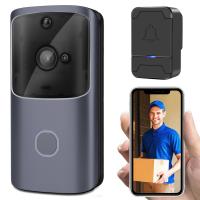
Wiring and connecting the doorbell camera is an essential step in installing this innovative security device. With advancements in technology, doorbell cameras have become increasingly popular for homeowners looking to enhance their home security. These cameras provide real-time video monitoring and allow you to see who is at your door, even when you're not home.

To begin the installation process, you will need to gather the necessary tools and materials. This typically includes a screwdriver, wire strippers, electrical tape, and a power drill. It's important to ensure that you have a compatible doorbell camera that is suitable for your home's wiring system.

First, you will need to turn off the power to your existing doorbell at the circuit breaker. This step is crucial to avoid any electrical accidents during the installation process. Next, remove the existing doorbell button and disconnect the wires from the terminals. Make sure to label the wires to avoid confusion later on.

Once the old doorbell is disconnected, you can begin installing the new doorbell camera. Start by attaching the mounting bracket to the wall or door frame using the provided screws. Then, feed the wires through the bracket and connect them to the corresponding terminals on the camera. It's important to follow the manufacturer's instructions for proper wiring.

After the wiring is complete, you can attach the doorbell camera to the mounting bracket. Ensure that it is securely in place before restoring power to the circuit breaker. Finally, test the doorbell camera to ensure that it is functioning correctly.

It's worth noting that some doorbell cameras may require additional steps, such as connecting to a Wi-Fi network or downloading a mobile app for remote access. These steps will vary depending on the specific model you choose.

In conclusion, wiring and connecting a doorbell camera is a crucial step in its installation process. By following the manufacturer's instructions and taking necessary safety precautions, you can enjoy the added security and convenience that a doorbell camera provides.
Wiring and connecting the doorbell camera

4、 Mounting the camera and adjusting its position

To install a doorbell camera, you will need to follow a few simple steps. The first step is to choose the right location for mounting the camera. It is recommended to place the camera at a height of around 48 inches, which allows for optimal viewing angle and coverage. Make sure the camera is positioned in a way that captures the entire area you want to monitor, such as your front porch or driveway.

Once you have chosen the location, you will need to mount the camera. Most doorbell cameras come with a mounting bracket and screws for easy installation. Use a drill to create holes for the screws, and then attach the mounting bracket securely to the wall or door frame. Make sure the camera is level and tightly secured to avoid any movement or misalignment.

After mounting the camera, you can adjust its position to ensure the best view. Some doorbell cameras have adjustable angles, allowing you to tilt or swivel the camera to capture the desired area. Use the camera's app or control panel to make these adjustments. It is important to test the camera's view from different angles to ensure it covers the intended area effectively.

Additionally, consider the camera's field of view and range. Some doorbell cameras have a wide-angle lens, providing a broader view of the surroundings. Others may have infrared capabilities for night vision. Take these features into account when adjusting the camera's position.

Lastly, ensure that the camera is connected to a power source and properly synced with your smartphone or home security system. Follow the manufacturer's instructions for connecting and setting up the camera's app or control panel.

Remember to regularly check and clean the camera lens to maintain clear visibility. With these steps, you can successfully install and adjust a doorbell camera to enhance the security of your home.
Mounting the camera and adjusting its position

Leave your comment
Cancel reply
Note: HTML is not translated!
Related products
M10S mini WiFi Smart Video Doorbell Camera,720P HD Wireless Remote Home Security Doorbell black
7
£88.99 £72.99
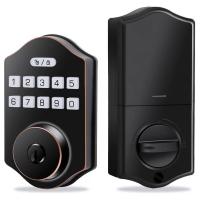
K2 keyless entry door lock, electronic door lock with keyboard, capable of setting 100 user passwords, with anti peep password, easy to install and set, black
£53.99 £42.99
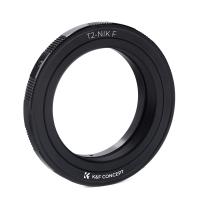
T2 Lenses to Nikon Camera Mount Adapter
57
£18.99
T2 Lenses to Canon EOS Camera Mount Adapter
56
£22.99 £16.10
M42 Lenses to Leica M Camera Mount Adapter
62
£52.99 £39.99
Praktica Lenses to Sony E Mount Camera Adapter
117
£53.99 £42.99
Leica M Lenses to Nikon Camera Mount Adapter
29
£41.60
T2 Lenses to Sony E Mount Camera Adapter
90
£29.99 £22.00
Pentax K Lenses to C Mount Camera Adapter
60
£33.40
Canon FD Lenses to C Mount Camera Adapter
64
£47.99 £34.70
Guess you like products
K&F Concept Osmo Action 3/4/5 Pro PL Filter, Circular Polarizer, Top Optical Glass with Multi-Coated Filter, Reduce Glare and Reflections
£23.99 £19.99
58mm Magnetic Black Mist Filter 1/8 Suction Filter,with Magnetic Attachment Ring and Magnetic Metal Cover
38
£134.99 £98.99
72mm Black Mist Filter 1/4 + 3pcs Cleaning Cloth with 18 Multi-Layer Coatings Nano-Klear
36
£48.99 £29.99
Camera Sunglasses with 8MP Sony Camera for 1080P POVs, 13MP Photos, WiFi Transfer, 10H Music/Calls, 26 Languages Translation, Kentfaith
13
£93.74 £74.99
DJI Mavic 3 Classic ND2-32 Lens Filter (1-5 Stop), 28 Multi-Coated Variable Neutral Density Filter
£30.00 £24.99
4K Telescope Electronic Eyepiece with 1600mAh battery for 1.25in Telescope WiFi Connection Kentfaith
12
£87.49 £69.99
WiFi Weather Station, 10.2 inch Large Display Wireless Weather Station, Weather Stations Wireless Indoor Outdoor with Rain Gauge and Wind Speed, Weather Forecast, Wind Gauge, Wunderground
£231.24 £184.99
Fimi X8 mini V2 foldable drone with 4K camera, suitable for adult beginners, 245g ultra light, with 3-axis pan tilt, 37 min of flight time, 9 kilometers of video transmission, 27W Type-C battery, 12MP photos, intelligent tracking mode
£374.99 £299.99
Laser Golf Rangefinder with Slope, ATuMan 1200 Yard High Accuracy Rangefinder, Pin Lock, Pulse Vibration, Rechargeable, 6X Magnification, HD View, Golf Accessories for Men and Women
35
£133.00 £79.99
Related articles
How To Install Wifi Doorbell Camera ?
How To Install Mini Doorbell Camera?
How To Connect Adt Doorbell Camera To Wifi ?
How To Connect Vivint Doorbell Camera To Wifi ?
How To Install Camera ?
How To Change Battery In Adt Doorbell Camera?
How To Install Surveillance Camera ?
How To Install Outdoor Camera ?
How To Install Cctv Camera ?
How Are Endoscopes Cleaned?
Guess you like articles
What Is Nd8 Filter ?
What Do Spores Look Like Under A Microscope?
How To Fix Camcorder Lcd Screen ?
How To Attach A Camera To A Tripod ?
How To Use Radio Mics ?
Why Wont My Digital Camera Turn On ?
What Is Circular Polarizing Filter ?
Can Play Memories Still Work Camcorder Remotely ?
How To Put Camera Strap On Dslr?
How To Fold Chemex Square Filter ?
Related categories
Sony E mount adapter variable ND and CPL filter​ baby camera 4g security camera camera monopod​ hunting camera camera gimbal stabilizer​ wildlife camera outdoor Camera Accessories
Popular products
smart video doorbell camera​ auto keyless entry door lock nikon camera mount canon eos r adapter leica m42 mount e mount adapter mft camera mount pentax k mount adapter fujifilm camera adapter m42 to fuji x mount adapter​
Related searches
Easy To Install Security Camera Simple To Install Security Camera Easy To Install Wifi Security Camera Easy To Install Outdoor Surveillance Cameras Easy To Install Indoor Security Cameras Easy To Install Home Surveillance Cameras Easy Install Outdoor Camera Easy Install Smart Lock Easy Install Wireless Outdoor Security Camera Video Camera To Monitor
Blog Category
  • Camera Reviews
  • News & Reviews
    • News
  • Tutorials
    • Animal Photography
    • Food Photography
  • Inspiration
    • Travel
    • Travel Stories
    • Photography Tricks
Search Article
Latest from the Blog
How To Power On Bluetooth Earbuds?
How To Setup Wireless Mini Video Camera?
Dash Cam That Records When Vehicle Is Off?
How To Repair Flood Lights?
Can You Use Wireless Earbuds In Car?
What Are Uv Lens Filters For?
How Do Metal Detectors Work?
What Games Are On The Retro Handheld Console?
How To Fix Camera On Tripod Stand?
How To Install Video Surveillance Cameras?
Powered By K&F Concept © 2025