kfconcept

K&F Concept UK
K&F Concept United Kingdom    Blog >

Enjoy Your Selected Digital Life

Recently Viewed
  • Recently Viewed
  • Recently Viewed list is empty.

Compare (0) 0
  • Compare
  • You have not chosen any products to compare.

  • Compare
Currency: GBP
  • Currency

Log Into Your Account

Account

Order History

Wish List

Login

Forgotten Password?

Or connect with

Register Account

Already have an Account?Log In

  • Shopping Cart
  • Your shopping cart is empty!

  • Register/Login to purchase, earn points
  • Favorite
  • Your wish list is empty.

  • Register/Login to like, earn points
  • Tripods
    • Aluminum Tripods
    • Carbon Fiber Tripods
    • Travel Tripods
    • Video Tripods
    • Monopods
    • Lightweight Tripods
    • Mini Tripod
    • Tripod Accessories
    • Gimbal Stabilizers
    • Tripod Head
    • Tripod Kit
    • Action Camera Mounts
    • Phone Tripods
    • Studio Parts
      • Camera Flash
      • Photography Fill Light
      • Ring light
      • Soft Box
      • Tripod Light Stands
      • Reflectors
    • Clearance Tripods
  • Lens Filters
    • UV Filters
      • Nano-Xcel Series
        • MCUV
        • Ultra-low Reflectivity MCUV Filters
        • MCUV Super Hard
        • Explosion-proof MCUV - Nano-Xcel
        • MCUV+Lens Cap+Cleaning Cloth
        • Super Hard&Ultra Low Reflection MCUV Filters - Nano-Xcel
        • MCUV - Magnetic Series
      • Nano-Dazzle Series
        • MCUV
        • MCUV+Lens Cap+Cleaning Cloth
      • Nano-Klear Series
        • MCUV
        • Ultra Thin Frame MCUV Filters
        • MCUV+Lens Cap+Cleaning Cloth
      • Nano-Xcel Pro Series
        • MCUV
    • CPL Filters
      • Nano-Xcel Series
        • CPL
        • CPL True Color
        • Ultra-low Reflectivity CPL
        • CPL+Lens Cap+Cleaning Cloth
        • Magnetic CPL
          • Magnetic CPL + Apater ring + Cap - Nano-X
        • True Color Ultra-low Reflectivity CPL - Nano-Xcel
      • Nano-Dazzle Series
        • CPL
        • CPL+Lens Cap+Cleaning Cloth - Nano-Dazzle
      • Nano-Klear Series
        • CPL
        • Ultra Thin Frame CPL Filters
        • CPL+Lens Cap+Cleaning Cloth
        • CPL+Lens Cap - Nano-Klear
      • Nano-Xcel Pro Series
        • CPL
    • Neutral Density Filters
      • Neutral Density (Solid) Filters
        • ND8 (3 stops) - Nano-Xcel Series
        • ND64 (6 stops) - Nano-Xcel Series
        • ND1000 (10 stops) - Nano-Xcel Series
        • ND100000 (16.6 stops) - Nano-Xcel Series
        • ND1000000 (20 stops) - Nano-Xcel Series
        • ND100000 (16.6 stops) - Nano-Klear Series
        • ND1000000 (20 stops) - Nano-Klear Series
        • Solid ND - Magnetic Series
      • Graduated Neutral Density
        • 100mm GND Filter
          • Soft GND8 Filters - Nano-Xcel Series
          • Hard GND8 Filters - Nano-Xcel Series
          • Reverse GND8 Filters - Nano-Xcel Series
          • Soft GND16 Filters - Nano-Xcel Series
          • Reverse GND16 Filters - Nano-Xcel Series
          • Soft GND8 Filters - Nano-Xcel Pro Series
          • Hard GND8 Filters - Nano-Xcel Pro Series
          • Reverse GND8 Filters - Nano-Xcel Pro Series
          • Soft GND16 Filters - Nano-Xcel Pro Series
          • Reverse GND16 Filters - Nano-Xcel Pro Series
        • Circular GND Filter
          • GND8
          • GND16
      • 2 in 1 Filters
        • ND2-ND32&CPL Filters - Nano-Xcel Series
        • ND2-ND32&CPL Filters - Nano Dazzle Series
        • ND2-32&CPL Filters - Nano-Klear Series
        • ND2-ND32&CPL Filter - Nano-X Pro
        • ND2-ND32&CPL True Color Filters - Nano-Xcel Series
        • ND4-ND64&CPL Filter
      • 3 in 1 Filters
        • ND2-32&CPL&Black Mist 1/4 Filters - Nano-Xcel Series
        • ND2-32&CPL&Black Mist 1/4 Filters - Nano-Klear Series
      • Variable Neutral Density
        • Nano-Xcel Series
          • ND2-ND32 - Nano-Xcel
          • ND2-ND32 True Color - Nano-Xcel
          • ND2-ND400 - Nano-Xcel
          • ND8-ND128 - Nano-Xcel
          • ND32-ND512 - Nano-Xcel
          • ND3-ND1000 - Nano-Xcel
          • ND2-32 True Color Ultra-Low Reflection - Nano-Xcel
          • ND2-400 Ultra-Low Reflection - Nano-Xcel
        • Nano-Dazzle Series
          • ND2-ND32 - Nano-Dazzle
          • ND2-ND400 - Nano-Dazzle
          • ND3-ND1000 - Nano-Dazzle
          • ND8-ND2000 - Nano-Dazzle
        • Nano-Klear Series
          • ND2-ND32 - Nano-Klear
          • ND2-ND400 - Nano-Klear
          • ND2-ND2000 - Nano-Klear
          • True Color ND2-ND400 - Nano-Klear
        • Nano-Xcel Pro Series
          • ND2-ND32 - Nano-Xcel Pro
        • Nano-B Series
          • ND2-ND400 - Nano-B
    • Black Mist & Soft Focus Filters
      • Black Mist Filters
        • Black Mist 1/8
          • Black Mist 1/8 - Nano-Xcel Series
          • Black Mist 1/8 - Nano-Dazzle Series
          • Black Mist 1/8 - Nano-Klear Series
          • Black Mist 1/8 - Nano-Xcel Pro Series
          • Black Mist 1/8+Lens Cap+Cleaning Cloth - Nano-Klear Series
        • Black Mist 1/4
          • Black Mist 1/4 - Nano-Xcel Series
          • Black Mist 1/4 - Nano-Dazzle Series
          • Black Mist 1/4 - Nano-Klear Series
          • Black Mist 1/4 - Nano-Xcel Pro Series
          • Black Mist 1/4+Lens Cap+Cleaning Cloth - Nano-Klear Series
        • Black Mist 1/2
          • Black Mist 1/2 - Nano-Xcel Series
          • Black Mist 1/2 - Nano-Klear Series
        • Black Mist 1
          • Black Mist 1 - Nano-Xcel Series
          • Black Mist 1 - Nano-Klear Series
        • Black Mist Kit
          • Black Mist 1/4 + 1/8 Nano Xcel Series
          • Black Mist 1/4 + 1/8 - Nano Klear Series
          • Black Mist 1/4 + CPL - Nano Klear Series
        • Black Mist & CPL
          • Black Mist 1/4&CPL - Nano-Klear Series
        • Black-Mist & VND
          • Black Mist 1/4 & ND2-32 Filters - Nano-Klear Series
          • Black Mist 1/4 & ND2-400 Filters - Nano-Xcel Series
          • Black Mist 1/4 & ND2-32 Filters - Nano-Xcel Series
          • Black Mist 1/8 & ND2-32 Filters - Nano-Klear Series
          • Black Mist 1/4 & ND2-400 Filters - Nano-Klear Series
      • White Mist Filters
        • White Mist 1/4 - Nano-Xcel Series
        • White Mist 1/4 - Nano-Klear Series
      • Shimmer Diffusion
        • Shimmer Diffusion 1 - Nano-Xcel Series
        • Shimmer Diffusion 1 - Nano-Klear Series
    • Light Pollution Cut Filter
      • Light Pollution Cut Filter - Circular
      • Light Pollution Cut Filter - Square
    • Magnetic Lens Filters
      • MCUV Filters
        • Magnetic MCUV - Nano-Klear Series
        • Magnetic MCUV+Lens Caps - Nano-Xcel Series
      • CPL Filters
        • Magnetic CPL + Adapter Ring
        • Magnetic CPL+Adapter Ring - Nano-Klear Series
      • Black-Mist
        • Black Mist 1/8 Filters - Nano-Xcel Series
        • Black Mist 1/4 Filters - Nano-Xcel Series
      • Neutral Density (Solid) Filter
        • Magnetic ND8 - Nano-Xcel Series
        • Magnetic ND64 - Nano-Xcel Series
        • Magnetic ND1000 - Nano-Xcel Series
      • Unlimited Variable ND Filter
        • Magnetic ND2-ND32 - Nano-Xcel Series
        • Magnetic ND8-ND128 Filters - Nano-Xcel Series
      • Accessories
        • Magnetic Adapter Ring
        • Magnetic Filter Ring
        • Magnetic Cap
      • Kits
        • MCUV+CPL+ND1000+Adapter Ring - Nano-Xcel Series
        • CPL+ND8+ND64+Adapter Ring+Lens Cap - Nano-Xcel Series
        • GND8+ND8+ND64+ND1000+Adapter Ring - Nano-Xcel Series
        • CPL+VND2-32+Black Mist 1/4+Magnetic Ring+Lens Cap - Nano-Xcel Series
    • Square Filter System
      • Basic System
        • Square ND Filters
          • ND4 Filters - Nano-Xcel Series
          • ND16 Filters - Nano-Xcel Series
          • ND1000 Filters - Nano-Xcel Series
          • ND2000 Filters - Nano-Xcel Series
          • ND32000 Filters - Nano-Xcel Series
          • Full Color ND8 Filters - Nano-Xcel Series
          • Full Color ND64 Filters - Nano-Xcel Series
        • Square GND Filters
        • Light Pollution Cut Filter
          • Light Pollution Cut Filter - Nano-Xcel Series
        • Square Black Mist Filters
          • Square Black Mist 1 - Nano-Xcel Series
          • Square Black Mist 1/4 - Nano-Xcel Series
          • Square Black Mist 1/8 - Nano-Xcel Series
        • Brackets and Accessories
          • Adapter Ring - Nano-Xcel Series
        • Kits
          • 100mm Square Filter System - Nano-Xcel Series
          • 100mm ND1000+Holder Kit - Nano-Xcel Series
          • 100mm ND1000+Soft GND8+Holder Kit - Nano-Xcel Series
          • 100mm Soft GND8+Holder Kit - Nano-Xcel Series
      • Professional System
        • ND
          • Full Color ND8 Filters - Nano-Xcel Pro Series
          • Full Color ND64 Filters - Nano-Xcel Pro Series
          • Full Color ND1000 Filters - Nano-Xcel Pro Series
        • GND
        • PL
        • Black Mist 1/4&CPL - Nano-Xcel Pro Series
        • Light Pollution Cut Filter
          • Light Pollution Cut Filter - Nano-Xcel Pro Series
        • Kits
          • 100mm ND1000+Holder Kit - Nano-Xcel Pro Series
          • 100mm ND1000+Soft GND8+Holder Kit - Nano-Xcel Pro Series
          • 100mm ND8+ND64+ND1000+Holder Kit - Nano-Xcel Pro Series
          • 100mm Holder Kit - Nano-Xcel Pro Series
        • Brackets and Accessories
          • 100x100mm Square Filter Protect Frame - Nano-Xcel Pro Series
          • 100x150mm Square Filter Protect Frame - Nano-Xcel Pro Series
          • Adapter Ring - Nano-Xcel Pro Series
    • Drone Filter
      • DJI Air 3S
      • DJI Avata2
      • DJI Flip
      • DJI Mavic 3 Pro
      • DJI NEO
      • DJI Mini 1/2/SE
      • DJI Mini 4 Pro Filters
      • DJI Mavic 3
      • DJI Mini 3 PRO
      • DJI Avata
      • DJI Mavic 4 Pro
      • DJI Mini 5 Pro
      • DJI Air 2S
    • Effects Filters
      • Prism Filters
        • Central Prism Filters
          • Central Pentagonal Filters - Nano-Basic Series
          • Central Hexagonal Filters - Nano-Basic Series
        • Ordinary Prism Filters
          • Triangular Filtres - Nano-Basic Series
        • Single Linear Prisms
      • Streak Filters
        • Blue Streak Filters - Nano-Xcel Series
        • Gold Streak Filters - Nano-Xcel Series
        • Colorful Streak Filters - Nano-B Series
        • Blue Streak Filters - Nano-Klear Series
      • Star Filter
        • Star Filters 4-8 Points - Nano-Klear Series
        • Star Filter Kits 4+6+8 Points - Nano-Klear Series
        • 4-Point Fine-Line Star Filters - Nano-Klear Series
        • 6-Point Fine-Line Star Filters - Nano-Klear Series
      • Kaleidoscope Filters
        • Kaleidoscope Filters - Nano-Basic Series
        • Handheld Kaleidoscope Filters - Nano-B Series
      • Motion Blur Filters
        • Directional Motion Blur - Nano-Basic Series
        • Bidirectional Motion Blur - Nano-Basic Series
        • Handheld Motion Blur Filters - Nano-Basic Series
      • Spiral Filters
        • Spiral Halo Filters - Nano-B Series
        • Handheld Spiral Filters - Nano-Basic Series
      • Diopter Filters
        • Centerfield Split Diopter Filters - Nano-Basic Series
        • Handheld Diopter Filters - Nano-Basic Series
    • Filter Accessories
      • Lens Hoods
      • Rings Kits
        • Step Up Rings
        • Step Down Rings
      • Filter Holders & Frames
      • Filter Holder Adapter Rings
        • Filter Adapter Rings
      • Filter Pouches
      • Lens Caps
        • Caps for Magnetic Filters
        • Caps for Variable ND Filters
        • Anti-lost Lens Cap
          • 4 in 1
          • 5 in 1
          • 9 in 1
      • Polarized Film
    • Filter Kit
      • Black Diffusion 1/4 + 1/8
      • Screw-In Filters
        • MCUV+CPL Filter - Nano-Klear Series
        • MCUV+CPL+Lens Cap - Nano-Klear Series
        • MCUV+CPL+Metal Lens Cap - Nano-Xcel Series
        • MCUV+CPL+ND1000+Lens Cap - Nano-Dazzle Series
        • MCUV+CPL+ND2-400 - Nano-Klear Series
        • ND8+ND64+ND1000 - Nano-Dazzle Series
        • MCUV+CPL+ND4 - Nano-Klear Series
        • ND1000+CPL - Nano-Klear Series
        • ND4+ND8+ND64+ND1000 - Nano-Xcel Series
        • MCUV+CPL
      • Magnetic Filters
      • Square Filters
    • Action Camera Filters
      • DJI Osmo Action 4 / Action 5 Pro
      • DJI Osmo Action 6
      • DJI Osmo Nano
      • DJI Osmo Pocket 3
      • GoPro HERO 4K
      • GOPRO Hero 9/10/11/12/13 Filters
      • Insta360 Ace pro 2
      • Insta360 Go Ultra
      • Insta360 GO3
      • Insta360 GO3S
      • Action Camera Accessories
        • DJI Osmo Action 3/4/5 Pro
        • Head Strap & Chest Mount
        • Insta360 X5
        • Magnetic Neck Mount
        • DJI Osmo 360
        • DJI Osmo Pocket 3 Charging Base
        • DJI Osmo Pocket 3
    • Phone Lens Filters
    • Matte Box & Filter Systems
      • Neutral Density (Solid) Filters
        • ND4 - Nano-Xcel Series
        • ND8 - Nano-Xcel Series
        • ND16 - Nano-Xcel Series
        • ND32 - Nano-Xcel Series
        • ND64 - Nano-Xcel Series
        • ND8+ND64 - Nano-Xcel Series
      • UV Filters
      • Black Mist Filters
        • Black Mist 1/4 - Nano-Xcel Series
        • Black Mist 1/8 - Nano-Xcel Series
      • Blue Streak Filters
      • Accessories
      • Kits
        • Matte Box - Nano-Xcel Series
        • Matte Box Pro - Nano-Xcel Series
        • Matte Box+ND8 Square Filter - Nano-Xcel Series
        • Matte Box+ND4+ND32 Square Filter - Nano-Xcel Series
        • Matte Box+Black Mist 1/4 Square Filter - Nano-Xcel Series
    • Brand-specific Filters
      • Fujifilm X100
      • Ricoh GR
  • Lens Adapters
    • PL Mount Lenses
    • A Mount Body(Sony/Minolta)
    • Fujifilm X Mount Body
    • Fujifilm G (GFX) Mount Body
    • C-Mount Body
    • Leica M Mount Body
    • MFT(M4/3) Mount Body
    • Pentax K Mount Body
    • Pentax Q Mount Body
    • Samsung NX Mount Body
    • Nikon F Mount Body
    • Nikon 1 Mount Body
    • Nikon Z Mount Body
    • Canon EOS EF/EF-S Mount Body
    • Canon EOS M Mount Body
    • Canon RF Mount Body
    • Sony E Mount Body
    • L-Mount Alliance (Leica)
  • Camera
    • Digital Camera & Camcorders
      • Digital Cameras & Camcorders
      • Underwater Cameras
      • Action Cameras
      • Kids’ Cameras
      • Time lapse camera
    • Wildlife Camera
      • Wifi Trail Cameras
      • Non-Cellular Trail Cameras
      • Accessories
      • Cellular Trail Cameras
    • Surveillance Cameras
      • 4G Camera
      • Battery Camera
      • Baby Monitor
      • WiFi Camera
      • Feeder Camera
      • Floodlight camera
      • Monitoring Detector
    • Camera Lenses
    • On-Dash Camera
    • Fishing camera
    • Memory Cards
      • Micro SD Card
      • SD Card
    • Camera Accessories
      • Camera Caps
      • Camera Screen Protectors
        • Canon
        • Sony
        • Fujifilm
        • Nikon
        • Olympus
        • Ricoh
        • GoPro
        • DJI Osmo Pocket 3
      • Camera Hot Shoe Covers
      • Camera Viewfinder Eyecups
        • Nikon
        • Sony
        • Canon
      • Adjustment Iris
  • Camera Bags
    • Camera Backpacks
    • Camera Shoulder Bags
    • Camera Cases
    • Digital Storage Bag
    • Lens Cases
    • Camera Straps
    • Backpack Accessories
  • Camera Battery
    • Sony
    • Canon
    • Nikon
    • FUJIFILM
    • Ricoh
    • Gopro
    • Osmo Action
    • Lumix
    • V Mount Battery
    • Memory Card Case
  • Optics
    • Microscope
      • Optical Microscope
      • Digital Microscope
      • Kids' Microscopes
    • Binoculars
    • Monocular
    • Telescope
    • Night Vision Goggles
    • Rangefinder
  • Endoscope
    • Professional Endoscope
    • Household Endoscope
    • Portable Endoscope
    • Otoscope/Oral Endoscope
  • More
    • Cleaning Kits
    • Digital Voice Recorders
    • Language Translator Device
    • Smart Glasses
    • Metal Detectors
    • Light
      • Video fill light
      • Live Ring Light
      • Outdoor Lighting
    • Motorcycle Bluetooth Headset
    • Laser Engraver Machine
    • Headphones
    • Weather Station & Household Sensors
    • Microphone
    • Drone Accessories
      • DJI Air 2S Accessories
      • DJI Air 3 Accessories
      • DJI Avata Accessories
      • DJI Drone Universal Accessories
      • DJI Mavic Mini 2/Mini 2 SE/Mini Accessories
      • DJI Mavic Mini 3 Accessories
      • DJI Mini 3 Pro Accessories
    • Smart Watch
    • Smart lock
    • Studio
    • Solar Panels
  • Deals
    • Specials
    • Coupon
    • New Arrivals
  • Home
  • Blog
  • How To Use Lavalier Mic ?

How To Use Lavalier Mic ?

K&f concept 2023-12-11 10:36:00 0 Comments

To use a lavalier mic, also known as a lapel mic, follow these steps:

1. Attach the mic: Clip the microphone onto your clothing, preferably near your chest area. Make sure it is securely fastened and positioned close to your mouth for optimal sound quality.

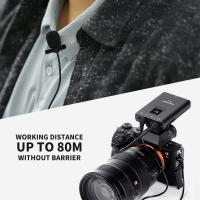
2. Connect the mic: Plug the lavalier mic into the appropriate audio input on your recording device or transmitter. This could be a wireless bodypack transmitter, a smartphone, a camera, or an audio recorder. Ensure that the connection is secure.

3. Check the audio levels: Before recording or going live, check the audio levels to ensure the mic is picking up sound properly. Adjust the gain or volume settings on your recording device or transmitter as needed.

4. Position the cable: Carefully route the cable from the microphone to your recording device or transmitter, making sure it is not tangled or obstructed. Use clips or tape to secure the cable along your clothing to prevent it from rubbing against other surfaces and causing unwanted noise.

5. Test the audio: Speak into the lavalier mic and listen to the audio output to ensure it is clear and balanced. Make any necessary adjustments to the mic position or audio settings to achieve the desired sound quality.

Remember to handle the lavalier mic with care and avoid excessive movement or rubbing against clothing, as this can create unwanted noise.

1、 Positioning: Proper placement for optimal sound capture.

Positioning: Proper placement for optimal sound capture is crucial when using a lavalier microphone. Here is a step-by-step guide on how to use a lavalier mic and position it correctly for the best sound quality.

1. Attach the microphone: Begin by attaching the lavalier microphone to the clothing of the person who will be speaking. The microphone should be positioned near the chest area, around 6-8 inches below the chin. Use the provided clip or adhesive to secure the mic in place.

2. Avoid clothing rustle: Make sure the microphone is not rubbing against any clothing or accessories, as this can cause unwanted rustling sounds. Use a windscreen or foam cover to minimize wind noise and reduce plosive sounds.

3. Check for interference: Ensure that the microphone is not obstructed by any objects or clothing that could interfere with the sound capture. Avoid placing the mic near jewelry, zippers, or any other items that may cause unwanted noise.

4. Test the sound: Before recording or going live, test the sound quality by speaking into the microphone and listening for any distortions or background noise. Adjust the positioning if necessary to achieve optimal sound capture.

5. Monitor the audio: Throughout the recording or live session, monitor the audio levels to ensure that the sound is clear and consistent. Adjust the microphone positioning or gain settings if needed to maintain a balanced sound.

It is important to note that the latest point of view in using lavalier microphones emphasizes the need for wireless options. Wireless lavalier microphones provide greater flexibility and freedom of movement, allowing the speaker to move around without being restricted by cables. Additionally, advancements in technology have led to improved sound quality and reduced interference with wireless systems. However, it is still essential to follow proper positioning techniques to achieve the best sound capture regardless of whether the microphone is wired or wireless.
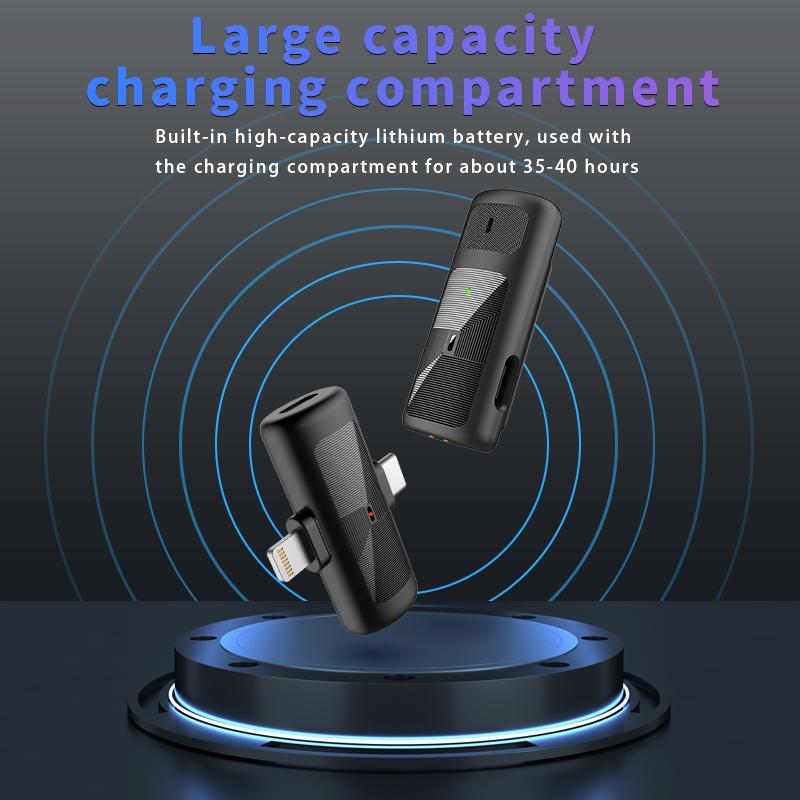
Positioning: Proper placement for optimal sound capture.

2、 Connection: Connecting the lavalier mic to the recording device.

Connection: Connecting the lavalier mic to the recording device.

To use a lavalier mic effectively, it is crucial to understand how to connect it to your recording device. The process may vary slightly depending on the specific model of the mic and the recording device you are using. Here is a general guide on how to connect a lavalier mic:

1. Identify the microphone and the recording device: Ensure that you have the correct lavalier mic for your recording device. Lavalier mics typically have a small clip-on design and a thin cable that connects to the recording device.

2. Locate the microphone input: On your recording device, find the microphone input. It is usually labeled with a microphone symbol or marked as "mic in." This input is where you will connect the lavalier mic.

3. Connect the lavalier mic: Take the connector end of the lavalier mic cable and plug it into the microphone input of your recording device. Ensure that the connection is secure.

4. Adjust the microphone settings: Once the lavalier mic is connected, you may need to adjust the microphone settings on your recording device. This includes adjusting the input level, selecting the correct input source, and enabling any necessary features like phantom power if your lavalier mic requires it.

5. Test the microphone: Before you start recording, it is essential to test the lavalier mic to ensure it is working correctly. Speak into the mic and monitor the audio levels on your recording device. Make any necessary adjustments to ensure optimal sound quality.

It is worth noting that some lavalier mics may require additional accessories or adapters to connect to certain recording devices. Always refer to the user manual of your specific lavalier mic and recording device for detailed instructions.

In recent years, advancements in wireless technology have made wireless lavalier mics increasingly popular. These wireless systems eliminate the need for a physical cable connection between the mic and the recording device, providing more freedom of movement for the user. When using a wireless lavalier mic, the connection process involves pairing the microphone with the receiver unit, which then connects to the recording device. The specific steps for connecting a wireless lavalier mic may vary depending on the model and brand, so it is essential to follow the instructions provided by the manufacturer.

Overall, connecting a lavalier mic to a recording device is a relatively straightforward process. By following the steps outlined above and referring to the user manuals, you can ensure a proper connection and achieve high-quality audio recordings.
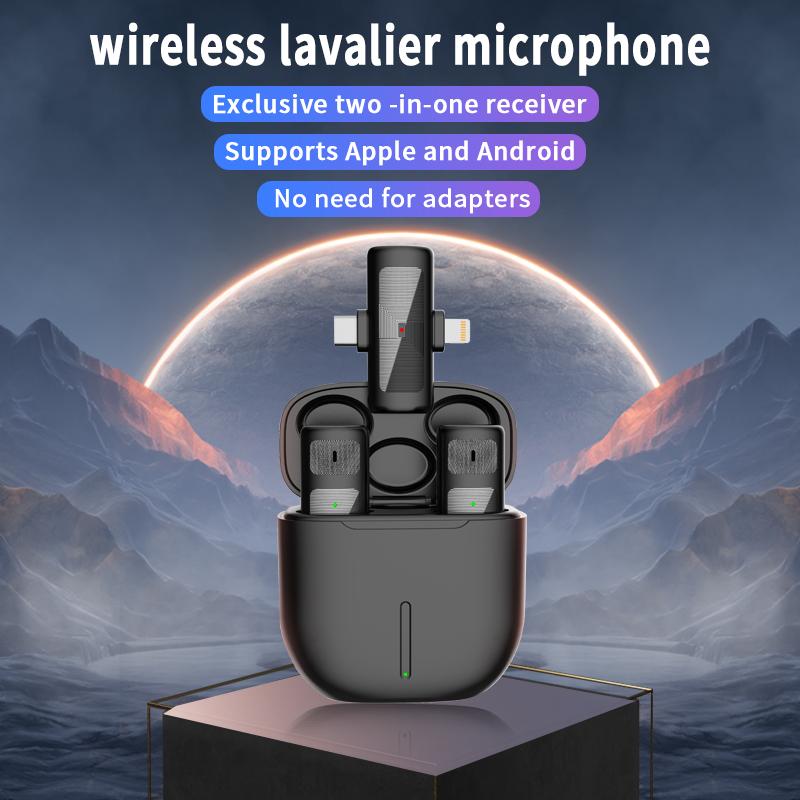
Connection: Connecting the lavalier mic to the recording device.

3、 Powering: Understanding power requirements and options for the mic.

Powering: Understanding power requirements and options for the mic.

To use a lavalier microphone effectively, it is crucial to understand its power requirements and available options for powering it. Lavalier mics are typically powered by either battery or phantom power.

Battery-powered lavalier mics are convenient and portable, making them suitable for on-the-go recording or live performances. These mics usually require a small battery, such as a button cell or AA battery, to operate. It is essential to check the battery life regularly and replace it when necessary to ensure uninterrupted performance.

On the other hand, phantom power is a common method of powering lavalier mics in professional audio setups. Phantom power is supplied through the microphone cable from an audio interface, mixer, or preamp. It eliminates the need for batteries and provides a reliable power source. However, it is crucial to ensure that the audio equipment you are using supports phantom power and that it is enabled.

It is worth noting that some lavalier microphones offer the option to switch between battery and phantom power, providing flexibility in different recording scenarios. This feature allows you to adapt to various setups and ensures compatibility with different audio equipment.

In recent years, there have been advancements in lavalier microphone technology, such as the introduction of USB-powered lavalier mics. These mics can be directly connected to a computer or mobile device via USB, eliminating the need for additional power sources. USB-powered lavalier mics are popular for podcasting, video conferencing, and content creation, offering convenience and ease of use.

In conclusion, understanding the power requirements and available options for powering a lavalier microphone is essential for optimal performance. Whether it is battery-powered, phantom-powered, or USB-powered, choosing the right power source for your lavalier mic will ensure reliable and high-quality audio capture in various recording situations.
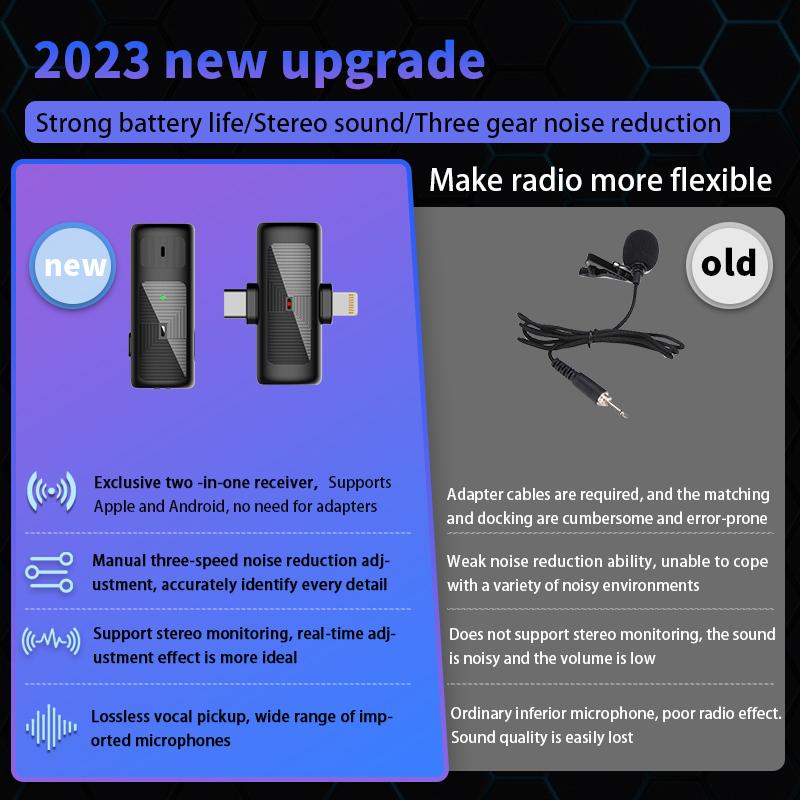
Powering: Understanding power requirements and options for the mic.

4、 Troubleshooting: Common issues and solutions when using lavalier mics.

Troubleshooting: Common issues and solutions when using lavalier mics.

Lavalier microphones, also known as lapel mics, are popular for their convenience and versatility. They are commonly used in presentations, interviews, and video productions. However, like any audio equipment, lavalier mics can encounter issues that may affect the quality of the sound. Here are some common problems and their solutions:

1. Poor sound quality: If the audio sounds muffled or distant, check the placement of the microphone. Ensure that it is positioned correctly, usually around 6-8 inches below the speaker's mouth. Experiment with different placements to find the optimal position.

2. Background noise: Lavalier mics are sensitive and can pick up unwanted background noise. To minimize this, try using a windscreen or foam cover on the microphone to reduce wind noise and plosives. Additionally, choose a location with minimal ambient noise and consider using a noise gate or audio editing software to remove unwanted sounds in post-production.

3. Cable noise: Lavalier mics often have thin cables that can rub against clothing, causing rustling or scratching sounds. To prevent this, use a cable clip or tape to secure the cable to the speaker's clothing, reducing movement and friction noise.

4. Wireless interference: If you are using a wireless lavalier mic, interference from other devices or radio frequencies can cause dropouts or static. Ensure that you are using a clear frequency and keep the transmitter and receiver away from other electronic devices.

5. Battery issues: Check the battery level of your lavalier mic regularly. Low battery power can result in distorted or weak audio. Always carry spare batteries or use rechargeable ones to avoid interruptions during recordings or performances.

Remember, each lavalier microphone may have specific instructions and features, so it's essential to consult the user manual for detailed guidance. Additionally, staying updated with the latest advancements in lavalier microphone technology can help you make the most of your equipment and troubleshoot any issues effectively.
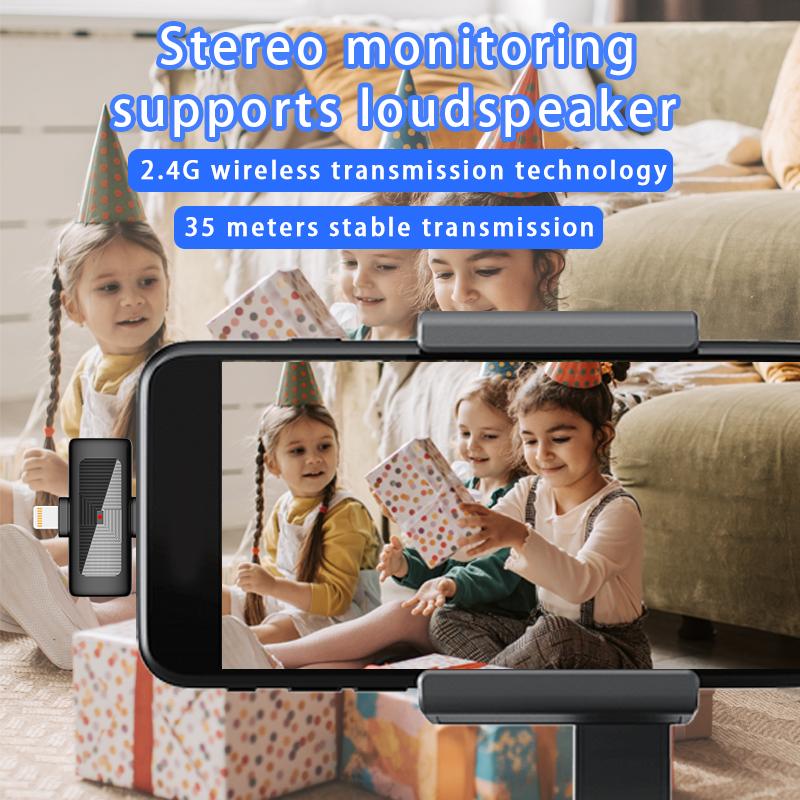
Troubleshooting: Common issues and solutions when using lavalier mics.
Leave your comment
Cancel reply
Note: HTML is not translated!
Related products
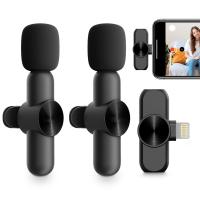
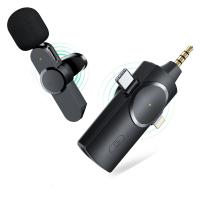
AP004 Wireless Lavalier Microphone for Android - USB C Mini Wireless Lavalier Microphone for Recording, YouTube Videos, Live Streaming, Vlogging (No App or Bluetooth Required)
£16.99
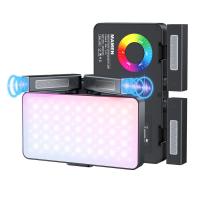
V02 Mic Light, 2 in 1 LED Camera Fill Light with Dual Stereo Mic , 360° Full Colour Photo Light, 4000mAh Rechargeable, CRI 95+, 2500-9000K, Dimmable Panel Fill Light
15
£58.99 £55.99
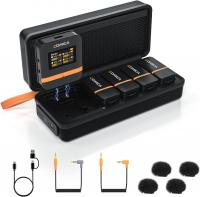
Wireless Lavalier Microphone System with 4 Transmitters and 1 Receiver
£274.99 £219.99
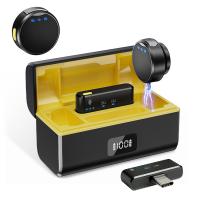
Wireless Lavalier Microphone for iPhone & Android 48kHz 24bit HiFi Audio Noise Cancelling
16
£99.99 £79.99
BOYA Wireless Lavalier Microphone for iPhone Android 30Hrs Battery Life 164FT Range
12
£99.99 £79.99
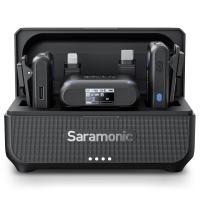
Saramonic Wireless Lavalier Microphone for Smartphone Camera 492ft Range 20h Battery Life
11
£162.49 £129.99
4K Video Camera, 64MP Photos, WiFi Connect, 28X Zoom, Wireless Mic, Full Color NV, Kentfaith
17
£174.99 £139.99
K3 One Drag Two Wireless Lavalier Microphone for iPhone iPad, 2.4G Noise Reduction, Plug and Play Wireless Lavalier Microphone for YouTube TikTok Interview Live Video Recording - Level 3 Noise Reduction, Auto Sync
£29.99
Guess you like products
Digital Camera for Kids with Dual 48MP Cameras Auto Focus for 3-12 Years Kids Kentfaith
15
£68.74 £54.99
Olympus Pen-F Lenses to Nikon 1 Camera Mount Adapter
77
£35.99 £25.99
67mm ND2-ND2000 Filter (1-11 Stops) with 3 Vacuum Cleaning Cloths Nano-Klear
34
£36.99 £30.99
24MP*1296P night vision, 120° wide-angle*0.2S trigger 2-inch screen tracking camera, dead wood color 2pcs
69
£159.99 £112.99
Replaceable Cleaning Pen Set (Cleaning pen + 6 x APS-C Cleaning Stick + 3 x Flocked Sponge  + 3 x Rejector) reddot design award
Replaceable Cleaning Pen Set (Cleaning pen + 6 x APS-C Cleaning Stick + 3 x Flocked Sponge + 3 x Rejector) reddot design award
12
£23.99
62mm Center Pinch Lens Cap Ordinary Lens Cap with String (No String)*1+Vacuum Cleaning Cloth*2+Digital Camera Anti-lost String*1, 4 in 1 Set
16
£9.00 £7.99
65”/1.64m Carbon Fiber Tripod Professional Camera Tripod 10kg/22lbs Load for DSLR SLR w/ Detachable Monopod, D284C2+BH-28 (SA284C1)
209
£177.60 £150.99
KM-C1200H Golf Rangefinder with Lcd, High Precision 1200m Rechargeable Laser Hunting Rangefinder, 6x Magnification, Fast Marker Lock, Fast Focus, Scanning Continuous Measurement, Voice Broadcast, Ip54 Level Waterproof and Dustproof Kentfaith
14
£199.99 £112.99
49mm Star Filter 4-8 Points Variable Starburst Filter Cross Screen, 18 Layer Coating Ultra Slim Optical Glass, with 3 Pcs Cleaning Cloths Nano-Klear
24
£37.99 £25.99
Yongnuo YN 35mm f/2 Standard Fixed Focus Lens Autofocus for Nikon F-mount Digital SLR Cameras
13
£129.99 £95.99
Related articles
How To Use Rode Lavalier Mic ?
Where To Place Lavalier Mic ?
How To Set Up Lavalier Mic ?
How To Set Up A Lavalier Mic ?
Can You Use A Lavalier Mic For Singing ?
How To Connect Wireless Lavalier Mic To Phone ?
How To Use Collar Mic ?
How To Use Lapel Mic ?
How To Use The Wireless Lavalier Microphone ?
What Good Handheld Camcorders Is There Uk ?
Guess you like articles
How To Use Time Lapse On Action Camera ?
How To Remove Filter From Phone Camera ?
How To Record Wildlife In Your Garden ?
Can You Stack Lens Filters ?
How To Sew A Camera Strap ?
What Would An Electron Microscope Be Used For ?
Where To Buy A Tape Recorder ?
What Is A Bean Bag Camera Support ?
How Much Are Night Vision Glasses ?
Smithsonian Microscope How To Turn On Light ?
Related categories
Bluetooth earphones and mic Sony E mount adapter variable ND and CPL filter​ ND1000 Filter variable neutral density filter magnetic variable ND filter Reverse GND8 Filter infrared and night vision goggles camera nd filter variable neutral density filter
Popular products
clip on mic bluetooth headset ps4 with mic bluetooth microphone phone lavalier microphone kids portable microscope led screen microscope wireless lavalier microphone​
Related searches
Digital Audio Recorder With Lavalier Mic Simple To Use Digital Camera Headphones To Use With Tv Simple To Use Smart Watch Simple To Use Dash Cam Earphones To Use With Tv Things To Use As A Tripod Simple Easy To Use Digital Camera Mic To Tripod Adapter Tripod To Mic Stand Adapter
Blog Category
  • Camera Reviews
  • News & Reviews
    • News
  • Tutorials
    • Animal Photography
    • Food Photography
  • Inspiration
    • Travel
    • Travel Stories
    • Photography Tricks
Search Article
Latest from the Blog
What Is Exposure On Dash Cam?
What Sd Card For Dslr Camera?
What Size Binoculars For Hunting?
Can Metal Detectors Find Phones?
How to Choose a Tripod for Phone?
What Does Rgb Stand For In Led Lights?
Can I Point An Indoor Security Camera Outside?
How To Change Wifi On Camera?
How to Clean Carbon Fiber Tripod?
How to Use A Spy Camera Detector?
Powered By K&F Concept © 2025