kfconcept

K&F Concept UK
K&F Concept United Kingdom    Blog >

Enjoy Your Selected Digital Life

Recently Viewed
  • Recently Viewed
  • 62mm Variable Fader ND2-ND32 ND Filter and CPL Circular Polarizing Filter 2 in 1 MRC 28-Layer for Camera Lens No X Spot Weather Sealed
    62mm Variable Fader ND2-ND32 ND Filter and CPL Circular Polarizing Filter 2 in 1 MRC 28-Layer for Camera Lens No X Spot Weather Sealed
    £75.99 £63.99
    46mm Variable ND Filter (1-5 Stop)  and CPL Filter 2 in 1 for Camera Filter Lens Nano-Klear
    46mm Variable ND Filter (1-5 Stop) and CPL Filter 2 in 1 for Camera Filter Lens Nano-Klear
    £31.99
    72mm Variable ND Filter (1-5 Stop)  and CPL Filter 2 in 1 for Camera Filter Lens Nano-Klear
    72mm Variable ND Filter (1-5 Stop) and CPL Filter 2 in 1 for Camera Filter Lens Nano-Klear
    £44.99
    43mm Variable ND Filter (1-5 Stop)  and CPL Filter 2 in 1 for Camera Filter Lens Nano-Klear
    43mm Variable ND Filter (1-5 Stop) and CPL Filter 2 in 1 for Camera Filter Lens Nano-Klear
    £31.99
    Variable ND2-32 Filter Compatible with DJI Osmo Action 5 Pro/Osmo Action 4/Osmo Action 3, Snap-on Installation, no need to remove the original filter
    Variable ND2-32 Filter Compatible with DJI Osmo Action 5 Pro/Osmo Action 4/Osmo Action 3, Snap-on Installation, no need to remove the original filter
    £24.99
Compare (0) 0
  • Compare
  • You have not chosen any products to compare.

  • Compare
Currency: GBP
  • Currency

Log Into Your Account

Account

Order History

Wish List

Login

Forgotten Password?

Or connect with

Register Account

Already have an Account?Log In

  • Shopping Cart
  • Your shopping cart is empty!

  • Register/Login to purchase, earn points
  • Favorite
  • Your wish list is empty.

  • Register/Login to like, earn points
  • Tripods
    • Aluminum Tripods
    • Carbon Fiber Tripods
    • Travel Tripods
    • Video Tripods
    • Monopods
    • Lightweight Tripods
    • Mini Tripod
    • Tripod Accessories
    • Gimbal Stabilizers
    • Tripod Head
    • Tripod Kit
    • Action Camera Mounts
    • Phone Tripods
    • Studio Parts
      • Camera Flash
      • Photography Fill Light
      • Ring light
      • Soft Box
      • Tripod Light Stands
      • Reflectors
    • Clearance Tripods
  • Lens Filters
    • UV Filters
      • Nano-Xcel Series
        • MCUV
        • Ultra-low Reflectivity MCUV Filters
        • MCUV Super Hard
        • Explosion-proof MCUV - Nano-Xcel
        • MCUV+Lens Cap+Cleaning Cloth
        • Super Hard&Ultra Low Reflection MCUV Filters - Nano-Xcel
        • MCUV - Magnetic Series
      • Nano-Dazzle Series
        • MCUV
        • MCUV+Lens Cap+Cleaning Cloth
      • Nano-Klear Series
        • MCUV
        • Ultra Thin Frame MCUV Filters
        • MCUV+Lens Cap+Cleaning Cloth
      • Nano-Xcel Pro Series
        • MCUV
    • CPL Filters
      • Nano-Xcel Series
        • CPL
        • CPL True Color
        • Ultra-low Reflectivity CPL
        • CPL+Lens Cap+Cleaning Cloth
        • Magnetic CPL
          • Magnetic CPL + Apater ring + Cap - Nano-X
        • True Color Ultra-low Reflectivity CPL - Nano-Xcel
      • Nano-Dazzle Series
        • CPL
        • CPL+Lens Cap+Cleaning Cloth - Nano-Dazzle
      • Nano-Klear Series
        • CPL
        • Ultra Thin Frame CPL Filters
        • CPL+Lens Cap+Cleaning Cloth
        • CPL+Lens Cap - Nano-Klear
      • Nano-Xcel Pro Series
        • CPL
    • Neutral Density Filters
      • Neutral Density (Solid) Filters
        • ND8 (3 stops) - Nano-Xcel Series
        • ND64 (6 stops) - Nano-Xcel Series
        • ND1000 (10 stops) - Nano-Xcel Series
        • ND100000 (16.6 stops) - Nano-Xcel Series
        • ND1000000 (20 stops) - Nano-Xcel Series
        • ND100000 (16.6 stops) - Nano-Klear Series
        • ND1000000 (20 stops) - Nano-Klear Series
        • Solid ND - Magnetic Series
      • Graduated Neutral Density
        • 100mm GND Filter
          • Soft GND8 Filters - Nano-Xcel Series
          • Hard GND8 Filters - Nano-Xcel Series
          • Reverse GND8 Filters - Nano-Xcel Series
          • Soft GND16 Filters - Nano-Xcel Series
          • Reverse GND16 Filters - Nano-Xcel Series
          • Soft GND8 Filters - Nano-Xcel Pro Series
          • Hard GND8 Filters - Nano-Xcel Pro Series
          • Reverse GND8 Filters - Nano-Xcel Pro Series
          • Soft GND16 Filters - Nano-Xcel Pro Series
          • Reverse GND16 Filters - Nano-Xcel Pro Series
        • Circular GND Filter
          • GND8
          • GND16
      • 2 in 1 Filters
        • ND2-ND32&CPL Filters - Nano-Xcel Series
        • ND2-ND32&CPL Filters - Nano Dazzle Series
        • ND2-32&CPL Filters - Nano-Klear Series
        • ND2-ND32&CPL Filter - Nano-X Pro
        • ND2-ND32&CPL True Color Filters - Nano-Xcel Series
        • ND4-ND64&CPL Filter
      • 3 in 1 Filters
        • ND2-32&CPL&Black Mist 1/4 Filters - Nano-Xcel Series
        • ND2-32&CPL&Black Mist 1/4 Filters - Nano-Klear Series
      • Variable Neutral Density
        • Nano-Xcel Series
          • ND2-ND32 - Nano-Xcel
          • ND2-ND32 True Color - Nano-Xcel
          • ND2-ND400 - Nano-Xcel
          • ND8-ND128 - Nano-Xcel
          • ND32-ND512 - Nano-Xcel
          • ND3-ND1000 - Nano-Xcel
          • ND2-32 True Color Ultra-Low Reflection - Nano-Xcel
          • ND2-400 Ultra-Low Reflection - Nano-Xcel
        • Nano-Dazzle Series
          • ND2-ND32 - Nano-Dazzle
          • ND2-ND400 - Nano-Dazzle
          • ND3-ND1000 - Nano-Dazzle
          • ND8-ND2000 - Nano-Dazzle
        • Nano-Klear Series
          • ND2-ND32 - Nano-Klear
          • ND2-ND400 - Nano-Klear
          • ND2-ND2000 - Nano-Klear
          • True Color ND2-ND400 - Nano-Klear
        • Nano-Xcel Pro Series
          • ND2-ND32 - Nano-Xcel Pro
        • Nano-B Series
          • ND2-ND400 - Nano-B
    • Black Mist & Soft Focus Filters
      • Black Mist Filters
        • Black Mist 1/8
          • Black Mist 1/8 - Nano-Xcel Series
          • Black Mist 1/8 - Nano-Dazzle Series
          • Black Mist 1/8 - Nano-Klear Series
          • Black Mist 1/8 - Nano-Xcel Pro Series
          • Black Mist 1/8+Lens Cap+Cleaning Cloth - Nano-Klear Series
        • Black Mist 1/4
          • Black Mist 1/4 - Nano-Xcel Series
          • Black Mist 1/4 - Nano-Dazzle Series
          • Black Mist 1/4 - Nano-Klear Series
          • Black Mist 1/4 - Nano-Xcel Pro Series
          • Black Mist 1/4+Lens Cap+Cleaning Cloth - Nano-Klear Series
        • Black Mist 1/2
          • Black Mist 1/2 - Nano-Xcel Series
          • Black Mist 1/2 - Nano-Klear Series
        • Black Mist 1
          • Black Mist 1 - Nano-Xcel Series
          • Black Mist 1 - Nano-Klear Series
        • Black Mist Kit
          • Black Mist 1/4 + 1/8 Nano Xcel Series
          • Black Mist 1/4 + 1/8 - Nano Klear Series
          • Black Mist 1/4 + CPL - Nano Klear Series
        • Black Mist & CPL
          • Black Mist 1/4&CPL - Nano-Klear Series
        • Black-Mist & VND
          • Black Mist 1/4 & ND2-32 Filters - Nano-Klear Series
          • Black Mist 1/4 & ND2-400 Filters - Nano-Xcel Series
          • Black Mist 1/4 & ND2-32 Filters - Nano-Xcel Series
          • Black Mist 1/8 & ND2-32 Filters - Nano-Klear Series
          • Black Mist 1/4 & ND2-400 Filters - Nano-Klear Series
      • White Mist Filters
        • White Mist 1/4 - Nano-Xcel Series
        • White Mist 1/4 - Nano-Klear Series
      • Shimmer Diffusion
        • Shimmer Diffusion 1 - Nano-Xcel Series
        • Shimmer Diffusion 1 - Nano-Klear Series
    • Light Pollution Cut Filter
      • Light Pollution Cut Filter - Circular
      • Light Pollution Cut Filter - Square
    • Magnetic Lens Filters
      • MCUV Filters
        • Magnetic MCUV - Nano-Klear Series
        • Magnetic MCUV+Lens Caps - Nano-Xcel Series
      • CPL Filters
        • Magnetic CPL + Adapter Ring
        • Magnetic CPL+Adapter Ring - Nano-Klear Series
      • Black-Mist
        • Black Mist 1/8 Filters - Nano-Xcel Series
        • Black Mist 1/4 Filters - Nano-Xcel Series
      • Neutral Density (Solid) Filter
        • Magnetic ND8 - Nano-Xcel Series
        • Magnetic ND64 - Nano-Xcel Series
        • Magnetic ND1000 - Nano-Xcel Series
      • Unlimited Variable ND Filter
        • Magnetic ND2-ND32 - Nano-Xcel Series
        • Magnetic ND8-ND128 Filters - Nano-Xcel Series
      • Accessories
        • Magnetic Adapter Ring
        • Magnetic Filter Ring
        • Magnetic Cap
      • Kits
        • MCUV+CPL+ND1000+Adapter Ring - Nano-Xcel Series
        • CPL+ND8+ND64+Adapter Ring+Lens Cap - Nano-Xcel Series
        • GND8+ND8+ND64+ND1000+Adapter Ring - Nano-Xcel Series
        • CPL+VND2-32+Black Mist 1/4+Magnetic Ring+Lens Cap - Nano-Xcel Series
    • Square Filter System
      • Basic System
        • Square ND Filters
          • ND4 Filters - Nano-Xcel Series
          • ND16 Filters - Nano-Xcel Series
          • ND1000 Filters - Nano-Xcel Series
          • ND2000 Filters - Nano-Xcel Series
          • ND32000 Filters - Nano-Xcel Series
          • Full Color ND8 Filters - Nano-Xcel Series
          • Full Color ND64 Filters - Nano-Xcel Series
        • Square GND Filters
        • Light Pollution Cut Filter
          • Light Pollution Cut Filter - Nano-Xcel Series
        • Square Black Mist Filters
          • Square Black Mist 1 - Nano-Xcel Series
          • Square Black Mist 1/4 - Nano-Xcel Series
          • Square Black Mist 1/8 - Nano-Xcel Series
        • Brackets and Accessories
          • Adapter Ring - Nano-Xcel Series
        • Kits
          • 100mm Square Filter System - Nano-Xcel Series
          • 100mm ND1000+Holder Kit - Nano-Xcel Series
          • 100mm ND1000+Soft GND8+Holder Kit - Nano-Xcel Series
          • 100mm Soft GND8+Holder Kit - Nano-Xcel Series
      • Professional System
        • ND
          • Full Color ND8 Filters - Nano-Xcel Pro Series
          • Full Color ND64 Filters - Nano-Xcel Pro Series
          • Full Color ND1000 Filters - Nano-Xcel Pro Series
        • GND
        • PL
        • Black Mist 1/4&CPL - Nano-Xcel Pro Series
        • Light Pollution Cut Filter
          • Light Pollution Cut Filter - Nano-Xcel Pro Series
        • Kits
          • 100mm ND1000+Holder Kit - Nano-Xcel Pro Series
          • 100mm ND1000+Soft GND8+Holder Kit - Nano-Xcel Pro Series
          • 100mm ND8+ND64+ND1000+Holder Kit - Nano-Xcel Pro Series
          • 100mm Holder Kit - Nano-Xcel Pro Series
        • Brackets and Accessories
          • 100x100mm Square Filter Protect Frame - Nano-Xcel Pro Series
          • 100x150mm Square Filter Protect Frame - Nano-Xcel Pro Series
          • Adapter Ring - Nano-Xcel Pro Series
    • Drone Filter
      • DJI Air 3S
      • DJI Avata2
      • DJI Flip
      • DJI Mavic 3 Pro
      • DJI NEO
      • DJI Mini 1/2/SE
      • DJI Mini 4 Pro Filters
      • DJI Mavic 3
      • DJI Mini 3 PRO
      • DJI Avata
      • DJI Mavic 4 Pro
      • DJI Mini 5 Pro
      • DJI Air 2S
    • Effects Filters
      • Prism Filters
        • Central Prism Filters
          • Central Pentagonal Filters - Nano-Basic Series
          • Central Hexagonal Filters - Nano-Basic Series
        • Ordinary Prism Filters
          • Triangular Filtres - Nano-Basic Series
        • Single Linear Prisms
      • Streak Filters
        • Blue Streak Filters - Nano-Xcel Series
        • Gold Streak Filters - Nano-Xcel Series
        • Colorful Streak Filters - Nano-B Series
        • Blue Streak Filters - Nano-Klear Series
      • Star Filter
        • Star Filters 4-8 Points - Nano-Klear Series
        • Star Filter Kits 4+6+8 Points - Nano-Klear Series
        • 4-Point Fine-Line Star Filters - Nano-Klear Series
        • 6-Point Fine-Line Star Filters - Nano-Klear Series
      • Kaleidoscope Filters
        • Kaleidoscope Filters - Nano-Basic Series
        • Handheld Kaleidoscope Filters - Nano-B Series
      • Motion Blur Filters
        • Directional Motion Blur - Nano-Basic Series
        • Bidirectional Motion Blur - Nano-Basic Series
        • Handheld Motion Blur Filters - Nano-Basic Series
      • Spiral Filters
        • Spiral Halo Filters - Nano-B Series
        • Handheld Spiral Filters - Nano-Basic Series
      • Diopter Filters
        • Centerfield Split Diopter Filters - Nano-Basic Series
        • Handheld Diopter Filters - Nano-Basic Series
    • Filter Accessories
      • Lens Hoods
      • Rings Kits
        • Step Up Rings
        • Step Down Rings
      • Filter Holders & Frames
      • Filter Holder Adapter Rings
        • Filter Adapter Rings
      • Filter Pouches
      • Lens Caps
        • Caps for Magnetic Filters
        • Caps for Variable ND Filters
        • Anti-lost Lens Cap
          • 4 in 1
          • 5 in 1
          • 9 in 1
      • Polarized Film
    • Filter Kit
      • Black Diffusion 1/4 + 1/8
      • Screw-In Filters
        • MCUV+CPL Filter - Nano-Klear Series
        • MCUV+CPL+Lens Cap - Nano-Klear Series
        • MCUV+CPL+Metal Lens Cap - Nano-Xcel Series
        • MCUV+CPL+ND1000+Lens Cap - Nano-Dazzle Series
        • MCUV+CPL+ND2-400 - Nano-Klear Series
        • ND8+ND64+ND1000 - Nano-Dazzle Series
        • MCUV+CPL+ND4 - Nano-Klear Series
        • ND1000+CPL - Nano-Klear Series
        • ND4+ND8+ND64+ND1000 - Nano-Xcel Series
        • MCUV+CPL
      • Magnetic Filters
      • Square Filters
    • Action Camera Filters
      • DJI Osmo Action 4 / Action 5 Pro
      • DJI Osmo Action 6
      • DJI Osmo Nano
      • DJI Osmo Pocket 3
      • GoPro HERO 4K
      • GOPRO Hero 9/10/11/12/13 Filters
      • Insta360 Ace pro 2
      • Insta360 Go Ultra
      • Insta360 GO3
      • Insta360 GO3S
      • Action Camera Accessories
        • DJI Osmo Action 3/4/5 Pro
        • Head Strap & Chest Mount
        • Insta360 X5
        • Magnetic Neck Mount
        • DJI Osmo 360
        • DJI Osmo Pocket 3 Charging Base
        • DJI Osmo Pocket 3
    • Phone Lens Filters
    • Matte Box & Filter Systems
      • Neutral Density (Solid) Filters
        • ND4 - Nano-Xcel Series
        • ND8 - Nano-Xcel Series
        • ND16 - Nano-Xcel Series
        • ND32 - Nano-Xcel Series
        • ND64 - Nano-Xcel Series
        • ND8+ND64 - Nano-Xcel Series
      • UV Filters
      • Black Mist Filters
        • Black Mist 1/4 - Nano-Xcel Series
        • Black Mist 1/8 - Nano-Xcel Series
      • Blue Streak Filters
      • Accessories
      • Kits
        • Matte Box - Nano-Xcel Series
        • Matte Box Pro - Nano-Xcel Series
        • Matte Box+ND8 Square Filter - Nano-Xcel Series
        • Matte Box+ND4+ND32 Square Filter - Nano-Xcel Series
        • Matte Box+Black Mist 1/4 Square Filter - Nano-Xcel Series
    • Brand-specific Filters
      • Fujifilm X100
      • Ricoh GR
  • Lens Adapters
    • PL Mount Lenses
    • A Mount Body(Sony/Minolta)
    • Fujifilm X Mount Body
    • Fujifilm G (GFX) Mount Body
    • C-Mount Body
    • Leica M Mount Body
    • MFT(M4/3) Mount Body
    • Pentax K Mount Body
    • Pentax Q Mount Body
    • Samsung NX Mount Body
    • Nikon F Mount Body
    • Nikon 1 Mount Body
    • Nikon Z Mount Body
    • Canon EOS EF/EF-S Mount Body
    • Canon EOS M Mount Body
    • Canon RF Mount Body
    • Sony E Mount Body
    • L-Mount Alliance (Leica)
  • Camera
    • Digital Camera & Camcorders
      • Digital Cameras & Camcorders
      • Underwater Cameras
      • Action Cameras
      • Kids’ Cameras
      • Time lapse camera
    • Wildlife Camera
      • Wifi Trail Cameras
      • Non-Cellular Trail Cameras
      • Accessories
      • Cellular Trail Cameras
    • Surveillance Cameras
      • 4G Camera
      • Battery Camera
      • Baby Monitor
      • WiFi Camera
      • Feeder Camera
      • Floodlight camera
      • Monitoring Detector
    • Camera Lenses
    • On-Dash Camera
    • Fishing camera
    • Memory Cards
      • Micro SD Card
      • SD Card
    • Camera Accessories
      • Camera Caps
      • Camera Screen Protectors
        • Canon
        • Sony
        • Fujifilm
        • Nikon
        • Olympus
        • Ricoh
        • GoPro
        • DJI Osmo Pocket 3
      • Camera Hot Shoe Covers
      • Camera Viewfinder Eyecups
        • Nikon
        • Sony
        • Canon
      • Adjustment Iris
  • Camera Bags
    • Camera Backpacks
    • Camera Shoulder Bags
    • Camera Cases
    • Digital Storage Bag
    • Lens Cases
    • Camera Straps
    • Backpack Accessories
  • Camera Battery
    • Sony
    • Canon
    • Nikon
    • FUJIFILM
    • Ricoh
    • Gopro
    • Osmo Action
    • Lumix
    • V Mount Battery
    • Memory Card Case
  • Optics
    • Microscope
      • Optical Microscope
      • Digital Microscope
      • Kids' Microscopes
    • Binoculars
    • Monocular
    • Telescope
    • Night Vision Goggles
    • Rangefinder
  • Endoscope
    • Professional Endoscope
    • Household Endoscope
    • Portable Endoscope
    • Otoscope/Oral Endoscope
  • More
    • Cleaning Kits
    • Digital Voice Recorders
    • Language Translator Device
    • Smart Glasses
    • Metal Detectors
    • Light
      • Video fill light
      • Live Ring Light
      • Outdoor Lighting
    • Motorcycle Bluetooth Headset
    • Laser Engraver Machine
    • Headphones
    • Weather Station & Household Sensors
    • Microphone
    • Drone Accessories
      • DJI Air 2S Accessories
      • DJI Air 3 Accessories
      • DJI Avata Accessories
      • DJI Drone Universal Accessories
      • DJI Mavic Mini 2/Mini 2 SE/Mini Accessories
      • DJI Mavic Mini 3 Accessories
      • DJI Mini 3 Pro Accessories
    • Smart Watch
    • Smart lock
    • Studio
    • Solar Panels
  • Deals
    • Specials
    • Coupon
    • New Arrivals
  • Home
  • Blog
  • How To Attach Camera To Tripod ?

How To Attach Camera To Tripod ?

K&f concept 2023-09-01 10:21:22 0 Comments

To attach a camera to a tripod, first, ensure that the tripod is set up and stable. Then, locate the mounting plate on the tripod head. This plate usually has a screw or quick-release mechanism. Align the mounting hole on the bottom of the camera with the screw or quick-release mechanism on the plate. Insert the screw into the camera's mounting hole and tighten it securely. If using a quick-release mechanism, attach the camera to the plate and lock it in place. Make sure the camera is securely attached before using the tripod.

1、 Screw Mounts: Understanding different types of screw mounts for cameras.

To attach a camera to a tripod, you will need to understand the different types of screw mounts available. The most common type of screw mount used for cameras is the 1/4"-20 screw mount. This refers to a screw with a diameter of 1/4 inch and 20 threads per inch.

To attach your camera to a tripod using a 1/4"-20 screw mount, follow these steps:

1. Locate the tripod mount on the bottom of your camera. This is usually a threaded hole in the center of the camera's base.

2. Align the screw mount on the tripod head with the threaded hole on your camera.

3. Insert the screw into the threaded hole and rotate it clockwise to tighten it. Make sure it is securely fastened, but be careful not to overtighten it, as this could damage the camera.

4. Once the camera is securely attached to the tripod, you can adjust the tripod head to position the camera at the desired angle.

It's worth noting that some cameras may have a different screw mount size, such as 3/8"-16. In such cases, you will need an adapter or a tripod head with a compatible screw mount size.

Additionally, some tripods may have quick-release plates that allow for easier and faster attachment and detachment of the camera. These plates typically have a built-in screw mount that can be attached to the camera, and then easily snapped onto the tripod head.

Overall, attaching a camera to a tripod is a straightforward process once you understand the type of screw mount your camera uses. Always ensure that the camera is securely fastened to the tripod to prevent any accidents or damage.
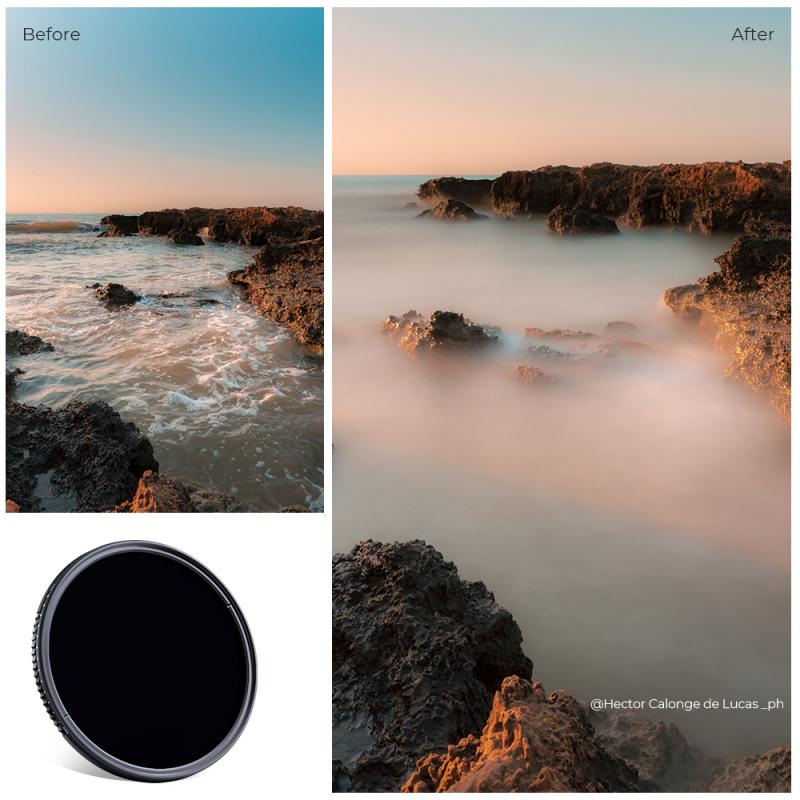
Screw Mounts: Understanding different types of screw mounts for cameras.

2、 Quick Release Plates: Using quick release plates for easy camera attachment.

Quick Release Plates: Using quick release plates for easy camera attachment.

Attaching a camera to a tripod is a fundamental skill that every photographer should master. One of the most efficient and convenient ways to achieve this is by using quick release plates. These plates are small metal or plastic plates that attach to the bottom of your camera and allow for easy and secure attachment to a tripod.

To attach a camera to a tripod using a quick release plate, follow these steps:

1. Locate the mounting screw on the quick release plate. This screw is usually located in the center of the plate and is used to secure the plate to the camera.

2. Align the mounting screw hole on the bottom of your camera with the screw on the quick release plate.

3. Insert the mounting screw into the camera's mounting hole and tighten it securely using a coin or a screwdriver. Ensure that the plate is firmly attached to the camera.

4. Once the quick release plate is securely attached to the camera, locate the quick release mechanism on your tripod. This mechanism is usually a lever or a button that allows you to quickly attach and detach the camera.

5. Open the quick release mechanism and slide the quick release plate into the tripod's mounting bracket. Ensure that the plate is fully inserted and securely locked in place.

6. Close the quick release mechanism to secure the camera to the tripod. Give it a gentle tug to ensure that it is firmly attached.

Using quick release plates offers several advantages. They save time by allowing for quick and easy attachment and detachment of the camera from the tripod. This is especially useful when you need to switch between handheld and tripod shooting frequently. Additionally, quick release plates provide a secure and stable connection, minimizing the risk of accidental camera drops or movements.

In conclusion, attaching a camera to a tripod using quick release plates is a simple and efficient process. By following the steps outlined above, you can ensure a secure and stable connection between your camera and tripod, allowing for steady and professional-looking shots.
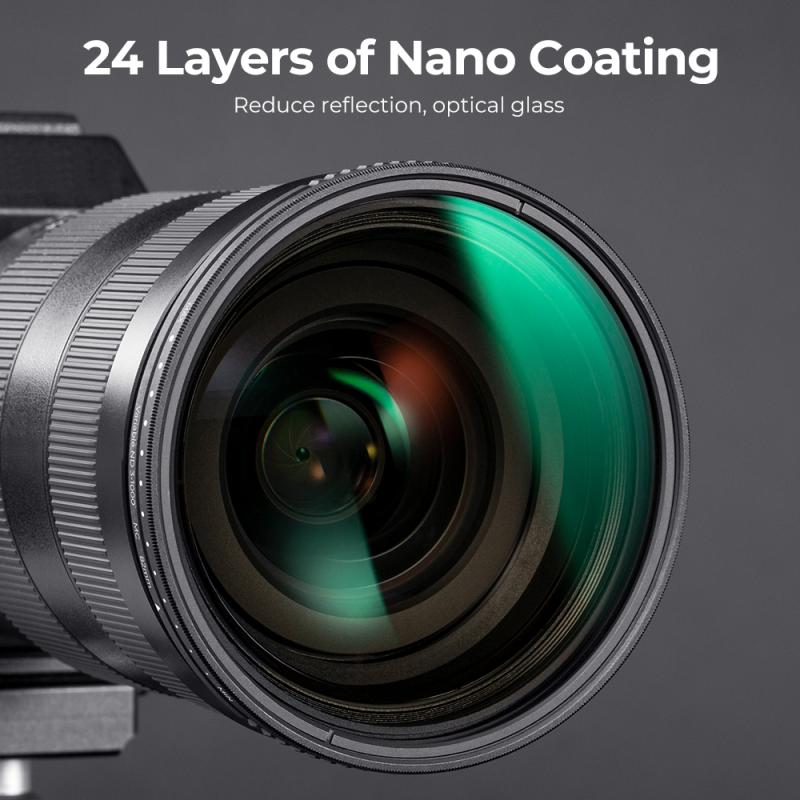
Quick Release Plates: Using quick release plates for easy camera attachment.

3、 Tripod Adapters: Adapting cameras with different mounting systems to tripods.

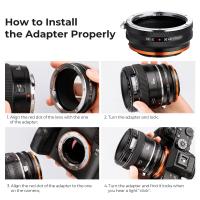
To attach a camera to a tripod, you will need a tripod adapter. Tripod adapters are essential for adapting cameras with different mounting systems to tripods. They provide a secure and stable connection between the camera and the tripod, allowing you to capture steady shots and eliminate camera shake.

The process of attaching a camera to a tripod using an adapter is relatively straightforward. First, ensure that your tripod is set up and stable on a flat surface. Then, locate the mounting screw on the tripod adapter and align it with the camera's mounting hole. Insert the screw into the hole and tighten it securely using a coin or a screwdriver, depending on the type of adapter.

It is important to note that different cameras may require different types of tripod adapters. Some cameras have a standard 1/4-inch mounting hole, while others may have a larger or smaller size. Therefore, it is crucial to choose an adapter that is compatible with your camera's mounting system.

In recent years, there have been advancements in tripod adapters to accommodate the evolving camera technology. Some adapters now come with quick-release mechanisms, allowing for easy and swift attachment and detachment of the camera from the tripod. This feature is particularly useful for photographers who frequently switch between handheld and tripod shooting.

In conclusion, attaching a camera to a tripod requires a tripod adapter. These adapters are designed to adapt cameras with different mounting systems to tripods, providing stability and eliminating camera shake. With the latest advancements, some adapters now offer quick-release mechanisms for convenient camera attachment and detachment.
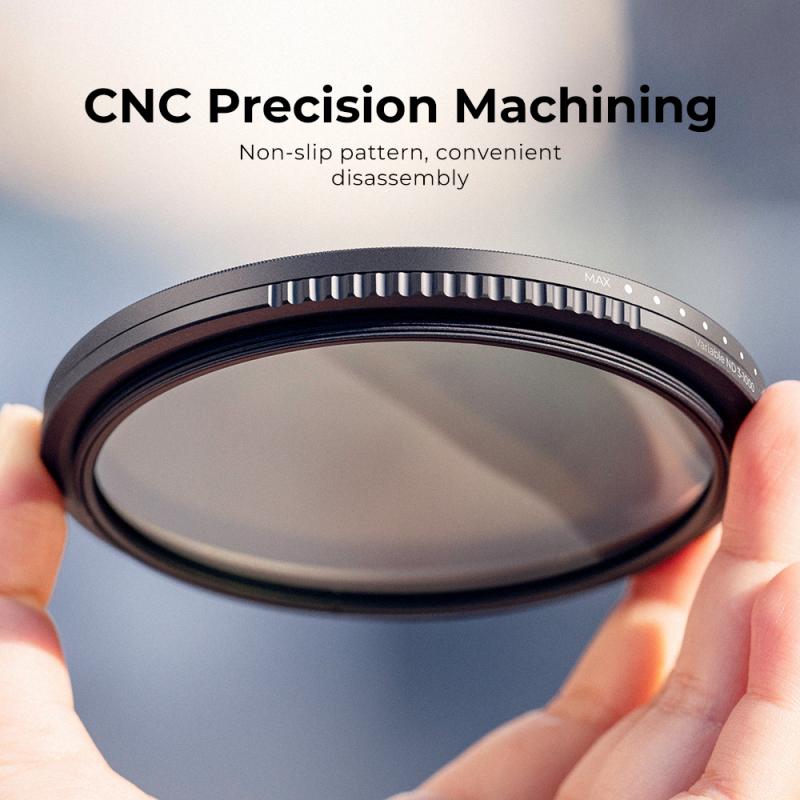
Tripod Adapters: Adapting cameras with different mounting systems to tripods.

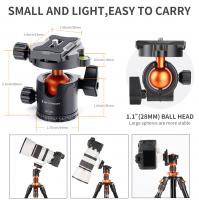
4、 Ball Heads: Using ball heads for versatile camera positioning on tripods.

To attach a camera to a tripod, you will need a ball head. Ball heads are a popular choice for photographers due to their versatility in positioning the camera on the tripod. They consist of a ball and socket joint that allows for smooth and precise movement in any direction.

To attach the camera to the ball head, follow these steps:

1. Start by loosening the locking knob on the ball head. This will allow the ball to move freely.

2. Locate the camera mounting plate on the ball head. It is usually a quick-release plate that attaches to the bottom of the camera.

3. Align the mounting plate with the camera's tripod socket. The tripod socket is usually located on the bottom of the camera.

4. Once aligned, screw the mounting plate into the tripod socket. Make sure it is securely tightened.

5. Slide the mounting plate into the ball head's quick-release mechanism. This mechanism allows for easy attachment and removal of the camera.

6. Tighten the locking knob on the ball head to secure the camera in place. Make sure it is tightened enough to hold the weight of the camera but not too tight to restrict movement.

7. Test the stability of the camera by gently moving it in different directions. If it feels loose, tighten the locking knob further.

Remember to always check the stability of the camera on the tripod before leaving it unattended. Additionally, make sure the tripod is on a stable surface to avoid any accidents.

In recent years, there have been advancements in ball head technology, such as improved locking mechanisms and increased load capacity. Some ball heads now come with additional features like panoramic rotation and friction control, allowing for even more precise camera positioning. These advancements have made ball heads an even more popular choice among photographers looking for versatility and ease of use.
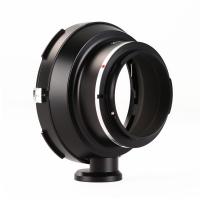
Ball Heads: Using ball heads for versatile camera positioning on tripods.

Leave your comment
Cancel reply
Note: HTML is not translated!
Related products
Pentax 67 Lenses to Canon EOS Camera Mount Adapter with tripod mount
82
£49.99 £35.99
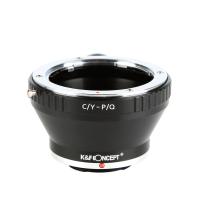
Contax Yashica Lenses to Pentax Q Mount Camera Adapter with tripod mount
52
£34.99 £24.99
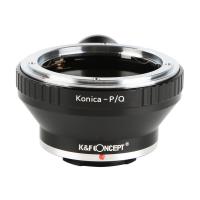
Konica AR Lenses to Pentax Q Camera Mount Adapter with Tripod Mount
52
£34.99 £24.99
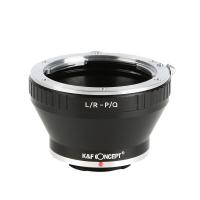
Leica R Lenses to Pentax Q Camera Mount Adapter with Tripod Mount
52
£34.99 £24.99
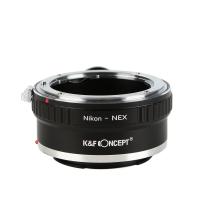
Nikon F Lenses to Sony E Mount Camera Adapter with Tripod Mount
119
£38.99 £27.99
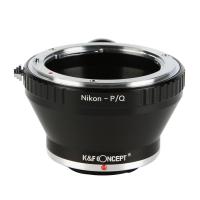
Nikon F Lenses to Pentax Q Camera Mount Adapter with Tripod Mount
52
£41.99 £30.20
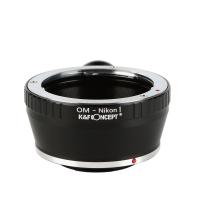
Olympus OM Lenses to Nikon 1 Camera Mount Adapter with Tripod Mount
77
£32.99 £23.99
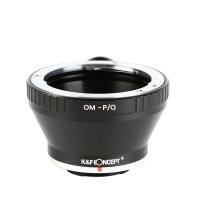
Olympus OM Lenses to Pentax Q Camera Mount Adapter with tripod mount
52
£22.99
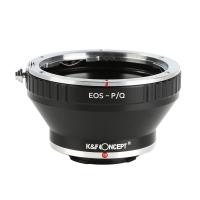
Canon EOS EF Lenses to Pentax Q Camera Mount Adapter with Tripod Mount
52
£41.99 £30.20
Olympus OM Lenses to Canon EOS M Camera Mount Adapter with Tripod Mount
54
£32.99 £23.99
Guess you like products
58mm ND64 Lens Filter Weather-Sealed Scratch-resistant and Anti-reflection XN55 Nano-Xcel Series
40
£48.99 £29.99
Leica R Lenses to Leica M Camera Mount Adapter
50
£53.99 £39.99
52mm Vintage Soft Filter 28 Multi-Coatings Cinematic Effect Camera Lens Filter - Nano-Xcel Series
£63.99 £59.99
82MM Polarising Filter Circular Polarizing CPL, Ultra Slim, Japan Optics, Multi Coated
61
£19.99
67mm Clip-on CPL&Black Mist 1/4 2-in-1 Phone Camera Lens Filter Kit Applicable to All Mobile Phone Models
48
£38.99 £32.99
K&F Concept Square ND16 Filter, 100 * 100 * 2mm Neutral Density Filters Multi-Coated Glass Waterproof 4 f-stop Gray ND
172
£88.99 £59.99
ND8 (3 Stops) Square ND Filter, 4"x5.65" Neutral Density Filter Compatible with Tilta Compatible with SmallRig Matte Box, Slim Multi Coated HD Optical Glass
14
£59.99 £54.99
62mm Black Mist 1/4 + ND8-128 Variable ND Filter with Double-sided 28-layer Anti-reflection Green Film and Lever Nano-Xcel Series
116
£154.99 £84.99
Children's metal detector, 7.5 inch waterproof, lightweight detector plate, adjustable metal detector Kentfaith
21
£59.99 £45.99
67mm Blue Streak Filter (2mm) Optical Glass Ultra-clear Waterproof Anti-Scratch Anti-Reflection Green Film Nano-Xcel Series
42
£80.99 £49.99
Related articles
How To Attach Tripod ?
How To Attach Camera Slider To Tripod ?
How To Attach Camera To Manfrotto Tripod ?
How To Attach Camera To Tripod Head ?
How To Attach Camera To Ambico Tripod ?
How To Attach Digital Camera To Tripod ?
How To Attach Camera To Benro Tripod ?
How To Attach Slider To Tripod ?
How To Attach Mic To Tripod ?
What Equipment Do I Need To Start Vlogging ?
Guess you like articles
What Software To Use With Object Endoscope ?
Are 20x Microscope Objectives Useful ?
How To Connect Old Jvc Camcorder To Tv ?
How To Buy A Good Digital Camera?
How To Use A Telescope For Kids ?
How To Observe Sperm Under Microscope ?
What Lee Filter System For Canon 77mm Lens ?
Can You See An Atom In A Microscope ?
Which Wifi Security Camera Is Best?
What Size Filter For Nikon 24-70mm Lens ?
Related categories
Sony E mount adapter variable ND and CPL filter​ Aluminum Tripod video tripod​ mini camera tripod​ lightweight travel tripod carbon filter camera tripod DSLR tripod telephone tripod tripod stand for lights
Popular products
pentax q adapter leica r to sony e mount adapter​ Leica R mount adapter minolta md to sony e mount adapter​ nikon tripod adapter pentax q lens adapter olympus om to sony e mount adapter​ olympus tripod mount canon ef-eos m mount adapter contax to canon eos adapter
Related searches
Binoculars That Attach To Iphone Camera Attach Canon Camera Strap Attach Nikon Camera Strap Attach A Camera Strap Smartphone To Tripod Adapter Tripod To Hold Iphone Easy To Carry Tripod Flash To Tripod Adapter Tripod To Hold Phone Mic To Tripod Adapter
Blog Category
  • Camera Reviews
  • News & Reviews
    • News
  • Tutorials
    • Animal Photography
    • Food Photography
  • Inspiration
    • Travel
    • Travel Stories
    • Photography Tricks
Search Article
Latest from the Blog
Can Metal Detectors Find Phones?
How Do Metal Detectors Work?
What Games Are On The Retro Handheld Console?
How Do You Connect Bluetooth Earbuds?
What Sd Card For Dslr Camera?
How to Use A Spy Camera Detector?
How To Play Videos From An Action Camera?
How To Use Anti Spy Detector?
How to Choose Phone Tripod?
How To Detect Wireless Spy Cameras?
Powered By K&F Concept © 2025