kfconcept

K&F Concept UK
K&F Concept United Kingdom    Blog >

Enjoy Your Selected Digital Life

Recently Viewed
  • Recently Viewed
  • 82mm Magnetic Variable ND8-ND128(3-7 Stop) Lens Filters - Nano-Xcel
    82mm Magnetic Variable ND8-ND128(3-7 Stop) Lens Filters - Nano-Xcel
    £85.49
    52mm Filter Kit MCUV + CPL Circular Polarizer Filter & MCUV Protection Filter HD Ultra-thin with 18 Multi Layer Coatings Nano-Klear
    52mm Filter Kit MCUV + CPL Circular Polarizer Filter & MCUV Protection Filter HD Ultra-thin with 18 Multi Layer Coatings Nano-Klear
    £21.99
    DJI Mavic Mini  Filter Set  Mavic Mini 1 / Mini 2 / SE Mini 2 SE Drone - UV / CPL / ND8 / ND16 / ND32 / ND64 with 2 Set Propellers
    DJI Mavic Mini Filter Set Mavic Mini 1 / Mini 2 / SE Mini 2 SE Drone - UV / CPL / ND8 / ND16 / ND32 / ND64 with 2 Set Propellers
    £54.99 £39.99
    K&F CONCEPT mini mobile phone mirror folding bracket CNC material
    K&F CONCEPT mini mobile phone mirror folding bracket CNC material
    £36.99
Compare (0) 0
  • Compare
  • You have not chosen any products to compare.

  • Compare
Currency: GBP
  • Currency

Log Into Your Account

Account

Order History

Wish List

Login

Forgotten Password?

Or connect with

Register Account

Already have an Account?Log In

  • Shopping Cart
  • Your shopping cart is empty!

  • Register/Login to purchase, earn points
  • Favorite
  • Your wish list is empty.

  • Register/Login to like, earn points
  • Tripods
    • Aluminum Tripods
    • Carbon Fiber Tripods
    • Travel Tripods
    • Video Tripods
    • Monopods
    • Lightweight Tripods
    • Mini Tripod
    • Tripod Accessories
    • Gimbal Stabilizers
    • Tripod Head
    • Tripod Kit
    • Action Camera Mounts
    • Phone Tripods
    • Studio Parts
      • Camera Flash
      • Photography Fill Light
      • Ring light
      • Soft Box
      • Tripod Light Stands
      • Reflectors
    • Clearance Tripods
  • Lens Filters
    • UV Filters
      • Nano-Xcel Series
        • MCUV
        • Ultra-low Reflectivity MCUV Filters
        • MCUV Super Hard
        • Explosion-proof MCUV - Nano-Xcel
        • MCUV+Lens Cap+Cleaning Cloth
        • Super Hard&Ultra Low Reflection MCUV Filters - Nano-Xcel
        • MCUV - Magnetic Series
      • Nano-Dazzle Series
        • MCUV
        • MCUV+Lens Cap+Cleaning Cloth
      • Nano-Klear Series
        • MCUV
        • Ultra Thin Frame MCUV Filters
        • MCUV+Lens Cap+Cleaning Cloth
      • Nano-Xcel Pro Series
        • MCUV
    • CPL Filters
      • Nano-Xcel Series
        • CPL
        • CPL True Color
        • Ultra-low Reflectivity CPL
        • CPL+Lens Cap+Cleaning Cloth
        • Magnetic CPL
          • Magnetic CPL + Apater ring + Cap - Nano-X
        • True Color Ultra-low Reflectivity CPL - Nano-Xcel
      • Nano-Dazzle Series
        • CPL
        • CPL+Lens Cap+Cleaning Cloth - Nano-Dazzle
      • Nano-Klear Series
        • CPL
        • Ultra Thin Frame CPL Filters
        • CPL+Lens Cap+Cleaning Cloth
        • CPL+Lens Cap - Nano-Klear
      • Nano-Xcel Pro Series
        • CPL
    • Neutral Density Filters
      • Neutral Density (Solid) Filters
        • ND8 (3 stops) - Nano-Xcel Series
        • ND64 (6 stops) - Nano-Xcel Series
        • ND1000 (10 stops) - Nano-Xcel Series
        • ND100000 (16.6 stops) - Nano-Xcel Series
        • ND1000000 (20 stops) - Nano-Xcel Series
        • ND100000 (16.6 stops) - Nano-Klear Series
        • ND1000000 (20 stops) - Nano-Klear Series
        • Solid ND - Magnetic Series
      • Graduated Neutral Density
        • 100mm GND Filter
          • Soft GND8 Filters - Nano-Xcel Series
          • Hard GND8 Filters - Nano-Xcel Series
          • Reverse GND8 Filters - Nano-Xcel Series
          • Soft GND16 Filters - Nano-Xcel Series
          • Reverse GND16 Filters - Nano-Xcel Series
          • Soft GND8 Filters - Nano-Xcel Pro Series
          • Hard GND8 Filters - Nano-Xcel Pro Series
          • Reverse GND8 Filters - Nano-Xcel Pro Series
          • Soft GND16 Filters - Nano-Xcel Pro Series
          • Reverse GND16 Filters - Nano-Xcel Pro Series
        • Circular GND Filter
          • GND8
          • GND16
      • 2 in 1 Filters
        • ND2-ND32&CPL Filters - Nano-Xcel Series
        • ND2-ND32&CPL Filters - Nano Dazzle Series
        • ND2-32&CPL Filters - Nano-Klear Series
        • ND2-ND32&CPL Filter - Nano-X Pro
        • ND2-ND32&CPL True Color Filters - Nano-Xcel Series
        • ND4-ND64&CPL Filter
      • 3 in 1 Filters
        • ND2-32&CPL&Black Mist 1/4 Filters - Nano-Xcel Series
        • ND2-32&CPL&Black Mist 1/4 Filters - Nano-Klear Series
      • Variable Neutral Density
        • Nano-Xcel Series
          • ND2-ND32 - Nano-Xcel
          • ND2-ND32 True Color - Nano-Xcel
          • ND2-ND400 - Nano-Xcel
          • ND8-ND128 - Nano-Xcel
          • ND32-ND512 - Nano-Xcel
          • ND3-ND1000 - Nano-Xcel
          • ND2-32 True Color Ultra-Low Reflection - Nano-Xcel
          • ND2-400 Ultra-Low Reflection - Nano-Xcel
        • Nano-Dazzle Series
          • ND2-ND32 - Nano-Dazzle
          • ND2-ND400 - Nano-Dazzle
          • ND3-ND1000 - Nano-Dazzle
          • ND8-ND2000 - Nano-Dazzle
        • Nano-Klear Series
          • ND2-ND32 - Nano-Klear
          • ND2-ND400 - Nano-Klear
          • ND2-ND2000 - Nano-Klear
          • True Color ND2-ND400 - Nano-Klear
        • Nano-Xcel Pro Series
          • ND2-ND32 - Nano-Xcel Pro
        • Nano-B Series
          • ND2-ND400 - Nano-B
    • Black Mist & Soft Focus Filters
      • Black Mist Filters
        • Black Mist 1/8
          • Black Mist 1/8 - Nano-Xcel Series
          • Black Mist 1/8 - Nano-Dazzle Series
          • Black Mist 1/8 - Nano-Klear Series
          • Black Mist 1/8 - Nano-Xcel Pro Series
          • Black Mist 1/8+Lens Cap+Cleaning Cloth - Nano-Klear Series
        • Black Mist 1/4
          • Black Mist 1/4 - Nano-Xcel Series
          • Black Mist 1/4 - Nano-Dazzle Series
          • Black Mist 1/4 - Nano-Klear Series
          • Black Mist 1/4 - Nano-Xcel Pro Series
          • Black Mist 1/4+Lens Cap+Cleaning Cloth - Nano-Klear Series
        • Black Mist 1/2
          • Black Mist 1/2 - Nano-Xcel Series
          • Black Mist 1/2 - Nano-Klear Series
        • Black Mist 1
          • Black Mist 1 - Nano-Xcel Series
          • Black Mist 1 - Nano-Klear Series
        • Black Mist Kit
          • Black Mist 1/4 + 1/8 Nano Xcel Series
          • Black Mist 1/4 + 1/8 - Nano Klear Series
          • Black Mist 1/4 + CPL - Nano Klear Series
        • Black Mist & CPL
          • Black Mist 1/4&CPL - Nano-Klear Series
        • Black-Mist & VND
          • Black Mist 1/4 & ND2-32 Filters - Nano-Klear Series
          • Black Mist 1/4 & ND2-400 Filters - Nano-Xcel Series
          • Black Mist 1/4 & ND2-32 Filters - Nano-Xcel Series
          • Black Mist 1/8 & ND2-32 Filters - Nano-Klear Series
          • Black Mist 1/4 & ND2-400 Filters - Nano-Klear Series
      • White Mist Filters
        • White Mist 1/4 - Nano-Xcel Series
        • White Mist 1/4 - Nano-Klear Series
      • Shimmer Diffusion
        • Shimmer Diffusion 1 - Nano-Xcel Series
        • Shimmer Diffusion 1 - Nano-Klear Series
    • Light Pollution Cut Filter
      • Light Pollution Cut Filter - Circular
      • Light Pollution Cut Filter - Square
    • Magnetic Lens Filters
      • MCUV Filters
        • Magnetic MCUV - Nano-Klear Series
        • Magnetic MCUV+Lens Caps - Nano-Xcel Series
      • CPL Filters
        • Magnetic CPL + Adapter Ring
        • Magnetic CPL+Adapter Ring - Nano-Klear Series
      • Black-Mist
        • Black Mist 1/8 Filters - Nano-Xcel Series
        • Black Mist 1/4 Filters - Nano-Xcel Series
      • Neutral Density (Solid) Filter
        • Magnetic ND8 - Nano-Xcel Series
        • Magnetic ND64 - Nano-Xcel Series
        • Magnetic ND1000 - Nano-Xcel Series
      • Unlimited Variable ND Filter
        • Magnetic ND2-ND32 - Nano-Xcel Series
        • Magnetic ND8-ND128 Filters - Nano-Xcel Series
      • Accessories
        • Magnetic Adapter Ring
        • Magnetic Filter Ring
        • Magnetic Cap
      • Kits
        • MCUV+CPL+ND1000+Adapter Ring - Nano-Xcel Series
        • CPL+ND8+ND64+Adapter Ring+Lens Cap - Nano-Xcel Series
        • GND8+ND8+ND64+ND1000+Adapter Ring - Nano-Xcel Series
        • CPL+VND2-32+Black Mist 1/4+Magnetic Ring+Lens Cap - Nano-Xcel Series
    • Square Filter System
      • Basic System
        • Square ND Filters
          • ND4 Filters - Nano-Xcel Series
          • ND16 Filters - Nano-Xcel Series
          • ND1000 Filters - Nano-Xcel Series
          • ND2000 Filters - Nano-Xcel Series
          • ND32000 Filters - Nano-Xcel Series
          • Full Color ND8 Filters - Nano-Xcel Series
          • Full Color ND64 Filters - Nano-Xcel Series
        • Square GND Filters
        • Light Pollution Cut Filter
          • Light Pollution Cut Filter - Nano-Xcel Series
        • Square Black Mist Filters
          • Square Black Mist 1 - Nano-Xcel Series
          • Square Black Mist 1/4 - Nano-Xcel Series
          • Square Black Mist 1/8 - Nano-Xcel Series
        • Brackets and Accessories
          • Adapter Ring - Nano-Xcel Series
        • Kits
          • 100mm Square Filter System - Nano-Xcel Series
          • 100mm ND1000+Holder Kit - Nano-Xcel Series
          • 100mm ND1000+Soft GND8+Holder Kit - Nano-Xcel Series
          • 100mm Soft GND8+Holder Kit - Nano-Xcel Series
      • Professional System
        • ND
          • Full Color ND8 Filters - Nano-Xcel Pro Series
          • Full Color ND64 Filters - Nano-Xcel Pro Series
          • Full Color ND1000 Filters - Nano-Xcel Pro Series
        • GND
        • PL
        • Black Mist 1/4&CPL - Nano-Xcel Pro Series
        • Light Pollution Cut Filter
          • Light Pollution Cut Filter - Nano-Xcel Pro Series
        • Kits
          • 100mm ND1000+Holder Kit - Nano-Xcel Pro Series
          • 100mm ND1000+Soft GND8+Holder Kit - Nano-Xcel Pro Series
          • 100mm ND8+ND64+ND1000+Holder Kit - Nano-Xcel Pro Series
          • 100mm Holder Kit - Nano-Xcel Pro Series
        • Brackets and Accessories
          • 100x100mm Square Filter Protect Frame - Nano-Xcel Pro Series
          • 100x150mm Square Filter Protect Frame - Nano-Xcel Pro Series
          • Adapter Ring - Nano-Xcel Pro Series
    • Drone Filter
      • DJI Air 3S
      • DJI Avata2
      • DJI Flip
      • DJI Mavic 3 Pro
      • DJI NEO
      • DJI Mini 1/2/SE
      • DJI Mini 4 Pro Filters
      • DJI Mavic 3
      • DJI Mini 3 PRO
      • DJI Avata
      • DJI Mavic 4 Pro
      • DJI Mini 5 Pro
      • DJI Air 2S
    • Effects Filters
      • Prism Filters
        • Central Prism Filters
          • Central Pentagonal Filters - Nano-Basic Series
          • Central Hexagonal Filters - Nano-Basic Series
        • Ordinary Prism Filters
          • Triangular Filtres - Nano-Basic Series
        • Single Linear Prisms
      • Streak Filters
        • Blue Streak Filters - Nano-Xcel Series
        • Gold Streak Filters - Nano-Xcel Series
        • Colorful Streak Filters - Nano-B Series
        • Blue Streak Filters - Nano-Klear Series
      • Star Filter
        • Star Filters 4-8 Points - Nano-Klear Series
        • Star Filter Kits 4+6+8 Points - Nano-Klear Series
        • 4-Point Fine-Line Star Filters - Nano-Klear Series
        • 6-Point Fine-Line Star Filters - Nano-Klear Series
      • Kaleidoscope Filters
        • Kaleidoscope Filters - Nano-Basic Series
        • Handheld Kaleidoscope Filters - Nano-B Series
      • Motion Blur Filters
        • Directional Motion Blur - Nano-Basic Series
        • Bidirectional Motion Blur - Nano-Basic Series
        • Handheld Motion Blur Filters - Nano-Basic Series
      • Spiral Filters
        • Spiral Halo Filters - Nano-B Series
        • Handheld Spiral Filters - Nano-Basic Series
      • Diopter Filters
        • Centerfield Split Diopter Filters - Nano-Basic Series
        • Handheld Diopter Filters - Nano-Basic Series
    • Filter Accessories
      • Lens Hoods
      • Rings Kits
        • Step Up Rings
        • Step Down Rings
      • Filter Holders & Frames
      • Filter Holder Adapter Rings
        • Filter Adapter Rings
      • Filter Pouches
      • Lens Caps
        • Caps for Magnetic Filters
        • Caps for Variable ND Filters
        • Anti-lost Lens Cap
          • 4 in 1
          • 5 in 1
          • 9 in 1
      • Polarized Film
    • Filter Kit
      • Black Diffusion 1/4 + 1/8
      • Screw-In Filters
        • MCUV+CPL Filter - Nano-Klear Series
        • MCUV+CPL+Lens Cap - Nano-Klear Series
        • MCUV+CPL+Metal Lens Cap - Nano-Xcel Series
        • MCUV+CPL+ND1000+Lens Cap - Nano-Dazzle Series
        • MCUV+CPL+ND2-400 - Nano-Klear Series
        • ND8+ND64+ND1000 - Nano-Dazzle Series
        • MCUV+CPL+ND4 - Nano-Klear Series
        • ND1000+CPL - Nano-Klear Series
        • ND4+ND8+ND64+ND1000 - Nano-Xcel Series
        • MCUV+CPL
      • Magnetic Filters
      • Square Filters
    • Action Camera Filters
      • DJI Osmo Action 4 / Action 5 Pro
      • DJI Osmo Action 6
      • DJI Osmo Nano
      • DJI Osmo Pocket 3
      • GoPro HERO 4K
      • GOPRO Hero 9/10/11/12/13 Filters
      • Insta360 Ace pro 2
      • Insta360 Go Ultra
      • Insta360 GO3
      • Insta360 GO3S
      • Action Camera Accessories
        • DJI Osmo Action 3/4/5 Pro
        • Head Strap & Chest Mount
        • Insta360 X5
        • Magnetic Neck Mount
        • DJI Osmo 360
        • DJI Osmo Pocket 3 Charging Base
        • DJI Osmo Pocket 3
    • Phone Lens Filters
    • Matte Box & Filter Systems
      • Neutral Density (Solid) Filters
        • ND4 - Nano-Xcel Series
        • ND8 - Nano-Xcel Series
        • ND16 - Nano-Xcel Series
        • ND32 - Nano-Xcel Series
        • ND64 - Nano-Xcel Series
        • ND8+ND64 - Nano-Xcel Series
      • UV Filters
      • Black Mist Filters
        • Black Mist 1/4 - Nano-Xcel Series
        • Black Mist 1/8 - Nano-Xcel Series
      • Blue Streak Filters
      • Accessories
      • Kits
        • Matte Box - Nano-Xcel Series
        • Matte Box Pro - Nano-Xcel Series
        • Matte Box+ND8 Square Filter - Nano-Xcel Series
        • Matte Box+ND4+ND32 Square Filter - Nano-Xcel Series
        • Matte Box+Black Mist 1/4 Square Filter - Nano-Xcel Series
    • Brand-specific Filters
      • Fujifilm X100
      • Ricoh GR
  • Lens Adapters
    • PL Mount Lenses
    • A Mount Body(Sony/Minolta)
    • Fujifilm X Mount Body
    • Fujifilm G (GFX) Mount Body
    • C-Mount Body
    • Leica M Mount Body
    • MFT(M4/3) Mount Body
    • Pentax K Mount Body
    • Pentax Q Mount Body
    • Samsung NX Mount Body
    • Nikon F Mount Body
    • Nikon 1 Mount Body
    • Nikon Z Mount Body
    • Canon EOS EF/EF-S Mount Body
    • Canon EOS M Mount Body
    • Canon RF Mount Body
    • Sony E Mount Body
    • L-Mount Alliance (Leica)
  • Camera
    • Digital Camera & Camcorders
      • Digital Cameras & Camcorders
      • Underwater Cameras
      • Action Cameras
      • Kids’ Cameras
      • Time lapse camera
    • Wildlife Camera
      • Wifi Trail Cameras
      • Non-Cellular Trail Cameras
      • Accessories
      • Cellular Trail Cameras
    • Surveillance Cameras
      • 4G Camera
      • Battery Camera
      • Baby Monitor
      • WiFi Camera
      • Feeder Camera
      • Floodlight camera
      • Monitoring Detector
    • Camera Lenses
    • On-Dash Camera
    • Fishing camera
    • Memory Cards
      • Micro SD Card
      • SD Card
    • Camera Accessories
      • Camera Caps
      • Camera Screen Protectors
        • Canon
        • Sony
        • Fujifilm
        • Nikon
        • Olympus
        • Ricoh
        • GoPro
        • DJI Osmo Pocket 3
      • Camera Hot Shoe Covers
      • Camera Viewfinder Eyecups
        • Nikon
        • Sony
        • Canon
      • Adjustment Iris
  • Camera Bags
    • Camera Backpacks
    • Camera Shoulder Bags
    • Camera Cases
    • Digital Storage Bag
    • Lens Cases
    • Camera Straps
    • Backpack Accessories
  • Camera Battery
    • Sony
    • Canon
    • Nikon
    • FUJIFILM
    • Ricoh
    • Gopro
    • Osmo Action
    • Lumix
    • V Mount Battery
    • Memory Card Case
  • Optics
    • Microscope
      • Optical Microscope
      • Digital Microscope
      • Kids' Microscopes
    • Binoculars
    • Monocular
    • Telescope
    • Night Vision Goggles
    • Rangefinder
  • Endoscope
    • Professional Endoscope
    • Household Endoscope
    • Portable Endoscope
    • Otoscope/Oral Endoscope
  • More
    • Cleaning Kits
    • Digital Voice Recorders
    • Language Translator Device
    • Smart Glasses
    • Metal Detectors
    • Light
      • Video fill light
      • Live Ring Light
      • Outdoor Lighting
    • Motorcycle Bluetooth Headset
    • Laser Engraver Machine
    • Headphones
    • Weather Station & Household Sensors
    • Microphone
    • Drone Accessories
      • DJI Air 2S Accessories
      • DJI Air 3 Accessories
      • DJI Avata Accessories
      • DJI Drone Universal Accessories
      • DJI Mavic Mini 2/Mini 2 SE/Mini Accessories
      • DJI Mavic Mini 3 Accessories
      • DJI Mini 3 Pro Accessories
    • Smart Watch
    • Smart lock
    • Studio
    • Solar Panels
  • Deals
    • Specials
    • Coupon
    • New Arrivals
  • Home
  • Blog
  • Canon Digital Camera How To Use ?

Canon Digital Camera How To Use ?

K&f concept 2023-12-07 10:27:43 0 Comments

To use a Canon digital camera, first, ensure that the battery is charged and inserted properly. Turn on the camera by pressing the power button. Use the mode dial to select the desired shooting mode, such as Auto, Manual, or Scene modes. Frame your shot using the viewfinder or the LCD screen. Press the shutter button halfway to focus, and fully to take the photo. Use the zoom ring or buttons to adjust the zoom level if needed. To review the captured images, press the playback button. Use the navigation buttons to scroll through the images and the zoom buttons to magnify them. To access additional settings and features, refer to the camera's menu system. It is recommended to consult the camera's user manual for detailed instructions specific to your Canon model.

1、 Camera setup and initial configuration

Canon digital cameras are known for their high-quality images and user-friendly features. To make the most of your Canon digital camera, it is important to understand its setup and initial configuration. Here is a step-by-step guide on how to use a Canon digital camera:

1. Insert the battery: Open the battery compartment and insert the battery provided with the camera. Ensure it is properly aligned and securely inserted.

2. Attach the lens: If your camera has interchangeable lenses, align the lens with the camera body's lens mount and twist it clockwise until it locks into place.

3. Power on the camera: Press the power button to turn on the camera. It may take a few seconds for the camera to initialize.

4. Set the date and time: Follow the on-screen instructions to set the date and time. This information is crucial for organizing your photos.

5. Choose a shooting mode: Canon cameras offer various shooting modes, such as Auto, Program, Aperture Priority, Shutter Priority, and Manual. Select the mode that suits your shooting needs.

6. Adjust settings: Use the camera's menu system to customize settings like ISO, white balance, autofocus mode, and image quality. Refer to the camera's user manual for detailed instructions on each setting.

7. Focus and compose: Use the viewfinder or LCD screen to frame your shot. Half-press the shutter button to autofocus, and fully press it to capture the image.

8. Review and transfer images: After capturing photos, you can review them on the camera's LCD screen. To transfer images to a computer or other device, connect the camera using a USB cable or remove the memory card and insert it into a card reader.

Remember to consult the camera's user manual for specific instructions and explore the camera's features to enhance your photography experience. Canon also provides online resources and tutorials to help users make the most of their digital cameras.
Camera setup and initial configuration

2、 Understanding camera modes and shooting settings

Understanding camera modes and shooting settings is essential for anyone using a Canon digital camera. These settings allow photographers to have full control over their images and achieve the desired results.

Firstly, it is important to familiarize yourself with the different shooting modes available on your Canon camera. These modes include Auto, Program, Aperture Priority, Shutter Priority, and Manual. Auto mode is suitable for beginners as it automatically adjusts the camera settings for optimal results. Program mode allows some control over settings while still maintaining automatic adjustments. Aperture Priority mode allows you to control the aperture setting, which affects the depth of field. Shutter Priority mode allows you to control the shutter speed, which affects motion blur. Manual mode gives you full control over both aperture and shutter speed.

Additionally, understanding the various shooting settings such as ISO, white balance, and exposure compensation is crucial. ISO determines the camera's sensitivity to light, with higher ISO values being more sensitive but potentially introducing noise. White balance ensures accurate color reproduction by adjusting for different lighting conditions. Exposure compensation allows you to adjust the exposure level to make images brighter or darker.

To use these settings effectively, it is recommended to experiment and practice with different combinations. Understanding the relationship between aperture, shutter speed, and ISO will help you achieve the desired exposure. Additionally, learning how to use the camera's autofocus system and metering modes will improve the accuracy of your shots.

It is worth noting that Canon regularly releases new camera models with updated features and settings. Therefore, it is important to consult the camera's user manual or online resources specific to your model for the latest information and tips on how to use your Canon digital camera effectively.
Understanding camera modes and shooting settings

3、 Mastering exposure and metering techniques

Mastering exposure and metering techniques is essential for capturing high-quality photographs with a Canon digital camera. To begin, it is important to understand the concept of exposure, which refers to the amount of light that reaches the camera's image sensor. Proper exposure ensures that the image is neither too bright nor too dark.

Canon digital cameras offer various exposure modes, such as Program (P), Aperture Priority (Av), Shutter Priority (Tv), and Manual (M). Each mode provides different levels of control over the exposure settings. In Program mode, the camera automatically selects the aperture and shutter speed, while in Aperture Priority mode, the photographer can manually set the aperture, allowing the camera to adjust the shutter speed accordingly. Shutter Priority mode works the opposite way, allowing the photographer to set the shutter speed while the camera adjusts the aperture. Manual mode provides full control over both aperture and shutter speed.

Metering techniques play a crucial role in achieving accurate exposure. Canon cameras typically offer three metering modes: Evaluative, Center-weighted, and Spot. Evaluative metering analyzes the entire scene, Center-weighted metering prioritizes the center of the frame, and Spot metering measures the exposure based on a small area in the frame.

To master exposure and metering techniques, it is recommended to experiment with different settings and observe the results. Understanding the exposure triangle, which consists of aperture, shutter speed, and ISO, is also essential. Additionally, utilizing exposure compensation can help fine-tune the exposure in challenging lighting conditions.

It is important to note that the latest Canon digital cameras may offer additional features and advancements in exposure and metering. It is advisable to consult the camera's user manual or online resources specific to the model for the most up-to-date information and techniques.
Mastering exposure and metering techniques

4、 Exploring autofocus and manual focus options

Canon digital cameras offer a range of autofocus and manual focus options that allow photographers to have full control over their images. Understanding how to use these features effectively can greatly enhance the quality and creativity of your photographs.

Autofocus is a convenient feature that automatically adjusts the camera's focus to ensure sharp and clear images. Canon cameras typically offer multiple autofocus modes, such as One-Shot AF, AI Servo AF, and AI Focus AF. One-Shot AF is ideal for stationary subjects, as it locks focus once the shutter button is pressed halfway. AI Servo AF is designed for moving subjects, continuously adjusting focus as long as the shutter button is held halfway. AI Focus AF automatically switches between One-Shot AF and AI Servo AF depending on the subject's movement.

Manual focus, on the other hand, allows photographers to take complete control over the focus of their images. To use manual focus on a Canon digital camera, switch the lens to manual focus mode and rotate the focus ring until the subject appears sharp in the viewfinder or on the LCD screen. This option is particularly useful in situations where autofocus may struggle, such as low-light conditions or when shooting through obstacles.

In recent years, Canon has introduced advanced autofocus technologies, such as Dual Pixel CMOS AF, which provides smooth and accurate autofocus during both still photography and video recording. This technology utilizes phase-detection autofocus points on the camera's image sensor, resulting in faster and more precise focusing.

To make the most of autofocus and manual focus options, it is essential to understand the specific capabilities and settings of your Canon camera model. Consult the camera's user manual or online resources for detailed instructions and tips on utilizing these features effectively.

In conclusion, exploring autofocus and manual focus options on Canon digital cameras can greatly enhance your photography skills. Whether you prefer the convenience of autofocus or the creative control of manual focus, understanding how to use these features will allow you to capture stunning and sharp images.
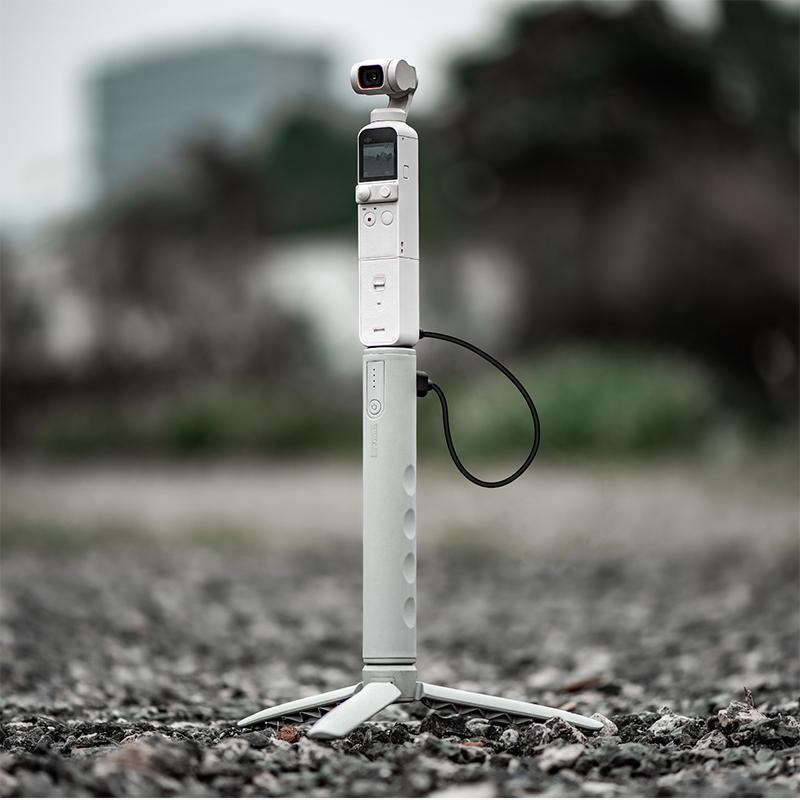
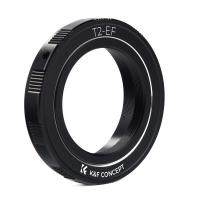
Exploring autofocus and manual focus options

Leave your comment
Cancel reply
Note: HTML is not translated!
Related products
T2 Lenses to Canon EOS Camera Mount Adapter
60
£22.99 £16.10
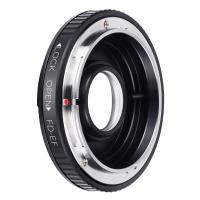
M13131 Canon FD Lenses to Canon EOS EF Camera Mount Adapter with Optic Glass
84
£47.99 £35.90
Canon FD Lenses to Fuji X Mount Camera Adapter
64
£35.99 £26.99
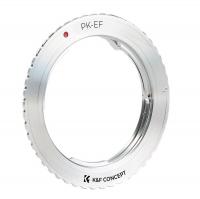
Pentax K Lenses to Canon EOS Camera Mount Adapter
62
£37.99 £26.90
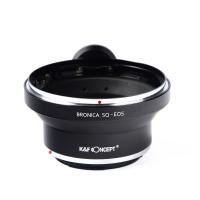
Bronica SQ Lenses to Canon EOS Camera Mount Adapter
61
£31.99 £23.30
M42 Lenses to Canon EOS M Camera Mount Adapter
55
£53.99 £39.99
Leica R Lenses to Canon EOS Camera Mount Adapter
63
£38.99 £29.99
Canon FD Lenses to Leica M Camera Mount Adapter
52
£52.99 £38.30
Canon FD Lenses to Pentax Q Mount Camera Adapter
51
£31.99 £22.99
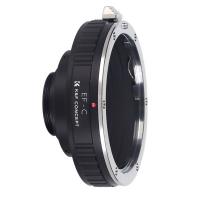
Canon EOS EF Lenses to C Mount Camera Adapter
60
£53.99 £39.99
Guess you like products
72mm Circular Polarizer Filter with Lens Cap Optical Glass Ultra Slim 18 Multi-Layer Coatings Polarizing Filter for Camera Lens Nano-Klear Series
36
£18.99 £15.99
58mm Variable ND Filter (1-5 Stop)  and CPL Filter 2 in 1 for Camera Filter Lens Nano-Klear
58mm Variable ND Filter (1-5 Stop) and CPL Filter 2 in 1 for Camera Filter Lens Nano-Klear
6
£44.99 £37.99
52mm Clear-Night Filter Multiple Layer Nano Coating Pollution Reduction for Night Sky/Star Nano-Xcel Series
47
£71.00 £30.99
Beschoi Travel Backpack, Casual Daypack Hiking&Camping Rucksack Pack, Large College School Backpack, Shoulder Book Bags fits 15.6 inch Laptop & Tablets
61
£43.99 £28.99
52MM CPL Filter 28 Layer Slim Circular Polarizing Filter Multi-coated Polarized MRC Filter
156
£33.99 £31.99
67mm Kaleidoscope Triangular Prism Filter Optical Glass Special Effect Camera Lens Filter Nano-Basic Series
8
£35.51 £33.99
Fuji X100 Lens MCUV Filter, Multi Coated HD Optical Glass Scratch-resistant Compatible with Fuji X100, X100F, X100S, X100T, X100V, X100VI Nano-Xcel Series
36
£27.99 £26.99
M39 Lenses to Fuji X Mount Camera Adapter Non-SLR port M39
86
£31.99 £22.50
58mm Black Soft Diffusion Filter 1/2 Special Effects Filter Ultra-Clear Multi-layer Coated With Waterproof Scratch-Resistant and Anti-Reflection Nano-Xcel Series
70
£97.99 £59.99
52mm Black Mist 1/4 & CPL Filter 2 in 1 Black Diffusion Circular Polarizing Effect Filter with 18 Multi-Layer Coatings Nano-Klear Series
26
£27.99 £22.99
Related articles
How To Use Canon Digital Camera As Webcam ?
How To Charge Canon Digital Camera ?
How To Setup Canon Digital Camera ?
How To Set Up Canon Digital Camera ?
How To Use Digital Camera ?
How To Use Canon Eos 2000d Camera ?
How To Use Children's Digital Camera?
How To Use Digital Slr Camera ?
How To Use Uv Filter Canon ?
What Is Samsung S8 Adaptive Power Saving ?
Guess you like articles
What Is Time Lapse Camera ?
Can Trail Cameras Connect To Home Wifi ?
Where Are Vortex Rangefinders Made ?
How To Transfer Pictures From A Digital Camera?
What To Expect After Endoscopic Carpal Tunnel Surgery ?
What Is Best Binoculars Or Telescope?
Where To Buy Tripod Near Me ?
How To Setup Camera Stand ?
Can Night Vision Binoculars Be Used In Daylight ?
How To Carry Dslr While Traveling ?
Related categories
digital video camera Camera Accessories digital microscope UK Canon RF Mount Canon EF M Lens Mount speedlight flash for canon digital Microscope UK mini recording device Sony E mount adapter variable ND and CPL filter​
Popular products
canon ef-eos m mount adapter canon eos r adapter canon mount adapter ef m mount adapter ai intelligent camera​ canon camera mount samsung nx mount adapter​ pentax to canon mount adapter​ c mount adapter canon nikon z mount adapter
Related searches
Simple To Use Digital Camera Simple Easy To Use Digital Camera One Use Digital Camera Digital Camera For Family Use Digital Camera For Home Use Waterproof Single Use Digital Camera Kodak Single Use Digital Camera Headphones To Use With Tv Simple To Use Smart Watch Simple To Use Dash Cam
Blog Category
  • Camera Reviews
  • News & Reviews
    • News
  • Tutorials
    • Animal Photography
    • Food Photography
  • Inspiration
    • Travel
    • Travel Stories
    • Photography Tricks
Search Article
Latest from the Blog
How To Hide Outdoor Cameras?
How Do Wireless Outdoor Security Cameras Work?
How To Mount Go Pro On Tripod?
Which Colour Lens Filter To Use?
Secure Camera Which Works On Home Wifi?
Do You Need ND Filters for Drone?
Can Metal Detectors Find Phones?
How To Repair Flood Lights?
How To Fix Camera On Tripod Stand?
What Size Binoculars For Hunting?
Powered By K&F Concept © 2025