kfconcept

K&F Concept UK
K&F Concept United Kingdom    Blog >

Enjoy Your Selected Digital Life

Recently Viewed
  • Recently Viewed
  • Recently Viewed list is empty.

Compare (0) 0
  • Compare
  • You have not chosen any products to compare.

  • Compare
Currency: GBP
  • Currency

Log Into Your Account

Account

Order History

Wish List

Login

Forgotten Password?

Or connect with

Register Account

Already have an Account?Log In

  • Shopping Cart
  • Your shopping cart is empty!

  • Register/Login to purchase, earn points
  • Favorite
  • Your wish list is empty.

  • Register/Login to like, earn points
  • Tripods
    • Aluminum Tripods
    • Carbon Fiber Tripods
    • Travel Tripods
    • Video Tripods
    • Monopods
    • Lightweight Tripods
    • Mini Tripod
    • Tripod Accessories
    • Gimbal Stabilizers
    • Tripod Head
    • Tripod Kit
    • Action Camera Mounts
    • Phone Tripods
    • Studio Parts
      • Camera Flash
      • Photography Fill Light
      • Ring light
      • Soft Box
      • Tripod Light Stands
      • Reflectors
    • Clearance Tripods
  • Lens Filters
    • UV Filters
      • Nano-Xcel Series
        • MCUV
        • Ultra-low Reflectivity MCUV Filters
        • MCUV Super Hard
        • Explosion-proof MCUV - Nano-Xcel
        • MCUV+Lens Cap+Cleaning Cloth
        • Super Hard&Ultra Low Reflection MCUV Filters - Nano-Xcel
        • MCUV - Magnetic Series
      • Nano-Dazzle Series
        • MCUV
        • MCUV+Lens Cap+Cleaning Cloth
      • Nano-Klear Series
        • MCUV
        • Ultra Thin Frame MCUV Filters
        • MCUV+Lens Cap+Cleaning Cloth
      • Nano-Xcel Pro Series
        • MCUV
    • CPL Filters
      • Nano-Xcel Series
        • CPL
        • CPL True Color
        • Ultra-low Reflectivity CPL
        • CPL+Lens Cap+Cleaning Cloth
        • Magnetic CPL
          • Magnetic CPL + Apater ring + Cap - Nano-X
        • True Color Ultra-low Reflectivity CPL - Nano-Xcel
      • Nano-Dazzle Series
        • CPL
        • CPL+Lens Cap+Cleaning Cloth - Nano-Dazzle
      • Nano-Klear Series
        • CPL
        • Ultra Thin Frame CPL Filters
        • CPL+Lens Cap+Cleaning Cloth
        • CPL+Lens Cap - Nano-Klear
      • Nano-Xcel Pro Series
        • CPL
    • Neutral Density Filters
      • Neutral Density (Solid) Filters
        • ND8 (3 stops) - Nano-Xcel Series
        • ND64 (6 stops) - Nano-Xcel Series
        • ND1000 (10 stops) - Nano-Xcel Series
        • ND100000 (16.6 stops) - Nano-Xcel Series
        • ND1000000 (20 stops) - Nano-Xcel Series
        • ND100000 (16.6 stops) - Nano-Klear Series
        • ND1000000 (20 stops) - Nano-Klear Series
        • Solid ND - Magnetic Series
      • Graduated Neutral Density
        • 100mm GND Filter
          • Soft GND8 Filters - Nano-Xcel Series
          • Hard GND8 Filters - Nano-Xcel Series
          • Reverse GND8 Filters - Nano-Xcel Series
          • Soft GND16 Filters - Nano-Xcel Series
          • Reverse GND16 Filters - Nano-Xcel Series
          • Soft GND8 Filters - Nano-Xcel Pro Series
          • Hard GND8 Filters - Nano-Xcel Pro Series
          • Reverse GND8 Filters - Nano-Xcel Pro Series
          • Soft GND16 Filters - Nano-Xcel Pro Series
          • Reverse GND16 Filters - Nano-Xcel Pro Series
        • Circular GND Filter
          • GND8
          • GND16
      • 2 in 1 Filters
        • ND2-ND32&CPL Filters - Nano-Xcel Series
        • ND2-ND32&CPL Filters - Nano Dazzle Series
        • ND2-32&CPL Filters - Nano-Klear Series
        • ND2-ND32&CPL Filter - Nano-X Pro
        • ND2-ND32&CPL True Color Filters - Nano-Xcel Series
        • ND4-ND64&CPL Filter
      • 3 in 1 Filters
        • ND2-32&CPL&Black Mist 1/4 Filters - Nano-Xcel Series
        • ND2-32&CPL&Black Mist 1/4 Filters - Nano-Klear Series
      • Variable Neutral Density
        • Nano-Xcel Series
          • ND2-ND32 - Nano-Xcel
          • ND2-ND32 True Color - Nano-Xcel
          • ND2-ND400 - Nano-Xcel
          • ND8-ND128 - Nano-Xcel
          • ND32-ND512 - Nano-Xcel
          • ND3-ND1000 - Nano-Xcel
          • ND2-32 True Color Ultra-Low Reflection - Nano-Xcel
          • ND2-400 Ultra-Low Reflection - Nano-Xcel
        • Nano-Dazzle Series
          • ND2-ND32 - Nano-Dazzle
          • ND2-ND400 - Nano-Dazzle
          • ND3-ND1000 - Nano-Dazzle
          • ND8-ND2000 - Nano-Dazzle
        • Nano-Klear Series
          • ND2-ND32 - Nano-Klear
          • ND2-ND400 - Nano-Klear
          • ND2-ND2000 - Nano-Klear
          • True Color ND2-ND400 - Nano-Klear
        • Nano-Xcel Pro Series
          • ND2-ND32 - Nano-Xcel Pro
        • Nano-B Series
          • ND2-ND400 - Nano-B
    • Black Mist & Soft Focus Filters
      • Black Mist Filters
        • Black Mist 1/8
          • Black Mist 1/8 - Nano-Xcel Series
          • Black Mist 1/8 - Nano-Dazzle Series
          • Black Mist 1/8 - Nano-Klear Series
          • Black Mist 1/8 - Nano-Xcel Pro Series
          • Black Mist 1/8+Lens Cap+Cleaning Cloth - Nano-Klear Series
        • Black Mist 1/4
          • Black Mist 1/4 - Nano-Xcel Series
          • Black Mist 1/4 - Nano-Dazzle Series
          • Black Mist 1/4 - Nano-Klear Series
          • Black Mist 1/4 - Nano-Xcel Pro Series
          • Black Mist 1/4+Lens Cap+Cleaning Cloth - Nano-Klear Series
        • Black Mist 1/2
          • Black Mist 1/2 - Nano-Xcel Series
          • Black Mist 1/2 - Nano-Klear Series
        • Black Mist 1
          • Black Mist 1 - Nano-Xcel Series
          • Black Mist 1 - Nano-Klear Series
        • Black Mist Kit
          • Black Mist 1/4 + 1/8 Nano Xcel Series
          • Black Mist 1/4 + 1/8 - Nano Klear Series
          • Black Mist 1/4 + CPL - Nano Klear Series
        • Black Mist & CPL
          • Black Mist 1/4&CPL - Nano-Klear Series
        • Black-Mist & VND
          • Black Mist 1/4 & ND2-32 Filters - Nano-Klear Series
          • Black Mist 1/4 & ND2-400 Filters - Nano-Xcel Series
          • Black Mist 1/4 & ND2-32 Filters - Nano-Xcel Series
          • Black Mist 1/8 & ND2-32 Filters - Nano-Klear Series
          • Black Mist 1/4 & ND2-400 Filters - Nano-Klear Series
      • White Mist Filters
        • White Mist 1/4 - Nano-Xcel Series
        • White Mist 1/4 - Nano-Klear Series
      • Shimmer Diffusion
        • Shimmer Diffusion 1 - Nano-Xcel Series
        • Shimmer Diffusion 1 - Nano-Klear Series
    • Light Pollution Cut Filter
      • Light Pollution Cut Filter - Circular
      • Light Pollution Cut Filter - Square
    • Magnetic Lens Filters
      • MCUV Filters
        • Magnetic MCUV - Nano-Klear Series
        • Magnetic MCUV+Lens Caps - Nano-Xcel Series
      • CPL Filters
        • Magnetic CPL + Adapter Ring
        • Magnetic CPL+Adapter Ring - Nano-Klear Series
      • Black-Mist
        • Black Mist 1/8 Filters - Nano-Xcel Series
        • Black Mist 1/4 Filters - Nano-Xcel Series
      • Neutral Density (Solid) Filter
        • Magnetic ND8 - Nano-Xcel Series
        • Magnetic ND64 - Nano-Xcel Series
        • Magnetic ND1000 - Nano-Xcel Series
      • Unlimited Variable ND Filter
        • Magnetic ND2-ND32 - Nano-Xcel Series
        • Magnetic ND8-ND128 Filters - Nano-Xcel Series
      • Accessories
        • Magnetic Adapter Ring
        • Magnetic Filter Ring
        • Magnetic Cap
      • Kits
        • MCUV+CPL+ND1000+Adapter Ring - Nano-Xcel Series
        • CPL+ND8+ND64+Adapter Ring+Lens Cap - Nano-Xcel Series
        • GND8+ND8+ND64+ND1000+Adapter Ring - Nano-Xcel Series
        • CPL+VND2-32+Black Mist 1/4+Magnetic Ring+Lens Cap - Nano-Xcel Series
    • Square Filter System
      • Basic System
        • Square ND Filters
          • ND4 Filters - Nano-Xcel Series
          • ND16 Filters - Nano-Xcel Series
          • ND1000 Filters - Nano-Xcel Series
          • ND2000 Filters - Nano-Xcel Series
          • ND32000 Filters - Nano-Xcel Series
          • Full Color ND8 Filters - Nano-Xcel Series
          • Full Color ND64 Filters - Nano-Xcel Series
        • Square GND Filters
        • Light Pollution Cut Filter
          • Light Pollution Cut Filter - Nano-Xcel Series
        • Square Black Mist Filters
          • Square Black Mist 1 - Nano-Xcel Series
          • Square Black Mist 1/4 - Nano-Xcel Series
          • Square Black Mist 1/8 - Nano-Xcel Series
        • Brackets and Accessories
          • Adapter Ring - Nano-Xcel Series
        • Kits
          • 100mm Square Filter System - Nano-Xcel Series
          • 100mm ND1000+Holder Kit - Nano-Xcel Series
          • 100mm ND1000+Soft GND8+Holder Kit - Nano-Xcel Series
          • 100mm Soft GND8+Holder Kit - Nano-Xcel Series
      • Professional System
        • ND
          • Full Color ND8 Filters - Nano-Xcel Pro Series
          • Full Color ND64 Filters - Nano-Xcel Pro Series
          • Full Color ND1000 Filters - Nano-Xcel Pro Series
        • GND
        • PL
        • Black Mist 1/4&CPL - Nano-Xcel Pro Series
        • Light Pollution Cut Filter
          • Light Pollution Cut Filter - Nano-Xcel Pro Series
        • Kits
          • 100mm ND1000+Holder Kit - Nano-Xcel Pro Series
          • 100mm ND1000+Soft GND8+Holder Kit - Nano-Xcel Pro Series
          • 100mm ND8+ND64+ND1000+Holder Kit - Nano-Xcel Pro Series
          • 100mm Holder Kit - Nano-Xcel Pro Series
        • Brackets and Accessories
          • 100x100mm Square Filter Protect Frame - Nano-Xcel Pro Series
          • 100x150mm Square Filter Protect Frame - Nano-Xcel Pro Series
          • Adapter Ring - Nano-Xcel Pro Series
    • Drone Filter
      • DJI Air 3S
      • DJI Avata2
      • DJI Flip
      • DJI Mavic 3 Pro
      • DJI NEO
      • DJI Mini 1/2/SE
      • DJI Mini 4 Pro Filters
      • DJI Mavic 3
      • DJI Mini 3 PRO
      • DJI Avata
      • DJI Mavic 4 Pro
      • DJI Mini 5 Pro
      • DJI Air 2S
    • Effects Filters
      • Prism Filters
        • Central Prism Filters
          • Central Pentagonal Filters - Nano-Basic Series
          • Central Hexagonal Filters - Nano-Basic Series
        • Ordinary Prism Filters
          • Triangular Filtres - Nano-Basic Series
        • Single Linear Prisms
      • Streak Filters
        • Blue Streak Filters - Nano-Xcel Series
        • Gold Streak Filters - Nano-Xcel Series
        • Colorful Streak Filters - Nano-B Series
        • Blue Streak Filters - Nano-Klear Series
      • Star Filter
        • Star Filters 4-8 Points - Nano-Klear Series
        • Star Filter Kits 4+6+8 Points - Nano-Klear Series
        • 4-Point Fine-Line Star Filters - Nano-Klear Series
        • 6-Point Fine-Line Star Filters - Nano-Klear Series
      • Kaleidoscope Filters
        • Kaleidoscope Filters - Nano-Basic Series
        • Handheld Kaleidoscope Filters - Nano-B Series
      • Motion Blur Filters
        • Directional Motion Blur - Nano-Basic Series
        • Bidirectional Motion Blur - Nano-Basic Series
        • Handheld Motion Blur Filters - Nano-Basic Series
      • Spiral Filters
        • Spiral Halo Filters - Nano-B Series
        • Handheld Spiral Filters - Nano-Basic Series
      • Diopter Filters
        • Centerfield Split Diopter Filters - Nano-Basic Series
        • Handheld Diopter Filters - Nano-Basic Series
    • Filter Accessories
      • Lens Hoods
      • Rings Kits
        • Step Up Rings
        • Step Down Rings
      • Filter Holders & Frames
      • Filter Holder Adapter Rings
        • Filter Adapter Rings
      • Filter Pouches
      • Lens Caps
        • Caps for Magnetic Filters
        • Caps for Variable ND Filters
        • Anti-lost Lens Cap
          • 4 in 1
          • 5 in 1
          • 9 in 1
      • Polarized Film
    • Filter Kit
      • Black Diffusion 1/4 + 1/8
      • Screw-In Filters
        • MCUV+CPL Filter - Nano-Klear Series
        • MCUV+CPL+Lens Cap - Nano-Klear Series
        • MCUV+CPL+Metal Lens Cap - Nano-Xcel Series
        • MCUV+CPL+ND1000+Lens Cap - Nano-Dazzle Series
        • MCUV+CPL+ND2-400 - Nano-Klear Series
        • ND8+ND64+ND1000 - Nano-Dazzle Series
        • MCUV+CPL+ND4 - Nano-Klear Series
        • ND1000+CPL - Nano-Klear Series
        • ND4+ND8+ND64+ND1000 - Nano-Xcel Series
        • MCUV+CPL
      • Magnetic Filters
      • Square Filters
    • Action Camera Filters
      • DJI Osmo Action 4 / Action 5 Pro
      • DJI Osmo Action 6
      • DJI Osmo Nano
      • DJI Osmo Pocket 3
      • GoPro HERO 4K
      • GOPRO Hero 9/10/11/12/13 Filters
      • Insta360 Ace pro 2
      • Insta360 Go Ultra
      • Insta360 GO3
      • Insta360 GO3S
      • Action Camera Accessories
        • DJI Osmo Action 3/4/5 Pro
        • Head Strap & Chest Mount
        • Insta360 X5
        • Magnetic Neck Mount
        • DJI Osmo 360
        • DJI Osmo Pocket 3 Charging Base
        • DJI Osmo Pocket 3
    • Phone Lens Filters
    • Matte Box & Filter Systems
      • Neutral Density (Solid) Filters
        • ND4 - Nano-Xcel Series
        • ND8 - Nano-Xcel Series
        • ND16 - Nano-Xcel Series
        • ND32 - Nano-Xcel Series
        • ND64 - Nano-Xcel Series
        • ND8+ND64 - Nano-Xcel Series
      • UV Filters
      • Black Mist Filters
        • Black Mist 1/4 - Nano-Xcel Series
        • Black Mist 1/8 - Nano-Xcel Series
      • Blue Streak Filters
      • Accessories
      • Kits
        • Matte Box - Nano-Xcel Series
        • Matte Box Pro - Nano-Xcel Series
        • Matte Box+ND8 Square Filter - Nano-Xcel Series
        • Matte Box+ND4+ND32 Square Filter - Nano-Xcel Series
        • Matte Box+Black Mist 1/4 Square Filter - Nano-Xcel Series
    • Brand-specific Filters
      • Fujifilm X100
      • Ricoh GR
  • Lens Adapters
    • PL Mount Lenses
    • A Mount Body(Sony/Minolta)
    • Fujifilm X Mount Body
    • Fujifilm G (GFX) Mount Body
    • C-Mount Body
    • Leica M Mount Body
    • MFT(M4/3) Mount Body
    • Pentax K Mount Body
    • Pentax Q Mount Body
    • Samsung NX Mount Body
    • Nikon F Mount Body
    • Nikon 1 Mount Body
    • Nikon Z Mount Body
    • Canon EOS EF/EF-S Mount Body
    • Canon EOS M Mount Body
    • Canon RF Mount Body
    • Sony E Mount Body
    • L-Mount Alliance (Leica)
  • Camera
    • Digital Camera & Camcorders
      • Digital Cameras & Camcorders
      • Underwater Cameras
      • Action Cameras
      • Kids’ Cameras
      • Time lapse camera
    • Wildlife Camera
      • Wifi Trail Cameras
      • Non-Cellular Trail Cameras
      • Accessories
      • Cellular Trail Cameras
    • Surveillance Cameras
      • 4G Camera
      • Battery Camera
      • Baby Monitor
      • WiFi Camera
      • Feeder Camera
      • Floodlight camera
      • Monitoring Detector
    • Camera Lenses
    • On-Dash Camera
    • Fishing camera
    • Memory Cards
      • Micro SD Card
      • SD Card
    • Camera Accessories
      • Camera Caps
      • Camera Screen Protectors
        • Canon
        • Sony
        • Fujifilm
        • Nikon
        • Olympus
        • Ricoh
        • GoPro
        • DJI Osmo Pocket 3
      • Camera Hot Shoe Covers
      • Camera Viewfinder Eyecups
        • Nikon
        • Sony
        • Canon
      • Adjustment Iris
  • Camera Bags
    • Camera Backpacks
    • Camera Shoulder Bags
    • Camera Cases
    • Digital Storage Bag
    • Lens Cases
    • Camera Straps
    • Backpack Accessories
  • Camera Battery
    • Sony
    • Canon
    • Nikon
    • FUJIFILM
    • Ricoh
    • Gopro
    • Osmo Action
    • Lumix
    • V Mount Battery
    • Memory Card Case
  • Optics
    • Microscope
      • Optical Microscope
      • Digital Microscope
      • Kids' Microscopes
    • Binoculars
    • Monocular
    • Telescope
    • Night Vision Goggles
    • Rangefinder
  • Endoscope
    • Professional Endoscope
    • Household Endoscope
    • Portable Endoscope
    • Otoscope/Oral Endoscope
  • More
    • Cleaning Kits
    • Digital Voice Recorders
    • Language Translator Device
    • Smart Glasses
    • Metal Detectors
    • Light
      • Video fill light
      • Live Ring Light
      • Outdoor Lighting
    • Motorcycle Bluetooth Headset
    • Laser Engraver Machine
    • Headphones
    • Weather Station & Household Sensors
    • Microphone
    • Drone Accessories
      • DJI Air 2S Accessories
      • DJI Air 3 Accessories
      • DJI Avata Accessories
      • DJI Drone Universal Accessories
      • DJI Mavic Mini 2/Mini 2 SE/Mini Accessories
      • DJI Mavic Mini 3 Accessories
      • DJI Mini 3 Pro Accessories
    • Smart Watch
    • Smart lock
    • Studio
    • Solar Panels
  • Deals
    • Specials
    • Coupon
    • New Arrivals
  • Home
  • Blog
  • How To Connect Bt Home Camera To Wifi ?

How To Connect Bt Home Camera To Wifi ?

K&f concept 2024-01-03 02:02:46 0 Comments

To connect a BT home camera to WiFi, follow these steps:

1. Ensure that your BT home camera is powered on and in setup mode.

2. Download and install the BT Home Cam app on your smartphone or tablet.

3. Open the app and create an account if prompted.

4. Follow the on-screen instructions to add a new camera to your account.

5. Select the option to connect the camera to WiFi.

6. Enter your WiFi network name (SSID) and password when prompted.

7. Wait for the camera to establish a connection with your WiFi network.

8. Once connected, you should see a confirmation message on the app.

9. You can now access and control your BT home camera remotely through the app.

Note: The exact steps may vary depending on the specific model of your BT home camera. It is recommended to refer to the camera's user manual or contact BT support for detailed instructions.

1、 Check camera compatibility with your Wi-Fi network.

To connect your BT home camera to Wi-Fi, follow these steps:

1. Check camera compatibility with your Wi-Fi network: Before attempting to connect your BT home camera to Wi-Fi, ensure that it is compatible with your network. Check the camera's specifications or user manual for information on supported Wi-Fi standards (e.g., 802.11n, 802.11ac) and frequency bands (2.4GHz or 5GHz). Make sure your Wi-Fi network meets these requirements.

2. Power on the camera: Plug in the camera and ensure it has power. Some cameras may require an initial setup process before connecting to Wi-Fi, so refer to the user manual for specific instructions.

3. Install the camera app: Download and install the BT home camera app on your smartphone or tablet. This app will allow you to connect and control the camera.

4. Connect the camera to Wi-Fi: Open the camera app and follow the on-screen instructions to connect the camera to your Wi-Fi network. Typically, this involves selecting your network from a list of available networks and entering the Wi-Fi password.

5. Test the connection: Once the camera is connected to Wi-Fi, test the connection by accessing the camera's live feed through the app. Ensure that the video is clear and stable.

6. Adjust camera settings: Depending on the camera model, you may have additional settings to configure, such as motion detection, recording schedules, or notifications. Explore the camera app to customize these settings according to your preferences.

Remember to keep your camera's firmware up to date to ensure optimal performance and security. Regularly check for firmware updates through the camera app or the manufacturer's website.

In conclusion, connecting your BT home camera to Wi-Fi involves checking compatibility, powering on the camera, installing the camera app, connecting to Wi-Fi, testing the connection, and adjusting camera settings. Following these steps will help you set up your camera for remote monitoring and surveillance.
Check camera compatibility with your Wi-Fi network.

2、 Power on the camera and locate the Wi-Fi setup option.

To connect your BT home camera to Wi-Fi, follow these steps:

1. Power on the camera and locate the Wi-Fi setup option. This can usually be found in the camera's settings menu or through a dedicated button on the device. Consult the camera's user manual for specific instructions.

2. Once you have accessed the Wi-Fi setup option, the camera will search for available networks. Select your home Wi-Fi network from the list.

3. If prompted, enter your Wi-Fi network password. Make sure to enter the password correctly to avoid any connection issues.

4. After entering the password, the camera will attempt to connect to your Wi-Fi network. This process may take a few moments. Ensure that you are within range of your Wi-Fi router for a stable connection.

5. Once the camera successfully connects to your Wi-Fi network, it will display a confirmation message or indicator light. This indicates that the camera is now connected and ready to use.

6. To verify the connection, you can try accessing the camera's live feed through a compatible app or software. Install the necessary app on your smartphone or computer and follow the instructions to connect to the camera using your Wi-Fi network.

It's worth noting that the exact steps may vary depending on the model and brand of your BT home camera. Always refer to the camera's user manual for detailed instructions specific to your device.

Power on the camera and locate the Wi-Fi setup option.

3、 Access your Wi-Fi settings on your smartphone or computer.

To connect your BT home camera to Wi-Fi, you will need to access your Wi-Fi settings on your smartphone or computer. Here's a step-by-step guide on how to do it:

1. Ensure that your BT home camera is powered on and in pairing mode. This is usually indicated by a blinking LED light on the camera.

2. On your smartphone or computer, go to the settings menu and select Wi-Fi. This will display a list of available Wi-Fi networks in your vicinity.

3. Look for the network name (SSID) of your BT home camera in the list. It is usually labeled with the camera's model or brand name.

4. Tap or click on the network name to connect to it. You may be prompted to enter a password or security key. If so, refer to the camera's user manual or packaging for the default password or instructions on how to set a new one.

5. Once connected, your smartphone or computer should display a confirmation message or icon indicating a successful connection to the camera's Wi-Fi network.

6. Open the BT home camera app on your smartphone or computer. If you haven't installed it yet, you can download it from the app store or BT's website.

7. Follow the on-screen instructions in the app to complete the setup process. This may involve creating an account, scanning a QR code on the camera, or entering the camera's serial number.

8. Once the setup is complete, you should be able to access and control your BT home camera remotely through the app, as long as your smartphone or computer is connected to the internet.

It's worth noting that the exact steps may vary slightly depending on the model and brand of your BT home camera. Therefore, it's always a good idea to consult the camera's user manual or contact BT's customer support for specific instructions tailored to your device.

In conclusion, connecting your BT home camera to Wi-Fi involves accessing your Wi-Fi settings on your smartphone or computer and selecting the camera's network. Following the setup process in the BT home camera app will allow you to remotely monitor and control your camera.

Access your Wi-Fi settings on your smartphone or computer.

4、 Select the camera's network from the available Wi-Fi networks.

To connect your BT home camera to Wi-Fi, follow these steps:

1. Start by ensuring that your camera is powered on and in pairing mode. Refer to the camera's user manual for specific instructions on how to do this.

2. On your smartphone or computer, go to the Wi-Fi settings and search for available networks. You should see a network name associated with your BT home camera. Select this network.

3. Once connected to the camera's network, open a web browser and enter the camera's IP address. Again, consult the user manual for the specific IP address.

4. You will be prompted to enter the camera's login credentials. This information can usually be found on the camera or in the user manual. Enter the username and password to access the camera's settings.

5. Within the camera's settings, navigate to the Wi-Fi or Network section. Here, you will find an option to connect the camera to your home Wi-Fi network.

6. Select your home Wi-Fi network from the available networks and enter the password when prompted. The camera will then attempt to connect to your Wi-Fi network.

7. Once the camera successfully connects to your home Wi-Fi, it will disconnect from the camera's network. You can now close the web browser and return to your device's Wi-Fi settings.

8. Reconnect to your home Wi-Fi network and launch the camera's app or software. You should now be able to view the camera's live feed and access its features remotely.

It's important to note that the steps may vary slightly depending on the model and brand of your BT home camera. Always refer to the user manual for specific instructions.
Select the camera's network from the available Wi-Fi networks.
Leave your comment
Cancel reply
Note: HTML is not translated!
Related products
Camera Sunglasses, HD 1080P, EIS Stabilization, WiFi Connect, Translation, 4H Playtime, Kentfaith
16
£87.49 £69.99
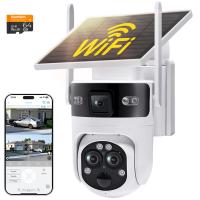
WiFi 3 Lens Solar Security Camera Wireless Outdoor, 6MP Full HD Video, 360° View Pan/Tilt Home Security Camera with Color Night Vision, Easy to Install, PIR Alarm, Kentfaith
15
£112.49 £89.99
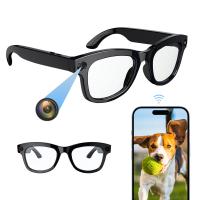
Smart Camera Glasses, HD 1080P, EIS Stabilization, WiFi Connect, Translation, 4H Playtime, Kentfaith
15
£87.49 £69.99
WiFi 3 Lens Solar Security Camera Wireless Outdoor, 6MP Full HD Video, 360° View Pan/Tilt Home Security Camera with Color Night Vision, Easy to Install, PIR Alarm, 2pcs, Kentfaith
£202.49 £161.99
WiFi 3 Lens Solar Security Camera Wireless Outdoor, 6MP Full HD Video, 360° View Pan/Tilt Home Security Camera with Color Night Vision, Easy to Install, PIR Alarm, 3pcs, Kentfaith
£287.49 £229.99
4K Video Camera, 64MP Photos, WiFi Connect, 28X Zoom, Wireless Mic, Full Color NV, Kentfaith
17
£174.99 £139.99
Dental Intraoral Camera WiFi 2MP Photo & Video 8 LEDs for Home Kentfaith
11
£87.49 £69.99
8K Camcorder, 64MP Photos, WiFi Connect, 2 Batteries, Remote Control, 64GB Card, Kentfaith
16
£274.99 £219.99
M10S mini WiFi Smart Video Doorbell Camera,720P HD Wireless Remote Home Security Doorbell black
7
£88.99 £72.99
8K Ultra-HD Camcorder, 64MP Video Camera with SONY CMOS Sensor & Built-in Fill Light, WiFi Connect & Transfer, Tripod, Microphones, 2 Batteries, Remote Control, 64GB Card, Kentfaith
£331.24 £264.99
Guess you like products
Olympus OM Lenses to Nikon 1 Camera Mount Adapter
77
£35.99 £26.60
40.5mm Ultra-low Reflection UV Filter with 28 Multi-Layer Coatings Nano-Xcel Series
26
£31.99 £26.99
95mm Solar Filter 20-Stops,ND1000000 Solid Neutral Density Filter Solar Filter For Eclipse With 18 Multi-Layer Coatings For Dslr Camera Nano-Klear
25
£30.99 £28.99
67mm CPL Filter Circular Polarizer Filter with 24 Multi-Layer Green Coatings HD/Hydrophobic/Scratch Resistant Nano-Dazzle Series
33
£28.99 £26.99
62mm Variable Lens Filter ND32-ND512 No X Spot Cross-wire Ultra-thin Nano-Xcel Series
31
£113.99 £43.99
58mm  Black Mist Filter 1/4 Special Effects Filter Ultra-Clear Multi-layer Coated With Waterproof Scratch-Resistant and Anti-Reflection Nano-Xcel Series
58mm Black Mist Filter 1/4 Special Effects Filter Ultra-Clear Multi-layer Coated With Waterproof Scratch-Resistant and Anti-Reflection Nano-Xcel Series
116
£74.99 £59.99
Camera Lens Filter Pouch Case, 4-Pocket Filter Carry Case, Belt Bag Pouch Water-Resistant shockproof and Dustproof Design for 37mm-95mm Filters
£25.99 £21.99
52mm Solar Filter ND1000000,20-Stop Solid Neutral Density Filter Celestial Event Photography Filter with 28 Multi-Layer Coatings for DSLR Camera Nano-Xcel Series
25
£24.99
40.5mm Camera Center Pinch Lens Cap with Lens Cap*3+Microfiber Vacuum Cleaning Cloth*3+Anti-lost Rope*3, Anti-lost Rope Protection Lens Cap Compatible with Canon Nikon Sony Olympus Fujifilm Pentax Panasonic Leica
16
£17.00 £12.99
M42 Screw Lenses to Pentax K Camera Mount Adapter
64
£25.99 £18.20
Related articles
How To Connect Home Camera To Wifi ?
Can Trail Cameras Connect To Home Wifi ?
How To Setup Wifi Camera At Home ?
How To Change Wifi Yi Home Camera ?
How To Connect Camera To Wifi ?
How To Pair Bt Baby Monitor ?
How To Install Wifi Cctv Camera At Home ?
How To Connect Crosstour Camera To Wifi ?
Ipc360 Camera How To Connect To Wifi ?
How To Set Up Wifi Smart Camera ?
Guess you like articles
Are There Any Surveillance Cameras On Motorways ?
Smallest Tripod When Folded ?
How To.find Instagram.saved Filters In Camera ?
How To Use Night Vision ?
When Was The Digital Camera Made ?
What Are Binocular Numbers ?
How To Play Camcorder On Computer ?
How To Measure Microns With A Microscope ?
What Use Uv Or Polarizing Filter ?
How Far Do Baby Monitors Reach ?
Related categories
Sony E mount adapter variable ND and CPL filter​ Wifi trail camera WiFi camera Bluetooth earphones and mic WiFi Weather Station WIFI Dash Cam baby camera 4g security camera
Popular products
sunglasses recorder motorcycle bluetooth devices camera for eyeglasses wifi camera motion detection smart video doorbell camera​ wifi trail camera uk wifi wildlife trail camera​ wildlife wifi wireless trail camera uk​ motorcycle headphones bluetooth home security camera monitor
Related searches
Canon Camera Connect To Wifi Cameras That Connect To Wifi Security Cameras That Connect To Wifi Telescope Connect To Computer Outdoor Camera Connect To Phone Connect Video Camera To Zoom Connect To 2 Bluetooth Speakers Apple Headphones Connect To Laptop Smart Watch Connect To Phone Apeman Projector Connect To Phone
Blog Category
  • Camera Reviews
  • News & Reviews
    • News
  • Tutorials
    • Animal Photography
    • Food Photography
  • Inspiration
    • Travel
    • Travel Stories
    • Photography Tricks
Search Article
Latest from the Blog
Star Filter Review: Add Sparkle and Character to Your Shots
How to Make a Bird Feeder – And When to Buy Rather Than Build
How To Hide Gold From Metal Detector?
What Games Are On The Retro Handheld Console?
What Does Rgb Stand For In Led Lights?
How to Clean Bird Feeders – A Comprehensive Guide for Healthy Backyard Birding
Dash Cam That Records When Vehicle Is Off?
How To Repair Flood Lights?
How to Use A Spy Camera Detector?
How To Detect Wireless Spy Cameras?
Powered By K&F Concept © 2025