kfconcept

K&F Concept UK
K&F Concept United Kingdom    Blog >

Enjoy Your Selected Digital Life

Recently Viewed
  • Recently Viewed
  • 52mm Black Mist 1/4 + ND2-400 Variable ND Filter with Double-sided 28-layer Anti-reflection Green Film and Lever Nano-Xcel Series
    52mm Black Mist 1/4 + ND2-400 Variable ND Filter with Double-sided 28-layer Anti-reflection Green Film and Lever Nano-Xcel Series
    £89.99
    77mm Centerfield Split Diopter Filter Special Effect Camera Lens Filter Nano-B Series
    77mm Centerfield Split Diopter Filter Special Effect Camera Lens Filter Nano-B Series
    £27.99
Compare (0) 0
  • Compare
  • You have not chosen any products to compare.

  • Compare
Currency: GBP
  • Currency

Log Into Your Account

Account

Order History

Wish List

Login

Forgotten Password?

Or connect with

Register Account

Already have an Account?Log In

  • Shopping Cart
  • Your shopping cart is empty!

  • Register/Login to purchase, earn points
  • Favorite
  • Your wish list is empty.

  • Register/Login to like, earn points
  • Tripods
    • Aluminum Tripods
    • Carbon Fiber Tripods
    • Travel Tripods
    • Video Tripods
    • Monopods
    • Lightweight Tripods
    • Mini Tripod
    • Tripod Accessories
    • Gimbal Stabilizers
    • Tripod Head
    • Tripod Kit
    • Action Camera Mounts
    • Phone Tripods
    • Studio Parts
      • Camera Flash
      • Photography Fill Light
      • Ring light
      • Soft Box
      • Tripod Light Stands
      • Reflectors
    • Clearance Tripods
  • Lens Filters
    • UV Filters
      • Nano-Xcel Series
        • MCUV
        • Ultra-low Reflectivity MCUV Filters
        • MCUV Super Hard
        • Explosion-proof MCUV - Nano-Xcel
        • MCUV+Lens Cap+Cleaning Cloth
        • Super Hard&Ultra Low Reflection MCUV Filters - Nano-Xcel
        • MCUV - Magnetic Series
      • Nano-Dazzle Series
        • MCUV
        • MCUV+Lens Cap+Cleaning Cloth
      • Nano-Klear Series
        • MCUV
        • Ultra Thin Frame MCUV Filters
        • MCUV+Lens Cap+Cleaning Cloth
      • Nano-Xcel Pro Series
        • MCUV
    • CPL Filters
      • Nano-Xcel Series
        • CPL
        • CPL True Color
        • Ultra-low Reflectivity CPL
        • CPL+Lens Cap+Cleaning Cloth
        • Magnetic CPL
          • Magnetic CPL + Apater ring + Cap - Nano-X
        • True Color Ultra-low Reflectivity CPL - Nano-Xcel
      • Nano-Dazzle Series
        • CPL
        • CPL+Lens Cap+Cleaning Cloth - Nano-Dazzle
      • Nano-Klear Series
        • CPL
        • Ultra Thin Frame CPL Filters
        • CPL+Lens Cap+Cleaning Cloth
        • CPL+Lens Cap - Nano-Klear
      • Nano-Xcel Pro Series
        • CPL
    • Neutral Density Filters
      • Neutral Density (Solid) Filters
        • ND8 (3 stops) - Nano-Xcel Series
        • ND64 (6 stops) - Nano-Xcel Series
        • ND1000 (10 stops) - Nano-Xcel Series
        • ND100000 (16.6 stops) - Nano-Xcel Series
        • ND1000000 (20 stops) - Nano-Xcel Series
        • ND100000 (16.6 stops) - Nano-Klear Series
        • ND1000000 (20 stops) - Nano-Klear Series
        • Solid ND - Magnetic Series
      • Graduated Neutral Density
        • 100mm GND Filter
          • Soft GND8 Filters - Nano-Xcel Series
          • Hard GND8 Filters - Nano-Xcel Series
          • Reverse GND8 Filters - Nano-Xcel Series
          • Soft GND16 Filters - Nano-Xcel Series
          • Reverse GND16 Filters - Nano-Xcel Series
          • Soft GND8 Filters - Nano-Xcel Pro Series
          • Hard GND8 Filters - Nano-Xcel Pro Series
          • Reverse GND8 Filters - Nano-Xcel Pro Series
          • Soft GND16 Filters - Nano-Xcel Pro Series
          • Reverse GND16 Filters - Nano-Xcel Pro Series
        • Circular GND Filter
          • GND8
          • GND16
      • 2 in 1 Filters
        • ND2-ND32&CPL Filters - Nano-Xcel Series
        • ND2-ND32&CPL Filters - Nano Dazzle Series
        • ND2-32&CPL Filters - Nano-Klear Series
        • ND2-ND32&CPL Filter - Nano-X Pro
        • ND2-ND32&CPL True Color Filters - Nano-Xcel Series
        • ND4-ND64&CPL Filter
      • 3 in 1 Filters
        • ND2-32&CPL&Black Mist 1/4 Filters - Nano-Xcel Series
        • ND2-32&CPL&Black Mist 1/4 Filters - Nano-Klear Series
      • Variable Neutral Density
        • Nano-Xcel Series
          • ND2-ND32 - Nano-Xcel
          • ND2-ND32 True Color - Nano-Xcel
          • ND2-ND400 - Nano-Xcel
          • ND8-ND128 - Nano-Xcel
          • ND32-ND512 - Nano-Xcel
          • ND3-ND1000 - Nano-Xcel
          • ND2-32 True Color Ultra-Low Reflection - Nano-Xcel
          • ND2-400 Ultra-Low Reflection - Nano-Xcel
        • Nano-Dazzle Series
          • ND2-ND32 - Nano-Dazzle
          • ND2-ND400 - Nano-Dazzle
          • ND3-ND1000 - Nano-Dazzle
          • ND8-ND2000 - Nano-Dazzle
        • Nano-Klear Series
          • ND2-ND32 - Nano-Klear
          • ND2-ND400 - Nano-Klear
          • ND2-ND2000 - Nano-Klear
          • True Color ND2-ND400 - Nano-Klear
        • Nano-Xcel Pro Series
          • ND2-ND32 - Nano-Xcel Pro
        • Nano-B Series
          • ND2-ND400 - Nano-B
    • Black Mist & Soft Focus Filters
      • Black Mist Filters
        • Black Mist 1/8
          • Black Mist 1/8 - Nano-Xcel Series
          • Black Mist 1/8 - Nano-Dazzle Series
          • Black Mist 1/8 - Nano-Klear Series
          • Black Mist 1/8 - Nano-Xcel Pro Series
          • Black Mist 1/8+Lens Cap+Cleaning Cloth - Nano-Klear Series
        • Black Mist 1/4
          • Black Mist 1/4 - Nano-Xcel Series
          • Black Mist 1/4 - Nano-Dazzle Series
          • Black Mist 1/4 - Nano-Klear Series
          • Black Mist 1/4 - Nano-Xcel Pro Series
          • Black Mist 1/4+Lens Cap+Cleaning Cloth - Nano-Klear Series
        • Black Mist 1/2
          • Black Mist 1/2 - Nano-Xcel Series
          • Black Mist 1/2 - Nano-Klear Series
        • Black Mist 1
          • Black Mist 1 - Nano-Xcel Series
          • Black Mist 1 - Nano-Klear Series
        • Black Mist Kit
          • Black Mist 1/4 + 1/8 Nano Xcel Series
          • Black Mist 1/4 + 1/8 - Nano Klear Series
          • Black Mist 1/4 + CPL - Nano Klear Series
        • Black Mist & CPL
          • Black Mist 1/4&CPL - Nano-Klear Series
        • Black-Mist & VND
          • Black Mist 1/4 & ND2-32 Filters - Nano-Klear Series
          • Black Mist 1/4 & ND2-400 Filters - Nano-Xcel Series
          • Black Mist 1/4 & ND2-32 Filters - Nano-Xcel Series
          • Black Mist 1/8 & ND2-32 Filters - Nano-Klear Series
          • Black Mist 1/4 & ND2-400 Filters - Nano-Klear Series
      • White Mist Filters
        • White Mist 1/4 - Nano-Xcel Series
        • White Mist 1/4 - Nano-Klear Series
      • Shimmer Diffusion
        • Shimmer Diffusion 1 - Nano-Xcel Series
        • Shimmer Diffusion 1 - Nano-Klear Series
    • Light Pollution Cut Filter
      • Light Pollution Cut Filter - Circular
      • Light Pollution Cut Filter - Square
    • Magnetic Lens Filters
      • MCUV Filters
        • Magnetic MCUV - Nano-Klear Series
        • Magnetic MCUV+Lens Caps - Nano-Xcel Series
      • CPL Filters
        • Magnetic CPL + Adapter Ring
        • Magnetic CPL+Adapter Ring - Nano-Klear Series
      • Black-Mist
        • Black Mist 1/8 Filters - Nano-Xcel Series
        • Black Mist 1/4 Filters - Nano-Xcel Series
      • Neutral Density (Solid) Filter
        • Magnetic ND8 - Nano-Xcel Series
        • Magnetic ND64 - Nano-Xcel Series
        • Magnetic ND1000 - Nano-Xcel Series
      • Unlimited Variable ND Filter
        • Magnetic ND2-ND32 - Nano-Xcel Series
        • Magnetic ND8-ND128 Filters - Nano-Xcel Series
      • Accessories
        • Magnetic Adapter Ring
        • Magnetic Filter Ring
        • Magnetic Cap
      • Kits
        • MCUV+CPL+ND1000+Adapter Ring - Nano-Xcel Series
        • CPL+ND8+ND64+Adapter Ring+Lens Cap - Nano-Xcel Series
        • GND8+ND8+ND64+ND1000+Adapter Ring - Nano-Xcel Series
        • CPL+VND2-32+Black Mist 1/4+Magnetic Ring+Lens Cap - Nano-Xcel Series
    • Square Filter System
      • Basic System
        • Square ND Filters
          • ND4 Filters - Nano-Xcel Series
          • ND16 Filters - Nano-Xcel Series
          • ND1000 Filters - Nano-Xcel Series
          • ND2000 Filters - Nano-Xcel Series
          • ND32000 Filters - Nano-Xcel Series
          • Full Color ND8 Filters - Nano-Xcel Series
          • Full Color ND64 Filters - Nano-Xcel Series
        • Square GND Filters
        • Light Pollution Cut Filter
          • Light Pollution Cut Filter - Nano-Xcel Series
        • Square Black Mist Filters
          • Square Black Mist 1 - Nano-Xcel Series
          • Square Black Mist 1/4 - Nano-Xcel Series
          • Square Black Mist 1/8 - Nano-Xcel Series
        • Brackets and Accessories
          • Adapter Ring - Nano-Xcel Series
        • Kits
          • 100mm Square Filter System - Nano-Xcel Series
          • 100mm ND1000+Holder Kit - Nano-Xcel Series
          • 100mm ND1000+Soft GND8+Holder Kit - Nano-Xcel Series
          • 100mm Soft GND8+Holder Kit - Nano-Xcel Series
      • Professional System
        • ND
          • Full Color ND8 Filters - Nano-Xcel Pro Series
          • Full Color ND64 Filters - Nano-Xcel Pro Series
          • Full Color ND1000 Filters - Nano-Xcel Pro Series
        • GND
        • PL
        • Black Mist 1/4&CPL - Nano-Xcel Pro Series
        • Light Pollution Cut Filter
          • Light Pollution Cut Filter - Nano-Xcel Pro Series
        • Kits
          • 100mm ND1000+Holder Kit - Nano-Xcel Pro Series
          • 100mm ND1000+Soft GND8+Holder Kit - Nano-Xcel Pro Series
          • 100mm ND8+ND64+ND1000+Holder Kit - Nano-Xcel Pro Series
          • 100mm Holder Kit - Nano-Xcel Pro Series
        • Brackets and Accessories
          • 100x100mm Square Filter Protect Frame - Nano-Xcel Pro Series
          • 100x150mm Square Filter Protect Frame - Nano-Xcel Pro Series
          • Adapter Ring - Nano-Xcel Pro Series
    • Drone Filter
      • DJI Air 3S
      • DJI Avata2
      • DJI Flip
      • DJI Mavic 3 Pro
      • DJI NEO
      • DJI Mini 1/2/SE
      • DJI Mini 4 Pro Filters
      • DJI Mavic 3
      • DJI Mini 3 PRO
      • DJI Avata
      • DJI Mavic 4 Pro
      • DJI Mini 5 Pro
      • DJI Air 2S
    • Effects Filters
      • Prism Filters
        • Central Prism Filters
          • Central Pentagonal Filters - Nano-Basic Series
          • Central Hexagonal Filters - Nano-Basic Series
        • Ordinary Prism Filters
          • Triangular Filtres - Nano-Basic Series
        • Single Linear Prisms
      • Streak Filters
        • Blue Streak Filters - Nano-Xcel Series
        • Gold Streak Filters - Nano-Xcel Series
        • Colorful Streak Filters - Nano-B Series
        • Blue Streak Filters - Nano-Klear Series
      • Star Filter
        • Star Filters 4-8 Points - Nano-Klear Series
        • Star Filter Kits 4+6+8 Points - Nano-Klear Series
        • 4-Point Fine-Line Star Filters - Nano-Klear Series
        • 6-Point Fine-Line Star Filters - Nano-Klear Series
      • Kaleidoscope Filters
        • Kaleidoscope Filters - Nano-Basic Series
        • Handheld Kaleidoscope Filters - Nano-B Series
      • Motion Blur Filters
        • Directional Motion Blur - Nano-Basic Series
        • Bidirectional Motion Blur - Nano-Basic Series
        • Handheld Motion Blur Filters - Nano-Basic Series
      • Spiral Filters
        • Spiral Halo Filters - Nano-B Series
        • Handheld Spiral Filters - Nano-Basic Series
      • Diopter Filters
        • Centerfield Split Diopter Filters - Nano-Basic Series
        • Handheld Diopter Filters - Nano-Basic Series
    • Filter Accessories
      • Lens Hoods
      • Rings Kits
        • Step Up Rings
        • Step Down Rings
      • Filter Holders & Frames
      • Filter Holder Adapter Rings
        • Filter Adapter Rings
      • Filter Pouches
      • Lens Caps
        • Caps for Magnetic Filters
        • Caps for Variable ND Filters
        • Anti-lost Lens Cap
          • 4 in 1
          • 5 in 1
          • 9 in 1
      • Polarized Film
    • Filter Kit
      • Black Diffusion 1/4 + 1/8
      • Screw-In Filters
        • MCUV+CPL Filter - Nano-Klear Series
        • MCUV+CPL+Lens Cap - Nano-Klear Series
        • MCUV+CPL+Metal Lens Cap - Nano-Xcel Series
        • MCUV+CPL+ND1000+Lens Cap - Nano-Dazzle Series
        • MCUV+CPL+ND2-400 - Nano-Klear Series
        • ND8+ND64+ND1000 - Nano-Dazzle Series
        • MCUV+CPL+ND4 - Nano-Klear Series
        • ND1000+CPL - Nano-Klear Series
        • ND4+ND8+ND64+ND1000 - Nano-Xcel Series
        • MCUV+CPL
      • Magnetic Filters
      • Square Filters
    • Action Camera Filters
      • DJI Osmo Action 4 / Action 5 Pro
      • DJI Osmo Action 6
      • DJI Osmo Nano
      • DJI Osmo Pocket 3
      • GoPro HERO 4K
      • GOPRO Hero 9/10/11/12/13 Filters
      • Insta360 Ace pro 2
      • Insta360 Go Ultra
      • Insta360 GO3
      • Insta360 GO3S
      • Action Camera Accessories
        • DJI Osmo Action 3/4/5 Pro
        • Head Strap & Chest Mount
        • Insta360 X5
        • Magnetic Neck Mount
        • DJI Osmo 360
        • DJI Osmo Pocket 3 Charging Base
        • DJI Osmo Pocket 3
    • Phone Lens Filters
    • Matte Box & Filter Systems
      • Neutral Density (Solid) Filters
        • ND4 - Nano-Xcel Series
        • ND8 - Nano-Xcel Series
        • ND16 - Nano-Xcel Series
        • ND32 - Nano-Xcel Series
        • ND64 - Nano-Xcel Series
        • ND8+ND64 - Nano-Xcel Series
      • UV Filters
      • Black Mist Filters
        • Black Mist 1/4 - Nano-Xcel Series
        • Black Mist 1/8 - Nano-Xcel Series
      • Blue Streak Filters
      • Accessories
      • Kits
        • Matte Box - Nano-Xcel Series
        • Matte Box Pro - Nano-Xcel Series
        • Matte Box+ND8 Square Filter - Nano-Xcel Series
        • Matte Box+ND4+ND32 Square Filter - Nano-Xcel Series
        • Matte Box+Black Mist 1/4 Square Filter - Nano-Xcel Series
    • Brand-specific Filters
      • Fujifilm X100
      • Ricoh GR
  • Lens Adapters
    • PL Mount Lenses
    • A Mount Body(Sony/Minolta)
    • Fujifilm X Mount Body
    • Fujifilm G (GFX) Mount Body
    • C-Mount Body
    • Leica M Mount Body
    • MFT(M4/3) Mount Body
    • Pentax K Mount Body
    • Pentax Q Mount Body
    • Samsung NX Mount Body
    • Nikon F Mount Body
    • Nikon 1 Mount Body
    • Nikon Z Mount Body
    • Canon EOS EF/EF-S Mount Body
    • Canon EOS M Mount Body
    • Canon RF Mount Body
    • Sony E Mount Body
    • L-Mount Alliance (Leica)
  • Camera
    • Digital Camera & Camcorders
      • Digital Cameras & Camcorders
      • Underwater Cameras
      • Action Cameras
      • Kids’ Cameras
      • Time lapse camera
    • Wildlife Camera
      • Wifi Trail Cameras
      • Non-Cellular Trail Cameras
      • Accessories
      • Cellular Trail Cameras
    • Surveillance Cameras
      • 4G Camera
      • Battery Camera
      • Baby Monitor
      • WiFi Camera
      • Feeder Camera
      • Floodlight camera
      • Monitoring Detector
    • Camera Lenses
    • On-Dash Camera
    • Fishing camera
    • Memory Cards
      • Micro SD Card
      • SD Card
    • Camera Accessories
      • Camera Caps
      • Camera Screen Protectors
        • Canon
        • Sony
        • Fujifilm
        • Nikon
        • Olympus
        • Ricoh
        • GoPro
        • DJI Osmo Pocket 3
      • Camera Hot Shoe Covers
      • Camera Viewfinder Eyecups
        • Nikon
        • Sony
        • Canon
      • Adjustment Iris
  • Camera Bags
    • Camera Backpacks
    • Camera Shoulder Bags
    • Camera Cases
    • Digital Storage Bag
    • Lens Cases
    • Camera Straps
    • Backpack Accessories
  • Camera Battery
    • Sony
    • Canon
    • Nikon
    • FUJIFILM
    • Ricoh
    • Gopro
    • Osmo Action
    • Lumix
    • V Mount Battery
    • Memory Card Case
  • Optics
    • Microscope
      • Optical Microscope
      • Digital Microscope
      • Kids' Microscopes
    • Binoculars
    • Monocular
    • Telescope
    • Night Vision Goggles
    • Rangefinder
  • Endoscope
    • Professional Endoscope
    • Household Endoscope
    • Portable Endoscope
    • Otoscope/Oral Endoscope
  • More
    • Cleaning Kits
    • Digital Voice Recorders
    • Language Translator Device
    • Smart Glasses
    • Metal Detectors
    • Light
      • Video fill light
      • Live Ring Light
      • Outdoor Lighting
    • Motorcycle Bluetooth Headset
    • Laser Engraver Machine
    • Headphones
    • Weather Station & Household Sensors
    • Microphone
    • Drone Accessories
      • DJI Air 2S Accessories
      • DJI Air 3 Accessories
      • DJI Avata Accessories
      • DJI Drone Universal Accessories
      • DJI Mavic Mini 2/Mini 2 SE/Mini Accessories
      • DJI Mavic Mini 3 Accessories
      • DJI Mini 3 Pro Accessories
    • Smart Watch
    • Smart lock
    • Studio
    • Solar Panels
  • Deals
    • Specials
    • Coupon
    • New Arrivals
  • Home
  • Blog
  • How To Do Time Lapse On Camera ?

How To Do Time Lapse On Camera ?

K&f concept 2023-12-20 10:22:30 0 Comments

To create a time-lapse on a camera, you can follow these general steps:

1. Set up your camera on a stable surface or tripod.

2. Adjust the camera settings to your desired exposure, focus, and white balance.

3. Determine the interval at which you want to capture photos. This will depend on the subject and desired effect.

4. Set your camera to the time-lapse mode or use an intervalometer if your camera doesn't have this feature built-in.

5. Start the time-lapse recording and let the camera capture a series of photos at the specified interval.

6. Once you have captured enough photos, transfer them to your computer for post-processing.

7. Use software like Adobe Premiere Pro, Final Cut Pro, or other time-lapse editing tools to compile the photos into a video sequence.

8. Adjust the playback speed and add any desired effects or music to enhance the time-lapse video.

9. Export the final video in your preferred format and share it with others.

Remember to consult your camera's manual for specific instructions on using the time-lapse feature, as the steps may vary depending on the camera model.

1、 Camera Settings for Time Lapse Photography

Camera Settings for Time Lapse Photography

Time lapse photography is a technique that allows you to capture the passage of time in a condensed format. It can be used to create stunning videos of sunsets, cityscapes, or even the blooming of a flower. To achieve the best results, it is important to set up your camera correctly. Here are some camera settings to consider when shooting a time lapse:

1. Interval: The interval determines how often the camera takes a photo. This will depend on the subject and the desired effect. For example, if you want to capture a sunset, you may set the interval to a few seconds. If you are shooting a longer event, such as the blooming of a flower, you may set the interval to a few minutes.

2. Exposure: It is important to set the exposure correctly to ensure consistent lighting throughout the time lapse. You can use manual mode to set the exposure settings, or use auto exposure lock to lock in the exposure settings for the duration of the time lapse.

3. Aperture: The aperture determines the depth of field and the amount of light entering the camera. For most time lapses, it is recommended to use a smaller aperture (higher f-stop number) to ensure a larger depth of field and sharper images.

4. ISO: The ISO setting determines the camera's sensitivity to light. It is best to use a low ISO setting to minimize noise in the images.

5. White Balance: Set the white balance according to the lighting conditions. You can use auto white balance or manually adjust it to achieve the desired effect.

6. Focus: Depending on the subject, you can choose to use manual focus or autofocus. If using autofocus, make sure to lock the focus before starting the time lapse to prevent the camera from refocusing during the sequence.

7. Stabilization: Use a tripod or other stable support to keep the camera steady throughout the time lapse. This will ensure smooth and consistent footage.

In addition to these settings, it is important to plan your time lapse carefully. Consider factors such as the duration of the event, the desired playback speed, and the final output format. Experiment with different settings and techniques to achieve the best results.
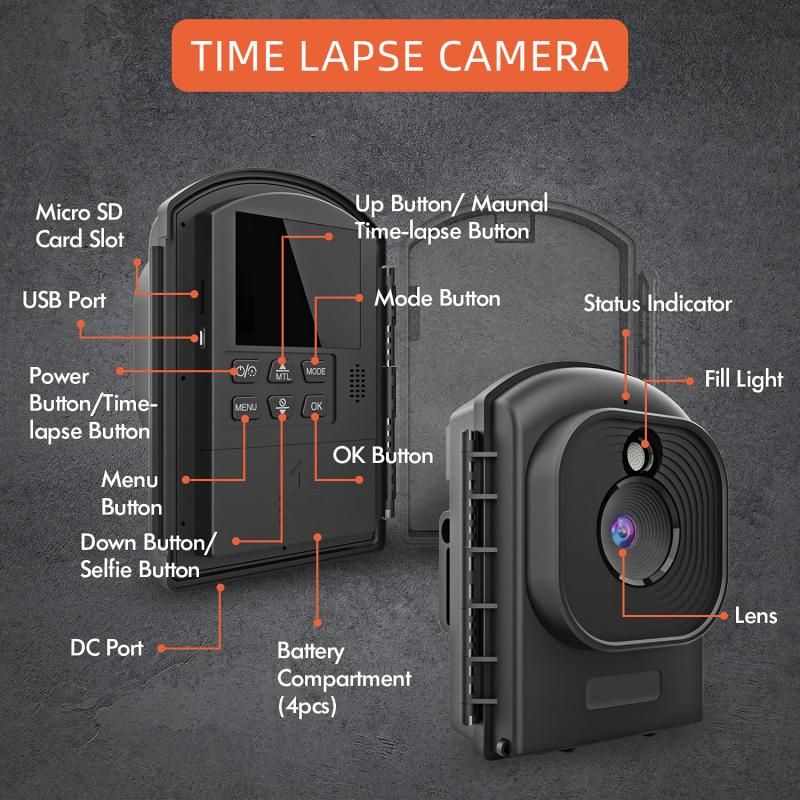
Camera Settings for Time Lapse Photography

2、 Interval and Duration for Time Lapse Sequences

To do a time lapse on a camera, you will need to set the interval and duration for the time lapse sequence. Here's how you can do it:

1. Set up your camera on a stable tripod or mount it securely to avoid any movement during the time lapse.

2. Access the camera's menu and navigate to the time lapse settings. This may vary depending on the camera model, so refer to your camera's manual for specific instructions.

3. Select the interval at which you want the camera to take photos. The interval determines how much time will pass between each photo. For example, if you set the interval to 5 seconds, the camera will take a photo every 5 seconds.

4. Determine the duration of your time lapse sequence. This is the total length of time you want to capture in your time lapse. It could be a few minutes, hours, or even days, depending on your subject and desired effect.

5. Calculate the number of photos needed for your desired duration. Divide the total duration by the interval to get the number of photos. For example, if you want a 1-hour time lapse with a 5-second interval, you would need 720 photos (60 minutes x 60 seconds / 5 seconds).

6. Start the time lapse sequence and let the camera capture the photos automatically. Make sure you have enough battery power and memory card space to accommodate the entire sequence.

7. Once the time lapse is complete, you can transfer the photos to your computer and use software like Adobe Premiere Pro or LRTimelapse to create a video from the image sequence.

It's worth noting that some newer camera models have built-in time lapse features that simplify the process. These cameras may offer additional settings like exposure smoothing or automatic exposure adjustments to enhance the final result.
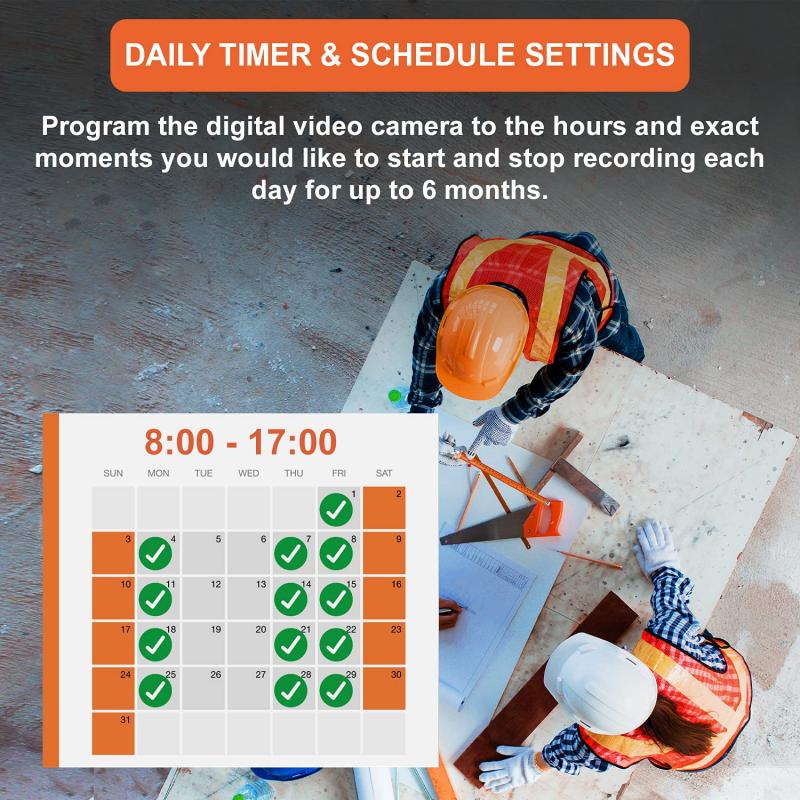
Interval and Duration for Time Lapse Sequences

3、 Choosing the Right Subject for Time Lapse Photography

Choosing the Right Subject for Time Lapse Photography

Time lapse photography is a fascinating technique that allows you to capture the passage of time in a condensed format. It can be used to create stunning visuals of landscapes, cityscapes, and even the movement of people or objects. However, choosing the right subject for your time lapse is crucial to ensure a captivating result.

One popular subject for time lapse photography is the changing sky. Whether it's capturing the movement of clouds, the transition from day to night, or the mesmerizing patterns of stars, the sky offers endless possibilities for creating visually striking time lapses. Additionally, capturing the movement of water, such as waves crashing on a beach or a flowing river, can also create captivating time lapses.

Another interesting subject for time lapse photography is the bustling activity of a city. Time lapses of busy streets, traffic, and people moving in fast motion can provide a unique perspective on urban life. Additionally, capturing the construction of a building or the transformation of a cityscape over time can be visually compelling.

Nature also offers a wealth of subjects for time lapse photography. From the blooming of flowers to the changing colors of leaves in autumn, capturing the beauty of nature in a time lapse can be truly mesmerizing. Furthermore, time lapses of natural phenomena such as the movement of stars, the formation of clouds, or the dance of the Northern Lights can create breathtaking visuals.

In recent years, time lapse photography has also been used to document the impact of human activity on the environment. Time lapses of deforestation, urban expansion, or the melting of glaciers can serve as powerful visual reminders of the need for environmental conservation.

To create a time lapse on your camera, you will need a camera with manual settings, a sturdy tripod, and an intervalometer or a built-in time lapse feature. Set up your camera on the tripod, choose the appropriate settings for your subject and desired effect, and set the intervalometer to capture images at regular intervals. Once you have captured a series of images, you can use software to compile them into a time lapse video.

In conclusion, choosing the right subject for time lapse photography is essential to create captivating visuals. Whether it's the changing sky, the bustling activity of a city, the beauty of nature, or the impact of human activity on the environment, there are endless possibilities for creating stunning time lapses. With the right equipment and techniques, you can capture the passage of time in a visually striking and engaging way.
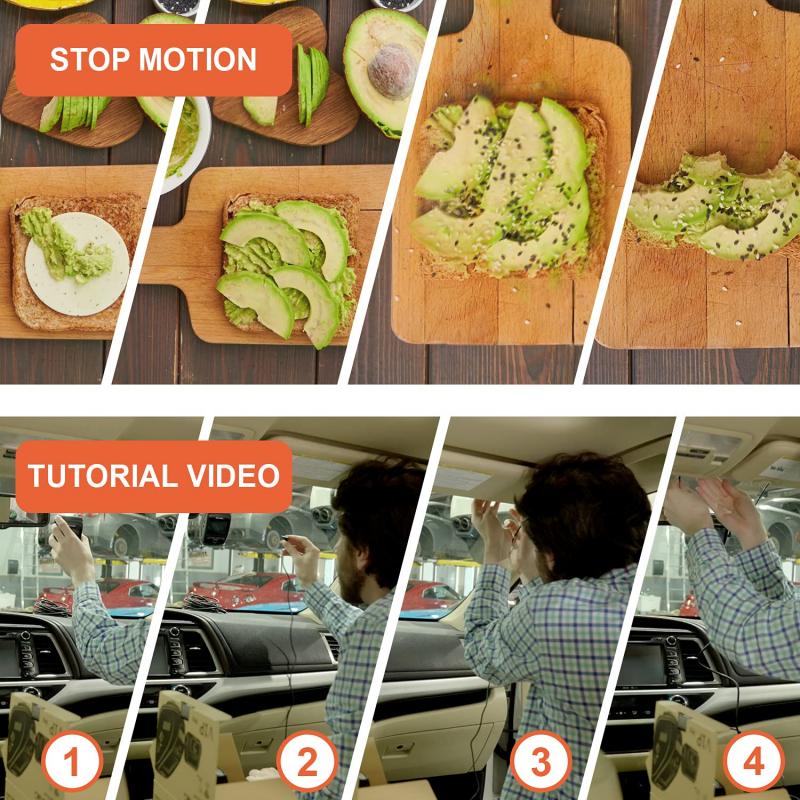
Choosing the Right Subject for Time Lapse Photography

4、 Camera Stability and Tripod Setup for Time Lapse Shots

Camera Stability and Tripod Setup for Time Lapse Shots

To achieve high-quality time lapse shots, camera stability is crucial. A stable camera ensures that your images are sharp and free from any unwanted movement. Here's a step-by-step guide on how to set up your camera and tripod for time lapse photography:

1. Choose a sturdy tripod: Invest in a good quality tripod that can support the weight of your camera and lens. Look for one with adjustable legs and a sturdy center column.

2. Level your tripod: Ensure that your tripod is level by using a bubble level or the built-in level on your tripod. This will help prevent any tilting or uneven horizons in your time lapse sequence.

3. Attach your camera: Securely attach your camera to the tripod head using a quick-release plate or a screw mount. Make sure it is tightly fastened to avoid any movement during the time lapse.

4. Use a remote shutter release: To minimize camera shake, use a remote shutter release or a cable release to trigger the camera. This will prevent any movement caused by pressing the camera's shutter button.

5. Lock down all tripod adjustments: Once your camera is in position, lock down all tripod adjustments, including the legs, center column, and tripod head. This will ensure that your camera remains stable throughout the time lapse sequence.

6. Consider additional stability: In windy conditions or on uneven surfaces, you may need to add extra stability to your tripod. This can be done by hanging a weight, such as a camera bag, from the center column or using sandbags to weigh down the tripod legs.

7. Test your setup: Before starting your time lapse, test your setup by taking a few test shots and reviewing them for any signs of camera shake or movement. Make any necessary adjustments to ensure a stable setup.

Remember, camera stability is essential for capturing smooth and professional-looking time lapse shots. By following these steps and using a sturdy tripod, you can achieve excellent results in your time lapse photography.
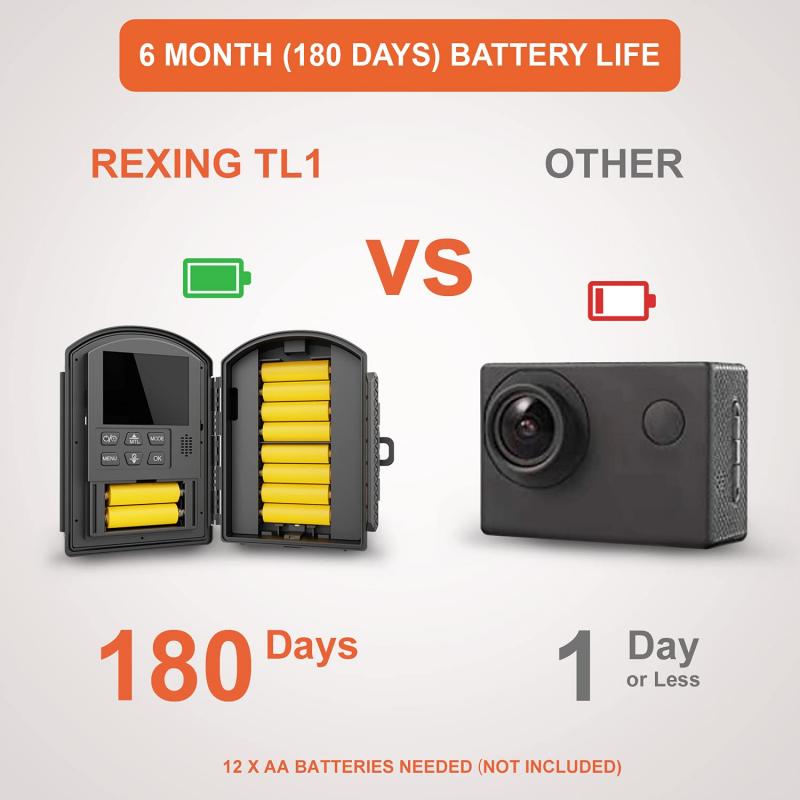
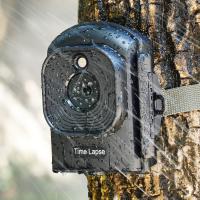
Camera Stability and Tripod Setup for Time Lapse Shots

Leave your comment
Cancel reply
Note: HTML is not translated!
Related products
Time Lapse Camera Outdoor Construction/Plant/Weather/Life 1080P, 2.4" HD TFT LCD, Waterproof Level IP66, 6 Month Battery Life, 32GB TF Card Included Kentfaith
17
£187.99 £111.99
Time Lapse Camera Outdoor Construction/Plant/Weather/Life 1080P, 2.4" HD TFT LCD, Waterproof Level IP66, 3000mAh battery 6 Month Battery Life, 32GB TF Card Included,Macro adjustable focus Kentfaith
17
£199.99 £119.99
67mm Clip-on CPL Phone Camera Lens Filter Kit Applicable to All Mobile Phone Models
48
£20.42 £18.99
67mm Clip-on ND2-32 Phone Camera Lens Filter Kit Applicable to All Mobile Phone Models
48
£38.18 £33.99
4G Cellular Trail Camera, 2.7K Videos 32MP Photos with Real-time Notifications, 0.3S Trigger Time, 65ft Night Vision, IP66 Waterproof, Kentfaith
16
£99.99 £79.99
67mm Clip-on Black Mist 1/4 Phone Camera Lens Filter Kit Applicable to All Mobile Phone Models
£35.99 £32.99
67mm Clip-on Black Mist 1/8 Phone Camera Lens Filter Kit Applicable to All Mobile Phone Models
48
£38.99 £32.99
67mm Clip-on CPL&Black Mist 1/4 2-in-1 Phone Camera Lens Filter Kit Applicable to All Mobile Phone Models
48
£38.99 £32.99
Translation Earbuds Real-Time 150 Languages Voice Video Call Translation Kentfaith
NEW Arrival
Translation Earbuds Real-Time 150 Languages Voice Video Call Translation Kentfaith
13
£112.49 £89.99
Language Translator Device Real-Time Online & Offline 142 Languages 5.5in Screen Kentfaith
12
£82.49 £65.99
Guess you like products
37mm CPL Filter Circular Polarizer Filter with Lens Cap Optical Glass Ultra Slim 18 Multi-Layer for Camera Lens Nano-Klear Series
14
£19.53 £11.99
58mm Microlight Mirror,shimmer diffusion,Optical Glass, Ultra-Clear, Anti-scratch Glimmer Glass Anti-reflection Waterproof Green Film Nano-Xcel Series
12
£80.99 £49.99
Nikon F Lenses to Pentax Q Camera Mount Adapter with Tripod Mount
52
£41.99 £30.20
64G micro SD card U3/V30/A1 with adapter memory card suitable for home surveillance camera hunting camera and driving recorder memory card
40
£17.99 £15.99
Mavic 3 OTG Cable TYPE-C TO MICRO-USB for DJI Mavic Mini 2/Air 2S/Air 2/Osmo Pocket 2/1 Remote Control, 11.8inch/30cm (Not for Mavic Air)
£13.00 £19.99
40.5mm ND1000 Filter 10 Stops ND, Solid Neutral Density Lens Filter Multi-Coated Optical Glass Neutral Grey ND with Multi-Resistant Coating Nano-Xcel series
62
£27.99 £22.09
77mm  Black Mist Filter 1 Special Effects Filter Ultra-Clear Multi-layer Coated With Waterproof Scratch-Resistant and Anti-Reflection Nano-Xcel Series
77mm Black Mist Filter 1 Special Effects Filter Ultra-Clear Multi-layer Coated With Waterproof Scratch-Resistant and Anti-Reflection Nano-Xcel Series
136
£145.99 £89.99
K&F Concept CPL & ND Filter Kit for DJI Mini 4 Pro 6 Pack (CPL, ND8, ND16, ND32, ND64 & ND128)
38
£61.99 £45.99
46mm UV Lens Filter HD MCUV Ultraviolet 28 Multi-Coated Filters (Nano-Xcel series Toughened Glass)
45
£32.99 £27.99
55mm Magnetic Lens Filter Kit GND8+ND8+ND64+ND1000+Magnetic Adapter Ring 5 in 1 Quick Swap System Nano-Xcel Series
31
£112.99 £89.99
Related articles
Can Cameras Do Time Lapse ?
How To Use Time Lapse On Trail Camera ?
How To Use Time Lapse On Action Camera ?
How To Secure Time Lapse Camera ?
What Is Time Lapse On A Trail Camera ?
What Does Time Lapse Mean On Moultrie Camera?
What Does Time Lapse Mean On A Camera ?
What Is Time Lapse On A Game Camera ?
What Is Time Lapse Camera ?
How To Make A Digital Camera With Cardboard ?
Guess you like articles
How To Open Nikon Camera Battery ?
How To Remove Lens Filter Canon ?
How To Make A Quick Release Camera Strap ?
How To Clean Airpods Pro 2nd Gen ?
Can I Wall Mount My Samsung Tv ?
How To Hack Into Wifi Camera ?
How To Choose Digital Camera Memory Card ?
Which Sony Lenses Are Full Frame ?
Who Invented The First Light Microscope ?
How To Attach Hand Strap To Camera ?
Related categories
DJI Mavic 3 Pro filters​ Sony E mount adapter variable ND and CPL filter​ baby camera 4g security camera camera monopod​ hunting camera camera gimbal stabilizer​ wildlife camera outdoor Camera Accessories
Popular products
time lapse camera time lapse camera for construction Ultra-low Reflection UV Filter selfie tripod remote earbud translator night vision hunting camera clip on mic bluetooth iPhone nd filter bluetooth eyeglass camera translation earpiece
Related searches
Cameras That Do Time Lapse Time Lapse Camera Gopro Camera Time Lapse Iphone Camera Time Lapse 4g Time Lapse Camera Time Lapse Camera Housing Solar Time Lapse Camera 1080p Time Lapse Camera Garden Time Lapse Camera Industrial Time Lapse Camera
Blog Category
  • Camera Reviews
  • News & Reviews
    • News
  • Tutorials
    • Animal Photography
    • Food Photography
  • Inspiration
    • Travel
    • Travel Stories
    • Photography Tricks
Search Article
Latest from the Blog
How To Change Wifi On Camera?
How Deep Can Metal Detectors Detect Gold?
How To Detect Wireless Spy Cameras?
How Do You Connect Bluetooth Earbuds?
Digital Cameras That Can Go Underwater?
Where To Set Up Trail Cameras?
How To Use Anti Spy Detector?
What Does Rgb Stand For In Led Lights?
Surveillance Where Hidden Cameras Monitor?
How To Fix Camera On Tripod Stand?
Powered By K&F Concept © 2025