How To Mount Go Pro On Tripod?
Mounting a GoPro on a tripod is one of the simplest ways to capture steady and professional-grade content, whether you're shooting time-lapse, action sports, or a creative project. Despite its compact size and unconventional shape, GoPro cameras are designed with compatibility in mind, making them easy to pair with standard camera accessories. By following a few straightforward steps and understanding the nuances of GoPro mounts, you'll have your GoPro securely fastened to a tripod in no time. But here's the twist: not all mounting setups are created equal, and knowing which option fits your needs can significantly enhance your shooting experience. Let’s break down the process step-by-step and explore some useful tips for optimizing your setup.
Step 1: Check Your GoPro’s Mounting Hardware
Before anything else, you need to know about the GoPro’s proprietary mounting design. Virtually all GoPros come equipped with a two-prong mounting system that allows them to attach to a plethora of accessories. However, most tripods come with a standard ¼-20 UNC threaded screw, which isn’t inherently compatible with the GoPro's prongs. Fear not—this is exactly where adapters come into play.
To mount your GoPro on almost any tripod, you’ll need a small yet magical piece of hardware: the GoPro tripod adapter. This adapter has a threaded socket at the bottom that connects to tripod screws and a two-prong attachment mechanism at the top to lock your GoPro in place.
Step 2: Secure the Tripod Adapter to Your Tripod
The tripod adapter is a game changer—a small accessory but big in utility. Connecting it to your tripod couldn’t be easier. Simply follow these instructions:
1. Locate the mounting plate on your tripod (or the ¼-20 male threading if you're dealing with a direct screw-on tripod).
2. Align the tripod adapter’s female threading with the tripod’s male screw.
3. Twist the adapter onto the tripod threads until it is fully tightened. You don’t need a wrench, but you should ensure it's snug. Over-tightening isn’t recommended, as it could damage the threading.
4. Make sure the adapter itself is level. A tilted adapter will result in uneven footage.
Step 3: Attach Your GoPro to the Adapter
Now to the fun part: connecting your GoPro. The adapter allows the GoPro to click into place similarly to other GoPro mounts.
1. Grab the mounting buckle on the bottom of your GoPro. The two-prong mechanism is designed to align seamlessly with the tripod adapter.
2. Insert the GoPro’s prongs into the adapter.
3. Slide a thumbscrew through the holes on the adapter and GoPro prongs to lock them together securely.
4. Tighten the thumbscrew by hand. Make sure it’s firmly fastened without excessive force. The last thing you want is a wobbly connection.
Once attached, give the GoPro a gentle shake to confirm that it’s secured properly. If it’s loose or isn’t firmly locked, adjust the thumbscrew until your setup feels rock-solid.
Step 4: Adjust Angles and Positioning
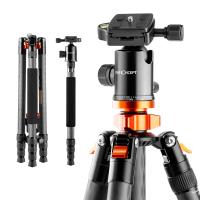
Now that your GoPro is mounted, it’s time to set the shot. This step is critical to ensure your footage turns out as planned. Most tripods come with adjustable heads that rotate or tilt in multiple directions. Depending on your content's needs, you can:
- Use a ball head or pan-tilt head to angle the GoPro vertically or diagonally, perfect for scenic time-lapses or portrait shots.
- Position the GoPro horizontally for wide-angle shots or action-packed scenes.
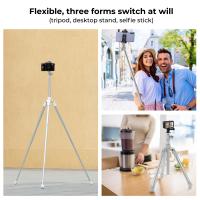
- Play around with the tripod legs to change your perspective. Extending the legs provides more height, while lowering them can produce more dramatic angles, potentially enhancing your cinematic flair.
Pro tip: If your tripod comes with a quick-release plate, save time in future setups by leaving the tripod adapter mounted to the plate permanently. You can simply snap the plate into place whenever you want to mount your GoPro.
Step 5: Optimize Stability
While mounting the GoPro is straightforward, tripod stability sometimes needs a little finesse. GoPros are lightweight, but certain external factors—like wind or uneven surfaces—can lead to unwanted camera shake. Here are some stability hacks:
1. Weight the tripod down: Many tripods have a hook at the center column for attaching weights (e.g., a bag or water bottle). This prevents the tripod from tipping over.
2. Level the feet: If shooting on uneven terrain, extend individual tripod legs as necessary. Some advanced tripods come with spirit levels that show whether your setup is balanced.
3. Use anti-slip accessories: Rubber feet on the tripod legs prevent slippage indoors, while spike feet come in handy outdoors on tricky surfaces.
Step 6: Consider Additional Accessories
Depending on what and where you’re filming, you might want to expand your setup. A tripod is just the beginning, but combining it with other accessories can supercharge your shooting experience:
Extension poles: Attach an adjustable extension pole to your tripod to render unique perspectives or acquire wider coverage.
Cold shoe mounts: These mounts let you integrate microphones, lights, or other gear directly into your tripod setup.
Remote controls: Use GoPro’s remote control or a smartphone app to control your camera hands-free from a distance.
It’s worth experimenting with these accessories to tailor-make a rig that suits your filmmaking style.
Common Pitfalls to Avoid
While mounting your GoPro on a tripod is easy, there are common mistakes you’ll want to steer clear of:
1. Skipping the adapter: Some users attempt to jury-rig their GoPro onto a tripod without the adapter, usually with duct tape or zip ties. This is risky and results in an unreliable setup.
2. Over-tightening screws: Tightening beyond the necessary amount can strip threads or even crack the adapter. Moderation is key.
3. Ignoring tilt adjustments: A failure to level your GoPro might result in oddly-angled footage or disoriented horizons. Make sure your shot is properly aligned before hitting record.
4. Neglecting the tripod’s weight limit: Although GoPros are lightweight, the addition of accessories (such as external microphones or LED lights) can exceed the weight capacity of weaker tripods.
Wrapping It All Up
Ultimately, mounting a GoPro on a tripod is a straightforward yet highly customizable process. Whether you’re capturing mesmerizing time-lapse sequences, documenting jaw-dropping stunts, or filming candid family moments, a tripod is your ticket to shake-free footage and unparalleled versatility. In a matter of minutes—and with the right adapter—your GoPro can transform from handheld hero to tripod titan, ready to tackle any creative endeavor.
The tripod isn’t just a tool; it’s a creative partner. With the proper mounting techniques, you’ll unlock new cinematic possibilities and take your footage to heights you didn’t think possible. So, get out there, mount your GoPro, and start capturing moments from angles the world has yet to see!