kfconcept

K&F Concept UK
K&F Concept United Kingdom    Blog >

Enjoy Your Selected Digital Life

Recently Viewed
  • Recently Viewed
  • 82mm Magnetic Variable ND2-ND32 Lens Filters Adjustable Neutral Density Waterproof
    82mm Magnetic Variable ND2-ND32 Lens Filters Adjustable Neutral Density Waterproof
    £77.49
    40.5mm Black Mist Filter 1/4 Special Effects Filter Cinebloom Black Diffusion Effect Filter for Camera Lens Nano-Xcel Series
    40.5mm Black Mist Filter 1/4 Special Effects Filter Cinebloom Black Diffusion Effect Filter for Camera Lens Nano-Xcel Series
    £74.99 £59.99
    49mm Magnetic Variable ND2-ND32 Lens Filters Adjustable Neutral Density Waterproof
    49mm Magnetic Variable ND2-ND32 Lens Filters Adjustable Neutral Density Waterproof
    £59.99
    58" Lightweight Camera Tripod, Beschoi Professional Aluminum Travel Tripod Monopod 22lbs Load Capacity with 360°Panorama Ball Head and Carrying Case Compatible with Digital Camera/DSLR/SLR Cameras
    58" Lightweight Camera Tripod, Beschoi Professional Aluminum Travel Tripod Monopod 22lbs Load Capacity with 360°Panorama Ball Head and Carrying Case Compatible with Digital Camera/DSLR/SLR Cameras
    £129.99
Compare (0) 0
  • Compare
  • You have not chosen any products to compare.

  • Compare
Currency: GBP
  • Currency

Log Into Your Account

Account

Order History

Wish List

Login

Forgotten Password?

Or connect with

Register Account

Already have an Account?Log In

  • Shopping Cart
  • Your shopping cart is empty!

  • Register/Login to purchase, earn points
  • Favorite
  • Your wish list is empty.

  • Register/Login to like, earn points
  • Tripods
    • Aluminum Tripods
    • Carbon Fiber Tripods
    • Travel Tripods
    • Video Tripods
    • Monopods
    • Lightweight Tripods
    • Mini Tripod
    • Tripod Accessories
    • Gimbal Stabilizers
    • Tripod Head
    • Tripod Kit
    • Action Camera Mounts
    • Phone Tripods
    • Studio Parts
      • Camera Flash
      • Photography Fill Light
      • Ring light
      • Soft Box
      • Tripod Light Stands
      • Reflectors
    • Clearance Tripods
  • Lens Filters
    • UV Filters
      • Nano-Xcel Series
        • MCUV
        • Ultra-low Reflectivity MCUV Filters
        • MCUV Super Hard
        • Explosion-proof MCUV - Nano-Xcel
        • MCUV+Lens Cap+Cleaning Cloth
        • Super Hard&Ultra Low Reflection MCUV Filters - Nano-Xcel
        • MCUV - Magnetic Series
      • Nano-Dazzle Series
        • MCUV
        • MCUV+Lens Cap+Cleaning Cloth
      • Nano-Klear Series
        • MCUV
        • Ultra Thin Frame MCUV Filters
        • MCUV+Lens Cap+Cleaning Cloth
      • Nano-Xcel Pro Series
        • MCUV
    • CPL Filters
      • Nano-Xcel Series
        • CPL
        • CPL True Color
        • Ultra-low Reflectivity CPL
        • CPL+Lens Cap+Cleaning Cloth
        • Magnetic CPL
          • Magnetic CPL + Apater ring + Cap - Nano-X
        • True Color Ultra-low Reflectivity CPL - Nano-Xcel
      • Nano-Dazzle Series
        • CPL
        • CPL+Lens Cap+Cleaning Cloth - Nano-Dazzle
      • Nano-Klear Series
        • CPL
        • Ultra Thin Frame CPL Filters
        • CPL+Lens Cap+Cleaning Cloth
        • CPL+Lens Cap - Nano-Klear
      • Nano-Xcel Pro Series
        • CPL
    • Neutral Density Filters
      • Neutral Density (Solid) Filters
        • ND8 (3 stops) - Nano-Xcel Series
        • ND64 (6 stops) - Nano-Xcel Series
        • ND1000 (10 stops) - Nano-Xcel Series
        • ND100000 (16.6 stops) - Nano-Xcel Series
        • ND1000000 (20 stops) - Nano-Xcel Series
        • ND100000 (16.6 stops) - Nano-Klear Series
        • ND1000000 (20 stops) - Nano-Klear Series
        • Solid ND - Magnetic Series
      • Graduated Neutral Density
        • 100mm GND Filter
          • Soft GND8 Filters - Nano-Xcel Series
          • Hard GND8 Filters - Nano-Xcel Series
          • Reverse GND8 Filters - Nano-Xcel Series
          • Soft GND16 Filters - Nano-Xcel Series
          • Reverse GND16 Filters - Nano-Xcel Series
          • Soft GND8 Filters - Nano-Xcel Pro Series
          • Hard GND8 Filters - Nano-Xcel Pro Series
          • Reverse GND8 Filters - Nano-Xcel Pro Series
          • Soft GND16 Filters - Nano-Xcel Pro Series
          • Reverse GND16 Filters - Nano-Xcel Pro Series
        • Circular GND Filter
          • GND8
          • GND16
      • 2 in 1 Filters
        • ND2-ND32&CPL Filters - Nano-Xcel Series
        • ND2-ND32&CPL Filters - Nano Dazzle Series
        • ND2-32&CPL Filters - Nano-Klear Series
        • ND2-ND32&CPL Filter - Nano-X Pro
        • ND2-ND32&CPL True Color Filters - Nano-Xcel Series
        • ND4-ND64&CPL Filter
      • 3 in 1 Filters
        • ND2-32&CPL&Black Mist 1/4 Filters - Nano-Xcel Series
        • ND2-32&CPL&Black Mist 1/4 Filters - Nano-Klear Series
      • Variable Neutral Density
        • Nano-Xcel Series
          • ND2-ND32 - Nano-Xcel
          • ND2-ND32 True Color - Nano-Xcel
          • ND2-ND400 - Nano-Xcel
          • ND8-ND128 - Nano-Xcel
          • ND32-ND512 - Nano-Xcel
          • ND3-ND1000 - Nano-Xcel
          • ND2-32 True Color Ultra-Low Reflection - Nano-Xcel
          • ND2-400 Ultra-Low Reflection - Nano-Xcel
        • Nano-Dazzle Series
          • ND2-ND32 - Nano-Dazzle
          • ND2-ND400 - Nano-Dazzle
          • ND3-ND1000 - Nano-Dazzle
          • ND8-ND2000 - Nano-Dazzle
        • Nano-Klear Series
          • ND2-ND32 - Nano-Klear
          • ND2-ND400 - Nano-Klear
          • ND2-ND2000 - Nano-Klear
          • True Color ND2-ND400 - Nano-Klear
        • Nano-Xcel Pro Series
          • ND2-ND32 - Nano-Xcel Pro
        • Nano-B Series
          • ND2-ND400 - Nano-B
    • Black Mist & Soft Focus Filters
      • Black Mist Filters
        • Black Mist 1/8
          • Black Mist 1/8 - Nano-Xcel Series
          • Black Mist 1/8 - Nano-Dazzle Series
          • Black Mist 1/8 - Nano-Klear Series
          • Black Mist 1/8 - Nano-Xcel Pro Series
          • Black Mist 1/8+Lens Cap+Cleaning Cloth - Nano-Klear Series
        • Black Mist 1/4
          • Black Mist 1/4 - Nano-Xcel Series
          • Black Mist 1/4 - Nano-Dazzle Series
          • Black Mist 1/4 - Nano-Klear Series
          • Black Mist 1/4 - Nano-Xcel Pro Series
          • Black Mist 1/4+Lens Cap+Cleaning Cloth - Nano-Klear Series
        • Black Mist 1/2
          • Black Mist 1/2 - Nano-Xcel Series
          • Black Mist 1/2 - Nano-Klear Series
        • Black Mist 1
          • Black Mist 1 - Nano-Xcel Series
          • Black Mist 1 - Nano-Klear Series
        • Black Mist Kit
          • Black Mist 1/4 + 1/8 Nano Xcel Series
          • Black Mist 1/4 + 1/8 - Nano Klear Series
          • Black Mist 1/4 + CPL - Nano Klear Series
        • Black Mist & CPL
          • Black Mist 1/4&CPL - Nano-Klear Series
        • Black-Mist & VND
          • Black Mist 1/4 & ND2-32 Filters - Nano-Klear Series
          • Black Mist 1/4 & ND2-400 Filters - Nano-Xcel Series
          • Black Mist 1/4 & ND2-32 Filters - Nano-Xcel Series
          • Black Mist 1/8 & ND2-32 Filters - Nano-Klear Series
          • Black Mist 1/4 & ND2-400 Filters - Nano-Klear Series
      • White Mist Filters
        • White Mist 1/4 - Nano-Xcel Series
        • White Mist 1/4 - Nano-Klear Series
      • Shimmer Diffusion
        • Shimmer Diffusion 1 - Nano-Xcel Series
        • Shimmer Diffusion 1 - Nano-Klear Series
    • Light Pollution Cut Filter
      • Light Pollution Cut Filter - Circular
      • Light Pollution Cut Filter - Square
    • Magnetic Lens Filters
      • MCUV Filters
        • Magnetic MCUV - Nano-Klear Series
        • Magnetic MCUV+Lens Caps - Nano-Xcel Series
      • CPL Filters
        • Magnetic CPL + Adapter Ring
        • Magnetic CPL+Adapter Ring - Nano-Klear Series
      • Black-Mist
        • Black Mist 1/8 Filters - Nano-Xcel Series
        • Black Mist 1/4 Filters - Nano-Xcel Series
      • Neutral Density (Solid) Filter
        • Magnetic ND8 - Nano-Xcel Series
        • Magnetic ND64 - Nano-Xcel Series
        • Magnetic ND1000 - Nano-Xcel Series
      • Unlimited Variable ND Filter
        • Magnetic ND2-ND32 - Nano-Xcel Series
        • Magnetic ND8-ND128 Filters - Nano-Xcel Series
      • Accessories
        • Magnetic Adapter Ring
        • Magnetic Filter Ring
        • Magnetic Cap
      • Kits
        • MCUV+CPL+ND1000+Adapter Ring - Nano-Xcel Series
        • CPL+ND8+ND64+Adapter Ring+Lens Cap - Nano-Xcel Series
        • GND8+ND8+ND64+ND1000+Adapter Ring - Nano-Xcel Series
        • CPL+VND2-32+Black Mist 1/4+Magnetic Ring+Lens Cap - Nano-Xcel Series
    • Square Filter System
      • Basic System
        • Square ND Filters
          • ND4 Filters - Nano-Xcel Series
          • ND16 Filters - Nano-Xcel Series
          • ND1000 Filters - Nano-Xcel Series
          • ND2000 Filters - Nano-Xcel Series
          • ND32000 Filters - Nano-Xcel Series
          • Full Color ND8 Filters - Nano-Xcel Series
          • Full Color ND64 Filters - Nano-Xcel Series
        • Square GND Filters
        • Light Pollution Cut Filter
          • Light Pollution Cut Filter - Nano-Xcel Series
        • Square Black Mist Filters
          • Square Black Mist 1 - Nano-Xcel Series
          • Square Black Mist 1/4 - Nano-Xcel Series
          • Square Black Mist 1/8 - Nano-Xcel Series
        • Brackets and Accessories
          • Adapter Ring - Nano-Xcel Series
        • Kits
          • 100mm Square Filter System - Nano-Xcel Series
          • 100mm ND1000+Holder Kit - Nano-Xcel Series
          • 100mm ND1000+Soft GND8+Holder Kit - Nano-Xcel Series
          • 100mm Soft GND8+Holder Kit - Nano-Xcel Series
      • Professional System
        • ND
          • Full Color ND8 Filters - Nano-Xcel Pro Series
          • Full Color ND64 Filters - Nano-Xcel Pro Series
          • Full Color ND1000 Filters - Nano-Xcel Pro Series
        • GND
        • PL
        • Black Mist 1/4&CPL - Nano-Xcel Pro Series
        • Light Pollution Cut Filter
          • Light Pollution Cut Filter - Nano-Xcel Pro Series
        • Kits
          • 100mm ND1000+Holder Kit - Nano-Xcel Pro Series
          • 100mm ND1000+Soft GND8+Holder Kit - Nano-Xcel Pro Series
          • 100mm ND8+ND64+ND1000+Holder Kit - Nano-Xcel Pro Series
          • 100mm Holder Kit - Nano-Xcel Pro Series
        • Brackets and Accessories
          • 100x100mm Square Filter Protect Frame - Nano-Xcel Pro Series
          • 100x150mm Square Filter Protect Frame - Nano-Xcel Pro Series
          • Adapter Ring - Nano-Xcel Pro Series
    • Drone Filter
      • DJI Air 3S
      • DJI Avata2
      • DJI Flip
      • DJI Mavic 3 Pro
      • DJI NEO
      • DJI Mini 1/2/SE
      • DJI Mini 4 Pro Filters
      • DJI Mavic 3
      • DJI Mini 3 PRO
      • DJI Avata
      • DJI Mavic 4 Pro
      • DJI Mini 5 Pro
      • DJI Air 2S
    • Effects Filters
      • Prism Filters
        • Central Prism Filters
          • Central Pentagonal Filters - Nano-Basic Series
          • Central Hexagonal Filters - Nano-Basic Series
        • Ordinary Prism Filters
          • Triangular Filtres - Nano-Basic Series
        • Single Linear Prisms
      • Streak Filters
        • Blue Streak Filters - Nano-Xcel Series
        • Gold Streak Filters - Nano-Xcel Series
        • Colorful Streak Filters - Nano-B Series
        • Blue Streak Filters - Nano-Klear Series
      • Star Filter
        • Star Filters 4-8 Points - Nano-Klear Series
        • Star Filter Kits 4+6+8 Points - Nano-Klear Series
        • 4-Point Fine-Line Star Filters - Nano-Klear Series
        • 6-Point Fine-Line Star Filters - Nano-Klear Series
      • Kaleidoscope Filters
        • Kaleidoscope Filters - Nano-Basic Series
        • Handheld Kaleidoscope Filters - Nano-B Series
      • Motion Blur Filters
        • Directional Motion Blur - Nano-Basic Series
        • Bidirectional Motion Blur - Nano-Basic Series
        • Handheld Motion Blur Filters - Nano-Basic Series
      • Spiral Filters
        • Spiral Halo Filters - Nano-B Series
        • Handheld Spiral Filters - Nano-Basic Series
      • Diopter Filters
        • Centerfield Split Diopter Filters - Nano-Basic Series
        • Handheld Diopter Filters - Nano-Basic Series
    • Filter Accessories
      • Lens Hoods
      • Rings Kits
        • Step Up Rings
        • Step Down Rings
      • Filter Holders & Frames
      • Filter Holder Adapter Rings
        • Filter Adapter Rings
      • Filter Pouches
      • Lens Caps
        • Caps for Magnetic Filters
        • Caps for Variable ND Filters
        • Anti-lost Lens Cap
          • 4 in 1
          • 5 in 1
          • 9 in 1
      • Polarized Film
    • Filter Kit
      • Black Diffusion 1/4 + 1/8
      • Screw-In Filters
        • MCUV+CPL Filter - Nano-Klear Series
        • MCUV+CPL+Lens Cap - Nano-Klear Series
        • MCUV+CPL+Metal Lens Cap - Nano-Xcel Series
        • MCUV+CPL+ND1000+Lens Cap - Nano-Dazzle Series
        • MCUV+CPL+ND2-400 - Nano-Klear Series
        • ND8+ND64+ND1000 - Nano-Dazzle Series
        • MCUV+CPL+ND4 - Nano-Klear Series
        • ND1000+CPL - Nano-Klear Series
        • ND4+ND8+ND64+ND1000 - Nano-Xcel Series
        • MCUV+CPL
      • Magnetic Filters
      • Square Filters
    • Action Camera Filters
      • DJI Osmo Action 4 / Action 5 Pro
      • DJI Osmo Action 6
      • DJI Osmo Nano
      • DJI Osmo Pocket 3
      • GoPro HERO 4K
      • GOPRO Hero 9/10/11/12/13 Filters
      • Insta360 Ace pro 2
      • Insta360 Go Ultra
      • Insta360 GO3
      • Insta360 GO3S
      • Action Camera Accessories
        • DJI Osmo Action 3/4/5 Pro
        • Head Strap & Chest Mount
        • Insta360 X5
        • Magnetic Neck Mount
        • DJI Osmo 360
        • DJI Osmo Pocket 3 Charging Base
        • DJI Osmo Pocket 3
    • Phone Lens Filters
    • Matte Box & Filter Systems
      • Neutral Density (Solid) Filters
        • ND4 - Nano-Xcel Series
        • ND8 - Nano-Xcel Series
        • ND16 - Nano-Xcel Series
        • ND32 - Nano-Xcel Series
        • ND64 - Nano-Xcel Series
        • ND8+ND64 - Nano-Xcel Series
      • UV Filters
      • Black Mist Filters
        • Black Mist 1/4 - Nano-Xcel Series
        • Black Mist 1/8 - Nano-Xcel Series
      • Blue Streak Filters
      • Accessories
      • Kits
        • Matte Box - Nano-Xcel Series
        • Matte Box Pro - Nano-Xcel Series
        • Matte Box+ND8 Square Filter - Nano-Xcel Series
        • Matte Box+ND4+ND32 Square Filter - Nano-Xcel Series
        • Matte Box+Black Mist 1/4 Square Filter - Nano-Xcel Series
    • Brand-specific Filters
      • Fujifilm X100
      • Ricoh GR
  • Lens Adapters
    • PL Mount Lenses
    • A Mount Body(Sony/Minolta)
    • Fujifilm X Mount Body
    • Fujifilm G (GFX) Mount Body
    • C-Mount Body
    • Leica M Mount Body
    • MFT(M4/3) Mount Body
    • Pentax K Mount Body
    • Pentax Q Mount Body
    • Samsung NX Mount Body
    • Nikon F Mount Body
    • Nikon 1 Mount Body
    • Nikon Z Mount Body
    • Canon EOS EF/EF-S Mount Body
    • Canon EOS M Mount Body
    • Canon RF Mount Body
    • Sony E Mount Body
    • L-Mount Alliance (Leica)
  • Camera
    • Digital Camera & Camcorders
      • Digital Cameras & Camcorders
      • Underwater Cameras
      • Action Cameras
      • Kids’ Cameras
      • Time lapse camera
    • Wildlife Camera
      • Wifi Trail Cameras
      • Non-Cellular Trail Cameras
      • Accessories
      • Cellular Trail Cameras
    • Surveillance Cameras
      • 4G Camera
      • Battery Camera
      • Baby Monitor
      • WiFi Camera
      • Feeder Camera
      • Floodlight camera
      • Monitoring Detector
    • Camera Lenses
    • On-Dash Camera
    • Fishing camera
    • Memory Cards
      • Micro SD Card
      • SD Card
    • Camera Accessories
      • Camera Caps
      • Camera Screen Protectors
        • Canon
        • Sony
        • Fujifilm
        • Nikon
        • Olympus
        • Ricoh
        • GoPro
        • DJI Osmo Pocket 3
      • Camera Hot Shoe Covers
      • Camera Viewfinder Eyecups
        • Nikon
        • Sony
        • Canon
      • Adjustment Iris
  • Camera Bags
    • Camera Backpacks
    • Camera Shoulder Bags
    • Camera Cases
    • Digital Storage Bag
    • Lens Cases
    • Camera Straps
    • Backpack Accessories
  • Camera Battery
    • Sony
    • Canon
    • Nikon
    • FUJIFILM
    • Ricoh
    • Gopro
    • Osmo Action
    • Lumix
    • V Mount Battery
    • Memory Card Case
  • Optics
    • Microscope
      • Optical Microscope
      • Digital Microscope
      • Kids' Microscopes
    • Binoculars
    • Monocular
    • Telescope
    • Night Vision Goggles
    • Rangefinder
  • Endoscope
    • Professional Endoscope
    • Household Endoscope
    • Portable Endoscope
    • Otoscope/Oral Endoscope
  • More
    • Cleaning Kits
    • Digital Voice Recorders
    • Language Translator Device
    • Smart Glasses
    • Metal Detectors
    • Light
      • Video fill light
      • Live Ring Light
      • Outdoor Lighting
    • Motorcycle Bluetooth Headset
    • Laser Engraver Machine
    • Headphones
    • Weather Station & Household Sensors
    • Microphone
    • Drone Accessories
      • DJI Air 2S Accessories
      • DJI Air 3 Accessories
      • DJI Avata Accessories
      • DJI Drone Universal Accessories
      • DJI Mavic Mini 2/Mini 2 SE/Mini Accessories
      • DJI Mavic Mini 3 Accessories
      • DJI Mini 3 Pro Accessories
    • Smart Watch
    • Smart lock
    • Studio
    • Solar Panels
  • Deals
    • Specials
    • Coupon
    • New Arrivals
  • Home
  • Blog
  • How To Open A Tripod Stand ?

How To Open A Tripod Stand ?

K&f concept 2023-10-25 07:17:54 0 Comments

To open a tripod stand, start by unlocking the legs. Most tripod stands have a locking mechanism on each leg that needs to be released. Once the legs are unlocked, spread them apart to create a stable base. Make sure the legs are evenly spaced for balance. Next, extend the center column of the tripod by loosening the locking mechanism and pulling it up. Adjust the height of the center column according to your needs. Finally, tighten all the locking mechanisms to secure the legs and center column in place. Your tripod stand should now be open and ready to use.

1、 Unfolding the tripod legs

To open a tripod stand, the first step is to unfold the tripod legs. Start by loosening the leg locks or clasps located near the top of each leg. These locks are usually twist or flip locks that secure the legs in place when the tripod is folded. Once the locks are loosened, extend each leg outward until they are fully extended. Make sure to extend the legs evenly to maintain stability.

After unfolding the tripod legs, you can adjust the height of the stand by extending or retracting the center column. Most tripods have a center column that can be raised or lowered to achieve the desired height. To adjust the column, locate the column lock, usually located near the top of the tripod, and loosen it. Then, raise or lower the column to the desired height and tighten the lock to secure it in place.

It is important to note that different tripod models may have slight variations in their opening mechanisms. Some tripods may have additional features such as a spreader or a leveling bubble to ensure stability and balance. Therefore, it is always recommended to refer to the manufacturer's instructions for specific details on opening and setting up your tripod.

In conclusion, opening a tripod stand involves unfolding the legs and adjusting the height using the center column. Remember to follow the manufacturer's instructions and ensure that all locks are securely tightened for a stable and safe setup.
Unfolding the tripod legs

2、 Extending the center column

To open a tripod stand, you need to follow a few simple steps. One of the key steps is extending the center column. The center column is the main vertical column that connects the tripod legs and provides additional height adjustment for your camera or equipment. Here's how you can extend the center column:

1. Start by unlocking the center column: Most tripods have a locking mechanism to secure the center column in place. Look for a knob or lever near the top of the center column and loosen it to unlock the column.

2. Extend the center column: Once the locking mechanism is loosened, gently pull up on the center column to extend it. Be careful not to force it or pull too hard, as this could damage the tripod.

3. Adjust the height: As you extend the center column, you can adjust the height according to your needs. Some tripods have markings or measurements on the center column to help you set the desired height accurately.

4. Lock the center column: Once you have extended the center column to the desired height, tighten the locking mechanism to secure it in place. Make sure it is firmly locked to ensure stability and prevent any accidental collapse.

It's important to note that not all tripods have a center column that can be extended. Some tripods have a fixed center column, while others may have a removable or reversible center column. Always refer to the manufacturer's instructions for your specific tripod model to ensure proper usage.

In recent years, there have been advancements in tripod design, including center columns with additional features. Some tripods now offer center columns that can be tilted or rotated, allowing for more versatile shooting angles. Additionally, certain tripods have center columns that can be converted into monopods, providing even more flexibility for photographers and videographers. These advancements have made tripod stands more adaptable to various shooting situations and have enhanced the overall user experience.
Extending the center column

3、 Adjusting the tripod head

To open a tripod stand, follow these steps:

1. Start by unlocking the tripod legs. Most tripods have a locking mechanism near the top of each leg. Twist or flip the locks to release them.

2. Extend the legs to your desired height. Pull each leg section outwards until it locks into place. Some tripods have multiple leg sections, so extend them one by one.

3. Once the legs are fully extended, lock them in place by twisting or flipping the locks back into position. Ensure that all locks are securely tightened to prevent any wobbling or instability.

4. Adjust the tripod head to the desired angle. The tripod head is the part that holds your camera or device. Most tripod heads have a handle or knob that allows you to tilt or pan the head. Loosen the knob or handle, adjust the head to the desired angle, and then tighten the knob or handle to secure it.

5. If your tripod has a center column, you can adjust its height as well. The center column is the vertical pole in the center of the tripod. Some tripods allow you to raise or lower the center column by twisting a knob or lever.

Now, your tripod stand is open and ready to use. Make sure to double-check all the locks and adjustments before mounting your camera or device to ensure stability and safety.

From a latest point of view, some tripods now come with quick-release mechanisms that allow for faster setup and adjustment. These mechanisms typically involve a lever or button that releases the tripod legs or head, making it easier to open and adjust the tripod. Additionally, some tripods now have built-in bubble levels or spirit levels to help you ensure that your tripod is perfectly level. These features can be especially useful when shooting in uneven terrain or when capturing panoramic shots.
Adjusting the tripod head

4、 Securing the camera or device

To open a tripod stand, follow these steps:

1. Start by unlocking the tripod legs. Most tripods have a locking mechanism near the top of each leg. Rotate the locks counterclockwise to release them.

2. Extend the legs to your desired height. Pull each leg section outwards until it locks into place. Make sure all three legs are extended evenly to ensure stability.

3. Once the legs are extended, tighten the locks by rotating them clockwise. This will secure the legs in place and prevent them from collapsing.

4. Adjust the center column if necessary. Some tripods have a center column that can be raised or lowered to further adjust the height. Loosen the center column lock, adjust the height, and then tighten the lock to secure it.

5. Attach the camera or device to the tripod head. Most tripods have a detachable head that allows you to mount your camera or device. Align the mounting plate with the camera's tripod socket and tighten the screw to secure it in place.

Securing the camera or device is crucial to ensure stability and prevent any accidental falls. Make sure the mounting plate is securely attached to the camera or device, and double-check that all screws are tightened properly.

Additionally, it's important to consider the latest point of view when using a tripod stand. With the advancements in technology, tripods now come with features like smartphone mounts and Bluetooth connectivity. These features allow for easier integration with smartphones and other devices, making it more convenient to capture photos or videos. Some tripods even have built-in level indicators and remote controls, providing greater precision and control over your shots.

Remember to always handle your tripod stand with care and follow the manufacturer's instructions for proper usage.

Securing the camera or device

Leave your comment
Cancel reply
Note: HTML is not translated!
Related products
Minolta A / Sony A Lenses to Nikon 1 Camera Mount Adapter with Tripod Mount
77
£38.99 £27.99
Minolta A / Sony A Lenses to Pentax Q Camera Mount Adapter with tripod mount
52
£37.99 £26.99
K&F Concept Camera Tripod Versatile Mini Flexible Phone Stand Phone Tripod Bluetooth Remote Control
142
£111.99 £21.99
MS02 13.4''/34cm Phone Tripod Selfie Stick Desktop Stand Black Orange
9
£23.08 £19.99
MS02 13.4''/34cm Phone Tripod Selfie Stick Desktop Stand Orange Gray
9
£23.08 £19.99
Air Conduction Headphones Open-ear Comfort Bluetooth 5.4, 42H Playtime Kentfaith
14
£34.99 £27.99
M42 Lenses to Minolta A / Sony A Camera Mount Adapter
59
£39.99
K&F Concept Aluminum Heavy Duty Stand 7.5Ft/2.3m/90.55" Adjustable Lighting Tripod Stand for Reflectors, Softboxes, Photo Studio Speedlight, Max Load 8.8lbs/4KG
30
£54.99 £45.99
Minolta A / Sony A Lenses to Fuji X Mount Camera Adapter
36
£43.99 £35.99
Minolta A / Sony A Lenses to Pentax Q Camera Mount Adapter
52
£31.99 £22.99
Guess you like products
Konica Series Lens to Nikon Z Series Mount Camera High Precision Lens Adapter, K/AR-NIK Z
75
£45.99
Leica R Lenses to Fuji GFX Mount Camera Adapter
55
£53.99
52mm  Black Mist Filter 1/8 Special Effects Filter Ultra-Clear Multi-layer Coated With Waterproof Scratch-Resistant and Anti-Reflection Nano-Xcel Series
52mm Black Mist Filter 1/8 Special Effects Filter Ultra-Clear Multi-layer Coated With Waterproof Scratch-Resistant and Anti-Reflection Nano-Xcel Series
82
£97.99 £59.99
Professional-grade Eclipse Set-Include 52mm Solar Filter + KF09.098 Carbon Fiber Tripod + KF13.107 32L Pro Large Camera Backpack + KF28.0024 6700mAh V Mount Battery
25
£392.46 £327.99
Olympus OM Lenses to Sony E Mount Camera Adapter with Tripod Mount
118
£38.99 £28.70
K&F Concept NP-FZ100 Battery with USB Type C Charging, 2280mAh NP FZ100 Battery for Sony ZV-E1, FX3, Sony A7iii, Alpha A7R3, A6600, A7R IV, Alpha a9 II
37
£42.00 £36.99
62mm Variable ND Filter ND2-ND32 (1-5 Stops) Lens Filter Waterproof Scratch Resistant with 18 Layers of Nano-coating Nano-Klear
18
£34.99 £28.99
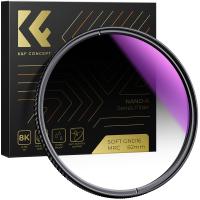
82mm Soft Graduated ND16 Lens Filter Ultra-Clear Optical Glass Multi-Coated
78
£57.99 £35.99
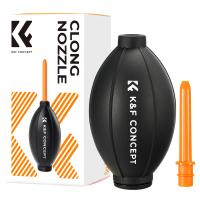
K&F Concept Lens Air Blower, Rubber Bulb Air Pump Dust Blower Cleaner, with Long Nozzle for Cell Phone, Tablet, Camera Lens Sensors, Keyboard,Telescopes
£9.99 £9.99
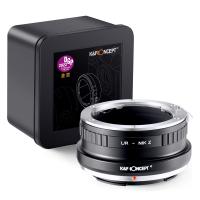
Leica R Series Lenses to Nikon Z Series Mount Camera High Precision Lens Adapter, L/R-NIK Z
75
£45.99
Related articles
How To Open A Tripod ?
How To Open Tripod ?
How To Setup A Tripod Stand ?
How To Use A Tripod Stand ?
How To Build A Tripod Stand ?
How To Open Tripod Legs ?
How To Make A Camera Tripod Stand ?
How To Do Tripod Stand ?
How To Fix Tripod Stand ?
Gift For Someone Who Loves Photography ?
Guess you like articles
How To Mount Samsung Uhd Tv 7 Series ?
What Is Endoscopic Ultrasound Procedure ?
What Is The Best Nd Filter ?
40x Microscope Is What Magnification ?
What Size Uv Filter For Nikon Coolpix P900 ?
How To Play Camcorder Tapes ?
What Is Mount Adapter Setting For 35mm Lens ?
Are Imax Cameras Digital Or Film?
How To Attach Shoulder Strap To Camera ?
What Nikon Lenses Use A Metal Mount ?
Related categories
tripod stand for lights telephone tripod Sony A mount lens adapter​ Aluminum Tripod video tripod​ accessories for a drone lightweight travel tripod mini camera tripod​ carbon filter camera tripod
Popular products
nikon 1 mount adapter​ pentax q mount adapter​ quality bluetooth headphones phone stand for tripod phone selfie stick tripod selfie stand tripod sony camera adapter minolta md to leica m adapter minolta nikon adapter canon adapter sony
Related searches
Open Fire Tripod Stand Tripod To Mic Stand Adapter Light Stand To Tripod Adapter Microphone Stand To Tripod Adapter Things To Use As A Tripod Touch To Open Smart Lock Lights On A Stand Parts Of A Light Stand Outdoor Binoculars On A Stand Ring Light On A Stand
Blog Category
  • Camera Reviews
  • News & Reviews
    • News
  • Tutorials
    • Animal Photography
    • Food Photography
  • Inspiration
    • Travel
    • Travel Stories
    • Photography Tricks
Search Article
Latest from the Blog
How Deep Can Metal Detectors Detect Gold?
Can Wifi Camera Work Without Internet?
What Sd Card For Dslr Camera?
How To Fix Camera On Tripod Stand?
Which Colour Lens Filter To Use?
How to Use A Spy Camera Detector?
How To Use Anti Spy Detector?
Can You Use Wireless Earbuds In Car?
What Does Rgb Stand For In Led Lights?
Dash Cam That Records When Vehicle Is Off?
Powered By K&F Concept © 2025