How To Put Camera Strap On Dslr?
Camera manufacturers have made significant strides to simplify the process of attaching a strap to a DSLR, yet oddly enough, this seemingly straightforward task can still induce a surprising amount of head-scratching. Whether you're a photography newbie eager to prevent your prized DSLR from cascading to the ground or a seasoned pro who feels it's time to ditch the broken strap that's been dangling on life support for months, knowing how to properly attach a camera strap is a skill you shouldn't underestimate. Lucky for you, today's deep dive will lay out the process step by step while sprinkling in much-needed context to keep your camera safe, your neck comfortable, and your photography experience streamlined.
Why the strap matters more than you think

Beyond functioning as a safety tether that prevents your camera from taking lethal falls, the strap you choose — and how you attach it — impacts your ergonomics, accessibility, and even psychological readiness to capture moments. The fear of your DSLR slipping out of your hands can, subconsciously, pull your focus away from framing the perfect shot. Proper attachment puts your mind at ease so you’re primed to focus on lighting, composition, and timing rather than worrying about your camera hurtling into a pool of water.
Let’s walk through how to equip your DSLR with a strap securely and comfortably.
Tools of the trade

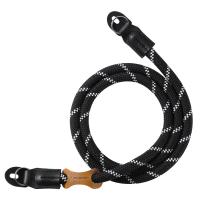
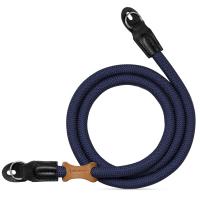
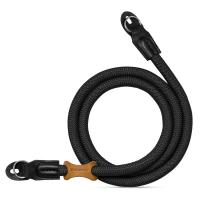
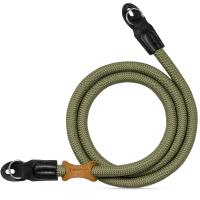
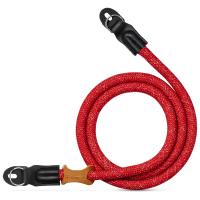
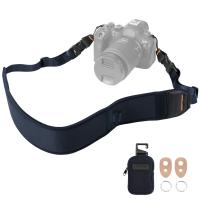
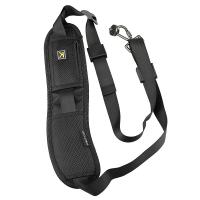
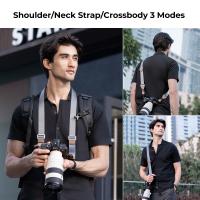
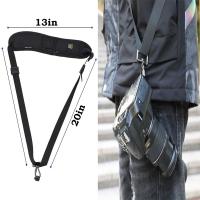
First, locate your camera strap and ensure it’s the correct one for your camera model — or at least the right size and type. Most DSLR cameras come equipped with standard straps built to thread through specific anchor points. If you’re using a third-party strap (e.g., a crossbody sling or padded neck strap for added comfort), ensure its connectors are compatible with your DSLR’s strap lugs. Not all straps serve every situation equally. For instance, adjustable lengths work wonders for travel, while heavy-duty straps cater toward videographers or wildlife photographers hauling heavier rigs.
The strap typically has three parts of interest:
1. Ends with thin nylon loops or threads (these go through the small lugs on your camera body).
2. Adjustable length mechanism (plastic slip locks).
3. Padding portion (the softer, thicker section that rests on your neck or shoulder).
Step 1: Locate the strap lugs

Take a close look at your DSLR and find the strap lugs on either side of the camera body. These are small metal loops or rectangular anchor points purpose-built for securing the strap. No guessing here — they’re usually in very obvious spots near the edges of the camera, often just above the grip on one side and opposite it on the other.
Step 2: Prepare the strap ends

Your camera strap will likely have thin loops at each end. These are designed to thread through the camera lugs, but before you proceed, inspect them. Make sure they haven’t frayed or weakened; after all, you’re entrusting these threads to bear the weight of your DSLR. If your strap uses thicker plastic fasteners or quick-release buckles instead of loops, follow the specific design mechanics of your strap model.
Step 3: Thread loops through the camera lugs
Here’s where patience meets dexterity. Push one strap end through the lug hole on the first side of the camera. Depending on how tight the nylon loop is, this may require pinching the loop flat with your fingers, then sliding it through the lug. Pull it all the way through until there’s enough of the loop protruding on the far end to easily thread through its own adjustable plastic buckle (the next step).
Useful tip: If your hands frequently fumble with fiddly tasks, tweezers or a precision grip tool can help.
Step 4: Secure the loop using the buckle mechanism
Now that your strap end is fed through the lug, thread it through the plastic slip buckle to secure it in place. This mechanism locks the strap length and keeps the camera firmly attached. Pull tightly to reduce slack but make sure the strap isn’t so tight that it restricts your movement or threatens to unravel under pressure.
Step 5: Repeat for the other side
Now, turn your focus to the opposite lug and repeat the threading and securing process. You don’t need to miraculously align both ends perfectly for aesthetics, but you should ensure they’re both equally tight and functional so the camera hangs evenly.
Step 6: Adjust length for comfort
One underrated trick is tweaking the strap length to complement your height and preferred shooting style. A strap left at maximum length may lead to unpredictable swinging, while excessively shortening it could restrict your reach. Goldilocks your way through this — set it 'just right' based on whether you’re using the strap for neck placement, crossbody carrying, or shoulder stability.
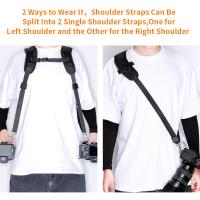
For neck-based straps, the camera should ideally rest just below your chest, avoiding strain that could induce stiffness during extended shooting. For crossbody or shoulder straps, adjust the length so the camera sits snugly at your side while remaining within easy grabbing distance.
Step 7: Test for security and comfort
Before you break out the DSLR for action shots, give the strap a few practice swings. Simulate your typical shooting movements. Does the strap feel secure? Does it distribute the weight evenly across your neck/shoulders? Does it give you freedom to adjust angles and settings? These mini-rehearsals ensure your straps are locked in and ready for the unpredictable bumps and distractions of a full day of shooting.
Pro-Tip: Evaluate your camera strap choice
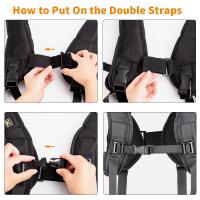
Not all straps are created equal — factory-issued straps might work for casual photographers but can feel restrictive for heavier DSLR setups. Consider upgrading to padded straps, quick-release designs, or even harnesses for added versatility. Think of this as upgrading your shoes for a marathon; it might seem unnecessary until you realize the pain of bad equipment halfway through an important shoot.
Common Mistakes to Avoid
1. Neglecting the strap’s wear and tear. Frayed threads can lead to tragic accidents — inspect your strap routinely.
2. Improper threading through lugs or buckles. If your strap isn't locked in place, sudden movements could unthread it.
3. Overloading without adjustment. A thin strap can dig into your neck painfully if paired with a heavy camera body and lens. Choose straps that fit your workload.
4. Ignoring strap length. A poorly adjusted strap can lead to discomfort or awkward handling in fast-paced shooting conditions.
A Moment of Reflection
Attaching a camera strap often feels like a humble task compared to the thrill of composing an award-winning shot, yet it holds an undeniable importance in the grand scheme of photographic preparedness. A thoughtfully secured strap keeps disability-inducing disasters at bay and sets the stage for seamless navigation between one breathtaking photo op and the next. If your strap is already secure but uncomfortable, don’t hesitate to make small changes or experiment with your setup.
Keep your DSLR intact and your neck free of unpleasant surprises — then point your lens at the world without a care, armed with the confidence that your precious rig won’t abandon ship.