Secure Camera Which Works On Home Wifi?
The evolution of security cameras has reached a point where they are not only smart but highly adaptable to residential networks, providing a seamless user experience powered by home Wi-Fi. If you're looking to install one, getting a good grasp of the technology, its nuances, and potential limitations is key to making an informed decision. Let me give you the lowdown on secure, Wi-Fi-compatible cameras so you can make your home security system bulletproof—both in the figurative and hopefully literal sense.
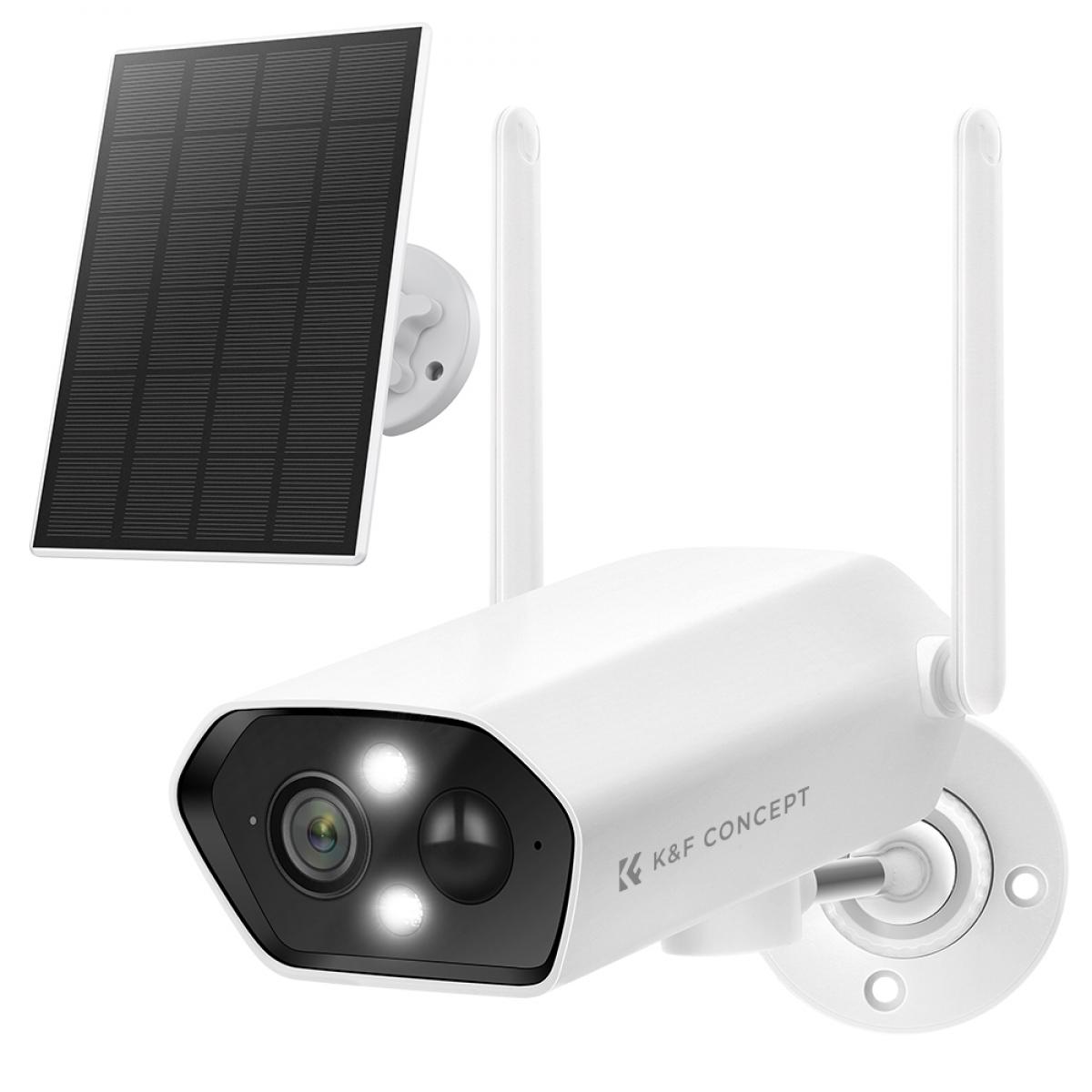
When choosing a Wi-Fi-enabled security camera for home use, there are a few things you must prioritize: security protocols, compatibility, features, and, of course, ease of use. You wouldn't want an expensive piece of equipment only to realize it's frustratingly complicated or prone to hacking. So, let’s break it down bit by bit.
How Do Wi-Fi Security Cameras Work—A Crash Course
Wi-Fi cameras are designed to connect directly to your home network, without the need for extensive hardwiring or professional installation services. This is, undeniably, a huge advantage. You essentially have your eye on any room in the house—or even outside—from your smartphone, laptop, or tablet, anywhere in the world as long as you have an internet connection. These cameras send encrypted video feeds to a server, ideally with robust data protection measures in place.
However, there’s a double-edged sword here. Because these cameras rely on your network, their security is as strong as the locks you place on your Wi-Fi router. If your home router uses outdated passwords, has weak encryption standards, or lacks firmware updates, the risk isn't just limited to break-ins but also privacy breaches.
Encryption is King
Talking about security, let’s discuss encryption. The best cameras today use end-to-end encryption (E2EE) or at least AES 256-bit encryption—the same standard banks and government organizations use to protect sensitive information. Why does this matter? Without encryption, the video feed stored in either local storage or the cloud could be intercepted by someone sniffing around your Wi-Fi traffic. A camera capable of E2EE ensures your data remains secure even as it travels multiple servers from camera to your screen.
Cameras like the Google Nest Cam (battery-powered for versatility) or the Arlo Pro 5S have adopted strong encryption protocols, ensuring peace of mind. Not all brands excel in this area, though, so watch out. A cheap camera off of eBay might save you some money upfront, but it could open up a cyber Pandora's box.
Integration Matters
Moving onto compatibility—home Wi-Fi security cameras should integrate effortlessly with your existing smart home ecosystem. If you’re entrenched in the world of Alexa, Google Assistant, or Apple HomeKit, make sure the camera supports that ecosystem. The convenience of commanding a camera to start recording, arm itself, or stream directly to your preferred smart display without complex workarounds is priceless.
Here, products like EufyCam or Wyze Cam v3 have delighted users for their plug-and-play simplicity within smart environments. These choices won't have you fumbling through 53-page manuals written in broken English.
Bandwidth Concerns Are Real
Let’s talk networking. A Wi-Fi camera can gobble up between 1GB to 60GB of data monthly, depending on whether it streams in 1080p or pushes for 4K video clarity. For casual home monitoring, full-HD resolution (1080p) suffices. But, if you like to digitally zoom in and catch every suspicious movement down to the pixel—or if your mischievous pets warrant that level of scrutinous playback—you’ll need a camera that smoothly streams in 4K.
Here’s the kicker, though: some older routers have trouble juggling simultaneous 4K streams, especially if there are other bandwidth-heavy activities happening in the household. Video calls, Netflix binges, or even online gaming could choke the ability of the security camera to maintain high-quality uploads. Invest in a solid router (ideally dual-band or tri-band Wi-Fi 6 products) if you’re getting into the higher-tier cameras.
Local Storage vs. Cloud Storage
Another point worth your attention is storage—should you rely on local storage or a cloud-based service from the manufacturer? Each has its merits and shortcomings. Local storage usually means SD cards or external hard drives plugged into the camera's system. These are relatively cheap storage options but come with vulnerability risks if someone physically steals the camera.
Cloud storage, accessible through subscription plans, is like outsourcing your data security to the camera company’s servers. Convenient, yes, but you’re also open to potential breaches at the service provider level. Companies like Ring and Nest advertise robust cloud-based options, but do read the fine print regarding what data they store and under what circumstances content can be shared with authorities (hint: it’s sometimes broader than you’d expect).
A middle-ground approach is cameras like Eufy which allow for encrypted storage directly to a home server. This combines the security of local storage with the accessibility of cloud functionality.
Wi-Fi Dead Zones Are Sneaky
What happens if you place your shiny new camera in a part of the house where Wi-Fi signals are weak? You’ll experience blurry video streams, frequent disconnections, and possibly frustration-induced early retirement of the device. Invest in a Wi-Fi extender if you know you have spots in the home notorious for poor connection. Mesh Wi-Fi systems also do wonders for large homes where signals drop in the upstairs or basement zones.
Pancakes or PTZ Cameras (Wait for It!)
You may have come across terms like "fixed" or "PTZ" cameras, but what’s the difference? Fixed cameras—or what I lovingly call "pancake cameras"—are stationary one-view wonders that typically serve as room monitors. Their wide-angle lenses provide sufficient scope unless you’re looking for specificity.
PTZ (Pan-Tilt-Zoom) cameras provide dynamic viewing, rotating your feed at your command to zoom in on details or track someone moving across your property. They don’t just puff their chest with features for fun; they genuinely add value when monitoring expansive areas like patios, garages, or backyards. Just bear in mind, more mechanics mean you might hear slight whirring noises when the PTZ motors engage. While many models claim “silent movement,” you should take such claims with a grain of salt.
Key Takeaways
- Prioritize encryption and choose cameras from trusted manufacturers.
- Ensure your camera integrates well into your existing smart ecosystem.
- Only go for 4K cameras if your router can support the bandwidth requirements—they’re amazing visually but can cause network bottlenecks.
- Decide on the storage solution based on your privacy tolerance.
- Eliminate Wi-Fi dead zones with extenders or mesh systems.
Setting up a Wi-Fi-enabled camera balances paranoia with practicality. You're essentially deploying a digital watchdog, one that requires strong boundaries and training to function at its best. Done right, it not only protects your home but gives you rightful bragging privileges. Done wrong? Well, let’s just say you wouldn't want your neighbors accidentally tuning into your kitchen antics.