kfconcept

K&F Concept UK
K&F Concept United Kingdom    Blog >

Enjoy Your Selected Digital Life

Recently Viewed
  • Recently Viewed
  • 46mm Variable ND Filters ND2-32 Adjustable Fader Neutral Density ND2 - ND32 Filter, NO Spot X Black X Issue, MRC 28-Layer, Ultra Slim, Waterproof
    46mm Variable ND Filters ND2-32 Adjustable Fader Neutral Density ND2 - ND32 Filter, NO Spot X Black X Issue, MRC 28-Layer, Ultra Slim, Waterproof
    £49.99 £39.99
    72mm Black Mist 1/8 Filter with Brass Frame, Ultra Low Reflection, Mist Soft Glow Diffuser Lens Filters with 36 Multi-Layer Coatings - Nano-X Pro Series
    72mm Black Mist 1/8 Filter with Brass Frame, Ultra Low Reflection, Mist Soft Glow Diffuser Lens Filters with 36 Multi-Layer Coatings - Nano-X Pro Series
    £109.99
    72mm Black Mist 1/4 Filter with Brass Frame, Ultra Low Reflection, Mist Soft Glow Diffuser Lens Filters with 36 Multi-Layer Coatings - Nano-X Pro Series
    72mm Black Mist 1/4 Filter with Brass Frame, Ultra Low Reflection, Mist Soft Glow Diffuser Lens Filters with 36 Multi-Layer Coatings - Nano-X Pro Series
    £109.99
    77mm Black Mist 1/4 Filter with Brass Frame, Ultra Low Reflection, Mist Soft Glow Diffuser Lens Filters with 36 Multi-Layer Coatings - Nano-X Pro Series
    77mm Black Mist 1/4 Filter with Brass Frame, Ultra Low Reflection, Mist Soft Glow Diffuser Lens Filters with 36 Multi-Layer Coatings - Nano-X Pro Series
    £114.99
    82mm Black Mist 1/4 Filter with Brass Frame, Ultra Low Reflection, Mist Soft Glow Diffuser Lens Filters with 36 Multi-Layer Coatings - Nano-X Pro Series
    82mm Black Mist 1/4 Filter with Brass Frame, Ultra Low Reflection, Mist Soft Glow Diffuser Lens Filters with 36 Multi-Layer Coatings - Nano-X Pro Series
    £119.99
    67mm Black Mist 1/4 Filter with Brass Frame, Ultra Low Reflection, Mist Soft Glow Diffuser Lens Filters with 36 Multi-Layer Coatings - Nano-X Pro Series
    67mm Black Mist 1/4 Filter with Brass Frame, Ultra Low Reflection, Mist Soft Glow Diffuser Lens Filters with 36 Multi-Layer Coatings - Nano-X Pro Series
    £109.99
    67mm Black Mist 1/8 Filter with Brass Frame, Ultra Low Reflection, Mist Soft Glow Diffuser Lens Filters with 36 Multi-Layer Coatings - Nano-X Pro Series
    67mm Black Mist 1/8 Filter with Brass Frame, Ultra Low Reflection, Mist Soft Glow Diffuser Lens Filters with 36 Multi-Layer Coatings - Nano-X Pro Series
    £109.99
    55mm Combination Soft & Mist Lens Filter 28 Multi-Layer Coating Waterproof Scratch Resistant Cinematic Effect Filter for Vlog, Portrait Photography - Nano-Xcel Series
    55mm Combination Soft & Mist Lens Filter 28 Multi-Layer Coating Waterproof Scratch Resistant Cinematic Effect Filter for Vlog, Portrait Photography - Nano-Xcel Series
    £68.99
    82mm Black Mist 1/8 Filter with Brass Frame, Ultra Low Reflection, Mist Soft Glow Diffuser Lens Filters with 36 Multi-Layer Coatings - Nano-X Pro Series
    82mm Black Mist 1/8 Filter with Brass Frame, Ultra Low Reflection, Mist Soft Glow Diffuser Lens Filters with 36 Multi-Layer Coatings - Nano-X Pro Series
    £119.99
    52mm True Color & Ultra-Low Reflection Variable ND Lens Filter, ND2-32 (1-5 Stops) HD Adjustable Neutral Density Filter with 28 Multi-Layer Coatings for Camera Lenses - Nano-X Series
    52mm True Color & Ultra-Low Reflection Variable ND Lens Filter, ND2-32 (1-5 Stops) HD Adjustable Neutral Density Filter with 28 Multi-Layer Coatings for Camera Lenses - Nano-X Series
    £64.99
Compare (0) 0
  • Compare
  • You have not chosen any products to compare.

  • Compare
Currency: GBP
  • Currency

Log Into Your Account

Account

Order History

Wish List

Login

Forgotten Password?

Or connect with

Register Account

Already have an Account?Log In

  • Shopping Cart
  • Your shopping cart is empty!

  • Register/Login to purchase, earn points
  • Favorite
  • Your wish list is empty.

  • Register/Login to like, earn points
  • Tripods
    • Aluminum Tripods
    • Carbon Fiber Tripods
    • Travel Tripods
    • Video Tripods
    • Monopods
    • Lightweight Tripods
    • Mini Tripod
    • Tripod Accessories
    • Gimbal Stabilizers
    • Tripod Head
    • Tripod Kit
    • Action Camera Mounts
    • Phone Tripods
    • Studio Parts
      • Camera Flash
      • Photography Fill Light
      • Ring light
      • Soft Box
      • Tripod Light Stands
      • Reflectors
    • Clearance Tripods
  • Lens Filters
    • UV Filters
      • Nano-Xcel Series
        • MCUV
        • Ultra-low Reflectivity MCUV Filters
        • MCUV Super Hard
        • Explosion-proof MCUV - Nano-Xcel
        • MCUV+Lens Cap+Cleaning Cloth
        • Super Hard&Ultra Low Reflection MCUV Filters - Nano-Xcel
        • MCUV - Magnetic Series
      • Nano-Dazzle Series
        • MCUV
        • MCUV+Lens Cap+Cleaning Cloth
      • Nano-Klear Series
        • MCUV
        • Ultra Thin Frame MCUV Filters
        • MCUV+Lens Cap+Cleaning Cloth
      • Nano-Xcel Pro Series
        • MCUV
    • CPL Filters
      • Nano-Xcel Series
        • CPL
        • CPL True Color
        • Ultra-low Reflectivity CPL
        • CPL+Lens Cap+Cleaning Cloth
        • Magnetic CPL
          • Magnetic CPL + Apater ring + Cap - Nano-X
        • True Color Ultra-low Reflectivity CPL - Nano-Xcel
      • Nano-Dazzle Series
        • CPL
        • CPL+Lens Cap+Cleaning Cloth - Nano-Dazzle
      • Nano-Klear Series
        • CPL
        • Ultra Thin Frame CPL Filters
        • CPL+Lens Cap+Cleaning Cloth
        • CPL+Lens Cap - Nano-Klear
      • Nano-Xcel Pro Series
        • CPL
    • Neutral Density Filters
      • Neutral Density (Solid) Filters
        • ND8 (3 stops) - Nano-Xcel Series
        • ND64 (6 stops) - Nano-Xcel Series
        • ND1000 (10 stops) - Nano-Xcel Series
        • ND100000 (16.6 stops) - Nano-Xcel Series
        • ND1000000 (20 stops) - Nano-Xcel Series
        • ND100000 (16.6 stops) - Nano-Klear Series
        • ND1000000 (20 stops) - Nano-Klear Series
        • Solid ND - Magnetic Series
      • Graduated Neutral Density
        • 100mm GND Filter
          • Soft GND8 Filters - Nano-Xcel Series
          • Hard GND8 Filters - Nano-Xcel Series
          • Reverse GND8 Filters - Nano-Xcel Series
          • Soft GND16 Filters - Nano-Xcel Series
          • Reverse GND16 Filters - Nano-Xcel Series
          • Soft GND8 Filters - Nano-Xcel Pro Series
          • Hard GND8 Filters - Nano-Xcel Pro Series
          • Reverse GND8 Filters - Nano-Xcel Pro Series
          • Soft GND16 Filters - Nano-Xcel Pro Series
          • Reverse GND16 Filters - Nano-Xcel Pro Series
        • Circular GND Filter
          • GND8
          • GND16
      • 2 in 1 Filters
        • ND2-ND32&CPL Filters - Nano-Xcel Series
        • ND2-ND32&CPL Filters - Nano Dazzle Series
        • ND2-32&CPL Filters - Nano-Klear Series
        • ND2-ND32&CPL Filter - Nano-X Pro
        • ND2-ND32&CPL True Color Filters - Nano-Xcel Series
        • ND4-ND64&CPL Filter
      • 3 in 1 Filters
        • ND2-32&CPL&Black Mist 1/4 Filters - Nano-Xcel Series
        • ND2-32&CPL&Black Mist 1/4 Filters - Nano-Klear Series
      • Variable Neutral Density
        • Nano-Xcel Series
          • ND2-ND32 - Nano-Xcel
          • ND2-ND32 True Color - Nano-Xcel
          • ND2-ND400 - Nano-Xcel
          • ND8-ND128 - Nano-Xcel
          • ND32-ND512 - Nano-Xcel
          • ND3-ND1000 - Nano-Xcel
          • ND2-32 True Color Ultra-Low Reflection - Nano-Xcel
          • ND2-400 Ultra-Low Reflection - Nano-Xcel
        • Nano-Dazzle Series
          • ND2-ND32 - Nano-Dazzle
          • ND2-ND400 - Nano-Dazzle
          • ND3-ND1000 - Nano-Dazzle
          • ND8-ND2000 - Nano-Dazzle
        • Nano-Klear Series
          • ND2-ND32 - Nano-Klear
          • ND2-ND400 - Nano-Klear
          • ND2-ND2000 - Nano-Klear
          • True Color ND2-ND400 - Nano-Klear
        • Nano-Xcel Pro Series
          • ND2-ND32 - Nano-Xcel Pro
        • Nano-B Series
          • ND2-ND400 - Nano-B
    • Black Mist & Soft Focus Filters
      • Black Mist Filters
        • Black Mist 1/8
          • Black Mist 1/8 - Nano-Xcel Series
          • Black Mist 1/8 - Nano-Dazzle Series
          • Black Mist 1/8 - Nano-Klear Series
          • Black Mist 1/8 - Nano-Xcel Pro Series
          • Black Mist 1/8+Lens Cap+Cleaning Cloth - Nano-Klear Series
        • Black Mist 1/4
          • Black Mist 1/4 - Nano-Xcel Series
          • Black Mist 1/4 - Nano-Dazzle Series
          • Black Mist 1/4 - Nano-Klear Series
          • Black Mist 1/4 - Nano-Xcel Pro Series
          • Black Mist 1/4+Lens Cap+Cleaning Cloth - Nano-Klear Series
        • Black Mist 1/2
          • Black Mist 1/2 - Nano-Xcel Series
          • Black Mist 1/2 - Nano-Klear Series
        • Black Mist 1
          • Black Mist 1 - Nano-Xcel Series
          • Black Mist 1 - Nano-Klear Series
        • Black Mist Kit
          • Black Mist 1/4 + 1/8 Nano Xcel Series
          • Black Mist 1/4 + 1/8 - Nano Klear Series
          • Black Mist 1/4 + CPL - Nano Klear Series
        • Black Mist & CPL
          • Black Mist 1/4&CPL - Nano-Klear Series
        • Black-Mist & VND
          • Black Mist 1/4 & ND2-32 Filters - Nano-Klear Series
          • Black Mist 1/4 & ND2-400 Filters - Nano-Xcel Series
          • Black Mist 1/4 & ND2-32 Filters - Nano-Xcel Series
          • Black Mist 1/8 & ND2-32 Filters - Nano-Klear Series
          • Black Mist 1/4 & ND2-400 Filters - Nano-Klear Series
      • White Mist Filters
        • White Mist 1/4 - Nano-Xcel Series
        • White Mist 1/4 - Nano-Klear Series
      • Shimmer Diffusion
        • Shimmer Diffusion 1 - Nano-Xcel Series
        • Shimmer Diffusion 1 - Nano-Klear Series
    • Light Pollution Cut Filter
      • Light Pollution Cut Filter - Circular
      • Light Pollution Cut Filter - Square
    • Magnetic Lens Filters
      • MCUV Filters
        • Magnetic MCUV - Nano-Klear Series
        • Magnetic MCUV+Lens Caps - Nano-Xcel Series
      • CPL Filters
        • Magnetic CPL + Adapter Ring
        • Magnetic CPL+Adapter Ring - Nano-Klear Series
      • Black-Mist
        • Black Mist 1/8 Filters - Nano-Xcel Series
        • Black Mist 1/4 Filters - Nano-Xcel Series
      • Neutral Density (Solid) Filter
        • Magnetic ND8 - Nano-Xcel Series
        • Magnetic ND64 - Nano-Xcel Series
        • Magnetic ND1000 - Nano-Xcel Series
      • Unlimited Variable ND Filter
        • Magnetic ND2-ND32 - Nano-Xcel Series
        • Magnetic ND8-ND128 Filters - Nano-Xcel Series
      • Accessories
        • Magnetic Adapter Ring
        • Magnetic Filter Ring
        • Magnetic Cap
      • Kits
        • MCUV+CPL+ND1000+Adapter Ring - Nano-Xcel Series
        • CPL+ND8+ND64+Adapter Ring+Lens Cap - Nano-Xcel Series
        • GND8+ND8+ND64+ND1000+Adapter Ring - Nano-Xcel Series
        • CPL+VND2-32+Black Mist 1/4+Magnetic Ring+Lens Cap - Nano-Xcel Series
    • Square Filter System
      • Basic System
        • Square ND Filters
          • ND4 Filters - Nano-Xcel Series
          • ND16 Filters - Nano-Xcel Series
          • ND1000 Filters - Nano-Xcel Series
          • ND2000 Filters - Nano-Xcel Series
          • ND32000 Filters - Nano-Xcel Series
          • Full Color ND8 Filters - Nano-Xcel Series
          • Full Color ND64 Filters - Nano-Xcel Series
        • Square GND Filters
        • Light Pollution Cut Filter
          • Light Pollution Cut Filter - Nano-Xcel Series
        • Square Black Mist Filters
          • Square Black Mist 1 - Nano-Xcel Series
          • Square Black Mist 1/4 - Nano-Xcel Series
          • Square Black Mist 1/8 - Nano-Xcel Series
        • Brackets and Accessories
          • Adapter Ring - Nano-Xcel Series
        • Kits
          • 100mm Square Filter System - Nano-Xcel Series
          • 100mm ND1000+Holder Kit - Nano-Xcel Series
          • 100mm ND1000+Soft GND8+Holder Kit - Nano-Xcel Series
          • 100mm Soft GND8+Holder Kit - Nano-Xcel Series
      • Professional System
        • ND
          • Full Color ND8 Filters - Nano-Xcel Pro Series
          • Full Color ND64 Filters - Nano-Xcel Pro Series
          • Full Color ND1000 Filters - Nano-Xcel Pro Series
        • GND
        • PL
        • Black Mist 1/4&CPL - Nano-Xcel Pro Series
        • Light Pollution Cut Filter
          • Light Pollution Cut Filter - Nano-Xcel Pro Series
        • Kits
          • 100mm ND1000+Holder Kit - Nano-Xcel Pro Series
          • 100mm ND1000+Soft GND8+Holder Kit - Nano-Xcel Pro Series
          • 100mm ND8+ND64+ND1000+Holder Kit - Nano-Xcel Pro Series
          • 100mm Holder Kit - Nano-Xcel Pro Series
        • Brackets and Accessories
          • 100x100mm Square Filter Protect Frame - Nano-Xcel Pro Series
          • 100x150mm Square Filter Protect Frame - Nano-Xcel Pro Series
          • Adapter Ring - Nano-Xcel Pro Series
    • Drone Filter
      • DJI Air 3S
      • DJI Avata2
      • DJI Flip
      • DJI Mavic 3 Pro
      • DJI NEO
      • DJI Mini 1/2/SE
      • DJI Mini 4 Pro Filters
      • DJI Mavic 3
      • DJI Mini 3 PRO
      • DJI Avata
      • DJI Mavic 4 Pro
      • DJI Mini 5 Pro
      • DJI Air 2S
    • Effects Filters
      • Prism Filters
        • Central Prism Filters
          • Central Pentagonal Filters - Nano-Basic Series
          • Central Hexagonal Filters - Nano-Basic Series
        • Ordinary Prism Filters
          • Triangular Filtres - Nano-Basic Series
        • Single Linear Prisms
      • Streak Filters
        • Blue Streak Filters - Nano-Xcel Series
        • Gold Streak Filters - Nano-Xcel Series
        • Colorful Streak Filters - Nano-B Series
        • Blue Streak Filters - Nano-Klear Series
      • Star Filter
        • Star Filters 4-8 Points - Nano-Klear Series
        • Star Filter Kits 4+6+8 Points - Nano-Klear Series
        • 4-Point Fine-Line Star Filters - Nano-Klear Series
        • 6-Point Fine-Line Star Filters - Nano-Klear Series
      • Kaleidoscope Filters
        • Kaleidoscope Filters - Nano-Basic Series
        • Handheld Kaleidoscope Filters - Nano-B Series
      • Motion Blur Filters
        • Directional Motion Blur - Nano-Basic Series
        • Bidirectional Motion Blur - Nano-Basic Series
        • Handheld Motion Blur Filters - Nano-Basic Series
      • Spiral Filters
        • Spiral Halo Filters - Nano-B Series
        • Handheld Spiral Filters - Nano-Basic Series
      • Diopter Filters
        • Centerfield Split Diopter Filters - Nano-Basic Series
        • Handheld Diopter Filters - Nano-Basic Series
    • Filter Accessories
      • Lens Hoods
      • Rings Kits
        • Step Up Rings
        • Step Down Rings
      • Filter Holders & Frames
      • Filter Holder Adapter Rings
        • Filter Adapter Rings
      • Filter Pouches
      • Lens Caps
        • Caps for Magnetic Filters
        • Caps for Variable ND Filters
        • Anti-lost Lens Cap
          • 4 in 1
          • 5 in 1
          • 9 in 1
      • Polarized Film
    • Filter Kit
      • Black Diffusion 1/4 + 1/8
      • Screw-In Filters
        • MCUV+CPL Filter - Nano-Klear Series
        • MCUV+CPL+Lens Cap - Nano-Klear Series
        • MCUV+CPL+Metal Lens Cap - Nano-Xcel Series
        • MCUV+CPL+ND1000+Lens Cap - Nano-Dazzle Series
        • MCUV+CPL+ND2-400 - Nano-Klear Series
        • ND8+ND64+ND1000 - Nano-Dazzle Series
        • MCUV+CPL+ND4 - Nano-Klear Series
        • ND1000+CPL - Nano-Klear Series
        • ND4+ND8+ND64+ND1000 - Nano-Xcel Series
        • MCUV+CPL
      • Magnetic Filters
      • Square Filters
    • Action Camera Filters
      • DJI Osmo Action 4 / Action 5 Pro
      • DJI Osmo Action 6
      • DJI Osmo Nano
      • DJI Osmo Pocket 3
      • GoPro HERO 4K
      • GOPRO Hero 9/10/11/12/13 Filters
      • Insta360 Ace pro 2
      • Insta360 Go Ultra
      • Insta360 GO3
      • Insta360 GO3S
      • Action Camera Accessories
        • DJI Osmo Action 3/4/5 Pro
        • Head Strap & Chest Mount
        • Insta360 X5
        • Magnetic Neck Mount
        • DJI Osmo 360
        • DJI Osmo Pocket 3 Charging Base
        • DJI Osmo Pocket 3
    • Phone Lens Filters
    • Matte Box & Filter Systems
      • Neutral Density (Solid) Filters
        • ND4 - Nano-Xcel Series
        • ND8 - Nano-Xcel Series
        • ND16 - Nano-Xcel Series
        • ND32 - Nano-Xcel Series
        • ND64 - Nano-Xcel Series
        • ND8+ND64 - Nano-Xcel Series
      • UV Filters
      • Black Mist Filters
        • Black Mist 1/4 - Nano-Xcel Series
        • Black Mist 1/8 - Nano-Xcel Series
      • Blue Streak Filters
      • Accessories
      • Kits
        • Matte Box - Nano-Xcel Series
        • Matte Box Pro - Nano-Xcel Series
        • Matte Box+ND8 Square Filter - Nano-Xcel Series
        • Matte Box+ND4+ND32 Square Filter - Nano-Xcel Series
        • Matte Box+Black Mist 1/4 Square Filter - Nano-Xcel Series
    • Brand-specific Filters
      • Fujifilm X100
      • Ricoh GR
  • Lens Adapters
    • PL Mount Lenses
    • A Mount Body(Sony/Minolta)
    • Fujifilm X Mount Body
    • Fujifilm G (GFX) Mount Body
    • C-Mount Body
    • Leica M Mount Body
    • MFT(M4/3) Mount Body
    • Pentax K Mount Body
    • Pentax Q Mount Body
    • Samsung NX Mount Body
    • Nikon F Mount Body
    • Nikon 1 Mount Body
    • Nikon Z Mount Body
    • Canon EOS EF/EF-S Mount Body
    • Canon EOS M Mount Body
    • Canon RF Mount Body
    • Sony E Mount Body
    • L-Mount Alliance (Leica)
  • Camera
    • Digital Camera & Camcorders
      • Digital Cameras & Camcorders
      • Underwater Cameras
      • Action Cameras
      • Kids’ Cameras
      • Time lapse camera
    • Wildlife Camera
      • Wifi Trail Cameras
      • Non-Cellular Trail Cameras
      • Accessories
      • Cellular Trail Cameras
    • Surveillance Cameras
      • 4G Camera
      • Battery Camera
      • Baby Monitor
      • WiFi Camera
      • Feeder Camera
      • Floodlight camera
      • Monitoring Detector
    • Camera Lenses
    • On-Dash Camera
    • Fishing camera
    • Memory Cards
      • Micro SD Card
      • SD Card
    • Camera Accessories
      • Camera Caps
      • Camera Screen Protectors
        • Canon
        • Sony
        • Fujifilm
        • Nikon
        • Olympus
        • Ricoh
        • GoPro
        • DJI Osmo Pocket 3
      • Camera Hot Shoe Covers
      • Camera Viewfinder Eyecups
        • Nikon
        • Sony
        • Canon
      • Adjustment Iris
  • Camera Bags
    • Camera Backpacks
    • Camera Shoulder Bags
    • Camera Cases
    • Digital Storage Bag
    • Lens Cases
    • Camera Straps
    • Backpack Accessories
  • Camera Battery
    • Sony
    • Canon
    • Nikon
    • FUJIFILM
    • Ricoh
    • Gopro
    • Osmo Action
    • Lumix
    • V Mount Battery
    • Memory Card Case
  • Optics
    • Microscope
      • Optical Microscope
      • Digital Microscope
      • Kids' Microscopes
    • Binoculars
    • Monocular
    • Telescope
    • Night Vision Goggles
    • Rangefinder
  • Endoscope
    • Professional Endoscope
    • Household Endoscope
    • Portable Endoscope
    • Otoscope/Oral Endoscope
  • More
    • Cleaning Kits
    • Digital Voice Recorders
    • Language Translator Device
    • Smart Glasses
    • Metal Detectors
    • Light
      • Video fill light
      • Live Ring Light
      • Outdoor Lighting
    • Motorcycle Bluetooth Headset
    • Laser Engraver Machine
    • Headphones
    • Weather Station & Household Sensors
    • Microphone
    • Drone Accessories
      • DJI Air 2S Accessories
      • DJI Air 3 Accessories
      • DJI Avata Accessories
      • DJI Drone Universal Accessories
      • DJI Mavic Mini 2/Mini 2 SE/Mini Accessories
      • DJI Mavic Mini 3 Accessories
      • DJI Mini 3 Pro Accessories
    • Smart Watch
    • Smart lock
    • Studio
    • Solar Panels
  • Deals
    • Specials
    • Coupon
    • New Arrivals
  • Home
  • Blog
  • How To Use A Polarising Lens Filter ?

How To Use A Polarising Lens Filter ?

K&f concept 2023-11-16 02:25:18 0 Comments

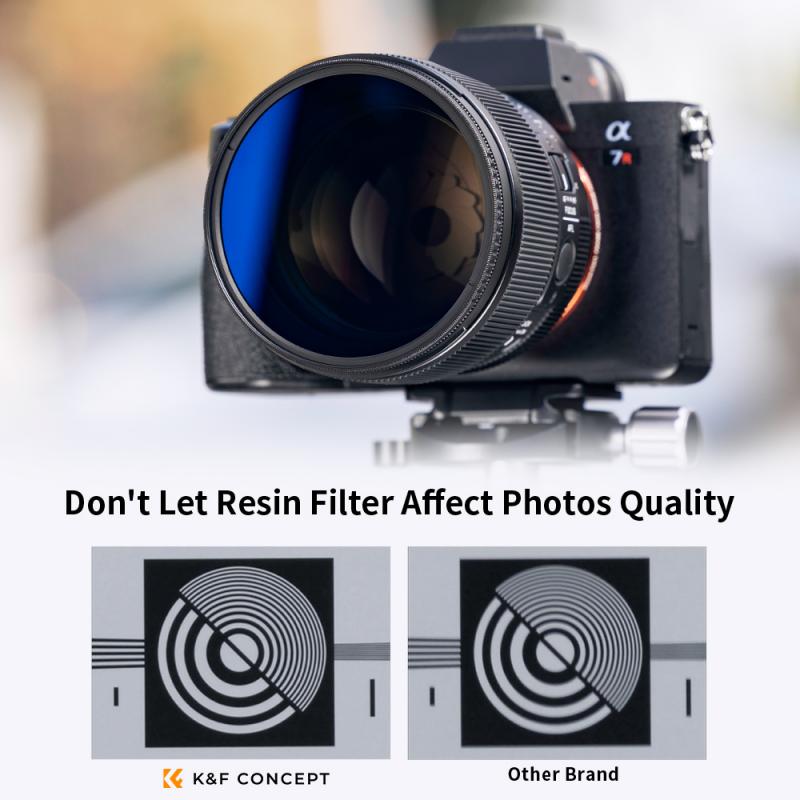
To use a polarizing lens filter, simply screw it onto the front of your camera lens. Rotate the filter until you achieve the desired effect. The filter helps to reduce glare and reflections from non-metallic surfaces, such as water or glass, and also enhances color saturation and contrast in your photographs.

1、 Understanding Polarisation: Basics of Polarising Lens Filters

Understanding Polarisation: Basics of Polarising Lens Filters

A polarising lens filter is a valuable tool for photographers and videographers looking to enhance their images by reducing glare and increasing color saturation. This filter works by selectively blocking certain light waves, allowing only polarised light to pass through the lens. Here is a step-by-step guide on how to use a polarising lens filter effectively:

1. Attach the filter: Screw the polarising filter onto the front of your camera lens. Ensure it is securely attached and aligned correctly.

2. Adjust the angle: Rotate the filter to achieve the desired effect. The filter has a rotating ring that allows you to control the amount of polarisation. Experiment with different angles to find the optimal position for your shot.

3. Observe the effect: Look through the viewfinder or LCD screen and observe the changes in the scene. A polarising filter can reduce reflections on non-metallic surfaces such as water or glass, making them appear clearer and more vibrant. It can also darken skies, enhance contrast, and improve overall image quality.

4. Fine-tune the effect: If needed, make further adjustments to the filter angle to achieve the desired outcome. Keep in mind that the effect may vary depending on the lighting conditions and the angle of the sun.

5. Remove the filter when not needed: Remember to remove the polarising filter when shooting in low-light conditions or when it is not necessary. The filter can reduce the amount of light entering the lens, which may result in longer exposure times or the need to increase ISO settings.

It is important to note that polarising filters work best when the light source is at a 90-degree angle to the subject. Additionally, they are not effective when shooting with wide-angle lenses as the polarisation effect may not be consistent across the frame.

In recent years, advancements in digital post-processing have allowed photographers to mimic some polarisation effects in software. However, using a polarising lens filter during the capture process still offers distinct advantages. It allows photographers to see the effect in real-time, reduces the need for excessive editing, and can produce more natural and vibrant results.

In conclusion, understanding how to use a polarising lens filter can greatly enhance your photography. By reducing glare and increasing color saturation, this filter can help you capture stunning images with improved clarity and vibrancy. Experiment with different angles and lighting conditions to fully harness the power of a polarising filter and elevate your photography to the next level.
Understanding Polarisation: Basics of Polarising Lens Filters

2、 Choosing the Right Filter: Factors to Consider for Polarising Lens Filters

Choosing the Right Filter: Factors to Consider for Polarising Lens Filters

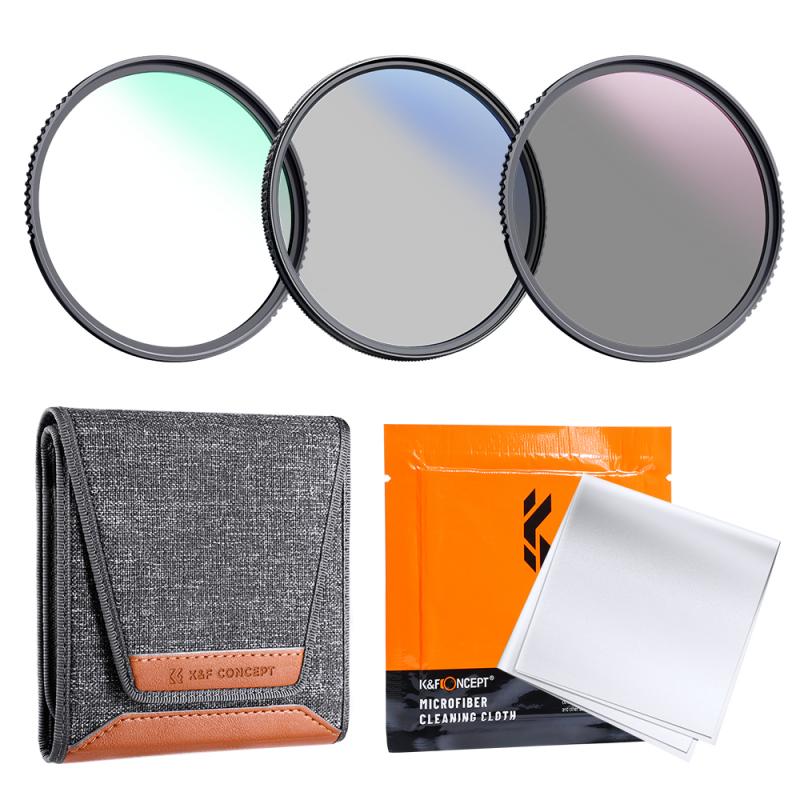
A polarising lens filter is a valuable tool for photographers looking to enhance their images by reducing glare and increasing color saturation. However, it is important to understand how to use a polarising lens filter effectively to achieve the desired results. Here are some factors to consider when using a polarising lens filter:

1. Rotation: The key to using a polarising filter is to rotate it until you achieve the desired effect. By rotating the filter, you can control the amount of polarisation and adjust the level of glare reduction and color saturation in your image. Experiment with different rotations to find the optimal position for your specific scene.

2. Angle of Light: The effectiveness of a polarising filter depends on the angle of light hitting the subject. To maximize the polarising effect, position yourself at a 90-degree angle to the light source. This will help to reduce reflections and enhance the colors in your image.

3. Subject and Composition: Consider the subject and composition of your image when using a polarising filter. This filter works best for scenes with reflective surfaces such as water, glass, or foliage. It can help to eliminate unwanted reflections and bring out the natural colors and textures in these subjects.

4. Lens Compatibility: Ensure that the polarising filter you choose is compatible with your camera lens. Check the filter thread size of your lens and select a filter that matches. Additionally, consider the quality of the filter to avoid any loss of image sharpness or unwanted color casts.

5. Latest Point of View: With advancements in technology, some photographers argue that post-processing software can replicate the effects of a polarising filter. While this may be true to some extent, it is important to note that a polarising filter can still provide unique benefits. It allows you to capture the desired effect in-camera, reducing the need for extensive post-processing and preserving the original image quality.

In conclusion, using a polarising lens filter requires careful consideration of factors such as rotation, angle of light, subject, composition, and lens compatibility. While there may be alternative methods to achieve similar effects, a polarising filter remains a valuable tool for photographers looking to enhance their images and capture the desired effect directly in-camera.
Choosing the Right Filter: Factors to Consider for Polarising Lens Filters

3、 Mounting the Filter: Step-by-Step Guide for Attaching a Polarising Lens Filter

Mounting the Filter: Step-by-Step Guide for Attaching a Polarising Lens Filter

A polarising lens filter is a valuable tool for photographers looking to enhance their images by reducing glare and increasing color saturation. Mounting the filter correctly is essential to ensure optimal results. Here is a step-by-step guide on how to attach a polarising lens filter:

1. Choose the correct filter size: Polarising lens filters come in various sizes, so it's important to select one that matches the diameter of your camera lens. The filter size is usually indicated on the front of the lens or in the camera's manual.

2. Remove the lens cap: Before attaching the filter, remove the lens cap from your camera lens. This will allow you to access the filter threads.

3. Align the filter threads: Hold the polarising lens filter in front of your camera lens and align the filter threads with the lens threads. Be gentle to avoid cross-threading, which can damage the filter or lens.

4. Rotate the filter: Once the threads are aligned, gently rotate the filter clockwise until it starts to tighten. Most polarising filters have a small indicator line or dot on the edge. This line should be positioned at the top or side of the lens, depending on your preference.

5. Secure the filter: Continue rotating the filter until it is securely attached to the lens. Ensure it is snug but not overly tight, as this can make it difficult to remove later.

6. Test the filter: With the filter attached, look through the camera's viewfinder or LCD screen and rotate the filter. You should notice a change in the level of glare and reflections. Experiment with different angles to achieve the desired effect.

It's worth noting that some modern cameras have built-in polarising filters that can be controlled electronically. In such cases, the physical attachment of a polarising lens filter may not be necessary.

Remember, practice makes perfect. Experiment with different lighting conditions and subjects to fully understand the impact of a polarising lens filter on your photography.
Mounting the Filter: Step-by-Step Guide for Attaching a Polarising Lens Filter

4、 Adjusting the Filter: Techniques for Maximising Polarisation Effectiveness

Adjusting the Filter: Techniques for Maximising Polarisation Effectiveness

Using a polarising lens filter can greatly enhance your photography by reducing glare and reflections, deepening colors, and increasing contrast. However, to fully harness the power of this filter, it is important to understand how to use it effectively. Here are some techniques to help you maximize the polarisation effectiveness:

1. Understand the direction of light: Polarising filters work best when the light source is at a 90-degree angle to the subject. To achieve this, position yourself or your subject accordingly. Keep in mind that the effectiveness of the filter may vary depending on the angle of the light.

2. Rotate the filter: Polarising filters have a rotating ring that allows you to adjust the level of polarization. To achieve the desired effect, rotate the filter while looking through the viewfinder or LCD screen. This will help you find the optimal position where the glare is minimized and the colors are enhanced.

3. Experiment with different angles: Depending on the scene, you may need to adjust the angle of the filter to achieve the desired effect. For example, when photographing a landscape with a blue sky, rotating the filter at different angles can intensify or reduce the polarization effect on the sky.

4. Be mindful of the background: Polarising filters can have a significant impact on the background of your image. Pay attention to how the filter affects the colors and contrast in the entire frame, not just the main subject. Adjust the filter accordingly to achieve a balanced and natural-looking result.

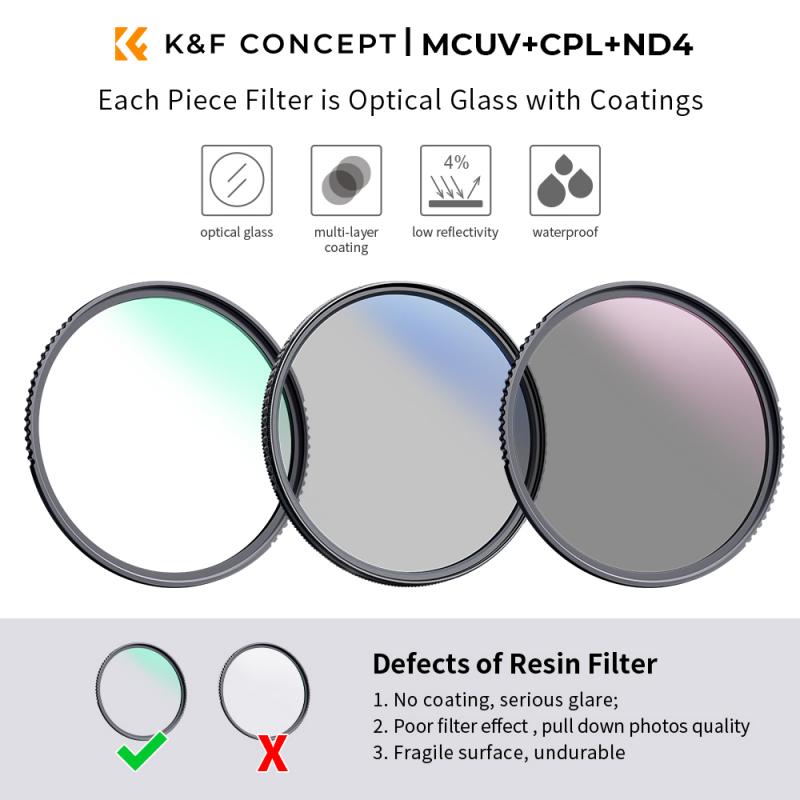
5. Combine with other filters: Polarising filters can be used in conjunction with other filters, such as neutral density filters or graduated filters, to further enhance your images. Experiment with different combinations to achieve the desired creative effect.

It is worth noting that the effectiveness of polarising filters can vary depending on the quality of the filter itself. Investing in a high-quality filter can ensure better results and minimize any potential loss of image quality.

In conclusion, using a polarising lens filter requires understanding the direction of light, rotating the filter to find the optimal position, experimenting with different angles, being mindful of the background, and considering the use of other filters. By employing these techniques, you can maximize the effectiveness of the polarising filter and capture stunning, glare-free images with enhanced colors and contrast.

Adjusting the Filter: Techniques for Maximising Polarisation Effectiveness

Leave your comment
Cancel reply
Note: HTML is not translated!
Related products
M42 Lenses to Minolta A / Sony A Camera Mount Adapter
59
£39.99
Minolta A / Sony A Lenses to Fuji X Mount Camera Adapter
36
£43.99 £35.99
Minolta A / Sony A Lenses to Pentax Q Camera Mount Adapter
52
£31.99 £22.99
Minolta A / Sony A Lenses to Leica M Camera Mount Adapter
49
£52.99
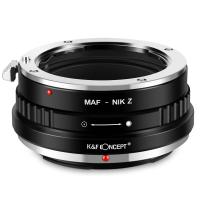
Minolta A / Sony A Lenses to Nikon Z Mount Camera Adapter
62
£55.99 £45.99
Minolta A / Sony A Lenses to Canon EOS M Camera Mount Adapter
56
£43.99 £31.50
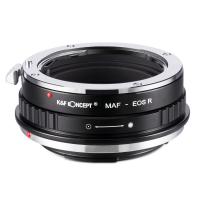
Minolta A / Sony A Lenses to Canon EOS R Mount Camera Adapter
69
£55.99 £40.00
Minolta A / Sony A Lenses to Nikon 1 Camera Mount Adapter with Tripod Mount
77
£38.99 £27.99
Minolta A / Sony A Lenses to Pentax Q Camera Mount Adapter with tripod mount
52
£37.99 £26.99
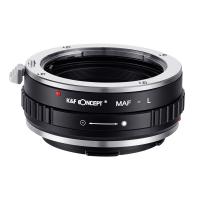
Sony A (Minolta AF) Lens to Sigma, Leica, Panasonic L-mount Camera Adapter
78
£30.99
Guess you like products
K&F Concept Push-in Fit ND Filter Kit Compatible with DJI Osmo Action 5 Pro, ND8 ND16 ND32 ND64 4 Pack Light Reduction Exposure Control Optical Glass Filters for Osmo Action 3/Action 4, Multi-Coated
£44.39 £37.99
Handheld Microcsope, 500X Zoom, 1080P Videos,  PC Connect, with Large 5X Magnifier, Autofocus, Kentfaith
Handheld Microcsope, 500X Zoom, 1080P Videos, PC Connect, with Large 5X Magnifier, Autofocus, Kentfaith
14
£64.99 £51.99
DJI Avata Drone Filter Set 4pcs (ND4+ND8+ND16+ND32) with Single-sided Anti-reflection Waterproof Anti-scratch Green Film Compatible with O3 Air Unit
4
£43.99 £35.99
58mm Variable ND Filter ND3-ND1000, Ultra-thin HD, with Double-sided 28-layer Nano-coating, Nano-Xcel Series
42
£178.00 £74.99
Olympus OM Lenses to Sony E Lens Mount Adapter K&F Concept M16101 Lens Adapter
125
£32.99 £23.99
Flash sale: 720£ for 800£ gift certificate, can use with coupon codes,Can be stacked with any offer
£800.00 £720.00
77mm CPL Filter Nano-Xcel PRO Series, HD Ultra-Thin brass Frame, 36-Layer Anti-Reflection Green Film
32
£124.99 £99.99
49mm Variable ND3-ND1000 Filters Adjustable ND Neutral Density Filters,with 24 Multi-Layer Coatings for DSLR Camera Lens Nano-Dazzle Series
57
£48.99 £29.99
K&F Concept 4K 48MP WiFi Trail Camera 3W Solar Power Non-Stop, with 6000mAh Rechargeable Battery & 64G SD Card
32
£95.99 £63.99
55mm Variable Lens Filter ND32-ND512 No X Spot Cross-wire Ultra-thin Nano-Xcel Series
31
£106.99 £42.99
Related articles
How To Use Polarising Filter?
Which Polarising Filter ?
How To Use Polarising Filters ?
How To Use A Polarizer Lens Filter ?
How To Use Uv Lens Filter ?
How To Use Cpl Filter Lens ?
How To Use Infrared Lens Filter ?
How To Use Lens Hood And Filter ?
How To Use Lens Flare Filter In Photoshop ?
What Is Gimbal Stabilization ?
Guess you like articles
How To Attach Tripod To Lowepro Backpack ?
Hd 1080p Action Camera How To Open Case ?
How To Fix Camcorder Lcd Screen ?
What Is Microscope Resolving Power ?
Are Rangefinder Cameras Worth It ?
Telescope That Can See Planets Clearly?
Where Are Bushnell Binoculars Made ?
Can You Use A Tripod As A Monopod ?
What Batteries Does A Blink Camera Use ?
Where Can I Buy Lowepro Camera Bags ?
Related categories
Sony A mount lens adapter​ Sony E mount adapter accessories for a drone variable ND and CPL filter​ camera lens filter phone filter UV Protection Lens Filter camera lens filter kit lens filter pouch PL lens filter​
Popular products
sony camera adapter minolta md to leica m adapter minolta nikon adapter sigma sony adapter canon adapter sony sony minolta mount sony a mount adapter sony AF a to E adapter eye protection filter cpl circular polarizer filter
Related searches
Polarising Filter 72mm Polarising Filter 49mm Polarising Filter Polarising Filter 72mm 52mm Polarising Filter Polarising Filter 55mm Things To Use As A Tripod Circular Polarising Filter 62mm 67mm Circular Polarising Filter Circular Polarising Filter 67mm
Blog Category
  • Camera Reviews
  • News & Reviews
    • News
  • Tutorials
    • Animal Photography
    • Food Photography
  • Inspiration
    • Travel
    • Travel Stories
    • Photography Tricks
Search Article
Latest from the Blog
Where To Set Up Trail Cameras?
How To Hide Gold From Metal Detector?
How To Fix Camera On Tripod Stand?
​What is ND Filter in Photography?
How to Use A Spy Camera Detector?
What Games Are On The Retro Handheld Console?
Which Colour Lens Filter To Use?
What Is Exposure On Dash Cam?
What Does Rgb Stand For In Led Lights?
How Do Metal Detectors Work?
Powered By K&F Concept © 2025