kfconcept

K&F Concept UK
K&F Concept United Kingdom    Blog >

Enjoy Your Selected Digital Life

Recently Viewed
  • Recently Viewed
  • Recently Viewed list is empty.

Compare (0) 0
  • Compare
  • You have not chosen any products to compare.

  • Compare
Currency: GBP
  • Currency

Log Into Your Account

Account

Order History

Wish List

Login

Forgotten Password?

Or connect with

Register Account

Already have an Account?Log In

  • Shopping Cart
  • Your shopping cart is empty!

  • Register/Login to purchase, earn points
  • Favorite
  • Your wish list is empty.

  • Register/Login to like, earn points
  • Tripods
    • Aluminum Tripods
    • Carbon Fiber Tripods
    • Travel Tripods
    • Video Tripods
    • Monopods
    • Lightweight Tripods
    • Mini Tripod
    • Tripod Accessories
    • Gimbal Stabilizers
    • Tripod Head
    • Tripod Kit
    • Action Camera Mounts
    • Phone Tripods
    • Studio Parts
      • Camera Flash
      • Photography Fill Light
      • Ring light
      • Soft Box
      • Tripod Light Stands
      • Reflectors
    • Clearance Tripods
  • Lens Filters
    • UV Filters
      • Nano-Xcel Series
        • MCUV
        • Ultra-low Reflectivity MCUV Filters
        • MCUV Super Hard
        • Explosion-proof MCUV - Nano-Xcel
        • MCUV+Lens Cap+Cleaning Cloth
        • Super Hard&Ultra Low Reflection MCUV Filters - Nano-Xcel
        • MCUV - Magnetic Series
      • Nano-Dazzle Series
        • MCUV
        • MCUV+Lens Cap+Cleaning Cloth
      • Nano-Klear Series
        • MCUV
        • Ultra Thin Frame MCUV Filters
        • MCUV+Lens Cap+Cleaning Cloth
      • Nano-Xcel Pro Series
        • MCUV
    • CPL Filters
      • Nano-Xcel Series
        • CPL
        • CPL True Color
        • Ultra-low Reflectivity CPL
        • CPL+Lens Cap+Cleaning Cloth
        • Magnetic CPL
          • Magnetic CPL + Apater ring + Cap - Nano-X
        • True Color Ultra-low Reflectivity CPL - Nano-Xcel
      • Nano-Dazzle Series
        • CPL
        • CPL+Lens Cap+Cleaning Cloth - Nano-Dazzle
      • Nano-Klear Series
        • CPL
        • Ultra Thin Frame CPL Filters
        • CPL+Lens Cap+Cleaning Cloth
        • CPL+Lens Cap - Nano-Klear
      • Nano-Xcel Pro Series
        • CPL
    • Neutral Density Filters
      • Neutral Density (Solid) Filters
        • ND8 (3 stops) - Nano-Xcel Series
        • ND64 (6 stops) - Nano-Xcel Series
        • ND1000 (10 stops) - Nano-Xcel Series
        • ND100000 (16.6 stops) - Nano-Xcel Series
        • ND1000000 (20 stops) - Nano-Xcel Series
        • ND100000 (16.6 stops) - Nano-Klear Series
        • ND1000000 (20 stops) - Nano-Klear Series
        • Solid ND - Magnetic Series
      • Graduated Neutral Density
        • 100mm GND Filter
          • Soft GND8 Filters - Nano-Xcel Series
          • Hard GND8 Filters - Nano-Xcel Series
          • Reverse GND8 Filters - Nano-Xcel Series
          • Soft GND16 Filters - Nano-Xcel Series
          • Reverse GND16 Filters - Nano-Xcel Series
          • Soft GND8 Filters - Nano-Xcel Pro Series
          • Hard GND8 Filters - Nano-Xcel Pro Series
          • Reverse GND8 Filters - Nano-Xcel Pro Series
          • Soft GND16 Filters - Nano-Xcel Pro Series
          • Reverse GND16 Filters - Nano-Xcel Pro Series
        • Circular GND Filter
          • GND8
          • GND16
      • 2 in 1 Filters
        • ND2-ND32&CPL Filters - Nano-Xcel Series
        • ND2-ND32&CPL Filters - Nano Dazzle Series
        • ND2-32&CPL Filters - Nano-Klear Series
        • ND2-ND32&CPL Filter - Nano-X Pro
        • ND2-ND32&CPL True Color Filters - Nano-Xcel Series
        • ND4-ND64&CPL Filter
      • 3 in 1 Filters
        • ND2-32&CPL&Black Mist 1/4 Filters - Nano-Xcel Series
        • ND2-32&CPL&Black Mist 1/4 Filters - Nano-Klear Series
      • Variable Neutral Density
        • Nano-Xcel Series
          • ND2-ND32 - Nano-Xcel
          • ND2-ND32 True Color - Nano-Xcel
          • ND2-ND400 - Nano-Xcel
          • ND8-ND128 - Nano-Xcel
          • ND32-ND512 - Nano-Xcel
          • ND3-ND1000 - Nano-Xcel
          • ND2-32 True Color Ultra-Low Reflection - Nano-Xcel
          • ND2-400 Ultra-Low Reflection - Nano-Xcel
        • Nano-Dazzle Series
          • ND2-ND32 - Nano-Dazzle
          • ND2-ND400 - Nano-Dazzle
          • ND3-ND1000 - Nano-Dazzle
          • ND8-ND2000 - Nano-Dazzle
        • Nano-Klear Series
          • ND2-ND32 - Nano-Klear
          • ND2-ND400 - Nano-Klear
          • ND2-ND2000 - Nano-Klear
          • True Color ND2-ND400 - Nano-Klear
        • Nano-Xcel Pro Series
          • ND2-ND32 - Nano-Xcel Pro
        • Nano-B Series
          • ND2-ND400 - Nano-B
    • Black Mist & Soft Focus Filters
      • Black Mist Filters
        • Black Mist 1/8
          • Black Mist 1/8 - Nano-Xcel Series
          • Black Mist 1/8 - Nano-Dazzle Series
          • Black Mist 1/8 - Nano-Klear Series
          • Black Mist 1/8 - Nano-Xcel Pro Series
          • Black Mist 1/8+Lens Cap+Cleaning Cloth - Nano-Klear Series
        • Black Mist 1/4
          • Black Mist 1/4 - Nano-Xcel Series
          • Black Mist 1/4 - Nano-Dazzle Series
          • Black Mist 1/4 - Nano-Klear Series
          • Black Mist 1/4 - Nano-Xcel Pro Series
          • Black Mist 1/4+Lens Cap+Cleaning Cloth - Nano-Klear Series
        • Black Mist 1/2
          • Black Mist 1/2 - Nano-Xcel Series
          • Black Mist 1/2 - Nano-Klear Series
        • Black Mist 1
          • Black Mist 1 - Nano-Xcel Series
          • Black Mist 1 - Nano-Klear Series
        • Black Mist Kit
          • Black Mist 1/4 + 1/8 Nano Xcel Series
          • Black Mist 1/4 + 1/8 - Nano Klear Series
          • Black Mist 1/4 + CPL - Nano Klear Series
        • Black Mist & CPL
          • Black Mist 1/4&CPL - Nano-Klear Series
        • Black-Mist & VND
          • Black Mist 1/4 & ND2-32 Filters - Nano-Klear Series
          • Black Mist 1/4 & ND2-400 Filters - Nano-Xcel Series
          • Black Mist 1/4 & ND2-32 Filters - Nano-Xcel Series
          • Black Mist 1/8 & ND2-32 Filters - Nano-Klear Series
          • Black Mist 1/4 & ND2-400 Filters - Nano-Klear Series
      • White Mist Filters
        • White Mist 1/4 - Nano-Xcel Series
        • White Mist 1/4 - Nano-Klear Series
      • Shimmer Diffusion
        • Shimmer Diffusion 1 - Nano-Xcel Series
        • Shimmer Diffusion 1 - Nano-Klear Series
    • Light Pollution Cut Filter
      • Light Pollution Cut Filter - Circular
      • Light Pollution Cut Filter - Square
    • Magnetic Lens Filters
      • MCUV Filters
        • Magnetic MCUV - Nano-Klear Series
        • Magnetic MCUV+Lens Caps - Nano-Xcel Series
      • CPL Filters
        • Magnetic CPL + Adapter Ring
        • Magnetic CPL+Adapter Ring - Nano-Klear Series
      • Black-Mist
        • Black Mist 1/8 Filters - Nano-Xcel Series
        • Black Mist 1/4 Filters - Nano-Xcel Series
      • Neutral Density (Solid) Filter
        • Magnetic ND8 - Nano-Xcel Series
        • Magnetic ND64 - Nano-Xcel Series
        • Magnetic ND1000 - Nano-Xcel Series
      • Unlimited Variable ND Filter
        • Magnetic ND2-ND32 - Nano-Xcel Series
        • Magnetic ND8-ND128 Filters - Nano-Xcel Series
      • Accessories
        • Magnetic Adapter Ring
        • Magnetic Filter Ring
        • Magnetic Cap
      • Kits
        • MCUV+CPL+ND1000+Adapter Ring - Nano-Xcel Series
        • CPL+ND8+ND64+Adapter Ring+Lens Cap - Nano-Xcel Series
        • GND8+ND8+ND64+ND1000+Adapter Ring - Nano-Xcel Series
        • CPL+VND2-32+Black Mist 1/4+Magnetic Ring+Lens Cap - Nano-Xcel Series
    • Square Filter System
      • Basic System
        • Square ND Filters
          • ND4 Filters - Nano-Xcel Series
          • ND16 Filters - Nano-Xcel Series
          • ND1000 Filters - Nano-Xcel Series
          • ND2000 Filters - Nano-Xcel Series
          • ND32000 Filters - Nano-Xcel Series
          • Full Color ND8 Filters - Nano-Xcel Series
          • Full Color ND64 Filters - Nano-Xcel Series
        • Square GND Filters
        • Light Pollution Cut Filter
          • Light Pollution Cut Filter - Nano-Xcel Series
        • Square Black Mist Filters
          • Square Black Mist 1 - Nano-Xcel Series
          • Square Black Mist 1/4 - Nano-Xcel Series
          • Square Black Mist 1/8 - Nano-Xcel Series
        • Brackets and Accessories
          • Adapter Ring - Nano-Xcel Series
        • Kits
          • 100mm Square Filter System - Nano-Xcel Series
          • 100mm ND1000+Holder Kit - Nano-Xcel Series
          • 100mm ND1000+Soft GND8+Holder Kit - Nano-Xcel Series
          • 100mm Soft GND8+Holder Kit - Nano-Xcel Series
      • Professional System
        • ND
          • Full Color ND8 Filters - Nano-Xcel Pro Series
          • Full Color ND64 Filters - Nano-Xcel Pro Series
          • Full Color ND1000 Filters - Nano-Xcel Pro Series
        • GND
        • PL
        • Black Mist 1/4&CPL - Nano-Xcel Pro Series
        • Light Pollution Cut Filter
          • Light Pollution Cut Filter - Nano-Xcel Pro Series
        • Kits
          • 100mm ND1000+Holder Kit - Nano-Xcel Pro Series
          • 100mm ND1000+Soft GND8+Holder Kit - Nano-Xcel Pro Series
          • 100mm ND8+ND64+ND1000+Holder Kit - Nano-Xcel Pro Series
          • 100mm Holder Kit - Nano-Xcel Pro Series
        • Brackets and Accessories
          • 100x100mm Square Filter Protect Frame - Nano-Xcel Pro Series
          • 100x150mm Square Filter Protect Frame - Nano-Xcel Pro Series
          • Adapter Ring - Nano-Xcel Pro Series
    • Drone Filter
      • DJI Air 3S
      • DJI Avata2
      • DJI Flip
      • DJI Mavic 3 Pro
      • DJI NEO
      • DJI Mini 1/2/SE
      • DJI Mini 4 Pro Filters
      • DJI Mavic 3
      • DJI Mini 3 PRO
      • DJI Avata
      • DJI Mavic 4 Pro
      • DJI Mini 5 Pro
      • DJI Air 2S
    • Effects Filters
      • Prism Filters
        • Central Prism Filters
          • Central Pentagonal Filters - Nano-Basic Series
          • Central Hexagonal Filters - Nano-Basic Series
        • Ordinary Prism Filters
          • Triangular Filtres - Nano-Basic Series
        • Single Linear Prisms
      • Streak Filters
        • Blue Streak Filters - Nano-Xcel Series
        • Gold Streak Filters - Nano-Xcel Series
        • Colorful Streak Filters - Nano-B Series
        • Blue Streak Filters - Nano-Klear Series
      • Star Filter
        • Star Filters 4-8 Points - Nano-Klear Series
        • Star Filter Kits 4+6+8 Points - Nano-Klear Series
        • 4-Point Fine-Line Star Filters - Nano-Klear Series
        • 6-Point Fine-Line Star Filters - Nano-Klear Series
      • Kaleidoscope Filters
        • Kaleidoscope Filters - Nano-Basic Series
        • Handheld Kaleidoscope Filters - Nano-B Series
      • Motion Blur Filters
        • Directional Motion Blur - Nano-Basic Series
        • Bidirectional Motion Blur - Nano-Basic Series
        • Handheld Motion Blur Filters - Nano-Basic Series
      • Spiral Filters
        • Spiral Halo Filters - Nano-B Series
        • Handheld Spiral Filters - Nano-Basic Series
      • Diopter Filters
        • Centerfield Split Diopter Filters - Nano-Basic Series
        • Handheld Diopter Filters - Nano-Basic Series
    • Filter Accessories
      • Lens Hoods
      • Rings Kits
        • Step Up Rings
        • Step Down Rings
      • Filter Holders & Frames
      • Filter Holder Adapter Rings
        • Filter Adapter Rings
      • Filter Pouches
      • Lens Caps
        • Caps for Magnetic Filters
        • Caps for Variable ND Filters
        • Anti-lost Lens Cap
          • 4 in 1
          • 5 in 1
          • 9 in 1
      • Polarized Film
    • Filter Kit
      • Black Diffusion 1/4 + 1/8
      • Screw-In Filters
        • MCUV+CPL Filter - Nano-Klear Series
        • MCUV+CPL+Lens Cap - Nano-Klear Series
        • MCUV+CPL+Metal Lens Cap - Nano-Xcel Series
        • MCUV+CPL+ND1000+Lens Cap - Nano-Dazzle Series
        • MCUV+CPL+ND2-400 - Nano-Klear Series
        • ND8+ND64+ND1000 - Nano-Dazzle Series
        • MCUV+CPL+ND4 - Nano-Klear Series
        • ND1000+CPL - Nano-Klear Series
        • ND4+ND8+ND64+ND1000 - Nano-Xcel Series
        • MCUV+CPL
      • Magnetic Filters
      • Square Filters
    • Action Camera Filters
      • DJI Osmo Action 4 / Action 5 Pro
      • DJI Osmo Action 6
      • DJI Osmo Nano
      • DJI Osmo Pocket 3
      • GoPro HERO 4K
      • GOPRO Hero 9/10/11/12/13 Filters
      • Insta360 Ace pro 2
      • Insta360 Go Ultra
      • Insta360 GO3
      • Insta360 GO3S
      • Action Camera Accessories
        • DJI Osmo Action 3/4/5 Pro
        • Head Strap & Chest Mount
        • Insta360 X5
        • Magnetic Neck Mount
        • DJI Osmo 360
        • DJI Osmo Pocket 3 Charging Base
        • DJI Osmo Pocket 3
    • Phone Lens Filters
    • Matte Box & Filter Systems
      • Neutral Density (Solid) Filters
        • ND4 - Nano-Xcel Series
        • ND8 - Nano-Xcel Series
        • ND16 - Nano-Xcel Series
        • ND32 - Nano-Xcel Series
        • ND64 - Nano-Xcel Series
        • ND8+ND64 - Nano-Xcel Series
      • UV Filters
      • Black Mist Filters
        • Black Mist 1/4 - Nano-Xcel Series
        • Black Mist 1/8 - Nano-Xcel Series
      • Blue Streak Filters
      • Accessories
      • Kits
        • Matte Box - Nano-Xcel Series
        • Matte Box Pro - Nano-Xcel Series
        • Matte Box+ND8 Square Filter - Nano-Xcel Series
        • Matte Box+ND4+ND32 Square Filter - Nano-Xcel Series
        • Matte Box+Black Mist 1/4 Square Filter - Nano-Xcel Series
    • Brand-specific Filters
      • Fujifilm X100
      • Ricoh GR
  • Lens Adapters
    • PL Mount Lenses
    • A Mount Body(Sony/Minolta)
    • Fujifilm X Mount Body
    • Fujifilm G (GFX) Mount Body
    • C-Mount Body
    • Leica M Mount Body
    • MFT(M4/3) Mount Body
    • Pentax K Mount Body
    • Pentax Q Mount Body
    • Samsung NX Mount Body
    • Nikon F Mount Body
    • Nikon 1 Mount Body
    • Nikon Z Mount Body
    • Canon EOS EF/EF-S Mount Body
    • Canon EOS M Mount Body
    • Canon RF Mount Body
    • Sony E Mount Body
    • L-Mount Alliance (Leica)
  • Camera
    • Digital Camera & Camcorders
      • Digital Cameras & Camcorders
      • Underwater Cameras
      • Action Cameras
      • Kids’ Cameras
      • Time lapse camera
    • Wildlife Camera
      • Wifi Trail Cameras
      • Non-Cellular Trail Cameras
      • Accessories
      • Cellular Trail Cameras
    • Surveillance Cameras
      • 4G Camera
      • Battery Camera
      • Baby Monitor
      • WiFi Camera
      • Feeder Camera
      • Floodlight camera
      • Monitoring Detector
    • Camera Lenses
    • On-Dash Camera
    • Fishing camera
    • Memory Cards
      • Micro SD Card
      • SD Card
    • Camera Accessories
      • Camera Caps
      • Camera Screen Protectors
        • Canon
        • Sony
        • Fujifilm
        • Nikon
        • Olympus
        • Ricoh
        • GoPro
        • DJI Osmo Pocket 3
      • Camera Hot Shoe Covers
      • Camera Viewfinder Eyecups
        • Nikon
        • Sony
        • Canon
      • Adjustment Iris
  • Camera Bags
    • Camera Backpacks
    • Camera Shoulder Bags
    • Camera Cases
    • Digital Storage Bag
    • Lens Cases
    • Camera Straps
    • Backpack Accessories
  • Camera Battery
    • Sony
    • Canon
    • Nikon
    • FUJIFILM
    • Ricoh
    • Gopro
    • Osmo Action
    • Lumix
    • V Mount Battery
    • Memory Card Case
  • Optics
    • Microscope
      • Optical Microscope
      • Digital Microscope
      • Kids' Microscopes
    • Binoculars
    • Monocular
    • Telescope
    • Night Vision Goggles
    • Rangefinder
  • Endoscope
    • Professional Endoscope
    • Household Endoscope
    • Portable Endoscope
    • Otoscope/Oral Endoscope
  • More
    • Cleaning Kits
    • Digital Voice Recorders
    • Language Translator Device
    • Smart Glasses
    • Metal Detectors
    • Light
      • Video fill light
      • Live Ring Light
      • Outdoor Lighting
    • Motorcycle Bluetooth Headset
    • Laser Engraver Machine
    • Headphones
    • Weather Station & Household Sensors
    • Microphone
    • Drone Accessories
      • DJI Air 2S Accessories
      • DJI Air 3 Accessories
      • DJI Avata Accessories
      • DJI Drone Universal Accessories
      • DJI Mavic Mini 2/Mini 2 SE/Mini Accessories
      • DJI Mavic Mini 3 Accessories
      • DJI Mini 3 Pro Accessories
    • Smart Watch
    • Smart lock
    • Studio
    • Solar Panels
  • Deals
    • Specials
    • Coupon
    • New Arrivals
  • Home
  • Blog
  • How To Charge A Digital Camera Battery ?

How To Charge A Digital Camera Battery ?

K&f concept 2023-11-29 10:16:32 0 Comments

To charge a digital camera battery, you typically need to follow these steps:

1. Ensure that the camera is turned off.

2. Remove the battery from the camera if it is not already detached.

3. Locate the battery charger that came with your camera. It usually consists of a power cord and a charging dock.

4. Connect the power cord to the charging dock and plug it into a power outlet.

5. Insert the battery into the charging dock, ensuring that it is properly aligned.

6. Wait for the battery to charge fully. The charging time may vary depending on the battery and charger model.

7. Once the battery is fully charged, remove it from the charging dock.

8. Reinsert the battery into the camera, making sure it is securely in place.

9. Turn on the camera to check if the battery is functioning properly.

It is important to consult your camera's user manual for specific instructions as the charging process may vary slightly depending on the camera model.

1、 Connecting the camera battery to a charger

To charge a digital camera battery, the most common method is by connecting the camera battery to a charger. Here is a step-by-step guide on how to do it:

1. Check the battery: Before charging, ensure that the battery is compatible with the charger and in good condition. Look for any signs of damage or wear and tear.

2. Locate the charger: Find the charger that came with your camera or purchase a compatible one if needed. Make sure it is designed specifically for your camera model.

3. Connect the charger: Plug the charger into a power outlet. Some chargers have a detachable cable, while others have a built-in plug. Connect the appropriate end of the cable to the charger.

4. Insert the battery: Open the battery compartment on your camera and remove the old battery if necessary. Insert the new or depleted battery into the compartment, ensuring it is properly aligned with the contacts.

5. Connect the battery to the charger: Locate the battery charging port on the charger and align it with the battery contacts. Gently insert the battery into the charger, making sure it is securely connected.

6. Charging process: Once the battery is connected, the charger will indicate that it is charging. This is usually indicated by a light or LED display. Leave the battery to charge for the recommended time specified in the camera's manual.

7. Charging complete: When the battery is fully charged, the charger will indicate that the process is complete. This is typically shown by a solid light or a change in color. Disconnect the battery from the charger and remove it from the camera.

It is worth noting that some newer camera models also support USB charging, allowing you to charge the battery by connecting the camera directly to a computer or a USB power source. However, it is always recommended to refer to the camera's manual for specific instructions on charging methods and any additional features.
Connecting the camera battery to a charger

2、 Plugging the charger into a power source

To charge a digital camera battery, the first step is to locate the charger that came with your camera. The charger typically consists of two parts: the power adapter and the charging cable. Once you have the charger, follow these steps:

1. Plug the power adapter into a power source: Find a suitable power outlet and insert the power adapter. Ensure that the power source is compatible with the charger's voltage requirements. Some chargers may also have a USB option, allowing you to charge the battery using a computer or a power bank.

2. Connect the charging cable to the charger: Attach one end of the charging cable to the charger and the other end to the camera's battery port. The battery port is usually located on the bottom or side of the camera. Make sure the connection is secure.

3. Check the charging indicator: Most chargers have an LED light or a display that indicates the charging status. It may turn on or change color to indicate that the battery is charging. Refer to your camera's manual to understand the specific charging indicators.

4. Allow the battery to charge: Leave the camera connected to the charger for the recommended charging time. This duration can vary depending on the battery's capacity and the charger's specifications. It is advisable to charge the battery fully before using it for the best performance.

5. Disconnect the charger: Once the battery is fully charged, unplug the charger from the power source and disconnect the charging cable from the camera. Store the charger in a safe place for future use.

It is worth noting that some modern digital cameras also support in-camera charging via a USB cable. This allows you to charge the battery directly from a computer or a power bank without the need for a separate charger. However, it is essential to check your camera's manual to determine if this feature is available and supported.
Plugging the charger into a power source

3、 Allowing the battery to charge fully

To charge a digital camera battery, follow these steps:

1. Check the battery: Ensure that the battery is compatible with your camera model. Different cameras may require different types of batteries, so it's important to use the correct one.

2. Connect the charger: Locate the charger that came with your camera and plug it into a power outlet. Some chargers have a detachable cable, while others have a built-in plug. Make sure the charger is in good condition and not damaged.

3. Insert the battery: Open the battery compartment on your camera and insert the battery correctly. It should fit snugly and securely. Close the compartment door.

4. Connect the charger to the camera: Attach the charger cable to the camera's charging port. This is usually located on the side or bottom of the camera. Ensure that the connection is secure.

5. Allow the battery to charge fully: Once the charger is connected, the battery will start charging. It is recommended to allow the battery to charge fully before using it. This ensures maximum battery life and performance. Most chargers have an indicator light that turns on when charging and turns off when the battery is fully charged.

It's worth noting that some newer digital cameras come with USB charging capabilities. In this case, you can connect the camera directly to a computer or a USB wall adapter using the provided USB cable. The charging process remains the same, but the method of connection differs.

Remember to always refer to the camera's user manual for specific instructions on charging the battery, as different camera models may have slight variations in the charging process.

Allowing the battery to charge fully

4、 Checking the charging progress on the camera display

To charge a digital camera battery, follow these steps:

1. Ensure that the camera is turned off before attempting to charge the battery. This will prevent any potential damage to the camera or the battery.

2. Locate the battery compartment on the camera. It is usually located on the bottom or side of the camera. Open the compartment by sliding or flipping the latch.

3. Remove the battery from the camera and insert it into the charger. Make sure that the battery is properly aligned with the charger's contacts.

4. Plug the charger into a power outlet. Most chargers have an indicator light that will turn on to indicate that the battery is being charged.

5. Leave the battery to charge for the recommended amount of time. This can vary depending on the camera model and the battery's capacity. It is best to consult the camera's manual for specific charging instructions.

6. While the battery is charging, some cameras may display the charging progress on the camera's display. This can be helpful to keep track of how much charge the battery has gained. However, not all cameras have this feature, so it is important to check the camera's manual to see if this option is available.

7. Once the battery is fully charged, unplug the charger from the power outlet and remove the battery from the charger.

8. Insert the fully charged battery back into the camera, ensuring that it is properly aligned with the contacts.

9. Close the battery compartment and turn on the camera. The battery should now be ready for use.

It is worth noting that the latest digital cameras often come with advanced charging features such as fast charging or USB charging. These features can significantly reduce the charging time and provide more convenience for users. However, it is important to refer to the camera's manual for specific instructions on how to utilize these features properly.
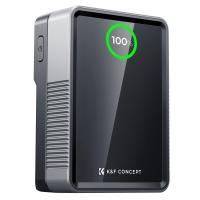
Checking the charging progress on the camera display

Leave your comment
Cancel reply
Note: HTML is not translated!
Related products
V Mount Battery 50Wh 3400mAh Mini V-Mount Battery with 65W Output and TFT Screen, 2H Full Charge, DC, D-Tap, USB-C, USB-A for Camera Camcorder Video Light Monitor
5
£119.99 £84.99
Shipping Charge
Shipping Charge
1
£5.00
M42 Lenses to Minolta A / Sony A Camera Mount Adapter
59
£39.99
Minolta A / Sony A Lenses to Fuji X Mount Camera Adapter
36
£43.99 £35.99
Minolta A / Sony A Lenses to Pentax Q Camera Mount Adapter
52
£31.99 £22.99
Minolta A / Sony A Lenses to Nikon Z Mount Camera Adapter
62
£55.99 £45.99
Minolta A / Sony A Lenses to Canon EOS R Mount Camera Adapter
69
£55.99 £40.00
Minolta A / Sony A Lenses to Nikon 1 Camera Mount Adapter with Tripod Mount
77
£38.99 £27.99
Minolta A / Sony A Lenses to Pentax Q Camera Mount Adapter with tripod mount
52
£37.99 £26.99
Sony A Mount Lenses to Sony E Mount Camera Adapter
139
£43.99 £32.99
Guess you like products
14Pcs Double-Headed Cleaning Stick Set, CMOS APS-C Frame Cleaning Stick 16mm Cleaning Cloth Sticks Set
£23.99
DJI Osmo Action 3 CPL Filter with Single-sided Anti-reflection Green Film
NEW Arrival
DJI Osmo Action 3 CPL Filter with Single-sided Anti-reflection Green Film
£16.99
Leica M Lenses to M43 MFT Mount Camera Adapter
133
£53.99 £39.99
77mm Filter Kit CPL+MCUV+ND1000+Lens Cap Circular Polarizing Filter MCUV Protection Neutral Density Lens Filters Kit with 24 Layer Coatings Nano-Dazzle Series
26
£49.99 £46.99
Nikon F Lenses to Canon EOS R Mount Camera Adapter
71
£55.99 £40.00
72mm White Pro Mist 1/4 Filter Cinematic Effect Filter , HD Dreamy Soft White Diffusion Filter with 28 Layer Coatings Waterproof Scratch Resistant Nano-Xcel Series
12
£69.99 £54.99
77mm Centerfield Split Diopter Filter Special Effect Camera Lens Filter Nano-B Series
13
£31.99 £27.99
Dental Intraoral Camera WiFi 2MP Photo & Video 8 LEDs for Home Kentfaith
11
£87.49 £69.99
95mm Ultra-low Reflection UV Filter with 28 Multi-Layer Coatings Nano-Xcel Series
26
£57.99 £48.99
Sony FDA-EP18 Camera Viewfinder Eyecup*2+Hot Shoe Level*2+Vacuum Cleaning Cloth*1 for Sony A7, A7S, A7R, A7M2, A7SM2, A7RM2, A7M3, A7RM3, A7RM4, A9, A9II, A99M2
48
£8.99 £6.99
Related articles
How To Charge A Camera Battery ?
How To Charge Digital Camera Battery Without Charger ?
How To Charge A Lumix Camera Battery ?
How To Charge A Flat Camera Battery ?
How To Charge A Ring Camera Battery ?
How Long To Charge A Camera Battery ?
How To Charge Sony Camera Battery ?
Ring Camera How To Charge Battery ?
How To Charge Action Camera Battery ?
Endoscope When On Warfarin ?
Guess you like articles
How To Use Canon Digital Camera As Webcam ?
How To Transfer Dv Camcorder Video To Computer ?
What Is The Best Outdoor Wired Security Camera ?
Where Is The Video Microphone On Iphone 4?
Where Can I Get Binoculars Near Me ?
How To Clean A Camera Lens Filter ?
What Is A Rangefinder Type Of Camera ?
How Connect Fd Breech Mount To Adapter ?
Why Are Microscopes Useful Tools In Biology ?
How To Charge Car Camcorder Fhd 1080p ?
Related categories
battery operated surveillance camera outdoor digital video camera Camera Accessories digital microscope UK Sony A mount lens adapter​ accessories for a drone digital Microscope UK mini recording device Sony E mount adapter variable ND and CPL filter​
Popular products
sony camera adapter minolta md to leica m adapter minolta nikon adapter canon adapter sony sony minolta mount nikon 1 mount adapter​ pentax q mount adapter​ sony a mount adapter pentax k mount to fuji x adapter sigma sony adapter
Related searches
Ring Battery Charge Lights Canon Charge Battery In Camera Ring Outdoor Camera Battery Charge Nikon D7000 Charge Battery In Camera Canon M50 Charge Battery In Camera Canon 5d Charge Battery In Camera Smart Watch No Need To Charge A Digital Video Camera Choose A Digital Camera Charge Flip Video Camera
Blog Category
  • Camera Reviews
  • News & Reviews
    • News
  • Tutorials
    • Animal Photography
    • Food Photography
  • Inspiration
    • Travel
    • Travel Stories
    • Photography Tricks
Search Article
Latest from the Blog
How to Make a Bird Feeder – And When to Buy Rather Than Build
What Is Exposure On Dash Cam?
How to Choose Phone Tripod?
How Deep Can Metal Detectors Detect Gold?
Where To Set Up Trail Cameras?
How To Mount Go Pro On Tripod?
How To Repair Flood Lights?
How To Hide Gold From Metal Detector?
How To Install Video Surveillance Cameras?
How To Setup Wireless Mini Video Camera?
Powered By K&F Concept © 2025