Can You Connect Wireless Camera To Dvr?
The concept of connecting a wireless camera to a DVR (Digital Video Recorder) is one that frequently raises questions from tech enthusiasts, security professionals, and DIY aficionados. Can it be done? Absolutely. Should it be done? Well, that depends on your specific needs and expectations. The bridge between the wireless realm and the DVR technology is paved with adapters, protocols, compatibility concerns, and—let’s not forget—the occasional troubleshooting headache. So, buckle up as we dive deep into this fascinating mesh of connectivity.
Before we unravel the steps, let's tackle the fundamental question: why would anyone want to pair a wireless camera with a DVR? After all, wireless cameras are designed to function independently, streaming video footage to mobile apps or cloud storage. However, there are compelling reasons to make this connection. DVRs allow local storage on hard drives, provide centralized access to multiple camera feeds, and often cater to environments where internet connectivity might be unreliable—or simply non-existent. Plus, if you’re an old-school tech hobbyist, there’s a certain satisfaction in crafting a neatly integrated system.
The Compatibility Conundrum
First and foremost, consider compatibility. Traditional DVRs are designed for wired analog cameras that connect using coaxial cables. Wireless cameras use Wi-Fi or similar wireless protocols. These are inherently different technologies that require an intermediary to communicate—like attempting to link a vinyl record player to a Spotify playlist.
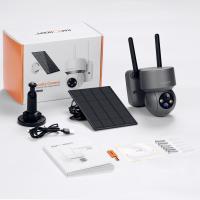
Fortunately, there are workarounds. The ideal solution is to check if your DVR supports IP cameras (network cameras). Many modern DVRs are hybrids, capable of accommodating both analog and IP feeds. If your wireless cameras are IP cameras, your DVR can often integrate with them directly, provided both devices operate on the same protocol. A common example is utilizing the ONVIF standard (Open Network Video Interface Forum), which promotes interoperability between networked devices.
Here’s the crux: if your DVR doesn’t support IP cameras, additional hardware will be necessary. Some wireless cameras come with receivers that transform their feed into a signal recognizable by DVRs. Alternatively, network video recorders (NVRs) might be needed—these are designed specifically for IP cameras and may serve as a bridge.
Step-by-Step Integration
Let’s break down the actual process for connecting a wireless camera to a DVR. Note that this assumes a modern DVR and IP camera equipped with ONVIF protocol compatibility.
1. Check Camera and DVR Specifications
- Confirm that your camera and DVR both support ONVIF or another common IP protocol.
- Ensure that your DVR has available channels to integrate new camera feeds.
2. Connect the Camera to Your Network
- Power up your wireless camera and connect it to your local Wi-Fi.
- Access the camera’s settings via its companion app or browser interface to note down the IP address, RTSP (Real-Time Streaming Protocol) stream URL, and login credentials.
3. Configure the DVR
- Access the DVR’s interface and navigate to the IP camera setup section.
- Add a new camera by inputting its IP address and RTSP stream link. You’ll also need to provide the camera login credentials.
4. Test the Connection
- Trigger the live view feed from your DVR. If successful, you should see the wireless camera’s stream integrated into the DVR channels.
- Don’t forget to enable recording on the DVR to store footage locally.
5. Secure Your System
- Change default passwords on both the camera and DVR. Cybersecurity is non-negotiable when integrating networked devices.
- You may also consider encrypting feeds—some advanced setups support this functionality.
What if your DVR doesn’t support IP cameras? In that case, look into converting the wireless feed into analog signals using adapters or investing in hybrid DVRs. External network video recorders can also act as intermediaries, but they introduce added complexity.
Challenges and Limitations
While connecting wireless cameras to DVRs has its perks, it also has caveats. Wireless signals can be unreliable, depending on the placement of cameras and routers. Thick walls, interference from other devices, and long distances can degrade performance. In contrast, wired connections ensure higher reliability—an enticing option for security-focused setups.
Another sticking point is bandwidth and storage requirements. Video from wireless cameras streamed to your DVR eats into your network bandwidth. If your home’s Wi-Fi is already bogged down by smartphones, laptops, and smart TVs, adding high-definition video feeds to the mix might trigger bottlenecks. Your DVR’s storage also needs to accommodate the influx of footage—it’s time to upgrade those hard drives if necessary.
Many users also stumble upon frustrations around firmware updates and compatibility glitches. Always verify with the manufacturer for the latest firmware versions to smooth out miscommunication between devices.
Who Should Aim for This Setup?
The wireless camera-DVR connection is best suited for those looking to combine the advantages of wireless mobility with centralized storage and monitoring offered by DVRs. It’s not necessarily suitable for large-scale enterprise systems that need robust reliability—these environments benefit more from hardwired setups or professionally installed NVR systems. For home users with light security needs, however, this hybrid configuration can strike an excellent balance.
Conclusion and Alternatives
So, can you connect a wireless camera to a DVR? Absolutely, though the success of this endeavor hinges on compatibility, configuration, and expectations. The process requires a certain degree of tech-savviness and patience, but the payoff in functionality and storage scalability can be significant.
Not keen on troubleshooting endless connectivity issues? Alternatives include bypassing the DVR entirely and relying on cloud storage or purchasing wired cameras that plug into your DVR seamlessly. There’s no one-size-fits-all solution; it’s all about tailoring the tech to meet your security goals.
Before signing off, let me leave you with one last thought: sometimes, the best solution isn’t cramming together hardware like mismatched puzzle pieces. Instead, it’s stepping back, analyzing your security setup, and asking—am I overcomplicating this for no reason? A DVR-only or entirely wireless solution may well do the trick without the headache. After all, simplicity is the hallmark of genius.