kfconcept

K&F Concept UK
K&F Concept United Kingdom    Blog >

Enjoy Your Selected Digital Life

Recently Viewed
  • Recently Viewed
  • Minolta MD MC Lenses to Nikon 1 Camera Mount Adapter
    Minolta MD MC Lenses to Nikon 1 Camera Mount Adapter
    £53.99 £39.99
Compare (0) 0
  • Compare
  • You have not chosen any products to compare.

  • Compare
Currency: GBP
  • Currency

Log Into Your Account

Account

Order History

Wish List

Login

Forgotten Password?

Or connect with

Register Account

Already have an Account?Log In

  • Shopping Cart
  • Your shopping cart is empty!

  • Register/Login to purchase, earn points
  • Favorite
  • Your wish list is empty.

  • Register/Login to like, earn points
  • Tripods
    • Aluminum Tripods
    • Carbon Fiber Tripods
    • Travel Tripods
    • Video Tripods
    • Monopods
    • Lightweight Tripods
    • Mini Tripod
    • Tripod Accessories
    • Gimbal Stabilizers
    • Tripod Head
    • Tripod Kit
    • Action Camera Mounts
    • Phone Tripods
    • Studio Parts
      • Camera Flash
      • Photography Fill Light
      • Ring light
      • Soft Box
      • Tripod Light Stands
      • Reflectors
    • Clearance Tripods
  • Lens Filters
    • UV Filters
      • Nano-Xcel Series
        • MCUV
        • Ultra-low Reflectivity MCUV Filters
        • MCUV Super Hard
        • Explosion-proof MCUV - Nano-Xcel
        • MCUV+Lens Cap+Cleaning Cloth
        • Super Hard&Ultra Low Reflection MCUV Filters - Nano-Xcel
        • MCUV - Magnetic Series
      • Nano-Dazzle Series
        • MCUV
        • MCUV+Lens Cap+Cleaning Cloth
      • Nano-Klear Series
        • MCUV
        • Ultra Thin Frame MCUV Filters
        • MCUV+Lens Cap+Cleaning Cloth
      • Nano-Xcel Pro Series
        • MCUV
    • CPL Filters
      • Nano-Xcel Series
        • CPL
        • CPL True Color
        • Ultra-low Reflectivity CPL
        • CPL+Lens Cap+Cleaning Cloth
        • Magnetic CPL
          • Magnetic CPL + Apater ring + Cap - Nano-X
        • True Color Ultra-low Reflectivity CPL - Nano-Xcel
      • Nano-Dazzle Series
        • CPL
        • CPL+Lens Cap+Cleaning Cloth - Nano-Dazzle
      • Nano-Klear Series
        • CPL
        • Ultra Thin Frame CPL Filters
        • CPL+Lens Cap+Cleaning Cloth
        • CPL+Lens Cap - Nano-Klear
      • Nano-Xcel Pro Series
        • CPL
    • Neutral Density Filters
      • Neutral Density (Solid) Filters
        • ND8 (3 stops) - Nano-Xcel Series
        • ND64 (6 stops) - Nano-Xcel Series
        • ND1000 (10 stops) - Nano-Xcel Series
        • ND100000 (16.6 stops) - Nano-Xcel Series
        • ND1000000 (20 stops) - Nano-Xcel Series
        • ND100000 (16.6 stops) - Nano-Klear Series
        • ND1000000 (20 stops) - Nano-Klear Series
        • Solid ND - Magnetic Series
      • Graduated Neutral Density
        • 100mm GND Filter
          • Soft GND8 Filters - Nano-Xcel Series
          • Hard GND8 Filters - Nano-Xcel Series
          • Reverse GND8 Filters - Nano-Xcel Series
          • Soft GND16 Filters - Nano-Xcel Series
          • Reverse GND16 Filters - Nano-Xcel Series
          • Soft GND8 Filters - Nano-Xcel Pro Series
          • Hard GND8 Filters - Nano-Xcel Pro Series
          • Reverse GND8 Filters - Nano-Xcel Pro Series
          • Soft GND16 Filters - Nano-Xcel Pro Series
          • Reverse GND16 Filters - Nano-Xcel Pro Series
        • Circular GND Filter
          • GND8
          • GND16
      • 2 in 1 Filters
        • ND2-ND32&CPL Filters - Nano-Xcel Series
        • ND2-ND32&CPL Filters - Nano Dazzle Series
        • ND2-32&CPL Filters - Nano-Klear Series
        • ND2-ND32&CPL Filter - Nano-X Pro
        • ND2-ND32&CPL True Color Filters - Nano-Xcel Series
        • ND4-ND64&CPL Filter
      • 3 in 1 Filters
        • ND2-32&CPL&Black Mist 1/4 Filters - Nano-Xcel Series
        • ND2-32&CPL&Black Mist 1/4 Filters - Nano-Klear Series
      • Variable Neutral Density
        • Nano-Xcel Series
          • ND2-ND32 - Nano-Xcel
          • ND2-ND32 True Color - Nano-Xcel
          • ND2-ND400 - Nano-Xcel
          • ND8-ND128 - Nano-Xcel
          • ND32-ND512 - Nano-Xcel
          • ND3-ND1000 - Nano-Xcel
          • ND2-32 True Color Ultra-Low Reflection - Nano-Xcel
          • ND2-400 Ultra-Low Reflection - Nano-Xcel
        • Nano-Dazzle Series
          • ND2-ND32 - Nano-Dazzle
          • ND2-ND400 - Nano-Dazzle
          • ND3-ND1000 - Nano-Dazzle
          • ND8-ND2000 - Nano-Dazzle
        • Nano-Klear Series
          • ND2-ND32 - Nano-Klear
          • ND2-ND400 - Nano-Klear
          • ND2-ND2000 - Nano-Klear
          • True Color ND2-ND400 - Nano-Klear
        • Nano-Xcel Pro Series
          • ND2-ND32 - Nano-Xcel Pro
        • Nano-B Series
          • ND2-ND400 - Nano-B
    • Black Mist & Soft Focus Filters
      • Black Mist Filters
        • Black Mist 1/8
          • Black Mist 1/8 - Nano-Xcel Series
          • Black Mist 1/8 - Nano-Dazzle Series
          • Black Mist 1/8 - Nano-Klear Series
          • Black Mist 1/8 - Nano-Xcel Pro Series
          • Black Mist 1/8+Lens Cap+Cleaning Cloth - Nano-Klear Series
        • Black Mist 1/4
          • Black Mist 1/4 - Nano-Xcel Series
          • Black Mist 1/4 - Nano-Dazzle Series
          • Black Mist 1/4 - Nano-Klear Series
          • Black Mist 1/4 - Nano-Xcel Pro Series
          • Black Mist 1/4+Lens Cap+Cleaning Cloth - Nano-Klear Series
        • Black Mist 1/2
          • Black Mist 1/2 - Nano-Xcel Series
          • Black Mist 1/2 - Nano-Klear Series
        • Black Mist 1
          • Black Mist 1 - Nano-Xcel Series
          • Black Mist 1 - Nano-Klear Series
        • Black Mist Kit
          • Black Mist 1/4 + 1/8 Nano Xcel Series
          • Black Mist 1/4 + 1/8 - Nano Klear Series
          • Black Mist 1/4 + CPL - Nano Klear Series
        • Black Mist & CPL
          • Black Mist 1/4&CPL - Nano-Klear Series
        • Black-Mist & VND
          • Black Mist 1/4 & ND2-32 Filters - Nano-Klear Series
          • Black Mist 1/4 & ND2-400 Filters - Nano-Xcel Series
          • Black Mist 1/4 & ND2-32 Filters - Nano-Xcel Series
          • Black Mist 1/8 & ND2-32 Filters - Nano-Klear Series
          • Black Mist 1/4 & ND2-400 Filters - Nano-Klear Series
      • White Mist Filters
        • White Mist 1/4 - Nano-Xcel Series
        • White Mist 1/4 - Nano-Klear Series
      • Shimmer Diffusion
        • Shimmer Diffusion 1 - Nano-Xcel Series
        • Shimmer Diffusion 1 - Nano-Klear Series
    • Light Pollution Cut Filter
      • Light Pollution Cut Filter - Circular
      • Light Pollution Cut Filter - Square
    • Magnetic Lens Filters
      • MCUV Filters
        • Magnetic MCUV - Nano-Klear Series
        • Magnetic MCUV+Lens Caps - Nano-Xcel Series
      • CPL Filters
        • Magnetic CPL + Adapter Ring
        • Magnetic CPL+Adapter Ring - Nano-Klear Series
      • Black-Mist
        • Black Mist 1/8 Filters - Nano-Xcel Series
        • Black Mist 1/4 Filters - Nano-Xcel Series
      • Neutral Density (Solid) Filter
        • Magnetic ND8 - Nano-Xcel Series
        • Magnetic ND64 - Nano-Xcel Series
        • Magnetic ND1000 - Nano-Xcel Series
      • Unlimited Variable ND Filter
        • Magnetic ND2-ND32 - Nano-Xcel Series
        • Magnetic ND8-ND128 Filters - Nano-Xcel Series
      • Accessories
        • Magnetic Adapter Ring
        • Magnetic Filter Ring
        • Magnetic Cap
      • Kits
        • MCUV+CPL+ND1000+Adapter Ring - Nano-Xcel Series
        • CPL+ND8+ND64+Adapter Ring+Lens Cap - Nano-Xcel Series
        • GND8+ND8+ND64+ND1000+Adapter Ring - Nano-Xcel Series
        • CPL+VND2-32+Black Mist 1/4+Magnetic Ring+Lens Cap - Nano-Xcel Series
    • Square Filter System
      • Basic System
        • Square ND Filters
          • ND4 Filters - Nano-Xcel Series
          • ND16 Filters - Nano-Xcel Series
          • ND1000 Filters - Nano-Xcel Series
          • ND2000 Filters - Nano-Xcel Series
          • ND32000 Filters - Nano-Xcel Series
          • Full Color ND8 Filters - Nano-Xcel Series
          • Full Color ND64 Filters - Nano-Xcel Series
        • Square GND Filters
        • Light Pollution Cut Filter
          • Light Pollution Cut Filter - Nano-Xcel Series
        • Square Black Mist Filters
          • Square Black Mist 1 - Nano-Xcel Series
          • Square Black Mist 1/4 - Nano-Xcel Series
          • Square Black Mist 1/8 - Nano-Xcel Series
        • Brackets and Accessories
          • Adapter Ring - Nano-Xcel Series
        • Kits
          • 100mm Square Filter System - Nano-Xcel Series
          • 100mm ND1000+Holder Kit - Nano-Xcel Series
          • 100mm ND1000+Soft GND8+Holder Kit - Nano-Xcel Series
          • 100mm Soft GND8+Holder Kit - Nano-Xcel Series
      • Professional System
        • ND
          • Full Color ND8 Filters - Nano-Xcel Pro Series
          • Full Color ND64 Filters - Nano-Xcel Pro Series
          • Full Color ND1000 Filters - Nano-Xcel Pro Series
        • GND
        • PL
        • Black Mist 1/4&CPL - Nano-Xcel Pro Series
        • Light Pollution Cut Filter
          • Light Pollution Cut Filter - Nano-Xcel Pro Series
        • Kits
          • 100mm ND1000+Holder Kit - Nano-Xcel Pro Series
          • 100mm ND1000+Soft GND8+Holder Kit - Nano-Xcel Pro Series
          • 100mm ND8+ND64+ND1000+Holder Kit - Nano-Xcel Pro Series
          • 100mm Holder Kit - Nano-Xcel Pro Series
        • Brackets and Accessories
          • 100x100mm Square Filter Protect Frame - Nano-Xcel Pro Series
          • 100x150mm Square Filter Protect Frame - Nano-Xcel Pro Series
          • Adapter Ring - Nano-Xcel Pro Series
    • Drone Filter
      • DJI Air 3S
      • DJI Avata2
      • DJI Flip
      • DJI Mavic 3 Pro
      • DJI NEO
      • DJI Mini 1/2/SE
      • DJI Mini 4 Pro Filters
      • DJI Mavic 3
      • DJI Mini 3 PRO
      • DJI Avata
      • DJI Mavic 4 Pro
      • DJI Mini 5 Pro
      • DJI Air 2S
    • Effects Filters
      • Prism Filters
        • Central Prism Filters
          • Central Pentagonal Filters - Nano-Basic Series
          • Central Hexagonal Filters - Nano-Basic Series
        • Ordinary Prism Filters
          • Triangular Filtres - Nano-Basic Series
        • Single Linear Prisms
      • Streak Filters
        • Blue Streak Filters - Nano-Xcel Series
        • Gold Streak Filters - Nano-Xcel Series
        • Colorful Streak Filters - Nano-B Series
        • Blue Streak Filters - Nano-Klear Series
      • Star Filter
        • Star Filters 4-8 Points - Nano-Klear Series
        • Star Filter Kits 4+6+8 Points - Nano-Klear Series
        • 4-Point Fine-Line Star Filters - Nano-Klear Series
        • 6-Point Fine-Line Star Filters - Nano-Klear Series
      • Kaleidoscope Filters
        • Kaleidoscope Filters - Nano-Basic Series
        • Handheld Kaleidoscope Filters - Nano-B Series
      • Motion Blur Filters
        • Directional Motion Blur - Nano-Basic Series
        • Bidirectional Motion Blur - Nano-Basic Series
        • Handheld Motion Blur Filters - Nano-Basic Series
      • Spiral Filters
        • Spiral Halo Filters - Nano-B Series
        • Handheld Spiral Filters - Nano-Basic Series
      • Diopter Filters
        • Centerfield Split Diopter Filters - Nano-Basic Series
        • Handheld Diopter Filters - Nano-Basic Series
    • Filter Accessories
      • Lens Hoods
      • Rings Kits
        • Step Up Rings
        • Step Down Rings
      • Filter Holders & Frames
      • Filter Holder Adapter Rings
        • Filter Adapter Rings
      • Filter Pouches
      • Lens Caps
        • Caps for Magnetic Filters
        • Caps for Variable ND Filters
        • Anti-lost Lens Cap
          • 4 in 1
          • 5 in 1
          • 9 in 1
      • Polarized Film
    • Filter Kit
      • Black Diffusion 1/4 + 1/8
      • Screw-In Filters
        • MCUV+CPL Filter - Nano-Klear Series
        • MCUV+CPL+Lens Cap - Nano-Klear Series
        • MCUV+CPL+Metal Lens Cap - Nano-Xcel Series
        • MCUV+CPL+ND1000+Lens Cap - Nano-Dazzle Series
        • MCUV+CPL+ND2-400 - Nano-Klear Series
        • ND8+ND64+ND1000 - Nano-Dazzle Series
        • MCUV+CPL+ND4 - Nano-Klear Series
        • ND1000+CPL - Nano-Klear Series
        • ND4+ND8+ND64+ND1000 - Nano-Xcel Series
        • MCUV+CPL
      • Magnetic Filters
      • Square Filters
    • Action Camera Filters
      • DJI Osmo Action 4 / Action 5 Pro
      • DJI Osmo Action 6
      • DJI Osmo Nano
      • DJI Osmo Pocket 3
      • GoPro HERO 4K
      • GOPRO Hero 9/10/11/12/13 Filters
      • Insta360 Ace pro 2
      • Insta360 Go Ultra
      • Insta360 GO3
      • Insta360 GO3S
      • Action Camera Accessories
        • DJI Osmo Action 3/4/5 Pro
        • Head Strap & Chest Mount
        • Insta360 X5
        • Magnetic Neck Mount
        • DJI Osmo 360
        • DJI Osmo Pocket 3 Charging Base
        • DJI Osmo Pocket 3
    • Phone Lens Filters
    • Matte Box & Filter Systems
      • Neutral Density (Solid) Filters
        • ND4 - Nano-Xcel Series
        • ND8 - Nano-Xcel Series
        • ND16 - Nano-Xcel Series
        • ND32 - Nano-Xcel Series
        • ND64 - Nano-Xcel Series
        • ND8+ND64 - Nano-Xcel Series
      • UV Filters
      • Black Mist Filters
        • Black Mist 1/4 - Nano-Xcel Series
        • Black Mist 1/8 - Nano-Xcel Series
      • Blue Streak Filters
      • Accessories
      • Kits
        • Matte Box - Nano-Xcel Series
        • Matte Box Pro - Nano-Xcel Series
        • Matte Box+ND8 Square Filter - Nano-Xcel Series
        • Matte Box+ND4+ND32 Square Filter - Nano-Xcel Series
        • Matte Box+Black Mist 1/4 Square Filter - Nano-Xcel Series
    • Brand-specific Filters
      • Fujifilm X100
      • Ricoh GR
  • Lens Adapters
    • PL Mount Lenses
    • A Mount Body(Sony/Minolta)
    • Fujifilm X Mount Body
    • Fujifilm G (GFX) Mount Body
    • C-Mount Body
    • Leica M Mount Body
    • MFT(M4/3) Mount Body
    • Pentax K Mount Body
    • Pentax Q Mount Body
    • Samsung NX Mount Body
    • Nikon F Mount Body
    • Nikon 1 Mount Body
    • Nikon Z Mount Body
    • Canon EOS EF/EF-S Mount Body
    • Canon EOS M Mount Body
    • Canon RF Mount Body
    • Sony E Mount Body
    • L-Mount Alliance (Leica)
  • Camera
    • Digital Camera & Camcorders
      • Digital Cameras & Camcorders
      • Underwater Cameras
      • Action Cameras
      • Kids’ Cameras
      • Time lapse camera
    • Wildlife Camera
      • Wifi Trail Cameras
      • Non-Cellular Trail Cameras
      • Accessories
      • Cellular Trail Cameras
    • Surveillance Cameras
      • 4G Camera
      • Battery Camera
      • Baby Monitor
      • WiFi Camera
      • Feeder Camera
      • Floodlight camera
      • Monitoring Detector
    • Camera Lenses
    • On-Dash Camera
    • Fishing camera
    • Memory Cards
      • Micro SD Card
      • SD Card
    • Camera Accessories
      • Camera Caps
      • Camera Screen Protectors
        • Canon
        • Sony
        • Fujifilm
        • Nikon
        • Olympus
        • Ricoh
        • GoPro
        • DJI Osmo Pocket 3
      • Camera Hot Shoe Covers
      • Camera Viewfinder Eyecups
        • Nikon
        • Sony
        • Canon
      • Adjustment Iris
  • Camera Bags
    • Camera Backpacks
    • Camera Shoulder Bags
    • Camera Cases
    • Digital Storage Bag
    • Lens Cases
    • Camera Straps
    • Backpack Accessories
  • Camera Battery
    • Sony
    • Canon
    • Nikon
    • FUJIFILM
    • Ricoh
    • Gopro
    • Osmo Action
    • Lumix
    • V Mount Battery
    • Memory Card Case
  • Optics
    • Microscope
      • Optical Microscope
      • Digital Microscope
      • Kids' Microscopes
    • Binoculars
    • Monocular
    • Telescope
    • Night Vision Goggles
    • Rangefinder
  • Endoscope
    • Professional Endoscope
    • Household Endoscope
    • Portable Endoscope
    • Otoscope/Oral Endoscope
  • More
    • Cleaning Kits
    • Digital Voice Recorders
    • Language Translator Device
    • Smart Glasses
    • Metal Detectors
    • Light
      • Video fill light
      • Live Ring Light
      • Outdoor Lighting
    • Motorcycle Bluetooth Headset
    • Laser Engraver Machine
    • Headphones
    • Weather Station & Household Sensors
    • Microphone
    • Drone Accessories
      • DJI Air 2S Accessories
      • DJI Air 3 Accessories
      • DJI Avata Accessories
      • DJI Drone Universal Accessories
      • DJI Mavic Mini 2/Mini 2 SE/Mini Accessories
      • DJI Mavic Mini 3 Accessories
      • DJI Mini 3 Pro Accessories
    • Smart Watch
    • Smart lock
    • Studio
    • Solar Panels
  • Deals
    • Specials
    • Coupon
    • New Arrivals
  • Home
  • Blog
  • Floureon Cctv How To Record ?

Floureon Cctv How To Record ?

K&f concept 2023-11-02 10:45:48 0 Comments

To record with Floureon CCTV, you need to connect the CCTV system to a recording device such as a DVR (Digital Video Recorder) or NVR (Network Video Recorder). The specific steps may vary depending on the model and type of Floureon CCTV system you have. Generally, you would need to follow these steps:

1. Connect the CCTV cameras to the DVR or NVR using the provided cables.

2. Power on the CCTV system and the recording device.

3. Access the settings menu on the DVR or NVR using the provided remote control or through a connected monitor.

4. Configure the recording settings, such as the recording mode (continuous, scheduled, or motion detection), resolution, and storage options.

5. Save the settings and start the recording.

It is recommended to refer to the user manual or documentation provided with your specific Floureon CCTV system for detailed instructions on how to record and manage recordings.

1、 Setting up Floureon CCTV system for recording purposes

Setting up a Floureon CCTV system for recording purposes is a relatively straightforward process. Here are the steps you can follow to ensure a smooth setup:

1. Install the cameras: Begin by mounting the cameras in the desired locations. Ensure they are positioned strategically to cover the areas you want to monitor. Make sure the cameras are securely fixed and have a clear line of sight.

2. Connect the cameras to the DVR: Use the provided cables to connect each camera to the DVR (Digital Video Recorder). The cables typically consist of a power cable and a video cable. Ensure that each camera is properly connected to the corresponding input on the DVR.

3. Power on the system: Plug in the power adapter for the DVR and turn it on. The cameras should start receiving power and begin transmitting video signals to the DVR.

4. Configure the DVR: Connect a monitor or TV to the DVR using an HDMI or VGA cable. Access the DVR's settings menu and follow the on-screen instructions to set up the system. This may include setting the date and time, adjusting camera settings, and configuring recording options.

5. Set up recording: Once the DVR is configured, you can set up the recording settings. This typically involves selecting the cameras you want to record from, setting the recording schedule (continuous or motion-based), and choosing the desired video quality and storage options.

6. Monitor and access recordings: After the setup is complete, you can monitor the live feed from the cameras on the connected monitor or TV. To access recorded footage, navigate to the playback menu on the DVR and select the desired date and time. You can also connect the DVR to a computer or mobile device for remote access to the recordings.

It's worth noting that Floureon CCTV systems may have specific features and settings that can vary slightly. Therefore, it's always recommended to refer to the user manual provided with your specific model for detailed instructions.
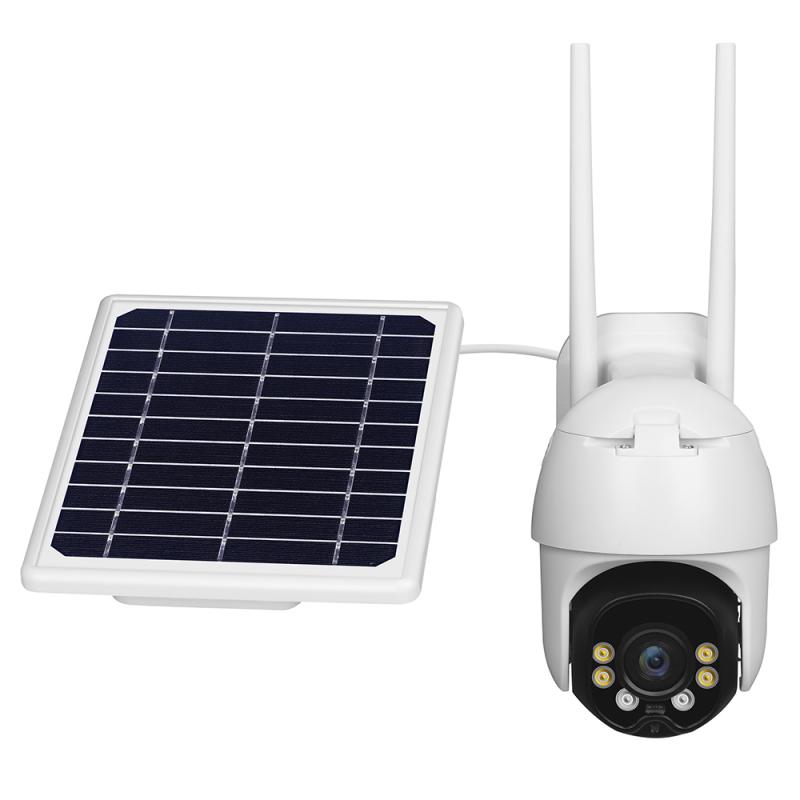
Setting up Floureon CCTV system for recording purposes

2、 Configuring recording settings on Floureon CCTV devices

Configuring recording settings on Floureon CCTV devices is a straightforward process that allows you to effectively monitor and record surveillance footage. Here is a step-by-step guide on how to record using Floureon CCTV devices:

1. Connect your Floureon CCTV device to a power source and ensure it is properly connected to your network.

2. Access the device's settings by opening the Floureon CCTV app on your smartphone or by logging into the device's web interface on your computer.

3. Navigate to the recording settings section. This may be labeled as "Record" or "Recording Schedule" depending on the specific model of your Floureon CCTV device.

4. Choose the desired recording mode. Floureon CCTV devices typically offer options such as continuous recording, motion detection recording, or scheduled recording. Select the mode that best suits your surveillance needs.

5. Set the recording resolution and quality. Floureon CCTV devices often provide options for adjusting the resolution and quality of the recorded footage. Higher resolutions and quality settings will result in larger file sizes but offer better image clarity.

6. Configure the storage settings. Floureon CCTV devices usually support various storage options, including local storage on an SD card or external hard drive, as well as cloud storage. Select the preferred storage method and allocate sufficient storage space for recording.

7. Save the settings and exit the configuration menu. Your Floureon CCTV device is now ready to record surveillance footage based on the specified settings.

It is important to note that the specific steps and options may vary slightly depending on the model of your Floureon CCTV device. Therefore, it is recommended to refer to the user manual or contact Floureon customer support for detailed instructions tailored to your device.

In conclusion, configuring recording settings on Floureon CCTV devices is a simple process that allows you to customize your surveillance system according to your specific requirements. By following the steps outlined above, you can ensure that your Floureon CCTV device is recording and storing footage effectively.

3、 Understanding Floureon CCTV recording modes and options

Understanding Floureon CCTV recording modes and options is essential for maximizing the effectiveness of your security system. Floureon offers various recording modes and options to cater to different surveillance needs.

To begin with, Floureon CCTV systems typically offer three main recording modes: continuous recording, motion detection recording, and scheduled recording. Continuous recording ensures that all activities within the camera's field of view are captured and stored. This mode is ideal for areas that require constant monitoring, such as entrances or high-security zones.

Motion detection recording, on the other hand, only records when motion is detected within the camera's range. This mode helps conserve storage space and makes it easier to review footage by focusing on specific events. Users can adjust the sensitivity of the motion detection feature to avoid false alarms triggered by irrelevant movements, such as tree branches swaying in the wind.

Scheduled recording allows users to set specific time periods for recording. This mode is useful for businesses or homes that have predictable activity patterns, such as offices that are only occupied during working hours. By scheduling recording times, users can save storage space and easily locate footage from specific timeframes.

Floureon CCTV systems also offer options for recording resolution and compression. Higher resolution settings provide clearer and more detailed footage but require more storage space. Users can choose the resolution that best suits their needs, balancing image quality with storage capacity.

In terms of compression, Floureon CCTV systems typically use H.264 or H.265 compression technology. H.264 is a widely used compression standard that offers good video quality and efficient storage utilization. H.265, also known as High-Efficiency Video Coding (HEVC), is a newer compression standard that provides even better video quality while reducing storage requirements. It is recommended to use H.265 if your Floureon CCTV system supports it, as it offers superior performance.

In conclusion, understanding Floureon CCTV recording modes and options is crucial for optimizing your security system. By selecting the appropriate recording mode, adjusting motion detection settings, and choosing the right resolution and compression, you can ensure efficient storage utilization and capture high-quality footage for effective surveillance.

4、 Troubleshooting common issues with Floureon CCTV recording feature

Floureon CCTV cameras are known for their reliable surveillance capabilities, but occasionally users may encounter issues with the recording feature. Troubleshooting these common problems can help ensure that your CCTV system is functioning optimally.

Firstly, ensure that your Floureon CCTV camera is properly connected to a compatible DVR or NVR system. Check all cables and connections to ensure they are secure and undamaged. If the camera is not being recognized by the recording device, try reconnecting or replacing the cables.

Next, verify that the recording settings are correctly configured. Access the camera's settings menu and ensure that the recording mode is enabled and set to the desired parameters. Additionally, check the storage capacity of your DVR or NVR system to ensure it has sufficient space to store the recorded footage. If the storage is full, consider deleting old recordings or expanding the storage capacity.

If you are experiencing issues with motion detection recording, adjust the sensitivity settings to ensure that the camera is capturing the desired areas and events. Additionally, check for any obstructions or objects that may be triggering false motion detection alerts.

In some cases, the issue may lie with the firmware of the Floureon CCTV camera. Check for any available firmware updates on the manufacturer's website and follow the instructions to update the camera's firmware. This can often resolve compatibility issues and improve the overall performance of the camera.

If you are still experiencing problems with the recording feature, it may be helpful to consult the user manual or contact Floureon's customer support for further assistance. They can provide specific troubleshooting steps or arrange for repairs or replacements if necessary.

In conclusion, troubleshooting common issues with Floureon CCTV recording feature involves checking connections, verifying settings, adjusting motion detection, updating firmware, and seeking assistance from customer support if needed. By following these steps, you can ensure that your Floureon CCTV system is recording effectively and providing reliable surveillance.
Leave your comment
Cancel reply
Note: HTML is not translated!
Related products
Lens Mount Adapter for Nikon AI Lens to CCTV industrial monitoring series C mouth thread fuselage
82
£39.99
Mini AI Voice Recorder Record Call Voice-to-Text Summarize Magnetic 64G Kentfaith
10
£81.99 £64.99
128G Mini Digital Voice Recorder with Color Screen Bluetooth Call Record 3072kbps Kentfaith
15
£78.74 £62.99
Instant Translator Device Cross-App for Business & Trade Video Call Translate Record Transcribe 150 Languages Kentfaith
12
£112.49 £89.99
5K Video Camera with 75MP Photos, 8X Optical Zoom, WiFi Transfer, Wireless Mic, Dual Batteries, Support PIP Record, Kentfaith
16
£224.99 £179.99
5K Video Camera with 75MP Photos, 8X Optical Zoom, WiFi Transfer, Foldable Tripod, Wireless Mic, Dual Batteries, Support PIP Record, Kentfaith
£237.49 £189.99
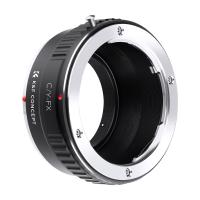
Contax to Fuji Adapter,Fujifilm Contax,C/Y to FX
67
£35.99 £26.60
AI to L/M Adapter, Lens Mount Adapter Compatible with Nikon AI F Lens to Leica M Mount Camera Body
23
£52.99 £38.10
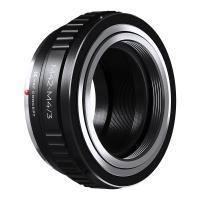
M42 to M4/3 Adapter, Lens Mount Adapter for M42 Mount Lens to Micro 4/3 M43 MFT Mount Mirrorless Cameras
222
£26.99 £20.99
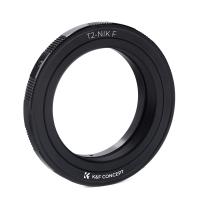
T2 Lenses to Nikon Camera Mount Adapter
57
£18.99
Guess you like products
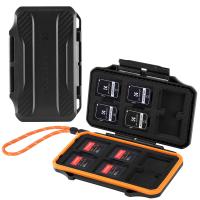
K&F Concept 24 Slots SD Card Holder Memory Card Case, Water-Resistant Shockproof Memory Card Storage Carrying Case for 12 SD SDXC SDHC Cards, 12 CFexpress Type A Cards
37
£12.42 £9.99
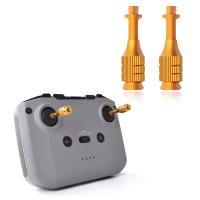
Mavic Air 2S Remote Control Telescoping Rocker Joystick for DJI Air 2S / Mavic Mini 2 / Mavic Air 2 / Smart Controller Drone Accessories
£19.99 £13.99
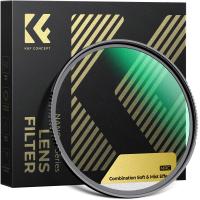
49mm Combination Soft & Mist Lens Filter 28 Multi-Layer Coating Waterproof Scratch Resistant Cinematic Effect Filter for Vlog, Portrait Photography - Nano-Xcel Series
£79.99 £68.99
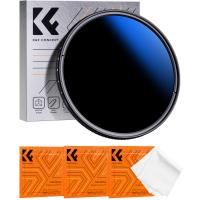
49mm ND2-ND2000 Filter (1-11 Stops) with 3 Vacuum Cleaning Cloths Nano-Klear
34
£29.99 £24.99
46mm Variable Neutral Density ND8-ND2000 ND Filter for Camera Lenses with Multi-Resistant Coating, Waterproof Nano-Dazzle Series
80
£48.99 £30.99
DJI Drone Mini3 Pro ND32 Filter HD, Light Reduction 5-stops, with Single-sided Anti-reflection Green Film, Waterproof and Scratch-resistant Compatible with Mini3
53
£17.99 £11.99
95mm MCUV Lens Protection Filter with Lens Cap Optical Glass Ultra Slim 18 Multi-Layer Coatings Nano-Klear Series
£26.99 £23.99
Canon FD Lenses to Nikon Z Mount Camera Adapter
82
£55.99 £46.99
95mm MCUV Filter HD Ultra-Thin brass Frame, 36-Layer Anti-Reflection Green Film, Nano-Xcel PRO Series
20
£112.99 £77.99
82mm Kaleidoscope Prism Filter Optical Glass Central Pentagonal Special Effect Camera Lens Filter Nano-Basic Series
8
£40.99 £36.99
Related articles
How To Record Cctv Camera ?
Can Cctv Cameras Record Audio?
How To Add Wifi Camera To Floureon Wifi ?
How To Secretly Record ?
How To Record Noise ?
How To Record Anything ?
Floureon Wifi Camera What Size Sd Card ?
How To Record Microscope Observations ?
How To Record Quiet Sounds ?
How To Choose Best Binoculars ?
Guess you like articles
How Big Is A 25 Litre Bag ?
What Does A Microscope Have Two Of ?
Can Any Wifi Camera Work With Netvue App ?
How To Fix Camera Tripod Mount ?
How To Measure Microns With A Microscope ?
What Is A C Mount Lens ?
What Tripods Do Professional Photographers Use ?
What Can You Do With Old Camcorder ?
How To Attach Lens Hoood To 49mm Filter ?
Why Wont My Ring Camera Connect To Wifi ?
Related categories
Sony E mount adapter variable ND and CPL filter​ cpl and nd filter​ dji mini 3 pro filters​ Reverse GND8 Filter 67mm variable nd filter Light Pollution Filter carbon filter camera tripod Wildlife Camera Accessories Micro SD Card
Popular products
mini voice recorder solar powered security camera with night vision UK outdoor security camera wifi solar​ solar powered security camera with night vision UK fujifilm mount adapter nikon camera mount m42 lens adapter canon eos r adapter leica m42 mount e mount adapter
Related searches
Microphone To Record Voice Microphone To Record Ambient Sounds Easy Way To Record Audio Small Camera To Record Video Camera To Record Inside Car Dash Cam To Record Police Car Camera To Record Police Record Player To Audio Interface Video Camera To Record Sports Cameras To Record Music Videos
Blog Category
  • Camera Reviews
  • News & Reviews
    • News
  • Tutorials
    • Animal Photography
    • Food Photography
  • Inspiration
    • Travel
    • Travel Stories
    • Photography Tricks
Search Article
Latest from the Blog
How to Make a Bird Feeder – And When to Buy Rather Than Build
How To Fix Camera On Tripod Stand?
How to Choose Phone Tripod?
How To Play Videos From An Action Camera?
Do You Need ND Filters for Drone?
Can I Point An Indoor Security Camera Outside?
How To Hide Gold From Metal Detector?
How To Setup Wireless Mini Video Camera?
What Sd Card For Dslr Camera?
What Are Uv Lens Filters For?
Powered By K&F Concept © 2025