kfconcept

K&F Concept UK
K&F Concept United Kingdom    Blog >

Enjoy Your Selected Digital Life

Recently Viewed
  • Recently Viewed
  • 52mm Lens Filter Kit Neutral Density ND8+ND64+CPL Circular Polarizer for Professional Camera Lens with Multiple Layer Nano Coated Nano-Dazzle Series
    52mm Lens Filter Kit Neutral Density ND8+ND64+CPL Circular Polarizer for Professional Camera Lens with Multiple Layer Nano Coated Nano-Dazzle Series
    £51.99 £46.99
    ZHIYUN CINEPEER CX100 100W LED Video Light with Built-in 4500mAh Battery,Bi-Color COB Continuous Output Lighting 2700K-6500K for Filmmaking/Live Streaming/Videography/Studio Photography
    ZHIYUN CINEPEER CX100 100W LED Video Light with Built-in 4500mAh Battery,Bi-Color COB Continuous Output Lighting 2700K-6500K for Filmmaking/Live Streaming/Videography/Studio Photography
    £187.49 £149.99
    Pocket Thermal Camera with Visible Light 256*192 IR Pixel 25Hz Refresh Rate WiFi Connection Kentfaith
    Pocket Thermal Camera with Visible Light 256*192 IR Pixel 25Hz Refresh Rate WiFi Connection Kentfaith
    £269.99
    67mm Black Mist 1/4 Filter + Lens Cap, Mist Cinematic Effect Filter with 18 Multi-Layer Coatings for Video, Vlog, Portrait Photography Nano-Klear Series
    67mm Black Mist 1/4 Filter + Lens Cap, Mist Cinematic Effect Filter with 18 Multi-Layer Coatings for Video, Vlog, Portrait Photography Nano-Klear Series
    £29.99
Compare (0) 0
  • Compare
  • You have not chosen any products to compare.

  • Compare
Currency: GBP
  • Currency

Log Into Your Account

Account

Order History

Wish List

Login

Forgotten Password?

Or connect with

Register Account

Already have an Account?Log In

  • Shopping Cart
  • Your shopping cart is empty!

  • Register/Login to purchase, earn points
  • Favorite
  • Your wish list is empty.

  • Register/Login to like, earn points
  • Tripods
    • Aluminum Tripods
    • Carbon Fiber Tripods
    • Travel Tripods
    • Video Tripods
    • Monopods
    • Lightweight Tripods
    • Mini Tripod
    • Tripod Accessories
    • Gimbal Stabilizers
    • Tripod Head
    • Tripod Kit
    • Action Camera Mounts
    • Phone Tripods
    • Studio Parts
      • Camera Flash
      • Photography Fill Light
      • Ring light
      • Soft Box
      • Tripod Light Stands
      • Reflectors
    • Clearance Tripods
  • Lens Filters
    • UV Filters
      • Nano-Xcel Series
        • MCUV
        • Ultra-low Reflectivity MCUV Filters
        • MCUV Super Hard
        • Explosion-proof MCUV - Nano-Xcel
        • MCUV+Lens Cap+Cleaning Cloth
        • Super Hard&Ultra Low Reflection MCUV Filters - Nano-Xcel
        • MCUV - Magnetic Series
      • Nano-Dazzle Series
        • MCUV
        • MCUV+Lens Cap+Cleaning Cloth
      • Nano-Klear Series
        • MCUV
        • Ultra Thin Frame MCUV Filters
        • MCUV+Lens Cap+Cleaning Cloth
      • Nano-Xcel Pro Series
        • MCUV
    • CPL Filters
      • Nano-Xcel Series
        • CPL
        • CPL True Color
        • Ultra-low Reflectivity CPL
        • CPL+Lens Cap+Cleaning Cloth
        • Magnetic CPL
          • Magnetic CPL + Apater ring + Cap - Nano-X
        • True Color Ultra-low Reflectivity CPL - Nano-Xcel
      • Nano-Dazzle Series
        • CPL
        • CPL+Lens Cap+Cleaning Cloth - Nano-Dazzle
      • Nano-Klear Series
        • CPL
        • Ultra Thin Frame CPL Filters
        • CPL+Lens Cap+Cleaning Cloth
        • CPL+Lens Cap - Nano-Klear
      • Nano-Xcel Pro Series
        • CPL
    • Neutral Density Filters
      • Neutral Density (Solid) Filters
        • ND8 (3 stops) - Nano-Xcel Series
        • ND64 (6 stops) - Nano-Xcel Series
        • ND1000 (10 stops) - Nano-Xcel Series
        • ND100000 (16.6 stops) - Nano-Xcel Series
        • ND1000000 (20 stops) - Nano-Xcel Series
        • ND100000 (16.6 stops) - Nano-Klear Series
        • ND1000000 (20 stops) - Nano-Klear Series
        • Solid ND - Magnetic Series
      • Graduated Neutral Density
        • 100mm GND Filter
          • Soft GND8 Filters - Nano-Xcel Series
          • Hard GND8 Filters - Nano-Xcel Series
          • Reverse GND8 Filters - Nano-Xcel Series
          • Soft GND16 Filters - Nano-Xcel Series
          • Reverse GND16 Filters - Nano-Xcel Series
          • Soft GND8 Filters - Nano-Xcel Pro Series
          • Hard GND8 Filters - Nano-Xcel Pro Series
          • Reverse GND8 Filters - Nano-Xcel Pro Series
          • Soft GND16 Filters - Nano-Xcel Pro Series
          • Reverse GND16 Filters - Nano-Xcel Pro Series
        • Circular GND Filter
          • GND8
          • GND16
      • 2 in 1 Filters
        • ND2-ND32&CPL Filters - Nano-Xcel Series
        • ND2-ND32&CPL Filters - Nano Dazzle Series
        • ND2-32&CPL Filters - Nano-Klear Series
        • ND2-ND32&CPL Filter - Nano-X Pro
        • ND2-ND32&CPL True Color Filters - Nano-Xcel Series
        • ND4-ND64&CPL Filter
      • 3 in 1 Filters
        • ND2-32&CPL&Black Mist 1/4 Filters - Nano-Xcel Series
        • ND2-32&CPL&Black Mist 1/4 Filters - Nano-Klear Series
      • Variable Neutral Density
        • Nano-Xcel Series
          • ND2-ND32 - Nano-Xcel
          • ND2-ND32 True Color - Nano-Xcel
          • ND2-ND400 - Nano-Xcel
          • ND8-ND128 - Nano-Xcel
          • ND32-ND512 - Nano-Xcel
          • ND3-ND1000 - Nano-Xcel
          • ND2-32 True Color Ultra-Low Reflection - Nano-Xcel
          • ND2-400 Ultra-Low Reflection - Nano-Xcel
        • Nano-Dazzle Series
          • ND2-ND32 - Nano-Dazzle
          • ND2-ND400 - Nano-Dazzle
          • ND3-ND1000 - Nano-Dazzle
          • ND8-ND2000 - Nano-Dazzle
        • Nano-Klear Series
          • ND2-ND32 - Nano-Klear
          • ND2-ND400 - Nano-Klear
          • ND2-ND2000 - Nano-Klear
          • True Color ND2-ND400 - Nano-Klear
        • Nano-Xcel Pro Series
          • ND2-ND32 - Nano-Xcel Pro
        • Nano-B Series
          • ND2-ND400 - Nano-B
    • Black Mist & Soft Focus Filters
      • Black Mist Filters
        • Black Mist 1/8
          • Black Mist 1/8 - Nano-Xcel Series
          • Black Mist 1/8 - Nano-Dazzle Series
          • Black Mist 1/8 - Nano-Klear Series
          • Black Mist 1/8 - Nano-Xcel Pro Series
          • Black Mist 1/8+Lens Cap+Cleaning Cloth - Nano-Klear Series
        • Black Mist 1/4
          • Black Mist 1/4 - Nano-Xcel Series
          • Black Mist 1/4 - Nano-Dazzle Series
          • Black Mist 1/4 - Nano-Klear Series
          • Black Mist 1/4 - Nano-Xcel Pro Series
          • Black Mist 1/4+Lens Cap+Cleaning Cloth - Nano-Klear Series
        • Black Mist 1/2
          • Black Mist 1/2 - Nano-Xcel Series
          • Black Mist 1/2 - Nano-Klear Series
        • Black Mist 1
          • Black Mist 1 - Nano-Xcel Series
          • Black Mist 1 - Nano-Klear Series
        • Black Mist Kit
          • Black Mist 1/4 + 1/8 Nano Xcel Series
          • Black Mist 1/4 + 1/8 - Nano Klear Series
          • Black Mist 1/4 + CPL - Nano Klear Series
        • Black Mist & CPL
          • Black Mist 1/4&CPL - Nano-Klear Series
        • Black-Mist & VND
          • Black Mist 1/4 & ND2-32 Filters - Nano-Klear Series
          • Black Mist 1/4 & ND2-400 Filters - Nano-Xcel Series
          • Black Mist 1/4 & ND2-32 Filters - Nano-Xcel Series
          • Black Mist 1/8 & ND2-32 Filters - Nano-Klear Series
          • Black Mist 1/4 & ND2-400 Filters - Nano-Klear Series
      • White Mist Filters
        • White Mist 1/4 - Nano-Xcel Series
        • White Mist 1/4 - Nano-Klear Series
      • Shimmer Diffusion
        • Shimmer Diffusion 1 - Nano-Xcel Series
        • Shimmer Diffusion 1 - Nano-Klear Series
    • Light Pollution Cut Filter
      • Light Pollution Cut Filter - Circular
      • Light Pollution Cut Filter - Square
    • Magnetic Lens Filters
      • MCUV Filters
        • Magnetic MCUV - Nano-Klear Series
        • Magnetic MCUV+Lens Caps - Nano-Xcel Series
      • CPL Filters
        • Magnetic CPL + Adapter Ring
        • Magnetic CPL+Adapter Ring - Nano-Klear Series
      • Black-Mist
        • Black Mist 1/8 Filters - Nano-Xcel Series
        • Black Mist 1/4 Filters - Nano-Xcel Series
      • Neutral Density (Solid) Filter
        • Magnetic ND8 - Nano-Xcel Series
        • Magnetic ND64 - Nano-Xcel Series
        • Magnetic ND1000 - Nano-Xcel Series
      • Unlimited Variable ND Filter
        • Magnetic ND2-ND32 - Nano-Xcel Series
        • Magnetic ND8-ND128 Filters - Nano-Xcel Series
      • Accessories
        • Magnetic Adapter Ring
        • Magnetic Filter Ring
        • Magnetic Cap
      • Kits
        • MCUV+CPL+ND1000+Adapter Ring - Nano-Xcel Series
        • CPL+ND8+ND64+Adapter Ring+Lens Cap - Nano-Xcel Series
        • GND8+ND8+ND64+ND1000+Adapter Ring - Nano-Xcel Series
        • CPL+VND2-32+Black Mist 1/4+Magnetic Ring+Lens Cap - Nano-Xcel Series
    • Square Filter System
      • Basic System
        • Square ND Filters
          • ND4 Filters - Nano-Xcel Series
          • ND16 Filters - Nano-Xcel Series
          • ND1000 Filters - Nano-Xcel Series
          • ND2000 Filters - Nano-Xcel Series
          • ND32000 Filters - Nano-Xcel Series
          • Full Color ND8 Filters - Nano-Xcel Series
          • Full Color ND64 Filters - Nano-Xcel Series
        • Square GND Filters
        • Light Pollution Cut Filter
          • Light Pollution Cut Filter - Nano-Xcel Series
        • Square Black Mist Filters
          • Square Black Mist 1 - Nano-Xcel Series
          • Square Black Mist 1/4 - Nano-Xcel Series
          • Square Black Mist 1/8 - Nano-Xcel Series
        • Brackets and Accessories
          • Adapter Ring - Nano-Xcel Series
        • Kits
          • 100mm Square Filter System - Nano-Xcel Series
          • 100mm ND1000+Holder Kit - Nano-Xcel Series
          • 100mm ND1000+Soft GND8+Holder Kit - Nano-Xcel Series
          • 100mm Soft GND8+Holder Kit - Nano-Xcel Series
      • Professional System
        • ND
          • Full Color ND8 Filters - Nano-Xcel Pro Series
          • Full Color ND64 Filters - Nano-Xcel Pro Series
          • Full Color ND1000 Filters - Nano-Xcel Pro Series
        • GND
        • PL
        • Black Mist 1/4&CPL - Nano-Xcel Pro Series
        • Light Pollution Cut Filter
          • Light Pollution Cut Filter - Nano-Xcel Pro Series
        • Kits
          • 100mm ND1000+Holder Kit - Nano-Xcel Pro Series
          • 100mm ND1000+Soft GND8+Holder Kit - Nano-Xcel Pro Series
          • 100mm ND8+ND64+ND1000+Holder Kit - Nano-Xcel Pro Series
          • 100mm Holder Kit - Nano-Xcel Pro Series
        • Brackets and Accessories
          • 100x100mm Square Filter Protect Frame - Nano-Xcel Pro Series
          • 100x150mm Square Filter Protect Frame - Nano-Xcel Pro Series
          • Adapter Ring - Nano-Xcel Pro Series
    • Drone Filter
      • DJI Air 3S
      • DJI Avata2
      • DJI Flip
      • DJI Mavic 3 Pro
      • DJI NEO
      • DJI Mini 1/2/SE
      • DJI Mini 4 Pro Filters
      • DJI Mavic 3
      • DJI Mini 3 PRO
      • DJI Avata
      • DJI Mavic 4 Pro
      • DJI Mini 5 Pro
      • DJI Air 2S
    • Effects Filters
      • Prism Filters
        • Central Prism Filters
          • Central Pentagonal Filters - Nano-Basic Series
          • Central Hexagonal Filters - Nano-Basic Series
        • Ordinary Prism Filters
          • Triangular Filtres - Nano-Basic Series
        • Single Linear Prisms
      • Streak Filters
        • Blue Streak Filters - Nano-Xcel Series
        • Gold Streak Filters - Nano-Xcel Series
        • Colorful Streak Filters - Nano-B Series
        • Blue Streak Filters - Nano-Klear Series
      • Star Filter
        • Star Filters 4-8 Points - Nano-Klear Series
        • Star Filter Kits 4+6+8 Points - Nano-Klear Series
        • 4-Point Fine-Line Star Filters - Nano-Klear Series
        • 6-Point Fine-Line Star Filters - Nano-Klear Series
      • Kaleidoscope Filters
        • Kaleidoscope Filters - Nano-Basic Series
        • Handheld Kaleidoscope Filters - Nano-B Series
      • Motion Blur Filters
        • Directional Motion Blur - Nano-Basic Series
        • Bidirectional Motion Blur - Nano-Basic Series
        • Handheld Motion Blur Filters - Nano-Basic Series
      • Spiral Filters
        • Spiral Halo Filters - Nano-B Series
        • Handheld Spiral Filters - Nano-Basic Series
      • Diopter Filters
        • Centerfield Split Diopter Filters - Nano-Basic Series
        • Handheld Diopter Filters - Nano-Basic Series
    • Filter Accessories
      • Lens Hoods
      • Rings Kits
        • Step Up Rings
        • Step Down Rings
      • Filter Holders & Frames
      • Filter Holder Adapter Rings
        • Filter Adapter Rings
      • Filter Pouches
      • Lens Caps
        • Caps for Magnetic Filters
        • Caps for Variable ND Filters
        • Anti-lost Lens Cap
          • 4 in 1
          • 5 in 1
          • 9 in 1
      • Polarized Film
    • Filter Kit
      • Black Diffusion 1/4 + 1/8
      • Screw-In Filters
        • MCUV+CPL Filter - Nano-Klear Series
        • MCUV+CPL+Lens Cap - Nano-Klear Series
        • MCUV+CPL+Metal Lens Cap - Nano-Xcel Series
        • MCUV+CPL+ND1000+Lens Cap - Nano-Dazzle Series
        • MCUV+CPL+ND2-400 - Nano-Klear Series
        • ND8+ND64+ND1000 - Nano-Dazzle Series
        • MCUV+CPL+ND4 - Nano-Klear Series
        • ND1000+CPL - Nano-Klear Series
        • ND4+ND8+ND64+ND1000 - Nano-Xcel Series
        • MCUV+CPL
      • Magnetic Filters
      • Square Filters
    • Action Camera Filters
      • DJI Osmo Action 4 / Action 5 Pro
      • DJI Osmo Action 6
      • DJI Osmo Nano
      • DJI Osmo Pocket 3
      • GoPro HERO 4K
      • GOPRO Hero 9/10/11/12/13 Filters
      • Insta360 Ace pro 2
      • Insta360 Go Ultra
      • Insta360 GO3
      • Insta360 GO3S
      • Action Camera Accessories
        • DJI Osmo Action 3/4/5 Pro
        • Head Strap & Chest Mount
        • Insta360 X5
        • Magnetic Neck Mount
        • DJI Osmo 360
        • DJI Osmo Pocket 3 Charging Base
        • DJI Osmo Pocket 3
    • Phone Lens Filters
    • Matte Box & Filter Systems
      • Neutral Density (Solid) Filters
        • ND4 - Nano-Xcel Series
        • ND8 - Nano-Xcel Series
        • ND16 - Nano-Xcel Series
        • ND32 - Nano-Xcel Series
        • ND64 - Nano-Xcel Series
        • ND8+ND64 - Nano-Xcel Series
      • UV Filters
      • Black Mist Filters
        • Black Mist 1/4 - Nano-Xcel Series
        • Black Mist 1/8 - Nano-Xcel Series
      • Blue Streak Filters
      • Accessories
      • Kits
        • Matte Box - Nano-Xcel Series
        • Matte Box Pro - Nano-Xcel Series
        • Matte Box+ND8 Square Filter - Nano-Xcel Series
        • Matte Box+ND4+ND32 Square Filter - Nano-Xcel Series
        • Matte Box+Black Mist 1/4 Square Filter - Nano-Xcel Series
    • Brand-specific Filters
      • Fujifilm X100
      • Ricoh GR
  • Lens Adapters
    • PL Mount Lenses
    • A Mount Body(Sony/Minolta)
    • Fujifilm X Mount Body
    • Fujifilm G (GFX) Mount Body
    • C-Mount Body
    • Leica M Mount Body
    • MFT(M4/3) Mount Body
    • Pentax K Mount Body
    • Pentax Q Mount Body
    • Samsung NX Mount Body
    • Nikon F Mount Body
    • Nikon 1 Mount Body
    • Nikon Z Mount Body
    • Canon EOS EF/EF-S Mount Body
    • Canon EOS M Mount Body
    • Canon RF Mount Body
    • Sony E Mount Body
    • L-Mount Alliance (Leica)
  • Camera
    • Digital Camera & Camcorders
      • Digital Cameras & Camcorders
      • Underwater Cameras
      • Action Cameras
      • Kids’ Cameras
      • Time lapse camera
    • Wildlife Camera
      • Wifi Trail Cameras
      • Non-Cellular Trail Cameras
      • Accessories
      • Cellular Trail Cameras
    • Surveillance Cameras
      • 4G Camera
      • Battery Camera
      • Baby Monitor
      • WiFi Camera
      • Feeder Camera
      • Floodlight camera
      • Monitoring Detector
    • Camera Lenses
    • On-Dash Camera
    • Fishing camera
    • Memory Cards
      • Micro SD Card
      • SD Card
    • Camera Accessories
      • Camera Caps
      • Camera Screen Protectors
        • Canon
        • Sony
        • Fujifilm
        • Nikon
        • Olympus
        • Ricoh
        • GoPro
        • DJI Osmo Pocket 3
      • Camera Hot Shoe Covers
      • Camera Viewfinder Eyecups
        • Nikon
        • Sony
        • Canon
      • Adjustment Iris
  • Camera Bags
    • Camera Backpacks
    • Camera Shoulder Bags
    • Camera Cases
    • Digital Storage Bag
    • Lens Cases
    • Camera Straps
    • Backpack Accessories
  • Camera Battery
    • Sony
    • Canon
    • Nikon
    • FUJIFILM
    • Ricoh
    • Gopro
    • Osmo Action
    • Lumix
    • V Mount Battery
    • Memory Card Case
  • Optics
    • Microscope
      • Optical Microscope
      • Digital Microscope
      • Kids' Microscopes
    • Binoculars
    • Monocular
    • Telescope
    • Night Vision Goggles
    • Rangefinder
  • Endoscope
    • Professional Endoscope
    • Household Endoscope
    • Portable Endoscope
    • Otoscope/Oral Endoscope
  • More
    • Cleaning Kits
    • Digital Voice Recorders
    • Language Translator Device
    • Smart Glasses
    • Metal Detectors
    • Light
      • Video fill light
      • Live Ring Light
      • Outdoor Lighting
    • Motorcycle Bluetooth Headset
    • Laser Engraver Machine
    • Headphones
    • Weather Station & Household Sensors
    • Microphone
    • Drone Accessories
      • DJI Air 2S Accessories
      • DJI Air 3 Accessories
      • DJI Avata Accessories
      • DJI Drone Universal Accessories
      • DJI Mavic Mini 2/Mini 2 SE/Mini Accessories
      • DJI Mavic Mini 3 Accessories
      • DJI Mini 3 Pro Accessories
    • Smart Watch
    • Smart lock
    • Studio
    • Solar Panels
  • Deals
    • Specials
    • Coupon
    • New Arrivals
  • Home
  • Blog
  • How To Attach Mobile Phone To Tripod Adapter ?

How To Attach Mobile Phone To Tripod Adapter ?

K&f concept 2023-11-28 10:18:56 0 Comments

To attach a mobile phone to a tripod adapter, you will need a tripod adapter specifically designed for mobile phones. These adapters typically have adjustable clamps or brackets that can securely hold your phone in place.

To attach your phone, first, ensure that the tripod adapter is compatible with your phone model. Then, open the adapter's clamp or bracket and place your phone inside, making sure it is centered and secure. Adjust the clamp or bracket to fit your phone snugly, but not too tight to avoid damaging it.

Once your phone is securely in place, attach the tripod adapter to the tripod by screwing it onto the tripod's mounting plate or head. Make sure it is tightened properly to prevent any wobbling or movement.

Before using the tripod, double-check that your phone is securely attached and balanced. This will help ensure stability and prevent any accidental falls or damage.

1、 Choosing the Right Tripod Adapter for Your Mobile Phone

Choosing the right tripod adapter for your mobile phone is essential for capturing stable and professional-looking photos and videos. With the increasing popularity of mobile photography and videography, there are numerous options available in the market. Here's a step-by-step guide on how to attach your mobile phone to a tripod adapter:

1. Determine the type of tripod adapter you need: There are various types of tripod adapters available, including universal adapters, specific brand adapters, and adjustable adapters. Consider the compatibility of the adapter with your mobile phone model.

2. Ensure your tripod adapter has a secure grip: Look for an adapter that has a strong grip to hold your mobile phone firmly in place. This will prevent any accidental slips or falls during shooting.

3. Attach the tripod adapter to your tripod: Most tripod adapters have a standard screw mount that can be easily attached to the tripod. Ensure that the adapter is securely fastened to the tripod to avoid any wobbling or instability.

4. Adjust the adapter to fit your mobile phone: Depending on the type of adapter you have, you may need to adjust the width or height to fit your mobile phone. Follow the instructions provided with the adapter to make the necessary adjustments.

5. Attach your mobile phone to the adapter: Once the adapter is adjusted, gently place your mobile phone into the adapter's grip. Ensure that it is centered and secure.

6. Double-check the stability: Before starting your photography or videography session, give your mobile phone a gentle shake to ensure it is securely attached to the adapter. If there is any movement or instability, readjust the adapter or tighten the grip.

Remember to always follow the manufacturer's instructions when attaching your mobile phone to a tripod adapter. Additionally, consider investing in a quality tripod adapter that is durable and reliable to ensure the best results for your mobile photography and videography endeavors.
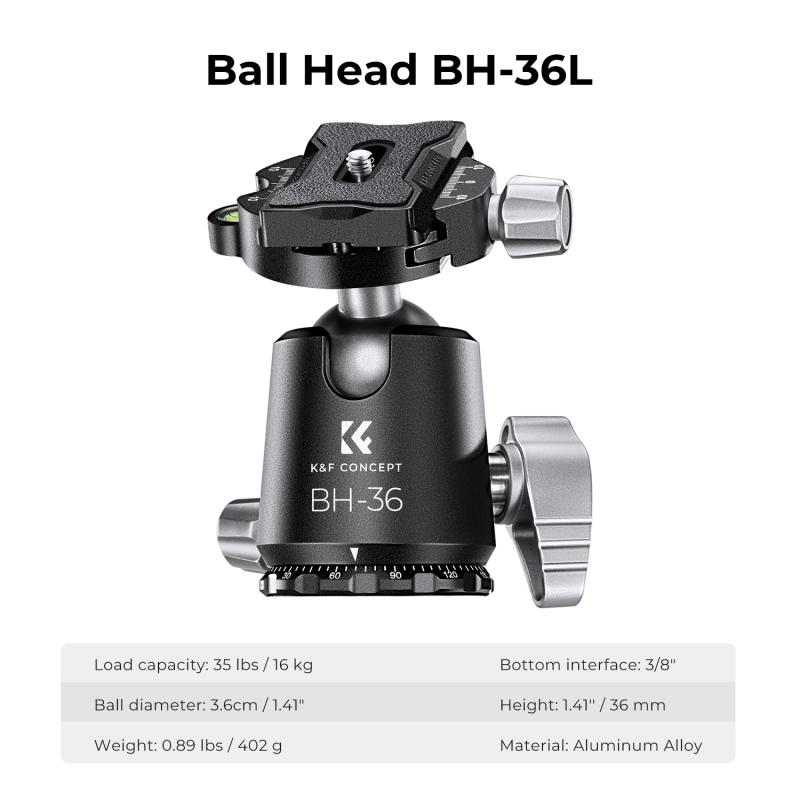
Choosing the Right Tripod Adapter for Your Mobile Phone

2、 Attaching a Mobile Phone to a Tripod Adapter: Step-by-Step Guide

Attaching a Mobile Phone to a Tripod Adapter: Step-by-Step Guide

In today's digital age, mobile phones have become powerful tools for capturing high-quality photos and videos. To enhance the stability and versatility of your mobile photography, attaching your phone to a tripod adapter is essential. Here is a step-by-step guide on how to attach your mobile phone to a tripod adapter:

1. Choose a tripod adapter: There are various tripod adapters available in the market, so select one that is compatible with your mobile phone model and tripod. Look for adapters that offer a secure grip and adjustable features for optimal positioning.

2. Adjust the adapter: Most tripod adapters have adjustable arms to accommodate different phone sizes. Start by loosening the adapter's arms and extending them to fit your phone snugly. Once adjusted, tighten the arms to secure your phone in place.

3. Attach the adapter to the tripod: Locate the mounting screw on the tripod adapter and align it with the tripod's mounting plate. Insert the screw into the tripod's threaded hole and tighten it securely.

4. Position your phone: Place your phone into the adapter, ensuring that it is centered and aligned with the tripod's axis. Adjust the adapter's arms if necessary to achieve the desired positioning.

5. Secure your phone: Once your phone is in position, tighten the adapter's arms to hold your phone securely. Be careful not to overtighten, as it may damage your phone.

6. Test stability: Gently shake the tripod to check if your phone is securely attached. If there is any wobbling or instability, readjust the adapter's arms or tighten them further.

7. Fine-tune the positioning: Most tripod adapters allow for 360-degree rotation and tilt adjustments. Use these features to fine-tune the positioning of your phone for the perfect shot.

Remember to always follow the manufacturer's instructions for your specific tripod adapter and mobile phone model. Additionally, consider using a remote shutter or self-timer function to minimize camera shake when capturing photos or videos.

As technology advances, tripod adapters are continuously evolving to accommodate the latest mobile phone models. It is advisable to stay updated with the latest adapter options and features to ensure compatibility and optimal performance.

In conclusion, attaching a mobile phone to a tripod adapter is a simple process that can greatly enhance your mobile photography experience. By following these steps and considering the latest advancements in tripod adapter technology, you can capture stunning photos and videos with stability and precision.
Attaching a Mobile Phone to a Tripod Adapter: Step-by-Step Guide

3、 Adjusting the Mobile Phone Position on the Tripod Adapter

To attach a mobile phone to a tripod adapter, follow these steps:

1. Start by ensuring that your tripod adapter is compatible with your mobile phone. Most tripod adapters are designed to fit a wide range of phone sizes, but it's always a good idea to double-check.

2. Open the tripod adapter and extend the arms to their maximum width. This will create enough space to accommodate your phone.

3. Place your mobile phone horizontally or vertically, depending on your preference, into the adapter. Make sure the phone is centered and secure.

4. Adjust the arms of the adapter to hold your phone firmly in place. The adapter should grip the phone snugly, but be careful not to overtighten and potentially damage your device.

5. Once your phone is securely attached to the tripod adapter, you can then attach the adapter to your tripod. Most adapters have a standard screw thread that fits onto the tripod's mounting plate.

6. Align the adapter's screw thread with the tripod's mounting plate and twist it clockwise until it is securely attached.

Now that your phone is attached to the tripod adapter, you can adjust its position to achieve the desired angle and composition. This can be done by loosening the tripod's tilt and pan locks and moving the phone accordingly. Once you have adjusted the position, tighten the locks to secure the phone in place.

It's worth noting that some tripod adapters also offer additional features such as a remote shutter release or a rotating mount. These can enhance your mobile photography experience by allowing you to capture photos or videos more conveniently.

In conclusion, attaching a mobile phone to a tripod adapter is a simple process that allows you to stabilize your device for better photography or videography. With the ability to adjust the position of your phone, you can capture stunning shots from various angles and perspectives.
Adjusting the Mobile Phone Position on the Tripod Adapter

4、 Ensuring Stability and Balance when Attaching a Mobile Phone

Ensuring Stability and Balance when Attaching a Mobile Phone to a Tripod Adapter

Attaching a mobile phone to a tripod adapter is a great way to capture stable and professional-looking photos and videos. However, it is important to ensure stability and balance to prevent any accidental falls or shaky footage. Here are some steps to follow to achieve this:

1. Choose a sturdy tripod adapter: Invest in a high-quality tripod adapter that is specifically designed for mobile phones. Look for one that has a secure grip and adjustable features to accommodate different phone sizes.

2. Position the phone correctly: Place the phone in the adapter in a horizontal position, ensuring that it is centered and balanced. This will help distribute the weight evenly and prevent any tilting or wobbling.

3. Tighten the adapter securely: Once the phone is in position, tighten the adapter securely to the tripod. Make sure it is firmly attached to prevent any accidental slips or movements.

4. Use a counterweight: If you are using a larger or heavier phone, it may be necessary to add a counterweight to the tripod. This will help balance the weight distribution and prevent the tripod from tipping over.

5. Adjust the tripod legs: Ensure that the tripod legs are fully extended and locked in place. This will provide additional stability and prevent any wobbling or shaking.

6. Avoid touching the phone: Once the phone is attached and positioned correctly, avoid touching it as much as possible. Even the slightest movement can cause instability and affect the quality of your footage.

7. Consider using a remote shutter: To further minimize any movement, consider using a remote shutter or a timer function on your phone's camera app. This will allow you to take photos or start recording without physically touching the phone.

In conclusion, attaching a mobile phone to a tripod adapter can greatly enhance the stability and quality of your photos and videos. By following these steps and ensuring stability and balance, you can capture professional-looking footage with ease.
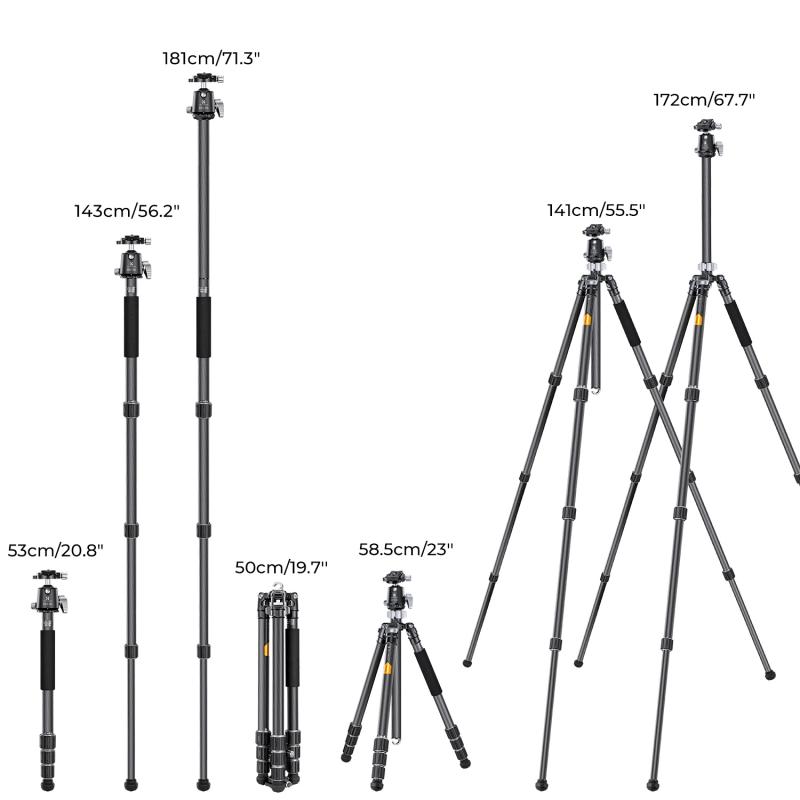
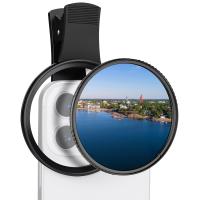
Ensuring Stability and Balance when Attaching a Mobile Phone

Leave your comment
Cancel reply
Note: HTML is not translated!
Related products
67mm Clip-on CPL Phone Camera Lens Filter Kit Applicable to All Mobile Phone Models
48
£20.42 £18.99
67mm Clip-on ND2-32 Phone Camera Lens Filter Kit Applicable to All Mobile Phone Models
48
£38.18 £33.99
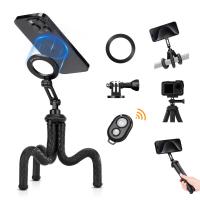
Octopus Magnetic Phone Holder Tripod Comes with Magnetic Guide, Bluetooth Remote Control, Mobile Phone Lanyard, GoPro Adapter MS36
2
£32.99 £28.99
67mm Clip-on Black Mist 1/4 Phone Camera Lens Filter Kit Applicable to All Mobile Phone Models
£35.99 £32.99
67mm Clip-on Black Mist 1/8 Phone Camera Lens Filter Kit Applicable to All Mobile Phone Models
48
£38.99 £32.99
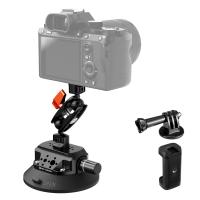
 4.5" Suction Cup Camera Mount with Double Ball Head Magic Arm, Mobile Phone Clamp, Gopro Adapter Accessories, 3/8" to 1/4" Adapter Screw, MS45
4.5" Suction Cup Camera Mount with Double Ball Head Magic Arm, Mobile Phone Clamp, Gopro Adapter Accessories, 3/8" to 1/4" Adapter Screw, MS45
21
£49.99 £45.99
67mm Clip-on CPL&Black Mist 1/4 2-in-1 Phone Camera Lens Filter Kit Applicable to All Mobile Phone Models
48
£38.99 £32.99
Flexible Magnetic Mobile Phone Holder, with Magnetic Guide, Bluetooth Remote Control, Mobile Phone Lanyard, Gopro Adapter, MS35
£29.99 £25.99
12*50 HD Binoculars Black BAK4, with Mobile Phone Holder and Tripod Conversion Bracket Kentfaith
51
£69.99 £65.99
Kentfaith Astronomy Telescope for Kids Adults Beginners, 70mm Refractor Telescopes with Mobile Phone Holder & Adjustable Tripod
64
£102.99 £68.99
Guess you like products
MS03 13''/33cm Phone Tripod Selfie Stick Desktop Stand (Small Size) For Gopro, Action, And Insta Orange Gray
9
£21.30 £19.99
TPU Lens Cap for K&F Concept 77mm Variable ND Filters
40
£22.99 £14.99
4K 32MP Wildlife Trail Camera with Night Vision 0.2S Trigger Motion Activated 32MP 4K IP67 Waterproof Hunting Camera for Outdoor & Home security
15
£73.99 £59.99
WiFi Security Camera with 15X Hybrid Zoom, Triple Lens, 6MP, Dual Views, Solar Powered, 360° Live View, Color Night Vision, 2-Cam Pack, Kentfaith
£258.74 £206.99
K&F CONCEPT LP-E6NH battery 2-pack + battery charger + 64GB micro SD card kit, Canon cameras with LP-E6NH/LP-E6N/LP-E6 batteries, Canon EOS R5, EOS R6, EOS R, EOS 5D Mark IV, 5D Mark III, 5DS, 5DS R, 5D Mark II, 6D, 6D Mark II, 7D, 7D Mark II,90D, 80D
57
£82.99 £52.99
K&F Concept ND2-32 & ND32-512 Filter Kit for Mini 5 Pro
£28.41 £31.99
Children's metal detector, 7.5 inch waterproof, lightweight detector plate, adjustable metal detector Kentfaith
21
£59.99 £45.99
Dual-Lens 4G LTE Security Camera Solar Outdoor Surveillance 10X Optical Zoom Kentfaith
11
£224.99 £179.99
Lens Mount Adapter for Canon EOS EF Mount Lens to M4/3 MFT Olympus Pen and Panasonic Lumix Cameras
161
£20.99
55mm Snap-On Center Pinch Lens Cap 9 in 1 with Anti-Loss Keeper Leash Compatible with Nikon, Canon, Sony, Fujifilm Camera Lenses
£10.99 £8.99
Related articles
How To Attach Phone Adapter To Tripod ?
How To Attach A Mobile Tripod To Phone ?
Where To Buy Mobile Phone Tripod Near Me ?
How To Attach Lens Adapter ?
How To Attach Monocular To Phone ?
How To Attach Tripod ?
How To Pair Wireless Mobile Phone Monopod ?
How To Use Nikon Wireless Mobile Adapter ?
How To Attach Camera To Tripod ?
Who Invented The First Simple Microscope ?
Guess you like articles
What Does Adaptive Battery Do Samsung ?
Can You Bring Camera Battery On Plane ?
What Is The Farthest Binoculars Can See ?
How To Connect Wireless Mic To Bluetooth Speaker?
Can You See Atoms With Electron Microscope ?
How To Set Up My Ring Floodlight Camera ?
How To Connect Mobile To Camera Wifi ?
Baby Monitor What To Look For ?
Which Size Uv Filter For Nikon D5300 ?
Are Old Digital Cameras Worth Anything ?
Related categories
Sony E mount adapter telephone tripod variable ND and CPL filter​ phone filter Aluminum Tripod video tripod​ lightweight travel tripod camera lens mini camera tripod​ carbon filter camera tripod
Popular products
pentax q adapter leica r to sony e mount adapter​ Leica R mount adapter minolta md to sony e mount adapter​ nikon tripod adapter pentax q lens adapter olympus om to sony e mount adapter​ olympus tripod mount super clamp mount canon ef-eos m mount adapter
Related searches
Tripod To Hold Mobile Phone Tripod To Hold Phone Binoculars That Attach To Iphone Camera Smartphone To Tripod Adapter Flash To Tripod Adapter Mic To Tripod Adapter Tripod To Microphone Adapter Tripod To Hold Cell Phone Sd Card To Phone Adapter Cell Phone To Telescope Adapter
Blog Category
  • Camera Reviews
  • News & Reviews
    • News
  • Tutorials
    • Animal Photography
    • Food Photography
  • Inspiration
    • Travel
    • Travel Stories
    • Photography Tricks
Search Article
Latest from the Blog
How To Hide Gold From Metal Detector?
Black Friday Offers by Kentfaith
How to Use A Spy Camera Detector?
What Is a Neutral Density Filter?
How To Hide Outdoor Cameras?
How To Play Videos From An Action Camera?
What Games Are On The Retro Handheld Console?
What Is Exposure On Dash Cam?
How To Change Wifi On Camera?
How to Clean Bird Feeders – A Comprehensive Guide for Healthy Backyard Birding
Powered By K&F Concept © 2025