kfconcept

K&F Concept UK
K&F Concept United Kingdom    Blog >

Enjoy Your Selected Digital Life

Recently Viewed
  • Recently Viewed
  • Recently Viewed list is empty.

Compare (0) 0
  • Compare
  • You have not chosen any products to compare.

  • Compare
Currency: GBP
  • Currency

Log Into Your Account

Account

Order History

Wish List

Login

Forgotten Password?

Or connect with

Register Account

Already have an Account?Log In

  • Shopping Cart
  • Your shopping cart is empty!

  • Register/Login to purchase, earn points
  • Favorite
  • Your wish list is empty.

  • Register/Login to like, earn points
  • Tripods
    • Aluminum Tripods
    • Carbon Fiber Tripods
    • Travel Tripods
    • Video Tripods
    • Monopods
    • Lightweight Tripods
    • Mini Tripod
    • Tripod Accessories
    • Gimbal Stabilizers
    • Tripod Head
    • Tripod Kit
    • Action Camera Mounts
    • Phone Tripods
    • Studio Parts
      • Camera Flash
      • Photography Fill Light
      • Ring light
      • Soft Box
      • Tripod Light Stands
      • Reflectors
    • Clearance Tripods
  • Lens Filters
    • UV Filters
      • Nano-Xcel Series
        • MCUV
        • Ultra-low Reflectivity MCUV Filters
        • MCUV Super Hard
        • Explosion-proof MCUV - Nano-Xcel
        • MCUV+Lens Cap+Cleaning Cloth
        • Super Hard&Ultra Low Reflection MCUV Filters - Nano-Xcel
        • MCUV - Magnetic Series
      • Nano-Dazzle Series
        • MCUV
        • MCUV+Lens Cap+Cleaning Cloth
      • Nano-Klear Series
        • MCUV
        • Ultra Thin Frame MCUV Filters
        • MCUV+Lens Cap+Cleaning Cloth
      • Nano-Xcel Pro Series
        • MCUV
    • CPL Filters
      • Nano-Xcel Series
        • CPL
        • CPL True Color
        • Ultra-low Reflectivity CPL
        • CPL+Lens Cap+Cleaning Cloth
        • Magnetic CPL
          • Magnetic CPL + Apater ring + Cap - Nano-X
        • True Color Ultra-low Reflectivity CPL - Nano-Xcel
      • Nano-Dazzle Series
        • CPL
        • CPL+Lens Cap+Cleaning Cloth - Nano-Dazzle
      • Nano-Klear Series
        • CPL
        • Ultra Thin Frame CPL Filters
        • CPL+Lens Cap+Cleaning Cloth
        • CPL+Lens Cap - Nano-Klear
      • Nano-Xcel Pro Series
        • CPL
    • Neutral Density Filters
      • Neutral Density (Solid) Filters
        • ND8 (3 stops) - Nano-Xcel Series
        • ND64 (6 stops) - Nano-Xcel Series
        • ND1000 (10 stops) - Nano-Xcel Series
        • ND100000 (16.6 stops) - Nano-Xcel Series
        • ND1000000 (20 stops) - Nano-Xcel Series
        • ND100000 (16.6 stops) - Nano-Klear Series
        • ND1000000 (20 stops) - Nano-Klear Series
        • Solid ND - Magnetic Series
      • Graduated Neutral Density
        • 100mm GND Filter
          • Soft GND8 Filters - Nano-Xcel Series
          • Hard GND8 Filters - Nano-Xcel Series
          • Reverse GND8 Filters - Nano-Xcel Series
          • Soft GND16 Filters - Nano-Xcel Series
          • Reverse GND16 Filters - Nano-Xcel Series
          • Soft GND8 Filters - Nano-Xcel Pro Series
          • Hard GND8 Filters - Nano-Xcel Pro Series
          • Reverse GND8 Filters - Nano-Xcel Pro Series
          • Soft GND16 Filters - Nano-Xcel Pro Series
          • Reverse GND16 Filters - Nano-Xcel Pro Series
        • Circular GND Filter
          • GND8
          • GND16
      • 2 in 1 Filters
        • ND2-ND32&CPL Filters - Nano-Xcel Series
        • ND2-ND32&CPL Filters - Nano Dazzle Series
        • ND2-32&CPL Filters - Nano-Klear Series
        • ND2-ND32&CPL Filter - Nano-X Pro
        • ND2-ND32&CPL True Color Filters - Nano-Xcel Series
        • ND4-ND64&CPL Filter
      • 3 in 1 Filters
        • ND2-32&CPL&Black Mist 1/4 Filters - Nano-Xcel Series
        • ND2-32&CPL&Black Mist 1/4 Filters - Nano-Klear Series
      • Variable Neutral Density
        • Nano-Xcel Series
          • ND2-ND32 - Nano-Xcel
          • ND2-ND32 True Color - Nano-Xcel
          • ND2-ND400 - Nano-Xcel
          • ND8-ND128 - Nano-Xcel
          • ND32-ND512 - Nano-Xcel
          • ND3-ND1000 - Nano-Xcel
          • ND2-32 True Color Ultra-Low Reflection - Nano-Xcel
          • ND2-400 Ultra-Low Reflection - Nano-Xcel
        • Nano-Dazzle Series
          • ND2-ND32 - Nano-Dazzle
          • ND2-ND400 - Nano-Dazzle
          • ND3-ND1000 - Nano-Dazzle
          • ND8-ND2000 - Nano-Dazzle
        • Nano-Klear Series
          • ND2-ND32 - Nano-Klear
          • ND2-ND400 - Nano-Klear
          • ND2-ND2000 - Nano-Klear
          • True Color ND2-ND400 - Nano-Klear
        • Nano-Xcel Pro Series
          • ND2-ND32 - Nano-Xcel Pro
        • Nano-B Series
          • ND2-ND400 - Nano-B
    • Black Mist & Soft Focus Filters
      • Black Mist Filters
        • Black Mist 1/8
          • Black Mist 1/8 - Nano-Xcel Series
          • Black Mist 1/8 - Nano-Dazzle Series
          • Black Mist 1/8 - Nano-Klear Series
          • Black Mist 1/8 - Nano-Xcel Pro Series
          • Black Mist 1/8+Lens Cap+Cleaning Cloth - Nano-Klear Series
        • Black Mist 1/4
          • Black Mist 1/4 - Nano-Xcel Series
          • Black Mist 1/4 - Nano-Dazzle Series
          • Black Mist 1/4 - Nano-Klear Series
          • Black Mist 1/4 - Nano-Xcel Pro Series
          • Black Mist 1/4+Lens Cap+Cleaning Cloth - Nano-Klear Series
        • Black Mist 1/2
          • Black Mist 1/2 - Nano-Xcel Series
          • Black Mist 1/2 - Nano-Klear Series
        • Black Mist 1
          • Black Mist 1 - Nano-Xcel Series
          • Black Mist 1 - Nano-Klear Series
        • Black Mist Kit
          • Black Mist 1/4 + 1/8 Nano Xcel Series
          • Black Mist 1/4 + 1/8 - Nano Klear Series
          • Black Mist 1/4 + CPL - Nano Klear Series
        • Black Mist & CPL
          • Black Mist 1/4&CPL - Nano-Klear Series
        • Black-Mist & VND
          • Black Mist 1/4 & ND2-32 Filters - Nano-Klear Series
          • Black Mist 1/4 & ND2-400 Filters - Nano-Xcel Series
          • Black Mist 1/4 & ND2-32 Filters - Nano-Xcel Series
          • Black Mist 1/8 & ND2-32 Filters - Nano-Klear Series
          • Black Mist 1/4 & ND2-400 Filters - Nano-Klear Series
      • White Mist Filters
        • White Mist 1/4 - Nano-Xcel Series
        • White Mist 1/4 - Nano-Klear Series
      • Shimmer Diffusion
        • Shimmer Diffusion 1 - Nano-Xcel Series
        • Shimmer Diffusion 1 - Nano-Klear Series
    • Light Pollution Cut Filter
      • Light Pollution Cut Filter - Circular
      • Light Pollution Cut Filter - Square
    • Magnetic Lens Filters
      • MCUV Filters
        • Magnetic MCUV - Nano-Klear Series
        • Magnetic MCUV+Lens Caps - Nano-Xcel Series
      • CPL Filters
        • Magnetic CPL + Adapter Ring
        • Magnetic CPL+Adapter Ring - Nano-Klear Series
      • Black-Mist
        • Black Mist 1/8 Filters - Nano-Xcel Series
        • Black Mist 1/4 Filters - Nano-Xcel Series
      • Neutral Density (Solid) Filter
        • Magnetic ND8 - Nano-Xcel Series
        • Magnetic ND64 - Nano-Xcel Series
        • Magnetic ND1000 - Nano-Xcel Series
      • Unlimited Variable ND Filter
        • Magnetic ND2-ND32 - Nano-Xcel Series
        • Magnetic ND8-ND128 Filters - Nano-Xcel Series
      • Accessories
        • Magnetic Adapter Ring
        • Magnetic Filter Ring
        • Magnetic Cap
      • Kits
        • MCUV+CPL+ND1000+Adapter Ring - Nano-Xcel Series
        • CPL+ND8+ND64+Adapter Ring+Lens Cap - Nano-Xcel Series
        • GND8+ND8+ND64+ND1000+Adapter Ring - Nano-Xcel Series
        • CPL+VND2-32+Black Mist 1/4+Magnetic Ring+Lens Cap - Nano-Xcel Series
    • Square Filter System
      • Basic System
        • Square ND Filters
          • ND4 Filters - Nano-Xcel Series
          • ND16 Filters - Nano-Xcel Series
          • ND1000 Filters - Nano-Xcel Series
          • ND2000 Filters - Nano-Xcel Series
          • ND32000 Filters - Nano-Xcel Series
          • Full Color ND8 Filters - Nano-Xcel Series
          • Full Color ND64 Filters - Nano-Xcel Series
        • Square GND Filters
        • Light Pollution Cut Filter
          • Light Pollution Cut Filter - Nano-Xcel Series
        • Square Black Mist Filters
          • Square Black Mist 1 - Nano-Xcel Series
          • Square Black Mist 1/4 - Nano-Xcel Series
          • Square Black Mist 1/8 - Nano-Xcel Series
        • Brackets and Accessories
          • Adapter Ring - Nano-Xcel Series
        • Kits
          • 100mm Square Filter System - Nano-Xcel Series
          • 100mm ND1000+Holder Kit - Nano-Xcel Series
          • 100mm ND1000+Soft GND8+Holder Kit - Nano-Xcel Series
          • 100mm Soft GND8+Holder Kit - Nano-Xcel Series
      • Professional System
        • ND
          • Full Color ND8 Filters - Nano-Xcel Pro Series
          • Full Color ND64 Filters - Nano-Xcel Pro Series
          • Full Color ND1000 Filters - Nano-Xcel Pro Series
        • GND
        • PL
        • Black Mist 1/4&CPL - Nano-Xcel Pro Series
        • Light Pollution Cut Filter
          • Light Pollution Cut Filter - Nano-Xcel Pro Series
        • Kits
          • 100mm ND1000+Holder Kit - Nano-Xcel Pro Series
          • 100mm ND1000+Soft GND8+Holder Kit - Nano-Xcel Pro Series
          • 100mm ND8+ND64+ND1000+Holder Kit - Nano-Xcel Pro Series
          • 100mm Holder Kit - Nano-Xcel Pro Series
        • Brackets and Accessories
          • 100x100mm Square Filter Protect Frame - Nano-Xcel Pro Series
          • 100x150mm Square Filter Protect Frame - Nano-Xcel Pro Series
          • Adapter Ring - Nano-Xcel Pro Series
    • Drone Filter
      • DJI Air 3S
      • DJI Avata2
      • DJI Flip
      • DJI Mavic 3 Pro
      • DJI NEO
      • DJI Mini 1/2/SE
      • DJI Mini 4 Pro Filters
      • DJI Mavic 3
      • DJI Mini 3 PRO
      • DJI Avata
      • DJI Mavic 4 Pro
      • DJI Mini 5 Pro
      • DJI Air 2S
    • Effects Filters
      • Prism Filters
        • Central Prism Filters
          • Central Pentagonal Filters - Nano-Basic Series
          • Central Hexagonal Filters - Nano-Basic Series
        • Ordinary Prism Filters
          • Triangular Filtres - Nano-Basic Series
        • Single Linear Prisms
      • Streak Filters
        • Blue Streak Filters - Nano-Xcel Series
        • Gold Streak Filters - Nano-Xcel Series
        • Colorful Streak Filters - Nano-B Series
        • Blue Streak Filters - Nano-Klear Series
      • Star Filter
        • Star Filters 4-8 Points - Nano-Klear Series
        • Star Filter Kits 4+6+8 Points - Nano-Klear Series
        • 4-Point Fine-Line Star Filters - Nano-Klear Series
        • 6-Point Fine-Line Star Filters - Nano-Klear Series
      • Kaleidoscope Filters
        • Kaleidoscope Filters - Nano-Basic Series
        • Handheld Kaleidoscope Filters - Nano-B Series
      • Motion Blur Filters
        • Directional Motion Blur - Nano-Basic Series
        • Bidirectional Motion Blur - Nano-Basic Series
        • Handheld Motion Blur Filters - Nano-Basic Series
      • Spiral Filters
        • Spiral Halo Filters - Nano-B Series
        • Handheld Spiral Filters - Nano-Basic Series
      • Diopter Filters
        • Centerfield Split Diopter Filters - Nano-Basic Series
        • Handheld Diopter Filters - Nano-Basic Series
    • Filter Accessories
      • Lens Hoods
      • Rings Kits
        • Step Up Rings
        • Step Down Rings
      • Filter Holders & Frames
      • Filter Holder Adapter Rings
        • Filter Adapter Rings
      • Filter Pouches
      • Lens Caps
        • Caps for Magnetic Filters
        • Caps for Variable ND Filters
        • Anti-lost Lens Cap
          • 4 in 1
          • 5 in 1
          • 9 in 1
      • Polarized Film
    • Filter Kit
      • Black Diffusion 1/4 + 1/8
      • Screw-In Filters
        • MCUV+CPL Filter - Nano-Klear Series
        • MCUV+CPL+Lens Cap - Nano-Klear Series
        • MCUV+CPL+Metal Lens Cap - Nano-Xcel Series
        • MCUV+CPL+ND1000+Lens Cap - Nano-Dazzle Series
        • MCUV+CPL+ND2-400 - Nano-Klear Series
        • ND8+ND64+ND1000 - Nano-Dazzle Series
        • MCUV+CPL+ND4 - Nano-Klear Series
        • ND1000+CPL - Nano-Klear Series
        • ND4+ND8+ND64+ND1000 - Nano-Xcel Series
        • MCUV+CPL
      • Magnetic Filters
      • Square Filters
    • Action Camera Filters
      • DJI Osmo Action 4 / Action 5 Pro
      • DJI Osmo Pocket 3
      • GoPro HERO 4K
      • GOPRO Hero 9/10/11/12/13 Filters
      • Insta360 Ace pro 2
      • Insta360 Go Ultra
      • Insta360 GO3
      • Insta360 GO3S
      • Action Camera Accessories
        • DJI Osmo Action 3/4/5 Pro
        • Head Strap & Chest Mount
        • Insta360 X5
        • Magnetic Neck Mount
        • DJI Osmo 360
        • DJI Osmo Pocket 3 Charging Base
        • DJI Osmo Pocket 3
    • Phone Lens Filters
    • Matte Box & Filter Systems
      • Neutral Density (Solid) Filters
        • ND4 - Nano-Xcel Series
        • ND8 - Nano-Xcel Series
        • ND16 - Nano-Xcel Series
        • ND32 - Nano-Xcel Series
        • ND64 - Nano-Xcel Series
        • ND8+ND64 - Nano-Xcel Series
      • UV Filters
      • Black Mist Filters
        • Black Mist 1/4 - Nano-Xcel Series
        • Black Mist 1/8 - Nano-Xcel Series
      • Blue Streak Filters
      • Accessories
      • Kits
        • Matte Box - Nano-Xcel Series
        • Matte Box Pro - Nano-Xcel Series
        • Matte Box+ND8 Square Filter - Nano-Xcel Series
        • Matte Box+ND4+ND32 Square Filter - Nano-Xcel Series
        • Matte Box+Black Mist 1/4 Square Filter - Nano-Xcel Series
    • Brand-specific Filters
      • Fujifilm X100
      • Ricoh GR
  • Lens Adapters
    • PL Mount Lenses
    • A Mount Body(Sony/Minolta)
    • Fujifilm X Mount Body
    • Fujifilm G (GFX) Mount Body
    • C-Mount Body
    • Leica M Mount Body
    • MFT(M4/3) Mount Body
    • Pentax K Mount Body
    • Pentax Q Mount Body
    • Samsung NX Mount Body
    • Nikon F Mount Body
    • Nikon 1 Mount Body
    • Nikon Z Mount Body
    • Canon EOS EF/EF-S Mount Body
    • Canon EOS M Mount Body
    • Canon RF Mount Body
    • Sony E Mount Body
    • L-Mount Alliance (Leica)
  • Camera Bags
    • Camera Backpacks
    • Camera Shoulder Bags
    • Camera Cases
    • Digital Storage Bag
    • Lens Cases
    • Camera Straps
    • Backpack Accessories
  • Camera
    • Digital Camera & Camcorders
      • Digital Cameras & Camcorders
      • Underwater Cameras
      • Action Cameras
      • Kids’ Cameras
      • Time lapse camera
    • Wildlife Camera
      • Wifi Trail Cameras
      • Non-Cellular Trail Cameras
      • Accessories
      • Cellular Trail Cameras
    • Surveillance Cameras
      • 4G Camera
      • Battery Camera
      • Baby Monitor
      • WiFi Camera
      • Feeder Camera
      • Floodlight camera
      • Monitoring Detector
    • Camera Lenses
    • On-Dash Camera
    • Fishing camera
    • Memory Cards
      • Micro SD Card
      • SD Card
    • Camera Accessories
      • Camera Caps
      • Camera Screen Protectors
        • Canon
        • Sony
        • Fujifilm
        • Nikon
        • Olympus
        • Ricoh
        • GoPro
        • DJI Osmo Pocket 3
      • Camera Hot Shoe Covers
      • Camera Viewfinder Eyecups
        • Nikon
        • Sony
        • Canon
      • Adjustment Iris
  • Camera Battery
    • Sony
    • Canon
    • Nikon
    • FUJIFILM
    • Ricoh
    • Gopro
    • Osmo Action
    • Lumix
    • V Mount Battery
    • Memory Card Case
  • Endoscope
    • Professional Endoscope
    • Household Endoscope
    • Portable Endoscope
    • Otoscope/Oral Endoscope
  • Optics
    • Microscope
      • Optical Microscope
      • Digital Microscope
      • Kids' Microscopes
    • Binoculars
    • Monocular
    • Telescope
    • Night Vision Goggles
    • Rangefinder
  • More
    • Cleaning Kits
    • Digital Voice Recorders
    • Language Translator Device
    • Smart Glasses
    • Metal Detectors
    • Light
      • Video fill light
      • Live Ring Light
      • Outdoor Lighting
    • Motorcycle Bluetooth Headset
    • Laser Engraver Machine
    • Headphones
    • Weather Station & Household Sensors
    • Microphone
    • Drone Accessories
      • DJI Air 2S Accessories
      • DJI Air 3 Accessories
      • DJI Avata Accessories
      • DJI Drone Universal Accessories
      • DJI Mavic Mini 2/Mini 2 SE/Mini Accessories
      • DJI Mavic Mini 3 Accessories
      • DJI Mini 3 Pro Accessories
    • Smart Watch
    • Smart lock
    • Studio
    • Solar Panels
  • Deals
    • Specials
    • Coupon
    • New Arrivals
  • Home
  • Blog
  • How To Attach Lens Adapter ?

How To Attach Lens Adapter ?

K&f concept 2023-10-25 07:26:27 0 Comments

To attach a lens adapter, first, ensure that the adapter is compatible with your camera and lens. Then, remove the lens from your camera by pressing the lens release button and twisting it counterclockwise. Next, align the lens adapter with the camera's lens mount and gently twist it clockwise until it locks into place. Once the adapter is securely attached, you can mount your desired lens onto the adapter by aligning the lens's mounting point with the adapter's inner ring and twisting it clockwise until it locks. Make sure the lens is properly seated and secure before using it.

1、 Selecting the appropriate lens adapter for your camera model.

Selecting the appropriate lens adapter for your camera model is crucial when it comes to attaching lenses to your camera. Lens adapters are used to connect lenses with different mounts to your camera body, allowing you to use lenses that are not originally designed for your camera.

To attach a lens adapter, follow these steps:

1. Identify the lens mount of your camera: Before selecting a lens adapter, you need to know the lens mount of your camera. Different camera brands have different lens mounts, such as Canon EF, Nikon F, Sony E, etc.

2. Determine the lens mount of the lens you want to attach: Once you know the lens mount of your camera, you need to identify the lens mount of the lens you want to use. This can usually be found on the lens itself or in the lens specifications.

3. Select the appropriate lens adapter: Once you know both the camera and lens mounts, you can select the appropriate lens adapter. Lens adapters come in various combinations, such as Canon EF to Sony E, Nikon F to Canon EF, etc. Make sure to choose the adapter that matches your camera and lens mounts.

4. Attach the lens adapter: To attach the lens adapter, simply align the adapter's mount with the camera mount and twist it clockwise until it locks into place. Then, align the lens with the adapter's mount and twist it clockwise until it locks as well.

5. Test the connection: Once the lens is attached, test the connection by turning on your camera and checking if the lens functions properly. Ensure that autofocus, aperture control, and other features work as expected.

It's important to note that while lens adapters allow you to use lenses from different brands, there may be limitations in terms of autofocus speed, image stabilization, and compatibility with certain features. Additionally, using a lens adapter may affect the overall image quality, so it's advisable to do thorough research and read reviews before purchasing a lens adapter.

In conclusion, attaching a lens adapter involves selecting the appropriate adapter for your camera and lens mounts, aligning and twisting the adapter and lens into place, and testing the connection. Keep in mind the potential limitations and impact on image quality when using a lens adapter.
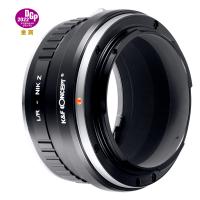
Selecting the appropriate lens adapter for your camera model.

2、 Removing the lens from your camera.

To attach a lens adapter to your camera, you first need to remove the lens from your camera body. Here's a step-by-step guide on how to do it:

1. Turn off your camera: Before removing the lens, make sure your camera is turned off to prevent any damage to the lens or camera sensor.

2. Locate the lens release button: On most cameras, there is a button near the lens mount that you need to press to release the lens. It is usually marked with a lens icon or labeled "L".

3. Press the lens release button: While holding the camera with one hand, press the lens release button with your other hand. This will unlock the lens from the camera body.

4. Twist and remove the lens: With the lens release button pressed, twist the lens counterclockwise until it detaches from the camera body. Be careful not to force it or apply excessive pressure.

Now that you have removed the lens, you can proceed with attaching the lens adapter. A lens adapter allows you to use lenses that are not native to your camera system. Here's how to attach it:

1. Align the lens adapter: Take the lens adapter and align it with the camera mount. The adapter should have a specific orientation that matches the camera mount.

2. Twist and lock the adapter: Once aligned, twist the adapter clockwise until it locks into place. Ensure that it is securely attached to the camera body.

3. Attach the lens: Now, you can attach the lens to the lens adapter. Align the lens with the adapter's mount and twist it clockwise until it locks into place.

4. Test the connection: Turn on your camera and check if the lens is properly attached. Take a few test shots to ensure that the lens is functioning correctly.

It's important to note that the specific steps may vary slightly depending on the camera and lens adapter you are using. Always refer to your camera and lens adapter's user manual for detailed instructions.
Removing the lens from your camera.

3、 Aligning and attaching the lens adapter to the camera body.

To attach a lens adapter to your camera body, follow these steps:

1. Start by ensuring that both the lens adapter and camera body are powered off. This will prevent any accidental damage to the camera or lens.

2. Remove the lens cap from the camera body and the rear cap from the lens adapter. Set them aside in a safe place.

3. Locate the lens mount on the camera body. It is usually a metal ring with a series of electrical contacts.

4. Align the lens adapter with the lens mount on the camera body. The lens adapter should have a corresponding mount that matches the camera's lens mount.

5. Gently slide the lens adapter onto the camera body, making sure that the electrical contacts on both the camera and adapter are aligned. Be careful not to force the adapter onto the camera, as this could cause damage.

6. Once the lens adapter is securely attached, rotate it clockwise until it locks into place. You may hear a click or feel a slight resistance when the adapter is properly locked.

7. Now, you can attach your desired lens to the lens adapter. Remove the rear cap from the lens and align the lens mount with the adapter's front mount. Rotate the lens clockwise until it locks into place.

8. Finally, power on your camera and test the connection between the lens and camera body. Ensure that the lens functions properly and that the camera recognizes it.

It's important to note that the specific steps for attaching a lens adapter may vary slightly depending on the camera and adapter model. Always refer to the user manual for your specific equipment for detailed instructions.

In recent years, lens adapters have become increasingly popular due to their ability to expand lens compatibility across different camera systems. They allow photographers to use lenses from different manufacturers or even vintage lenses on modern camera bodies. This versatility opens up new creative possibilities and can save money by utilizing existing lenses. However, it's essential to research and choose a high-quality lens adapter that maintains proper electrical connections and ensures optimal image quality.
Aligning and attaching the lens adapter to the camera body.

4、 Securing the lens adapter in place.

To attach a lens adapter, follow these steps:

1. Start by removing the lens cap from your camera and the rear cap from the lens adapter. Ensure that both surfaces are clean and free from any dust or debris.

2. Align the lens adapter with the camera's lens mount. The lens adapter should have a specific orientation that matches the camera's mount. Make sure the adapter is properly aligned before proceeding.

3. Gently twist the lens adapter clockwise onto the camera's lens mount. Apply even pressure and avoid forcing it. The adapter should smoothly thread onto the mount. Once it is securely attached, you will feel a slight click or resistance.

4. After attaching the lens adapter, you can now attach your desired lens to the adapter. Remove the rear cap from the lens and align the lens with the adapter's front mount. Rotate the lens counterclockwise until it locks into place.

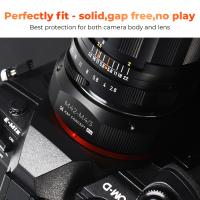
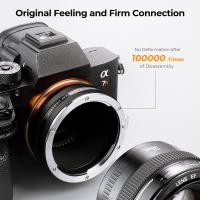
Securing the lens adapter in place is crucial to ensure a stable connection between the camera and lens. This prevents any wobbling or movement that could affect image quality. It is important to note that different lens adapters may have specific locking mechanisms or additional features to enhance stability.

Some lens adapters have a locking pin or screw that can be tightened to secure the adapter firmly in place. This additional step provides extra stability and prevents accidental detachment. Refer to the specific instructions provided with your lens adapter to determine if it has any additional securing mechanisms.

Always handle the lens adapter and lens with care to avoid any damage. When removing the lens or adapter, reverse the steps by rotating the lens counterclockwise and the adapter counterclockwise to detach them from the camera.

Securing the lens adapter in place.
Leave your comment
Cancel reply
Note: HTML is not translated!
Related products
K&F Concept 1.2X Anamorphic Lens Compatible with DJI Osmo Pocket 3, Blue Streak Effect Widescreen Cinematic Lens, Magnetic Attach/Multi-Coated/Optical Glass
49
£48.83 £42.99
DJI Osmo Pocket 3 1.2X Anamorphic Lens + 10X Macro Lens + Wide-Angle Lens + ND8 + ND32 + ND128 + CPL + Black Mist 1/4, 8 Pack Filter Set Magnetic Attach / Multi-Coated / Optical Glass + 6pcs Camera Screen Protector
49
£139.99 £136.99
AI to L/M Adapter, Lens Mount Adapter Compatible with Nikon AI F Lens to Leica M Mount Camera Body
23
£52.99 £38.10
PB to FX Lens Mount Adapter,K&F Concept Camera Lens Adapter Ring for Praktica B (PB) Lens to Fujifilm X Camera Body
65
£53.99 £39.99
M42 to M4/3 Adapter, Lens Mount Adapter for M42 Mount Lens to Micro 4/3 M43 MFT Mount Mirrorless Cameras
222
£26.99 £20.99
Konica to Sony E Adapter, Lens Mount Adapter for Konica Auto-Reflex AR Mount Lens to Compatible with Sony NEX E Mount Cameras
118
£35.99 £26.60
Olympus OM Lenses to Sony E Lens Mount Adapter K&F Concept M16101 Lens Adapter
125
£32.99 £23.99
Lens Mount Adapter for Leica R Mount Lens to Sony E-Mount NEX Body Adapter
121
£35.99 £26.60
K&F Concept Lens Mount Adapter Compatible M42 42MM Screw Mount Lens to Nikon Camera Mount Adapter
66
£25.99 £18.20
FD to L Mount Adapter, Manual Focus Adapter Compatible with Canon FD FL 35mm Lens to L Mount Camera Body (Canon FD)
90
£35.99 £25.99
Guess you like products
72mm ND64 Lens Filter Weather-Sealed Scratch-resistant and Anti-reflection XN55 Nano-Xcel Series
40
£64.99 £39.99
DJI NEO MCUV Lens Protection Filter Drone Lens Filter 28 Multi-Coated HD Optical Glass UV Filter Aluminum Alloy Lightweight Frame
46
£23.08 £14.99
77mm Combination Soft & Mist Lens Filter 28 Multi-Layer Coating Waterproof Scratch Resistant Cinematic Effect Filter for Vlog, Portrait Photography - Nano-Xcel Series
£109.99 £98.99
43mm UV Filter Ultra Low Reflection Tempered Glass Protection Lens Filter, Slim Lens HD Optical Glass Scratch-resistant, Ultraviolet Filters for DSLR Cameras Nano-X Series
16
£42.62 £33.99
FHD1080P 2 miljoen netwerk HD-camera, ondersteuning: win2000xp/7/8/9/10/Vista, OS, enz.
£94.72 £23.99
49mm Filter Kit MCUV + CPL Circular Polarizer Filter & MCUV Protection Filter HD Ultra-thin with 18 Multi Layer Coatings Nano-Klear
25
£34.99 £24.99
Nikon F Lenses to Nikon Z Mount Camera Adapter
59
£55.99 £40.00
37mm Circular Polarizer Filter with Lens Cap Optical Glass Ultra Slim 18 Multi-Layer Coatings Polarizing Filter for Camera Lens Nano-Klear Series
36
£12.99 £10.99
K&F Concept NP-FW50 Charger 3-Slot ZV-E10 Battery Charger with LCD Display for Sony A6400 A6600 ZV-E10 A7 A7ii Cameras
26
£23.99 £19.99
62mm Vintage Soft Filter 28 Multi-Coatings Cinematic Effect Camera Lens Filter - Nano-Xcel Series
£75.99 £69.99
Related articles
How To Attach Phone Adapter To Tripod ?
How To Attach Lens To Camera?
How To Attach Mobile Phone To Tripod Adapter ?
How To Remove Kiron Lens Adapter ?
How To Use Macro Lens Adapter ?
How To Attach Lens Hoood To 49mm Filter ?
What Is Lens Adapter?
How To Correctly Use A Lens Adapter ?
How To Use A Lens Adapter With Sony ?
How To Remove Lens Filter ?
Guess you like articles
How Expensive Is A Light Microscope ?
What Germs Look Like Under A Microscope ?
Baby Monitor What To Look For ?
How To Transfer Mini Dv Tapes Without Camcorder ?
What Does Endoscopic Mean ?
What Is Monopod Selfie Stick ?
What Equipment Do You Need For Wedding Photography ?
How To Get Microscopic Glass Out Of Skin ?
What Does Microscopic Blood In Your Urine Mean ?
What Replaces A Camcorder ?
Related categories
Sony E mount adapter micro four thirds lens adapter lens adapter for Pentax K mount​ Lens Filter Adapter Rings lens filter adapter ring lens filter accessories Sony A mount lens adapter​ variable ND and CPL filter​ c mount lens adapter​ Pentax Q lens adapter​
Popular products
m42 lens adapter olympus lens adapter sony nex a mount adapter sony lens adapter Adapter Lens Mount Adapter Adapter ring nikon sony e mount adapter canon ef mount adapter canon r adapter hasselblad canon lens adapter​ Pentax k to fuji x mount adapter​
Related searches
Binoculars That Attach To Iphone Camera Attach Canon Camera Strap Attach Nikon Camera Strap Attach A Camera Strap Nikon To Canon Lens Adapter Ef To Rf Lens Adapter M42 To Ef Lens Adapter Dslr To Mirrorless Lens Adapter E To Ef Lens Adapter Slr To Dslr Lens Adapter
Blog Category
  • Camera Reviews
  • News & Reviews
    • News
  • Tutorials
    • Animal Photography
    • Food Photography
  • Inspiration
    • Travel
    • Travel Stories
    • Photography Tricks
Search Article
Latest from the Blog
What Does Led Light Stand For?
Where Can You Use a Metal Detector?
Black Friday Offers by Kentfaith
What Is a Neutral Density Filter?
How To Hide Gold From Metal Detector?
How Deep Can Metal Detectors Detect Gold?
Hunting Camera Setup Guide: How to Install & Position for Perfect Shots
Surveillance Where Hidden Cameras Monitor?
How To Use Anti Spy Detector?
What Is Exposure On Dash Cam?
Powered By K&F Concept © 2025