How To Install Video Surveillance Cameras?
Surveillance cameras are indispensable tools for securing your home or business premises. Installing them properly ensures the integrity of your security setup while empowering you with critical data when needed. In this guide, we will explore the process of installing video surveillance cameras with enough technical depth to satisfy the savviest of enthusiasts, sprinkled with practical insights to keep everything straightforward.
Whether you're monitoring your front door or setting up a complex surveillance system for your warehouse, camera installation integrates multiple layers of planning, hardware installation, electrical configuration, and software management. So buckle up; we're engineering security.
Phase 1: Pre-Installation Planning — When "Why" Meets "How"

Before drilling holes and dangling cables, ask yourself these pivotal questions:
1. What’s the Purpose of Your Surveillance?
Are you covering entrance points, deterring intruders, or monitoring high-risk areas? Your purpose determines the type of cameras you’ll need—dome cameras for discretion or bullet cameras for better range, for instance.
2. Where Should You Place the Cameras?
Placement matters. Prioritize high-traffic zones: driveways, doors, alleys, or cash registers. For outdoor cameras, ensure they’re weatherproof (IP rating of at least IP66) and avoid pointing them directly at sunlight for better image clarity.
3. Wired or Wireless?
Decide between the reliability of wired setups and the flexibility of wireless. Wired cameras avoid interference issues but need more complex installation. Wireless offers easier setup but requires robust Wi-Fi signals and encryption protocols to prevent cyber snooping. Choose wisely.
Phase 2: Tools & Equipment — Don’t Hammer Your Way Through This
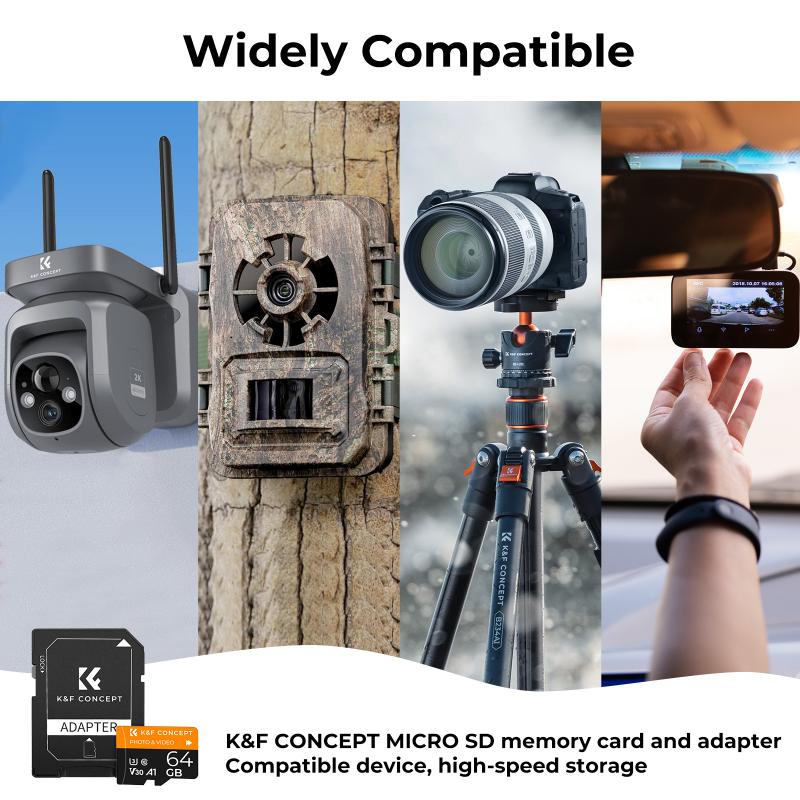
Before channeling your inner handyman, gather these essentials:
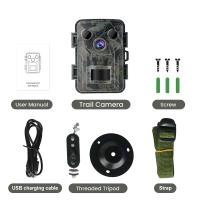
- Surveillance cameras (duh).
- DVR/NVR unit for image storage, according to your camera type (analog or IP cameras, respectively).
- Ethernet cables or coaxial cables (if wired).
- Drill, screws, and wall anchors.
- A ladder (because gravity works).
- A laptop or mobile device for testing connectivity.
Pro tip: Always purchase equipment that’s scalable. Today's camera layout could evolve into tomorrow’s multi-building setup. Equipment with expandable ports or cloud storage capabilities is your best bet.
Phase 3: Installation Step-by-Step — Action Time
Now the fun part begins—time to install like a professional.
1. Mount Your Cameras
Positioning cameras correctly is critical. Use the drill and wall anchors to secure the camera mounts. When placing the hardware:
- Mount cameras high to avoid possible tampering.
- Angle them toward lit areas for higher clarity at night. Consider adding motion-sensing floodlights for better illumination and deterrence.
- Double-check your camera’s field of view. Many modern cameras allow for wide-angle adjustments; experiment to avoid blind spots.
2. Run Your Cables (for Wired Systems)
For wired setups, route Ethernet cables or coaxial cables through walls or ceilings neatly. It’s tempting to haphazardly snake wires across floors, but resist the urge unless you enjoy tripping hazards and aesthetic nightmares.
Tip: Use cable conduit tubes for a clean, organized appearance and added protection.
For wireless systems, ensure cameras are within range of the router, ideally at the 2.4 GHz band for better range if Wi-Fi is involved.
3. Connect to the DVR/NVR System
Wired cameras directly plug into the DVR (Digital Video Recorder) or NVR (Network Video Recorder). These systems centralize data collection and should be installed in a secure location. For larger setups, racks can be used to organize multiple units.
Phase 4: Power Up and Configure Settings
Most cameras today come with plug-and-play capabilities, but initial setup always requires a bit of tinkering.
Power Supplies
Outdoor cameras often require a separate power source, so calculate voltage requirements beforehand. Use DC adaptors for small setups and PoE (Power over Ethernet) for larger installations. PoE reduces cable clutter by combining power and data transmission into a single cable.
Software Configuration
With cameras mounted and wired, connect your DVR/NVR to a monitor for system configuration. For wireless cameras, download the companion app and follow setup instructions.
- Set resolution settings for clarity—720p is entry-level, while 1080p and 4K offer impeccable detail. Resolution impacts the storage size, so don’t just crank it to max! Balance quality with practicality.
- Configure motion detection thresholds and zones to reduce unnecessary alerts. Nobody needs a notification for every passing squirrel.
Network Security
For IP cameras, especially in wireless setups, cybersecurity should be a priority.
- Use strong passwords for your camera system.
- Enable WPA2 encryption on your Wi-Fi network.
- Avoid sharing your camera credentials with unauthorized individuals—even if it’s your nosy neighbor.
Phase 5: Test the System
Once everything is installed, test your setup thoroughly.
- Check camera angles by monitoring the live feed and adjusting positions where needed. Test nighttime visibility with low-light mode if available.
- Ensure your mobile app notifies you correctly when motion is detected.
- Run sample video recordings to confirm storage is working seamlessly.
Phase 6: Maintain Your System
With the cameras installed and running, long-term maintenance ensures the system is reliable:
- Regularly clean camera lenses. Dirt, cobwebs, and water droplets are villains in the clarity saga.
- Check for firmware updates for both cameras and DVR/NVR systems. Updates fix bugs and enhance cybersecurity.
- Test all connections annually—loose wires, damage, or interference can crop up unexpectedly.
And there you have it, your thoroughly installed surveillance system. A mix of strategic thinking, technical expertise, and good old elbow grease goes a long way in securing your physical or virtual assets. Installation might seem daunting at first, but once you dive into the process, you'll find how incredibly satisfying it is to engineer your own safety bubble.
Go on, become the Sherlock Holmes of your private domain—without all the pipe-smoking drama strategy.