How To Put Straps On Canon Camera?
Let's be honest—straps might seem like the most boring piece of gear in your photography arsenal, but when you're lugging around a Canon camera that costs as much as a used car, they suddenly transform into an essential tool for safeguarding your sanity (and your investment). Luckily, attaching a strap to your trusty Canon isn’t rocket science. Still, doing it the wrong way might make you question your life choices after your camera nose-dives onto concrete. I’m here to ensure that doesn’t happen.
Let’s dive into the nitty-gritty details of properly attaching straps to Canon cameras in a way that’ll prevent mishaps—and maybe even make the process enjoyable (sort of).
## Step 1: Choose the Right Strap
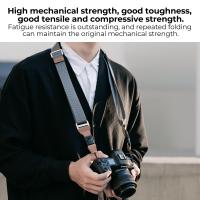
First things first. Before you slap on any random strap, ask yourself: what kind of photographer are you? Are you casually shooting street scenes on weekends, or are you dangling off cliffs for nature shots that require your camera to hang securely by your side? Canon typically provides a neck strap with their cameras, which gets the job done for most users. But there’s a thriving market of third-party straps like sling straps, wrist straps, and holsters, which might better suit your particular needs.
For simplicity, I’ll focus on the standard neck strap that Canon thoughtfully includes in the box. Bonus: it lets you advertise your camera model because why not flaunt that Canon EOS logo in bold lettering?
## Step 2: Locate Your Camera's Strap Lugs
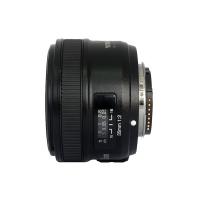
Your Canon camera didn’t come with strap lugs just for decoration. These durable metal eyelets can almost always be found near the top edges of the camera body on either side. They’re there to securely hold onto the strap connectors, ensuring that no matter how chaotic your photoshoot gets, your gear stays firmly linked to your person.
Take a moment to appreciate these tiny engineering marvels. They’re small, durable, and do the literal heavy lifting in protecting your camera investment. Now let’s give them something to work with.
## Step 3: Thread the Strap Through the Lugs
If you’ve ever tried threading a needle, this step might feel eerily familiar. Start by identifying the ends of your strap—usually loops or connectors—where the magic happens.
For Canon Neck Straps:
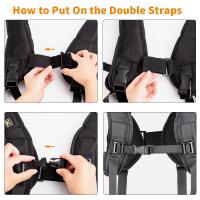
1. Loop Up: Insert the thin end of the strap through the strap lug from the outside in. This ensures that the strap lies flat against your camera body and avoids tangles that will make you question reality later. Look at the strap lug—it’s your new clutch object for threading!
2. Thread Down: Once you’ve threaded the strap through the lug, feed it through the adjustable plastic buckle or “slider” on the strap itself. The strap should loop back into the buckle to secure it. Think of it like threading a belt buckle—tighten enough to make it safe, but don’t smash your fingers in the process.
3. Safety Check: Tug lightly on the strap to ensure it’s connected snugly. If it slides out when you tug, congrats: you get to redo the threading process! Don’t despair; perseverance builds character.
## Step 4: Adjust the Strap Length
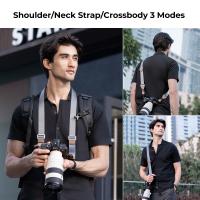
No two photographers are alike, and neither are their necks. Most Canon straps come with adjustable buckles to modify the length so the camera sits at just the right height. Personalize your setup by adjusting the strap to a comfortable length—whether you’re wearing it around your neck or crossbody style.
Some tips here:
- For neck wear: Your camera should sit at chest level, not down by your belly like a pirate’s coin purse.
- For crossbody style: Ensure the strap is long enough for easy movement but short enough to prevent the camera from bouncing around like a hyperactive toddler.
## Step 5: Double Check Everything
Halt! Before you rush to test your newly strapped camera on the wild streets or the nearest waterfall, revisit every connection you just made. Camera straps have one job—keeping your camera attached to you. Let’s make sure they’re doing it correctly.
Check that:
- The strap isn’t twisted at any juncture (unless sudden frustration is your aesthetic).
- The strap lugs are securely holding the loops.
- All adjustable buckles are tightly fastened and immovable under strain.
Remember, the only thing more heart-stopping than seeing your camera dangling is realizing there’s no strap keeping it from plunging to its doom.
## Step 6: Pro-Level Comfort Tips
Here’s the thing: camera straps aren’t just utilitarian. They can amplify your shooting experience—or turn into an aggravating sweat-covered annoyance. With that in mind, here are some expert comfort hacks:
1. Padding Matters: If your Canon strap feels like you’re wearing a paper thin ribbon around your neck, invest in a padded aftermarket strap. Yes, comfort is worth the extra cash.
2. Twist-Free Zone: Some photographers use locking mechanisms or gear clips to eliminate strap twists entirely. Alternatively, become zen about your strap frustration, because twisting might never go away.
3. Rapid Adjustments: For documentary or event photographers who are constantly switching positions, rapid-adjustment straps let you change the length on the fly without missing a shot. Think of it as fine-tuning your mobility.
## Step 7: Go Shoot!
Now that your Canon camera is safely strapped and ready to roll, it’s time to take it for a spin. Don’t be afraid to do some weird moves—bend, crouch, or even jump—to test your new setup’s durability. Sure, you might look ridiculous, but better to discover flaws now than during your next paid gig or bucket-list vacation.
And since you’re now armed with the knowledge of securely outfitting your camera with a strap, feel free to venture into new territory. Go chase sunsets, capture candids at street corners, or track down rare wildlife in the wilderness. Trust your strap. It's got your back—literally.
In conclusion, figuring out how to put straps on a Canon camera isn’t just about keeping your gear safe; it’s about treating your camera gear as an extension of yourself. Once you’ve secured your strap, adjusted it to perfection, and double-checked for potential mishaps, you’ll feel more confident in handling your equipment. Whether you’re grabbing the perfect shot or just strolling through scenic spots, your Canon goes from “expensive tool” to “trusted companion.”
Now, sling that beautifully strapped camera around your neck, step into the world, and let photography happen.