How To Put Straps On Nikon Camera?
Adjusting and attaching the strap to your Nikon camera is one of those seemingly simple tasks that can turn into a head-scratching experience if you haven't tackled it before. With cameras becoming sleeker, straps offer enhanced comfort, better security, and uninterrupted shooting convenience. But when the strap arrives in your hands resembling a tangled snake, you might feel like you’re assembling IKEA furniture without the instructions. Have no fear—by the end of this guide, you'll be wielding your camera like a pro.
The Anatomy of Your Nikon Strap and Camera
Before diving into the process, let’s take a closer look at what we’re working with. Most Nikon straps come equipped with three key components:
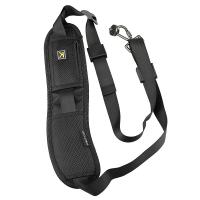
1. Nylon or polyester strap itself – Long and adjustable, with one wide padded portion for better comfort.
2. Plastic sliders and loops – These adjust the length and prevent the strap from flapping all over the place.
3. Attachment ends – Thin nylon ends that go through the anchor points on your camera body.
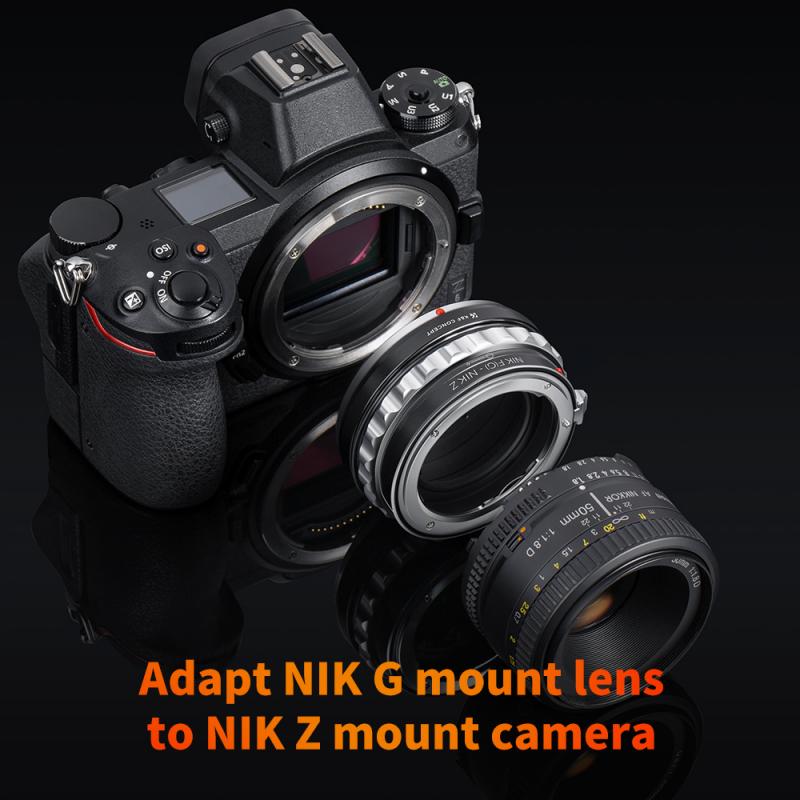
Similarly, the Nikon camera has attachment lugs, typically metal rings or slots on opposite sides of its body. These anchor points are rigid and designed for a tight, durable connection.
Tools You’ll Need
Believe it or not, you don’t need any complex tools for this task. But what you will need is:
A clean and flat workspace.
Steady hands and ample lighting.
A touch of patience if this is your first attempt.
Optional: A small, blunt plastic tool such as a toothpick (not metal!) can make manipulating the strap through tight loops easier if needed.
The Process: Strap Attachment Demystified
Now that you know the pieces of the puzzle, let’s assemble them into an efficient camera setup.
1. Prepare the Strap
Start by laying the strap flat on the table. Make sure the Nikon logo or branding (if you're using the official strap) is upright and not twisted. Even tension is essential, so pull the strap evenly to prevent kinks from complicating the adjustment process.
2. Locate the Attachment Points
Locate the two metal or plastic lugs—these are typically positioned on each side of the camera body. They’re robust and designed to withstand the load of the entire camera and lens, so don’t be concerned about their size or design.
3. Threading the Strap: Taming Nylon
This is the tricky part, so let’s break it down step by step:
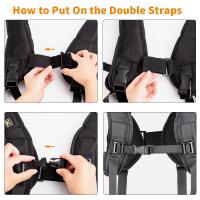
- Take one end of the strap, the narrower nylon portion that has no adjustment buckle attached to it.
- Carefully thread this narrow end through one of the attachment lugs. Push it in from the bottom so that when the strap settles, the branding/logo side remains outward-facing.
- On the loose end, slide it through the plastic buckle or adjustment slider that’s positioned on the same side of the strap. Pull it tightly to create a loop.
Pro Tip: The strap should now flow from the attachment lug, back into the buckle, and out the other side. If this sounds confusing, think of threading a belt through belt loops—it’s the same concept. If the strap is twisted, unroll it right away to prevent future complications.
4. Secure and Adjust
Nikon straps are built for functionality and aesthetics. The adjustment slider not only locks the strap in place but also prevents it from dangling unnecessarily and coming loose during rigorous use. After inserting the nylon end through the slider, tug gently to tighten the loop around the attachment lug.
Repeat the same process on the other attachment lug.
Fine-Tuning Your Setup
After both sides of the strap are attached, test for:
Length: The strap should feel balanced, whether you prefer to sling your camera over the shoulder, across your body, or around your neck. Use the adjustable sliders to make micro-adjustments.
Twisting: Ensure there are no twists or kinks in the strap, as this can become uncomfortable and unsightly.
Security: Give the strap a gentle tug at the adjustment points to confirm everything is locked in place.
Additionally, check to see if the padded portion of the strap aligns with the middle of the entire length. This padding absorbs weight effectively and should sit comfortably against your neck or shoulder.
Avoiding Common Mistakes
Here’s a checklist of things to watch out for:
1. Twisting Mayhem: Always check for strap twists before securing each loop.
2. Backwards Logo: A minor nuisance but worth fixing. Ensure the Nikon branding faces outward unless you enjoy the challenge of advertising backward logos.
3. Unsecured Loops: If the loose ends aren’t threaded back through their sliders properly, the strap might loosen unexpectedly—a recipe for disaster when operating expensive gear.
4. Overloading the Lugs: Don’t attach additional accessories to the strap lugs; these points are designed to handle the stress of the strap alone.
Why Your Camera Deserves a Proper Strap Assembly
At first glance, attaching a strap may seem like an afterthought. After all, isn’t it just something that hangs the camera around your neck? Think again. A properly installed strap not only safeguards your investment but also dramatically improves your shooting experience. Whether you're running between locations for a full-day shoot or hiking up trails to capture sunrise vistas, the strap redistributes the camera’s load efficiently—letting your creativity flourish without aches or unnecessary interruptions.
Troubleshooting FAQ
1. Why does my strap keep coming loose?
Double-check the way you've looped the ends through the adjustment buckles. Pull them snugly so they’re properly secured.
2. Can I use a third-party strap with my Nikon camera?
Absolutely. Just ensure it’s compatible with the attachment points and designed to support your camera’s weight. Some aftermarket options offer additional features like shock absorption.
3. What if I misplaced the official Nikon strap?
Any high-quality DSLR strap can typically be substituted, but ensure the strap width matches the attachment lugs for a snug fit.
4. Is it worth attaching a wrist strap instead?
Wrist straps can be an excellent alternative for smaller mirrorless Nikon cameras, but for DSLRs and heavier setups, stick with shoulder or neck straps for better support.
Beyond a Mere Accessory
The humble camera strap might not get the attention it deserves in the spotlight of new lenses or sleek bags, but it plays a pivotal role in your day-to-day photography adventures. Think of it not just as a means to carry your camera, but as an extension of your workflow. Properly installed, adjusted, and maintained, the strap complements your gear in both form and function.
So there you have it. A task that once appeared deceptively intricate now unfolds with satisfying clarity—like unraveling a well-kept secret handshake shared among photographers. Whether you’re capturing alpine sunrises or urban nocturnal vibes, your now-secured camera strap ensures your focus stays where it matters most: behind the lens.