kfconcept

K&F Concept UK
K&F Concept United Kingdom    Blog >

Enjoy Your Selected Digital Life

Recently Viewed
  • Recently Viewed
  • Recently Viewed list is empty.

Compare (0) 0
  • Compare
  • You have not chosen any products to compare.

  • Compare
Currency: GBP
  • Currency

Log Into Your Account

Account

Order History

Wish List

Login

Forgotten Password?

Or connect with

Register Account

Already have an Account?Log In

  • Shopping Cart
  • Your shopping cart is empty!

  • Register/Login to purchase, earn points
  • Favorite
  • Your wish list is empty.

  • Register/Login to like, earn points
  • Tripods
    • Aluminum Tripods
    • Carbon Fiber Tripods
    • Travel Tripods
    • Video Tripods
    • Monopods
    • Lightweight Tripods
    • Mini Tripod
    • Tripod Accessories
    • Gimbal Stabilizers
    • Tripod Head
    • Tripod Kit
    • Action Camera Mounts
    • Phone Tripods
    • Studio Parts
      • Camera Flash
      • Photography Fill Light
      • Ring light
      • Soft Box
      • Tripod Light Stands
      • Reflectors
    • Clearance Tripods
  • Lens Filters
    • UV Filters
      • Nano-Xcel Series
        • MCUV
        • Ultra-low Reflectivity MCUV Filters
        • MCUV Super Hard
        • Explosion-proof MCUV - Nano-Xcel
        • MCUV+Lens Cap+Cleaning Cloth
        • Super Hard&Ultra Low Reflection MCUV Filters - Nano-Xcel
        • MCUV - Magnetic Series
      • Nano-Dazzle Series
        • MCUV
        • MCUV+Lens Cap+Cleaning Cloth
      • Nano-Klear Series
        • MCUV
        • Ultra Thin Frame MCUV Filters
        • MCUV+Lens Cap+Cleaning Cloth
      • Nano-Xcel Pro Series
        • MCUV
    • CPL Filters
      • Nano-Xcel Series
        • CPL
        • CPL True Color
        • Ultra-low Reflectivity CPL
        • CPL+Lens Cap+Cleaning Cloth
        • Magnetic CPL
          • Magnetic CPL + Apater ring + Cap - Nano-X
        • True Color Ultra-low Reflectivity CPL - Nano-Xcel
      • Nano-Dazzle Series
        • CPL
        • CPL+Lens Cap+Cleaning Cloth - Nano-Dazzle
      • Nano-Klear Series
        • CPL
        • Ultra Thin Frame CPL Filters
        • CPL+Lens Cap+Cleaning Cloth
        • CPL+Lens Cap - Nano-Klear
      • Nano-Xcel Pro Series
        • CPL
    • Neutral Density Filters
      • Neutral Density (Solid) Filters
        • ND8 (3 stops) - Nano-Xcel Series
        • ND64 (6 stops) - Nano-Xcel Series
        • ND1000 (10 stops) - Nano-Xcel Series
        • ND100000 (16.6 stops) - Nano-Xcel Series
        • ND1000000 (20 stops) - Nano-Xcel Series
        • ND100000 (16.6 stops) - Nano-Klear Series
        • ND1000000 (20 stops) - Nano-Klear Series
        • Solid ND - Magnetic Series
      • Graduated Neutral Density
        • 100mm GND Filter
          • Soft GND8 Filters - Nano-Xcel Series
          • Hard GND8 Filters - Nano-Xcel Series
          • Reverse GND8 Filters - Nano-Xcel Series
          • Soft GND16 Filters - Nano-Xcel Series
          • Reverse GND16 Filters - Nano-Xcel Series
          • Soft GND8 Filters - Nano-Xcel Pro Series
          • Hard GND8 Filters - Nano-Xcel Pro Series
          • Reverse GND8 Filters - Nano-Xcel Pro Series
          • Soft GND16 Filters - Nano-Xcel Pro Series
          • Reverse GND16 Filters - Nano-Xcel Pro Series
        • Circular GND Filter
          • GND8
          • GND16
      • 2 in 1 Filters
        • ND2-ND32&CPL Filters - Nano-Xcel Series
        • ND2-ND32&CPL Filters - Nano Dazzle Series
        • ND2-32&CPL Filters - Nano-Klear Series
        • ND2-ND32&CPL Filter - Nano-X Pro
        • ND2-ND32&CPL True Color Filters - Nano-Xcel Series
        • ND4-ND64&CPL Filter
      • 3 in 1 Filters
        • ND2-32&CPL&Black Mist 1/4 Filters - Nano-Xcel Series
        • ND2-32&CPL&Black Mist 1/4 Filters - Nano-Klear Series
      • Variable Neutral Density
        • Nano-Xcel Series
          • ND2-ND32 - Nano-Xcel
          • ND2-ND32 True Color - Nano-Xcel
          • ND2-ND400 - Nano-Xcel
          • ND8-ND128 - Nano-Xcel
          • ND32-ND512 - Nano-Xcel
          • ND3-ND1000 - Nano-Xcel
          • ND2-32 True Color Ultra-Low Reflection - Nano-Xcel
          • ND2-400 Ultra-Low Reflection - Nano-Xcel
        • Nano-Dazzle Series
          • ND2-ND32 - Nano-Dazzle
          • ND2-ND400 - Nano-Dazzle
          • ND3-ND1000 - Nano-Dazzle
          • ND8-ND2000 - Nano-Dazzle
        • Nano-Klear Series
          • ND2-ND32 - Nano-Klear
          • ND2-ND400 - Nano-Klear
          • ND2-ND2000 - Nano-Klear
          • True Color ND2-ND400 - Nano-Klear
        • Nano-Xcel Pro Series
          • ND2-ND32 - Nano-Xcel Pro
        • Nano-B Series
          • ND2-ND400 - Nano-B
    • Black Mist & Soft Focus Filters
      • Black Mist Filters
        • Black Mist 1/8
          • Black Mist 1/8 - Nano-Xcel Series
          • Black Mist 1/8 - Nano-Dazzle Series
          • Black Mist 1/8 - Nano-Klear Series
          • Black Mist 1/8 - Nano-Xcel Pro Series
          • Black Mist 1/8+Lens Cap+Cleaning Cloth - Nano-Klear Series
        • Black Mist 1/4
          • Black Mist 1/4 - Nano-Xcel Series
          • Black Mist 1/4 - Nano-Dazzle Series
          • Black Mist 1/4 - Nano-Klear Series
          • Black Mist 1/4 - Nano-Xcel Pro Series
          • Black Mist 1/4+Lens Cap+Cleaning Cloth - Nano-Klear Series
        • Black Mist 1/2
          • Black Mist 1/2 - Nano-Xcel Series
          • Black Mist 1/2 - Nano-Klear Series
        • Black Mist 1
          • Black Mist 1 - Nano-Xcel Series
          • Black Mist 1 - Nano-Klear Series
        • Black Mist Kit
          • Black Mist 1/4 + 1/8 Nano Xcel Series
          • Black Mist 1/4 + 1/8 - Nano Klear Series
          • Black Mist 1/4 + CPL - Nano Klear Series
        • Black Mist & CPL
          • Black Mist 1/4&CPL - Nano-Klear Series
        • Black-Mist & VND
          • Black Mist 1/4 & ND2-32 Filters - Nano-Klear Series
          • Black Mist 1/4 & ND2-400 Filters - Nano-Xcel Series
          • Black Mist 1/4 & ND2-32 Filters - Nano-Xcel Series
          • Black Mist 1/8 & ND2-32 Filters - Nano-Klear Series
          • Black Mist 1/4 & ND2-400 Filters - Nano-Klear Series
      • White Mist Filters
        • White Mist 1/4 - Nano-Xcel Series
        • White Mist 1/4 - Nano-Klear Series
      • Shimmer Diffusion
        • Shimmer Diffusion 1 - Nano-Xcel Series
        • Shimmer Diffusion 1 - Nano-Klear Series
    • Light Pollution Cut Filter
      • Light Pollution Cut Filter - Circular
      • Light Pollution Cut Filter - Square
    • Magnetic Lens Filters
      • MCUV Filters
        • Magnetic MCUV - Nano-Klear Series
        • Magnetic MCUV+Lens Caps - Nano-Xcel Series
      • CPL Filters
        • Magnetic CPL + Adapter Ring
        • Magnetic CPL+Adapter Ring - Nano-Klear Series
      • Black-Mist
        • Black Mist 1/8 Filters - Nano-Xcel Series
        • Black Mist 1/4 Filters - Nano-Xcel Series
      • Neutral Density (Solid) Filter
        • Magnetic ND8 - Nano-Xcel Series
        • Magnetic ND64 - Nano-Xcel Series
        • Magnetic ND1000 - Nano-Xcel Series
      • Unlimited Variable ND Filter
        • Magnetic ND2-ND32 - Nano-Xcel Series
        • Magnetic ND8-ND128 Filters - Nano-Xcel Series
      • Accessories
        • Magnetic Adapter Ring
        • Magnetic Filter Ring
        • Magnetic Cap
      • Kits
        • MCUV+CPL+ND1000+Adapter Ring - Nano-Xcel Series
        • CPL+ND8+ND64+Adapter Ring+Lens Cap - Nano-Xcel Series
        • GND8+ND8+ND64+ND1000+Adapter Ring - Nano-Xcel Series
        • CPL+VND2-32+Black Mist 1/4+Magnetic Ring+Lens Cap - Nano-Xcel Series
    • Square Filter System
      • Basic System
        • Square ND Filters
          • ND4 Filters - Nano-Xcel Series
          • ND16 Filters - Nano-Xcel Series
          • ND1000 Filters - Nano-Xcel Series
          • ND2000 Filters - Nano-Xcel Series
          • ND32000 Filters - Nano-Xcel Series
          • Full Color ND8 Filters - Nano-Xcel Series
          • Full Color ND64 Filters - Nano-Xcel Series
        • Square GND Filters
        • Light Pollution Cut Filter
          • Light Pollution Cut Filter - Nano-Xcel Series
        • Square Black Mist Filters
          • Square Black Mist 1 - Nano-Xcel Series
          • Square Black Mist 1/4 - Nano-Xcel Series
          • Square Black Mist 1/8 - Nano-Xcel Series
        • Brackets and Accessories
          • Adapter Ring - Nano-Xcel Series
        • Kits
          • 100mm Square Filter System - Nano-Xcel Series
          • 100mm ND1000+Holder Kit - Nano-Xcel Series
          • 100mm ND1000+Soft GND8+Holder Kit - Nano-Xcel Series
          • 100mm Soft GND8+Holder Kit - Nano-Xcel Series
      • Professional System
        • ND
          • Full Color ND8 Filters - Nano-Xcel Pro Series
          • Full Color ND64 Filters - Nano-Xcel Pro Series
          • Full Color ND1000 Filters - Nano-Xcel Pro Series
        • GND
        • PL
        • Black Mist 1/4&CPL - Nano-Xcel Pro Series
        • Light Pollution Cut Filter
          • Light Pollution Cut Filter - Nano-Xcel Pro Series
        • Kits
          • 100mm ND1000+Holder Kit - Nano-Xcel Pro Series
          • 100mm ND1000+Soft GND8+Holder Kit - Nano-Xcel Pro Series
          • 100mm ND8+ND64+ND1000+Holder Kit - Nano-Xcel Pro Series
          • 100mm Holder Kit - Nano-Xcel Pro Series
        • Brackets and Accessories
          • 100x100mm Square Filter Protect Frame - Nano-Xcel Pro Series
          • 100x150mm Square Filter Protect Frame - Nano-Xcel Pro Series
          • Adapter Ring - Nano-Xcel Pro Series
    • Drone Filter
      • DJI Air 3S
      • DJI Avata2
      • DJI Flip
      • DJI Mavic 3 Pro
      • DJI NEO
      • DJI Mini 1/2/SE
      • DJI Mini 4 Pro Filters
      • DJI Mavic 3
      • DJI Mini 3 PRO
      • DJI Avata
      • DJI Mavic 4 Pro
      • DJI Mini 5 Pro
      • DJI Air 2S
    • Effects Filters
      • Prism Filters
        • Central Prism Filters
          • Central Pentagonal Filters - Nano-Basic Series
          • Central Hexagonal Filters - Nano-Basic Series
        • Ordinary Prism Filters
          • Triangular Filtres - Nano-Basic Series
        • Single Linear Prisms
      • Streak Filters
        • Blue Streak Filters - Nano-Xcel Series
        • Gold Streak Filters - Nano-Xcel Series
        • Colorful Streak Filters - Nano-B Series
        • Blue Streak Filters - Nano-Klear Series
      • Star Filter
        • Star Filters 4-8 Points - Nano-Klear Series
        • Star Filter Kits 4+6+8 Points - Nano-Klear Series
        • 4-Point Fine-Line Star Filters - Nano-Klear Series
        • 6-Point Fine-Line Star Filters - Nano-Klear Series
      • Kaleidoscope Filters
        • Kaleidoscope Filters - Nano-Basic Series
        • Handheld Kaleidoscope Filters - Nano-B Series
      • Motion Blur Filters
        • Directional Motion Blur - Nano-Basic Series
        • Bidirectional Motion Blur - Nano-Basic Series
        • Handheld Motion Blur Filters - Nano-Basic Series
      • Spiral Filters
        • Spiral Halo Filters - Nano-B Series
        • Handheld Spiral Filters - Nano-Basic Series
      • Diopter Filters
        • Centerfield Split Diopter Filters - Nano-Basic Series
        • Handheld Diopter Filters - Nano-Basic Series
    • Filter Accessories
      • Lens Hoods
      • Rings Kits
        • Step Up Rings
        • Step Down Rings
      • Filter Holders & Frames
      • Filter Holder Adapter Rings
        • Filter Adapter Rings
      • Filter Pouches
      • Lens Caps
        • Caps for Magnetic Filters
        • Caps for Variable ND Filters
        • Anti-lost Lens Cap
          • 4 in 1
          • 5 in 1
          • 9 in 1
      • Polarized Film
    • Filter Kit
      • Black Diffusion 1/4 + 1/8
      • Screw-In Filters
        • MCUV+CPL Filter - Nano-Klear Series
        • MCUV+CPL+Lens Cap - Nano-Klear Series
        • MCUV+CPL+Metal Lens Cap - Nano-Xcel Series
        • MCUV+CPL+ND1000+Lens Cap - Nano-Dazzle Series
        • MCUV+CPL+ND2-400 - Nano-Klear Series
        • ND8+ND64+ND1000 - Nano-Dazzle Series
        • MCUV+CPL+ND4 - Nano-Klear Series
        • ND1000+CPL - Nano-Klear Series
        • ND4+ND8+ND64+ND1000 - Nano-Xcel Series
        • MCUV+CPL
      • Magnetic Filters
      • Square Filters
    • Action Camera Filters
      • DJI Osmo Action 4 / Action 5 Pro
      • DJI Osmo Action 6
      • DJI Osmo Nano
      • DJI Osmo Pocket 3
      • GoPro HERO 4K
      • GOPRO Hero 9/10/11/12/13 Filters
      • Insta360 Ace pro 2
      • Insta360 Go Ultra
      • Insta360 GO3
      • Insta360 GO3S
      • Action Camera Accessories
        • DJI Osmo Action 3/4/5 Pro
        • Head Strap & Chest Mount
        • Insta360 X5
        • Magnetic Neck Mount
        • DJI Osmo 360
        • DJI Osmo Pocket 3 Charging Base
        • DJI Osmo Pocket 3
    • Phone Lens Filters
    • Matte Box & Filter Systems
      • Neutral Density (Solid) Filters
        • ND4 - Nano-Xcel Series
        • ND8 - Nano-Xcel Series
        • ND16 - Nano-Xcel Series
        • ND32 - Nano-Xcel Series
        • ND64 - Nano-Xcel Series
        • ND8+ND64 - Nano-Xcel Series
      • UV Filters
      • Black Mist Filters
        • Black Mist 1/4 - Nano-Xcel Series
        • Black Mist 1/8 - Nano-Xcel Series
      • Blue Streak Filters
      • Accessories
      • Kits
        • Matte Box - Nano-Xcel Series
        • Matte Box Pro - Nano-Xcel Series
        • Matte Box+ND8 Square Filter - Nano-Xcel Series
        • Matte Box+ND4+ND32 Square Filter - Nano-Xcel Series
        • Matte Box+Black Mist 1/4 Square Filter - Nano-Xcel Series
    • Brand-specific Filters
      • Fujifilm X100
      • Ricoh GR
  • Lens Adapters
    • PL Mount Lenses
    • A Mount Body(Sony/Minolta)
    • Fujifilm X Mount Body
    • Fujifilm G (GFX) Mount Body
    • C-Mount Body
    • Leica M Mount Body
    • MFT(M4/3) Mount Body
    • Pentax K Mount Body
    • Pentax Q Mount Body
    • Samsung NX Mount Body
    • Nikon F Mount Body
    • Nikon 1 Mount Body
    • Nikon Z Mount Body
    • Canon EOS EF/EF-S Mount Body
    • Canon EOS M Mount Body
    • Canon RF Mount Body
    • Sony E Mount Body
    • L-Mount Alliance (Leica)
  • Camera
    • Digital Camera & Camcorders
      • Digital Cameras & Camcorders
      • Underwater Cameras
      • Action Cameras
      • Kids’ Cameras
      • Time lapse camera
    • Wildlife Camera
      • Wifi Trail Cameras
      • Non-Cellular Trail Cameras
      • Accessories
      • Cellular Trail Cameras
    • Surveillance Cameras
      • 4G Camera
      • Battery Camera
      • Baby Monitor
      • WiFi Camera
      • Feeder Camera
      • Floodlight camera
      • Monitoring Detector
    • Camera Lenses
    • On-Dash Camera
    • Fishing camera
    • Memory Cards
      • Micro SD Card
      • SD Card
    • Camera Accessories
      • Camera Caps
      • Camera Screen Protectors
        • Canon
        • Sony
        • Fujifilm
        • Nikon
        • Olympus
        • Ricoh
        • GoPro
        • DJI Osmo Pocket 3
      • Camera Hot Shoe Covers
      • Camera Viewfinder Eyecups
        • Nikon
        • Sony
        • Canon
      • Adjustment Iris
  • Camera Bags
    • Camera Backpacks
    • Camera Shoulder Bags
    • Camera Cases
    • Digital Storage Bag
    • Lens Cases
    • Camera Straps
    • Backpack Accessories
  • Camera Battery
    • Sony
    • Canon
    • Nikon
    • FUJIFILM
    • Ricoh
    • Gopro
    • Osmo Action
    • Lumix
    • V Mount Battery
    • Memory Card Case
  • Optics
    • Microscope
      • Optical Microscope
      • Digital Microscope
      • Kids' Microscopes
    • Binoculars
    • Monocular
    • Telescope
    • Night Vision Goggles
    • Rangefinder
  • Endoscope
    • Professional Endoscope
    • Household Endoscope
    • Portable Endoscope
    • Otoscope/Oral Endoscope
  • More
    • Cleaning Kits
    • Digital Voice Recorders
    • Language Translator Device
    • Smart Glasses
    • Metal Detectors
    • Light
      • Video fill light
      • Live Ring Light
      • Outdoor Lighting
    • Motorcycle Bluetooth Headset
    • Laser Engraver Machine
    • Headphones
    • Weather Station & Household Sensors
    • Microphone
    • Drone Accessories
      • DJI Air 2S Accessories
      • DJI Air 3 Accessories
      • DJI Avata Accessories
      • DJI Drone Universal Accessories
      • DJI Mavic Mini 2/Mini 2 SE/Mini Accessories
      • DJI Mavic Mini 3 Accessories
      • DJI Mini 3 Pro Accessories
    • Smart Watch
    • Smart lock
    • Studio
    • Solar Panels
  • Deals
    • Specials
    • Coupon
    • New Arrivals
  • Home
  • Blog
  • How To Use Mini Wireless Microphone ?

How To Use Mini Wireless Microphone ?

K&f concept 2023-10-17 09:39:01 0 Comments

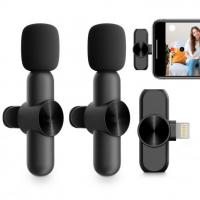
To use a mini wireless microphone, first, ensure that the microphone is charged or has fresh batteries. Then, turn on the microphone and the receiver. Make sure that the receiver is connected to the audio input of the device you want to use, such as a camera, speaker system, or computer. Adjust the volume levels on both the microphone and the receiver to your desired settings. Finally, test the microphone by speaking into it and checking if the audio is being transmitted and received properly.

1、 Connecting the mini wireless microphone to your device

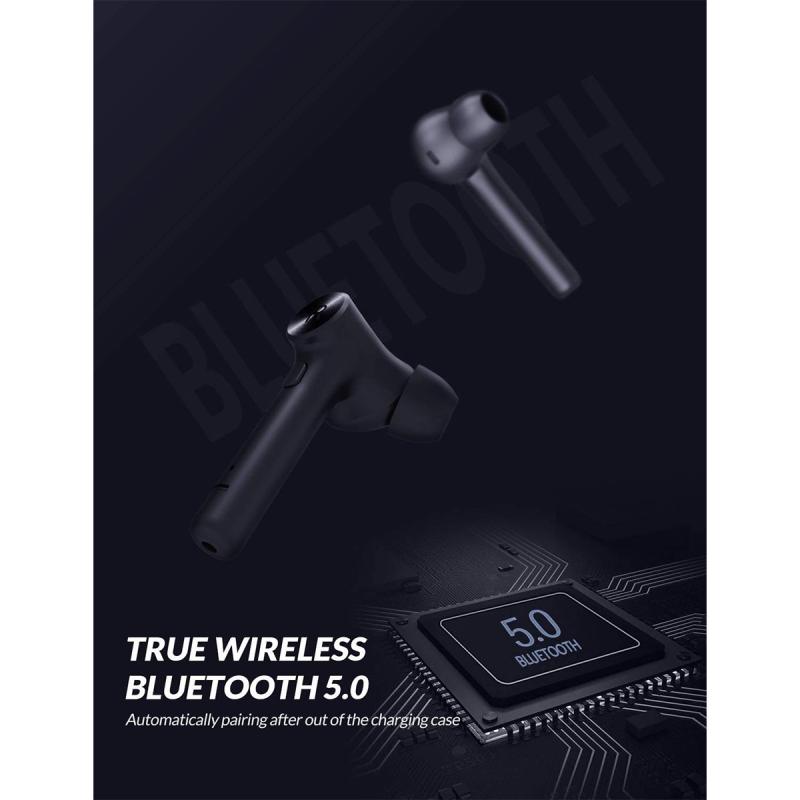
Connecting the mini wireless microphone to your device is a simple process that allows you to enjoy the convenience and freedom of wireless audio recording. Here's a step-by-step guide on how to use a mini wireless microphone:

1. Check compatibility: Ensure that your device supports wireless connectivity, such as Bluetooth or Wi-Fi. Most modern smartphones, tablets, and laptops have this capability.

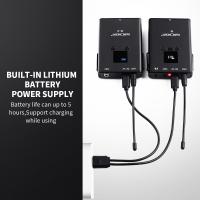
2. Charge the microphone: Before using the mini wireless microphone, make sure it is fully charged. Connect it to a power source using the provided USB cable and allow it to charge for the recommended time.

3. Turn on the microphone: Once charged, switch on the mini wireless microphone by pressing the power button. Some models may have an LED indicator that lights up when it is turned on.

4. Enable pairing mode: Put the microphone into pairing mode by pressing and holding the Bluetooth button or following the manufacturer's instructions. This allows your device to detect and connect to the microphone.

5. Connect to your device: On your device, go to the Bluetooth or Wi-Fi settings and search for available devices. Select the mini wireless microphone from the list of detected devices and follow any on-screen prompts to complete the pairing process.

6. Adjust settings: Once connected, you may need to adjust the audio settings on your device. This includes selecting the microphone as the input source and adjusting the volume levels as desired.

7. Start recording: With the mini wireless microphone successfully connected, you can now start recording audio. Open your preferred recording app or video recording software and ensure that the microphone is selected as the audio input source.

It's important to note that the specific steps may vary depending on the brand and model of the mini wireless microphone you are using. Always refer to the manufacturer's instructions for detailed guidance.

In recent years, mini wireless microphones have become increasingly popular due to their convenience and versatility. They offer a range of benefits, such as improved mobility, reduced cable clutter, and the ability to capture audio from a distance. Additionally, advancements in technology have led to improved sound quality and longer battery life in these devices.

As technology continues to evolve, mini wireless microphones are becoming more user-friendly and compatible with a wider range of devices. Some models now offer additional features like noise cancellation, adjustable sensitivity, and real-time audio monitoring. These advancements make them suitable for a variety of applications, including vlogging, podcasting, interviews, presentations, and more.

In conclusion, connecting a mini wireless microphone to your device is a straightforward process that allows you to enjoy the freedom of wireless audio recording. By following the steps outlined above and staying up to date with the latest advancements in wireless microphone technology, you can enhance your audio recording experience and capture high-quality sound with ease.
Connecting the mini wireless microphone to your device

2、 Adjusting the microphone settings for optimal performance

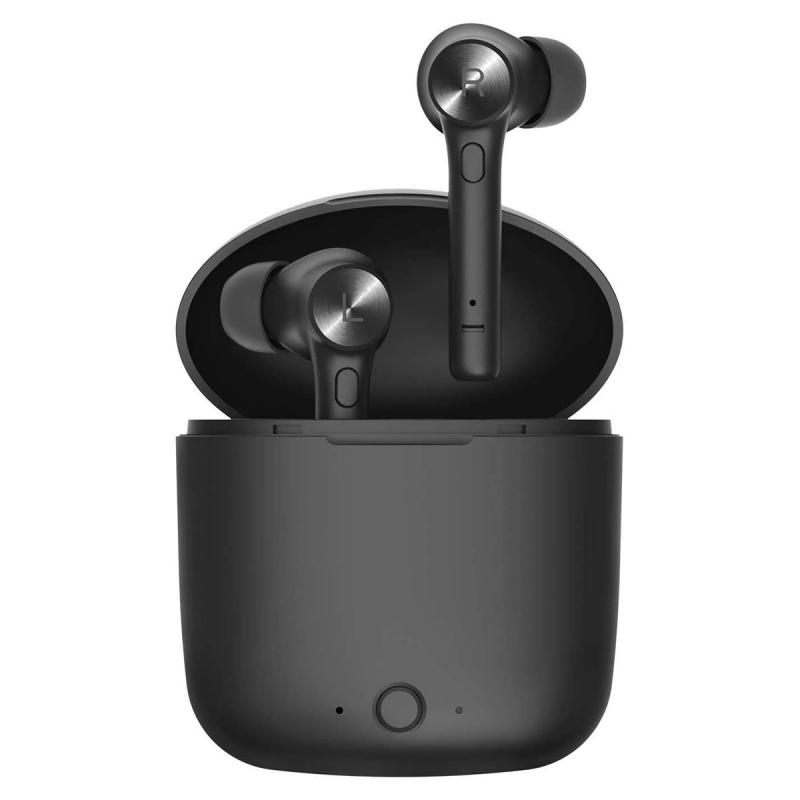
To use a mini wireless microphone effectively, it is important to adjust the microphone settings for optimal performance. Here are some steps to help you get the best out of your mini wireless microphone:

1. Positioning: Start by positioning the microphone correctly. Place it close to the sound source to ensure clear and accurate audio capture. Experiment with different positions to find the best spot for optimal sound quality.

2. Volume control: Adjust the volume settings on the microphone to ensure the audio is neither too soft nor too loud. This will help prevent distortion and ensure a balanced sound output.

3. Frequency selection: Mini wireless microphones often come with multiple frequency options. Select a frequency that is not being used by other nearby devices to avoid interference. This will help maintain a stable and uninterrupted audio transmission.

4. Gain control: Adjust the gain control on the microphone to optimize the sensitivity of the audio input. This will help capture the desired sound levels without any distortion or background noise.

5. Test and monitor: Before using the mini wireless microphone in a live setting, it is crucial to test and monitor the audio quality. Use headphones or speakers to listen to the audio output and make any necessary adjustments to the settings.

6. Battery life: Ensure that the microphone has sufficient battery life before each use. A low battery can affect the performance and audio quality of the microphone. Replace or recharge the batteries as needed.

7. Range limitations: Keep in mind that mini wireless microphones have a limited range. Stay within the recommended range to maintain a strong and stable connection between the microphone and the receiver.

It is important to consult the user manual provided by the manufacturer for specific instructions on adjusting the settings of your mini wireless microphone. Additionally, staying updated with the latest advancements in wireless microphone technology can help you make the most of your device.
Adjusting the microphone settings for optimal performance

3、 Positioning the microphone for clear and consistent audio capture

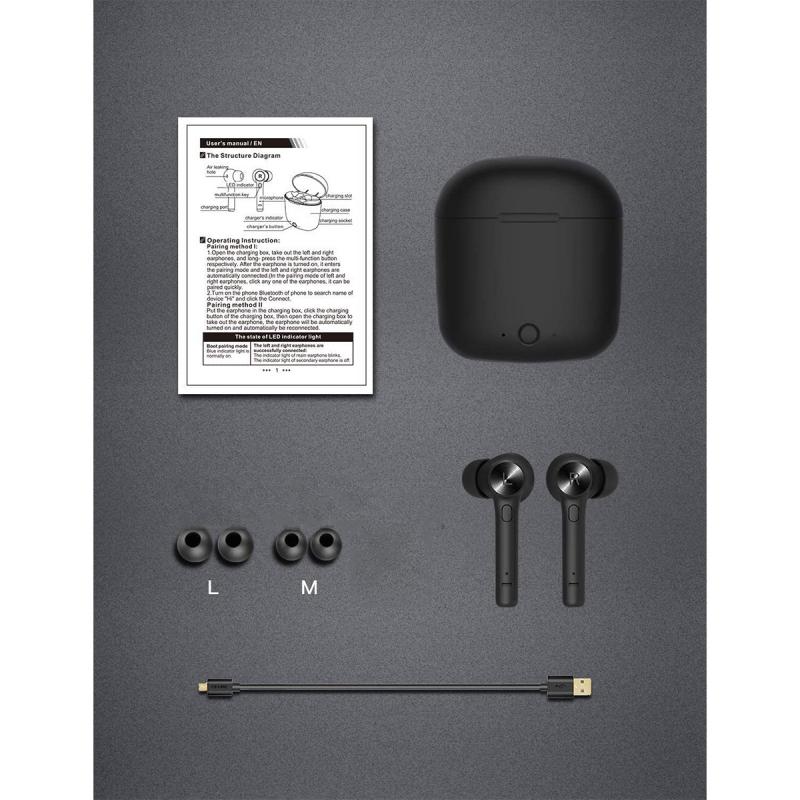
To use a mini wireless microphone effectively, it is crucial to position it correctly for clear and consistent audio capture. Here are some steps to follow:

1. Choose the right location: Find a suitable spot where the microphone can capture the desired audio without any obstructions or interference. Consider the distance between the microphone and the sound source to ensure optimal sound quality.

2. Attach the microphone securely: Depending on the type of mini wireless microphone you have, it may come with a clip or a lavalier-style design. Attach the microphone securely to the clothing of the person speaking, ensuring it is close to their mouth for clear audio pickup.

3. Test the audio levels: Before starting the recording or live performance, check the audio levels to ensure they are not too low or too high. Adjust the microphone sensitivity accordingly to avoid distortion or background noise.

4. Monitor the audio: Use headphones or a monitoring system to listen to the audio in real-time. This allows you to make any necessary adjustments to the microphone position or audio levels during the recording or performance.

5. Minimize interference: Keep the mini wireless microphone away from other electronic devices that may cause interference, such as smartphones or Wi-Fi routers. This helps maintain a strong and stable wireless connection.

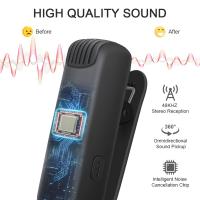
6. Consider the latest advancements: With the continuous advancements in technology, mini wireless microphones now often come with features like noise cancellation and improved signal transmission. Take advantage of these features to enhance the audio quality and reduce any unwanted background noise.

Remember, practice and experimentation are key to achieving the best results with a mini wireless microphone. Adjust the positioning and settings as needed to find the optimal setup for your specific requirements.
Positioning the microphone for clear and consistent audio capture

4、 Troubleshooting common issues with mini wireless microphones

How to Use Mini Wireless Microphone:

1. Charge the microphone: Before using the mini wireless microphone, make sure it is fully charged. Connect the microphone to a power source using the provided USB cable and allow it to charge for the recommended time.

2. Pair the microphone: Turn on the microphone and the receiver. Most mini wireless microphones have a pairing button or a specific process to establish a connection between the microphone and the receiver. Follow the instructions provided with your specific model to pair them successfully.

3. Adjust the settings: Once the microphone and receiver are paired, adjust the volume levels on both devices. You may also need to select the appropriate channel or frequency to ensure a clear and interference-free signal.

4. Test the microphone: Before using the mini wireless microphone for a presentation or performance, it is essential to test its functionality. Speak into the microphone and check if the sound is clear and audible through the receiver. Adjust the microphone's position or volume levels if necessary.

5. Use the microphone: Once the mini wireless microphone is set up and tested, you can start using it for your intended purpose. Attach the microphone securely to your clothing or use a microphone stand if needed. Move around within the recommended range to maintain a strong and stable connection.

Troubleshooting Common Issues with Mini Wireless Microphones:

1. Interference: If you experience interference or static during use, try changing the channel or frequency on both the microphone and receiver. Additionally, ensure that there are no other electronic devices nearby that may be causing interference.

2. Range limitations: Mini wireless microphones have a limited range within which they can operate effectively. If you move too far away from the receiver, the signal may weaken or cut out entirely. Stay within the recommended range to maintain a reliable connection.

3. Battery life: If the microphone's battery life seems shorter than expected, check for any power-saving features that may be enabled. Adjusting the microphone's settings or reducing the volume levels can help conserve battery life.

4. Audio quality: If the sound quality is poor or distorted, check the microphone's position and ensure it is not obstructed by clothing or other objects. Adjust the microphone's volume levels and distance from your mouth to achieve optimal audio quality.

5. Connectivity issues: If the microphone and receiver fail to pair or lose connection frequently, try resetting both devices and repeating the pairing process. Ensure that the microphone and receiver are within close proximity during the pairing process.

It is important to consult the user manual or manufacturer's instructions specific to your mini wireless microphone model for detailed guidance on usage and troubleshooting.

Troubleshooting common issues with mini wireless microphones

Leave your comment
Cancel reply
Note: HTML is not translated!
Related products
AP004 Wireless Lavalier Microphone for Android - USB C Mini Wireless Lavalier Microphone for Recording, YouTube Videos, Live Streaming, Vlogging (No App or Bluetooth Required)
£16.99
Bluetooth Earbuds TWS Wireless Earphones Waterproof In-ear Earbuds M10 Earphones 9D Stereo Sport Headsets with Microphone Charging Box Black,mini earbud
£18.99 £14.99
Wireless Earbuds Bluetooth Headphones TWS Waterproof with Microphone
13
£53.99 £22.99
Wireless Lavalier Microphone System with 4 Transmitters and 1 Receiver
£274.99 £219.99
M10 Wireless Microphone with Charging Case, Type-C, Apple Interface 2 in 1 Wireless Lavalier Microphone, 3 Levels of Noise Reduction, for Youtube, Recording, Video Blogging, Facebook Live Streaming
£34.99 £24.99
S13 Wireless Lavalier Microphone for iPhone iPad, Charging Case with Battery Indicator, Plug and Play Wireless Microphone with 2 Microphones for Video Recording, Tiktok, YouTube, Auto Sync and Noise Cancellation
£29.99
S13 Wireless lavalier microphone for Type-C, charging case with battery indicator, plug-and-play wireless microphone with 2 microphones for video recording, Tiktok, YouTube, auto-sync and noise cancellation
£29.99
Wireless Lavalier Microphone for iPhone & Android 48kHz 24bit HiFi Audio Noise Cancelling
16
£99.99 £79.99
BOYA Wireless Lavalier Microphone for iPhone Android 30Hrs Battery Life 164FT Range
12
£99.99 £79.99
Guess you like products
77mm CPL Filter ultra-thin Trapezoidal Frame  Blue-Coated Film with a piece of vacuum cleaning cloth Nano-Klear
77mm CPL Filter ultra-thin Trapezoidal Frame Blue-Coated Film with a piece of vacuum cleaning cloth Nano-Klear
20
£26.99 £15.99
AI Voice Recorder Transcriber Summary Translation Audio Activated 128G Kentfaith
15
£74.99 £54.99
52mm Super Clear 24 Layers Multi Coated Ultraviolet Protection Lens Filter for DSLR Lens (Nano-Dazzle Series)
54
£21.99 £16.99
96*96mm Filter Pouch, 3-Pocket Filter Case,  Maximum Size to Fit Circular Filter 62mm (Including 62mm)
96*96mm Filter Pouch, 3-Pocket Filter Case, Maximum Size to Fit Circular Filter 62mm (Including 62mm)
5
£29.99 £19.99
St-60w Photography Light With Remote Control Dimmable Continuous Lighting for Video Recording Wedding Outdoor Photography (EU Plug-Ireland only)
14
£179.99 £169.99
Canon EOS EF Lenses to Fuji GFX Mount Camera Adapter
72
£39.99
K&F Concept 2400mAh LP-E6P 2-Pack Battery and Dual Slot USB Charger Compatible with EOS R5 Mark II, R5, R62, R6, R7
16
£63.99 £59.99
4.3” LCD Digital Microscope, 50X-1000X Magnification, USB Microscope for Adults and Children with 8 Adjustable LEDs, Windows/Mac iOS Compatible Kentfaith
32
£91.99 £55.99
Video Baby Monitor with Wireless Camera Pet Monitor WIFI Not Needed Kentfaith (UK Plug)
139
£59.99 £39.99
Related articles
How To Use The Wireless Microphone ?
How To Use Wireless Microphone In Mobile ?
How To Use Wireless Microphone Type C ?
How To Use The Wireless Lavalier Microphone ?
How To Use A Wireless Lavalier Microphone?
How To Set Wireless Microphone ?
Wireless Microphone How To Connect ?
Wireless Lavalier Microphone For Iphone How To Use ?
How To Use Lavalier Wireless Microphone With Android?
Which Security Cameras Are The Best ?
Guess you like articles
How Does The Vintage Camcorder Work On Tiktok ?
What Does Adaptive Battery Do Samsung ?
Which Tripod Is Best For Mobile ?
How Long Do Hidden Camera Batteries Last ?
What Size Is A Camera Tripod Thread ?
What Is The Best Cheap Golf Rangefinder ?
How To Shoot Portrait On A Tripod ?
What Magnification Is Best For Binoculars ?
Can Synology Use Wifi Ip Camera ?
What Are C Mount Lenses ?
Related categories
Bluetooth microphone mini camera tripod​ WIFI Dash Cam DJI Mini Filter wireless floodlight camera​ dji mini 3 pro filters​ DJI Mini 4 Pro Filters mini recording device Sony E mount adapter variable ND and CPL filter​
Popular products
bluetooth microphone bluetooth 5 headphones black earphones bluetooth iphone portable microphone tws wireless headphones clip on mic bluetooth phone lavalier microphone bluetooth noise cancelling microphone
Related searches
Mini Microphone Wireless Spy Mini Wireless Camera With Microphone Wireless Microphone To Iphone Simple To Use Digital Camera Headphones To Use With Tv Simple To Use Smart Watch Simple To Use Dash Cam Earphones To Use With Tv Mini Wireless Color Camera With Microphone Wireless Microphone To Bluetooth Speaker
Blog Category
  • Camera Reviews
  • News & Reviews
    • News
  • Tutorials
    • Animal Photography
    • Food Photography
  • Inspiration
    • Travel
    • Travel Stories
    • Photography Tricks
Search Article
Latest from the Blog
What Size Binoculars For Hunting?
How To Power On Bluetooth Earbuds?
Hunting Camera Setup Guide: How to Install & Position for Perfect Shots
Can I Point An Indoor Security Camera Outside?
Digital Cameras That Can Go Underwater?
How To Hide Gold From Metal Detector?
What Does Rgb Stand For In Led Lights?
How to Use A Spy Camera Detector?
How Deep Can Metal Detectors Detect Gold?
How To Detect Wireless Spy Cameras?
Powered By K&F Concept © 2025