kfconcept

K&F Concept UK
K&F Concept United Kingdom    Blog >

Enjoy Your Selected Digital Life

Recently Viewed
  • Recently Viewed
  • Recently Viewed list is empty.

Compare (0) 0
  • Compare
  • You have not chosen any products to compare.

  • Compare
Currency: GBP
  • Currency

Log Into Your Account

Account

Order History

Wish List

Login

Forgotten Password?

or connect with

Register Account

Already have an Account?Log In

  • Shopping Cart
  • Your shopping cart is empty!

  • Register/Login to purchase, earn points
  • Favorite
  • Your wish list is empty.

  • Register/Login to like, earn points
  • Tripods
    • Aluminum Tripods
    • Carbon Fiber Tripods
    • Travel Tripods
    • Video Tripods
    • Monopods
    • Lightweight Tripods
    • Mini Tripod
    • Tripod Accessories
      • Monitor Mount
      • Multi-Angle Center Column
      • Tripod Dolly
      • Tripod Foot Spikes
      • Vacuum Suction Cup
      • Quick Release Plates
      • Magic Arms
      • Phone Holders
      • Others
    • Gimbal Stabilizers
    • Tripod Head
    • Tripod Kit
    • Action Camera Mounts
    • Phone Tripods
    • Studio Parts
      • Camera Flash
      • Light Box Photography
      • Photography Fill Light
      • Ring light
      • Soft Box
      • Tripod Light Stands
      • Reflectors
    • Clearance Tripods
  • Lens Filters
    • UV Filters
      • Nano-Xcel Series
        • MCUV
        • Ultra-low Reflectivity MCUV Filters
        • MCUV Super Hard
        • Explosion-proof MCUV - Nano-Xcel
        • MCUV+Lens Cap+Cleaning Cloth
        • Super Hard&Ultra Low Reflection MCUV Filters - Nano-Xcel
        • MCUV - Magnetic Series
      • Nano-Dazzle Series
        • MCUV
        • MCUV+Lens Cap+Cleaning Cloth
      • Nano-Klear Series
        • MCUV
        • Ultra Thin Frame MCUV Filters
        • MCUV+Lens Cap+Cleaning Cloth
      • Nano-Xcel Pro Series
        • MCUV
    • CPL Filters
      • Nano-Xcel Series
        • CPL
        • CPL True Color
        • Ultra-low Reflectivity CPL
        • CPL+Lens Cap+Cleaning Cloth
        • Magnetic CPL
          • Magnetic CPL + Apater ring + Cap - Nano-X
        • True Color Ultra-low Reflectivity CPL - Nano-Xcel
      • Nano-Dazzle Series
        • CPL
        • CPL+Lens Cap+Cleaning Cloth - Nano-Dazzle
      • Nano-Klear Series
        • CPL
        • Ultra Thin Frame CPL Filters
        • CPL+Lens Cap+Cleaning Cloth
        • CPL+Lens Cap - Nano-Klear
      • Nano-Xcel Pro Series
        • CPL
    • Neutral Density Filters
      • Neutral Density (Solid) Filters
        • ND8 (3 stops) - Nano-Xcel Series
        • ND64 (6 stops) - Nano-Xcel Series
        • ND1000 (10 stops) - Nano-Xcel Series
        • ND100000 (16.6 stops) - Nano-Xcel Series
        • ND1000000 (20 stops) - Nano-Xcel Series
        • ND100000 (16.6 stops) - Nano-Klear Series
        • ND1000000 (20 stops) - Nano-Klear Series
        • Solid ND - Magnetic Series
      • Graduated Neutral Density
        • 100mm GND Filter
          • Soft GND8 Filters - Nano-Xcel Series
          • Hard GND8 Filters - Nano-Xcel Series
          • Reverse GND8 Filters - Nano-Xcel Series
          • Soft GND16 Filters - Nano-Xcel Series
          • Reverse GND16 Filters - Nano-Xcel Series
          • Soft GND8 Filters - Nano-Xcel Pro Series
          • Hard GND8 Filters - Nano-Xcel Pro Series
          • Reverse GND8 Filters - Nano-Xcel Pro Series
          • Soft GND16 Filters - Nano-Xcel Pro Series
          • Reverse GND16 Filters - Nano-Xcel Pro Series
        • Circular GND Filter
          • GND8
          • GND16
      • 2 in 1 Filters
        • ND2-ND32&CPL Filters - Nano-Xcel Series
        • ND2-ND32&CPL Filters - Nano Dazzle Series
        • ND2-32&CPL Filters - Nano-Klear Series
        • ND2-ND32&CPL Filter - Nano-X Pro
        • ND2-ND32&CPL True Color Filters - Nano-Xcel Series
        • ND4-ND64&CPL Filter
      • 3 in 1 Filters
        • ND2-32&CPL&Black Mist 1/4 Filters - Nano-Xcel Series
        • ND2-32&CPL&Black Mist 1/4 Filters - Nano-Klear Series
      • Variable Neutral Density
        • Nano-Xcel Series
          • ND2-ND32 - Nano-Xcel
          • ND2-ND32 True Color - Nano-Xcel
          • ND2-ND400 - Nano-Xcel
          • ND8-ND128 - Nano-Xcel
          • ND32-ND512 - Nano-Xcel
          • ND3-ND1000 - Nano-Xcel
          • ND2-32 True Color Ultra-Low Reflection - Nano-Xcel
          • ND2-400 Ultra-Low Reflection - Nano-Xcel
        • Nano-Dazzle Series
          • ND2-ND32 - Nano-Dazzle
          • ND2-ND400 - Nano-Dazzle
          • ND3-ND1000 - Nano-Dazzle
          • ND8-ND2000 - Nano-Dazzle
        • Nano-Klear Series
          • ND2-ND32 - Nano-Klear
          • ND2-ND400 - Nano-Klear
          • ND2-ND2000 - Nano-Klear
          • True Color ND2-ND400 - Nano-Klear
        • Nano-Xcel Pro Series
          • ND2-ND32 - Nano-Xcel Pro
        • Nano-B Series
          • ND2-ND400 - Nano-B
    • Black Mist & Soft Focus Filters
      • Black Mist Filters
        • Black Mist 1/8
          • Black Mist 1/8 - Nano-Xcel Series
          • Black Mist 1/8 - Nano-Dazzle Series
          • Black Mist 1/8 - Nano-Klear Series
          • Black Mist 1/8 - Nano-Xcel Pro Series
          • Black Mist 1/8+Lens Cap+Cleaning Cloth - Nano-Klear Series
        • Black Mist 1/4
          • Black Mist 1/4 - Nano-Xcel Series
          • Black Mist 1/4 - Nano-Dazzle Series
          • Black Mist 1/4 - Nano-Klear Series
          • Black Mist 1/4 - Nano-Xcel Pro Series
          • Black Mist 1/4+Lens Cap+Cleaning Cloth - Nano-Klear Series
        • Black Mist 1/2
          • Black Mist 1/2 - Nano-Xcel Series
          • Black Mist 1/2 - Nano-Klear Series
        • Black Mist 1
          • Black Mist 1 - Nano-Xcel Series
          • Black Mist 1 - Nano-Klear Series
        • Black Mist Kit
          • Black Mist 1/4 + 1/8 Nano Xcel Series
          • Black Mist 1/4 + 1/8 - Nano Klear Series
          • Black Mist 1/4 + CPL - Nano Klear Series
        • Black Mist & CPL
          • Black Mist 1/4&CPL - Nano-Klear Series
          • Black Mist 1/4 & CPL True Color Ultra-Low Reflection - Nano-Xcel Series
        • Black-Mist & VND
          • Black Mist 1/4 & ND2-32 Filters - Nano-Klear Series
          • Black Mist 1/4 & ND2-400 Filters - Nano-Xcel Series
          • Black Mist 1/4 & ND2-32 Filters - Nano-Xcel Series
          • Black Mist 1/8 & ND2-32 Filters - Nano-Klear Series
          • Black Mist 1/4 & ND2-400 Filters - Nano-Klear Series
      • White Mist Filters
        • White Mist 1/4 - Nano-Xcel Series
        • White Mist 1/4 - Nano-Klear Series
      • Cool Mist
        • Cool Mist 1/4 - Nano-Xcel
      • Gold Mist
        • Gold Mist 1/2 - Nano-Xcel
        • Gold Mist 1/4 - Nano-Xcel
      • Shimmer Diffusion
        • Shimmer Diffusion 1 - Nano-Xcel Series
        • Shimmer Diffusion 1 - Nano-Klear Series
    • Light Pollution Cut Filter
      • Light Pollution Cut Filter - Circular
      • Light Pollution Cut Filter - Square
    • Filter Kit
      • Black Mist Filters
      • Screw-In Filters
        • MCUV+CPL Filter - Nano-Klear Series
        • MCUV+CPL+Lens Cap - Nano-Klear Series
        • MCUV+CPL+Metal Lens Cap - Nano-Xcel Series
        • MCUV+CPL+ND1000+Lens Cap - Nano-Dazzle Series
        • MCUV+CPL+ND2-400 - Nano-Klear Series
        • ND8+ND64+ND1000 - Nano-Dazzle Series
        • MCUV+CPL+ND4 - Nano-Klear Series
        • ND1000+CPL - Nano-Klear Series
        • ND4+ND8+ND64+ND1000 - Nano-Xcel Series
        • MCUV+CPL
      • Magnetic Filters
      • Square Filters
    • Magnetic Lens Filters
      • MCUV Filters
        • Magnetic MCUV - Nano-Klear Series
        • Magnetic MCUV+Lens Caps - Nano-Xcel Series
      • CPL Filters
        • Magnetic CPL + Adapter Ring
        • Magnetic CPL+Adapter Ring - Nano-Klear Series
      • Black-Mist
        • Black Mist 1/8 Filters - Nano-Xcel Series
        • Black Mist 1/4 Filters - Nano-Xcel Series
      • Neutral Density (Solid) Filter
        • Magnetic ND8 - Nano-Xcel Series
        • Magnetic ND64 - Nano-Xcel Series
        • Magnetic ND1000 - Nano-Xcel Series
      • Unlimited Variable ND Filter
        • Magnetic ND2-ND32 - Nano-Xcel Series
        • Magnetic ND8-ND128 Filters - Nano-Xcel Series
      • Accessories
        • Magnetic Adapter Ring
        • Magnetic Filter Ring
        • Magnetic Cap
      • Kits
        • MCUV+CPL+ND1000+Adapter Ring - Nano-Xcel Series
        • CPL+ND8+ND64+Adapter Ring+Lens Cap - Nano-Xcel Series
        • GND8+ND8+ND64+ND1000+Adapter Ring - Nano-Xcel Series
        • CPL+VND2-32+Black Mist 1/4+Magnetic Ring+Lens Cap - Nano-Xcel Series
    • Square Filter System
      • Basic System
        • Square ND Filters
          • ND4 Filters - Nano-Xcel Series
          • ND16 Filters - Nano-Xcel Series
          • ND1000 Filters - Nano-Xcel Series
          • ND2000 Filters - Nano-Xcel Series
          • ND32000 Filters - Nano-Xcel Series
          • Full Color ND8 Filters - Nano-Xcel Series
          • Full Color ND64 Filters - Nano-Xcel Series
        • Square GND Filters
        • Light Pollution Cut Filter
          • Light Pollution Cut Filter - Nano-Xcel Series
        • Square Black Mist Filters
          • Square Black Mist 1 - Nano-Xcel Series
          • Square Black Mist 1/4 - Nano-Xcel Series
          • Square Black Mist 1/8 - Nano-Xcel Series
        • Brackets and Accessories
          • Adapter Ring - Nano-Xcel Series
        • Kits
          • 100mm Square Filter System - Nano-Xcel Series
          • 100mm ND1000+Holder Kit - Nano-Xcel Series
          • 100mm ND1000+Soft GND8+Holder Kit - Nano-Xcel Series
          • 100mm Soft GND8+Holder Kit - Nano-Xcel Series
      • Professional System
        • ND
          • Full Color ND8 Filters - Nano-Xcel Pro Series
          • Full Color ND64 Filters - Nano-Xcel Pro Series
          • Full Color ND1000 Filters - Nano-Xcel Pro Series
        • GND
        • PL
        • Black Mist 1/4&CPL - Nano-Xcel Pro Series
        • Light Pollution Cut Filter
          • Light Pollution Cut Filter - Nano-Xcel Pro Series
        • Kits
          • 100mm ND1000+Holder Kit - Nano-Xcel Pro Series
          • 100mm ND1000+Soft GND8+Holder Kit - Nano-Xcel Pro Series
          • 100mm ND8+ND64+ND1000+Holder Kit - Nano-Xcel Pro Series
          • 100mm Holder Kit - Nano-Xcel Pro Series
        • Brackets and Accessories
          • 100x100mm Square Filter Protect Frame - Nano-Xcel Pro Series
          • 100x150mm Square Filter Protect Frame - Nano-Xcel Pro Series
          • Adapter Ring - Nano-Xcel Pro Series
    • Drone Filter
      • DJI Air 3S
      • DJI Avata2
      • DJI Flip
      • DJI Mavic 3 Pro
      • DJI NEO
      • DJI Mini 1/2/SE
      • DJI Mini 4 Pro Filters
      • DJI Mavic 3
      • DJI Mini 3 PRO
      • DJI Avata
      • DJI Mavic 4 Pro
      • DJI Mini 5 Pro
      • DJI Air 2S
    • Effects Filters
      • Prism Filters
        • Central Prism Filters
          • Central Pentagonal Filters - Nano-Basic Series
          • Central Hexagonal Filters - Nano-Basic Series
        • Ordinary Prism Filters
          • Triangular Filtres - Nano-Basic Series
        • Single Linear Prisms
      • Streak Filters
        • Blue Streak Filters - Nano-Xcel Series
        • Gold Streak Filters - Nano-Xcel Series
        • Colorful Streak Filters - Nano-B Series
        • Blue Streak Filters - Nano-Klear Series
      • Star Filter
        • 4-8 Point Star Filters - Nano-Xcel Series
        • Star Filters 4-8 Points - Nano-Klear Series
        • Star Filter Kits 4+6+8 Points - Nano-Klear Series
        • 4-Point Fine-Line Star Filters - Nano-Klear Series
        • 6-Point Fine-Line Star Filters - Nano-Klear Series
      • Kaleidoscope Filters
        • Kaleidoscope Filters - Nano-Basic Series
        • Handheld Kaleidoscope Filters - Nano-B Series
      • Motion Blur Filters
        • Directional Motion Blur - Nano-Basic Series
        • Bidirectional Motion Blur - Nano-Basic Series
        • Handheld Motion Blur Filters - Nano-Basic Series
      • Spiral Filters
        • Spiral Halo Filters - Nano-B Series
        • Handheld Spiral Filters - Nano-Basic Series
      • Diopter Filters
        • Centerfield Split Diopter Filters - Nano-Basic Series
        • Handheld Diopter Filters - Nano-Basic Series
      • Macro Filters (Close-up)
      • Infrared Filters
    • Filter Accessories
      • Lens Hoods
      • Rings Kits
        • Step Up Rings
        • Step Down Rings
      • Filter Holders & Frames
      • Filter Holder Adapter Rings
        • Filter Adapter Rings
      • Filter Pouches
      • Lens Caps
        • Caps for Magnetic Filters
        • Caps for Variable ND Filters
        • Anti-lost Lens Cap
          • 4 in 1
          • 5 in 1
          • 7 in 1
          • 9 in 1
      • Polarized Film
    • Action Camera Filters
      • DJI Osmo Action 4 / Action 5 Pro
      • DJI Osmo Action 6
      • DJI Osmo Nano
      • GoPro HERO 4K
      • GOPRO Hero 9/10/11/12/13 Filters
      • Insta360 Ace pro 2
      • Insta360 Go Ultra
      • Insta360 GO3
      • Insta360 GO3S
      • Action Camera Accessories
        • DJI Osmo Action 3/4/5 Pro
        • Head Strap & Chest Mount
        • Insta360 X5
        • Magnetic Neck Mount
        • DJI Osmo 360
        • DJI Osmo Pocket 3 Charging Base
    • Handheld Camera Filters
      • DJI Osmo Pocket 4/3 Filters
      • DJI Osmo Pocket 3 Accessories
    • Phone Lens Filters
    • Matte Box & Filter Systems
      • Neutral Density (Solid) Filters
        • ND4 - Nano-Xcel Series
        • ND8 - Nano-Xcel Series
        • ND16 - Nano-Xcel Series
        • ND32 - Nano-Xcel Series
        • ND64 - Nano-Xcel Series
        • ND8+ND64 - Nano-Xcel Series
      • UV Filters
      • Black Mist Filters
        • Black Mist 1/4 - Nano-Xcel Series
        • Black Mist 1/8 - Nano-Xcel Series
      • Blue Streak Filters
      • Accessories
      • Kits
        • Matte Box - Nano-Xcel Series
        • Matte Box Pro - Nano-Xcel Series
        • Matte Box+ND8 Square Filter - Nano-Xcel Series
        • Matte Box+ND4+ND32 Square Filter - Nano-Xcel Series
        • Matte Box+Black Mist 1/4 Square Filter - Nano-Xcel Series
    • Brand-specific Filters
      • Leica Q3/Q2
      • Fujifilm X100
      • Ricoh GR
  • Lens Adapters
    • PL Mount Lenses
    • A Mount Body(Sony/Minolta)
    • Fujifilm X Mount Body
    • Fujifilm G (GFX) Mount Body
    • C-Mount Body
    • Leica M Mount Body
    • MFT(M4/3) Mount Body
    • Pentax K Mount Body
    • Pentax Q Mount Body
    • Samsung NX Mount Body
    • Nikon F Mount Body
    • Nikon 1 Mount Body
    • Nikon Z Mount Body
    • Canon EOS EF/EF-S Mount Body
    • Canon EOS M Mount Body
    • Canon RF Mount Body
    • Sony E Mount Body
    • L-Mount Alliance (Leica)
  • Camera
    • Digital Camera & DV
      • Video Cameras & Camcorders
      • Digital Cameras
      • Underwater Cameras
      • Action Cameras
      • Kids’ Cameras
      • Time lapse camera
    • Wildlife Camera
      • Wifi Trail Cameras
      • Non-Cellular Trail Cameras
      • Accessories
      • Cellular Trail Cameras
    • Surveillance Cameras
      • 4G Camera
      • Battery Camera
      • Baby Monitor
      • WiFi Camera
      • Feeder Camera
      • Floodlight camera
      • Monitoring Detector
    • Camera Lenses
    • On-Dash Camera
    • Fishing camera
    • Memory Cards
      • Micro SD Card
      • SD Card
    • Camera Accessories
      • Camera Caps
      • Camera Screen Protectors
        • Canon
        • Sony
        • Fujifilm
        • Nikon
        • Olympus
        • Ricoh
        • GoPro
        • DJI Osmo Pocket 3
      • Camera Hot Shoe Covers
      • Camera Viewfinder Eyecups
        • Nikon
        • Sony
        • Canon
      • Adjustment Iris
  • Camera Bags
    • Camera Backpacks
    • Camera Shoulder Bags
    • Camera Cases
    • Digital Storage Bag
    • Lens Cases
    • Camera Straps
    • Backpack Accessories
    • Silicone Cases
  • Camera Battery
    • insta360
    • Sony
    • Canon
    • Nikon
    • FUJIFILM
    • Ricoh
    • Gopro
    • Osmo Action
    • Lumix
    • V Mount Battery
    • Memory Card Case
  • Optics
    • Microscope
      • Compound Microscope
      • Digital Microscope
      • Kids' Microscopes
    • Binoculars
    • Monocular
    • Telescope
    • Night Vision Goggles
    • Rangefinder
  • Endoscope
    • Professional Endoscope
    • Household Endoscope
    • Pipeline Endoscope
    • Portable Endoscope
    • Otoscope/Oral Endoscope
  • More
    • Cleaning Kits
    • Digital Voice Recorders
    • Drone
    • Language Translator Device
    • Smart Glasses
    • Metal Detectors
    • Light
      • Video fill light
      • Live Ring Light
      • Outdoor Lighting
    • Motorcycle Bluetooth Headset
    • Laser Engraver Machine
    • Headphones
    • Weather Station & Household Sensors
    • Microphone
    • Drone Accessories
      • DJI Air 2S Accessories
      • DJI Air 3 Accessories
      • DJI Avata Accessories
      • DJI Drone Universal Accessories
      • DJI Mavic Mini 2/Mini 2 SE/Mini Accessories
      • DJI Mavic Mini 3 Accessories
      • DJI Mini 3 Pro Accessories
    • Smart Watch
    • Smart lock
    • Studio
    • Solar Panels
  • Deals
    • Specials
    • Coupon
    • New Arrivals
  • Home
  • Blog
  • Olympus Camera How To Open Battery Department ?

Olympus Camera How To Open Battery Department ?

K&f concept 2023-08-30 09:47:47 0 Comments

To open the battery compartment on an Olympus camera, locate the battery door on the bottom or side of the camera body. Slide or press the latch or release button in the direction indicated by the arrow or icon next to it. This will unlock the battery door. Gently pull or slide the battery door open to reveal the battery compartment. Insert the battery into the compartment, ensuring it is properly aligned with the contacts. Close the battery door by sliding or pressing it back into place until it clicks or locks securely.

1、 "Locating the battery compartment on Olympus cameras"

Locating the battery compartment on Olympus cameras is a relatively straightforward process. However, it's important to note that the exact location of the battery compartment may vary depending on the specific model of the camera. In general, though, here's how you can find and open the battery compartment on most Olympus cameras.

First, locate the bottom of the camera. On many Olympus models, the battery compartment is located on the bottom of the camera body. Look for a small latch or release button near the edge of the camera's base.

Once you've located the latch or release button, press or slide it in the direction indicated. This will unlock the battery compartment.

Next, gently lift or slide the battery compartment cover to open it. Be careful not to force it open, as this could damage the cover or the camera itself.

Inside the battery compartment, you will find the battery slot. Insert the battery into the slot, making sure to align the contacts correctly. The battery should fit snugly into place.

After inserting the battery, close the battery compartment cover by sliding or pressing it back into place until it clicks or locks securely.

It's worth noting that some newer Olympus camera models may have a different design for the battery compartment. For example, some models may have a side-mounted battery compartment or a hinged door instead of a removable cover. In such cases, refer to the camera's user manual for specific instructions on how to access the battery compartment.

Remember to always use the correct type and size of battery recommended by Olympus for your camera model. Using incompatible batteries can damage the camera and may void the warranty.

In conclusion, locating and opening the battery compartment on Olympus cameras is generally a simple process. However, it's important to consult the camera's user manual for specific instructions and to handle the battery compartment with care to avoid any damage.


2、 "Steps to open the battery compartment on Olympus cameras"

To open the battery compartment on Olympus cameras, follow these steps:

1. Locate the battery compartment: On most Olympus cameras, the battery compartment is usually located on the bottom of the camera body. Look for a small latch or release button near the edge of the compartment.

2. Prepare the camera: Before opening the battery compartment, ensure that the camera is turned off. This will prevent any accidental damage to the camera or the battery.

3. Unlock the compartment: Use your finger or a small tool to slide the latch or press the release button, depending on the design of your camera. This will unlock the battery compartment door.

4. Open the compartment door: Once the latch or release button is activated, gently push or slide the battery compartment door open. Be careful not to force it open, as this could cause damage.

5. Insert or remove the battery: Inside the battery compartment, you will find a slot or slots where the battery is inserted. If you are replacing the battery, remove the old one by sliding it out of the slot. To insert a new battery, align it with the slot and slide it in until it clicks into place.

6. Close the compartment door: After inserting or removing the battery, close the compartment door by pushing it back into place until it locks securely. Ensure that the latch or release button is in the locked position.

It's important to note that the specific steps to open the battery compartment may vary slightly depending on the model of your Olympus camera. Therefore, it's always a good idea to consult the camera's user manual for detailed instructions tailored to your specific model.

In recent years, Olympus has introduced some innovative features to make opening the battery compartment easier. Some newer models may have a more user-friendly design, such as a spring-loaded latch or a hinged door that opens with a simple push. These advancements aim to enhance the overall user experience and provide quick and easy access to the battery compartment.

Remember to always handle the battery and the camera with care, and follow the manufacturer's guidelines for battery usage and maintenance.

3、 "Accessing the battery compartment of Olympus cameras"

Accessing the battery compartment of Olympus cameras is a relatively simple process. To open the battery department, follow these steps:

1. Locate the battery compartment: On most Olympus cameras, the battery compartment is located on the bottom of the camera body. Look for a small latch or release button near the edge of the compartment.

2. Prepare the camera: Before opening the battery compartment, ensure that the camera is turned off. This will prevent any potential damage to the camera or the battery.

3. Unlock the compartment: Use your finger or a small tool to press the latch or release button. This will unlock the battery compartment and allow you to open it.

4. Open the compartment: Once the latch is released, gently slide or lift the battery compartment cover to open it. Be careful not to force it open, as this could cause damage.

5. Insert or remove the battery: With the compartment open, you can now insert a new battery or remove the existing one. Make sure to align the battery correctly according to the polarity markings inside the compartment.

6. Close the compartment: After inserting or removing the battery, close the compartment cover by sliding or pressing it back into place until it clicks or locks securely.

It's important to note that the specific steps may vary slightly depending on the model of your Olympus camera. Therefore, it's always a good idea to consult the camera's user manual for detailed instructions tailored to your specific model.

In recent years, Olympus has introduced some innovative features to make accessing the battery compartment even easier. For example, some newer models have a quick-release button that allows for one-handed battery removal. Additionally, certain cameras now have a hinged battery compartment cover, eliminating the risk of losing the cover altogether.

Overall, accessing the battery compartment of Olympus cameras is a straightforward process that can be done quickly and efficiently. Just remember to handle the camera and battery with care to avoid any potential damage.


4、 "Unlocking the battery compartment on Olympus cameras"

Unlocking the battery compartment on Olympus cameras is a relatively simple process. To open the battery department, follow these steps:

1. Locate the battery compartment: On most Olympus cameras, the battery compartment is located on the bottom of the camera body. Look for a latch or a sliding mechanism near the edge of the compartment.

2. Slide or press the latch: Depending on the model of your Olympus camera, you may need to slide a latch or press a button to unlock the battery compartment. Look for any markings or icons that indicate the direction in which the latch should be moved.

3. Open the compartment: Once the latch is released, gently open the battery compartment door. Be careful not to force it open, as this could damage the latch or the door itself.

4. Insert or remove the battery: With the compartment open, you can now insert or remove the battery. Pay attention to the correct orientation of the battery, as indicated by the markings inside the compartment. Make sure the battery is securely in place before closing the compartment.

5. Close the compartment: After inserting or removing the battery, close the compartment door by gently pushing it back into place. Ensure that the latch clicks or locks securely, indicating that the compartment is properly closed.

It's worth noting that the specific steps to unlock the battery compartment may vary slightly depending on the model of your Olympus camera. Therefore, it's always a good idea to consult the camera's user manual for detailed instructions tailored to your specific device.

In recent years, Olympus has introduced some models with a different battery compartment design. Some cameras now feature a hinged door instead of a sliding latch. To open these compartments, locate the small latch or button on the side of the door and press or slide it in the direction indicated. The door will then swing open, allowing access to the battery.

Remember to handle the battery compartment with care and avoid applying excessive force when opening or closing it. This will help prevent any damage to the camera or the battery compartment mechanism.

Leave your comment
Cancel reply
Note: HTML is not translated!
Related products
Olympus OM Lenses to Leica M Camera Mount Adapter
50
£52.99
Olympus OM Lenses to Fuji GFX Mount Camera Adapter
55
£53.99
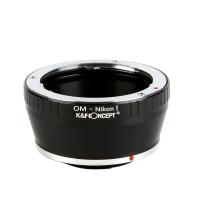
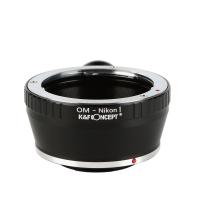
Olympus OM Lenses to Nikon 1 Camera Mount Adapter
77
£35.99
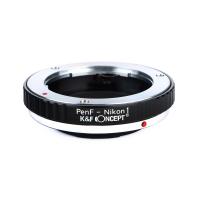
Olympus Pen-F Lenses to Nikon 1 Camera Mount Adapter
77
£35.99
Olympus OM Lenses to Nikon 1 Camera Mount Adapter with Tripod Mount
77
£32.99
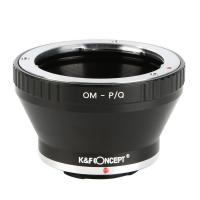
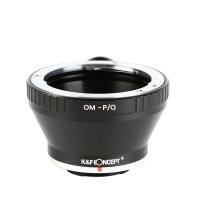
Olympus OM Lenses to Pentax Q Camera Mount Adapter with tripod mount
52
£22.99
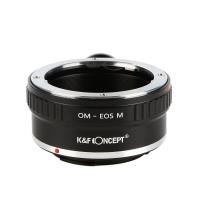
Olympus OM Lenses to Canon EOS M Camera Mount Adapter with Tripod Mount
54
£32.99
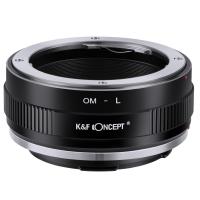
K&F Concept Olympus OM SLR Lens to Sigma, Leica, Panasonic L-mount Camera Adapter
66
£25.99
M16111 Olympus OM Lenses to Fuji X Lens Mount Adapter
82
£32.99
M16131 Olympus OM Lenses to Canon EF Lens Mount Adapter
67
£38.99
Guess you like products
Leica R Lenses to M43 MFT Mount Camera Adapter
101
£26.60
K&F Concept Alpha Camera Sling Bag 10L Photography Shoulder Bag, Compatible with Canon / Nikon / Sony Camears / DJI Mavic Drones,  Sling Bag10L Urban Wander 01(Black )
K&F Concept Alpha Camera Sling Bag 10L Photography Shoulder Bag, Compatible with Canon / Nikon / Sony Camears / DJI Mavic Drones, Sling Bag10L Urban Wander 01(Black )
37
£79.91 £43.99
K&F Concept 60M/196FT Waterproof Case for GoPro Hero 13 Black, Protective Underwater Diving Housing for Go Pro 12/11/10/9 Black Accessories,Waterproof Action Camera Shell
£19.99 £14.99
77MM CPL Filter 28 Layer Slim Circular Polarizing Filter Multi-coated Polarized MRC Filter
156
£52.99 £46.99
30m Waterproof Action Camera 4K with Detachable Handle Dual Screens 7H Battery Life 170° FOV Kentfaith
15
£162.49 £129.99
1312Yd Rechargeable Hunting Rangefinder with Angle Compensation & Touchscreen Kentfaith
33
£162.49 £129.99
1080P 20MP Tracking Camera 940nm Infrared Outdoor IP66 Waterproof Hunting Infrared HD Night Vision Camera with 64G SD Card and Multi-function Card Reader Combo Set
75
£119.99
K&F Concept Industrial Endoscope Cleaning Hook Magnet Side View Mirror Set,Including lens set cleaning cloth alcohol cotton pad, suitable for 5.5mm K&F Concept AGC-430 model
113
£17.00 £12.99
100 mm Pro square filter system with 95 mm CPL filter and 67/72/77/82 mm adapter rings Nano-Xcel PRO Series
174
£194.99 £125.99
 40.5mm MC UV Protection Filter Slim Frame with Multi-Resistant Coating for Camera Lens
40.5mm MC UV Protection Filter Slim Frame with Multi-Resistant Coating for Camera Lens
83
£12.99
Related articles
How To Open Nikon Camera Battery ?
How To Open The Battery Crosstour Camera ?
How To Open Battery On Canon Camera ?
How To Open Nikon Coolpix Camera Battery?
Metal Detector How To Open Battery?
Why Is My Olympus Camera Battery Charger Flashing ?
How To Fit Olympus Camera Strap?
How To Use Olympus Digital Camera Updater ?
How To Open 4k Camera Cases?
When Were Microscopes Invented ?
Guess you like articles
Which Glasses Protect Your Eyes?
Glasses That Can See Infrared Light ?
What Is Microphone In Iphone?
How Does Tripod Work ?
How To Travel With Camera Batteries ?
What Is Monocular Vision ?
Are Confocal Microscopes 3d ?
How Much Are Night Vision Binoculars ?
How Does The Vintage Camcorder Work On Tiktok ?
How To Block Surveillance Cameras ?
Related categories
battery operated surveillance camera outdoor Sony E mount adapter variable ND and CPL filter​ baby camera 4g security camera camera monopod​ hunting camera camera gimbal stabilizer​ wildlife camera outdoor Camera Accessories
Popular products
om mount adapter nikon mirrorless adapter pentax q lens adapter​ canon mirrorless mount adapter olympus om to sony e mount adapter​ olympus tripod mount quality bluetooth headphones canon ef mount adapter olympus lens adapter ef mount adapter
Related searches
Touch To Open Smart Lock Olympus To Nikon Lens Adapter Olympus Om To Mft Adapter Sony E Mount To Olympus Olympus To Fuji X Adapter Olympus Lens To Canon Body Canon To Olympus Lens Adapter Olympus Om To Pentax K Adapter Canon Ef To Olympus Om Adapter Olympus Om To Nikon Z Adapter
Blog Category
  • Camera Reviews
  • News & Reviews
    • News
  • Tutorials
    • Animal Photography
    • Food Photography
  • Inspiration
    • Travel
    • Travel Stories
    • Photography Tricks
Search Article
Latest from the Blog
Can You Take Pictures With A Telescope?
How To Download Images From Digital Camera?
What Camera Lens Blurs The Background?
What To Do With Binoculars?
Can You See Cells With A Microscope?
What Is The Back Camera On A Phone?
How Do Wireless Headphones Charge?
Can People See You Through Your Phone Camera?
How Far Can A Surveillance Camera See?
What Is Ir Light In Camera?
Powered By K&F Concept © 2026