kfconcept

K&F Concept UK
K&F Concept United Kingdom    Blog >

Enjoy Your Selected Digital Life

Recently Viewed
  • Recently Viewed
  • Recently Viewed list is empty.

Compare (0) 0
  • Compare
  • You have not chosen any products to compare.

  • Compare
Currency: GBP
  • Currency

Log Into Your Account

Account

Order History

Wish List

Login

Forgotten Password?

Or connect with

Register Account

Already have an Account?Log In

  • Shopping Cart
  • Your shopping cart is empty!

  • Register/Login to purchase, earn points
  • Favorite
  • Your wish list is empty.

  • Register/Login to like, earn points
  • Tripods
    • Aluminum Tripods
    • Carbon Fiber Tripods
    • Travel Tripods
    • Video Tripods
    • Monopods
    • Lightweight Tripods
    • Mini Tripod
    • Tripod Accessories
    • Gimbal Stabilizers
    • Tripod Head
    • Tripod Kit
    • Action Camera Mounts
    • Phone Tripods
    • Studio Parts
      • Camera Flash
      • Photography Fill Light
      • Ring light
      • Soft Box
      • Tripod Light Stands
      • Reflectors
    • Clearance Tripods
  • Lens Filters
    • UV Filters
      • Nano-Xcel Series
        • MCUV
        • Ultra-low Reflectivity MCUV Filters
        • MCUV Super Hard
        • Explosion-proof MCUV - Nano-Xcel
        • MCUV+Lens Cap+Cleaning Cloth
        • Super Hard&Ultra Low Reflection MCUV Filters - Nano-Xcel
        • MCUV - Magnetic Series
      • Nano-Dazzle Series
        • MCUV
        • MCUV+Lens Cap+Cleaning Cloth
      • Nano-Klear Series
        • MCUV
        • Ultra Thin Frame MCUV Filters
        • MCUV+Lens Cap+Cleaning Cloth
      • Nano-Xcel Pro Series
        • MCUV
    • CPL Filters
      • Nano-Xcel Series
        • CPL
        • CPL True Color
        • Ultra-low Reflectivity CPL
        • CPL+Lens Cap+Cleaning Cloth
        • Magnetic CPL
          • Magnetic CPL + Apater ring + Cap - Nano-X
        • True Color Ultra-low Reflectivity CPL - Nano-Xcel
      • Nano-Dazzle Series
        • CPL
        • CPL+Lens Cap+Cleaning Cloth - Nano-Dazzle
      • Nano-Klear Series
        • CPL
        • Ultra Thin Frame CPL Filters
        • CPL+Lens Cap+Cleaning Cloth
        • CPL+Lens Cap - Nano-Klear
      • Nano-Xcel Pro Series
        • CPL
    • Neutral Density Filters
      • Neutral Density (Solid) Filters
        • ND8 (3 stops) - Nano-Xcel Series
        • ND64 (6 stops) - Nano-Xcel Series
        • ND1000 (10 stops) - Nano-Xcel Series
        • ND100000 (16.6 stops) - Nano-Xcel Series
        • ND1000000 (20 stops) - Nano-Xcel Series
        • ND100000 (16.6 stops) - Nano-Klear Series
        • ND1000000 (20 stops) - Nano-Klear Series
        • Solid ND - Magnetic Series
      • Graduated Neutral Density
        • 100mm GND Filter
          • Soft GND8 Filters - Nano-Xcel Series
          • Hard GND8 Filters - Nano-Xcel Series
          • Reverse GND8 Filters - Nano-Xcel Series
          • Soft GND16 Filters - Nano-Xcel Series
          • Reverse GND16 Filters - Nano-Xcel Series
          • Soft GND8 Filters - Nano-Xcel Pro Series
          • Hard GND8 Filters - Nano-Xcel Pro Series
          • Reverse GND8 Filters - Nano-Xcel Pro Series
          • Soft GND16 Filters - Nano-Xcel Pro Series
          • Reverse GND16 Filters - Nano-Xcel Pro Series
        • Circular GND Filter
          • GND8
          • GND16
      • 2 in 1 Filters
        • ND2-ND32&CPL Filters - Nano-Xcel Series
        • ND2-ND32&CPL Filters - Nano Dazzle Series
        • ND2-32&CPL Filters - Nano-Klear Series
        • ND2-ND32&CPL Filter - Nano-X Pro
        • ND2-ND32&CPL True Color Filters - Nano-Xcel Series
        • ND4-ND64&CPL Filter
      • 3 in 1 Filters
        • ND2-32&CPL&Black Mist 1/4 Filters - Nano-Xcel Series
        • ND2-32&CPL&Black Mist 1/4 Filters - Nano-Klear Series
      • Variable Neutral Density
        • Nano-Xcel Series
          • ND2-ND32 - Nano-Xcel
          • ND2-ND32 True Color - Nano-Xcel
          • ND2-ND400 - Nano-Xcel
          • ND8-ND128 - Nano-Xcel
          • ND32-ND512 - Nano-Xcel
          • ND3-ND1000 - Nano-Xcel
          • ND2-32 True Color Ultra-Low Reflection - Nano-Xcel
          • ND2-400 Ultra-Low Reflection - Nano-Xcel
        • Nano-Dazzle Series
          • ND2-ND32 - Nano-Dazzle
          • ND2-ND400 - Nano-Dazzle
          • ND3-ND1000 - Nano-Dazzle
          • ND8-ND2000 - Nano-Dazzle
        • Nano-Klear Series
          • ND2-ND32 - Nano-Klear
          • ND2-ND400 - Nano-Klear
          • ND2-ND2000 - Nano-Klear
          • True Color ND2-ND400 - Nano-Klear
        • Nano-Xcel Pro Series
          • ND2-ND32 - Nano-Xcel Pro
        • Nano-B Series
          • ND2-ND400 - Nano-B
    • Black Mist & Soft Focus Filters
      • Black Mist Filters
        • Black Mist 1/8
          • Black Mist 1/8 - Nano-Xcel Series
          • Black Mist 1/8 - Nano-Dazzle Series
          • Black Mist 1/8 - Nano-Klear Series
          • Black Mist 1/8 - Nano-Xcel Pro Series
          • Black Mist 1/8+Lens Cap+Cleaning Cloth - Nano-Klear Series
        • Black Mist 1/4
          • Black Mist 1/4 - Nano-Xcel Series
          • Black Mist 1/4 - Nano-Dazzle Series
          • Black Mist 1/4 - Nano-Klear Series
          • Black Mist 1/4 - Nano-Xcel Pro Series
          • Black Mist 1/4+Lens Cap+Cleaning Cloth - Nano-Klear Series
        • Black Mist 1/2
          • Black Mist 1/2 - Nano-Xcel Series
          • Black Mist 1/2 - Nano-Klear Series
        • Black Mist 1
          • Black Mist 1 - Nano-Xcel Series
          • Black Mist 1 - Nano-Klear Series
        • Black Mist Kit
          • Black Mist 1/4 + 1/8 Nano Xcel Series
          • Black Mist 1/4 + 1/8 - Nano Klear Series
          • Black Mist 1/4 + CPL - Nano Klear Series
        • Black Mist & CPL
          • Black Mist 1/4&CPL - Nano-Klear Series
        • Black-Mist & VND
          • Black Mist 1/4 & ND2-32 Filters - Nano-Klear Series
          • Black Mist 1/4 & ND2-400 Filters - Nano-Xcel Series
          • Black Mist 1/4 & ND2-32 Filters - Nano-Xcel Series
          • Black Mist 1/8 & ND2-32 Filters - Nano-Klear Series
          • Black Mist 1/4 & ND2-400 Filters - Nano-Klear Series
      • White Mist Filters
        • White Mist 1/4 - Nano-Xcel Series
        • White Mist 1/4 - Nano-Klear Series
      • Shimmer Diffusion
        • Shimmer Diffusion 1 - Nano-Xcel Series
        • Shimmer Diffusion 1 - Nano-Klear Series
    • Light Pollution Cut Filter
      • Light Pollution Cut Filter - Circular
      • Light Pollution Cut Filter - Square
    • Magnetic Lens Filters
      • MCUV Filters
        • Magnetic MCUV - Nano-Klear Series
        • Magnetic MCUV+Lens Caps - Nano-Xcel Series
      • CPL Filters
        • Magnetic CPL + Adapter Ring
        • Magnetic CPL+Adapter Ring - Nano-Klear Series
      • Black-Mist
        • Black Mist 1/8 Filters - Nano-Xcel Series
        • Black Mist 1/4 Filters - Nano-Xcel Series
      • Neutral Density (Solid) Filter
        • Magnetic ND8 - Nano-Xcel Series
        • Magnetic ND64 - Nano-Xcel Series
        • Magnetic ND1000 - Nano-Xcel Series
      • Unlimited Variable ND Filter
        • Magnetic ND2-ND32 - Nano-Xcel Series
        • Magnetic ND8-ND128 Filters - Nano-Xcel Series
      • Accessories
        • Magnetic Adapter Ring
        • Magnetic Filter Ring
        • Magnetic Cap
      • Kits
        • MCUV+CPL+ND1000+Adapter Ring - Nano-Xcel Series
        • CPL+ND8+ND64+Adapter Ring+Lens Cap - Nano-Xcel Series
        • GND8+ND8+ND64+ND1000+Adapter Ring - Nano-Xcel Series
        • CPL+VND2-32+Black Mist 1/4+Magnetic Ring+Lens Cap - Nano-Xcel Series
    • Square Filter System
      • Basic System
        • Square ND Filters
          • ND4 Filters - Nano-Xcel Series
          • ND16 Filters - Nano-Xcel Series
          • ND1000 Filters - Nano-Xcel Series
          • ND2000 Filters - Nano-Xcel Series
          • ND32000 Filters - Nano-Xcel Series
          • Full Color ND8 Filters - Nano-Xcel Series
          • Full Color ND64 Filters - Nano-Xcel Series
        • Square GND Filters
        • Light Pollution Cut Filter
          • Light Pollution Cut Filter - Nano-Xcel Series
        • Square Black Mist Filters
          • Square Black Mist 1 - Nano-Xcel Series
          • Square Black Mist 1/4 - Nano-Xcel Series
          • Square Black Mist 1/8 - Nano-Xcel Series
        • Brackets and Accessories
          • Adapter Ring - Nano-Xcel Series
        • Kits
          • 100mm Square Filter System - Nano-Xcel Series
          • 100mm ND1000+Holder Kit - Nano-Xcel Series
          • 100mm ND1000+Soft GND8+Holder Kit - Nano-Xcel Series
          • 100mm Soft GND8+Holder Kit - Nano-Xcel Series
      • Professional System
        • ND
          • Full Color ND8 Filters - Nano-Xcel Pro Series
          • Full Color ND64 Filters - Nano-Xcel Pro Series
          • Full Color ND1000 Filters - Nano-Xcel Pro Series
        • GND
        • PL
        • Black Mist 1/4&CPL - Nano-Xcel Pro Series
        • Light Pollution Cut Filter
          • Light Pollution Cut Filter - Nano-Xcel Pro Series
        • Kits
          • 100mm ND1000+Holder Kit - Nano-Xcel Pro Series
          • 100mm ND1000+Soft GND8+Holder Kit - Nano-Xcel Pro Series
          • 100mm ND8+ND64+ND1000+Holder Kit - Nano-Xcel Pro Series
          • 100mm Holder Kit - Nano-Xcel Pro Series
        • Brackets and Accessories
          • 100x100mm Square Filter Protect Frame - Nano-Xcel Pro Series
          • 100x150mm Square Filter Protect Frame - Nano-Xcel Pro Series
          • Adapter Ring - Nano-Xcel Pro Series
    • Drone Filter
      • DJI Air 3S
      • DJI Avata2
      • DJI Flip
      • DJI Mavic 3 Pro
      • DJI NEO
      • DJI Mini 1/2/SE
      • DJI Mini 4 Pro Filters
      • DJI Mavic 3
      • DJI Mini 3 PRO
      • DJI Avata
      • DJI Mavic 4 Pro
      • DJI Mini 5 Pro
      • DJI Air 2S
    • Effects Filters
      • Prism Filters
        • Central Prism Filters
          • Central Pentagonal Filters - Nano-Basic Series
          • Central Hexagonal Filters - Nano-Basic Series
        • Ordinary Prism Filters
          • Triangular Filtres - Nano-Basic Series
        • Single Linear Prisms
      • Streak Filters
        • Blue Streak Filters - Nano-Xcel Series
        • Gold Streak Filters - Nano-Xcel Series
        • Colorful Streak Filters - Nano-B Series
        • Blue Streak Filters - Nano-Klear Series
      • Star Filter
        • Star Filters 4-8 Points - Nano-Klear Series
        • Star Filter Kits 4+6+8 Points - Nano-Klear Series
        • 4-Point Fine-Line Star Filters - Nano-Klear Series
        • 6-Point Fine-Line Star Filters - Nano-Klear Series
      • Kaleidoscope Filters
        • Kaleidoscope Filters - Nano-Basic Series
        • Handheld Kaleidoscope Filters - Nano-B Series
      • Motion Blur Filters
        • Directional Motion Blur - Nano-Basic Series
        • Bidirectional Motion Blur - Nano-Basic Series
        • Handheld Motion Blur Filters - Nano-Basic Series
      • Spiral Filters
        • Spiral Halo Filters - Nano-B Series
        • Handheld Spiral Filters - Nano-Basic Series
      • Diopter Filters
        • Centerfield Split Diopter Filters - Nano-Basic Series
        • Handheld Diopter Filters - Nano-Basic Series
    • Filter Accessories
      • Lens Hoods
      • Rings Kits
        • Step Up Rings
        • Step Down Rings
      • Filter Holders & Frames
      • Filter Holder Adapter Rings
        • Filter Adapter Rings
      • Filter Pouches
      • Lens Caps
        • Caps for Magnetic Filters
        • Caps for Variable ND Filters
        • Anti-lost Lens Cap
          • 4 in 1
          • 5 in 1
          • 9 in 1
      • Polarized Film
    • Filter Kit
      • Black Diffusion 1/4 + 1/8
      • Screw-In Filters
        • MCUV+CPL Filter - Nano-Klear Series
        • MCUV+CPL+Lens Cap - Nano-Klear Series
        • MCUV+CPL+Metal Lens Cap - Nano-Xcel Series
        • MCUV+CPL+ND1000+Lens Cap - Nano-Dazzle Series
        • MCUV+CPL+ND2-400 - Nano-Klear Series
        • ND8+ND64+ND1000 - Nano-Dazzle Series
        • MCUV+CPL+ND4 - Nano-Klear Series
        • ND1000+CPL - Nano-Klear Series
        • ND4+ND8+ND64+ND1000 - Nano-Xcel Series
        • MCUV+CPL
      • Magnetic Filters
      • Square Filters
    • Action Camera Filters
      • DJI Osmo Action 4 / Action 5 Pro
      • DJI Osmo Action 6
      • DJI Osmo Nano
      • DJI Osmo Pocket 3
      • GoPro HERO 4K
      • GOPRO Hero 9/10/11/12/13 Filters
      • Insta360 Ace pro 2
      • Insta360 Go Ultra
      • Insta360 GO3
      • Insta360 GO3S
      • Action Camera Accessories
        • DJI Osmo Action 3/4/5 Pro
        • Head Strap & Chest Mount
        • Insta360 X5
        • Magnetic Neck Mount
        • DJI Osmo 360
        • DJI Osmo Pocket 3 Charging Base
        • DJI Osmo Pocket 3
    • Phone Lens Filters
    • Matte Box & Filter Systems
      • Neutral Density (Solid) Filters
        • ND4 - Nano-Xcel Series
        • ND8 - Nano-Xcel Series
        • ND16 - Nano-Xcel Series
        • ND32 - Nano-Xcel Series
        • ND64 - Nano-Xcel Series
        • ND8+ND64 - Nano-Xcel Series
      • UV Filters
      • Black Mist Filters
        • Black Mist 1/4 - Nano-Xcel Series
        • Black Mist 1/8 - Nano-Xcel Series
      • Blue Streak Filters
      • Accessories
      • Kits
        • Matte Box - Nano-Xcel Series
        • Matte Box Pro - Nano-Xcel Series
        • Matte Box+ND8 Square Filter - Nano-Xcel Series
        • Matte Box+ND4+ND32 Square Filter - Nano-Xcel Series
        • Matte Box+Black Mist 1/4 Square Filter - Nano-Xcel Series
    • Brand-specific Filters
      • Fujifilm X100
      • Ricoh GR
  • Lens Adapters
    • PL Mount Lenses
    • A Mount Body(Sony/Minolta)
    • Fujifilm X Mount Body
    • Fujifilm G (GFX) Mount Body
    • C-Mount Body
    • Leica M Mount Body
    • MFT(M4/3) Mount Body
    • Pentax K Mount Body
    • Pentax Q Mount Body
    • Samsung NX Mount Body
    • Nikon F Mount Body
    • Nikon 1 Mount Body
    • Nikon Z Mount Body
    • Canon EOS EF/EF-S Mount Body
    • Canon EOS M Mount Body
    • Canon RF Mount Body
    • Sony E Mount Body
    • L-Mount Alliance (Leica)
  • Camera
    • Digital Camera & Camcorders
      • Digital Cameras & Camcorders
      • Underwater Cameras
      • Action Cameras
      • Kids’ Cameras
      • Time lapse camera
    • Wildlife Camera
      • Wifi Trail Cameras
      • Non-Cellular Trail Cameras
      • Accessories
      • Cellular Trail Cameras
    • Surveillance Cameras
      • 4G Camera
      • Battery Camera
      • Baby Monitor
      • WiFi Camera
      • Feeder Camera
      • Floodlight camera
      • Monitoring Detector
    • Camera Lenses
    • On-Dash Camera
    • Fishing camera
    • Memory Cards
      • Micro SD Card
      • SD Card
    • Camera Accessories
      • Camera Caps
      • Camera Screen Protectors
        • Canon
        • Sony
        • Fujifilm
        • Nikon
        • Olympus
        • Ricoh
        • GoPro
        • DJI Osmo Pocket 3
      • Camera Hot Shoe Covers
      • Camera Viewfinder Eyecups
        • Nikon
        • Sony
        • Canon
      • Adjustment Iris
  • Camera Bags
    • Camera Backpacks
    • Camera Shoulder Bags
    • Camera Cases
    • Digital Storage Bag
    • Lens Cases
    • Camera Straps
    • Backpack Accessories
  • Camera Battery
    • Sony
    • Canon
    • Nikon
    • FUJIFILM
    • Ricoh
    • Gopro
    • Osmo Action
    • Lumix
    • V Mount Battery
    • Memory Card Case
  • Optics
    • Microscope
      • Optical Microscope
      • Digital Microscope
      • Kids' Microscopes
    • Binoculars
    • Monocular
    • Telescope
    • Night Vision Goggles
    • Rangefinder
  • Endoscope
    • Professional Endoscope
    • Household Endoscope
    • Portable Endoscope
    • Otoscope/Oral Endoscope
  • More
    • Cleaning Kits
    • Digital Voice Recorders
    • Language Translator Device
    • Smart Glasses
    • Metal Detectors
    • Light
      • Video fill light
      • Live Ring Light
      • Outdoor Lighting
    • Motorcycle Bluetooth Headset
    • Laser Engraver Machine
    • Headphones
    • Weather Station & Household Sensors
    • Microphone
    • Drone Accessories
      • DJI Air 2S Accessories
      • DJI Air 3 Accessories
      • DJI Avata Accessories
      • DJI Drone Universal Accessories
      • DJI Mavic Mini 2/Mini 2 SE/Mini Accessories
      • DJI Mavic Mini 3 Accessories
      • DJI Mini 3 Pro Accessories
    • Smart Watch
    • Smart lock
    • Studio
    • Solar Panels
  • Deals
    • Specials
    • Coupon
    • New Arrivals
  • Home
  • Blog
  • How To Use A Tripod With A Phone ?

How To Use A Tripod With A Phone ?

K&f concept 2023-09-06 10:57:07 0 Comments

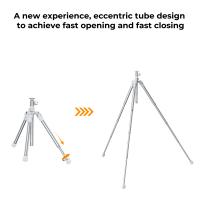
To use a tripod with a phone, you will need a tripod that is compatible with smartphones. Most tripods come with an adjustable phone mount or a smartphone adapter. Start by attaching the phone mount or adapter to the tripod head. Then, open the phone mount or adapter and place your phone securely inside, making sure it is tightly held in place. Adjust the tripod legs to your desired height and stability. Once the tripod is set up, you can use the phone's camera app or any other photography app to take photos or record videos. The tripod will provide stability and eliminate any shakiness, allowing you to capture clear and steady shots.

1、 Tripod compatibility with smartphones: Mounting options and adapters.

Tripod compatibility with smartphones: Mounting options and adapters.

Using a tripod with a phone has become increasingly popular as smartphone cameras continue to improve in quality. Whether you're a professional photographer or simply want to capture stable and high-quality photos and videos, a tripod can greatly enhance your mobile photography experience. Here's how to use a tripod with a phone:

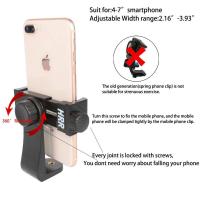
1. Mounting options: Most tripods come with a standard 1/4-inch screw mount, which is compatible with smartphone adapters. These adapters typically have a spring-loaded clamp that securely holds your phone in place. Simply attach the adapter to the tripod's mount and adjust the clamp to fit your phone.

2. Universal smartphone adapters: If your tripod doesn't come with a smartphone adapter, you can purchase a universal one separately. These adapters are adjustable and can accommodate various phone sizes. They usually have rubberized grips to prevent any damage to your phone.

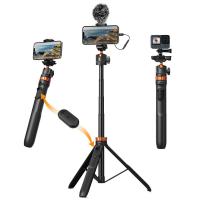
3. Bluetooth remote control: To further enhance your smartphone tripod setup, consider using a Bluetooth remote control. This allows you to trigger the camera shutter remotely, eliminating any potential camera shake caused by physically touching the phone. Many smartphones also have built-in timer functions that can be used in conjunction with a tripod.

4. Latest advancements: With the rise of smartphone photography, manufacturers have started designing tripods specifically for smartphones. These tripods often have flexible legs that can be wrapped around objects or adjusted for different angles. Some even come with built-in Bluetooth controls or smartphone holders.

In conclusion, using a tripod with a phone is a great way to improve the stability and quality of your mobile photography. With various mounting options and adapters available, it's easier than ever to attach your phone to a tripod. Consider investing in a Bluetooth remote control for added convenience. Stay updated with the latest advancements in smartphone tripod technology to make the most out of your mobile photography experience.
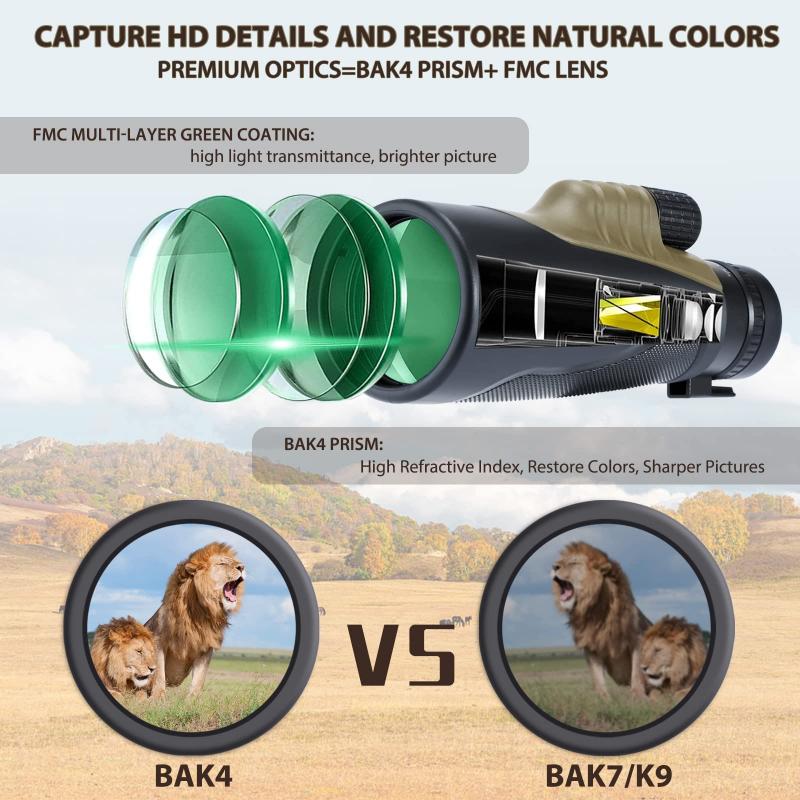
Tripod compatibility with smartphones: Mounting options and adapters.

2、 Adjusting tripod height and stability for optimal phone positioning.

Adjusting tripod height and stability for optimal phone positioning is essential to capture steady and professional-looking photos and videos. Here's a step-by-step guide on how to use a tripod with a phone:

1. Choose a tripod: Look for a tripod that is compatible with your phone. Many tripods come with adjustable phone mounts or adapters specifically designed for smartphones.

2. Attach the phone mount: Securely attach the phone mount or adapter to the tripod head. Make sure it is tightened properly to prevent any wobbling or movement.

3. Adjust the tripod height: Extend the tripod legs to your desired height. Most tripods have adjustable legs with multiple sections that can be locked in place. Ensure that the tripod is stable and balanced on a flat surface.

4. Mount your phone: Place your phone in the mount or adapter and adjust it to the desired position. Some mounts allow for both vertical and horizontal orientations, so choose the one that suits your needs.

5. Level the phone: Use the tripod's built-in level or the level feature on your phone's camera app to ensure that the phone is perfectly level. This will help avoid tilted or skewed shots.

6. Stabilize the tripod: If needed, add additional stability to the tripod by using a weight bag or hanging a bag from the center hook. This will help prevent any accidental movement or shaking.

7. Fine-tune the positioning: Adjust the tripod head to achieve the desired framing and composition. Tilt, pan, or rotate the head to capture the perfect shot.

Remember to always double-check the stability of the tripod and ensure that it is securely locked in place before capturing any photos or videos. Additionally, using a remote shutter or the self-timer function on your phone can further minimize any potential movement caused by pressing the screen.

With the increasing popularity of smartphone photography and videography, tripods designed specifically for phones have become more versatile and portable. Some even come with flexible legs that can be wrapped around objects or used as a handheld stabilizer. These advancements make it easier than ever to capture stunning shots with your phone and tripod combination.
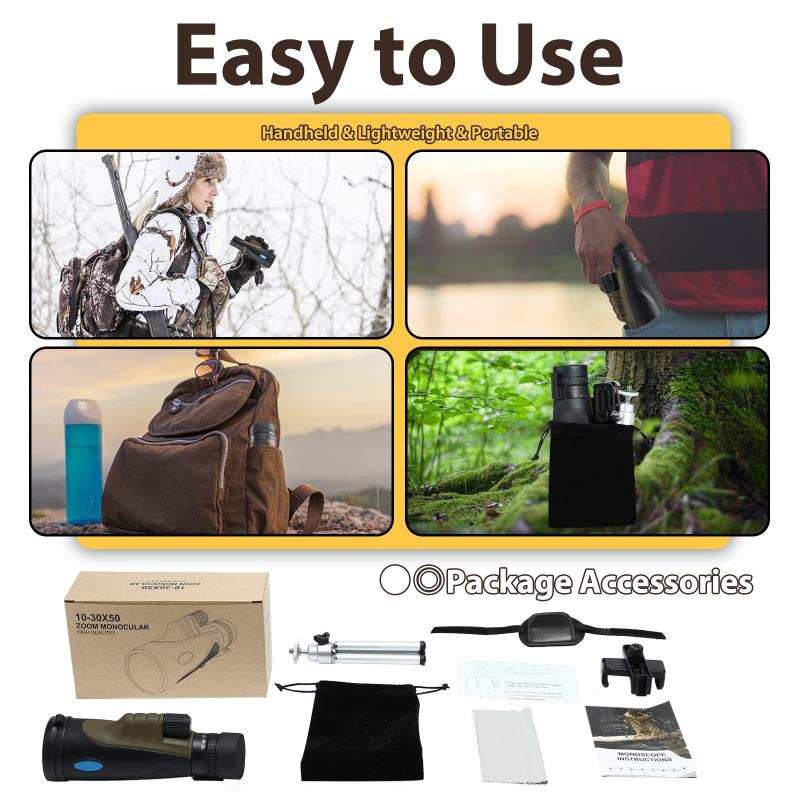
Adjusting tripod height and stability for optimal phone positioning.

3、 Phone camera settings for tripod use: Timer, burst mode, etc.

Phone camera settings for tripod use: Timer, burst mode, etc.

Using a tripod with a phone can greatly enhance the quality of your photographs and videos. It provides stability and allows you to capture steady shots, long exposures, and even group selfies without the need for someone to hold the phone. To make the most of your tripod, it's important to understand how to use it effectively with your phone's camera settings.

Firstly, ensure that your phone is securely mounted on the tripod. Most tripods come with an adjustable phone holder that can accommodate various phone sizes. Once your phone is mounted, you can start exploring the camera settings.

One useful setting is the timer. This allows you to set a delay before the photo is taken, giving you time to position yourself or join a group photo. The timer can be set for a few seconds or even longer, depending on your needs.

Another helpful setting is burst mode. This allows you to capture a series of photos in quick succession by holding down the shutter button. Burst mode is particularly useful for capturing fast-moving subjects or ensuring you get the perfect shot in a dynamic scene.

Additionally, some phones offer a grid overlay option, which can help you compose your shots more effectively. The grid divides the frame into thirds, making it easier to align your subject and create a balanced composition.

Lastly, consider using the phone's built-in image stabilization feature if available. This can help compensate for any slight movements or vibrations that may occur while using the tripod.

As technology advances, new features and settings are constantly being introduced to phone cameras. It's always a good idea to explore your phone's camera app and stay updated with the latest advancements to make the most of your tripod and phone photography experience.
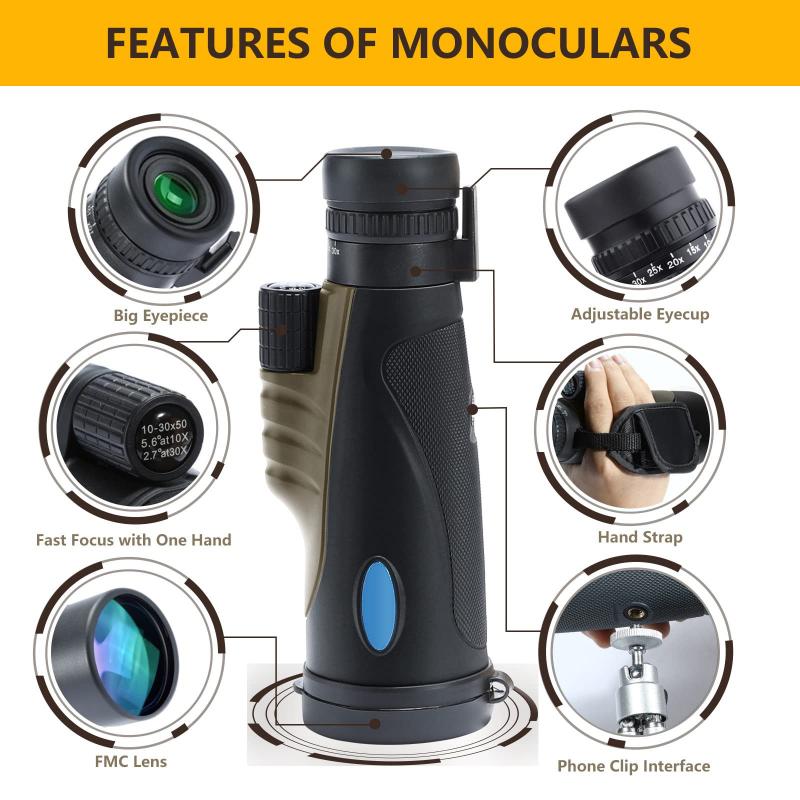
Phone camera settings for tripod use: Timer, burst mode, etc.

4、 Using remote shutter or self-timer apps for hands-free operation.

Using a tripod with a phone can greatly enhance the quality of your photos and videos by providing stability and eliminating shaky footage. Here's how to use a tripod with a phone:

1. Choose a tripod: Look for a tripod that is compatible with your phone. Many tripods come with adjustable phone holders or smartphone mounts that can securely hold your device.

2. Attach your phone: Place your phone in the phone holder or mount and ensure it is securely fastened. Make sure the phone is positioned in landscape mode for optimal video recording.

3. Adjust the tripod: Extend the tripod legs to your desired height and position. Ensure that the tripod is stable and level to avoid any wobbling or tilting.

4. Frame your shot: Use the tripod's adjustable head to position your phone at the desired angle and height. This will allow you to frame your shot perfectly.

5. Using remote shutter or self-timer apps: To capture photos or videos without touching your phone, you can use remote shutter or self-timer apps. These apps allow you to trigger the camera shutter remotely, either through a Bluetooth connection or by setting a timer. This hands-free operation ensures that your phone remains stable on the tripod, resulting in sharper images and smoother videos.

In recent years, advancements in smartphone technology have led to the development of various remote shutter and self-timer apps. These apps often offer additional features such as interval shooting, long exposure, and even motion detection. Some popular options include Camera+2, ProCam, and VSCO. These apps can be easily downloaded from your phone's app store and provide a convenient way to control your phone's camera while it is mounted on a tripod.

Using a tripod with a phone and utilizing remote shutter or self-timer apps can greatly improve the quality of your photos and videos. It allows for hands-free operation, resulting in sharper and more professional-looking content. So, next time you want to capture a steady shot or record a smooth video, consider using a tripod with your phone and take advantage of the various remote shutter and self-timer apps available.

Using remote shutter or self-timer apps for hands-free operation.

Leave your comment
Cancel reply
Note: HTML is not translated!
Related products
Minolta A / Sony A Lenses to Nikon 1 Camera Mount Adapter with Tripod Mount
77
£38.99 £27.99
Minolta A / Sony A Lenses to Pentax Q Camera Mount Adapter with tripod mount
52
£37.99 £26.99
M42 Lenses to Minolta A / Sony A Camera Mount Adapter
59
£39.99
Minolta A / Sony A Lenses to Fuji X Mount Camera Adapter
36
£43.99 £35.99
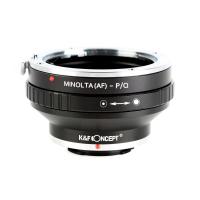
Minolta A / Sony A Lenses to Pentax Q Camera Mount Adapter
52
£31.99 £22.99
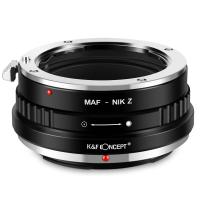
Minolta A / Sony A Lenses to Nikon Z Mount Camera Adapter
62
£55.99 £45.99
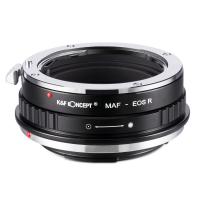
Minolta A / Sony A Lenses to Canon EOS R Mount Camera Adapter
69
£55.99 £40.00
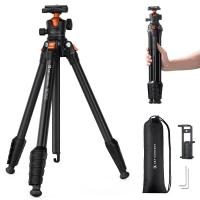
K&F Concept Lightweight Compact Camera Tripod Plastic BH-40 Gimbal, 2-in-1 Rubber Feet + Metal Spikes, with a Phone and Tablet Holder Omni O235A1+BH-40
9
£59.99 £56.99
Sony A Mount Lenses to Sony E Mount Camera Adapter
139
£43.99 £32.99
Pentax K/M/A/FA/DA Lenses to Sony E Mount Camera Adapter
117
£50.99 £36.70
Guess you like products
Drone Filter DJI Mavic 3 Pro ND Filter Kit 4pcs (ND8+ND16+ND32+ND64) Multi Coated HD Optical Glass with Anti-reflective Green Coating
10
£66.00 £54.99
49-77mm Step Up Ring Aviation-grade Aluminum Filter Adapter Ring 2-pack with a Cleaning Cloth
77
£8.99 £6.99
82mm Black Mist 1/4 Filter + Lens Cap, Mist Cinematic Effect Filter with 18 Multi-Layer Coatings for Video, Vlog, Portrait Photography Nano-Klear Series
29
£40.99 £36.99
DJI Drone Mini3 Pro Filter Set(ND8&PL + ND16&PL + ND32&PL ) with Single-sided Anti-reflection Green Film and a Set of Paddles for Mini3 Compatible with Mini3
53
£79.00 £29.99
67mm Nano-L Variable Fader NDX, ND2~32 Nano-Xcel Series
£70.99 £43.99
67mm Variable ND Filter True Color ND2-ND32 with 28 Layers of Anti-reflection Green Film Waterproof, Anti-scratch Nano-Xcel Series
31
£188.00 £80.99
Mavic 3 OTG Cable TYPE-C TO MICRO-USB for DJI Mavic Mini 2/Air 2S/Air 2/Osmo Pocket 2/1 Remote Control, 11.8inch/30cm (Not for Mavic Air)
£13.00 £19.99
58mm Black Soft Diffusion Filter 1/2 Special Effects Filter Ultra-Clear Multi-layer Coated With Waterproof Scratch-Resistant and Anti-Reflection Nano-Xcel Series
70
£97.99 £59.99
58mm Variable ND Filter ND2-ND400 Multi Coated Neutral Density Filter Optical Glass with Blue Coating for DSLR Camera Lens Slim Nano-Klear
88
£47.00 £33.99
MicroDrive Micro SD UHS-I Memory Card 128GB
4
£22.99
Related articles
How To Use A Monopod With Your Phone ?
How To Use A Tripod With Iphone ?
How To Connect A Phone To A Tripod ?
How To Make A Phone Tripod ?
How To Make A Tripod For Phone ?
How To Make A Camera Phone Tripod?
How To Setup A Tripod For Phone?
How to Choose a Tripod for Phone?
What Is A Phone Tripod ?
How To Get Iphone Camera Filters On Android ?
Guess you like articles
How To Use Nd Filter Apps ?
How Does The Vintage Camcorder Work On Tiktok ?
What Size Bolt Does A Samsung Tv Mount ?
How To Use Gorillapod ?
How To Buy A Monopod ?
How Samsung Adapted To Changes In Market Environemnt ?
What Does Asbestos Look Like Under A Microscope?
How To Transfer Videos From Camcorder To Computer ?
How To Install Ring Camera Floodlight ?
What Is The Resolution Of Optical Microscope ?
Related categories
telephone tripod Sony A mount lens adapter​ accessories for a drone phone filter Bluetooth earphones and mic Aluminum Tripod video tripod​ lightweight travel tripod microscope with screen camera lens
Popular products
nikon 1 mount adapter​ pentax q mount adapter​ sony camera adapter minolta md to leica m adapter minolta nikon adapter canon adapter sony sony minolta mount sony a mount adapter pentax k mount to fuji x adapter sigma sony adapter
Related searches
Things To Use As A Tripod Phone With A Projector Phone With A Drone Tripod For A Mobile Phone Phone Holder For A Tripod Cell Phone Holder For A Tripod Parts To A Telescope Gimbal On A Tripod Iphone On A Tripod Tripod For A Smartphone
Blog Category
  • Camera Reviews
  • News & Reviews
    • News
  • Tutorials
    • Animal Photography
    • Food Photography
  • Inspiration
    • Travel
    • Travel Stories
    • Photography Tricks
Search Article
Latest from the Blog
​What is ND Filter in Photography?
Secure Camera Which Works On Home Wifi?
What Does Led Light Stand For?
Can Metal Detectors Find Phones?
How to Clean Carbon Fiber Tripod?
Digital Cameras That Can Go Underwater?
How To Setup Wireless Mini Video Camera?
How To Repair Flood Lights?
What Does Rgb Stand For In Led Lights?
Which Colour Lens Filter To Use?
Powered By K&F Concept © 2025