How To Charge Ring Security Camera?
Ring security cameras have become a staple for home security enthusiasts and tech lovers alike. They capture every cranny, corner, and cul-de-sac moment while ensuring peace of mind with vigilante-like precision. However, our beloved electronic watchdog has one simple demand: power. Without it, even the most sophisticated tech can be rendered helpless.
Charging your Ring security camera might sound like one of those mundane tasks, but getting it wrong can throw your whole security setup out of whack. So how do you ensure your camera is juiced up effectively, efficiently, and without hassle? Here's the technical breakdown you never knew you needed (but absolutely do).
Breaking Down the Charging Process

1. Recognize Your Camera Model

Ring offers a variety of camera models, and while their core functionality overlaps, charging specifics can vary from one to the next. For instance, the Ring Stick Up Cam Battery, Spotlight Cam Battery, and Floodlight Cam Wired all have slightly different power requirements. If you’re staring at your Ring device wondering why it won’t charge, chances are you’re using an incompatible method or cable—or worse—a product that isn’t even rechargeable (looking at you, wired Floodlight Cam).
First things first: ensure your Ring camera *is designed* to be charged. If it relies solely on wired power or solar panels, then this guide isn’t your go-to. But if you’ve got a battery-powered Ring camera, read on.
2. The Anatomy of a Ring Battery

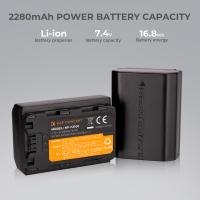
Ring’s rechargeable batteries are compact (yet mighty), lithium-ion devices that are designed to withstand frequent charging cycles. If you’re using battery-powered cameras like the Ring Spotlight Cam Battery or Stick Up Cam, their batteries can be easily ejected for charging.
To detach the battery:
- Locate the battery compartment, usually positioned at the bottom or back of the camera.
- Press the release button and gently slide the battery out. The click means you’re in business.
3. Charging Essentials
Ring cameras demand quality treatment. Subpar charging equipment can jeopardize the integrity of your battery, shorten its lifespan, or worse—ruin your entire investment.
What you’ll need for charging:
- A USB charging cable (typically included in the box upon purchase, though they can be replaced if lost). The cable’s Micro-USB or USB-C connector depends on your model; plugs into the battery’s charging port.
- A reliable USB wall adapter or charging port with a standard 5V/2A output for optimal charging speed. Though a different wattage adapter may work, sticking to the recommended power specifications ensures efficiency and safety.
4. Plug, Wait, Test
Connect the USB cable to the battery and plug the other end into your power adapter or a compatible USB charging port. You’ll notice the charging indicator—a small LED light—on the battery will activate.
Amber light: Charging in progress. Hang tight.
Green light: Fully charged. It’s ready to defend the fortress once again.
It takes about 5-10 hours for a Ring battery to reach full charge depending on its current depletion level, the power source, and environmental conditions. While the charging might test your patience, your diligence ensures fewer “low-battery” notifications later.
5. Reinstallation: The Fit is Key
Once fully charged:
1. Slide the battery back into the camera’s compartment. You should hear it click into place.
2. Confirm the power supply connection is reestablished. You can do this through the Ring app, which will show the updated battery status.
Pro Tips for Battery Longevity
Keep the Charge Going
Ring cameras don’t simply "run out of battery overnight." The battery life depends on motion usage, environment, and frequency of recordings. PvP discussions around “ideal usage” often recommend settings tweaks for optimal longevity:
- Enable motion sensitivity adjustments. High sensitivity means frequent battery drainage.
- Customize recording lengths via the Ring app. Shorter clips prevent excess power consumption.
Seasonal Adjustments
Yes, weather can impact battery longevity. Extreme cold reduces battery efficiency in lithium-ion batteries. If you live somewhere known for chilly conditions, consider moving outdoor cameras to covered areas or opt for solar panel accessories, so direct sunlight keeps them running.
Give Solar Panels a Shot
Speaking of solar panels, Ring offers accessory panels compatible with many cameras such as the Stick Up Cam and Spotlight Cam Battery. Solar panels allow energy harvesting in sunny (or partially sunny) environments for continuously replenished power. They aren't magic; don’t expect them to work in pitch-black basements, but for exposed outdoor locations, they can be a game-changer.
Regular Maintenance
Occasionally inspect your camera’s ports, connections, and app readings to catch any inconsistencies before issues brew. Dust can clog ports, weakening connections during charging. When reinserting the battery, ensure there’s no debris or moisture sneaking into the compartment.
Troubleshooting Charging Issues
Battery Doesn’t Charge or Indicator Stays Amber
- Verify you’re using the recommended charging setup (a 5V/2A rating adapter).
- Inspect cables and ports for physical damage or debris.
- Cross-test with a different adapter or cable.
- Update your Ring app firmware if connectivity or battery performance behaves oddly.
Low Battery Notice Even After Full Charge
If your freshly charged battery still outputs low power readings:
- Run a full factory reset of the camera via app options.
- Test the battery output on a different Ring camera (compatibility permitting).
- Contact Ring’s support team for diagnostics or replacement.
A Little Humor About an Unattended Battery
Leaving a dead security camera battery unattended is like hiring a security guard who spends their shift napping. Sure, you could post up a “Beware of Camera” sticker to preserve some illusion of safety—but trust me, cunning porch pirates love spotting the lifeless LED eyes of an uncharged battery cam.
So, stay vigilant. Plug it in. Let it perk up. And feel comforted knowing your tech not only sees everything but also *lasts*. Whether you’re dethroning would-be burglars or saving your Amazon deliveries from scavenging raccoons, a fully charged Ring camera ensures no moment goes unnoticed. Keep your house powered, Ring connected, and the neighborhood drama documented. Power truly is key!