kfconcept

K&F Concept UK
K&F Concept United Kingdom    Blog >

Enjoy Your Selected Digital Life

Recently Viewed
  • Recently Viewed
  • 55mm Variable ND Filter ND3-ND1000, Ultra-thin HD, with Double-sided 28-layer Nano-coating, Nano-Xcel Series
    55mm Variable ND Filter ND3-ND1000, Ultra-thin HD, with Double-sided 28-layer Nano-coating, Nano-Xcel Series
    £74.99
    40.5mm True Color Ultra-Low Reflectivity CPL Filter Polarizer Lens Filter Circular Polarizing for Camera Lenses with 28 Multi-Coated Nano-Xcel Series
    40.5mm True Color Ultra-Low Reflectivity CPL Filter Polarizer Lens Filter Circular Polarizing for Camera Lenses with 28 Multi-Coated Nano-Xcel Series
    £46.99
    77mm Black Mist 1/8 Filter + Lens Cap, Mist Cinematic Effect Filter with 18 Multi-Layer Coatings for Video, Vlog, Portrait Photography Nano-Klear Series
    77mm Black Mist 1/8 Filter + Lens Cap, Mist Cinematic Effect Filter with 18 Multi-Layer Coatings for Video, Vlog, Portrait Photography Nano-Klear Series
    £31.99
Compare (0) 0
  • Compare
  • You have not chosen any products to compare.

  • Compare
Currency: GBP
  • Currency

Log Into Your Account

Account

Order History

Wish List

Login

Forgotten Password?

Or connect with

Register Account

Already have an Account?Log In

  • Shopping Cart
  • Your shopping cart is empty!

  • Register/Login to purchase, earn points
  • Favorite
  • Your wish list is empty.

  • Register/Login to like, earn points
  • Tripods
    • Aluminum Tripods
    • Carbon Fiber Tripods
    • Travel Tripods
    • Video Tripods
    • Monopods
    • Lightweight Tripods
    • Mini Tripod
    • Tripod Accessories
    • Gimbal Stabilizers
    • Tripod Head
    • Tripod Kit
    • Action Camera Mounts
    • Phone Tripods
    • Studio Parts
      • Camera Flash
      • Photography Fill Light
      • Ring light
      • Soft Box
      • Tripod Light Stands
      • Reflectors
    • Clearance Tripods
  • Lens Filters
    • UV Filters
      • Nano-Xcel Series
        • MCUV
        • Ultra-low Reflectivity MCUV Filters
        • MCUV Super Hard
        • Explosion-proof MCUV - Nano-Xcel
        • MCUV+Lens Cap+Cleaning Cloth
        • Super Hard&Ultra Low Reflection MCUV Filters - Nano-Xcel
        • MCUV - Magnetic Series
      • Nano-Dazzle Series
        • MCUV
        • MCUV+Lens Cap+Cleaning Cloth
      • Nano-Klear Series
        • MCUV
        • Ultra Thin Frame MCUV Filters
        • MCUV+Lens Cap+Cleaning Cloth
      • Nano-Xcel Pro Series
        • MCUV
    • CPL Filters
      • Nano-Xcel Series
        • CPL
        • CPL True Color
        • Ultra-low Reflectivity CPL
        • CPL+Lens Cap+Cleaning Cloth
        • Magnetic CPL
          • Magnetic CPL + Apater ring + Cap - Nano-X
        • True Color Ultra-low Reflectivity CPL - Nano-Xcel
      • Nano-Dazzle Series
        • CPL
        • CPL+Lens Cap+Cleaning Cloth - Nano-Dazzle
      • Nano-Klear Series
        • CPL
        • Ultra Thin Frame CPL Filters
        • CPL+Lens Cap+Cleaning Cloth
        • CPL+Lens Cap - Nano-Klear
      • Nano-Xcel Pro Series
        • CPL
    • Neutral Density Filters
      • Neutral Density (Solid) Filters
        • ND8 (3 stops) - Nano-Xcel Series
        • ND64 (6 stops) - Nano-Xcel Series
        • ND1000 (10 stops) - Nano-Xcel Series
        • ND100000 (16.6 stops) - Nano-Xcel Series
        • ND1000000 (20 stops) - Nano-Xcel Series
        • ND100000 (16.6 stops) - Nano-Klear Series
        • ND1000000 (20 stops) - Nano-Klear Series
        • Solid ND - Magnetic Series
      • Graduated Neutral Density
        • 100mm GND Filter
          • Soft GND8 Filters - Nano-Xcel Series
          • Hard GND8 Filters - Nano-Xcel Series
          • Reverse GND8 Filters - Nano-Xcel Series
          • Soft GND16 Filters - Nano-Xcel Series
          • Reverse GND16 Filters - Nano-Xcel Series
          • Soft GND8 Filters - Nano-Xcel Pro Series
          • Hard GND8 Filters - Nano-Xcel Pro Series
          • Reverse GND8 Filters - Nano-Xcel Pro Series
          • Soft GND16 Filters - Nano-Xcel Pro Series
          • Reverse GND16 Filters - Nano-Xcel Pro Series
        • Circular GND Filter
          • GND8
          • GND16
      • 2 in 1 Filters
        • ND2-ND32&CPL Filters - Nano-Xcel Series
        • ND2-ND32&CPL Filters - Nano Dazzle Series
        • ND2-32&CPL Filters - Nano-Klear Series
        • ND2-ND32&CPL Filter - Nano-X Pro
        • ND2-ND32&CPL True Color Filters - Nano-Xcel Series
        • ND4-ND64&CPL Filter
      • 3 in 1 Filters
        • ND2-32&CPL&Black Mist 1/4 Filters - Nano-Xcel Series
        • ND2-32&CPL&Black Mist 1/4 Filters - Nano-Klear Series
      • Variable Neutral Density
        • Nano-Xcel Series
          • ND2-ND32 - Nano-Xcel
          • ND2-ND32 True Color - Nano-Xcel
          • ND2-ND400 - Nano-Xcel
          • ND8-ND128 - Nano-Xcel
          • ND32-ND512 - Nano-Xcel
          • ND3-ND1000 - Nano-Xcel
          • ND2-32 True Color Ultra-Low Reflection - Nano-Xcel
          • ND2-400 Ultra-Low Reflection - Nano-Xcel
        • Nano-Dazzle Series
          • ND2-ND32 - Nano-Dazzle
          • ND2-ND400 - Nano-Dazzle
          • ND3-ND1000 - Nano-Dazzle
          • ND8-ND2000 - Nano-Dazzle
        • Nano-Klear Series
          • ND2-ND32 - Nano-Klear
          • ND2-ND400 - Nano-Klear
          • ND2-ND2000 - Nano-Klear
          • True Color ND2-ND400 - Nano-Klear
        • Nano-Xcel Pro Series
          • ND2-ND32 - Nano-Xcel Pro
        • Nano-B Series
          • ND2-ND400 - Nano-B
    • Black Mist & Soft Focus Filters
      • Black Mist Filters
        • Black Mist 1/8
          • Black Mist 1/8 - Nano-Xcel Series
          • Black Mist 1/8 - Nano-Dazzle Series
          • Black Mist 1/8 - Nano-Klear Series
          • Black Mist 1/8 - Nano-Xcel Pro Series
          • Black Mist 1/8+Lens Cap+Cleaning Cloth - Nano-Klear Series
        • Black Mist 1/4
          • Black Mist 1/4 - Nano-Xcel Series
          • Black Mist 1/4 - Nano-Dazzle Series
          • Black Mist 1/4 - Nano-Klear Series
          • Black Mist 1/4 - Nano-Xcel Pro Series
          • Black Mist 1/4+Lens Cap+Cleaning Cloth - Nano-Klear Series
        • Black Mist 1/2
          • Black Mist 1/2 - Nano-Xcel Series
          • Black Mist 1/2 - Nano-Klear Series
        • Black Mist 1
          • Black Mist 1 - Nano-Xcel Series
          • Black Mist 1 - Nano-Klear Series
        • Black Mist Kit
          • Black Mist 1/4 + 1/8 Nano Xcel Series
          • Black Mist 1/4 + 1/8 - Nano Klear Series
          • Black Mist 1/4 + CPL - Nano Klear Series
        • Black Mist & CPL
          • Black Mist 1/4&CPL - Nano-Klear Series
        • Black-Mist & VND
          • Black Mist 1/4 & ND2-32 Filters - Nano-Klear Series
          • Black Mist 1/4 & ND2-400 Filters - Nano-Xcel Series
          • Black Mist 1/4 & ND2-32 Filters - Nano-Xcel Series
          • Black Mist 1/8 & ND2-32 Filters - Nano-Klear Series
          • Black Mist 1/4 & ND2-400 Filters - Nano-Klear Series
      • White Mist Filters
        • White Mist 1/4 - Nano-Xcel Series
        • White Mist 1/4 - Nano-Klear Series
      • Shimmer Diffusion
        • Shimmer Diffusion 1 - Nano-Xcel Series
        • Shimmer Diffusion 1 - Nano-Klear Series
    • Light Pollution Cut Filter
      • Light Pollution Cut Filter - Circular
      • Light Pollution Cut Filter - Square
    • Magnetic Lens Filters
      • MCUV Filters
        • Magnetic MCUV - Nano-Klear Series
        • Magnetic MCUV+Lens Caps - Nano-Xcel Series
      • CPL Filters
        • Magnetic CPL + Adapter Ring
        • Magnetic CPL+Adapter Ring - Nano-Klear Series
      • Black-Mist
        • Black Mist 1/8 Filters - Nano-Xcel Series
        • Black Mist 1/4 Filters - Nano-Xcel Series
      • Neutral Density (Solid) Filter
        • Magnetic ND8 - Nano-Xcel Series
        • Magnetic ND64 - Nano-Xcel Series
        • Magnetic ND1000 - Nano-Xcel Series
      • Unlimited Variable ND Filter
        • Magnetic ND2-ND32 - Nano-Xcel Series
        • Magnetic ND8-ND128 Filters - Nano-Xcel Series
      • Accessories
        • Magnetic Adapter Ring
        • Magnetic Filter Ring
        • Magnetic Cap
      • Kits
        • MCUV+CPL+ND1000+Adapter Ring - Nano-Xcel Series
        • CPL+ND8+ND64+Adapter Ring+Lens Cap - Nano-Xcel Series
        • GND8+ND8+ND64+ND1000+Adapter Ring - Nano-Xcel Series
        • CPL+VND2-32+Black Mist 1/4+Magnetic Ring+Lens Cap - Nano-Xcel Series
    • Square Filter System
      • Basic System
        • Square ND Filters
          • ND4 Filters - Nano-Xcel Series
          • ND16 Filters - Nano-Xcel Series
          • ND1000 Filters - Nano-Xcel Series
          • ND2000 Filters - Nano-Xcel Series
          • ND32000 Filters - Nano-Xcel Series
          • Full Color ND8 Filters - Nano-Xcel Series
          • Full Color ND64 Filters - Nano-Xcel Series
        • Square GND Filters
        • Light Pollution Cut Filter
          • Light Pollution Cut Filter - Nano-Xcel Series
        • Square Black Mist Filters
          • Square Black Mist 1 - Nano-Xcel Series
          • Square Black Mist 1/4 - Nano-Xcel Series
          • Square Black Mist 1/8 - Nano-Xcel Series
        • Brackets and Accessories
          • Adapter Ring - Nano-Xcel Series
        • Kits
          • 100mm Square Filter System - Nano-Xcel Series
          • 100mm ND1000+Holder Kit - Nano-Xcel Series
          • 100mm ND1000+Soft GND8+Holder Kit - Nano-Xcel Series
          • 100mm Soft GND8+Holder Kit - Nano-Xcel Series
      • Professional System
        • ND
          • Full Color ND8 Filters - Nano-Xcel Pro Series
          • Full Color ND64 Filters - Nano-Xcel Pro Series
          • Full Color ND1000 Filters - Nano-Xcel Pro Series
        • GND
        • PL
        • Black Mist 1/4&CPL - Nano-Xcel Pro Series
        • Light Pollution Cut Filter
          • Light Pollution Cut Filter - Nano-Xcel Pro Series
        • Kits
          • 100mm ND1000+Holder Kit - Nano-Xcel Pro Series
          • 100mm ND1000+Soft GND8+Holder Kit - Nano-Xcel Pro Series
          • 100mm ND8+ND64+ND1000+Holder Kit - Nano-Xcel Pro Series
          • 100mm Holder Kit - Nano-Xcel Pro Series
        • Brackets and Accessories
          • 100x100mm Square Filter Protect Frame - Nano-Xcel Pro Series
          • 100x150mm Square Filter Protect Frame - Nano-Xcel Pro Series
          • Adapter Ring - Nano-Xcel Pro Series
    • Drone Filter
      • DJI Air 3S
      • DJI Avata2
      • DJI Flip
      • DJI Mavic 3 Pro
      • DJI NEO
      • DJI Mini 1/2/SE
      • DJI Mini 4 Pro Filters
      • DJI Mavic 3
      • DJI Mini 3 PRO
      • DJI Avata
      • DJI Mavic 4 Pro
      • DJI Mini 5 Pro
      • DJI Air 2S
    • Effects Filters
      • Prism Filters
        • Central Prism Filters
          • Central Pentagonal Filters - Nano-Basic Series
          • Central Hexagonal Filters - Nano-Basic Series
        • Ordinary Prism Filters
          • Triangular Filtres - Nano-Basic Series
        • Single Linear Prisms
      • Streak Filters
        • Blue Streak Filters - Nano-Xcel Series
        • Gold Streak Filters - Nano-Xcel Series
        • Colorful Streak Filters - Nano-B Series
        • Blue Streak Filters - Nano-Klear Series
      • Star Filter
        • Star Filters 4-8 Points - Nano-Klear Series
        • Star Filter Kits 4+6+8 Points - Nano-Klear Series
        • 4-Point Fine-Line Star Filters - Nano-Klear Series
        • 6-Point Fine-Line Star Filters - Nano-Klear Series
      • Kaleidoscope Filters
        • Kaleidoscope Filters - Nano-Basic Series
        • Handheld Kaleidoscope Filters - Nano-B Series
      • Motion Blur Filters
        • Directional Motion Blur - Nano-Basic Series
        • Bidirectional Motion Blur - Nano-Basic Series
        • Handheld Motion Blur Filters - Nano-Basic Series
      • Spiral Filters
        • Spiral Halo Filters - Nano-B Series
        • Handheld Spiral Filters - Nano-Basic Series
      • Diopter Filters
        • Centerfield Split Diopter Filters - Nano-Basic Series
        • Handheld Diopter Filters - Nano-Basic Series
    • Filter Accessories
      • Lens Hoods
      • Rings Kits
        • Step Up Rings
        • Step Down Rings
      • Filter Holders & Frames
      • Filter Holder Adapter Rings
        • Filter Adapter Rings
      • Filter Pouches
      • Lens Caps
        • Caps for Magnetic Filters
        • Caps for Variable ND Filters
        • Anti-lost Lens Cap
          • 4 in 1
          • 5 in 1
          • 9 in 1
      • Polarized Film
    • Filter Kit
      • Black Diffusion 1/4 + 1/8
      • Screw-In Filters
        • MCUV+CPL Filter - Nano-Klear Series
        • MCUV+CPL+Lens Cap - Nano-Klear Series
        • MCUV+CPL+Metal Lens Cap - Nano-Xcel Series
        • MCUV+CPL+ND1000+Lens Cap - Nano-Dazzle Series
        • MCUV+CPL+ND2-400 - Nano-Klear Series
        • ND8+ND64+ND1000 - Nano-Dazzle Series
        • MCUV+CPL+ND4 - Nano-Klear Series
        • ND1000+CPL - Nano-Klear Series
        • ND4+ND8+ND64+ND1000 - Nano-Xcel Series
        • MCUV+CPL
      • Magnetic Filters
      • Square Filters
    • Action Camera Filters
      • DJI Osmo Action 4 / Action 5 Pro
      • DJI Osmo Action 6
      • DJI Osmo Nano
      • DJI Osmo Pocket 3
      • GoPro HERO 4K
      • GOPRO Hero 9/10/11/12/13 Filters
      • Insta360 Ace pro 2
      • Insta360 Go Ultra
      • Insta360 GO3
      • Insta360 GO3S
      • Action Camera Accessories
        • DJI Osmo Action 3/4/5 Pro
        • Head Strap & Chest Mount
        • Insta360 X5
        • Magnetic Neck Mount
        • DJI Osmo 360
        • DJI Osmo Pocket 3 Charging Base
        • DJI Osmo Pocket 3
    • Phone Lens Filters
    • Matte Box & Filter Systems
      • Neutral Density (Solid) Filters
        • ND4 - Nano-Xcel Series
        • ND8 - Nano-Xcel Series
        • ND16 - Nano-Xcel Series
        • ND32 - Nano-Xcel Series
        • ND64 - Nano-Xcel Series
        • ND8+ND64 - Nano-Xcel Series
      • UV Filters
      • Black Mist Filters
        • Black Mist 1/4 - Nano-Xcel Series
        • Black Mist 1/8 - Nano-Xcel Series
      • Blue Streak Filters
      • Accessories
      • Kits
        • Matte Box - Nano-Xcel Series
        • Matte Box Pro - Nano-Xcel Series
        • Matte Box+ND8 Square Filter - Nano-Xcel Series
        • Matte Box+ND4+ND32 Square Filter - Nano-Xcel Series
        • Matte Box+Black Mist 1/4 Square Filter - Nano-Xcel Series
    • Brand-specific Filters
      • Fujifilm X100
      • Ricoh GR
  • Lens Adapters
    • PL Mount Lenses
    • A Mount Body(Sony/Minolta)
    • Fujifilm X Mount Body
    • Fujifilm G (GFX) Mount Body
    • C-Mount Body
    • Leica M Mount Body
    • MFT(M4/3) Mount Body
    • Pentax K Mount Body
    • Pentax Q Mount Body
    • Samsung NX Mount Body
    • Nikon F Mount Body
    • Nikon 1 Mount Body
    • Nikon Z Mount Body
    • Canon EOS EF/EF-S Mount Body
    • Canon EOS M Mount Body
    • Canon RF Mount Body
    • Sony E Mount Body
    • L-Mount Alliance (Leica)
  • Camera
    • Digital Camera & Camcorders
      • Digital Cameras & Camcorders
      • Underwater Cameras
      • Action Cameras
      • Kids’ Cameras
      • Time lapse camera
    • Wildlife Camera
      • Wifi Trail Cameras
      • Non-Cellular Trail Cameras
      • Accessories
      • Cellular Trail Cameras
    • Surveillance Cameras
      • 4G Camera
      • Battery Camera
      • Baby Monitor
      • WiFi Camera
      • Feeder Camera
      • Floodlight camera
      • Monitoring Detector
    • Camera Lenses
    • On-Dash Camera
    • Fishing camera
    • Memory Cards
      • Micro SD Card
      • SD Card
    • Camera Accessories
      • Camera Caps
      • Camera Screen Protectors
        • Canon
        • Sony
        • Fujifilm
        • Nikon
        • Olympus
        • Ricoh
        • GoPro
        • DJI Osmo Pocket 3
      • Camera Hot Shoe Covers
      • Camera Viewfinder Eyecups
        • Nikon
        • Sony
        • Canon
      • Adjustment Iris
  • Camera Bags
    • Camera Backpacks
    • Camera Shoulder Bags
    • Camera Cases
    • Digital Storage Bag
    • Lens Cases
    • Camera Straps
    • Backpack Accessories
  • Camera Battery
    • Sony
    • Canon
    • Nikon
    • FUJIFILM
    • Ricoh
    • Gopro
    • Osmo Action
    • Lumix
    • V Mount Battery
    • Memory Card Case
  • Optics
    • Microscope
      • Optical Microscope
      • Digital Microscope
      • Kids' Microscopes
    • Binoculars
    • Monocular
    • Telescope
    • Night Vision Goggles
    • Rangefinder
  • Endoscope
    • Professional Endoscope
    • Household Endoscope
    • Portable Endoscope
    • Otoscope/Oral Endoscope
  • More
    • Cleaning Kits
    • Digital Voice Recorders
    • Language Translator Device
    • Smart Glasses
    • Metal Detectors
    • Light
      • Video fill light
      • Live Ring Light
      • Outdoor Lighting
    • Motorcycle Bluetooth Headset
    • Laser Engraver Machine
    • Headphones
    • Weather Station & Household Sensors
    • Microphone
    • Drone Accessories
      • DJI Air 2S Accessories
      • DJI Air 3 Accessories
      • DJI Avata Accessories
      • DJI Drone Universal Accessories
      • DJI Mavic Mini 2/Mini 2 SE/Mini Accessories
      • DJI Mavic Mini 3 Accessories
      • DJI Mini 3 Pro Accessories
    • Smart Watch
    • Smart lock
    • Studio
    • Solar Panels
  • Deals
    • Specials
    • Coupon
    • New Arrivals
  • Home
  • Blog
  • How To Clean A Keyboard ?

How To Clean A Keyboard ?

K&f concept 2023-11-16 02:08:15 0 Comments

To clean a keyboard, start by turning off your computer and unplugging the keyboard. Use a can of compressed air to blow away any loose debris and dust from between the keys. Next, dampen a cloth or cotton swab with isopropyl alcohol or a mild cleaning solution and gently wipe the keys and surfaces of the keyboard. Be careful not to use excessive liquid, as it can damage the keyboard. For stubborn stains or grime, you can use a small amount of rubbing alcohol on a cloth. Allow the keyboard to dry completely before plugging it back in and turning on your computer. Regularly cleaning your keyboard can help maintain its functionality and prevent the buildup of dirt and germs.

1、 Removing Keycaps

Removing Keycaps is one of the most effective ways to clean a keyboard thoroughly. Over time, keyboards can accumulate dust, dirt, and debris between the keys, which can affect their performance and hygiene. By removing the keycaps, you can access the nooks and crannies of the keyboard, allowing for a more thorough cleaning.

To remove keycaps, start by turning off your computer and unplugging the keyboard. Gently pry off the keycaps using a keycap puller or a small flathead screwdriver. Be careful not to apply too much force to avoid damaging the keys or the keyboard itself. Once the keycaps are removed, you can clean them individually using a mild detergent or a keyboard cleaning solution. Use a soft brush or a cloth to remove any dirt or grime from the keycaps.

While the keycaps are removed, take the opportunity to clean the exposed keyboard surface as well. Use compressed air or a small vacuum cleaner to remove any loose debris. For stubborn dirt or stains, you can use a cotton swab dipped in isopropyl alcohol to gently clean the affected areas.

After cleaning the keycaps and the keyboard surface, allow them to dry completely before reassembling the keyboard. Carefully place the keycaps back onto the keyboard, ensuring that each key is properly aligned and seated. Apply gentle pressure to snap them back into place.

It's worth noting that not all keyboards have removable keycaps. Some keyboards, especially those with low-profile or laptop-style keys, may have keys that are not easily removable. In such cases, using compressed air and a soft brush to clean between the keys can still be effective.

Regularly cleaning your keyboard, including removing keycaps, can help maintain its performance and prolong its lifespan. It also promotes better hygiene by eliminating the buildup of dirt and bacteria.
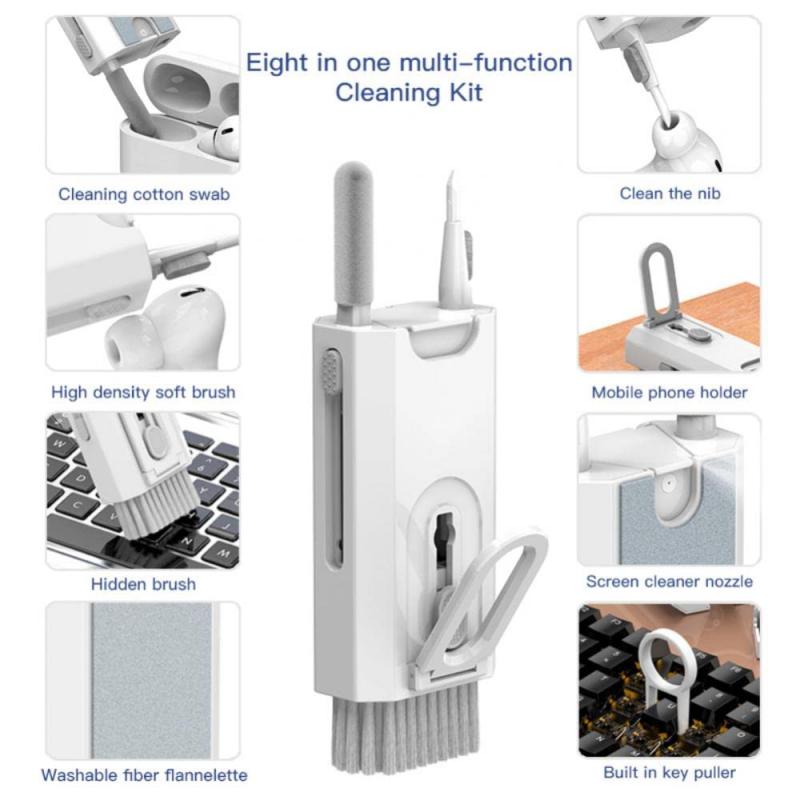
Removing Keycaps

2、 Cleaning with Compressed Air

Cleaning with Compressed Air is a popular and effective method for cleaning keyboards. It is a quick and easy way to remove dust, debris, and crumbs that accumulate between the keys. However, it is important to note that this method may not be suitable for all types of keyboards, especially those with mechanical switches.

To clean a keyboard with compressed air, follow these steps:

1. Turn off your computer and unplug the keyboard. This will prevent any accidental keystrokes or damage to your computer.

2. Hold the keyboard upside down and gently tap it to dislodge any loose debris. This will help to remove larger particles that may be stuck between the keys.

3. Use a can of compressed air to blow out the remaining dust and debris. Hold the can upright and use short bursts of air to avoid damaging the keyboard. Pay special attention to the areas between the keys and around the edges.

4. If necessary, you can use a soft brush or cotton swabs dipped in isopropyl alcohol to clean stubborn stains or sticky residue. Be sure to wring out any excess liquid before using it on the keyboard.

5. Allow the keyboard to dry completely before plugging it back in and turning on your computer.

It is worth mentioning that some experts advise against using compressed air on mechanical keyboards, as the force of the air can potentially damage the delicate switches. In such cases, it is recommended to consult the manufacturer's guidelines or consider alternative cleaning methods, such as using a vacuum cleaner with a brush attachment or cleaning the keys individually with a damp cloth.
Cleaning with Compressed Air

3、 Using Isopropyl Alcohol

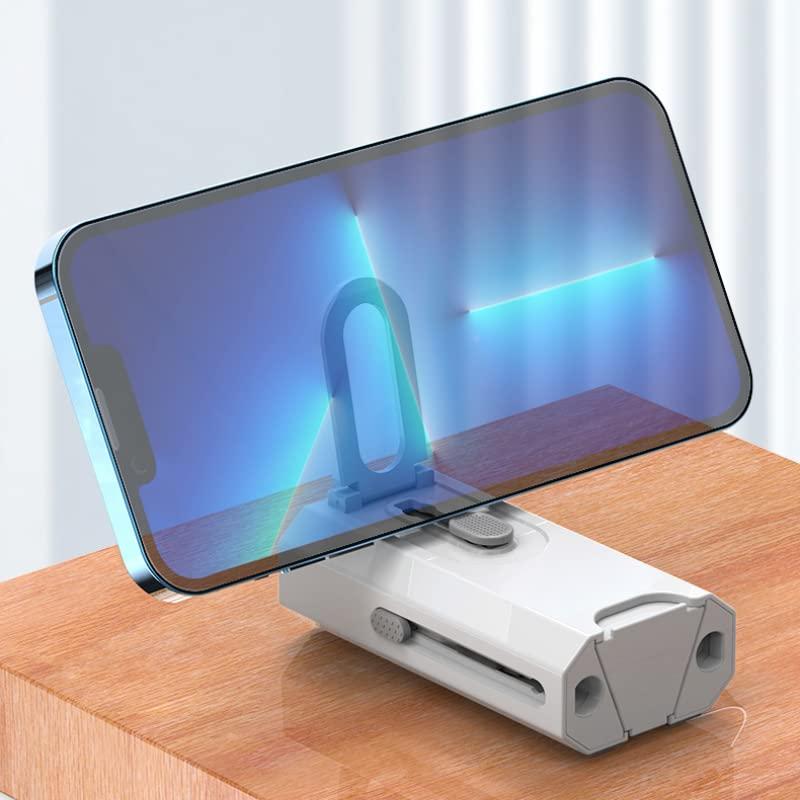
Using Isopropyl Alcohol to clean a keyboard is a widely recommended method due to its effectiveness in removing dirt, grime, and germs. However, it is important to note that the latest point of view suggests being cautious when using Isopropyl Alcohol on certain types of keyboards, such as those with a rubberized or soft-touch coating.

To clean a keyboard using Isopropyl Alcohol, follow these steps:

1. Turn off your computer and unplug the keyboard to avoid any electrical damage or accidents.

2. Shake the keyboard gently to remove loose debris and crumbs.

3. Dampen a lint-free cloth or cotton swab with Isopropyl Alcohol. It is recommended to use a concentration of at least 70% Isopropyl Alcohol.

4. Gently wipe the keys, paying extra attention to areas that are frequently touched or visibly dirty. Avoid excessive moisture, as it can damage the keyboard.

5. For hard-to-reach areas, use a cotton swab dipped in Isopropyl Alcohol to clean between the keys.

6. Allow the keyboard to air dry completely before plugging it back in and turning on your computer.

It is worth mentioning that some keyboard manufacturers advise against using Isopropyl Alcohol on keyboards with rubberized or soft-touch coatings, as it may cause discoloration or damage. In such cases, it is recommended to consult the manufacturer's guidelines or use alternative cleaning methods, such as using compressed air or a vacuum cleaner to remove debris, and wiping the keys with a mild soap solution or disinfectant wipes.

Always exercise caution when cleaning your keyboard and refer to the latest guidelines from the manufacturer to ensure the longevity and proper functioning of your keyboard.
Using Isopropyl Alcohol

4、 Cleaning the Keyboard Frame

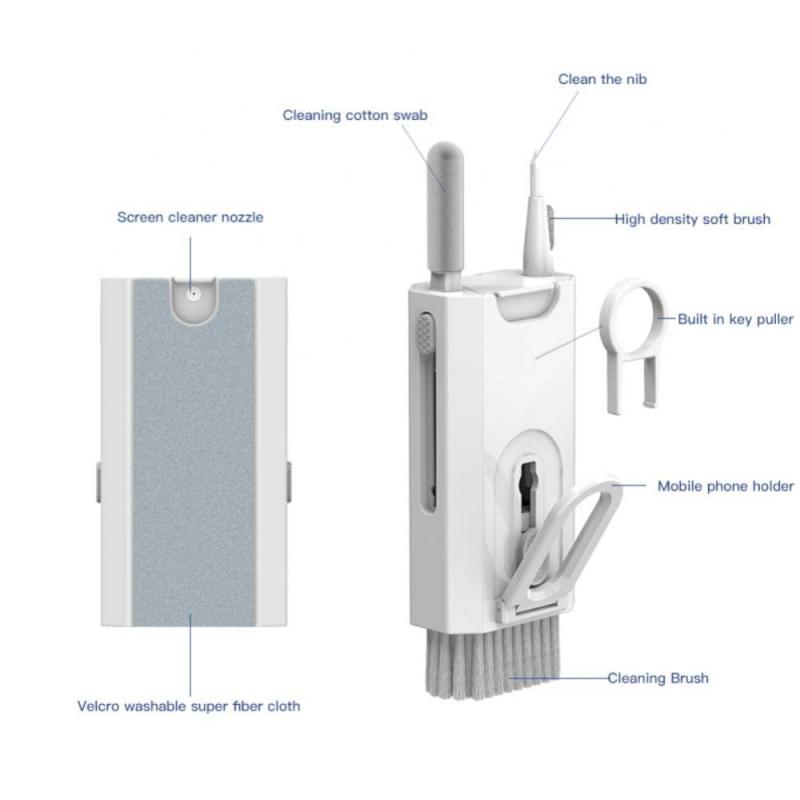
Cleaning the keyboard frame is an essential part of maintaining a clean and hygienic workspace. Over time, dust, dirt, and debris can accumulate in the crevices of the keyboard, making it not only unsightly but also a breeding ground for bacteria. Here's a step-by-step guide on how to clean a keyboard frame effectively:

1. Turn off your computer and unplug the keyboard to avoid any electrical mishaps.

2. Shake the keyboard gently upside down to dislodge any loose debris. You can also use compressed air to blow away the dust from hard-to-reach areas.

3. Dampen a microfiber cloth with a small amount of isopropyl alcohol or a mild cleaning solution. Avoid using excessive liquid to prevent damage to the keyboard.

4. Gently wipe the keyboard frame, paying extra attention to the areas between the keys. Use a cotton swab dipped in the cleaning solution to clean the narrow spaces.

5. For stubborn stains or grime, you can use a soft-bristled brush to scrub the affected areas gently.

6. Once you have cleaned the entire keyboard frame, use a dry microfiber cloth to remove any excess moisture.

7. Allow the keyboard to air dry completely before plugging it back in and turning on your computer.

It is worth noting that in light of the COVID-19 pandemic, it is crucial to maintain proper hygiene practices. Regularly cleaning and disinfecting your keyboard can help minimize the risk of spreading germs. Follow the manufacturer's guidelines and recommendations for cleaning your specific keyboard model, as some keyboards may have special cleaning instructions.
Cleaning the Keyboard Frame

Leave your comment
Cancel reply
Note: HTML is not translated!
Related products
K&F Concept Electric Compressed Air Duster - 300000RPM Vacuum Cleaner, 3 Gear Adjustable, Super Wind Power, Rechargeable Brushless Motor for Deep Computer Clean, Keyboard, Car, Home, Outdoor
£75.99 £69.99
K&F Concept Brushless Compressed Air Duster, 3 Gear Adjustable, Super Wind Power,Rechargeable&Portable,for Deep Computer Clean, Keyboard, Car Dry, Home - Replace Compressed Air Cans
£59.99 £54.99
K&F Concept 12-1 Brushless Compressed Air Duster, 3 Gear Adjustable, Super Wind Power,Rechargeable&Portable,for Deep Computer Clean, Keyboard, Car Dry, Home - Replace Compressed Air Cans
£38.99 £34.99
K&F Concept 14 in 1 Compressed Air Duster, Stepless Adjustable 150000RPM Electric Air Duster, Adjustable&Portable Air Blower for Deep Clean, Computer Keyboard Car Home- Replace Compressed Air Cans
29
£49.99 £46.99
M42 Lenses to Minolta A / Sony A Camera Mount Adapter
59
£39.99
Minolta A / Sony A Lenses to Fuji X Mount Camera Adapter
36
£43.99 £35.99
Minolta A / Sony A Lenses to Pentax Q Camera Mount Adapter
52
£31.99 £22.99
Minolta A / Sony A Lenses to Leica M Camera Mount Adapter
49
£52.99
Minolta A / Sony A Lenses to Nikon Z Mount Camera Adapter
62
£55.99 £45.99
Minolta A / Sony A Lenses to Canon EOS M Camera Mount Adapter
56
£43.99 £31.50
Guess you like products
37mm Circular Polarizer Filter with Lens Cap Optical Glass Ultra Slim 18 Multi-Layer Coatings Polarizing Filter for Camera Lens Nano-Klear Series
36
£12.99 £10.99
55mm ND8+ND64+ND1000 Lens Filter Kit with 3 Vacuum Cleaning Cloths and Filter Pouch, 24 Layer Multi-coated HD Optical Glass, Nano-Dazzle Series
29
£59.99 £47.99
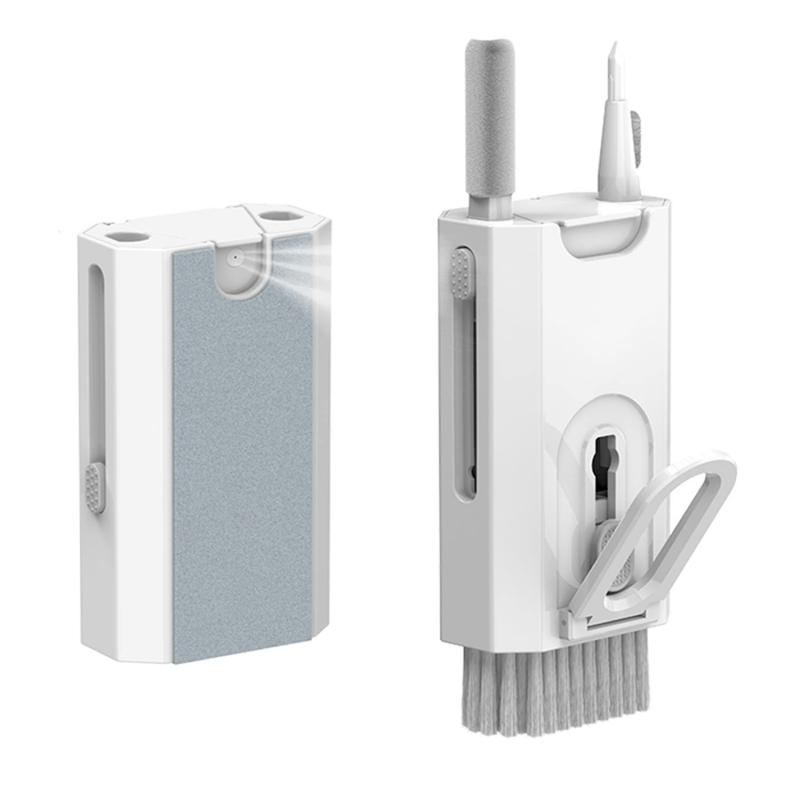
K&F Concept Laptop Mobile Screen 20-in-1 Cleaning Kit, Computer Keyboard Brush Cleaning Spray, Suitable for iPhone AirPods MacBook iPad
59
£12.99 £12.99
58mm Black Mist Filter 1/4 + 3pcs Cleaning Cloth with 18 Multi-Layer Coatings Nano-Klear
36
£41.99 £24.99
Graduated Filter Reverse GND8 0.9 (3-stop) 100x150x2mm Square Filter HD Optical Glass Waterproof ND Filter,Nano-Xcel PRO Series
145
£124.99 £99.99
K&F Concept 2-Pack LP-E6NH Battery with 2600mAh Capacity and Type-C Fast Charging for Canon EOS 90D, 80D, 70D, 5D, Mark II, III, IV, 5DS, SR, 6D, 6D Mark II, R5, R6, R6 II, R7
30
£82.99 £69.99
High Precision Lens Mount Adapter for M42 Series Lens to Fuji X Series Mount Camera, M42-FX FIT ART
90
£46.99 £36.99
Flash Diffuser for GW51.0116 Soft & Flexible Silicone
15
£9.99 £7.99
Related articles
How To Clean A Macbook Keyboard ?
How To Easily Clean Keyboard ?
How To Clean Macbook Keyboard ?
How To Clean Your Laptop Keyboard ?
Macbook Pro How To Clean Keyboard ?
How To Clean Your Macbook Keyboard ?
How To Clean Under Macbook Keyboard ?
How To Clean Apple Keyboard White ?
How To Clean Macbook Pro Keyboard 2017 ?
What Can You See With Microscope ?
Guess you like articles
How To Make A Microscope Lens ?
How To Make Anologue Cctv Camera Digital ?
Are Image Stabilized Binoculars Worth It ?
What Is The Purpose Of A Digital Camera ?
What's A Good Backpack For My Camera ?
How Much Is The Starscope Monocular ?
How To Make A Camera Phone Tripod?
How To Mount A Samsung Computer Monitor ?
How To Reset Icsee Wifi Camera ?
What Is Found Underneath A Microscope Stage ?
Related categories
Sony A mount lens adapter​ accessories for a drone Sony E mount adapter variable ND and CPL filter​ gopro hero filter 52mm cpl filter 67mm variable nd filter Consumer Electronics phone filter mini camera tripod​
Popular products
sony camera adapter minolta md to leica m adapter minolta nikon adapter canon adapter sony sony minolta mount auto keyless entry door lock sony a mount adapter sigma sony adapter sony AF a to E adapter lens pen cleaning kit
Related searches
Keyboard With A Microphone Sound To Clean Iphone Speakers Lighter Fluid To Clean Camera Lens Parts To A Telescope Sony A To Ef Adapter Sony A Mount To E Minolta Md To A Mount M42 To Sony A Mount Sony A To Nex Adapter Sony A Mount To Canon
Blog Category
  • Camera Reviews
  • News & Reviews
    • News
  • Tutorials
    • Animal Photography
    • Food Photography
  • Inspiration
    • Travel
    • Travel Stories
    • Photography Tricks
Search Article
Latest from the Blog
How Do Metal Detectors Work?
What Does Rgb Stand For In Led Lights?
How Do Wireless Outdoor Security Cameras Work?
How To Hide Gold From Metal Detector?
How To Set Up Digital Camera As Webcam?
How To Mount Go Pro On Tripod?
How To Install Video Surveillance Cameras?
Do You Need ND Filters for Drone?
How To Repair Flood Lights?
What Sd Card For Dslr Camera?
Powered By K&F Concept © 2025