kfconcept

K&F Concept UK
K&F Concept United Kingdom    Blog >

Enjoy Your Selected Digital Life

Recently Viewed
  • Recently Viewed
  • Recently Viewed list is empty.

Compare (0) 0
  • Compare
  • You have not chosen any products to compare.

  • Compare
Currency: GBP
  • Currency

Log Into Your Account

Account

Order History

Wish List

Login

Forgotten Password?

or connect with

Register Account

Already have an Account?Log In

  • Shopping Cart
  • Your shopping cart is empty!

  • Register/Login to purchase, earn points
  • Favorite
  • Your wish list is empty.

  • Register/Login to like, earn points
  • Tripods
    • Aluminum Tripods
    • Carbon Fiber Tripods
    • Travel Tripods
    • Video Tripods
    • Monopods
    • Lightweight Tripods
    • Mini Tripod
    • Tripod Accessories
      • Monitor Mount
      • Multi-Angle Center Column
      • Tripod Dolly
      • Tripod Foot Spikes
      • Vacuum Suction Cup
      • Quick Release Plates
      • Magic Arms
      • Phone Holders
      • Others
    • Gimbal Stabilizers
    • Tripod Head
    • Tripod Kit
    • Action Camera Mounts
    • Phone Tripods
    • Studio Parts
      • Camera Flash
      • Light Box Photography
      • Photography Fill Light
      • Ring light
      • Soft Box
      • Tripod Light Stands
      • Reflectors
    • Clearance Tripods
  • Lens Filters
    • UV Filters
      • Nano-Xcel Series
        • MCUV
        • Ultra-low Reflectivity MCUV Filters
        • MCUV Super Hard
        • Explosion-proof MCUV - Nano-Xcel
        • MCUV+Lens Cap+Cleaning Cloth
        • Super Hard&Ultra Low Reflection MCUV Filters - Nano-Xcel
        • MCUV - Magnetic Series
      • Nano-Dazzle Series
        • MCUV
        • MCUV+Lens Cap+Cleaning Cloth
      • Nano-Klear Series
        • MCUV
        • Ultra Thin Frame MCUV Filters
        • MCUV+Lens Cap+Cleaning Cloth
      • Nano-Xcel Pro Series
        • MCUV
    • CPL Filters
      • Nano-Xcel Series
        • CPL
        • CPL True Color
        • Ultra-low Reflectivity CPL
        • CPL+Lens Cap+Cleaning Cloth
        • Magnetic CPL
          • Magnetic CPL + Apater ring + Cap - Nano-X
        • True Color Ultra-low Reflectivity CPL - Nano-Xcel
      • Nano-Dazzle Series
        • CPL
        • CPL+Lens Cap+Cleaning Cloth - Nano-Dazzle
      • Nano-Klear Series
        • CPL
        • Ultra Thin Frame CPL Filters
        • CPL+Lens Cap+Cleaning Cloth
        • CPL+Lens Cap - Nano-Klear
      • Nano-Xcel Pro Series
        • CPL
    • Neutral Density Filters
      • Neutral Density (Solid) Filters
        • ND8 (3 stops) - Nano-Xcel Series
        • ND64 (6 stops) - Nano-Xcel Series
        • ND1000 (10 stops) - Nano-Xcel Series
        • ND100000 (16.6 stops) - Nano-Xcel Series
        • ND1000000 (20 stops) - Nano-Xcel Series
        • ND100000 (16.6 stops) - Nano-Klear Series
        • ND1000000 (20 stops) - Nano-Klear Series
        • Solid ND - Magnetic Series
      • Graduated Neutral Density
        • 100mm GND Filter
          • Soft GND8 Filters - Nano-Xcel Series
          • Hard GND8 Filters - Nano-Xcel Series
          • Reverse GND8 Filters - Nano-Xcel Series
          • Soft GND16 Filters - Nano-Xcel Series
          • Reverse GND16 Filters - Nano-Xcel Series
          • Soft GND8 Filters - Nano-Xcel Pro Series
          • Hard GND8 Filters - Nano-Xcel Pro Series
          • Reverse GND8 Filters - Nano-Xcel Pro Series
          • Soft GND16 Filters - Nano-Xcel Pro Series
          • Reverse GND16 Filters - Nano-Xcel Pro Series
        • Circular GND Filter
          • GND8
          • GND16
      • 2 in 1 Filters
        • ND2-ND32&CPL Filters - Nano-Xcel Series
        • ND2-ND32&CPL Filters - Nano Dazzle Series
        • ND2-32&CPL Filters - Nano-Klear Series
        • ND2-ND32&CPL Filter - Nano-X Pro
        • ND2-ND32&CPL True Color Filters - Nano-Xcel Series
        • ND4-ND64&CPL Filter
      • 3 in 1 Filters
        • ND2-32&CPL&Black Mist 1/4 Filters - Nano-Xcel Series
        • ND2-32&CPL&Black Mist 1/4 Filters - Nano-Klear Series
      • Variable Neutral Density
        • Nano-Xcel Series
          • ND2-ND32 - Nano-Xcel
          • ND2-ND32 True Color - Nano-Xcel
          • ND2-ND400 - Nano-Xcel
          • ND8-ND128 - Nano-Xcel
          • ND32-ND512 - Nano-Xcel
          • ND3-ND1000 - Nano-Xcel
          • ND2-32 True Color Ultra-Low Reflection - Nano-Xcel
          • ND2-400 Ultra-Low Reflection - Nano-Xcel
        • Nano-Dazzle Series
          • ND2-ND32 - Nano-Dazzle
          • ND2-ND400 - Nano-Dazzle
          • ND3-ND1000 - Nano-Dazzle
          • ND8-ND2000 - Nano-Dazzle
        • Nano-Klear Series
          • ND2-ND32 - Nano-Klear
          • ND2-ND400 - Nano-Klear
          • ND2-ND2000 - Nano-Klear
          • True Color ND2-ND400 - Nano-Klear
        • Nano-Xcel Pro Series
          • ND2-ND32 - Nano-Xcel Pro
        • Nano-B Series
          • ND2-ND400 - Nano-B
    • Black Mist & Soft Focus Filters
      • Black Mist Filters
        • Black Mist 1/8
          • Black Mist 1/8 - Nano-Xcel Series
          • Black Mist 1/8 - Nano-Dazzle Series
          • Black Mist 1/8 - Nano-Klear Series
          • Black Mist 1/8 - Nano-Xcel Pro Series
          • Black Mist 1/8+Lens Cap+Cleaning Cloth - Nano-Klear Series
        • Black Mist 1/4
          • Black Mist 1/4 - Nano-Xcel Series
          • Black Mist 1/4 - Nano-Dazzle Series
          • Black Mist 1/4 - Nano-Klear Series
          • Black Mist 1/4 - Nano-Xcel Pro Series
          • Black Mist 1/4+Lens Cap+Cleaning Cloth - Nano-Klear Series
        • Black Mist 1/2
          • Black Mist 1/2 - Nano-Xcel Series
          • Black Mist 1/2 - Nano-Klear Series
        • Black Mist 1
          • Black Mist 1 - Nano-Xcel Series
          • Black Mist 1 - Nano-Klear Series
        • Black Mist Kit
          • Black Mist 1/4 + 1/8 Nano Xcel Series
          • Black Mist 1/4 + 1/8 - Nano Klear Series
          • Black Mist 1/4 + CPL - Nano Klear Series
        • Black Mist & CPL
          • Black Mist 1/4&CPL - Nano-Klear Series
          • Black Mist 1/4 & CPL True Color Ultra-Low Reflection - Nano-Xcel Series
        • Black-Mist & VND
          • Black Mist 1/4 & ND2-32 Filters - Nano-Klear Series
          • Black Mist 1/4 & ND2-400 Filters - Nano-Xcel Series
          • Black Mist 1/4 & ND2-32 Filters - Nano-Xcel Series
          • Black Mist 1/8 & ND2-32 Filters - Nano-Klear Series
          • Black Mist 1/4 & ND2-400 Filters - Nano-Klear Series
      • White Mist Filters
        • White Mist 1/4 - Nano-Xcel Series
        • White Mist 1/4 - Nano-Klear Series
      • Cool Mist
        • Cool Mist 1/4 - Nano-Xcel
      • Gold Mist
        • Gold Mist 1/2 - Nano-Xcel
        • Gold Mist 1/4 - Nano-Xcel
      • Shimmer Diffusion
        • Shimmer Diffusion 1 - Nano-Xcel Series
        • Shimmer Diffusion 1 - Nano-Klear Series
    • Light Pollution Cut Filter
      • Light Pollution Cut Filter - Circular
      • Light Pollution Cut Filter - Square
    • Filter Kit
      • Black Mist Filters
      • Screw-In Filters
        • MCUV+CPL Filter - Nano-Klear Series
        • MCUV+CPL+Lens Cap - Nano-Klear Series
        • MCUV+CPL+Metal Lens Cap - Nano-Xcel Series
        • MCUV+CPL+ND1000+Lens Cap - Nano-Dazzle Series
        • MCUV+CPL+ND2-400 - Nano-Klear Series
        • ND8+ND64+ND1000 - Nano-Dazzle Series
        • MCUV+CPL+ND4 - Nano-Klear Series
        • ND1000+CPL - Nano-Klear Series
        • ND4+ND8+ND64+ND1000 - Nano-Xcel Series
        • MCUV+CPL
      • Magnetic Filters
      • Square Filters
    • Magnetic Lens Filters
      • MCUV Filters
        • Magnetic MCUV - Nano-Klear Series
        • Magnetic MCUV+Lens Caps - Nano-Xcel Series
      • CPL Filters
        • Magnetic CPL + Adapter Ring
        • Magnetic CPL+Adapter Ring - Nano-Klear Series
      • Black-Mist
        • Black Mist 1/8 Filters - Nano-Xcel Series
        • Black Mist 1/4 Filters - Nano-Xcel Series
      • Neutral Density (Solid) Filter
        • Magnetic ND8 - Nano-Xcel Series
        • Magnetic ND64 - Nano-Xcel Series
        • Magnetic ND1000 - Nano-Xcel Series
      • Unlimited Variable ND Filter
        • Magnetic ND2-ND32 - Nano-Xcel Series
        • Magnetic ND8-ND128 Filters - Nano-Xcel Series
      • Accessories
        • Magnetic Adapter Ring
        • Magnetic Filter Ring
        • Magnetic Cap
      • Kits
        • MCUV+CPL+ND1000+Adapter Ring - Nano-Xcel Series
        • CPL+ND8+ND64+Adapter Ring+Lens Cap - Nano-Xcel Series
        • GND8+ND8+ND64+ND1000+Adapter Ring - Nano-Xcel Series
        • CPL+VND2-32+Black Mist 1/4+Magnetic Ring+Lens Cap - Nano-Xcel Series
    • Square Filter System
      • Basic System
        • Square ND Filters
          • ND4 Filters - Nano-Xcel Series
          • ND16 Filters - Nano-Xcel Series
          • ND1000 Filters - Nano-Xcel Series
          • ND2000 Filters - Nano-Xcel Series
          • ND32000 Filters - Nano-Xcel Series
          • Full Color ND8 Filters - Nano-Xcel Series
          • Full Color ND64 Filters - Nano-Xcel Series
        • Square GND Filters
        • Light Pollution Cut Filter
          • Light Pollution Cut Filter - Nano-Xcel Series
        • Square Black Mist Filters
          • Square Black Mist 1 - Nano-Xcel Series
          • Square Black Mist 1/4 - Nano-Xcel Series
          • Square Black Mist 1/8 - Nano-Xcel Series
        • Brackets and Accessories
          • Adapter Ring - Nano-Xcel Series
        • Kits
          • 100mm Square Filter System - Nano-Xcel Series
          • 100mm ND1000+Holder Kit - Nano-Xcel Series
          • 100mm ND1000+Soft GND8+Holder Kit - Nano-Xcel Series
          • 100mm Soft GND8+Holder Kit - Nano-Xcel Series
      • Professional System
        • ND
          • Full Color ND8 Filters - Nano-Xcel Pro Series
          • Full Color ND64 Filters - Nano-Xcel Pro Series
          • Full Color ND1000 Filters - Nano-Xcel Pro Series
        • GND
        • PL
        • Black Mist 1/4&CPL - Nano-Xcel Pro Series
        • Light Pollution Cut Filter
          • Light Pollution Cut Filter - Nano-Xcel Pro Series
        • Kits
          • 100mm ND1000+Holder Kit - Nano-Xcel Pro Series
          • 100mm ND1000+Soft GND8+Holder Kit - Nano-Xcel Pro Series
          • 100mm ND8+ND64+ND1000+Holder Kit - Nano-Xcel Pro Series
          • 100mm Holder Kit - Nano-Xcel Pro Series
        • Brackets and Accessories
          • 100x100mm Square Filter Protect Frame - Nano-Xcel Pro Series
          • 100x150mm Square Filter Protect Frame - Nano-Xcel Pro Series
          • Adapter Ring - Nano-Xcel Pro Series
    • Drone Filter
      • DJI Air 3S
      • DJI Avata2
      • DJI Flip
      • DJI Mavic 3 Pro
      • DJI NEO
      • DJI Mini 1/2/SE
      • DJI Mini 4 Pro Filters
      • DJI Mavic 3
      • DJI Mini 3 PRO
      • DJI Avata
      • DJI Mavic 4 Pro
      • DJI Mini 5 Pro
      • DJI Air 2S
    • Effects Filters
      • Prism Filters
        • Central Prism Filters
          • Central Pentagonal Filters - Nano-Basic Series
          • Central Hexagonal Filters - Nano-Basic Series
        • Ordinary Prism Filters
          • Triangular Filtres - Nano-Basic Series
        • Single Linear Prisms
      • Streak Filters
        • Blue Streak Filters - Nano-Xcel Series
        • Gold Streak Filters - Nano-Xcel Series
        • Colorful Streak Filters - Nano-B Series
        • Blue Streak Filters - Nano-Klear Series
      • Star Filter
        • 4-8 Point Star Filters - Nano-Xcel Series
        • Star Filters 4-8 Points - Nano-Klear Series
        • Star Filter Kits 4+6+8 Points - Nano-Klear Series
        • 4-Point Fine-Line Star Filters - Nano-Klear Series
        • 6-Point Fine-Line Star Filters - Nano-Klear Series
      • Kaleidoscope Filters
        • Kaleidoscope Filters - Nano-Basic Series
        • Handheld Kaleidoscope Filters - Nano-B Series
      • Motion Blur Filters
        • Directional Motion Blur - Nano-Basic Series
        • Bidirectional Motion Blur - Nano-Basic Series
        • Handheld Motion Blur Filters - Nano-Basic Series
      • Spiral Filters
        • Spiral Halo Filters - Nano-B Series
        • Handheld Spiral Filters - Nano-Basic Series
      • Diopter Filters
        • Centerfield Split Diopter Filters - Nano-Basic Series
        • Handheld Diopter Filters - Nano-Basic Series
    • Filter Accessories
      • Lens Hoods
      • Rings Kits
        • Step Up Rings
        • Step Down Rings
      • Filter Holders & Frames
      • Filter Holder Adapter Rings
        • Filter Adapter Rings
      • Filter Pouches
      • Lens Caps
        • Caps for Magnetic Filters
        • Caps for Variable ND Filters
        • Anti-lost Lens Cap
          • 4 in 1
          • 5 in 1
          • 7 in 1
          • 9 in 1
      • Polarized Film
    • Action Camera Filters
      • DJI Osmo Action 4 / Action 5 Pro
      • DJI Osmo Action 6
      • DJI Osmo Nano
      • GoPro HERO 4K
      • GOPRO Hero 9/10/11/12/13 Filters
      • Insta360 Ace pro 2
      • Insta360 Go Ultra
      • Insta360 GO3
      • Insta360 GO3S
      • Action Camera Accessories
        • DJI Osmo Action 3/4/5 Pro
        • Head Strap & Chest Mount
        • Insta360 X5
        • Magnetic Neck Mount
        • DJI Osmo 360
        • DJI Osmo Pocket 3 Charging Base
    • Handheld Camera Filters
      • DJI Osmo Pocket 4/3 Filters
      • DJI Osmo Pocket 3 Accessories
    • Phone Lens Filters
    • Matte Box & Filter Systems
      • Neutral Density (Solid) Filters
        • ND4 - Nano-Xcel Series
        • ND8 - Nano-Xcel Series
        • ND16 - Nano-Xcel Series
        • ND32 - Nano-Xcel Series
        • ND64 - Nano-Xcel Series
        • ND8+ND64 - Nano-Xcel Series
      • UV Filters
      • Black Mist Filters
        • Black Mist 1/4 - Nano-Xcel Series
        • Black Mist 1/8 - Nano-Xcel Series
      • Blue Streak Filters
      • Accessories
      • Kits
        • Matte Box - Nano-Xcel Series
        • Matte Box Pro - Nano-Xcel Series
        • Matte Box+ND8 Square Filter - Nano-Xcel Series
        • Matte Box+ND4+ND32 Square Filter - Nano-Xcel Series
        • Matte Box+Black Mist 1/4 Square Filter - Nano-Xcel Series
    • Brand-specific Filters
      • Leica Q3/Q2
      • Fujifilm X100
      • Ricoh GR
  • Lens Adapters
    • PL Mount Lenses
    • A Mount Body(Sony/Minolta)
    • Fujifilm X Mount Body
    • Fujifilm G (GFX) Mount Body
    • C-Mount Body
    • Leica M Mount Body
    • MFT(M4/3) Mount Body
    • Pentax K Mount Body
    • Pentax Q Mount Body
    • Samsung NX Mount Body
    • Nikon F Mount Body
    • Nikon 1 Mount Body
    • Nikon Z Mount Body
    • Canon EOS EF/EF-S Mount Body
    • Canon EOS M Mount Body
    • Canon RF Mount Body
    • Sony E Mount Body
    • L-Mount Alliance (Leica)
  • Camera
    • Digital Camera & DV
      • Video Cameras & Camcorders
      • Digital Cameras
      • Underwater Cameras
      • Action Cameras
      • Kids’ Cameras
      • Time lapse camera
    • Wildlife Camera
      • Wifi Trail Cameras
      • Non-Cellular Trail Cameras
      • Accessories
      • Cellular Trail Cameras
    • Surveillance Cameras
      • 4G Camera
      • Battery Camera
      • Baby Monitor
      • WiFi Camera
      • Feeder Camera
      • Floodlight camera
      • Monitoring Detector
    • Camera Lenses
    • On-Dash Camera
    • Fishing camera
    • Memory Cards
      • Micro SD Card
      • SD Card
    • Camera Accessories
      • Camera Caps
      • Camera Screen Protectors
        • Canon
        • Sony
        • Fujifilm
        • Nikon
        • Olympus
        • Ricoh
        • GoPro
        • DJI Osmo Pocket 3
      • Camera Hot Shoe Covers
      • Camera Viewfinder Eyecups
        • Nikon
        • Sony
        • Canon
      • Adjustment Iris
  • Camera Bags
    • Camera Backpacks
    • Camera Shoulder Bags
    • Camera Cases
    • Digital Storage Bag
    • Lens Cases
    • Camera Straps
    • Backpack Accessories
    • Silicone Cases
  • Camera Battery
    • insta360
    • Sony
    • Canon
    • Nikon
    • FUJIFILM
    • Ricoh
    • Gopro
    • Osmo Action
    • Lumix
    • V Mount Battery
    • Memory Card Case
  • Optics
    • Microscope
      • Compound Microscope
      • Digital Microscope
      • Kids' Microscopes
    • Binoculars
    • Monocular
    • Telescope
    • Night Vision Goggles
    • Rangefinder
  • Endoscope
    • Professional Endoscope
    • Household Endoscope
    • Pipeline Endoscope
    • Portable Endoscope
    • Otoscope/Oral Endoscope
  • More
    • Cleaning Kits
    • Digital Voice Recorders
    • Drone
    • Language Translator Device
    • Smart Glasses
    • Metal Detectors
    • Light
      • Video fill light
      • Live Ring Light
      • Outdoor Lighting
    • Motorcycle Bluetooth Headset
    • Laser Engraver Machine
    • Headphones
    • Weather Station & Household Sensors
    • Microphone
    • Drone Accessories
      • DJI Air 2S Accessories
      • DJI Air 3 Accessories
      • DJI Avata Accessories
      • DJI Drone Universal Accessories
      • DJI Mavic Mini 2/Mini 2 SE/Mini Accessories
      • DJI Mavic Mini 3 Accessories
      • DJI Mini 3 Pro Accessories
    • Smart Watch
    • Smart lock
    • Studio
    • Solar Panels
  • Deals
    • Specials
    • Coupon
    • New Arrivals
  • Home
  • Blog
  • How To Connect Mi Camera To New Wifi ?

How To Connect Mi Camera To New Wifi ?

K&f concept 2023-08-18 02:45:13 0 Comments

To connect your Mi camera to a new Wi-Fi network, follow these steps:

1. Ensure that your Mi camera is powered on and within range of the new Wi-Fi network.

2. Open the Mi Home app on your smartphone or tablet.

3. Tap on the camera device that you want to connect to the new Wi-Fi network.

4. Go to the camera settings within the app.

5. Look for the Wi-Fi settings or network settings option.

6. Select the option to change or connect to a new Wi-Fi network.

7. Follow the on-screen instructions to enter the new Wi-Fi network name (SSID) and password.

8. Once you have entered the correct details, tap on the "Connect" or "Save" button.

9. The Mi camera will attempt to connect to the new Wi-Fi network. Wait for the connection process to complete.

10. Once connected, you should see a confirmation message or indicator within the app.

Your Mi camera should now be successfully connected to the new Wi-Fi network, allowing you to monitor and control it remotely.

1、 Accessing the camera's settings menu

To connect your Mi camera to a new Wi-Fi network, you will need to access the camera's settings menu. Here's a step-by-step guide on how to do it:

1. Ensure that your Mi camera is powered on and connected to a power source.

2. Download and install the Mi Home app on your smartphone or tablet. This app is available for both iOS and Android devices.

3. Open the Mi Home app and sign in to your Mi account. If you don't have an account, you will need to create one.

4. Tap on the "+" icon to add a new device.

5. Select "Camera" from the list of available devices.

6. Follow the on-screen instructions to put your Mi camera into pairing mode. This usually involves pressing and holding a button on the camera until a light starts flashing.

7. Once the camera is in pairing mode, the app will detect it and prompt you to connect it to your Wi-Fi network.

8. Select your new Wi-Fi network from the list of available networks and enter the password when prompted.

9. Wait for the camera to connect to the new Wi-Fi network. This may take a few moments.

10. Once the camera is connected, you will be able to access its live feed and settings through the Mi Home app.

It's important to note that the steps may vary slightly depending on the specific model of your Mi camera and the version of the Mi Home app you are using. Make sure to follow the instructions provided by the app for the best results.

In conclusion, connecting your Mi camera to a new Wi-Fi network involves accessing the camera's settings menu through the Mi Home app. By following the steps outlined above, you should be able to successfully connect your camera to your new Wi-Fi network and start using it.
Accessing the camera's settings menu

2、 Selecting the Wi-Fi network option

To connect your Mi camera to a new Wi-Fi network, you can follow these steps:

1. Ensure that your Mi camera is powered on and within range of the new Wi-Fi network.

2. Open the Mi Home app on your smartphone or tablet. If you don't have the app, you can download it from the App Store or Google Play Store.

3. Log in to your Mi Home account or create a new one if you haven't already.

4. Tap on the "+" icon to add a new device.

5. Select the "Camera" category and choose your specific Mi camera model from the list.

6. Follow the on-screen instructions to put your camera into pairing mode. This usually involves pressing a button on the camera or scanning a QR code.

7. Once the camera is in pairing mode, the app will prompt you to select the Wi-Fi network you want to connect to. Tap on the "Select Wi-Fi network" option.

8. A list of available Wi-Fi networks will appear. Choose the new Wi-Fi network you want to connect to.

9. Enter the password for the new Wi-Fi network and tap "Next" to proceed.

10. The app will attempt to connect your Mi camera to the new Wi-Fi network. This process may take a few moments.

11. Once the connection is established, you will receive a confirmation message on the app.

It's important to note that the steps may vary slightly depending on the specific model of your Mi camera and the version of the Mi Home app you are using. Make sure to follow the instructions provided by the app for the most accurate guidance.

Additionally, it's always a good idea to ensure that your new Wi-Fi network has a strong and stable signal in the area where your Mi camera is installed. This will help maintain a reliable connection and ensure optimal performance.
Selecting the Wi-Fi network option

3、 Entering the new Wi-Fi network credentials

To connect your Mi camera to a new Wi-Fi network, you will need to follow a few simple steps. Here's a step-by-step guide on how to do it:

1. Ensure that your Mi camera is powered on and within range of the new Wi-Fi network.

2. Open the Mi Home app on your smartphone or tablet. If you don't have the app, you can download it from the App Store or Google Play Store.

3. Sign in to your Mi Home account or create a new one if you haven't already.

4. Tap on the "+" icon to add a new device and select "Camera" from the list of available devices.

5. Follow the on-screen instructions to put your Mi camera into pairing mode. This usually involves pressing and holding a button on the camera until a light starts flashing.

6. Once the camera is in pairing mode, the app will prompt you to enter the new Wi-Fi network credentials. Tap on the "Enter Wi-Fi network credentials" option.

7. Enter the SSID (network name) and password for the new Wi-Fi network. Make sure to double-check the information to avoid any typos.

8. Tap on "Connect" or "Next" to initiate the connection process. The app will attempt to connect your Mi camera to the new Wi-Fi network.

9. Wait for a few moments while the camera establishes a connection with the new network. Once connected, you should see a confirmation message on the app.

10. Test the connection by accessing the camera's live feed or adjusting its settings through the app. If everything works properly, your Mi camera is now connected to the new Wi-Fi network.

It's worth mentioning that the steps may vary slightly depending on the model of your Mi camera and the version of the Mi Home app. Always refer to the user manual or the app's instructions for specific guidance.

In conclusion, connecting your Mi camera to a new Wi-Fi network involves entering the new network credentials through the Mi Home app. By following the steps outlined above, you should be able to establish a successful connection and continue using your camera seamlessly.
Entering the new Wi-Fi network credentials

4、 Connecting the camera to the new Wi-Fi network

Connecting the camera to a new Wi-Fi network is a relatively simple process. Here's a step-by-step guide on how to do it:

1. Ensure that your camera is powered on and within range of the new Wi-Fi network. Make sure the camera is in setup mode, which is usually indicated by a blinking LED light.

2. On your smartphone or computer, go to the settings menu and select Wi-Fi. Look for the new Wi-Fi network and connect to it. Enter the password if prompted.

3. Once connected to the new Wi-Fi network, open the camera's app on your smartphone or computer. If you don't have the app, download it from the manufacturer's website or app store.

4. In the app, navigate to the settings or setup section and select "Wi-Fi settings" or a similar option. This will allow you to connect the camera to the new Wi-Fi network.

5. The app will scan for available Wi-Fi networks. Select the new Wi-Fi network from the list and enter the password if required. Follow any additional prompts or instructions provided by the app.

6. Once the camera is successfully connected to the new Wi-Fi network, you should see a confirmation message on the app. You can now disconnect your smartphone or computer from the new Wi-Fi network and reconnect to your regular Wi-Fi network.

It's important to note that the exact steps may vary slightly depending on the camera model and app you are using. Always refer to the camera's user manual or the manufacturer's website for specific instructions.

In conclusion, connecting your camera to a new Wi-Fi network involves connecting your smartphone or computer to the new network, opening the camera's app, and following the app's instructions to connect the camera to the new network.

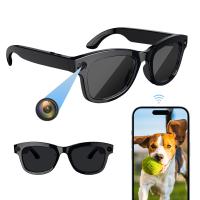
Connecting the camera to the new Wi-Fi network

Leave your comment
Cancel reply
Note: HTML is not translated!
Related products
Camera Sunglasses, HD 1080P, EIS Stabilization, WiFi Connect, Translation, 4H Playtime, Kentfaith
16
£87.49 £69.99
Smart Camera Glasses, HD 1080P, EIS Stabilization, WiFi Connect, Translation, 4H Playtime, Kentfaith
15
£87.49 £69.99
4K Video Camera, 64MP Photos, WiFi Connect, 28X Zoom, Wireless Mic, Full Color NV, Kentfaith
17
£174.99 £139.99
8K Camcorder, 64MP Photos, WiFi Connect, 2 Batteries, Remote Control, 64GB Card, Kentfaith
16
£274.99 £219.99
Digital Photo Frame, 10.1 inch Touchscreen, WiFi Transfer from Any Corner, 32GB Storage, Multi-user Connect & Share, Auto Rotation, Kentfaith
17
£162.49 £129.99
8K Ultra-HD Camcorder, 64MP Video Camera with SONY CMOS Sensor & Built-in Fill Light, WiFi Connect & Transfer, Tripod, Microphones, 2 Batteries, Remote Control, 64GB Card, Kentfaith
£331.24 £264.99
K&F Concept M11105  NIK to NEX FIT PRO,New in 2022 high precision lens adapter (orange)
K&F Concept M11105 NIK to NEX FIT PRO,New in 2022 high precision lens adapter (orange)
108
£43.99 £32.99
M12125 Canon EOS lens to M4/3 FIT PRO, New in 2022 high precision lens adapter (orange)
58
£35.99 £32.99
Motorcycle helmet Bluetooth intercom, Kentfaith motorcycle Bluetooth 5.1 earphones, with CVC noise reduction and FM radio function, can connect up to 7 riders, suitable for snowmobile/ATV/off-road vehicles (2-piece set)
13
£167.99 £133.74
Compound Microscope for Kids with 4.3in Screen, 80X to 800X, WiFi Connection, Dual Light Sources, 1080P Videos, 32GB Card Included, Kentfaith
12
£162.49 £129.99
Guess you like products
77mm Circular Polarizer Filter with Lens Cap Optical Glass Ultra Slim 18 Multi-Layer Coatings Polarizing Filter for Camera Lens Nano-Klear Series
36
£21.99 £16.99
Yagi Antenna Signal Booster for DJI Avata DJI Goggles Antenna Signal Booster
£12.99 £9.99
Leica R Lenses to Canon EOS Camera Mount Adapter
63
£38.99 £29.99
Wildlife Trail Camera with Night Vision 0.2S Trigger Motion Activated 24MP 1296P IP66 Waterproof Hunting Camera for Outdoor & Home security | digital camouflage+64G memory card
69
£85.99 £56.99
Dash Cam Hardwire Kit, Kentfaith Micro-USB Hard Wire Kit 11.5ft, 12-24V to 5V Car Dash Camera Charger Power Cord, Gift 5 Fuse Tap Cable with Battery Drain Protection for 24h Parking Monitor
20
£19.99 £15.99
77mm Nano-L Variable Fader NDX, ND2~32 Nano-Xcel Series
£79.99 £48.99
K&F Concept Canon (EF/EF-S) series lens to Sigma, Leica, Panasonic L-mount camera adapter
66
£35.99 £29.99
K&F Concept Ms13 Multi-Functional Super Clamp with Ballhead Magic Arm
68
£30.99 £25.99
Digital Handheld Microscope with 4 inch IPS Screen Detachable Base 1000X Magnification Kentfaith
13
£87.49 £59.99
55mm Star Filter 4-8 Points Variable Starburst Filter Cross Screen, 18 Layer Coating Ultra Slim Optical Glass, with 3 Pcs Cleaning Cloths Nano-Klear
24
£41.99 £27.99
Related articles
How To Connect Mi Camera With Wifi ?
How To Connect Victure Camera To New Wifi ?
How To Connect Eufy Camera To New Wifi ?
How To Connect Yi Camera To New Wifi ?
How To Connect Arenti Camera To New Wifi ?
How To Connect Wyze Camera To New Wifi ?
How To Setup Ring Camera With New Wifi ?
Can Mi Security Camera Work Without Wifi ?
How To Connect Camera To Wifi ?
How To Use A Telescope For Kids ?
Guess you like articles
What Is Low Night Vision Binoculars ?
How To Use A Sewer Camera ?
Are Zomei Filters Any Good ?
How To Set Up Blink Camera To Wifi ?
Are Expencive Camera Filters Worth It ?
How To Clean Airpods With Toothbrush ?
How To Use Rangefinder At Night ?
How To Repair A Camera Tripod ?
Laser Rangefinder How It Works ?
Can Dna Be Seen Under A Microscope ?
Related categories
Sony E mount adapter variable ND and CPL filter​ Wifi trail camera WiFi camera WiFi Weather Station WIFI Dash Cam baby camera 4g security camera camera monopod​ hunting camera
Popular products
sunglasses recorder motorcycle bluetooth devices camera for eyeglasses sony nex to nikon f adapter​ canon camera lens adapter motorcycle headphones bluetooth nikon camera mount canon eos r adapter leica m42 mount e mount adapter
Related searches
Canon Camera Connect To Wifi Cameras That Connect To Wifi Camera Connect To Phone Without Wifi Microscope Connect To Computer Connect Usb Camera To Android Phone Crosstour Projector Connect To Iphone Smart Watch Connect To Iphone Small Camera Wifi Connect Camera Wifi Connect Mobile Headphones That Connect To Tv Wireless
Blog Category
  • Camera Reviews
  • News & Reviews
    • News
  • Tutorials
    • Animal Photography
    • Food Photography
  • Inspiration
    • Travel
    • Travel Stories
    • Photography Tricks
Search Article
Latest from the Blog
How To Tell Blue Light Glasses Are Real?
Which Smart Watch For Android?
How To Build A Powerful Telescope?
What Is Pir Interval On Trail Camera?
Photograph the August 12, 2026 Total Solar Eclipse: What Every First-Time Eclipse Chaser Should Know
What Is An Intelligent Battery Charger?
How To Use Infrared Camera On Iphone?
How To Clean Eyeglass Cleaner Cloths?
How To Clean Camera Lens Protector?
Can You Use Alexa As A Security Camera?
Powered By K&F Concept © 2026