How To Set Motion Sensor Flood Lights?
Let’s talk about motion sensor flood lights. They’re like guardian angels for your yard, ready to shine a spotlight on any nighttime commotion while also being energy-efficient and just downright useful. Setting them up might seem like something only Batman should do with his Bat Signal tech, but trust me, once you know the drill, it’s straightforward! Whether you're upgrading your outdoor security or lighting up your driveway dynamically, you can master this with a bit of know-how and elbow grease.
Step One: Scout Your Territory
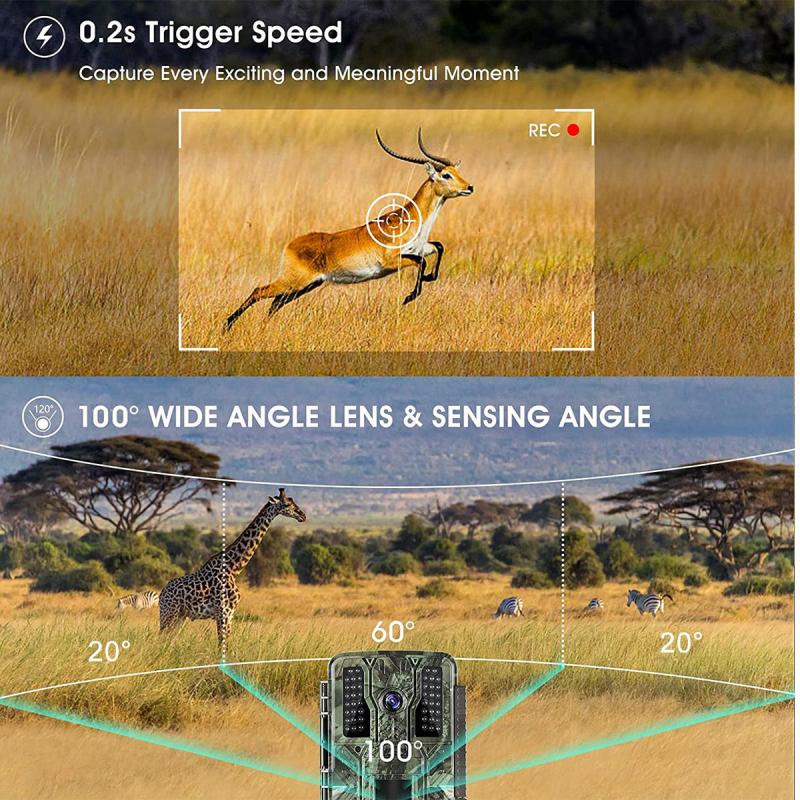
First things first, locate the prime real estate for those floodlights. You’ll want areas where you need coverage — driveway, walkway, backyard, or garage. However, these lights have a specific range, both in terms of illumination and motion detection. Ideally, mount them 6 to 10 feet above the ground; this not only maximizes the lighting but also calibrates the motion sensor’s sweet spot since most sensors work optimally at this height.
Motion sensors generally cover a cone-shaped area outward from their position, typically between 120° to 270°. If you’re worried about false triggers (like the neighbor's cat doing parkour), adjust the sensor towards areas of human movement and away from places pets or wildlife frequent.
Step Two: Mind Your Wiring (and Safety!)
Now onto installation. While some floodlights are battery-powered or solar-based and don’t require messing with wires, many models still need a hardwired setup. Regardless, safety first! Always, and I mean always, cut power to the area where you’ll be working. Head to your home’s circuit breaker and shut it off completely.
For wired models, double-check your electrical box. Most floodlights are installed by splicing their wires into your home’s existing wiring. You’ll generally see two or three lines: a live (black), neutral (white), and sometimes a ground (green). Attach like to like: black to black, white to white, and green to your grounding bolt or wire if applicable. A pair of wire nuts and some electrical tape will seal the deal.
If this sounds daunting, consider calling in an electrician for the wiring portion. No one wants to accidentally discover an alternate way to power their entire neighborhood.
Step Three: Secure Installation

Mounting the floodlight itself typically involves a backplate that secures the unit to a wall or eaves. First, drill pilot holes into the mounting surface — usually marked on the backplate — then secure it with screws.
Here’s a pro tip: use waterproof sealant around the edges to protect your wiring from moisture. This ensures the longevity of the floodlight and keeps you from having to blitz around with repair tools after every thunderstorm.
Step Four: Dialing In the Sensor Settings
Ah, the pièce de résistance: tweaking the motion sensor settings. This is where the magic starts to happen. Most floodlights are equipped with dials or slider switches to adjust things like sensitivity, time, and range.
Sensitivity: This determines how easily the sensor picks up motion. Cranking it up high might alert the floodlight to everything from passing cars to rogue leaves, while lower sensitivity may force visitors to perform an interpretative dance to trigger the light. In most settings, medium sensitivity works best.
Time Delay: You’ll typically have options for the light staying on anywhere from 10 seconds to 10 minutes. If your driveway doubles as a raceway for speed demons, shorter delays will save energy. Longer delays are better in areas like patios or porches where people linger.
Range & Detection Zone: Adjust the coverage zone so you’re not accidentally illuminating your neighbor’s yard like it’s an impromptu stage production. Good sensors often allow vertical and horizontal adjustments, so you can pinpoint the area where motion triggers the lights.
Test Mode: Many motion lights have a handy "test mode" to trial sensor performance. Use it to trot around your installation area, flapping your arms like an overenthusiastic referee. The light should only spring to life within your set parameters.
Step Five: The Bright Finale
Once you’ve wired, mounted, and tweaked the floodlight settings, it’s time to flip the switch on your circuit breaker and test your masterpiece. Walk into the detection zone as a ghostly figure of motion. Did it turn on? Bright? Perfectly timed? Then voilà — you’ve now officially crossed into elite DIY territory!
If something doesn’t work as expected, double-check your settings or wiring, and ensure the motion sensor lens isn’t obstructed. Dust, spider webs, or unspeakable garden dirt can mess with sensor functionality.
Common Pitfalls and How to Avoid Them
Over-Sensitivity: Lights that turn on for every passing insect will drain goodwill (and energy). Adjust sensitivity down or shrink the detection range.
False Triggers: Rain, tree branches, or shadows can fool your sensors. Reposition the floodlight and adjust the angle.
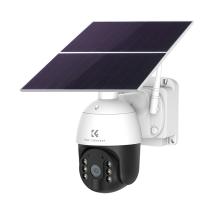
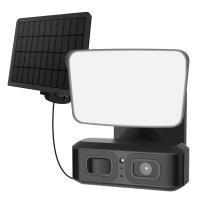
Unreliable Solar Panels: If you’ve opted for solar-powered floodlights, ensure they’re placed in a spot that gets adequate sunlight. Partial shading from trees or structures can lead to dim lights and a sad lack of illumination.
Upgrades to Consider
Now that the floodlight is live, why stop there? Some modern units are equipped with smartphone connectivity, allowing you to monitor detection activity remotely. Plus, LED bulbs and energy-efficient models are the way to go — saving electricity while maintaining brightness quality.
And hey, if you’re really into 21st-century luxury, consider pairing them with security cameras for added peace of mind. You can get notifications when motion is detected and even shout at intruders through your smartphone calisthenics app (high-tech hilarity ensues).
Setting up motion sensor floodlights might initially seem like playing an electrified version of Twister with your tools and wires, but it’s worth it. You’re investing in a safer, well-lit environment that deters intrusions while being enormously practical. Whether you’re shining light on bad intentions or merely helping ensure no one trips over a rogue garden gnome, one thing’s for sure: you now illuminate the night like a professional!