kfconcept

K&F Concept UK
K&F Concept United Kingdom    Blog >

Enjoy Your Selected Digital Life

Recently Viewed
  • Recently Viewed
  • OBSBOT Tiny 2 Lite 4K Webcam for PC, AI Tracking PTZ Streaming Camera with 1/2" Sensor, Gesture Control, 60 FPS, HDR, Microphones, Web Camera for Desktop Computer, Laptop, Meeting, Video Calls.
    OBSBOT Tiny 2 Lite 4K Webcam for PC, AI Tracking PTZ Streaming Camera with 1/2" Sensor, Gesture Control, 60 FPS, HDR, Microphones, Web Camera for Desktop Computer, Laptop, Meeting, Video Calls.
    £224.99 £179.99
    Hand held metal detector with LCD display, high sensitivity, 360 ° scanning, suitable for searching all metals and gold coins
    Hand held metal detector with LCD display, high sensitivity, 360 ° scanning, suitable for searching all metals and gold coins
    £21.24 £16.99
    Offline Voice Translator Device with 144 Languages 5" Touch Screen ChatGPT Integrated Kentfaith
    Offline Voice Translator Device with 144 Languages 5" Touch Screen ChatGPT Integrated Kentfaith
    £69.99
    62mm Shimmer Diffusion 1 Filter Effect Filter Optical Glass 18 Multi-Coated Glimmer Glass Effect Filter for Camera Lens Nano-Klear Series
    62mm Shimmer Diffusion 1 Filter Effect Filter Optical Glass 18 Multi-Coated Glimmer Glass Effect Filter for Camera Lens Nano-Klear Series
    £27.99
    Square ND8 (3 Stops) + ND64 (6 Stops) Filter, 4"x5.65" Neutral Density Filter Compatible with Tilta Compatible with SmallRig Matte Box, Slim Multi Coated HD Optical Glass
    Square ND8 (3 Stops) + ND64 (6 Stops) Filter, 4"x5.65" Neutral Density Filter Compatible with Tilta Compatible with SmallRig Matte Box, Slim Multi Coated HD Optical Glass
    £89.99
    52mm Circular Polarizer Lens Filter with Filter Cap Cleaning Cloth Optical Glass Ultra Slim Polarizing CPL Filter with 28 Multi-Layer Coatings Nano-Xcel Series
    52mm Circular Polarizer Lens Filter with Filter Cap Cleaning Cloth Optical Glass Ultra Slim Polarizing CPL Filter with 28 Multi-Layer Coatings Nano-Xcel Series
    £33.99
    82mm True Color Variable ND2-400 (1-9 Stops) ND Lens Filter Adjustable Neutral Density Filter with 18 Multi-Layer Coatings for Camera Lens Nano-Klear Series
    82mm True Color Variable ND2-400 (1-9 Stops) ND Lens Filter Adjustable Neutral Density Filter with 18 Multi-Layer Coatings for Camera Lens Nano-Klear Series
    £37.99
    Square Blue Streak Filter 4'' x 5.65'' Cinema Filter Compatible with Tilta Compatible with SmallRig and Other Matte Box, 4mm Slim/HD Optical Glass/Multi Layer Coating
    Square Blue Streak Filter 4'' x 5.65'' Cinema Filter Compatible with Tilta Compatible with SmallRig and Other Matte Box, 4mm Slim/HD Optical Glass/Multi Layer Coating
    £89.99
    67mm True Color Variable ND2-400 (1-9 Stops) ND Lens Filter Adjustable Neutral Density Filter with 18 Multi-Layer Coatings for Camera Lens Nano-Klear Series
    67mm True Color Variable ND2-400 (1-9 Stops) ND Lens Filter Adjustable Neutral Density Filter with 18 Multi-Layer Coatings for Camera Lens Nano-Klear Series
    £31.99
    62mm Black Diffusion Filter 1/4 Black-Mist Soft Glow Diffuser Lens Filters (Black Pro-Mist 1/4 Filter) Nano-Xcel Series
    62mm Black Diffusion Filter 1/4 Black-Mist Soft Glow Diffuser Lens Filters (Black Pro-Mist 1/4 Filter) Nano-Xcel Series
    £83.99 £66.99
Compare (0) 0
  • Compare
  • You have not chosen any products to compare.

  • Compare
Currency: GBP
  • Currency

Log Into Your Account

Account

Order History

Wish List

Login

Forgotten Password?

Or connect with

Register Account

Already have an Account?Log In

  • Shopping Cart
  • Your shopping cart is empty!

  • Register/Login to purchase, earn points
  • Favorite
  • Your wish list is empty.

  • Register/Login to like, earn points
  • Tripods
    • Aluminum Tripods
    • Carbon Fiber Tripods
    • Travel Tripods
    • Video Tripods
    • Monopods
    • Lightweight Tripods
    • Mini Tripod
    • Tripod Accessories
    • Gimbal Stabilizers
    • Tripod Head
    • Tripod Kit
    • Action Camera Mounts
    • Phone Tripods
    • Studio Parts
      • Camera Flash
      • Photography Fill Light
      • Ring light
      • Soft Box
      • Tripod Light Stands
      • Reflectors
    • Clearance Tripods
  • Lens Filters
    • UV Filters
      • Nano-Xcel Series
        • MCUV
        • Ultra-low Reflectivity MCUV Filters
        • MCUV Super Hard
        • Explosion-proof MCUV - Nano-Xcel
        • MCUV+Lens Cap+Cleaning Cloth
        • Super Hard&Ultra Low Reflection MCUV Filters - Nano-Xcel
        • MCUV - Magnetic Series
      • Nano-Dazzle Series
        • MCUV
        • MCUV+Lens Cap+Cleaning Cloth
      • Nano-Klear Series
        • MCUV
        • Ultra Thin Frame MCUV Filters
        • MCUV+Lens Cap+Cleaning Cloth
      • Nano-Xcel Pro Series
        • MCUV
    • CPL Filters
      • Nano-Xcel Series
        • CPL
        • CPL True Color
        • Ultra-low Reflectivity CPL
        • CPL+Lens Cap+Cleaning Cloth
        • Magnetic CPL
          • Magnetic CPL + Apater ring + Cap - Nano-X
        • True Color Ultra-low Reflectivity CPL - Nano-Xcel
      • Nano-Dazzle Series
        • CPL
        • CPL+Lens Cap+Cleaning Cloth - Nano-Dazzle
      • Nano-Klear Series
        • CPL
        • Ultra Thin Frame CPL Filters
        • CPL+Lens Cap+Cleaning Cloth
        • CPL+Lens Cap - Nano-Klear
      • Nano-Xcel Pro Series
        • CPL
    • Neutral Density Filters
      • Neutral Density (Solid) Filters
        • ND8 (3 stops) - Nano-Xcel Series
        • ND64 (6 stops) - Nano-Xcel Series
        • ND1000 (10 stops) - Nano-Xcel Series
        • ND100000 (16.6 stops) - Nano-Xcel Series
        • ND1000000 (20 stops) - Nano-Xcel Series
        • ND100000 (16.6 stops) - Nano-Klear Series
        • ND1000000 (20 stops) - Nano-Klear Series
        • Solid ND - Magnetic Series
      • Graduated Neutral Density
        • 100mm GND Filter
          • Soft GND8 Filters - Nano-Xcel Series
          • Hard GND8 Filters - Nano-Xcel Series
          • Reverse GND8 Filters - Nano-Xcel Series
          • Soft GND16 Filters - Nano-Xcel Series
          • Reverse GND16 Filters - Nano-Xcel Series
          • Soft GND8 Filters - Nano-Xcel Pro Series
          • Hard GND8 Filters - Nano-Xcel Pro Series
          • Reverse GND8 Filters - Nano-Xcel Pro Series
          • Soft GND16 Filters - Nano-Xcel Pro Series
          • Reverse GND16 Filters - Nano-Xcel Pro Series
        • Circular GND Filter
          • GND8
          • GND16
      • 2 in 1 Filters
        • ND2-ND32&CPL Filters - Nano-Xcel Series
        • ND2-ND32&CPL Filters - Nano Dazzle Series
        • ND2-32&CPL Filters - Nano-Klear Series
        • ND2-ND32&CPL Filter - Nano-X Pro
        • ND2-ND32&CPL True Color Filters - Nano-Xcel Series
        • ND4-ND64&CPL Filter
      • 3 in 1 Filters
        • ND2-32&CPL&Black Mist 1/4 Filters - Nano-Xcel Series
        • ND2-32&CPL&Black Mist 1/4 Filters - Nano-Klear Series
      • Variable Neutral Density
        • Nano-Xcel Series
          • ND2-ND32 - Nano-Xcel
          • ND2-ND32 True Color - Nano-Xcel
          • ND2-ND400 - Nano-Xcel
          • ND8-ND128 - Nano-Xcel
          • ND32-ND512 - Nano-Xcel
          • ND3-ND1000 - Nano-Xcel
          • ND2-32 True Color Ultra-Low Reflection - Nano-Xcel
          • ND2-400 Ultra-Low Reflection - Nano-Xcel
        • Nano-Dazzle Series
          • ND2-ND32 - Nano-Dazzle
          • ND2-ND400 - Nano-Dazzle
          • ND3-ND1000 - Nano-Dazzle
          • ND8-ND2000 - Nano-Dazzle
        • Nano-Klear Series
          • ND2-ND32 - Nano-Klear
          • ND2-ND400 - Nano-Klear
          • ND2-ND2000 - Nano-Klear
          • True Color ND2-ND400 - Nano-Klear
        • Nano-Xcel Pro Series
          • ND2-ND32 - Nano-Xcel Pro
        • Nano-B Series
          • ND2-ND400 - Nano-B
    • Black Mist & Soft Focus Filters
      • Black Mist Filters
        • Black Mist 1/8
          • Black Mist 1/8 - Nano-Xcel Series
          • Black Mist 1/8 - Nano-Dazzle Series
          • Black Mist 1/8 - Nano-Klear Series
          • Black Mist 1/8 - Nano-Xcel Pro Series
          • Black Mist 1/8+Lens Cap+Cleaning Cloth - Nano-Klear Series
        • Black Mist 1/4
          • Black Mist 1/4 - Nano-Xcel Series
          • Black Mist 1/4 - Nano-Dazzle Series
          • Black Mist 1/4 - Nano-Klear Series
          • Black Mist 1/4 - Nano-Xcel Pro Series
          • Black Mist 1/4+Lens Cap+Cleaning Cloth - Nano-Klear Series
        • Black Mist 1/2
          • Black Mist 1/2 - Nano-Xcel Series
          • Black Mist 1/2 - Nano-Klear Series
        • Black Mist 1
          • Black Mist 1 - Nano-Xcel Series
          • Black Mist 1 - Nano-Klear Series
        • Black Mist Kit
          • Black Mist 1/4 + 1/8 Nano Xcel Series
          • Black Mist 1/4 + 1/8 - Nano Klear Series
          • Black Mist 1/4 + CPL - Nano Klear Series
        • Black Mist & CPL
          • Black Mist 1/4&CPL - Nano-Klear Series
        • Black-Mist & VND
          • Black Mist 1/4 & ND2-32 Filters - Nano-Klear Series
          • Black Mist 1/4 & ND2-400 Filters - Nano-Xcel Series
          • Black Mist 1/4 & ND2-32 Filters - Nano-Xcel Series
          • Black Mist 1/8 & ND2-32 Filters - Nano-Klear Series
          • Black Mist 1/4 & ND2-400 Filters - Nano-Klear Series
      • White Mist Filters
        • White Mist 1/4 - Nano-Xcel Series
        • White Mist 1/4 - Nano-Klear Series
      • Shimmer Diffusion
        • Shimmer Diffusion 1 - Nano-Xcel Series
        • Shimmer Diffusion 1 - Nano-Klear Series
    • Light Pollution Cut Filter
      • Light Pollution Cut Filter - Circular
      • Light Pollution Cut Filter - Square
    • Magnetic Lens Filters
      • MCUV Filters
        • Magnetic MCUV - Nano-Klear Series
        • Magnetic MCUV+Lens Caps - Nano-Xcel Series
      • CPL Filters
        • Magnetic CPL + Adapter Ring
        • Magnetic CPL+Adapter Ring - Nano-Klear Series
      • Black-Mist
        • Black Mist 1/8 Filters - Nano-Xcel Series
        • Black Mist 1/4 Filters - Nano-Xcel Series
      • Neutral Density (Solid) Filter
        • Magnetic ND8 - Nano-Xcel Series
        • Magnetic ND64 - Nano-Xcel Series
        • Magnetic ND1000 - Nano-Xcel Series
      • Unlimited Variable ND Filter
        • Magnetic ND2-ND32 - Nano-Xcel Series
        • Magnetic ND8-ND128 Filters - Nano-Xcel Series
      • Accessories
        • Magnetic Adapter Ring
        • Magnetic Filter Ring
        • Magnetic Cap
      • Kits
        • MCUV+CPL+ND1000+Adapter Ring - Nano-Xcel Series
        • CPL+ND8+ND64+Adapter Ring+Lens Cap - Nano-Xcel Series
        • GND8+ND8+ND64+ND1000+Adapter Ring - Nano-Xcel Series
        • CPL+VND2-32+Black Mist 1/4+Magnetic Ring+Lens Cap - Nano-Xcel Series
    • Square Filter System
      • Basic System
        • Square ND Filters
          • ND4 Filters - Nano-Xcel Series
          • ND16 Filters - Nano-Xcel Series
          • ND1000 Filters - Nano-Xcel Series
          • ND2000 Filters - Nano-Xcel Series
          • ND32000 Filters - Nano-Xcel Series
          • Full Color ND8 Filters - Nano-Xcel Series
          • Full Color ND64 Filters - Nano-Xcel Series
        • Square GND Filters
        • Light Pollution Cut Filter
          • Light Pollution Cut Filter - Nano-Xcel Series
        • Square Black Mist Filters
          • Square Black Mist 1 - Nano-Xcel Series
          • Square Black Mist 1/4 - Nano-Xcel Series
          • Square Black Mist 1/8 - Nano-Xcel Series
        • Brackets and Accessories
          • Adapter Ring - Nano-Xcel Series
        • Kits
          • 100mm Square Filter System - Nano-Xcel Series
          • 100mm ND1000+Holder Kit - Nano-Xcel Series
          • 100mm ND1000+Soft GND8+Holder Kit - Nano-Xcel Series
          • 100mm Soft GND8+Holder Kit - Nano-Xcel Series
      • Professional System
        • ND
          • Full Color ND8 Filters - Nano-Xcel Pro Series
          • Full Color ND64 Filters - Nano-Xcel Pro Series
          • Full Color ND1000 Filters - Nano-Xcel Pro Series
        • GND
        • PL
        • Black Mist 1/4&CPL - Nano-Xcel Pro Series
        • Light Pollution Cut Filter
          • Light Pollution Cut Filter - Nano-Xcel Pro Series
        • Kits
          • 100mm ND1000+Holder Kit - Nano-Xcel Pro Series
          • 100mm ND1000+Soft GND8+Holder Kit - Nano-Xcel Pro Series
          • 100mm ND8+ND64+ND1000+Holder Kit - Nano-Xcel Pro Series
          • 100mm Holder Kit - Nano-Xcel Pro Series
        • Brackets and Accessories
          • 100x100mm Square Filter Protect Frame - Nano-Xcel Pro Series
          • 100x150mm Square Filter Protect Frame - Nano-Xcel Pro Series
          • Adapter Ring - Nano-Xcel Pro Series
    • Drone Filter
      • DJI Air 3S
      • DJI Avata2
      • DJI Flip
      • DJI Mavic 3 Pro
      • DJI NEO
      • DJI Mini 1/2/SE
      • DJI Mini 4 Pro Filters
      • DJI Mavic 3
      • DJI Mini 3 PRO
      • DJI Avata
      • DJI Mavic 4 Pro
      • DJI Mini 5 Pro
      • DJI Air 2S
    • Effects Filters
      • Prism Filters
        • Central Prism Filters
          • Central Pentagonal Filters - Nano-Basic Series
          • Central Hexagonal Filters - Nano-Basic Series
        • Ordinary Prism Filters
          • Triangular Filtres - Nano-Basic Series
        • Single Linear Prisms
      • Streak Filters
        • Blue Streak Filters - Nano-Xcel Series
        • Gold Streak Filters - Nano-Xcel Series
        • Colorful Streak Filters - Nano-B Series
        • Blue Streak Filters - Nano-Klear Series
      • Star Filter
        • Star Filters 4-8 Points - Nano-Klear Series
        • Star Filter Kits 4+6+8 Points - Nano-Klear Series
        • 4-Point Fine-Line Star Filters - Nano-Klear Series
        • 6-Point Fine-Line Star Filters - Nano-Klear Series
      • Kaleidoscope Filters
        • Kaleidoscope Filters - Nano-Basic Series
        • Handheld Kaleidoscope Filters - Nano-B Series
      • Motion Blur Filters
        • Directional Motion Blur - Nano-Basic Series
        • Bidirectional Motion Blur - Nano-Basic Series
        • Handheld Motion Blur Filters - Nano-Basic Series
      • Spiral Filters
        • Spiral Halo Filters - Nano-B Series
        • Handheld Spiral Filters - Nano-Basic Series
      • Diopter Filters
        • Centerfield Split Diopter Filters - Nano-Basic Series
        • Handheld Diopter Filters - Nano-Basic Series
    • Filter Accessories
      • Lens Hoods
      • Rings Kits
        • Step Up Rings
        • Step Down Rings
      • Filter Holders & Frames
      • Filter Holder Adapter Rings
        • Filter Adapter Rings
      • Filter Pouches
      • Lens Caps
        • Caps for Magnetic Filters
        • Caps for Variable ND Filters
        • Anti-lost Lens Cap
          • 4 in 1
          • 5 in 1
          • 9 in 1
      • Polarized Film
    • Filter Kit
      • Black Diffusion 1/4 + 1/8
      • Screw-In Filters
        • MCUV+CPL Filter - Nano-Klear Series
        • MCUV+CPL+Lens Cap - Nano-Klear Series
        • MCUV+CPL+Metal Lens Cap - Nano-Xcel Series
        • MCUV+CPL+ND1000+Lens Cap - Nano-Dazzle Series
        • MCUV+CPL+ND2-400 - Nano-Klear Series
        • ND8+ND64+ND1000 - Nano-Dazzle Series
        • MCUV+CPL+ND4 - Nano-Klear Series
        • ND1000+CPL - Nano-Klear Series
        • ND4+ND8+ND64+ND1000 - Nano-Xcel Series
        • MCUV+CPL
      • Magnetic Filters
      • Square Filters
    • Action Camera Filters
      • DJI Osmo Action 4 / Action 5 Pro
      • DJI Osmo Action 6
      • DJI Osmo Nano
      • DJI Osmo Pocket 3
      • GoPro HERO 4K
      • GOPRO Hero 9/10/11/12/13 Filters
      • Insta360 Ace pro 2
      • Insta360 Go Ultra
      • Insta360 GO3
      • Insta360 GO3S
      • Action Camera Accessories
        • DJI Osmo Action 3/4/5 Pro
        • Head Strap & Chest Mount
        • Insta360 X5
        • Magnetic Neck Mount
        • DJI Osmo 360
        • DJI Osmo Pocket 3 Charging Base
        • DJI Osmo Pocket 3
    • Phone Lens Filters
    • Matte Box & Filter Systems
      • Neutral Density (Solid) Filters
        • ND4 - Nano-Xcel Series
        • ND8 - Nano-Xcel Series
        • ND16 - Nano-Xcel Series
        • ND32 - Nano-Xcel Series
        • ND64 - Nano-Xcel Series
        • ND8+ND64 - Nano-Xcel Series
      • UV Filters
      • Black Mist Filters
        • Black Mist 1/4 - Nano-Xcel Series
        • Black Mist 1/8 - Nano-Xcel Series
      • Blue Streak Filters
      • Accessories
      • Kits
        • Matte Box - Nano-Xcel Series
        • Matte Box Pro - Nano-Xcel Series
        • Matte Box+ND8 Square Filter - Nano-Xcel Series
        • Matte Box+ND4+ND32 Square Filter - Nano-Xcel Series
        • Matte Box+Black Mist 1/4 Square Filter - Nano-Xcel Series
    • Brand-specific Filters
      • Fujifilm X100
      • Ricoh GR
  • Lens Adapters
    • PL Mount Lenses
    • A Mount Body(Sony/Minolta)
    • Fujifilm X Mount Body
    • Fujifilm G (GFX) Mount Body
    • C-Mount Body
    • Leica M Mount Body
    • MFT(M4/3) Mount Body
    • Pentax K Mount Body
    • Pentax Q Mount Body
    • Samsung NX Mount Body
    • Nikon F Mount Body
    • Nikon 1 Mount Body
    • Nikon Z Mount Body
    • Canon EOS EF/EF-S Mount Body
    • Canon EOS M Mount Body
    • Canon RF Mount Body
    • Sony E Mount Body
    • L-Mount Alliance (Leica)
  • Camera
    • Digital Camera & Camcorders
      • Digital Cameras & Camcorders
      • Underwater Cameras
      • Action Cameras
      • Kids’ Cameras
      • Time lapse camera
    • Wildlife Camera
      • Wifi Trail Cameras
      • Non-Cellular Trail Cameras
      • Accessories
      • Cellular Trail Cameras
    • Surveillance Cameras
      • 4G Camera
      • Battery Camera
      • Baby Monitor
      • WiFi Camera
      • Feeder Camera
      • Floodlight camera
      • Monitoring Detector
    • Camera Lenses
    • On-Dash Camera
    • Fishing camera
    • Memory Cards
      • Micro SD Card
      • SD Card
    • Camera Accessories
      • Camera Caps
      • Camera Screen Protectors
        • Canon
        • Sony
        • Fujifilm
        • Nikon
        • Olympus
        • Ricoh
        • GoPro
        • DJI Osmo Pocket 3
      • Camera Hot Shoe Covers
      • Camera Viewfinder Eyecups
        • Nikon
        • Sony
        • Canon
      • Adjustment Iris
  • Camera Bags
    • Camera Backpacks
    • Camera Shoulder Bags
    • Camera Cases
    • Digital Storage Bag
    • Lens Cases
    • Camera Straps
    • Backpack Accessories
  • Camera Battery
    • Sony
    • Canon
    • Nikon
    • FUJIFILM
    • Ricoh
    • Gopro
    • Osmo Action
    • Lumix
    • V Mount Battery
    • Memory Card Case
  • Optics
    • Microscope
      • Optical Microscope
      • Digital Microscope
      • Kids' Microscopes
    • Binoculars
    • Monocular
    • Telescope
    • Night Vision Goggles
    • Rangefinder
  • Endoscope
    • Professional Endoscope
    • Household Endoscope
    • Portable Endoscope
    • Otoscope/Oral Endoscope
  • More
    • Cleaning Kits
    • Digital Voice Recorders
    • Language Translator Device
    • Smart Glasses
    • Metal Detectors
    • Light
      • Video fill light
      • Live Ring Light
      • Outdoor Lighting
    • Motorcycle Bluetooth Headset
    • Laser Engraver Machine
    • Headphones
    • Weather Station & Household Sensors
    • Microphone
    • Drone Accessories
      • DJI Air 2S Accessories
      • DJI Air 3 Accessories
      • DJI Avata Accessories
      • DJI Drone Universal Accessories
      • DJI Mavic Mini 2/Mini 2 SE/Mini Accessories
      • DJI Mavic Mini 3 Accessories
      • DJI Mini 3 Pro Accessories
    • Smart Watch
    • Smart lock
    • Studio
    • Solar Panels
  • Deals
    • Specials
    • Coupon
    • New Arrivals
  • Home
  • Blog
  • How To Use A Gimbal ?

How To Use A Gimbal ?

K&f concept 2023-08-21 07:40:22 0 Comments

To use a gimbal, first, attach your camera or smartphone securely to the gimbal mount. Make sure it is balanced and centered. Next, power on the gimbal and ensure it is properly calibrated. Hold the gimbal handle firmly with both hands and keep it steady. Use the joystick or control buttons on the gimbal handle to control the movement of the camera. You can pan left or right, tilt up or down, and roll the camera sideways. Experiment with different movements and angles to capture smooth and stable footage. Remember to move slowly and smoothly to avoid jerky motions. Practice using the gimbal and adjust the settings as needed to achieve the desired results.

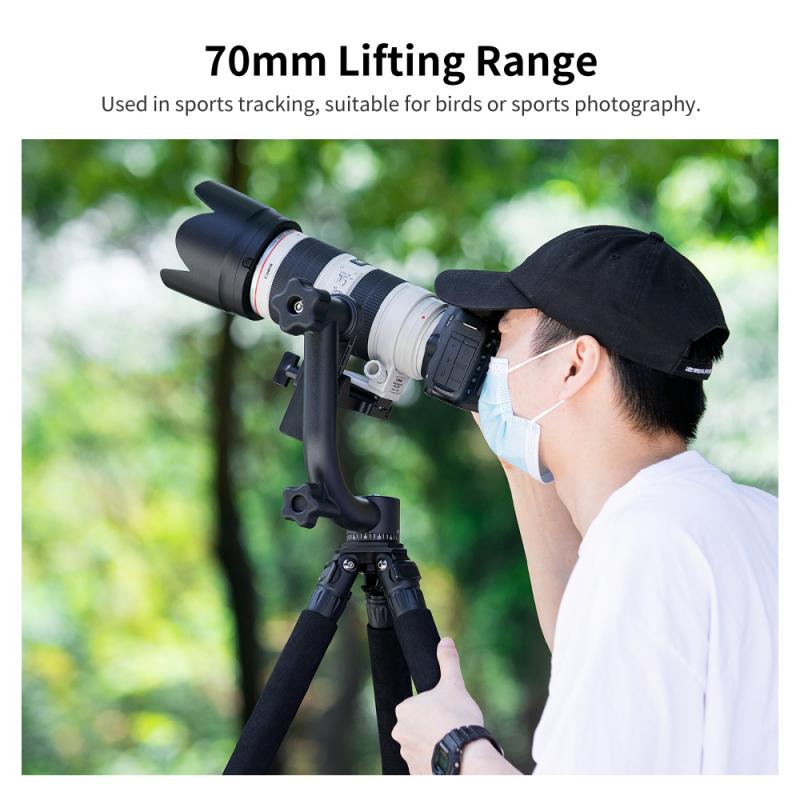
1、 Balancing the gimbal for optimal stabilization

How to use a gimbal: Balancing the gimbal for optimal stabilization

Using a gimbal is a great way to achieve smooth and stable footage while capturing videos or photos. However, to ensure optimal stabilization, it is crucial to properly balance the gimbal. Here's a step-by-step guide on how to balance a gimbal effectively:

1. Mount the camera: Start by mounting your camera securely onto the gimbal. Make sure it is tightly fastened to prevent any movement or wobbling during operation.

2. Adjust the tilt axis: Begin by adjusting the tilt axis, which controls the up and down movement of the camera. Loosen the tilt axis knob and move the camera until it is perfectly balanced. Tighten the knob once the camera stays level on its own.

3. Balance the roll axis: The roll axis controls the side-to-side movement of the camera. Loosen the roll axis knob and adjust the camera until it remains level when tilted to either side. Once balanced, tighten the knob to secure the position.

4. Fine-tune the pan axis: The pan axis controls the horizontal movement of the camera. Loosen the pan axis knob and rotate the camera until it stays level when panning left or right. Tighten the knob to lock the position.

5. Check for stability: Once you have balanced all three axes, power on the gimbal and check for stability. The camera should remain steady and level, even when you move or shake the gimbal.

It is important to note that different gimbals may have slight variations in the balancing process. Therefore, it is always recommended to refer to the manufacturer's instructions for your specific gimbal model.

In recent years, gimbals have become more advanced, with features like auto-balancing and motorized adjustments. These advancements have made the balancing process easier and more efficient. Some gimbals even come with smartphone apps that provide real-time feedback and assistance in achieving optimal stabilization.

Remember, a well-balanced gimbal is the key to smooth and professional-looking footage. So, take your time to balance it correctly before you start shooting.
Balancing the gimbal for optimal stabilization

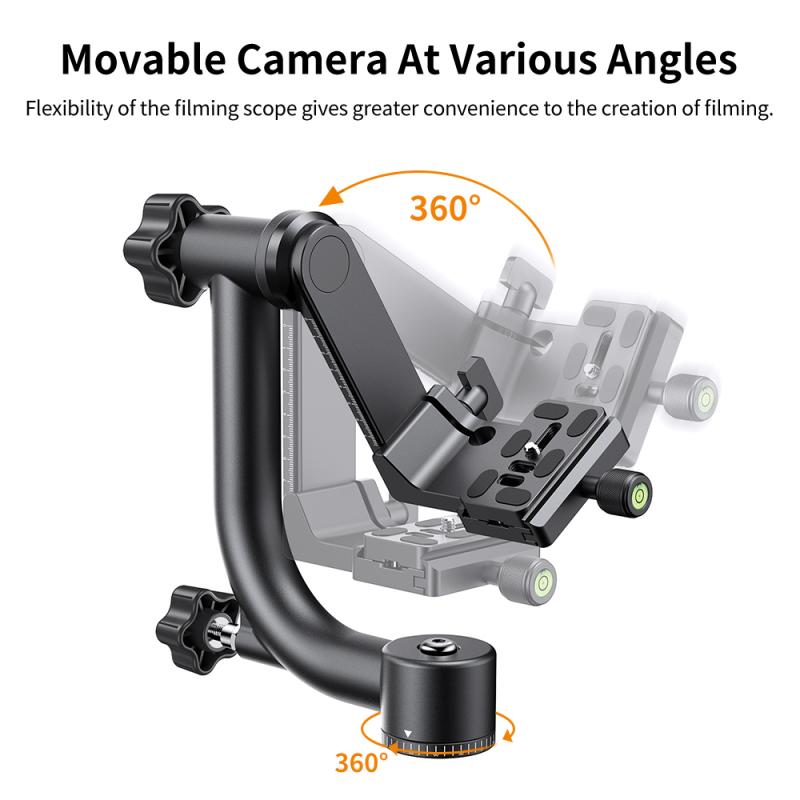
2、 Mounting and securing the camera on the gimbal

Mounting and securing the camera on a gimbal is a crucial step in ensuring smooth and stable footage. Here's a step-by-step guide on how to use a gimbal effectively:

1. Choose the right gimbal: There are various gimbals available in the market, so select one that is compatible with your camera's weight and size. Ensure that the gimbal has the necessary features and stabilization capabilities for your shooting needs.

2. Balance the gimbal: Before mounting the camera, it's essential to balance the gimbal properly. Start by adjusting the roll axis, followed by the pitch and yaw axes. This ensures that the gimbal remains stable during operation.

3. Attach the camera: Once the gimbal is balanced, carefully mount your camera onto the gimbal's camera plate. Make sure it is securely fastened to prevent any accidental falls or movements.

4. Connect the cables: Depending on your camera model, you may need to connect various cables, such as HDMI or USB, to the gimbal. This allows you to control the camera settings or transfer footage while it is mounted on the gimbal.

5. Power on the gimbal: Turn on the gimbal and ensure that it is properly calibrated. Most gimbals have a calibration process that involves keeping the camera steady in different positions. Follow the manufacturer's instructions for calibration.

6. Adjust the gimbal settings: Depending on your shooting requirements, you may need to adjust the gimbal's settings. This includes adjusting the motor strength, responsiveness, and other parameters to achieve the desired stabilization.

7. Test and practice: Once everything is set up, it's time to test the gimbal. Practice moving the gimbal smoothly and experiment with different shots and angles to get comfortable with its operation.

It's worth noting that the latest gimbals often come with advanced features like follow focus, object tracking, and smartphone integration. Familiarize yourself with the specific features of your gimbal to make the most of its capabilities.

Remember, practice makes perfect when it comes to using a gimbal. Experiment with different movements and techniques to achieve professional-looking, stabilized footage.
Mounting and securing the camera on the gimbal

3、 Adjusting the gimbal's settings for desired motion control

How to use a gimbal: Adjusting the gimbal's settings for desired motion control

Using a gimbal is a great way to achieve smooth and stable footage while capturing videos or photos. To make the most out of your gimbal, it is important to understand how to adjust its settings for desired motion control.

1. Balance the gimbal: Before using the gimbal, it is crucial to properly balance it. This involves adjusting the different axes (pan, tilt, and roll) so that the camera remains level and stable. Most gimbals have a quick-release plate or mounting system that allows for easy balancing.

2. Adjust the motor strength: Gimbals come with different motor strength settings to accommodate various camera setups. It is important to adjust the motor strength according to the weight of your camera and lens combination. This ensures that the gimbal can handle the load and provides smooth movement.

3. Set the follow mode: Gimbals usually have different follow modes, such as pan follow, tilt follow, and full follow. These modes determine how the gimbal responds to your movements. Experiment with different follow modes to find the one that suits your shooting style and desired motion control.

4. Adjust the speed and sensitivity: Most gimbals allow you to adjust the speed and sensitivity of the motors. This allows for more precise control over the camera movements. Higher sensitivity settings make the gimbal more responsive to your movements, while lower settings provide smoother and slower motion.

5. Utilize additional features: Many gimbals come with additional features like time-lapse, hyper-lapse, and object tracking. Familiarize yourself with these features and learn how to use them effectively to enhance your footage.

The latest point of view on using a gimbal is the integration of advanced technologies like artificial intelligence and smartphone apps. Some gimbals now offer AI-powered features that automatically track subjects or perform complex camera movements. Additionally, smartphone apps allow for remote control and customization of gimbal settings, making it easier than ever to achieve desired motion control.

In conclusion, adjusting the gimbal's settings for desired motion control is essential to get the best results. By properly balancing the gimbal, adjusting motor strength, setting follow modes, and fine-tuning speed and sensitivity, you can achieve smooth and professional-looking footage. Don't forget to explore additional features and take advantage of the latest advancements in gimbal technology for even more creative possibilities.
Adjusting the gimbal's settings for desired motion control

4、 Holding and maneuvering the gimbal for smooth shots

Holding and maneuvering the gimbal for smooth shots is essential to capturing professional-looking footage. Here's a step-by-step guide on how to use a gimbal effectively:

1. Balance the gimbal: Before turning on the gimbal, make sure it is properly balanced. Adjust the position of the camera until it stays level and doesn't tilt in any direction. This step is crucial for achieving stable shots.

2. Power on the gimbal: Once balanced, turn on the gimbal and wait for it to initialize. Different gimbals may have different power-on procedures, so refer to the user manual for specific instructions.

3. Hold the gimbal correctly: Grip the gimbal with both hands, one hand on the handle and the other supporting the bottom. Keep your arms relaxed and close to your body to minimize shaking. This grip allows for better control and stability.

4. Start walking smoothly: Begin walking slowly and smoothly, keeping your movements fluid. The gimbal's motors will compensate for any jerky motions, resulting in steady footage. Practice walking with the gimbal to develop a steady gait.

5. Experiment with different modes: Most gimbals offer various modes like follow, pan, and lock. These modes allow you to control the gimbal's movement and adapt to different shooting scenarios. Familiarize yourself with these modes and experiment to find the best settings for your shots.

6. Utilize the latest features: Depending on the gimbal model, there may be additional features like object tracking, time-lapse, or hyper-lapse. Stay updated with the latest firmware and explore these features to enhance your footage.

Remember, practice makes perfect. Spend time honing your gimbal skills to achieve smooth and professional shots. Additionally, keep an eye on the latest advancements in gimbal technology as new features and improvements are constantly being introduced.

Holding and maneuvering the gimbal for smooth shots

Leave your comment
Cancel reply
Note: HTML is not translated!
Related products
M42 Lenses to Minolta A / Sony A Camera Mount Adapter
59
£39.99
Minolta A / Sony A Lenses to Fuji X Mount Camera Adapter
36
£43.99 £35.99
Minolta A / Sony A Lenses to Pentax Q Camera Mount Adapter
52
£31.99 £22.99
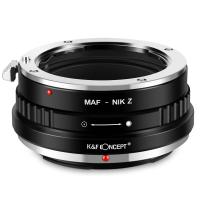
Minolta A / Sony A Lenses to Nikon Z Mount Camera Adapter
62
£55.99 £45.99
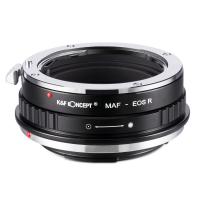
Minolta A / Sony A Lenses to Canon EOS R Mount Camera Adapter
69
£55.99 £40.00
Minolta A / Sony A Lenses to Nikon 1 Camera Mount Adapter with Tripod Mount
77
£38.99 £27.99
Minolta A / Sony A Lenses to Pentax Q Camera Mount Adapter with tripod mount
52
£37.99 £26.99
K&F Concept Lightweight Compact Camera Tripod Plastic BH-40 Gimbal, 2-in-1 Rubber Feet + Metal Spikes, with a Phone and Tablet Holder Omni O235A1+BH-40
9
£59.99 £56.99
Sony A Mount Lenses to Sony E Mount Camera Adapter
139
£43.99 £32.99
hohem iSteady M6 Kit Gimbal Stabilizer for Smartphone 3-Axis Phone Gimbal with AI Tracking Sensor Magnetic Fill Light
11
£237.49 £189.99
Guess you like products
67mm Variable ND Filter ND3-ND1000, Ultra-thin HD, with Double-sided 28-layer Nano-coating, Nano-Xcel Series
42
£188.00 £79.99
78"/2m Overhead Aluminum DSLR Tripod Compact Portable Vlog Tripod Monopod 22lbs/10kg Load with Rotatable 360° Center Column K234A7+BH-28L (S210)
28
£179.99 £104.99
UV+CPL+ND4 Filters Kit 28 Multi-Layer Coated Compatible with Insta360 GO 3S Action Camera
16
£32.99 £27.43
67-72mm Step Up Ring Aviation-grade Aluminum Filter Adapter Ring 2-pack with a Cleaning Cloth
77
£8.99 £6.99
K&F Concept EF to EOS R Adapter, Auto Focus Lens Mount Adapter for Canon EF EF-S Lens and Canon EOS R/RF Mount Cameras
76
£59.00 £52.99
67mm White Mist Filter Cinematic Effect Filter with 18 Multi-Layer Coatings for Portrait and Landscape Photography Nano-Klear
42
£41.99 £24.99
58mm ND100000 Solar Filter, 16.6-Stop Solid Neutral Density Filter for DSLR Camera Nano-Xcel Series
39
£39.74 £32.99
K&F Concept Multi-Purpose Tech Sling Bag for Switch 2/Steam Deck/DJI Osmo Pocket 3/Mobile 7P/GoPro/Insta360 Action Cameras & Digital Accessories
£35.51 £29.99
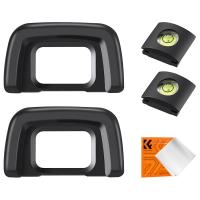
Nikon DK-24 Camera Viewfinder Eyecup*2+Hot Shoe Level*2+Vacuum Cleaning Cloth*1 for Nikon D5000, D5100, D3000, D3100
48
£7.10 £5.99
72mm Solar Filter 16.6-Stops,ND100000 Solid Neutral Density Filter Solar Filter For Eclipse With 18 Multi-Layer Coatings For Dslr Camera Nano-Klear
25
£23.99 £19.99
Related articles
Gimbal How To Use ?
Gimbal How To Use ?
How To Use A Gimbal For Dslr ?
How To Use Gimbal Stabilizer ?
Gimbal Stabilizer L08 How To Use ?
How To Choose A Gimbal ?
How To Stabilize A Gimbal ?
How To Use 3-axis Gimbal Stabilizer ?
How To Make A Camera Gimbal ?
How Does A Gimbal Work ?
How To Describe Bacteria Under A Microscope?
Guess you like articles
Which Nd Filters To Buy ?
How Is A Scanning Electron Microscope Image Formed ?
How Does A Gimbal Work ?
How To Remove Battery From Nikon Coolpix Camera ?
What Is A Bean Bag Camera Support ?
What Are The Best Binoculars For Wildlife ?
Where Are The Drivers For Canon Fs46e Camcorder ?
What Camcorders Are Hdv ?
What Trail Cameras Are Made In The Usa?
What Is Travel Adapter Samsung ?
Related categories
camera gimbal stabilizer​ Sony A mount lens adapter​ accessories for a drone Sony E mount adapter variable ND and CPL filter​ goggles infrared golf range finder UK ring flash video tripod​
Popular products
sony camera adapter minolta md to leica m adapter minolta nikon adapter canon adapter sony sony minolta mount nikon 1 mount adapter​ pentax q mount adapter​ sony a mount adapter pentax k mount to fuji x adapter sigma sony adapter
Related searches
Things To Use As A Tripod Gimbal On A Tripod Simple To Use Digital Camera Headphones To Use With Tv Simple To Use Smart Watch Simple To Use Dash Cam Earphones To Use With Tv Simple Easy To Use Digital Camera Parts To A Telescope Sony A To Ef Adapter
Blog Category
  • Camera Reviews
  • News & Reviews
    • News
  • Tutorials
    • Animal Photography
    • Food Photography
  • Inspiration
    • Travel
    • Travel Stories
    • Photography Tricks
Search Article
Latest from the Blog
How to Use A Spy Camera Detector?
Do You Need ND Filters for Drone?
​What is ND Filter in Photography?
What Is Exposure On Dash Cam?
How To Use A Camera Simple For Kids?
Can Wifi Camera Work Without Internet?
What Does Rgb Stand For In Led Lights?
How To Set Up Digital Camera As Webcam?
What Size Binoculars For Hunting?
Can Metal Detectors Find Phones?
Powered By K&F Concept © 2025