
kfconcept

K&F Concept UK
K&F Concept United Kingdom    Blog >

Enjoy Your Selected Digital Life

Recently Viewed
  • Recently Viewed
  • Recently Viewed list is empty.

Compare (0) 0
  • Compare
  • You have not chosen any products to compare.

  • Compare
Currency: GBP
  • Currency

Log Into Your Account

Account

Order History

Wish List

Login

Forgotten Password?

Or connect with

Register Account

Already have an Account?Log In

  • Shopping Cart
  • Your shopping cart is empty!

  • Register/Login to purchase, earn points
  • Favorite
  • Your wish list is empty.

  • Register/Login to like, earn points
  • Tripods
    • Aluminum Tripods
    • Carbon Fiber Tripods
    • Travel Tripods
    • Video Tripods
    • Monopods
    • Lightweight Tripods
    • Mini Tripod
    • Tripod Accessories
    • Gimbal Stabilizers
    • Tripod Head
    • Tripod Kit
    • Action Camera Mounts
    • Phone Tripods
    • Studio Parts
      • Camera Flash
      • Photography Fill Light
      • Ring light
      • Soft Box
      • Tripod Light Stands
      • Reflectors
    • Clearance Tripods
  • Lens Filters
    • UV Filters
      • Nano-Xcel Series
        • MCUV
        • Ultra-low Reflectivity MCUV Filters
        • MCUV Super Hard
        • Explosion-proof MCUV - Nano-Xcel
        • MCUV+Lens Cap+Cleaning Cloth
        • Super Hard&Ultra Low Reflection MCUV Filters - Nano-Xcel
        • MCUV - Magnetic Series
      • Nano-Dazzle Series
        • MCUV
        • MCUV+Lens Cap+Cleaning Cloth
      • Nano-Klear Series
        • MCUV
        • Ultra Thin Frame MCUV Filters
        • MCUV+Lens Cap+Cleaning Cloth
      • Nano-Xcel Pro Series
        • MCUV
    • CPL Filters
      • Nano-Xcel Series
        • CPL
        • CPL True Color
        • Ultra-low Reflectivity CPL
        • CPL+Lens Cap+Cleaning Cloth
        • Magnetic CPL
          • Magnetic CPL + Apater ring + Cap - Nano-X
        • True Color Ultra-low Reflectivity CPL - Nano-Xcel
      • Nano-Dazzle Series
        • CPL
        • CPL+Lens Cap+Cleaning Cloth - Nano-Dazzle
      • Nano-Klear Series
        • CPL
        • Ultra Thin Frame CPL Filters
        • CPL+Lens Cap+Cleaning Cloth
        • CPL+Lens Cap - Nano-Klear
      • Nano-Xcel Pro Series
        • CPL
    • Neutral Density Filters
      • Neutral Density (Solid) Filters
        • ND8 (3 stops) - Nano-Xcel Series
        • ND64 (6 stops) - Nano-Xcel Series
        • ND1000 (10 stops) - Nano-Xcel Series
        • ND100000 (16.6 stops) - Nano-Xcel Series
        • ND1000000 (20 stops) - Nano-Xcel Series
        • ND100000 (16.6 stops) - Nano-Klear Series
        • ND1000000 (20 stops) - Nano-Klear Series
        • Solid ND - Magnetic Series
      • Graduated Neutral Density
        • 100mm GND Filter
          • Soft GND8 Filters - Nano-Xcel Series
          • Hard GND8 Filters - Nano-Xcel Series
          • Reverse GND8 Filters - Nano-Xcel Series
          • Soft GND16 Filters - Nano-Xcel Series
          • Reverse GND16 Filters - Nano-Xcel Series
          • Soft GND8 Filters - Nano-Xcel Pro Series
          • Hard GND8 Filters - Nano-Xcel Pro Series
          • Reverse GND8 Filters - Nano-Xcel Pro Series
          • Soft GND16 Filters - Nano-Xcel Pro Series
          • Reverse GND16 Filters - Nano-Xcel Pro Series
        • Circular GND Filter
          • GND8
          • GND16
      • 2 in 1 Filters
        • ND2-ND32&CPL Filters - Nano-Xcel Series
        • ND2-ND32&CPL Filters - Nano Dazzle Series
        • ND2-32&CPL Filters - Nano-Klear Series
        • ND2-ND32&CPL Filter - Nano-X Pro
        • ND2-ND32&CPL True Color Filters - Nano-Xcel Series
        • ND4-ND64&CPL Filter
      • 3 in 1 Filters
        • ND2-32&CPL&Black Mist 1/4 Filters - Nano-Xcel Series
        • ND2-32&CPL&Black Mist 1/4 Filters - Nano-Klear Series
      • Variable Neutral Density
        • Nano-Xcel Series
          • ND2-ND32 - Nano-Xcel
          • ND2-ND32 True Color - Nano-Xcel
          • ND2-ND400 - Nano-Xcel
          • ND8-ND128 - Nano-Xcel
          • ND32-ND512 - Nano-Xcel
          • ND3-ND1000 - Nano-Xcel
          • ND2-32 True Color Ultra-Low Reflection - Nano-Xcel
          • ND2-400 Ultra-Low Reflection - Nano-Xcel
        • Nano-Dazzle Series
          • ND2-ND32 - Nano-Dazzle
          • ND2-ND400 - Nano-Dazzle
          • ND3-ND1000 - Nano-Dazzle
          • ND8-ND2000 - Nano-Dazzle
        • Nano-Klear Series
          • ND2-ND32 - Nano-Klear
          • ND2-ND400 - Nano-Klear
          • ND2-ND2000 - Nano-Klear
          • True Color ND2-ND400 - Nano-Klear
        • Nano-Xcel Pro Series
          • ND2-ND32 - Nano-Xcel Pro
        • Nano-B Series
          • ND2-ND400 - Nano-B
    • Black Mist & Soft Focus Filters
      • Black Mist Filters
        • Black Mist 1/8
          • Black Mist 1/8 - Nano-Xcel Series
          • Black Mist 1/8 - Nano-Dazzle Series
          • Black Mist 1/8 - Nano-Klear Series
          • Black Mist 1/8 - Nano-Xcel Pro Series
          • Black Mist 1/8+Lens Cap+Cleaning Cloth - Nano-Klear Series
        • Black Mist 1/4
          • Black Mist 1/4 - Nano-Xcel Series
          • Black Mist 1/4 - Nano-Dazzle Series
          • Black Mist 1/4 - Nano-Klear Series
          • Black Mist 1/4 - Nano-Xcel Pro Series
          • Black Mist 1/4+Lens Cap+Cleaning Cloth - Nano-Klear Series
        • Black Mist 1/2
          • Black Mist 1/2 - Nano-Xcel Series
          • Black Mist 1/2 - Nano-Klear Series
        • Black Mist 1
          • Black Mist 1 - Nano-Xcel Series
          • Black Mist 1 - Nano-Klear Series
        • Black Mist Kit
          • Black Mist 1/4 + 1/8 Nano Xcel Series
          • Black Mist 1/4 + 1/8 - Nano Klear Series
          • Black Mist 1/4 + CPL - Nano Klear Series
        • Black Mist & CPL
          • Black Mist 1/4&CPL - Nano-Klear Series
        • Black-Mist & VND
          • Black Mist 1/4 & ND2-32 Filters - Nano-Klear Series
          • Black Mist 1/4 & ND2-400 Filters - Nano-Xcel Series
          • Black Mist 1/4 & ND2-32 Filters - Nano-Xcel Series
          • Black Mist 1/8 & ND2-32 Filters - Nano-Klear Series
          • Black Mist 1/4 & ND2-400 Filters - Nano-Klear Series
      • White Mist Filters
        • White Mist 1/4 - Nano-Xcel Series
        • White Mist 1/4 - Nano-Klear Series
      • Shimmer Diffusion
        • Shimmer Diffusion 1 - Nano-Xcel Series
        • Shimmer Diffusion 1 - Nano-Klear Series
    • Light Pollution Cut Filter
      • Light Pollution Cut Filter - Circular
      • Light Pollution Cut Filter - Square
    • Magnetic Lens Filters
      • MCUV Filters
        • Magnetic MCUV - Nano-Klear Series
        • Magnetic MCUV+Lens Caps - Nano-Xcel Series
      • CPL Filters
        • Magnetic CPL + Adapter Ring
        • Magnetic CPL+Adapter Ring - Nano-Klear Series
      • Black-Mist
        • Black Mist 1/8 Filters - Nano-Xcel Series
        • Black Mist 1/4 Filters - Nano-Xcel Series
      • Neutral Density (Solid) Filter
        • Magnetic ND8 - Nano-Xcel Series
        • Magnetic ND64 - Nano-Xcel Series
        • Magnetic ND1000 - Nano-Xcel Series
      • Unlimited Variable ND Filter
        • Magnetic ND2-ND32 - Nano-Xcel Series
        • Magnetic ND8-ND128 Filters - Nano-Xcel Series
      • Accessories
        • Magnetic Adapter Ring
        • Magnetic Filter Ring
        • Magnetic Cap
      • Kits
        • MCUV+CPL+ND1000+Adapter Ring - Nano-Xcel Series
        • CPL+ND8+ND64+Adapter Ring+Lens Cap - Nano-Xcel Series
        • GND8+ND8+ND64+ND1000+Adapter Ring - Nano-Xcel Series
        • CPL+VND2-32+Black Mist 1/4+Magnetic Ring+Lens Cap - Nano-Xcel Series
    • Square Filter System
      • Basic System
        • Square ND Filters
          • ND4 Filters - Nano-Xcel Series
          • ND16 Filters - Nano-Xcel Series
          • ND1000 Filters - Nano-Xcel Series
          • ND2000 Filters - Nano-Xcel Series
          • ND32000 Filters - Nano-Xcel Series
          • Full Color ND8 Filters - Nano-Xcel Series
          • Full Color ND64 Filters - Nano-Xcel Series
        • Square GND Filters
        • Light Pollution Cut Filter
          • Light Pollution Cut Filter - Nano-Xcel Series
        • Square Black Mist Filters
          • Square Black Mist 1 - Nano-Xcel Series
          • Square Black Mist 1/4 - Nano-Xcel Series
          • Square Black Mist 1/8 - Nano-Xcel Series
        • Brackets and Accessories
          • Adapter Ring - Nano-Xcel Series
        • Kits
          • 100mm Square Filter System - Nano-Xcel Series
          • 100mm ND1000+Holder Kit - Nano-Xcel Series
          • 100mm ND1000+Soft GND8+Holder Kit - Nano-Xcel Series
          • 100mm Soft GND8+Holder Kit - Nano-Xcel Series
      • Professional System
        • ND
          • Full Color ND8 Filters - Nano-Xcel Pro Series
          • Full Color ND64 Filters - Nano-Xcel Pro Series
          • Full Color ND1000 Filters - Nano-Xcel Pro Series
        • GND
        • PL
        • Black Mist 1/4&CPL - Nano-Xcel Pro Series
        • Light Pollution Cut Filter
          • Light Pollution Cut Filter - Nano-Xcel Pro Series
        • Kits
          • 100mm ND1000+Holder Kit - Nano-Xcel Pro Series
          • 100mm ND1000+Soft GND8+Holder Kit - Nano-Xcel Pro Series
          • 100mm ND8+ND64+ND1000+Holder Kit - Nano-Xcel Pro Series
          • 100mm Holder Kit - Nano-Xcel Pro Series
        • Brackets and Accessories
          • 100x100mm Square Filter Protect Frame - Nano-Xcel Pro Series
          • 100x150mm Square Filter Protect Frame - Nano-Xcel Pro Series
          • Adapter Ring - Nano-Xcel Pro Series
    • Drone Filter
      • DJI Air 3S
      • DJI Avata2
      • DJI Flip
      • DJI Mavic 3 Pro
      • DJI NEO
      • DJI Mini 1/2/SE
      • DJI Mini 4 Pro Filters
      • DJI Mavic 3
      • DJI Mini 3 PRO
      • DJI Avata
      • DJI Mavic 4 Pro
      • DJI Mini 5 Pro
      • DJI Air 2S
    • Effects Filters
      • Prism Filters
        • Central Prism Filters
          • Central Pentagonal Filters - Nano-Basic Series
          • Central Hexagonal Filters - Nano-Basic Series
        • Ordinary Prism Filters
          • Triangular Filtres - Nano-Basic Series
        • Single Linear Prisms
      • Streak Filters
        • Blue Streak Filters - Nano-Xcel Series
        • Gold Streak Filters - Nano-Xcel Series
        • Colorful Streak Filters - Nano-B Series
        • Blue Streak Filters - Nano-Klear Series
      • Star Filter
        • Star Filters 4-8 Points - Nano-Klear Series
        • Star Filter Kits 4+6+8 Points - Nano-Klear Series
        • 4-Point Fine-Line Star Filters - Nano-Klear Series
        • 6-Point Fine-Line Star Filters - Nano-Klear Series
      • Kaleidoscope Filters
        • Kaleidoscope Filters - Nano-Basic Series
        • Handheld Kaleidoscope Filters - Nano-B Series
      • Motion Blur Filters
        • Directional Motion Blur - Nano-Basic Series
        • Bidirectional Motion Blur - Nano-Basic Series
        • Handheld Motion Blur Filters - Nano-Basic Series
      • Spiral Filters
        • Spiral Halo Filters - Nano-B Series
        • Handheld Spiral Filters - Nano-Basic Series
      • Diopter Filters
        • Centerfield Split Diopter Filters - Nano-Basic Series
        • Handheld Diopter Filters - Nano-Basic Series
    • Filter Accessories
      • Lens Hoods
      • Rings Kits
        • Step Up Rings
        • Step Down Rings
      • Filter Holders & Frames
      • Filter Holder Adapter Rings
        • Filter Adapter Rings
      • Filter Pouches
      • Lens Caps
        • Caps for Magnetic Filters
        • Caps for Variable ND Filters
        • Anti-lost Lens Cap
          • 4 in 1
          • 5 in 1
          • 9 in 1
      • Polarized Film
    • Filter Kit
      • Black Diffusion 1/4 + 1/8
      • Screw-In Filters
        • MCUV+CPL Filter - Nano-Klear Series
        • MCUV+CPL+Lens Cap - Nano-Klear Series
        • MCUV+CPL+Metal Lens Cap - Nano-Xcel Series
        • MCUV+CPL+ND1000+Lens Cap - Nano-Dazzle Series
        • MCUV+CPL+ND2-400 - Nano-Klear Series
        • ND8+ND64+ND1000 - Nano-Dazzle Series
        • MCUV+CPL+ND4 - Nano-Klear Series
        • ND1000+CPL - Nano-Klear Series
        • ND4+ND8+ND64+ND1000 - Nano-Xcel Series
        • MCUV+CPL
      • Magnetic Filters
      • Square Filters
    • Action Camera Filters
      • DJI Osmo Action 4 / Action 5 Pro
      • DJI Osmo Action 6
      • DJI Osmo Nano
      • DJI Osmo Pocket 3
      • GoPro HERO 4K
      • GOPRO Hero 9/10/11/12/13 Filters
      • Insta360 Ace pro 2
      • Insta360 Go Ultra
      • Insta360 GO3
      • Insta360 GO3S
      • Action Camera Accessories
        • DJI Osmo Action 3/4/5 Pro
        • Head Strap & Chest Mount
        • Insta360 X5
        • Magnetic Neck Mount
        • DJI Osmo 360
        • DJI Osmo Pocket 3 Charging Base
        • DJI Osmo Pocket 3
    • Phone Lens Filters
    • Matte Box & Filter Systems
      • Neutral Density (Solid) Filters
        • ND4 - Nano-Xcel Series
        • ND8 - Nano-Xcel Series
        • ND16 - Nano-Xcel Series
        • ND32 - Nano-Xcel Series
        • ND64 - Nano-Xcel Series
        • ND8+ND64 - Nano-Xcel Series
      • UV Filters
      • Black Mist Filters
        • Black Mist 1/4 - Nano-Xcel Series
        • Black Mist 1/8 - Nano-Xcel Series
      • Blue Streak Filters
      • Accessories
      • Kits
        • Matte Box - Nano-Xcel Series
        • Matte Box Pro - Nano-Xcel Series
        • Matte Box+ND8 Square Filter - Nano-Xcel Series
        • Matte Box+ND4+ND32 Square Filter - Nano-Xcel Series
        • Matte Box+Black Mist 1/4 Square Filter - Nano-Xcel Series
    • Brand-specific Filters
      • Fujifilm X100
      • Ricoh GR
  • Lens Adapters
    • PL Mount Lenses
    • A Mount Body(Sony/Minolta)
    • Fujifilm X Mount Body
    • Fujifilm G (GFX) Mount Body
    • C-Mount Body
    • Leica M Mount Body
    • MFT(M4/3) Mount Body
    • Pentax K Mount Body
    • Pentax Q Mount Body
    • Samsung NX Mount Body
    • Nikon F Mount Body
    • Nikon 1 Mount Body
    • Nikon Z Mount Body
    • Canon EOS EF/EF-S Mount Body
    • Canon EOS M Mount Body
    • Canon RF Mount Body
    • Sony E Mount Body
    • L-Mount Alliance (Leica)
  • Camera
    • Digital Camera & Camcorders
      • Digital Cameras & Camcorders
      • Underwater Cameras
      • Action Cameras
      • Kids’ Cameras
      • Time lapse camera
    • Wildlife Camera
      • Wifi Trail Cameras
      • Non-Cellular Trail Cameras
      • Accessories
      • Cellular Trail Cameras
    • Surveillance Cameras
      • 4G Camera
      • Battery Camera
      • Baby Monitor
      • WiFi Camera
      • Feeder Camera
      • Floodlight camera
      • Monitoring Detector
    • Camera Lenses
    • On-Dash Camera
    • Fishing camera
    • Memory Cards
      • Micro SD Card
      • SD Card
    • Camera Accessories
      • Camera Caps
      • Camera Screen Protectors
        • Canon
        • Sony
        • Fujifilm
        • Nikon
        • Olympus
        • Ricoh
        • GoPro
        • DJI Osmo Pocket 3
      • Camera Hot Shoe Covers
      • Camera Viewfinder Eyecups
        • Nikon
        • Sony
        • Canon
      • Adjustment Iris
  • Camera Bags
    • Camera Backpacks
    • Camera Shoulder Bags
    • Camera Cases
    • Digital Storage Bag
    • Lens Cases
    • Camera Straps
    • Backpack Accessories
  • Camera Battery
    • Sony
    • Canon
    • Nikon
    • FUJIFILM
    • Ricoh
    • Gopro
    • Osmo Action
    • Lumix
    • V Mount Battery
    • Memory Card Case
  • Optics
    • Microscope
      • Optical Microscope
      • Digital Microscope
      • Kids' Microscopes
    • Binoculars
    • Monocular
    • Telescope
    • Night Vision Goggles
    • Rangefinder
  • Endoscope
    • Professional Endoscope
    • Household Endoscope
    • Portable Endoscope
    • Otoscope/Oral Endoscope
  • More
    • Cleaning Kits
    • Digital Voice Recorders
    • Language Translator Device
    • Smart Glasses
    • Metal Detectors
    • Light
      • Video fill light
      • Live Ring Light
      • Outdoor Lighting
    • Motorcycle Bluetooth Headset
    • Laser Engraver Machine
    • Headphones
    • Weather Station & Household Sensors
    • Microphone
    • Drone Accessories
      • DJI Air 2S Accessories
      • DJI Air 3 Accessories
      • DJI Avata Accessories
      • DJI Drone Universal Accessories
      • DJI Mavic Mini 2/Mini 2 SE/Mini Accessories
      • DJI Mavic Mini 3 Accessories
      • DJI Mini 3 Pro Accessories
    • Smart Watch
    • Smart lock
    • Studio
    • Solar Panels
  • Deals
    • Specials
    • Coupon
    • New Arrivals
  • Home
  • Blog
  • How To Use Hagibis Multi Cleaning Pen ?

How To Use Hagibis Multi Cleaning Pen ?

K&f concept 2023-09-15 04:30:54 0 Comments

To use the Hagibis Multi Cleaning Pen, follow these steps:

1. Remove the cap from the pen to reveal the cleaning brush.

2. Use the brush to gently remove dust and debris from the surface you want to clean. The brush is designed to effectively clean various surfaces, such as keyboards, screens, camera lenses, and more.

3. If there are stubborn stains or smudges, twist the pen to reveal the cleaning tip.

4. Gently rub the cleaning tip on the affected area in a circular motion. The cleaning tip is designed to effectively remove dirt, fingerprints, and other marks.

5. After cleaning, use the brush again to remove any residue or particles left behind.

6. Finally, replace the cap to protect the cleaning tip and keep it clean for future use.

Remember to use the Hagibis Multi Cleaning Pen with care and follow any specific instructions provided by the manufacturer for best results.

1、 Overview of the Hagibis Multi Cleaning Pen

Overview of the Hagibis Multi Cleaning Pen:

The Hagibis Multi Cleaning Pen is a versatile and convenient tool designed to effectively clean a variety of surfaces. Whether you need to clean your electronic devices, glasses, or even your car windshield, this pen has got you covered. With its compact size and easy-to-use design, it is a must-have for anyone looking to keep their belongings clean and spotless.

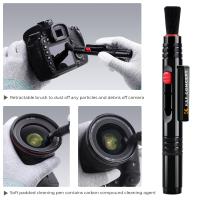
To use the Hagibis Multi Cleaning Pen, simply remove the cap and you will find two cleaning tips - a brush and a soft pad. The brush is perfect for removing dust and debris from hard-to-reach areas, such as keyboard keys or camera lenses. The soft pad, on the other hand, is ideal for gently wiping away smudges and fingerprints from screens or glasses.

To clean a surface, start by using the brush to remove any loose dirt or particles. Then, gently rub the soft pad in circular motions to remove smudges and fingerprints. For tougher stains, you can dampen the soft pad with a small amount of water or cleaning solution. However, be sure to check the manufacturer's instructions before using any liquids on sensitive surfaces.

The Hagibis Multi Cleaning Pen is not only effective but also durable. Its high-quality materials ensure that it can withstand frequent use without wearing out. Additionally, its compact size makes it easy to carry around in your bag or pocket, so you can clean your belongings anytime, anywhere.

In conclusion, the Hagibis Multi Cleaning Pen is a versatile and convenient tool for keeping your belongings clean and spotless. With its easy-to-use design and durable construction, it is a must-have for anyone looking to maintain the cleanliness of their electronic devices, glasses, or other surfaces.
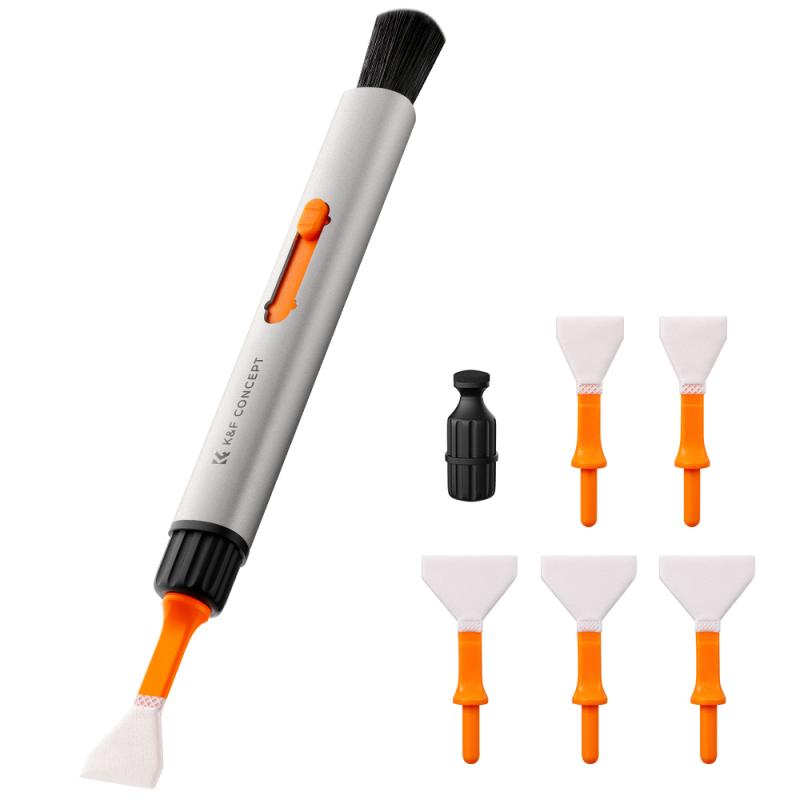
Overview of the Hagibis Multi Cleaning Pen

2、 Step-by-step guide on using the Hagibis Multi Cleaning Pen

Step-by-step guide on using the Hagibis Multi Cleaning Pen:

1. Start by removing the cap of the Hagibis Multi Cleaning Pen to reveal the cleaning brush and the cleaning tip.

2. Use the cleaning brush to gently remove any loose dirt or debris from the surface you wish to clean. The brush is designed to effectively sweep away dust and particles without scratching the surface.

3. Once you have removed the loose dirt, twist the pen to extend the cleaning tip. The cleaning tip is made of a soft, microfiber material that is safe to use on a variety of surfaces, including screens, lenses, and keyboards.

4. Gently glide the cleaning tip across the surface you wish to clean, applying light pressure. The microfiber material will effectively lift and remove fingerprints, smudges, and other marks without leaving any residue behind.

5. For stubborn stains or dirt, you can dampen the cleaning tip with a small amount of water or a cleaning solution specifically designed for the type of surface you are cleaning. However, it is important to avoid using excessive moisture, as it may damage sensitive electronics.

6. After cleaning, retract the cleaning tip by twisting the pen in the opposite direction. Replace the cap to protect the cleaning brush and tip for future use.

The Hagibis Multi Cleaning Pen is a versatile and convenient tool for keeping your electronic devices, lenses, and other surfaces clean. Its compact size makes it easy to carry with you wherever you go, ensuring that you can maintain a clear and smudge-free screen or lens at all times.

Please note that it is always recommended to refer to the manufacturer's instructions and guidelines for cleaning specific devices or surfaces to ensure proper care and maintenance.
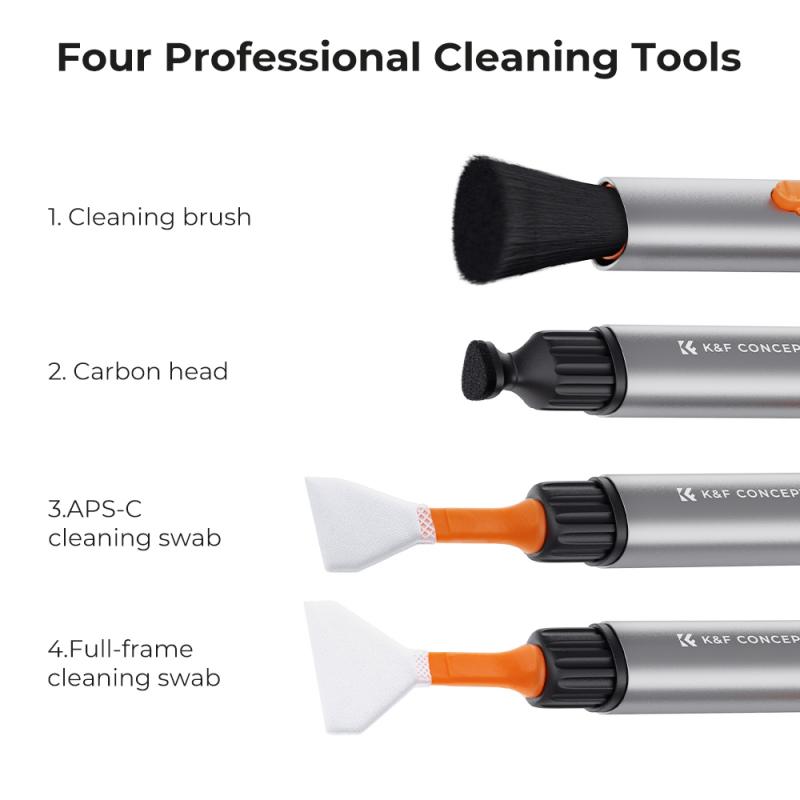
Step-by-step guide on using the Hagibis Multi Cleaning Pen

3、 Tips for effectively cleaning different surfaces with the pen

To use the Hagibis Multi Cleaning Pen effectively, follow these steps:

1. Identify the surface: Determine the type of surface you want to clean. The Hagibis Multi Cleaning Pen is suitable for a variety of surfaces, including glass, metal, plastic, and electronic screens.

2. Prepare the pen: Remove the cap from the pen and make sure the tip is clean. If it's dirty, wipe it gently with a soft cloth or tissue.

3. Shake the pen: Shake the pen gently to mix the cleaning solution inside. This will ensure that the solution is evenly distributed and ready for use.

4. Apply the solution: Press the tip of the pen against the surface you want to clean and gently squeeze the pen to release the cleaning solution. Start with a small amount and add more if needed.

5. Clean the surface: Use the pen's tip to scrub the surface in a circular motion. The soft bristles on the tip will help remove dirt and grime effectively. For stubborn stains, apply a bit more pressure while scrubbing.

6. Wipe off excess solution: After cleaning, use a clean, lint-free cloth to wipe off any excess cleaning solution from the surface. This will help prevent streaks and ensure a clean finish.

7. Replace the cap: Once you're done cleaning, replace the cap on the pen to prevent the cleaning solution from drying out.

Tips for effectively cleaning different surfaces with the Hagibis Multi Cleaning Pen:

- For glass surfaces, such as windows or mirrors, use the pen in conjunction with a microfiber cloth for a streak-free shine.

- When cleaning electronic screens, make sure to turn off the device and use gentle, circular motions to avoid damaging the screen.

- For metal surfaces, like stainless steel appliances or jewelry, use the pen to remove fingerprints and smudges, then buff with a soft cloth for a polished look.

- When cleaning plastic surfaces, such as phone cases or keyboards, be careful not to apply too much pressure to avoid scratching the surface.

- Regularly clean the pen's tip with a soft cloth or tissue to prevent cross-contamination between different surfaces.

In conclusion, the Hagibis Multi Cleaning Pen is a versatile tool for effectively cleaning various surfaces. By following these steps and tips, you can ensure a thorough and efficient cleaning experience.
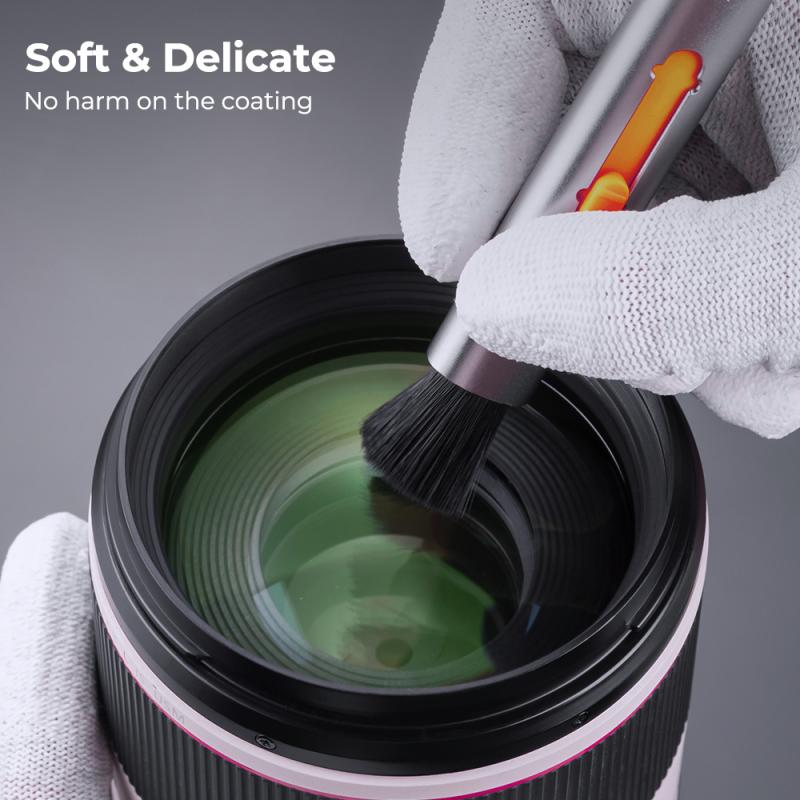
Tips for effectively cleaning different surfaces with the pen

4、 Maintenance and care instructions for the Hagibis Multi Cleaning Pen

Maintenance and care instructions for the Hagibis Multi Cleaning Pen:

The Hagibis Multi Cleaning Pen is a versatile tool designed to keep your electronic devices and screens clean and smudge-free. Here's how to use it effectively:

1. Start by removing any visible dust or debris from the surface you want to clean. Use a soft brush or microfiber cloth to gently wipe away loose particles.

2. Twist the cap of the cleaning pen to reveal the cleaning tip. The pen usually comes with two different tips - a soft brush and a cleaning pad. Choose the appropriate tip for the surface you are cleaning.

3. For screens, such as smartphones, tablets, or laptops, use the soft brush tip to gently sweep away fingerprints, smudges, and dust. The soft bristles will not scratch the screen but will effectively remove dirt.

4. For stubborn smudges or fingerprints, use the cleaning pad tip. Gently rub the pad in a circular motion over the affected area until the smudge is removed. Be careful not to apply too much pressure, as this could damage the screen.

5. After cleaning, twist the cap back on to protect the cleaning tips from dirt and damage.

6. It is recommended to clean the cleaning tips regularly to maintain their effectiveness. Simply rinse the tips with water and allow them to air dry before using them again.

7. Store the Hagibis Multi Cleaning Pen in a cool, dry place when not in use to prevent any damage or deterioration.

Remember, always follow the manufacturer's instructions for specific cleaning recommendations for your electronic devices.
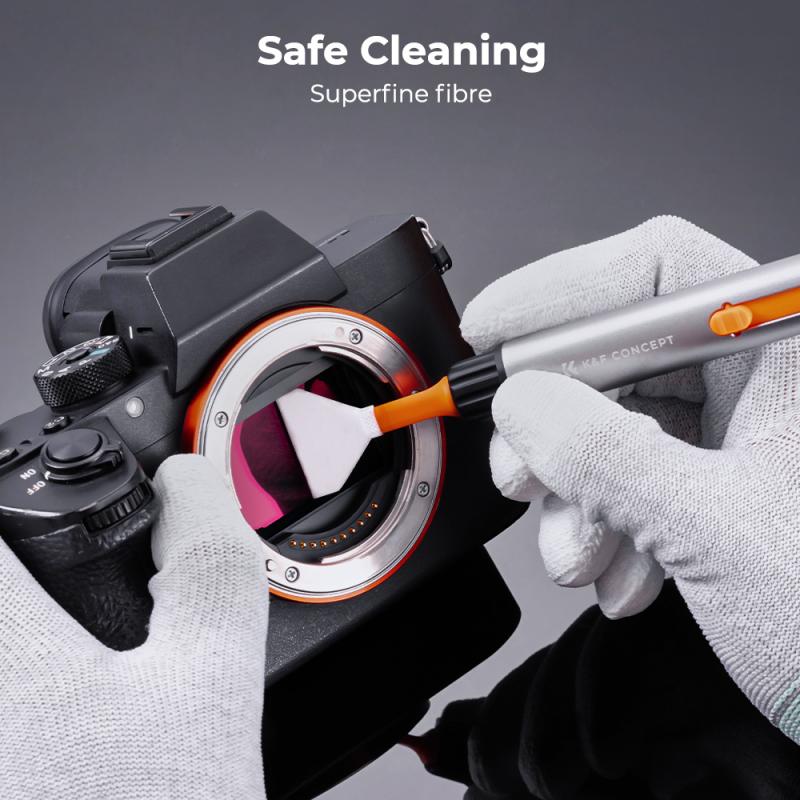
Maintenance and care instructions for the Hagibis Multi Cleaning Pen

Leave your comment
Cancel reply
Note: HTML is not translated!
Related products
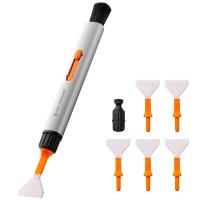
Replaceable cleaning pen set (cleaning pen + silicone head + APS-C cleaning stick*6) reddot design award
17
£49.00 £21.99
Replaceable cleaning pen set (cleaning pen + silicone head * 2 + full-frame cleaning stick * 6) reddot design award
17
£49.00 £21.99
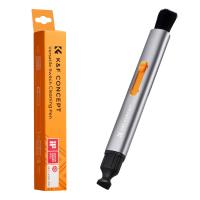
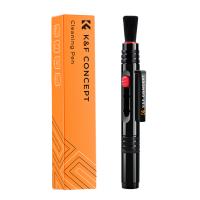
K&F Concept Multifunctional Lens Cleaning Pen, Replaceable Pen Tip
£17.00 £10.99
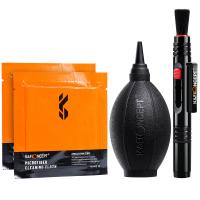
3in1 DSLR Camera Cleaning Kit (Lens Dust Blower Cleaner + Cleaning Pen + Macrofiber Cleaning Cloth)
8
£17.99 £15.99
K&F Concept Airpod Cleaner Cleaning Tool Kit, Multi-Function Clean Pen with Soft Brush Flocking Sponge for Cleaning Bluetooth Earphones
£7.10 £5.99
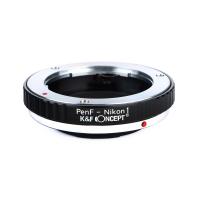
Olympus Pen-F Lenses to Nikon 1 Camera Mount Adapter
77
£35.99 £25.99
Lens cleaning pen, double-sided carbon head with K&F Concept color box
£12.99 £10.99
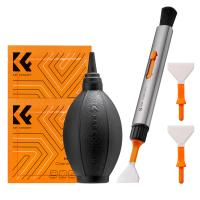
K&F Concept Camera Cleaning Kit, 6 in 1 with Vacuum Cleaning Cloth*2, Replaceable Cleaning Pen, Full Frame Cleaning Wand*2, Silicone Black Air Blow for Canon Nikon Cameras Cleaning Tool Accessories
£31.00 £21.99
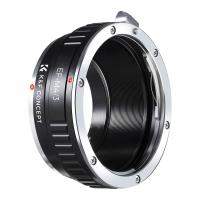
Lens Mount Adapter for Canon EOS EF Mount Lens to M4/3 MFT Olympus Pen and Panasonic Lumix Cameras
161
£20.99
Lens Mount Adapter Ring for Canon FD Lens to Micro Four Thirds M4/3 Olympus Pen and Panasonic Lumix Cameras
159
£35.99 £26.00
Guess you like products
4G Camera Outdoor with SIM Card, 2K 4MP No WiFi Solar Powered, Wireless 360°PTZ
17
£127.99 £99.99
24MP*1296P night vision, 120° wide angle*0.2S trigger 2" screen hunting camera in white rock with AA alkaline battery and 64G high speed SD card
69
£89.99 £55.99
K&F Concept Camera Bag Beta 10L Shoulder Bag for DSLR Cameras - Sling Bag10L Urban Wander 04 (Blue )
14
£149.99 £59.99
Canon FD Mount Body Cap*2 + Lens Rear Cap*2 + Hot Shoe Cap*2 + Cleaning Cloth*1 Compatible with Canon F-1, FTb, AE-1, A-1, AT-1, AV-1, AL-1, T60, T70, T80, T90
£8.99 £8.99
67mm ND2-ND400 Variable Filter (1-9 Stop), 24 Layers of Nano-coating, K&F Concept Nano-Dazzle Series
28
£73.99 £44.99
Insta360 Ace Pro 2 ND8 + ND16 + ND32 + ND64 4 Pack Neutral Density Filter, Light Reduction, Exposure Control HD Optical Glass Multi-Coated
17
£49.99 £38.99
Nikon (S) Lens to Canon RF Mount Camera High Precision Lens Adapter, NIK(S)-EOS R
67
£45.99
K&F Concept 1.2X Anamorphic Lens Compatible with DJI Osmo Pocket 3, Blue Streak Effect Widescreen Cinematic Lens, Magnetic Attach/Multi-Coated/Optical Glass
49
£48.83 £42.99
55mm Black Mist Filter 1/8 + 3pcs Cleaning Cloth with 18 Multi-Layer Coatings Nano-Klear
64
£37.99 £22.99
Intelligent bird feeder camera, AI automatic bird recognition, 1080P high-definition screen, solar charging Kentfaith
15
£174.99 £139.99
Related articles
How To Use Lens Cleaning Pen ?
How To Use Airpods Cleaning Kit ?
How To Use Lens Pen ?
How To Clean Pen Nib ?
How To Polish Fountain Pen ?
Are Ear Cleaning Endoscopes Safe ?
How To Clean My Fountain Pen ?
How To Clean Fountain Pen Converter ?
How To Clean Fountain Pen Cartridge ?
Are Hoya Filters Good ?
Guess you like articles
What Is A Digital Camera?
How To Use Nd Filter For Video ?
How To Connect Usb Endoscope ?
What Does A Microscope Condenser Do ?
How To Mount Sd Card In Samsung J1 ?
Ai Weiwei Surveillance Camera How It Was Made ?
Can You Live Stream With A Camcorder ?
Where To Buy A Metal Detector Near Me ?
How To Create A Microscope ?
Elderly Lady Refuses Endoscope What Is Alternative ?
Related categories
camera sensor cleaning kit Sony E mount adapter variable ND and CPL filter​ speedlight flash for canon black diffusion filter 1/4 Pentax Q lens adapter​ Nikon Flash Speedlight 77mm lens filter light pollution lens filter​ square filter holder system​
Popular products
camera lens cleaning pen camera lens pen lens cleaning pen camera lens cleaner carbon lens cleaning pen lens cleaning pen dslr camera cleaning kit lens pen cleaner color lens filter 77mm neutral density filter
Related searches
Focus Lens Cleaning Pen Mobile Lens Cleaning Pen Simple To Use Digital Camera Headphones To Use With Tv Simple To Use Smart Watch Simple To Use Dash Cam Earphones To Use With Tv Things To Use As A Tripod Simple Easy To Use Digital Camera Camera Cleaning Kit
Blog Category
  • Camera Reviews
  • News & Reviews
    • News
  • Tutorials
    • Animal Photography
    • Food Photography
  • Inspiration
    • Travel
    • Travel Stories
    • Photography Tricks
Search Article
Latest from the Blog
Secure Camera Which Works On Home Wifi?
How Do Metal Detectors Work?
Dash Cam That Records When Vehicle Is Off?
Can I Point An Indoor Security Camera Outside?
Digital Cameras That Can Go Underwater?
How To Use A Camera Simple For Kids?
What Sd Card For Dslr Camera?
How To Mount Go Pro On Tripod?
How Bright Is A Red Light Camera Flash?
Where To Set Up Trail Cameras?
Powered By K&F Concept © 2025