kfconcept

K&F Concept UK
K&F Concept United Kingdom    Blog >

Enjoy Your Selected Digital Life

Recently Viewed
  • Recently Viewed
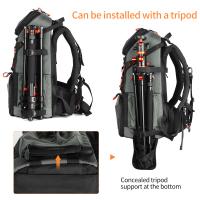
  • K&F Concept Camera Backpack for Photographers Large Waterproof Photography Camera Bag with Laptop/Tripod Compartment for Men Women Black- Backpack 18L Nature Wander 05 (Black)
    K&F Concept Camera Backpack for Photographers Large Waterproof Photography Camera Bag with Laptop/Tripod Compartment for Men Women Black- Backpack 18L Nature Wander 05 (Black)
    £89.99 £59.99
    52mm Magnetic CPL Filter Polarizing, Magnetic Adapter Ring with Alloy Lens Cap, Circular Polarising Multi-coated Optical Glass for DSLR Cameras, Nano-Xcel Series
    52mm Magnetic CPL Filter Polarizing, Magnetic Adapter Ring with Alloy Lens Cap, Circular Polarising Multi-coated Optical Glass for DSLR Cameras, Nano-Xcel Series
    £66.99 £52.99
    49mm ND64 Magnetic Neutral Density Lens Filter HD Waterproof Scratch-resistant Anti-reflection Nano-Xcel Series
    49mm ND64 Magnetic Neutral Density Lens Filter HD Waterproof Scratch-resistant Anti-reflection Nano-Xcel Series
    £56.99 £44.99
Compare (0) 0
  • Compare
  • You have not chosen any products to compare.

  • Compare
Currency: GBP
  • Currency

Log Into Your Account

Account

Order History

Wish List

Login

Forgotten Password?

Or connect with

Register Account

Already have an Account?Log In

  • Shopping Cart
  • Your shopping cart is empty!

  • Register/Login to purchase, earn points
  • Favorite
  • Your wish list is empty.

  • Register/Login to like, earn points
  • Tripods
    • Aluminum Tripods
    • Carbon Fiber Tripods
    • Travel Tripods
    • Video Tripods
    • Monopods
    • Lightweight Tripods
    • Mini Tripod
    • Tripod Accessories
    • Gimbal Stabilizers
    • Tripod Head
    • Tripod Kit
    • Action Camera Mounts
    • Phone Tripods
    • Studio Parts
      • Camera Flash
      • Photography Fill Light
      • Ring light
      • Soft Box
      • Tripod Light Stands
      • Reflectors
    • Clearance Tripods
  • Lens Filters
    • UV Filters
      • Nano-Xcel Series
        • MCUV
        • Ultra-low Reflectivity MCUV Filters
        • MCUV Super Hard
        • Explosion-proof MCUV - Nano-Xcel
        • MCUV+Lens Cap+Cleaning Cloth
        • Super Hard&Ultra Low Reflection MCUV Filters - Nano-Xcel
        • MCUV - Magnetic Series
      • Nano-Dazzle Series
        • MCUV
        • MCUV+Lens Cap+Cleaning Cloth
      • Nano-Klear Series
        • MCUV
        • Ultra Thin Frame MCUV Filters
        • MCUV+Lens Cap+Cleaning Cloth
      • Nano-Xcel Pro Series
        • MCUV
    • CPL Filters
      • Nano-Xcel Series
        • CPL
        • CPL True Color
        • Ultra-low Reflectivity CPL
        • CPL+Lens Cap+Cleaning Cloth
        • Magnetic CPL
          • Magnetic CPL + Apater ring + Cap - Nano-X
        • True Color Ultra-low Reflectivity CPL - Nano-Xcel
      • Nano-Dazzle Series
        • CPL
        • CPL+Lens Cap+Cleaning Cloth - Nano-Dazzle
      • Nano-Klear Series
        • CPL
        • Ultra Thin Frame CPL Filters
        • CPL+Lens Cap+Cleaning Cloth
        • CPL+Lens Cap - Nano-Klear
      • Nano-Xcel Pro Series
        • CPL
    • Neutral Density Filters
      • Neutral Density (Solid) Filters
        • ND8 (3 stops) - Nano-Xcel Series
        • ND64 (6 stops) - Nano-Xcel Series
        • ND1000 (10 stops) - Nano-Xcel Series
        • ND100000 (16.6 stops) - Nano-Xcel Series
        • ND1000000 (20 stops) - Nano-Xcel Series
        • ND100000 (16.6 stops) - Nano-Klear Series
        • ND1000000 (20 stops) - Nano-Klear Series
        • Solid ND - Magnetic Series
      • Graduated Neutral Density
        • 100mm GND Filter
          • Soft GND8 Filters - Nano-Xcel Series
          • Hard GND8 Filters - Nano-Xcel Series
          • Reverse GND8 Filters - Nano-Xcel Series
          • Soft GND16 Filters - Nano-Xcel Series
          • Reverse GND16 Filters - Nano-Xcel Series
          • Soft GND8 Filters - Nano-Xcel Pro Series
          • Hard GND8 Filters - Nano-Xcel Pro Series
          • Reverse GND8 Filters - Nano-Xcel Pro Series
          • Soft GND16 Filters - Nano-Xcel Pro Series
          • Reverse GND16 Filters - Nano-Xcel Pro Series
        • Circular GND Filter
          • GND8
          • GND16
      • 2 in 1 Filters
        • ND2-ND32&CPL Filters - Nano-Xcel Series
        • ND2-ND32&CPL Filters - Nano Dazzle Series
        • ND2-32&CPL Filters - Nano-Klear Series
        • ND2-ND32&CPL Filter - Nano-X Pro
        • ND2-ND32&CPL True Color Filters - Nano-Xcel Series
        • ND4-ND64&CPL Filter
      • 3 in 1 Filters
        • ND2-32&CPL&Black Mist 1/4 Filters - Nano-Xcel Series
        • ND2-32&CPL&Black Mist 1/4 Filters - Nano-Klear Series
      • Variable Neutral Density
        • Nano-Xcel Series
          • ND2-ND32 - Nano-Xcel
          • ND2-ND32 True Color - Nano-Xcel
          • ND2-ND400 - Nano-Xcel
          • ND8-ND128 - Nano-Xcel
          • ND32-ND512 - Nano-Xcel
          • ND3-ND1000 - Nano-Xcel
          • ND2-32 True Color Ultra-Low Reflection - Nano-Xcel
          • ND2-400 Ultra-Low Reflection - Nano-Xcel
        • Nano-Dazzle Series
          • ND2-ND32 - Nano-Dazzle
          • ND2-ND400 - Nano-Dazzle
          • ND3-ND1000 - Nano-Dazzle
          • ND8-ND2000 - Nano-Dazzle
        • Nano-Klear Series
          • ND2-ND32 - Nano-Klear
          • ND2-ND400 - Nano-Klear
          • ND2-ND2000 - Nano-Klear
          • True Color ND2-ND400 - Nano-Klear
        • Nano-Xcel Pro Series
          • ND2-ND32 - Nano-Xcel Pro
        • Nano-B Series
          • ND2-ND400 - Nano-B
    • Black Mist & Soft Focus Filters
      • Black Mist Filters
        • Black Mist 1/8
          • Black Mist 1/8 - Nano-Xcel Series
          • Black Mist 1/8 - Nano-Dazzle Series
          • Black Mist 1/8 - Nano-Klear Series
          • Black Mist 1/8 - Nano-Xcel Pro Series
          • Black Mist 1/8+Lens Cap+Cleaning Cloth - Nano-Klear Series
        • Black Mist 1/4
          • Black Mist 1/4 - Nano-Xcel Series
          • Black Mist 1/4 - Nano-Dazzle Series
          • Black Mist 1/4 - Nano-Klear Series
          • Black Mist 1/4 - Nano-Xcel Pro Series
          • Black Mist 1/4+Lens Cap+Cleaning Cloth - Nano-Klear Series
        • Black Mist 1/2
          • Black Mist 1/2 - Nano-Xcel Series
          • Black Mist 1/2 - Nano-Klear Series
        • Black Mist 1
          • Black Mist 1 - Nano-Xcel Series
          • Black Mist 1 - Nano-Klear Series
        • Black Mist Kit
          • Black Mist 1/4 + 1/8 Nano Xcel Series
          • Black Mist 1/4 + 1/8 - Nano Klear Series
          • Black Mist 1/4 + CPL - Nano Klear Series
        • Black Mist & CPL
          • Black Mist 1/4&CPL - Nano-Klear Series
        • Black-Mist & VND
          • Black Mist 1/4 & ND2-32 Filters - Nano-Klear Series
          • Black Mist 1/4 & ND2-400 Filters - Nano-Xcel Series
          • Black Mist 1/4 & ND2-32 Filters - Nano-Xcel Series
          • Black Mist 1/8 & ND2-32 Filters - Nano-Klear Series
          • Black Mist 1/4 & ND2-400 Filters - Nano-Klear Series
      • White Mist Filters
        • White Mist 1/4 - Nano-Xcel Series
        • White Mist 1/4 - Nano-Klear Series
      • Shimmer Diffusion
        • Shimmer Diffusion 1 - Nano-Xcel Series
        • Shimmer Diffusion 1 - Nano-Klear Series
    • Light Pollution Cut Filter
      • Light Pollution Cut Filter - Circular
      • Light Pollution Cut Filter - Square
    • Magnetic Lens Filters
      • MCUV Filters
        • Magnetic MCUV - Nano-Klear Series
        • Magnetic MCUV+Lens Caps - Nano-Xcel Series
      • CPL Filters
        • Magnetic CPL + Adapter Ring
        • Magnetic CPL+Adapter Ring - Nano-Klear Series
      • Black-Mist
        • Black Mist 1/8 Filters - Nano-Xcel Series
        • Black Mist 1/4 Filters - Nano-Xcel Series
      • Neutral Density (Solid) Filter
        • Magnetic ND8 - Nano-Xcel Series
        • Magnetic ND64 - Nano-Xcel Series
        • Magnetic ND1000 - Nano-Xcel Series
      • Unlimited Variable ND Filter
        • Magnetic ND2-ND32 - Nano-Xcel Series
        • Magnetic ND8-ND128 Filters - Nano-Xcel Series
      • Accessories
        • Magnetic Adapter Ring
        • Magnetic Filter Ring
        • Magnetic Cap
      • Kits
        • MCUV+CPL+ND1000+Adapter Ring - Nano-Xcel Series
        • CPL+ND8+ND64+Adapter Ring+Lens Cap - Nano-Xcel Series
        • GND8+ND8+ND64+ND1000+Adapter Ring - Nano-Xcel Series
        • CPL+VND2-32+Black Mist 1/4+Magnetic Ring+Lens Cap - Nano-Xcel Series
    • Square Filter System
      • Basic System
        • Square ND Filters
          • ND4 Filters - Nano-Xcel Series
          • ND16 Filters - Nano-Xcel Series
          • ND1000 Filters - Nano-Xcel Series
          • ND2000 Filters - Nano-Xcel Series
          • ND32000 Filters - Nano-Xcel Series
          • Full Color ND8 Filters - Nano-Xcel Series
          • Full Color ND64 Filters - Nano-Xcel Series
        • Square GND Filters
        • Light Pollution Cut Filter
          • Light Pollution Cut Filter - Nano-Xcel Series
        • Square Black Mist Filters
          • Square Black Mist 1 - Nano-Xcel Series
          • Square Black Mist 1/4 - Nano-Xcel Series
          • Square Black Mist 1/8 - Nano-Xcel Series
        • Brackets and Accessories
          • Adapter Ring - Nano-Xcel Series
        • Kits
          • 100mm Square Filter System - Nano-Xcel Series
          • 100mm ND1000+Holder Kit - Nano-Xcel Series
          • 100mm ND1000+Soft GND8+Holder Kit - Nano-Xcel Series
          • 100mm Soft GND8+Holder Kit - Nano-Xcel Series
      • Professional System
        • ND
          • Full Color ND8 Filters - Nano-Xcel Pro Series
          • Full Color ND64 Filters - Nano-Xcel Pro Series
          • Full Color ND1000 Filters - Nano-Xcel Pro Series
        • GND
        • PL
        • Black Mist 1/4&CPL - Nano-Xcel Pro Series
        • Light Pollution Cut Filter
          • Light Pollution Cut Filter - Nano-Xcel Pro Series
        • Kits
          • 100mm ND1000+Holder Kit - Nano-Xcel Pro Series
          • 100mm ND1000+Soft GND8+Holder Kit - Nano-Xcel Pro Series
          • 100mm ND8+ND64+ND1000+Holder Kit - Nano-Xcel Pro Series
          • 100mm Holder Kit - Nano-Xcel Pro Series
        • Brackets and Accessories
          • 100x100mm Square Filter Protect Frame - Nano-Xcel Pro Series
          • 100x150mm Square Filter Protect Frame - Nano-Xcel Pro Series
          • Adapter Ring - Nano-Xcel Pro Series
    • Drone Filter
      • DJI Air 3S
      • DJI Avata2
      • DJI Flip
      • DJI Mavic 3 Pro
      • DJI NEO
      • DJI Mini 1/2/SE
      • DJI Mini 4 Pro Filters
      • DJI Mavic 3
      • DJI Mini 3 PRO
      • DJI Avata
      • DJI Mavic 4 Pro
      • DJI Mini 5 Pro
      • DJI Air 2S
    • Effects Filters
      • Prism Filters
        • Central Prism Filters
          • Central Pentagonal Filters - Nano-Basic Series
          • Central Hexagonal Filters - Nano-Basic Series
        • Ordinary Prism Filters
          • Triangular Filtres - Nano-Basic Series
        • Single Linear Prisms
      • Streak Filters
        • Blue Streak Filters - Nano-Xcel Series
        • Gold Streak Filters - Nano-Xcel Series
        • Colorful Streak Filters - Nano-B Series
        • Blue Streak Filters - Nano-Klear Series
      • Star Filter
        • Star Filters 4-8 Points - Nano-Klear Series
        • Star Filter Kits 4+6+8 Points - Nano-Klear Series
        • 4-Point Fine-Line Star Filters - Nano-Klear Series
        • 6-Point Fine-Line Star Filters - Nano-Klear Series
      • Kaleidoscope Filters
        • Kaleidoscope Filters - Nano-Basic Series
        • Handheld Kaleidoscope Filters - Nano-B Series
      • Motion Blur Filters
        • Directional Motion Blur - Nano-Basic Series
        • Bidirectional Motion Blur - Nano-Basic Series
        • Handheld Motion Blur Filters - Nano-Basic Series
      • Spiral Filters
        • Spiral Halo Filters - Nano-B Series
        • Handheld Spiral Filters - Nano-Basic Series
      • Diopter Filters
        • Centerfield Split Diopter Filters - Nano-Basic Series
        • Handheld Diopter Filters - Nano-Basic Series
    • Filter Accessories
      • Lens Hoods
      • Rings Kits
        • Step Up Rings
        • Step Down Rings
      • Filter Holders & Frames
      • Filter Holder Adapter Rings
        • Filter Adapter Rings
      • Filter Pouches
      • Lens Caps
        • Caps for Magnetic Filters
        • Caps for Variable ND Filters
        • Anti-lost Lens Cap
          • 4 in 1
          • 5 in 1
          • 9 in 1
      • Polarized Film
    • Filter Kit
      • Black Diffusion 1/4 + 1/8
      • Screw-In Filters
        • MCUV+CPL Filter - Nano-Klear Series
        • MCUV+CPL+Lens Cap - Nano-Klear Series
        • MCUV+CPL+Metal Lens Cap - Nano-Xcel Series
        • MCUV+CPL+ND1000+Lens Cap - Nano-Dazzle Series
        • MCUV+CPL+ND2-400 - Nano-Klear Series
        • ND8+ND64+ND1000 - Nano-Dazzle Series
        • MCUV+CPL+ND4 - Nano-Klear Series
        • ND1000+CPL - Nano-Klear Series
        • ND4+ND8+ND64+ND1000 - Nano-Xcel Series
        • MCUV+CPL
      • Magnetic Filters
      • Square Filters
    • Action Camera Filters
      • DJI Osmo Action 4 / Action 5 Pro
      • DJI Osmo Action 6
      • DJI Osmo Nano
      • DJI Osmo Pocket 3
      • GoPro HERO 4K
      • GOPRO Hero 9/10/11/12/13 Filters
      • Insta360 Ace pro 2
      • Insta360 Go Ultra
      • Insta360 GO3
      • Insta360 GO3S
      • Action Camera Accessories
        • DJI Osmo Action 3/4/5 Pro
        • Head Strap & Chest Mount
        • Insta360 X5
        • Magnetic Neck Mount
        • DJI Osmo 360
        • DJI Osmo Pocket 3 Charging Base
        • DJI Osmo Pocket 3
    • Phone Lens Filters
    • Matte Box & Filter Systems
      • Neutral Density (Solid) Filters
        • ND4 - Nano-Xcel Series
        • ND8 - Nano-Xcel Series
        • ND16 - Nano-Xcel Series
        • ND32 - Nano-Xcel Series
        • ND64 - Nano-Xcel Series
        • ND8+ND64 - Nano-Xcel Series
      • UV Filters
      • Black Mist Filters
        • Black Mist 1/4 - Nano-Xcel Series
        • Black Mist 1/8 - Nano-Xcel Series
      • Blue Streak Filters
      • Accessories
      • Kits
        • Matte Box - Nano-Xcel Series
        • Matte Box Pro - Nano-Xcel Series
        • Matte Box+ND8 Square Filter - Nano-Xcel Series
        • Matte Box+ND4+ND32 Square Filter - Nano-Xcel Series
        • Matte Box+Black Mist 1/4 Square Filter - Nano-Xcel Series
    • Brand-specific Filters
      • Fujifilm X100
      • Ricoh GR
  • Lens Adapters
    • PL Mount Lenses
    • A Mount Body(Sony/Minolta)
    • Fujifilm X Mount Body
    • Fujifilm G (GFX) Mount Body
    • C-Mount Body
    • Leica M Mount Body
    • MFT(M4/3) Mount Body
    • Pentax K Mount Body
    • Pentax Q Mount Body
    • Samsung NX Mount Body
    • Nikon F Mount Body
    • Nikon 1 Mount Body
    • Nikon Z Mount Body
    • Canon EOS EF/EF-S Mount Body
    • Canon EOS M Mount Body
    • Canon RF Mount Body
    • Sony E Mount Body
    • L-Mount Alliance (Leica)
  • Camera
    • Digital Camera & Camcorders
      • Digital Cameras & Camcorders
      • Underwater Cameras
      • Action Cameras
      • Kids’ Cameras
      • Time lapse camera
    • Wildlife Camera
      • Wifi Trail Cameras
      • Non-Cellular Trail Cameras
      • Accessories
      • Cellular Trail Cameras
    • Surveillance Cameras
      • 4G Camera
      • Battery Camera
      • Baby Monitor
      • WiFi Camera
      • Feeder Camera
      • Floodlight camera
      • Monitoring Detector
    • Camera Lenses
    • On-Dash Camera
    • Fishing camera
    • Memory Cards
      • Micro SD Card
      • SD Card
    • Camera Accessories
      • Camera Caps
      • Camera Screen Protectors
        • Canon
        • Sony
        • Fujifilm
        • Nikon
        • Olympus
        • Ricoh
        • GoPro
        • DJI Osmo Pocket 3
      • Camera Hot Shoe Covers
      • Camera Viewfinder Eyecups
        • Nikon
        • Sony
        • Canon
      • Adjustment Iris
  • Camera Bags
    • Camera Backpacks
    • Camera Shoulder Bags
    • Camera Cases
    • Digital Storage Bag
    • Lens Cases
    • Camera Straps
    • Backpack Accessories
  • Camera Battery
    • Sony
    • Canon
    • Nikon
    • FUJIFILM
    • Ricoh
    • Gopro
    • Osmo Action
    • Lumix
    • V Mount Battery
    • Memory Card Case
  • Optics
    • Microscope
      • Optical Microscope
      • Digital Microscope
      • Kids' Microscopes
    • Binoculars
    • Monocular
    • Telescope
    • Night Vision Goggles
    • Rangefinder
  • Endoscope
    • Professional Endoscope
    • Household Endoscope
    • Portable Endoscope
    • Otoscope/Oral Endoscope
  • More
    • Cleaning Kits
    • Digital Voice Recorders
    • Language Translator Device
    • Smart Glasses
    • Metal Detectors
    • Light
      • Video fill light
      • Live Ring Light
      • Outdoor Lighting
    • Motorcycle Bluetooth Headset
    • Laser Engraver Machine
    • Headphones
    • Weather Station & Household Sensors
    • Microphone
    • Drone Accessories
      • DJI Air 2S Accessories
      • DJI Air 3 Accessories
      • DJI Avata Accessories
      • DJI Drone Universal Accessories
      • DJI Mavic Mini 2/Mini 2 SE/Mini Accessories
      • DJI Mavic Mini 3 Accessories
      • DJI Mini 3 Pro Accessories
    • Smart Watch
    • Smart lock
    • Studio
    • Solar Panels
  • Deals
    • Specials
    • Coupon
    • New Arrivals
  • Home
  • Blog
  • How To Wall Mount Samsung Swa-9000s ?

How To Wall Mount Samsung Swa-9000s ?

K&f concept 2023-08-18 02:54:49 0 Comments

To wall mount the Samsung SWA-9000S, follow these steps:

1. Locate a suitable spot on the wall near your TV or soundbar where you want to mount the wireless rear speakers.

2. Use a stud finder to locate the studs in the wall. It is important to mount the speakers on a stud for stability.

3. Once you have identified the studs, mark the desired mounting locations on the wall.

4. Use a drill to create pilot holes at the marked spots.

5. Attach the speaker brackets to the wall using screws and a screwdriver or drill.

6. Ensure that the brackets are securely fastened to the wall.

7. Place the wireless rear speakers onto the brackets and adjust them to the desired angle.

8. Make sure the speakers are securely attached to the brackets.

9. Connect the wireless rear speakers to the soundbar or TV according to the manufacturer's instructions.

10. Test the speakers to ensure they are working properly.

Note: It is recommended to refer to the user manual or contact Samsung customer support for specific instructions and any additional information.

1、 Determine the optimal placement for the Samsung SWA-9000S speakers

To wall mount the Samsung SWA-9000S speakers, follow these steps:

1. Determine the optimal placement: Before mounting the speakers, it is crucial to find the best location for optimal sound quality. Consider the layout of your room, the seating arrangement, and the desired audio experience. The general recommendation is to place the speakers at ear level, slightly above or below the listener's head, and at an equal distance from the main listening area.

2. Prepare the mounting brackets: The SWA-9000S speakers come with mounting brackets that need to be attached to the wall. Ensure that you have all the necessary hardware and tools, including a drill, screws, and a level.

3. Mark the mounting points: Use a pencil or a marker to mark the spots where you will be drilling holes for the brackets. Make sure the marks are level and aligned with each other.

4. Drill the holes: Using a drill bit appropriate for your wall type (e.g., wood, drywall, concrete), carefully drill holes at the marked spots. Be cautious of any electrical wiring or plumbing behind the wall.

5. Attach the brackets: Securely attach the mounting brackets to the wall using the provided screws. Double-check that they are level and firmly in place.

6. Mount the speakers: Once the brackets are securely attached, carefully place the SWA-9000S speakers onto the brackets. Ensure they are properly aligned and seated on the brackets.

7. Test the sound: After mounting the speakers, connect them to your audio system and test the sound quality. Make any necessary adjustments to the speaker positioning or audio settings to achieve the desired audio experience.

It is important to note that the latest point of view may vary depending on the specific model and any updates or changes made by Samsung. Therefore, it is recommended to refer to the user manual or contact Samsung customer support for the most up-to-date instructions and guidelines.
Determine the optimal placement for the Samsung SWA-9000S speakers

2、 Prepare the wall for mounting the speakers securely

To wall mount the Samsung SWA-9000S speakers, you will need to follow a few steps to ensure they are securely mounted. Here is a guide on how to do it:

1. Prepare the wall: Before mounting the speakers, make sure the wall is suitable for installation. Ensure that the wall is sturdy enough to hold the weight of the speakers and that there are no obstructions or electrical wires behind the chosen location. Use a stud finder to locate the studs in the wall, as mounting the speakers on studs will provide the most secure installation.

2. Mark the mounting location: Once you have identified the suitable location, use a pencil to mark the spot where you will mount the speakers. Measure the distance between the mounting holes on the back of the speakers and transfer those measurements onto the wall.

3. Install the mounting brackets: Attach the mounting brackets to the wall using screws and a drill. Make sure the brackets are level and securely fastened to the wall. If you are mounting the speakers on studs, use screws long enough to penetrate the studs for added stability.

4. Attach the speakers: Once the brackets are securely installed, attach the speakers to the brackets using the provided screws. Ensure that the speakers are properly aligned and tightened onto the brackets.

5. Test the installation: After mounting the speakers, give them a gentle shake to ensure they are securely attached to the wall. If they feel loose or unstable, double-check the brackets and screws to ensure they are properly installed.

It is important to note that the latest point of view on wall mounting speakers is to consider wireless options. With advancements in technology, wireless speakers have become increasingly popular as they eliminate the need for running wires through walls. This provides more flexibility in speaker placement and reduces the risk of damaging walls or dealing with unsightly wires. However, if you prefer a wired setup or already have the Samsung SWA-9000S speakers, following the steps above will help you securely mount them on the wall.
Prepare the wall for mounting the speakers securely

3、 Attach the mounting brackets to the Samsung SWA-9000S speakers

To wall mount the Samsung SWA-9000S speakers, you will need to follow a few simple steps. The first step is to attach the mounting brackets to the speakers. These brackets are usually included in the packaging of the speakers.

To attach the mounting brackets, locate the screw holes on the back of each speaker. Line up the holes on the brackets with the screw holes on the speakers and use the provided screws to secure the brackets in place. Make sure the brackets are securely attached to the speakers to ensure stability when wall mounted.

Once the brackets are attached, you will need to find a suitable location on the wall to mount the speakers. Consider the height and positioning for optimal sound quality. Use a stud finder to locate the studs in the wall, as it is important to mount the speakers securely to ensure they do not fall.

After locating the studs, mark the desired position for each speaker on the wall. Use a drill to create pilot holes for the screws that will hold the brackets in place. Make sure the holes are the appropriate size for the screws to ensure a secure fit.

Finally, align the brackets on the wall with the pilot holes and use screws to mount the speakers. Ensure that the brackets are securely attached to the wall and double-check the stability of the speakers before letting go.

It is always recommended to refer to the user manual provided by Samsung for specific instructions and any additional information.
Attach the mounting brackets to the Samsung SWA-9000S speakers

4、 Mark the desired location on the wall for each speaker

To wall mount the Samsung SWA-9000S speakers, follow these steps:

1. Mark the desired location on the wall for each speaker: Before mounting the speakers, determine the ideal placement for optimal sound quality. Consider factors such as the room layout, seating arrangement, and the recommended positioning guidelines provided by Samsung. Mark the spots on the wall where you want to mount each speaker.

2. Prepare the mounting brackets: The SWA-9000S speakers come with mounting brackets that need to be attached to the speakers. Locate the mounting holes on the back of each speaker and align them with the corresponding holes on the brackets. Use the provided screws to secure the brackets to the speakers.

3. Install the brackets on the wall: Using a drill and appropriate screws, attach the brackets to the marked spots on the wall. Ensure that the brackets are securely fastened to the wall to support the weight of the speakers.

4. Connect the speakers: Once the brackets are installed, carefully place the speakers onto the brackets and secure them in place. Make sure the speakers are level and aligned properly.

5. Conceal the wires: To maintain a clean and organized look, consider concealing the speaker wires. You can use cable management solutions such as adhesive cable clips or wall-mounted cable covers to hide the wires along the wall.

6. Test the setup: After mounting the speakers, connect them to your audio system and test the sound quality. Make any necessary adjustments to the speaker positioning or audio settings to achieve the desired audio experience.

It's important to note that the above steps are general guidelines, and it's always recommended to refer to the specific instructions provided by Samsung for your SWA-9000S model. Additionally, consider consulting a professional if you are unsure about the installation process or if you need assistance with any electrical work.
Mark the desired location on the wall for each speaker

Leave your comment
Cancel reply
Note: HTML is not translated!
Related products
Beschoi Canon EOS EF Lens to Samsung NX SLR Camera Body K&F Concept Lens Mount Adapter
£26.99 £22.99
K&F CONCEPT 39.37"/100cm Wall-Mounted Triangle Boom Arm – 180° Adjustable for Ring Lights, Video Lighting, Cameras, and Softboxes
8
£39.99 £35.99
K&F CONCEPT 51.18"/130cm Wall-Mounted Triangle Boom Arm – 180° Adjustable for Ring Lights, Video Lighting, Cameras, and Softboxes
8
£52.99 £47.99
K&F CONCEPT 70.87"/180cm Wall-Mounted Triangle Boom Arm – 180° Adjustable for Ring Lights, Video Lighting, Cameras, and Softboxes
8
£58.99 £54.99
K&F Concept Metal Phone Tripod Mount,Universal Smartphone Stand with 2 Cold Shoe Mount, Adjustable Cellphone Holder for Horizontal and Vertical Shooting, Compatible with iPhone/Samsung and All Phones
17
£27.99 £22.99
Gooseneck Extension Suction Cup Car Mount with Phone Holder for Gopro Hero 11, Hero 10/9/8/7/6/5, DJI action, iPhone, Samsung Galaxy, google pixel etc.
£23.00 £13.99
T2 Mount Lenses to Fuji X Mount Camera Adapter
62
£31.99 £23.10
C Mount Lenses to M43 MFT Mount Camera Adapter
130
£25.99 £18.10
C Mount Lenses to Sony E Camera Mount Adapter
115
£23.99 £16.90
M42 to M4/3 Adapter, Lens Mount Adapter for M42 Mount Lens to Micro 4/3 M43 MFT Mount Mirrorless Cameras
222
£26.99 £20.99
Guess you like products
37mm MCUV Filter ultra-thin Trapezoid Patterned Frame Coating with a Vacuum Cleaning Cloth Nano-Klear
90
£14.99 £8.99
DJI Mavic Mini 2 SE Carrying Case, Portable Travel Bag for DJI Mini 2/Mini 2 SE Fly More Combo Drone Accessories
16
£29.99 £23.99
Mini Body Camera Video Audio Recorder with WiFi Wearable Bodycam 180° Lens Kentfaith
13
£66.24 £45.99
K&F Concept Camera Neck Strap Camera Shoulder Strap Suitable for DSLR SLR Cameras Strap Urban Wander 05 Green
£15.99 £12.99
Nikon DK-25 Camera Viewfinder Eyecup*2+Hot Shoe Level*2+Vacuum Cleaning Cloth*1 for Nikon D5600, D5500, D5300, D5200, D5100, D5000, D3500, D3400, D3300
48
£7.10 £5.99
67mm Snap-On Center Pinch Lens Cap 9 in 1 with Anti-Loss Keeper Leash Compatible with Nikon, Canon, Sony, Fujifilm Camera Lenses
£11.99 £9.99
Professional metal detector for adults and children, high-precision adjustable, gold detector, metal and recognition mode, 8.5 inch lightweight detection plate
4
£92.49 £73.99
62mm Variable ND Filter ND3-ND1000, Ultra-thin HD, with Double-sided 28-layer Nano-coating, Nano-Xcel Series
42
£188.00 £79.99
STARTRC Battery Fireproof Explosion-Proof Bag (True Fireproof) Suitable for UAV/car model/Ship Model Battery
£38.00 £19.99
K&F Concept Camera Backpack Air 25L, Camera Bags for Photographers Large Capacity with Raincover, Backpack  25L Nature Wander 01(Black)
K&F Concept Camera Backpack Air 25L, Camera Bags for Photographers Large Capacity with Raincover, Backpack 25L Nature Wander 01(Black)
75
£146.00 £119.99
Related articles
How To Wall Mount Samsung T24d391ew ?
How To Wall Mount Samsung Soundbar ?
How To Wall Mount Samsung Tv ?
Samsung C27h580 How To Wall Mount ?
How To Mount Samsung Tv On Wall ?
How To Fit Wall Mount Samsung P2270hd ?
How To Fit Samsung Tv To Wall Mount ?
How To Attach Samsung Tv To Wall Mount ?
How To Remove Samsung No Gap Wall Mount ?
When Was Scanning Electron Microscope Invented ?
Guess you like articles
What Is A Good Telescope To Buy ?
What Lenses Fit Sony Alpha Cameras ?
How To Set Up Lavalier Mic ?
How To Use Gorillapod ?
How To Calculate Total Magnification Of A Microscope ?
What Type Of Lenses Are Used In Microscope ?
How To Open 4k Camera Cases?
Who Sells Digital Cameras ?
Can Viruses Be Seen Under A Microscope ?
Where Can I Hire A Metal Detector ?
Related categories
Samsung NX mount Sony E mount adapter variable ND and CPL filter​ Fujifilm x lens mount L Lens Mount action camera body mount​ Nikon F Mount Canon RF Mount leica m lens mount​ Nikon Z Mount
Popular products
samsung nx mount adapter​ phone stand holder tripod suction mount m42 lens adapter camera filter adapter sony e mount camera Adapter Lens Mount Adapter Adapter ring sony lens adapter sony nex a mount adapter pentax q adapter
Related searches
Bluetooth Headset For Samsung Phone Wall Mount For Projector Wall Mount For Webcam Wireless Wall Mount Speakers Wall Mount Headphone Holder Baby Monitor Wall Mount Projector Stand Wall Mount White Wall Mount Speakers Wall Mount Solar Panels Wall Mount Wifi Camera
Blog Category
  • Camera Reviews
  • News & Reviews
    • News
  • Tutorials
    • Animal Photography
    • Food Photography
  • Inspiration
    • Travel
    • Travel Stories
    • Photography Tricks
Search Article
Latest from the Blog
How Bright Is A Red Light Camera Flash?
How To Use Anti Spy Detector?
Where Can You Use a Metal Detector?
Dash Cam That Records When Vehicle Is Off?
How To Play Videos From An Action Camera?
Digital Cameras That Can Go Underwater?
How to Attach a Camera Strap: A Step-by-Step Guide for Every Photographer
How to Make a Bird Feeder – And When to Buy Rather Than Build
Star Filter Review: Add Sparkle and Character to Your Shots
How To Change Wifi On Camera?
Powered By K&F Concept © 2025