Camera Which Will Connect By Wifi To Pc?
Tracking down the best camera that plays nice with Wi-Fi and connects seamlessly to your PC might sound like navigating a crowded electronics aisle without a compass. Fear not, for technology has evolved past those USB cables reluctantly untangling from a labyrinth of wires on your desk. Today, the world has given us wireless cameras that streamline connectivity, add versatility to workflows, and even make you ponder whether you still need all those cords anymore.
The question isn’t just about technical compatibility—it’s about finding a camera that supports your creative ambitions. Whether you're setting up a home office for video conferencing, diving into webcam streaming on Twitch, trying your hand at vlogging, or building a robust surveillance system—we’re going to dissect the hardware, the software, and the Wi-Fi magic to ensure your next camera purchase ticks all the boxes.
Why Wi-Fi Makes a Difference
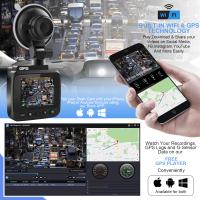
Wi-Fi-enabled cameras are creators’ backstage heroes, enabling seamless connections to computers, smartphones, and smart home devices. Here’s the pitch: Wi-Fi-powered gear lets your camera upload photos and videos without plugging it in physically. Plus, for live scenarios like Zoom calls or YouTube streams, Wi-Fi often works as the conduit for high-definition video capture directly into your PC. An untethered office or studio setup feels sleek, professional, and, most importantly, headache-free.
But here's the catch: not all cameras are designed to stream effortlessly to PCs over Wi-Fi. Some Wi-Fi cameras focus primarily on uploading files or integrating with external apps. To achieve real-time connectivity for creative workflows, we need to cut through marketing fluff to uncover true PC-compatible gems. Below, let's break down the specifics.
Critical Features to Consider

Not all Wi-Fi-enabled cameras are created equal—some work like a dream, while others have missed the memo on 'playing well with others.' To make your camera-PC pair the envy of the Wi-Fi-enabled universe, consider these factors:
1. Broad PC Compatibility
It’s essential that the camera’s offered software or firmware integrates seamlessly with your operating system. Many cameras include proprietary apps or drivers for Windows, macOS, and even Linux. Without these tools, you may struggle with recognizing the camera on your computer.
2. High-Quality Video Output

Resolution matters. Whether showcasing your brilliant personality on a YouTube channel or documenting the great outdoors, your Wi-Fi camera must provide at least 1080p HD quality. For content creators seeking cinematic perfection, 4K is often the benchmark.
3. Stability: Latency and Bandwidth
Live streaming benefits from low latency. Wi-Fi variations—like older 802.11n—can bottleneck your video feed or introduce frustrating lag. Cameras equipped with Wi-Fi 5 or Wi-Fi 6 chipsets will perform better when synced with modern routers.
4. Versatility (Use Case Flexibility)
If your goal is simple webcam integration for video calls, don’t overthink specs; some webcams come exclusively built to connect via Wi-Fi. However, if photography or professional-grade filmmaking is in the cards, DSLRs equipped with robust wireless connectivity win the day.
5. Ease of Integration
The setup process should work without sending you on a tech scavenger hunt. Many cameras today adhere to plug-and-play principles, while others require messing with third-party software like OBS or VLC. Finding equipment that minimizes complexity is a golden ticket.
Your Camera Shortlist
Webcams: Simple Yet Effective
Webcams are kings of convenience for PC connectivity. Affordable Wi-Fi webcams often balance strong video quality and plug-and-play extensibility. Popular models include:
Logitech StreamCam Plus: Known for being tailored to content creators, it offers 1080p HD at 60 fps through robust Wi-Fi connections. Pro-level compression algorithms help sharpen those streams.
Razer Kiyo Pro: Marketed for gamers, this webcam boasts excellent low-light optimization, making it suitable for video calls at any hour.
Still, remember: most webcams don't fare well for photography or video production beyond live streaming.
Action Cameras: Compact Yet Powerful
If you appreciate portability for projects in unexpected places—mountains, oceans, living rooms—Wi-Fi-equipped action cameras like the GoPro Hero 11 shine. The Wi-Fi capabilities can manage direct file transfers, enable real-time streaming via apps like OBS Studio, and offer exceptional 4K resolution.
DSLRs and Mirrorless Cameras: The Cream of the Crop
When quality matters, DSLRs deliver stunning visuals and state-of-the-art controls:
- Sony Alpha a7C and Canon Connected Cameras pack Wi-Fi modules ready for photography and PC synchronization. They grant you full manual freedom and integration with creative software like Adobe Lightroom or Premiere Pro.
- Many DSLRs even have live streaming options optimized for YouTube and Zoom workflows. Dive deep into the firmware updates while ensuring congruence with your Wi-Fi network.
Surveillance Cameras: Stay Secure
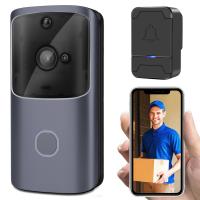
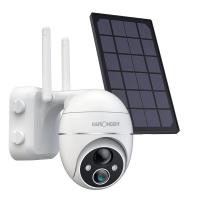
Let’s get paranoid (but smart). Many home security cameras offer high-def video feeds directly to PC dashboards or smartphones. Comparisons like Reolink Argus 2 (integrates wirelessly) versus Wyze Cam v3 (an affordable champion in low-light surveillance) highlight the unique mix of visual fidelity and compatibility to look for in Wi-Fi-enabled systems.
Speaking of Drivers and Apps: The Hidden Gems
Cameras are only as good as the companion tools they offer. Logitech “Capture” and Canon’s “EOS Webcam Utility” are examples of software that simplify synchronization between Wi-Fi-equipped cameras and PCs. Always research these extensions—it’s frustrating finding out that your shiny new Wi-Fi camera lacks basic driver support for your operating system.
Things Can Go Awry—And Solutions Exist
Wi-Fi connections between cameras and PCs occasionally hit technical hiccups:
1. Weak Wi-Fi Signals: If your router is stationed three rooms away, prepare for stuttering or buffering. Focus on cameras with dual-band Wi-Fi modules (2.4 GHz & 5 GHz range) for stable connections.
2. Driver Conflicts: Use official updates regularly—camera brands usually offer firmware patches designed to fix compatibility quirks.
3. Compression Woes Affecting Quality: Look out for H.265 compression on compatible cameras where available—it preserves visuals while tuning bandwidth consumption.
4. Platform Lock-In: Watch out for cameras tethered exclusively to apps. Always double-check open-ended workflow support.
Closing Thoughts
The camera you choose today will shape how your Wi-Fi ecosystem evolves tomorrow. Whether it’s a webcam for podcasting at home, a GoPro wandering the wilderness, a DSLR capturing cinematic brilliance, or even a surveillance system guarding precious secrets—an informed decision reigns supreme. Balance quality, connectivity, and compatibility like a seasoned tech explorer. Bid goodbye to cables (mostly), embrace innovation, and—most importantly—always pilot Wi-Fi’s possibilities with logic and an adventurous spirit.
Admittedly, it's almost poetic: freeing yourself from USB congestion isn’t just clever—it’s liberating.