Can You Charge Gopro Battery In The Camera?
GoPro cameras are renowned for their rugged construction, brilliant video quality, and action-packed versatility. But if there’s one question that often crops up during those moments of excitement, it’s this: “Can I charge the GoPro battery without removing it from the camera?”
The good news for the convenience-seekers among us is: Yes, you can charge your GoPro battery while it’s nestled comfortably in the camera. But the broader question of whether you *should* and what scenarios this really applies to is where things get interesting. Let's dive into the practicalities, nuances, and occasional pitfalls of charging your GoPro battery inside the camera.
You Can Charge, But Should You?

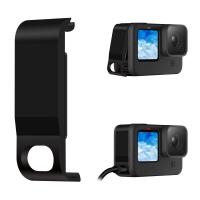
GoPro devices have a USB-C port that can be used to charge the battery while it remains in the camera. This is amazingly convenient for most people, but as is the case with all good things in technology, there’s a balance to strike. Here’s a look at the universal "should-you-do-this" factors:
1. A Quick Recharge During Usage
Charging your GoPro while its battery is still seated in the camera is a lifesaver if you’re in the middle of shooting and want to quickly juice up during a break without fiddling with a separate charger. You can simply connect a USB-C cable to your camera, plug it into a portable power bank or wall outlet, and voilà—you're charging.
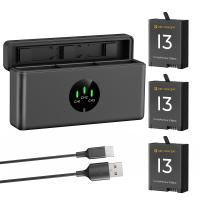
However, an important detail arises here: charging speeds. Charging the GoPro battery inside the camera vs. using an official GoPro dual-battery charger is often slower. If every second counts, or if you're managing multiple batteries in a professional shoot, specialized chargers can help maximize efficiency. Pro tip: If you're someone who accidentally cuts a skydiving session short—twice—because you forgot to charge the spare batteries, this conversation is for you.
Does Using the Camera as a Charger Damage Anything?

This argument sparks a lot of debate online, but let’s settle it with some science. Charging the GoPro battery in the camera generally doesn’t damage the camera or the battery *provided that you're using quality charging equipment*. And by quality, we mean GoPro-approved chargers, or reliable third-party chargers that have USB-C PD (Power Delivery) functionality.
Cheap knockoff cables can potentially lead to undervoltage or overheating, which isn't just bad for the camera but could ruin the battery. The heatsinks inside GoPros are designed to tolerate normal operating temperatures, but a battery that overheats during charging can push this to dangerous extremes.
Fun Fact: Did you know lithium-ion batteries dislike "fast-and-furious" temperature spikes? It’s true. If you've ever wondered why some batteries swell up like a marshmallow in hot cocoa, that’s why. High heat = bad electrics.
To put it more practically, as long as you avoid charging with cables you grabbed last-minute at a gas station checkout counter, both your camera and battery should be safe.
Who Wins the Portability Game?
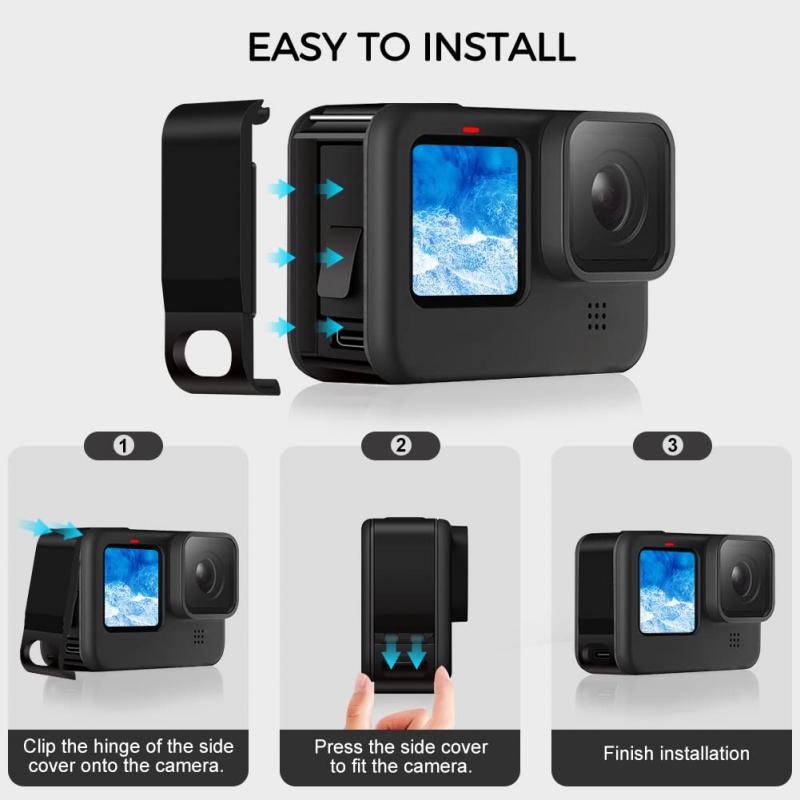
There are clear use-case scenarios where charging the GoPro battery inside the device reigns supreme:
Adventure Travelers: Let’s pretend you're hiking the Appalachian Trail. It’s unlikely you'd want to carry a separate battery-charging hub along with all your other gear. Connecting a lightweight USB cable straight to the camera and hooking it up to your trusty power bank is far more manageable. In fact, when paired with sustainable solar chargers, this method stands out as a robust, go-anywhere option.
Urban Explorers: Similarly, if you’re shooting street videos, capturing urban parkour, or interviewing people on the go, fiddling with external battery chargers in the heat of the moment is cumbersome. Charging directly through the camera keeps your setup compact and stress-free.
However, here's the rub: If you’re working on professional assignments—like filmmaking or sports performance capture—you’ll likely need multiple batteries and simultaneous charging systems anyway. Relying solely on charging while the battery is inside the camera probably isn’t going to cut the mustard for higher-volume needs.
Practical Tips for Charging Inside the Camera

So you’ve decided that charging inside the camera is the route for you. Great choice if you’re looking for a streamlined charging process! Let me arm you with some pro tips to ensure smooth sailing:
1. Use the Correct Cable
GoPro cameras use USB-C for power input, but not all USB-C cables are alike. Use official GoPro cables or third-party cables that are properly rated for high-power transfer.
2. Check The Battery Indicator
When charging, GoPro cameras will usually display a battery icon showing its charging progress. If it's not visible, make sure your camera is powered off before recharging—it speeds up charging and eliminates unnecessary electrical draw during the process.
3. Avoid Overcharging
GoPro batteries are smart enough to prevent overcharging, but it’s still a good habit to unplug once you reach a full charge. Extended periods of charge can sometimes nudge lithium-ion batteries into lower longevity territory.
4. Keep It Cool
If the camera gets excessively hot during charging—say, you’re charging under direct sunlight during a beach shoot—turn things off and find some shade. Heat accelerates battery wear and increases the risk of unexpected malfunctions.
5. Don’t Mix Batteries
Modern GoPro cameras use high-quality rechargeable batteries, but like most electronics, “one size doesn’t fit all.” Double-check that the battery is compatible with your GoPro model before charging it in-camera. This minor piece of diligence will save you from headaches down the road.
When NOT to Charge In-Camera
While charging with the battery installed is wildly convenient, there are times when taking the battery out and using an external charger is a better option:
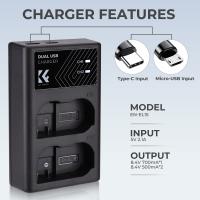
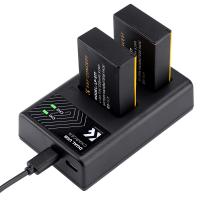
1. Multi-Battery Management: The official GoPro dual-battery charger will let you charge multiple batteries, all while leaving your camera operational for filming or transferring footage.
2. Damaged USB Ports: If the USB-C port on your GoPro camera is showing signs of wear or malfunction, it's safer to use an external battery charger rather than risk further stress to the port.
3. Intensive Shooting Conditions: For long days of continuous shooting, swap out fully charged batteries via an external charger and keep your adventure rolling without downtime.
Charging your GoPro in-camera is not only possible but often practical for active users who prioritize convenience, portability, and speed. That said, it’s not a one-size-fits-all solution. Professional filmmakers, heavy action-sports users, or those managing multiple batteries will benefit from external solutions most of the time.
The secret lies in understanding your own workflow. Are you an adventure junkie who wants their GoPro ready at a moment’s notice? In-camera charging is your ally. Or are you an amateur cinematographer working with precision setups and tight schedules? Studio-level preparation (and a dual-battery pack) will be your best friend.
And speaking of friendship? Your GoPro battery, whether it resides inside or outside the camera, thrives on good charging practices. Treat it well, and it’ll keep documenting your best moments without a hitch. Happy shooting!