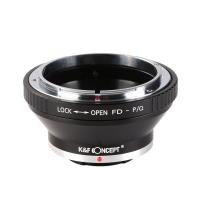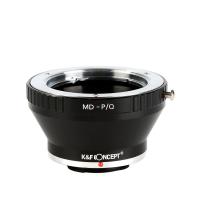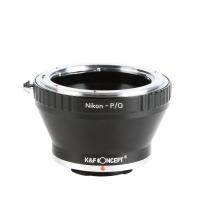
kfconcept

K&F Concept UK
K&F Concept United Kingdom    Blog >

Enjoy Your Selected Digital Life

Recently Viewed
  • Recently Viewed
  • 52mm ND2-ND400 Variable Filter (1-9 Stop), 24 Layers of Nano-coating, K&F Concept Nano-Dazzle Series
    52mm ND2-ND400 Variable Filter (1-9 Stop), 24 Layers of Nano-coating, K&F Concept Nano-Dazzle Series
    £42.99
    J20 One-two Wireless Lavalier Microphone, Charging Case, one-touch Noise Cancellation, for Youtube, Recording, Video Blogging, Facebook Live Streaming, TYPE-C Interface
    J20 One-two Wireless Lavalier Microphone, Charging Case, one-touch Noise Cancellation, for Youtube, Recording, Video Blogging, Facebook Live Streaming, TYPE-C Interface
    £34.99 £24.99
Compare (0) 0
  • Compare
  • You have not chosen any products to compare.

  • Compare
Currency: GBP
  • Currency

Log Into Your Account

Account

Order History

Wish List

Login

Forgotten Password?

Or connect with

Register Account

Already have an Account?Log In

  • Shopping Cart
  • Your shopping cart is empty!

  • Register/Login to purchase, earn points
  • Favorite
  • Your wish list is empty.

  • Register/Login to like, earn points
  • Tripods
    • Aluminum Tripods
    • Carbon Fiber Tripods
    • Travel Tripods
    • Video Tripods
    • Monopods
    • Lightweight Tripods
    • Mini Tripod
    • Tripod Accessories
    • Gimbal Stabilizers
    • Tripod Head
    • Tripod Kit
    • Action Camera Mounts
    • Phone Tripods
    • Studio Parts
      • Camera Flash
      • Photography Fill Light
      • Ring light
      • Soft Box
      • Tripod Light Stands
      • Reflectors
    • Clearance Tripods
  • Lens Filters
    • UV Filters
      • Nano-Xcel Series
        • MCUV
        • Ultra-low Reflectivity MCUV Filters
        • MCUV Super Hard
        • Explosion-proof MCUV - Nano-Xcel
        • MCUV+Lens Cap+Cleaning Cloth
        • Super Hard&Ultra Low Reflection MCUV Filters - Nano-Xcel
        • MCUV - Magnetic Series
      • Nano-Dazzle Series
        • MCUV
        • MCUV+Lens Cap+Cleaning Cloth
      • Nano-Klear Series
        • MCUV
        • Ultra Thin Frame MCUV Filters
        • MCUV+Lens Cap+Cleaning Cloth
      • Nano-Xcel Pro Series
        • MCUV
    • CPL Filters
      • Nano-Xcel Series
        • CPL
        • CPL True Color
        • Ultra-low Reflectivity CPL
        • CPL+Lens Cap+Cleaning Cloth
        • Magnetic CPL
          • Magnetic CPL + Apater ring + Cap - Nano-X
        • True Color Ultra-low Reflectivity CPL - Nano-Xcel
      • Nano-Dazzle Series
        • CPL
        • CPL+Lens Cap+Cleaning Cloth - Nano-Dazzle
      • Nano-Klear Series
        • CPL
        • Ultra Thin Frame CPL Filters
        • CPL+Lens Cap+Cleaning Cloth
        • CPL+Lens Cap - Nano-Klear
      • Nano-Xcel Pro Series
        • CPL
    • Neutral Density Filters
      • Neutral Density (Solid) Filters
        • ND8 (3 stops) - Nano-Xcel Series
        • ND64 (6 stops) - Nano-Xcel Series
        • ND1000 (10 stops) - Nano-Xcel Series
        • ND100000 (16.6 stops) - Nano-Xcel Series
        • ND1000000 (20 stops) - Nano-Xcel Series
        • ND100000 (16.6 stops) - Nano-Klear Series
        • ND1000000 (20 stops) - Nano-Klear Series
        • Solid ND - Magnetic Series
      • Graduated Neutral Density
        • 100mm GND Filter
          • Soft GND8 Filters - Nano-Xcel Series
          • Hard GND8 Filters - Nano-Xcel Series
          • Reverse GND8 Filters - Nano-Xcel Series
          • Soft GND16 Filters - Nano-Xcel Series
          • Reverse GND16 Filters - Nano-Xcel Series
          • Soft GND8 Filters - Nano-Xcel Pro Series
          • Hard GND8 Filters - Nano-Xcel Pro Series
          • Reverse GND8 Filters - Nano-Xcel Pro Series
          • Soft GND16 Filters - Nano-Xcel Pro Series
          • Reverse GND16 Filters - Nano-Xcel Pro Series
        • Circular GND Filter
          • GND8
          • GND16
      • 2 in 1 Filters
        • ND2-ND32&CPL Filters - Nano-Xcel Series
        • ND2-ND32&CPL Filters - Nano Dazzle Series
        • ND2-32&CPL Filters - Nano-Klear Series
        • ND2-ND32&CPL Filter - Nano-X Pro
        • ND2-ND32&CPL True Color Filters - Nano-Xcel Series
        • ND4-ND64&CPL Filter
      • 3 in 1 Filters
        • ND2-32&CPL&Black Mist 1/4 Filters - Nano-Xcel Series
        • ND2-32&CPL&Black Mist 1/4 Filters - Nano-Klear Series
      • Variable Neutral Density
        • Nano-Xcel Series
          • ND2-ND32 - Nano-Xcel
          • ND2-ND32 True Color - Nano-Xcel
          • ND2-ND400 - Nano-Xcel
          • ND8-ND128 - Nano-Xcel
          • ND32-ND512 - Nano-Xcel
          • ND3-ND1000 - Nano-Xcel
          • ND2-32 True Color Ultra-Low Reflection - Nano-Xcel
          • ND2-400 Ultra-Low Reflection - Nano-Xcel
        • Nano-Dazzle Series
          • ND2-ND32 - Nano-Dazzle
          • ND2-ND400 - Nano-Dazzle
          • ND3-ND1000 - Nano-Dazzle
          • ND8-ND2000 - Nano-Dazzle
        • Nano-Klear Series
          • ND2-ND32 - Nano-Klear
          • ND2-ND400 - Nano-Klear
          • ND2-ND2000 - Nano-Klear
          • True Color ND2-ND400 - Nano-Klear
        • Nano-Xcel Pro Series
          • ND2-ND32 - Nano-Xcel Pro
        • Nano-B Series
          • ND2-ND400 - Nano-B
    • Black Mist & Soft Focus Filters
      • Black Mist Filters
        • Black Mist 1/8
          • Black Mist 1/8 - Nano-Xcel Series
          • Black Mist 1/8 - Nano-Dazzle Series
          • Black Mist 1/8 - Nano-Klear Series
          • Black Mist 1/8 - Nano-Xcel Pro Series
          • Black Mist 1/8+Lens Cap+Cleaning Cloth - Nano-Klear Series
        • Black Mist 1/4
          • Black Mist 1/4 - Nano-Xcel Series
          • Black Mist 1/4 - Nano-Dazzle Series
          • Black Mist 1/4 - Nano-Klear Series
          • Black Mist 1/4 - Nano-Xcel Pro Series
          • Black Mist 1/4+Lens Cap+Cleaning Cloth - Nano-Klear Series
        • Black Mist 1/2
          • Black Mist 1/2 - Nano-Xcel Series
          • Black Mist 1/2 - Nano-Klear Series
        • Black Mist 1
          • Black Mist 1 - Nano-Xcel Series
          • Black Mist 1 - Nano-Klear Series
        • Black Mist Kit
          • Black Mist 1/4 + 1/8 Nano Xcel Series
          • Black Mist 1/4 + 1/8 - Nano Klear Series
          • Black Mist 1/4 + CPL - Nano Klear Series
        • Black Mist & CPL
          • Black Mist 1/4&CPL - Nano-Klear Series
        • Black-Mist & VND
          • Black Mist 1/4 & ND2-32 Filters - Nano-Klear Series
          • Black Mist 1/4 & ND2-400 Filters - Nano-Xcel Series
          • Black Mist 1/4 & ND2-32 Filters - Nano-Xcel Series
          • Black Mist 1/8 & ND2-32 Filters - Nano-Klear Series
          • Black Mist 1/4 & ND2-400 Filters - Nano-Klear Series
      • White Mist Filters
        • White Mist 1/4 - Nano-Xcel Series
        • White Mist 1/4 - Nano-Klear Series
      • Shimmer Diffusion
        • Shimmer Diffusion 1 - Nano-Xcel Series
        • Shimmer Diffusion 1 - Nano-Klear Series
    • Light Pollution Cut Filter
      • Light Pollution Cut Filter - Circular
      • Light Pollution Cut Filter - Square
    • Magnetic Lens Filters
      • MCUV Filters
        • Magnetic MCUV - Nano-Klear Series
        • Magnetic MCUV+Lens Caps - Nano-Xcel Series
      • CPL Filters
        • Magnetic CPL + Adapter Ring
        • Magnetic CPL+Adapter Ring - Nano-Klear Series
      • Black-Mist
        • Black Mist 1/8 Filters - Nano-Xcel Series
        • Black Mist 1/4 Filters - Nano-Xcel Series
      • Neutral Density (Solid) Filter
        • Magnetic ND8 - Nano-Xcel Series
        • Magnetic ND64 - Nano-Xcel Series
        • Magnetic ND1000 - Nano-Xcel Series
      • Unlimited Variable ND Filter
        • Magnetic ND2-ND32 - Nano-Xcel Series
        • Magnetic ND8-ND128 Filters - Nano-Xcel Series
      • Accessories
        • Magnetic Adapter Ring
        • Magnetic Filter Ring
        • Magnetic Cap
      • Kits
        • MCUV+CPL+ND1000+Adapter Ring - Nano-Xcel Series
        • CPL+ND8+ND64+Adapter Ring+Lens Cap - Nano-Xcel Series
        • GND8+ND8+ND64+ND1000+Adapter Ring - Nano-Xcel Series
        • CPL+VND2-32+Black Mist 1/4+Magnetic Ring+Lens Cap - Nano-Xcel Series
    • Square Filter System
      • Basic System
        • Square ND Filters
          • ND4 Filters - Nano-Xcel Series
          • ND16 Filters - Nano-Xcel Series
          • ND1000 Filters - Nano-Xcel Series
          • ND2000 Filters - Nano-Xcel Series
          • ND32000 Filters - Nano-Xcel Series
          • Full Color ND8 Filters - Nano-Xcel Series
          • Full Color ND64 Filters - Nano-Xcel Series
        • Square GND Filters
        • Light Pollution Cut Filter
          • Light Pollution Cut Filter - Nano-Xcel Series
        • Square Black Mist Filters
          • Square Black Mist 1 - Nano-Xcel Series
          • Square Black Mist 1/4 - Nano-Xcel Series
          • Square Black Mist 1/8 - Nano-Xcel Series
        • Brackets and Accessories
          • Adapter Ring - Nano-Xcel Series
        • Kits
          • 100mm Square Filter System - Nano-Xcel Series
          • 100mm ND1000+Holder Kit - Nano-Xcel Series
          • 100mm ND1000+Soft GND8+Holder Kit - Nano-Xcel Series
          • 100mm Soft GND8+Holder Kit - Nano-Xcel Series
      • Professional System
        • ND
          • Full Color ND8 Filters - Nano-Xcel Pro Series
          • Full Color ND64 Filters - Nano-Xcel Pro Series
          • Full Color ND1000 Filters - Nano-Xcel Pro Series
        • GND
        • PL
        • Black Mist 1/4&CPL - Nano-Xcel Pro Series
        • Light Pollution Cut Filter
          • Light Pollution Cut Filter - Nano-Xcel Pro Series
        • Kits
          • 100mm ND1000+Holder Kit - Nano-Xcel Pro Series
          • 100mm ND1000+Soft GND8+Holder Kit - Nano-Xcel Pro Series
          • 100mm ND8+ND64+ND1000+Holder Kit - Nano-Xcel Pro Series
          • 100mm Holder Kit - Nano-Xcel Pro Series
        • Brackets and Accessories
          • 100x100mm Square Filter Protect Frame - Nano-Xcel Pro Series
          • 100x150mm Square Filter Protect Frame - Nano-Xcel Pro Series
          • Adapter Ring - Nano-Xcel Pro Series
    • Drone Filter
      • DJI Air 3S
      • DJI Avata2
      • DJI Flip
      • DJI Mavic 3 Pro
      • DJI NEO
      • DJI Mini 1/2/SE
      • DJI Mini 4 Pro Filters
      • DJI Mavic 3
      • DJI Mini 3 PRO
      • DJI Avata
      • DJI Mavic 4 Pro
      • DJI Mini 5 Pro
      • DJI Air 2S
    • Effects Filters
      • Prism Filters
        • Central Prism Filters
          • Central Pentagonal Filters - Nano-Basic Series
          • Central Hexagonal Filters - Nano-Basic Series
        • Ordinary Prism Filters
          • Triangular Filtres - Nano-Basic Series
        • Single Linear Prisms
      • Streak Filters
        • Blue Streak Filters - Nano-Xcel Series
        • Gold Streak Filters - Nano-Xcel Series
        • Colorful Streak Filters - Nano-B Series
        • Blue Streak Filters - Nano-Klear Series
      • Star Filter
        • Star Filters 4-8 Points - Nano-Klear Series
        • Star Filter Kits 4+6+8 Points - Nano-Klear Series
        • 4-Point Fine-Line Star Filters - Nano-Klear Series
        • 6-Point Fine-Line Star Filters - Nano-Klear Series
      • Kaleidoscope Filters
        • Kaleidoscope Filters - Nano-Basic Series
        • Handheld Kaleidoscope Filters - Nano-B Series
      • Motion Blur Filters
        • Directional Motion Blur - Nano-Basic Series
        • Bidirectional Motion Blur - Nano-Basic Series
        • Handheld Motion Blur Filters - Nano-Basic Series
      • Spiral Filters
        • Spiral Halo Filters - Nano-B Series
        • Handheld Spiral Filters - Nano-Basic Series
      • Diopter Filters
        • Centerfield Split Diopter Filters - Nano-Basic Series
        • Handheld Diopter Filters - Nano-Basic Series
    • Filter Accessories
      • Lens Hoods
      • Rings Kits
        • Step Up Rings
        • Step Down Rings
      • Filter Holders & Frames
      • Filter Holder Adapter Rings
        • Filter Adapter Rings
      • Filter Pouches
      • Lens Caps
        • Caps for Magnetic Filters
        • Caps for Variable ND Filters
        • Anti-lost Lens Cap
          • 4 in 1
          • 5 in 1
          • 9 in 1
      • Polarized Film
    • Filter Kit
      • Black Diffusion 1/4 + 1/8
      • Screw-In Filters
        • MCUV+CPL Filter - Nano-Klear Series
        • MCUV+CPL+Lens Cap - Nano-Klear Series
        • MCUV+CPL+Metal Lens Cap - Nano-Xcel Series
        • MCUV+CPL+ND1000+Lens Cap - Nano-Dazzle Series
        • MCUV+CPL+ND2-400 - Nano-Klear Series
        • ND8+ND64+ND1000 - Nano-Dazzle Series
        • MCUV+CPL+ND4 - Nano-Klear Series
        • ND1000+CPL - Nano-Klear Series
        • ND4+ND8+ND64+ND1000 - Nano-Xcel Series
        • MCUV+CPL
      • Magnetic Filters
      • Square Filters
    • Action Camera Filters
      • DJI Osmo Action 4 / Action 5 Pro
      • DJI Osmo Action 6
      • DJI Osmo Nano
      • DJI Osmo Pocket 3
      • GoPro HERO 4K
      • GOPRO Hero 9/10/11/12/13 Filters
      • Insta360 Ace pro 2
      • Insta360 Go Ultra
      • Insta360 GO3
      • Insta360 GO3S
      • Action Camera Accessories
        • DJI Osmo Action 3/4/5 Pro
        • Head Strap & Chest Mount
        • Insta360 X5
        • Magnetic Neck Mount
        • DJI Osmo 360
        • DJI Osmo Pocket 3 Charging Base
        • DJI Osmo Pocket 3
    • Phone Lens Filters
    • Matte Box & Filter Systems
      • Neutral Density (Solid) Filters
        • ND4 - Nano-Xcel Series
        • ND8 - Nano-Xcel Series
        • ND16 - Nano-Xcel Series
        • ND32 - Nano-Xcel Series
        • ND64 - Nano-Xcel Series
        • ND8+ND64 - Nano-Xcel Series
      • UV Filters
      • Black Mist Filters
        • Black Mist 1/4 - Nano-Xcel Series
        • Black Mist 1/8 - Nano-Xcel Series
      • Blue Streak Filters
      • Accessories
      • Kits
        • Matte Box - Nano-Xcel Series
        • Matte Box Pro - Nano-Xcel Series
        • Matte Box+ND8 Square Filter - Nano-Xcel Series
        • Matte Box+ND4+ND32 Square Filter - Nano-Xcel Series
        • Matte Box+Black Mist 1/4 Square Filter - Nano-Xcel Series
    • Brand-specific Filters
      • Fujifilm X100
      • Ricoh GR
  • Lens Adapters
    • PL Mount Lenses
    • A Mount Body(Sony/Minolta)
    • Fujifilm X Mount Body
    • Fujifilm G (GFX) Mount Body
    • C-Mount Body
    • Leica M Mount Body
    • MFT(M4/3) Mount Body
    • Pentax K Mount Body
    • Pentax Q Mount Body
    • Samsung NX Mount Body
    • Nikon F Mount Body
    • Nikon 1 Mount Body
    • Nikon Z Mount Body
    • Canon EOS EF/EF-S Mount Body
    • Canon EOS M Mount Body
    • Canon RF Mount Body
    • Sony E Mount Body
    • L-Mount Alliance (Leica)
  • Camera
    • Digital Camera & Camcorders
      • Digital Cameras & Camcorders
      • Underwater Cameras
      • Action Cameras
      • Kids’ Cameras
      • Time lapse camera
    • Wildlife Camera
      • Wifi Trail Cameras
      • Non-Cellular Trail Cameras
      • Accessories
      • Cellular Trail Cameras
    • Surveillance Cameras
      • 4G Camera
      • Battery Camera
      • Baby Monitor
      • WiFi Camera
      • Feeder Camera
      • Floodlight camera
      • Monitoring Detector
    • Camera Lenses
    • On-Dash Camera
    • Fishing camera
    • Memory Cards
      • Micro SD Card
      • SD Card
    • Camera Accessories
      • Camera Caps
      • Camera Screen Protectors
        • Canon
        • Sony
        • Fujifilm
        • Nikon
        • Olympus
        • Ricoh
        • GoPro
        • DJI Osmo Pocket 3
      • Camera Hot Shoe Covers
      • Camera Viewfinder Eyecups
        • Nikon
        • Sony
        • Canon
      • Adjustment Iris
  • Camera Bags
    • Camera Backpacks
    • Camera Shoulder Bags
    • Camera Cases
    • Digital Storage Bag
    • Lens Cases
    • Camera Straps
    • Backpack Accessories
  • Camera Battery
    • Sony
    • Canon
    • Nikon
    • FUJIFILM
    • Ricoh
    • Gopro
    • Osmo Action
    • Lumix
    • V Mount Battery
    • Memory Card Case
  • Optics
    • Microscope
      • Optical Microscope
      • Digital Microscope
      • Kids' Microscopes
    • Binoculars
    • Monocular
    • Telescope
    • Night Vision Goggles
    • Rangefinder
  • Endoscope
    • Professional Endoscope
    • Household Endoscope
    • Portable Endoscope
    • Otoscope/Oral Endoscope
  • More
    • Cleaning Kits
    • Digital Voice Recorders
    • Language Translator Device
    • Smart Glasses
    • Metal Detectors
    • Light
      • Video fill light
      • Live Ring Light
      • Outdoor Lighting
    • Motorcycle Bluetooth Headset
    • Laser Engraver Machine
    • Headphones
    • Weather Station & Household Sensors
    • Microphone
    • Drone Accessories
      • DJI Air 2S Accessories
      • DJI Air 3 Accessories
      • DJI Avata Accessories
      • DJI Drone Universal Accessories
      • DJI Mavic Mini 2/Mini 2 SE/Mini Accessories
      • DJI Mavic Mini 3 Accessories
      • DJI Mini 3 Pro Accessories
    • Smart Watch
    • Smart lock
    • Studio
    • Solar Panels
  • Deals
    • Specials
    • Coupon
    • New Arrivals
  • Home
  • Blog
  • How To Load Pentax K1000 ?

How To Load Pentax K1000 ?

K&f concept 2023-12-20 10:30:34 0 Comments

To load a Pentax K1000 camera, follow these steps:

1. Open the back cover of the camera by pulling up the rewind knob.

2. Take a roll of 35mm film and insert it into the film chamber, ensuring that the film leader is aligned with the take-up spool.

3. Pull out the film leader and insert it into the slot on the take-up spool.

4. Advance the film by turning the film advance lever until the film perforations engage with the sprocket teeth.

5. Close the back cover of the camera securely.

6. Turn the film advance lever a few more times until the film counter shows "1" in the small window.

7. Set the film speed by lifting the film speed dial on the top of the camera and aligning the desired ISO value with the red index mark.

8. Advance the film again until the film counter shows "1" in the small window.

9. Your Pentax K1000 is now loaded and ready to capture photographs. Remember to rewind the film after you have finished shooting a roll.

Note: It is always recommended to consult the camera's manual for specific instructions and to ensure proper loading of the film.

1、 Inserting the film roll into the Pentax K1000

To load a film roll into the Pentax K1000, follow these steps:

1. Start by ensuring that you have a fresh roll of 35mm film. Make sure the film is compatible with the K1000 and is not expired.

2. Open the back of the camera by pulling up on the rewind knob located on the left side of the camera body. This will release the back cover.

3. Take the film cassette and insert it into the film chamber on the right side of the camera. Make sure the film leader is facing towards the take-up spool.

4. Pull out the film leader and insert it into the slot on the take-up spool. Rotate the spool slightly until the film is securely attached.

5. Close the back cover of the camera by pressing it down until it clicks into place. Ensure that the cover is fully closed to prevent light leaks.

6. Advance the film by turning the film advance lever clockwise until it stops. This will cock the shutter and advance the film to the first frame.

7. Look through the viewfinder and adjust the film speed dial on the top of the camera to match the ISO of the film you are using.

8. Take a few test shots to ensure that the film is advancing properly and the camera is functioning correctly.

Remember to always load film in a dark or dimly lit environment to avoid exposing the film to light. Additionally, consult the camera's manual for specific instructions and refer to any updated information or tutorials available online for the latest tips and techniques.
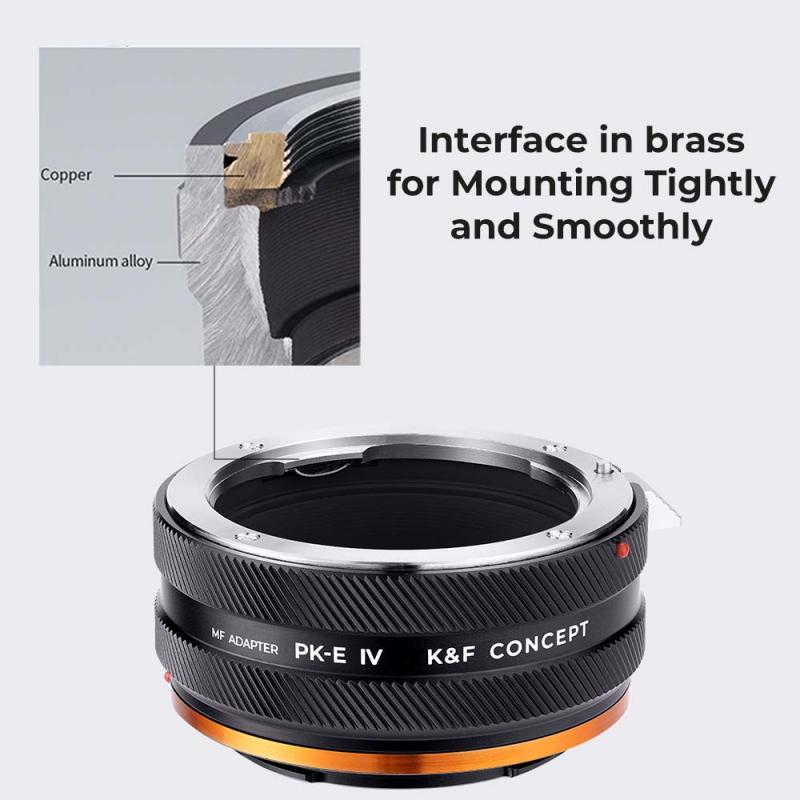
Inserting the film roll into the Pentax K1000

2、 Advancing the film and setting the frame counter

To load a Pentax K1000, follow these steps:

1. Open the back of the camera by pulling up on the rewind knob located on the left side of the camera body. This will release the latch and allow you to open the back.

2. Take the film cassette and insert it into the film chamber on the right side of the camera. Make sure the film leader is aligned with the take-up spool.

3. Pull out the film leader and insert it into the slot on the take-up spool. Rotate the spool slightly to ensure the film is securely attached.

4. Close the back of the camera and gently wind the film advance lever until it stops. This will engage the film onto the take-up spool.

5. Look through the viewfinder and advance the film by pressing the shutter release button. This will move the film to the first frame and set the frame counter to "1".

6. Continue advancing the film after each shot by winding the film advance lever until it stops. The frame counter will increment with each advance, indicating the number of shots taken.

It's worth noting that the Pentax K1000 is a fully manual camera, meaning it does not have any automatic features. This makes it a popular choice for photographers who want to learn the fundamentals of photography. Additionally, the K1000 uses 35mm film, which is widely available and can be developed at most photo labs.
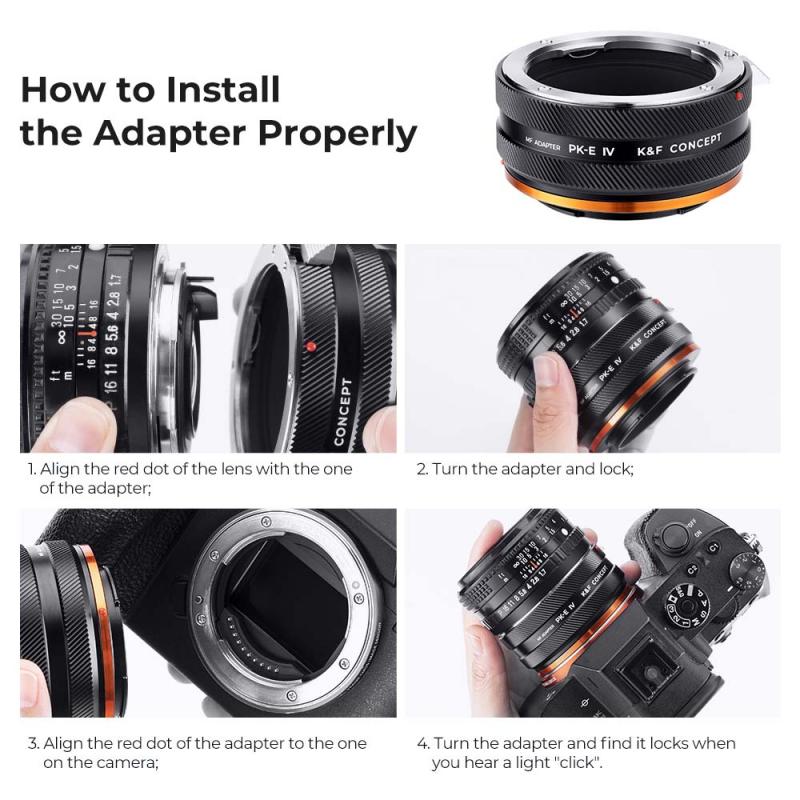
Advancing the film and setting the frame counter

3、 Loading the film onto the take-up spool

Loading the film onto the take-up spool is a crucial step in using the Pentax K1000 camera. Here is a step-by-step guide on how to load film into the camera:

1. Start by opening the back of the camera. To do this, locate the film rewind knob on the left side of the camera and rotate it counterclockwise until the back pops open.

2. Take the film cassette and insert it into the film chamber on the right side of the camera. Make sure the film leader is facing towards the take-up spool.

3. Pull out the film leader and insert it into one of the slots on the take-up spool. Rotate the spool slightly to ensure the film is securely attached.

4. Close the back of the camera and advance the film by turning the film advance lever clockwise until it stops. This will help to ensure that the film is properly engaged with the take-up spool.

5. Continue advancing the film until the frame counter on the top of the camera reads "1". This indicates that the first frame is ready to be exposed.

It is important to note that the Pentax K1000 is a manual film camera, meaning it does not have automatic film loading or rewinding capabilities. Therefore, it is crucial to follow these steps carefully to avoid any issues with film loading.

In today's digital age, film photography has become less common, but it still holds a special place for many photographers. The Pentax K1000, known for its simplicity and reliability, remains a popular choice for those who appreciate the art of film photography.
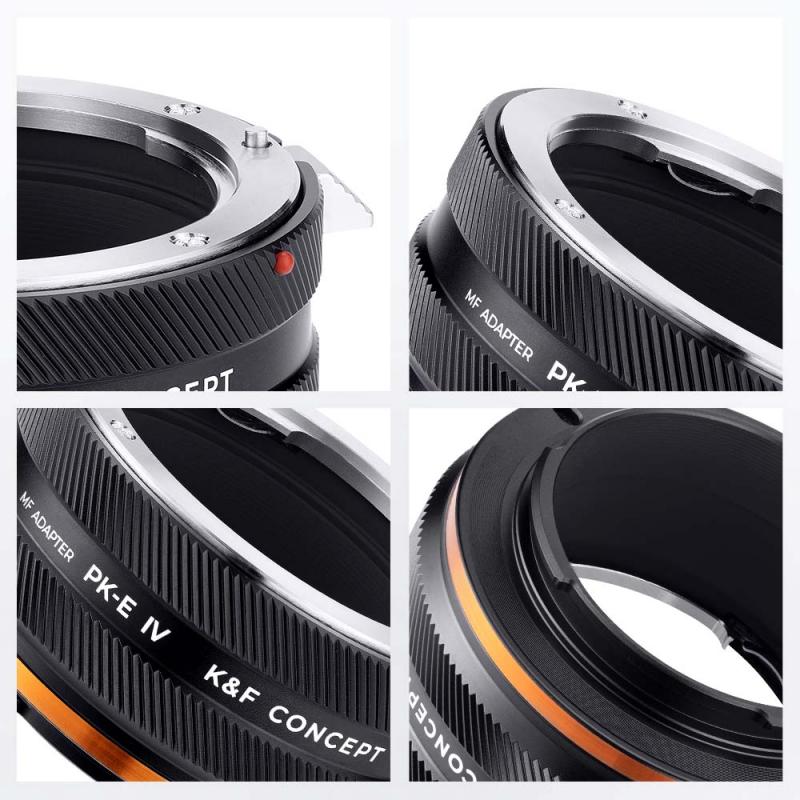
Loading the film onto the take-up spool

4、 Closing the camera back and ensuring proper engagement

To load a Pentax K1000 camera, you need to follow a few steps. The first step is to ensure that you have a roll of 35mm film ready for loading. Once you have the film, open the camera back by pulling up the rewind knob located on the left side of the camera. This will release the back and allow you to open it.

Next, take the film cassette and insert it into the left side of the camera, making sure that the film leader is facing towards the right side. Gently push the cassette into the film chamber until you hear a click, indicating that it is securely in place.

Now, pull out a small portion of the film leader and carefully thread it through the slot located on the right side of the camera. Make sure the film is properly engaged with the take-up spool by turning the advance lever clockwise until it stops. This will ensure that the film is securely attached to the spool.

After that, close the camera back by pressing it down firmly until it clicks into place. To advance the film to the first frame, turn the advance lever clockwise until it stops. You are now ready to start capturing images with your Pentax K1000.

It is worth mentioning that the Pentax K1000 is a classic manual film camera that has been widely used by photographers for many years. While digital cameras have become more popular in recent times, there is still a significant interest in film photography. The Pentax K1000 offers a simple and reliable option for those who enjoy the traditional process of shooting with film.
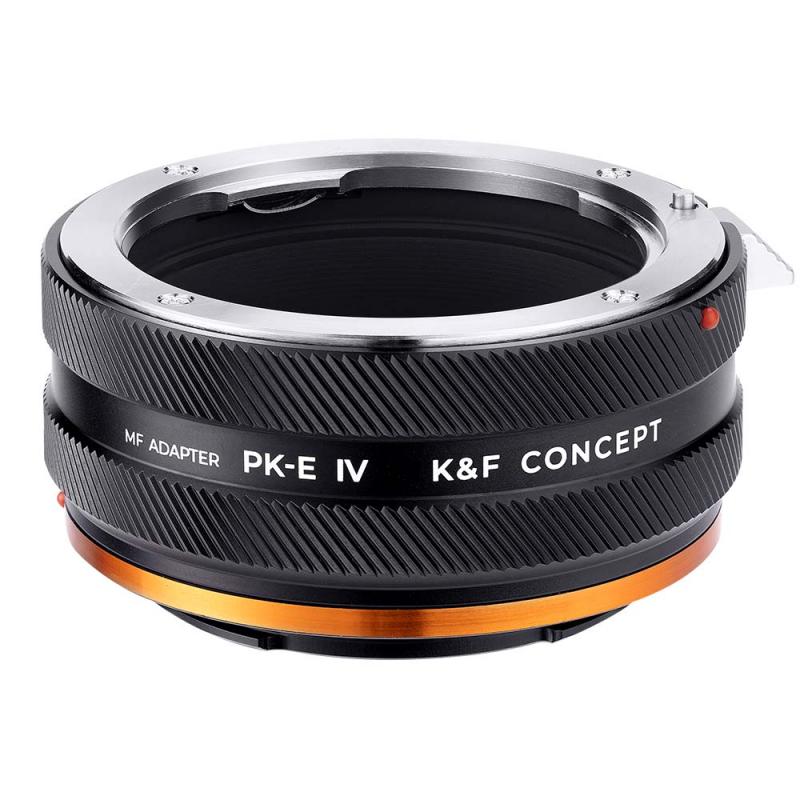
Closing the camera back and ensuring proper engagement

Leave your comment
Cancel reply
Note: HTML is not translated!
Related products
Pentax K Lenses to C Mount Camera Adapter
60
£33.40
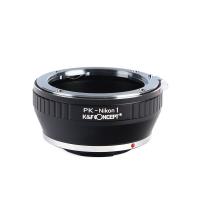
Pentax K Lenses to Nikon 1 Camera Mount Adapter
78
£35.99 £26.60
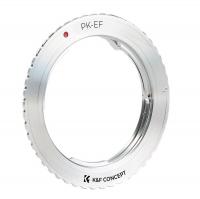
Pentax K Lenses to Canon EOS Camera Mount Adapter
62
£37.99 £26.90
Pentax K Lenses to Leica M Camera Mount Adapter
50
£38.10
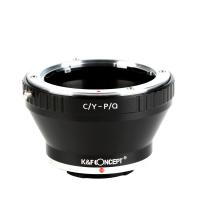
Contax Yashica Lenses to Pentax Q Mount Camera Adapter
66
£32.99 £23.99
Canon FD Lenses to Pentax Q Mount Camera Adapter
51
£31.99 £22.99
M42 Screw Lenses to Pentax K Camera Mount Adapter
64
£25.99 £18.20
Minolta MD Lenses to Pentax Q Mount Camera Adapter
52
£31.99 £22.99
Nikon F Lenses to Pentax Q Camera Mount Adapter
52
£31.99 £22.99
Pentax K Lenses to Fuji GFX Mount Camera Adapter
54
£39.99
Guess you like products
62-82mm Brass Filter Adapter Ring, Step-Up Ring Compatible with All 62mm & 82mm Camera Lens
10
£39.00 £22.99
49mm UV Lens Filter - 28 Multi-Layer Coatings HD MCUV Scratch-Resistant Ultraviolet Protection Filters for DSLR Camera Lens Nano-Xcel series
50
£28.99 £22.99
Leica M Lenses to Nikon Z Mount Camera Adapter
63
£55.99 £44.99
OBSBOT 4K 60 FPS Webcam for PC with 1/2" Sensor AI Framing & Autofocus Dual Mics Beauty Mode
£174.99 £139.99
58mm ND64 Lens Filter Weather-Sealed Scratch-resistant and Anti-reflection XN55 Nano-Xcel Series
40
£48.99 £29.99
72mm Ultra-low Reflection UV Filter with 28 Multi-Layer Coatings Nano-Xcel Series
26
£31.96 £29.99
4K 64MP Digital Camera Dual Screen Selfie, 18X Zoom, 32GB Card & 2 Batteries for Beginners YouTube Vlog, Kentfaith
117
£87.49 £69.99
ND8 (3 stop) Lens Filter Neutral Density with 28-layer Coating Compatible with DJI Osmo Action 4, Osmo Action 5 Pro
6
£25.99 £19.99
K&F Concept 36 Slots SD Micro SD Memory Card Case, Water-Resistant SD Card Holder, Anti-Shock Card Carrying Storage Box for 24 Micro SD SDXC SDHC TF Cards and 12 SD SDXC SDHC Cards
37
£12.42 £9.99
67mm Black Mist Filter 1/4, high definition, waterproof anti-reflection green film, Nano-Dazzle Series
10
£80.99 £49.99
Related articles
How To Load Vhsc To Camcorder ?
How To Change Olympus Mount Fir Pentax ?
What Cameras Use Pentax K Mount ?
Can I Use Pentax Lenses On Nikon ?
Which New Pentax Dslr Fit K Mount Lens ?
Which T Mount For Pentax Cameras And Telescope ?
Can U Still Buy Non Digital Cameras ?
Which Binoculars Are Made In Japan ?
Which Lens Mount Do 35mm Take ?
Can Ip Camera Work On Wifi ?
Guess you like articles
Which Is Better 10x50 Or 12x50 Binoculars ?
What Are The Tripods ?
How Are Laser Rangefinder Slope Adjustments Calculated ?
How To Protect Iphone Camera Without Case ?
Where Can I Buy A Tape Recorder?
How To Get Wifi For 2 Cameras?
Which Camera Messenger Bag ?
What Is Time Lapse On A Game Camera ?
What Is The Best Lapel Mic To Buy ?
Digital Camera Using Batteries When Turned Off?
Related categories
lens adapter for Pentax K mount​ Pentax Q lens adapter​ Sony E mount adapter variable ND and CPL filter​ Fuji GFX Lens Mount​ wireless floodlight camera​ camera filter adapter rings square filter holder system​ ND2-ND400 Filter variable neutral density filter
Popular products
pentax k mount adapter nikon 1 mount adapter canon camera mount pentax camera mount pentax k to leica m mount adapter​ pentax q mount adapter pentax to canon mount adapter​ minolta md adapter nikon camera tripod mount Pentax k mount to fuji x adapter​
Related searches
Pentax To E Mount Pentax To Mft Adapter Pentax To M42 Adapter Pentax To Gfx Adapter Canon To Pentax Lens Adapter Pentax To Canon Ef Adapter Pentax K To E Mount Pentax To Sony E Mount Pentax To Olympus Lens Adapter Pentax To Nikon F Adapter
Blog Category
  • Camera Reviews
  • News & Reviews
    • News
  • Tutorials
    • Animal Photography
    • Food Photography
  • Inspiration
    • Travel
    • Travel Stories
    • Photography Tricks
Search Article
Latest from the Blog
Where Can You Use a Metal Detector?
Can Wifi Camera Work Without Internet?
What Are Uv Lens Filters For?
What Does Led Light Stand For?
Can I Point An Indoor Security Camera Outside?
How Deep Can Metal Detectors Detect Gold?
How to Attach a Camera Strap: A Step-by-Step Guide for Every Photographer
What Games Are On The Retro Handheld Console?
Can Metal Detectors Find Phones?
Black Friday Offers by Kentfaith
Powered By K&F Concept © 2025