kfconcept

K&F Concept UK
K&F Concept United Kingdom    Blog >

Enjoy Your Selected Digital Life

Recently Viewed
  • Recently Viewed
  • Recently Viewed list is empty.

Compare (0) 0
  • Compare
  • You have not chosen any products to compare.

  • Compare
Currency: GBP
  • Currency

Log Into Your Account

Account

Order History

Wish List

Login

Forgotten Password?

Or connect with

Register Account

Already have an Account?Log In

  • Shopping Cart
  • Your shopping cart is empty!

  • Register/Login to purchase, earn points
  • Favorite
  • Your wish list is empty.

  • Register/Login to like, earn points
  • Tripods
    • Aluminum Tripods
    • Carbon Fiber Tripods
    • Travel Tripods
    • Video Tripods
    • Monopods
    • Lightweight Tripods
    • Mini Tripod
    • Tripod Accessories
    • Gimbal Stabilizers
    • Tripod Head
    • Tripod Kit
    • Action Camera Mounts
    • Phone Tripods
    • Studio Parts
      • Camera Flash
      • Photography Fill Light
      • Ring light
      • Soft Box
      • Tripod Light Stands
      • Reflectors
    • Clearance Tripods
  • Lens Filters
    • UV Filters
      • Nano-Xcel Series
        • MCUV
        • Ultra-low Reflectivity MCUV Filters
        • MCUV Super Hard
        • Explosion-proof MCUV - Nano-Xcel
        • MCUV+Lens Cap+Cleaning Cloth
        • Super Hard&Ultra Low Reflection MCUV Filters - Nano-Xcel
        • MCUV - Magnetic Series
      • Nano-Dazzle Series
        • MCUV
        • MCUV+Lens Cap+Cleaning Cloth
      • Nano-Klear Series
        • MCUV
        • Ultra Thin Frame MCUV Filters
        • MCUV+Lens Cap+Cleaning Cloth
      • Nano-Xcel Pro Series
        • MCUV
    • CPL Filters
      • Nano-Xcel Series
        • CPL
        • CPL True Color
        • Ultra-low Reflectivity CPL
        • CPL+Lens Cap+Cleaning Cloth
        • Magnetic CPL
          • Magnetic CPL + Apater ring + Cap - Nano-X
        • True Color Ultra-low Reflectivity CPL - Nano-Xcel
      • Nano-Dazzle Series
        • CPL
        • CPL+Lens Cap+Cleaning Cloth - Nano-Dazzle
      • Nano-Klear Series
        • CPL
        • Ultra Thin Frame CPL Filters
        • CPL+Lens Cap+Cleaning Cloth
        • CPL+Lens Cap - Nano-Klear
      • Nano-Xcel Pro Series
        • CPL
    • Neutral Density Filters
      • Neutral Density (Solid) Filters
        • ND8 (3 stops) - Nano-Xcel Series
        • ND64 (6 stops) - Nano-Xcel Series
        • ND1000 (10 stops) - Nano-Xcel Series
        • ND100000 (16.6 stops) - Nano-Xcel Series
        • ND1000000 (20 stops) - Nano-Xcel Series
        • ND100000 (16.6 stops) - Nano-Klear Series
        • ND1000000 (20 stops) - Nano-Klear Series
        • Solid ND - Magnetic Series
      • Graduated Neutral Density
        • 100mm GND Filter
          • Soft GND8 Filters - Nano-Xcel Series
          • Hard GND8 Filters - Nano-Xcel Series
          • Reverse GND8 Filters - Nano-Xcel Series
          • Soft GND16 Filters - Nano-Xcel Series
          • Reverse GND16 Filters - Nano-Xcel Series
          • Soft GND8 Filters - Nano-Xcel Pro Series
          • Hard GND8 Filters - Nano-Xcel Pro Series
          • Reverse GND8 Filters - Nano-Xcel Pro Series
          • Soft GND16 Filters - Nano-Xcel Pro Series
          • Reverse GND16 Filters - Nano-Xcel Pro Series
        • Circular GND Filter
          • GND8
          • GND16
      • 2 in 1 Filters
        • ND2-ND32&CPL Filters - Nano-Xcel Series
        • ND2-ND32&CPL Filters - Nano Dazzle Series
        • ND2-32&CPL Filters - Nano-Klear Series
        • ND2-ND32&CPL Filter - Nano-X Pro
        • ND2-ND32&CPL True Color Filters - Nano-Xcel Series
        • ND4-ND64&CPL Filter
      • 3 in 1 Filters
        • ND2-32&CPL&Black Mist 1/4 Filters - Nano-Xcel Series
        • ND2-32&CPL&Black Mist 1/4 Filters - Nano-Klear Series
      • Variable Neutral Density
        • Nano-Xcel Series
          • ND2-ND32 - Nano-Xcel
          • ND2-ND32 True Color - Nano-Xcel
          • ND2-ND400 - Nano-Xcel
          • ND8-ND128 - Nano-Xcel
          • ND32-ND512 - Nano-Xcel
          • ND3-ND1000 - Nano-Xcel
          • ND2-32 True Color Ultra-Low Reflection - Nano-Xcel
          • ND2-400 Ultra-Low Reflection - Nano-Xcel
        • Nano-Dazzle Series
          • ND2-ND32 - Nano-Dazzle
          • ND2-ND400 - Nano-Dazzle
          • ND3-ND1000 - Nano-Dazzle
          • ND8-ND2000 - Nano-Dazzle
        • Nano-Klear Series
          • ND2-ND32 - Nano-Klear
          • ND2-ND400 - Nano-Klear
          • ND2-ND2000 - Nano-Klear
          • True Color ND2-ND400 - Nano-Klear
        • Nano-Xcel Pro Series
          • ND2-ND32 - Nano-Xcel Pro
        • Nano-B Series
          • ND2-ND400 - Nano-B
    • Black Mist & Soft Focus Filters
      • Black Mist Filters
        • Black Mist 1/8
          • Black Mist 1/8 - Nano-Xcel Series
          • Black Mist 1/8 - Nano-Dazzle Series
          • Black Mist 1/8 - Nano-Klear Series
          • Black Mist 1/8 - Nano-Xcel Pro Series
          • Black Mist 1/8+Lens Cap+Cleaning Cloth - Nano-Klear Series
        • Black Mist 1/4
          • Black Mist 1/4 - Nano-Xcel Series
          • Black Mist 1/4 - Nano-Dazzle Series
          • Black Mist 1/4 - Nano-Klear Series
          • Black Mist 1/4 - Nano-Xcel Pro Series
          • Black Mist 1/4+Lens Cap+Cleaning Cloth - Nano-Klear Series
        • Black Mist 1/2
          • Black Mist 1/2 - Nano-Xcel Series
          • Black Mist 1/2 - Nano-Klear Series
        • Black Mist 1
          • Black Mist 1 - Nano-Xcel Series
          • Black Mist 1 - Nano-Klear Series
        • Black Mist Kit
          • Black Mist 1/4 + 1/8 Nano Xcel Series
          • Black Mist 1/4 + 1/8 - Nano Klear Series
          • Black Mist 1/4 + CPL - Nano Klear Series
        • Black Mist & CPL
          • Black Mist 1/4&CPL - Nano-Klear Series
        • Black-Mist & VND
          • Black Mist 1/4 & ND2-32 Filters - Nano-Klear Series
          • Black Mist 1/4 & ND2-400 Filters - Nano-Xcel Series
          • Black Mist 1/4 & ND2-32 Filters - Nano-Xcel Series
          • Black Mist 1/8 & ND2-32 Filters - Nano-Klear Series
          • Black Mist 1/4 & ND2-400 Filters - Nano-Klear Series
      • White Mist Filters
        • White Mist 1/4 - Nano-Xcel Series
        • White Mist 1/4 - Nano-Klear Series
      • Shimmer Diffusion
        • Shimmer Diffusion 1 - Nano-Xcel Series
        • Shimmer Diffusion 1 - Nano-Klear Series
    • Light Pollution Cut Filter
      • Light Pollution Cut Filter - Circular
      • Light Pollution Cut Filter - Square
    • Magnetic Lens Filters
      • MCUV Filters
        • Magnetic MCUV - Nano-Klear Series
        • Magnetic MCUV+Lens Caps - Nano-Xcel Series
      • CPL Filters
        • Magnetic CPL + Adapter Ring
        • Magnetic CPL+Adapter Ring - Nano-Klear Series
      • Black-Mist
        • Black Mist 1/8 Filters - Nano-Xcel Series
        • Black Mist 1/4 Filters - Nano-Xcel Series
      • Neutral Density (Solid) Filter
        • Magnetic ND8 - Nano-Xcel Series
        • Magnetic ND64 - Nano-Xcel Series
        • Magnetic ND1000 - Nano-Xcel Series
      • Unlimited Variable ND Filter
        • Magnetic ND2-ND32 - Nano-Xcel Series
        • Magnetic ND8-ND128 Filters - Nano-Xcel Series
      • Accessories
        • Magnetic Adapter Ring
        • Magnetic Filter Ring
        • Magnetic Cap
      • Kits
        • MCUV+CPL+ND1000+Adapter Ring - Nano-Xcel Series
        • CPL+ND8+ND64+Adapter Ring+Lens Cap - Nano-Xcel Series
        • GND8+ND8+ND64+ND1000+Adapter Ring - Nano-Xcel Series
        • CPL+VND2-32+Black Mist 1/4+Magnetic Ring+Lens Cap - Nano-Xcel Series
    • Square Filter System
      • Basic System
        • Square ND Filters
          • ND4 Filters - Nano-Xcel Series
          • ND16 Filters - Nano-Xcel Series
          • ND1000 Filters - Nano-Xcel Series
          • ND2000 Filters - Nano-Xcel Series
          • ND32000 Filters - Nano-Xcel Series
          • Full Color ND8 Filters - Nano-Xcel Series
          • Full Color ND64 Filters - Nano-Xcel Series
        • Square GND Filters
        • Light Pollution Cut Filter
          • Light Pollution Cut Filter - Nano-Xcel Series
        • Square Black Mist Filters
          • Square Black Mist 1 - Nano-Xcel Series
          • Square Black Mist 1/4 - Nano-Xcel Series
          • Square Black Mist 1/8 - Nano-Xcel Series
        • Brackets and Accessories
          • Adapter Ring - Nano-Xcel Series
        • Kits
          • 100mm Square Filter System - Nano-Xcel Series
          • 100mm ND1000+Holder Kit - Nano-Xcel Series
          • 100mm ND1000+Soft GND8+Holder Kit - Nano-Xcel Series
          • 100mm Soft GND8+Holder Kit - Nano-Xcel Series
      • Professional System
        • ND
          • Full Color ND8 Filters - Nano-Xcel Pro Series
          • Full Color ND64 Filters - Nano-Xcel Pro Series
          • Full Color ND1000 Filters - Nano-Xcel Pro Series
        • GND
        • PL
        • Black Mist 1/4&CPL - Nano-Xcel Pro Series
        • Light Pollution Cut Filter
          • Light Pollution Cut Filter - Nano-Xcel Pro Series
        • Kits
          • 100mm ND1000+Holder Kit - Nano-Xcel Pro Series
          • 100mm ND1000+Soft GND8+Holder Kit - Nano-Xcel Pro Series
          • 100mm ND8+ND64+ND1000+Holder Kit - Nano-Xcel Pro Series
          • 100mm Holder Kit - Nano-Xcel Pro Series
        • Brackets and Accessories
          • 100x100mm Square Filter Protect Frame - Nano-Xcel Pro Series
          • 100x150mm Square Filter Protect Frame - Nano-Xcel Pro Series
          • Adapter Ring - Nano-Xcel Pro Series
    • Drone Filter
      • DJI Air 3S
      • DJI Avata2
      • DJI Flip
      • DJI Mavic 3 Pro
      • DJI NEO
      • DJI Mini 1/2/SE
      • DJI Mini 4 Pro Filters
      • DJI Mavic 3
      • DJI Mini 3 PRO
      • DJI Avata
      • DJI Mavic 4 Pro
      • DJI Mini 5 Pro
      • DJI Air 2S
    • Effects Filters
      • Prism Filters
        • Central Prism Filters
          • Central Pentagonal Filters - Nano-Basic Series
          • Central Hexagonal Filters - Nano-Basic Series
        • Ordinary Prism Filters
          • Triangular Filtres - Nano-Basic Series
        • Single Linear Prisms
      • Streak Filters
        • Blue Streak Filters - Nano-Xcel Series
        • Gold Streak Filters - Nano-Xcel Series
        • Colorful Streak Filters - Nano-B Series
        • Blue Streak Filters - Nano-Klear Series
      • Star Filter
        • Star Filters 4-8 Points - Nano-Klear Series
        • Star Filter Kits 4+6+8 Points - Nano-Klear Series
        • 4-Point Fine-Line Star Filters - Nano-Klear Series
        • 6-Point Fine-Line Star Filters - Nano-Klear Series
      • Kaleidoscope Filters
        • Kaleidoscope Filters - Nano-Basic Series
        • Handheld Kaleidoscope Filters - Nano-B Series
      • Motion Blur Filters
        • Directional Motion Blur - Nano-Basic Series
        • Bidirectional Motion Blur - Nano-Basic Series
        • Handheld Motion Blur Filters - Nano-Basic Series
      • Spiral Filters
        • Spiral Halo Filters - Nano-B Series
        • Handheld Spiral Filters - Nano-Basic Series
      • Diopter Filters
        • Centerfield Split Diopter Filters - Nano-Basic Series
        • Handheld Diopter Filters - Nano-Basic Series
    • Filter Accessories
      • Lens Hoods
      • Rings Kits
        • Step Up Rings
        • Step Down Rings
      • Filter Holders & Frames
      • Filter Holder Adapter Rings
        • Filter Adapter Rings
      • Filter Pouches
      • Lens Caps
        • Caps for Magnetic Filters
        • Caps for Variable ND Filters
        • Anti-lost Lens Cap
          • 4 in 1
          • 5 in 1
          • 9 in 1
      • Polarized Film
    • Filter Kit
      • Black Diffusion 1/4 + 1/8
      • Screw-In Filters
        • MCUV+CPL Filter - Nano-Klear Series
        • MCUV+CPL+Lens Cap - Nano-Klear Series
        • MCUV+CPL+Metal Lens Cap - Nano-Xcel Series
        • MCUV+CPL+ND1000+Lens Cap - Nano-Dazzle Series
        • MCUV+CPL+ND2-400 - Nano-Klear Series
        • ND8+ND64+ND1000 - Nano-Dazzle Series
        • MCUV+CPL+ND4 - Nano-Klear Series
        • ND1000+CPL - Nano-Klear Series
        • ND4+ND8+ND64+ND1000 - Nano-Xcel Series
        • MCUV+CPL
      • Magnetic Filters
      • Square Filters
    • Action Camera Filters
      • DJI Osmo Action 4 / Action 5 Pro
      • DJI Osmo Action 6
      • DJI Osmo Nano
      • DJI Osmo Pocket 3
      • GoPro HERO 4K
      • GOPRO Hero 9/10/11/12/13 Filters
      • Insta360 Ace pro 2
      • Insta360 Go Ultra
      • Insta360 GO3
      • Insta360 GO3S
      • Action Camera Accessories
        • DJI Osmo Action 3/4/5 Pro
        • Head Strap & Chest Mount
        • Insta360 X5
        • Magnetic Neck Mount
        • DJI Osmo 360
        • DJI Osmo Pocket 3 Charging Base
        • DJI Osmo Pocket 3
    • Phone Lens Filters
    • Matte Box & Filter Systems
      • Neutral Density (Solid) Filters
        • ND4 - Nano-Xcel Series
        • ND8 - Nano-Xcel Series
        • ND16 - Nano-Xcel Series
        • ND32 - Nano-Xcel Series
        • ND64 - Nano-Xcel Series
        • ND8+ND64 - Nano-Xcel Series
      • UV Filters
      • Black Mist Filters
        • Black Mist 1/4 - Nano-Xcel Series
        • Black Mist 1/8 - Nano-Xcel Series
      • Blue Streak Filters
      • Accessories
      • Kits
        • Matte Box - Nano-Xcel Series
        • Matte Box Pro - Nano-Xcel Series
        • Matte Box+ND8 Square Filter - Nano-Xcel Series
        • Matte Box+ND4+ND32 Square Filter - Nano-Xcel Series
        • Matte Box+Black Mist 1/4 Square Filter - Nano-Xcel Series
    • Brand-specific Filters
      • Fujifilm X100
      • Ricoh GR
  • Lens Adapters
    • PL Mount Lenses
    • A Mount Body(Sony/Minolta)
    • Fujifilm X Mount Body
    • Fujifilm G (GFX) Mount Body
    • C-Mount Body
    • Leica M Mount Body
    • MFT(M4/3) Mount Body
    • Pentax K Mount Body
    • Pentax Q Mount Body
    • Samsung NX Mount Body
    • Nikon F Mount Body
    • Nikon 1 Mount Body
    • Nikon Z Mount Body
    • Canon EOS EF/EF-S Mount Body
    • Canon EOS M Mount Body
    • Canon RF Mount Body
    • Sony E Mount Body
    • L-Mount Alliance (Leica)
  • Camera
    • Digital Camera & Camcorders
      • Digital Cameras & Camcorders
      • Underwater Cameras
      • Action Cameras
      • Kids’ Cameras
      • Time lapse camera
    • Wildlife Camera
      • Wifi Trail Cameras
      • Non-Cellular Trail Cameras
      • Accessories
      • Cellular Trail Cameras
    • Surveillance Cameras
      • 4G Camera
      • Battery Camera
      • Baby Monitor
      • WiFi Camera
      • Feeder Camera
      • Floodlight camera
      • Monitoring Detector
    • Camera Lenses
    • On-Dash Camera
    • Fishing camera
    • Memory Cards
      • Micro SD Card
      • SD Card
    • Camera Accessories
      • Camera Caps
      • Camera Screen Protectors
        • Canon
        • Sony
        • Fujifilm
        • Nikon
        • Olympus
        • Ricoh
        • GoPro
        • DJI Osmo Pocket 3
      • Camera Hot Shoe Covers
      • Camera Viewfinder Eyecups
        • Nikon
        • Sony
        • Canon
      • Adjustment Iris
  • Camera Bags
    • Camera Backpacks
    • Camera Shoulder Bags
    • Camera Cases
    • Digital Storage Bag
    • Lens Cases
    • Camera Straps
    • Backpack Accessories
  • Camera Battery
    • Sony
    • Canon
    • Nikon
    • FUJIFILM
    • Ricoh
    • Gopro
    • Osmo Action
    • Lumix
    • V Mount Battery
    • Memory Card Case
  • Optics
    • Microscope
      • Optical Microscope
      • Digital Microscope
      • Kids' Microscopes
    • Binoculars
    • Monocular
    • Telescope
    • Night Vision Goggles
    • Rangefinder
  • Endoscope
    • Professional Endoscope
    • Household Endoscope
    • Portable Endoscope
    • Otoscope/Oral Endoscope
  • More
    • Cleaning Kits
    • Digital Voice Recorders
    • Language Translator Device
    • Smart Glasses
    • Metal Detectors
    • Light
      • Video fill light
      • Live Ring Light
      • Outdoor Lighting
    • Motorcycle Bluetooth Headset
    • Laser Engraver Machine
    • Headphones
    • Weather Station & Household Sensors
    • Microphone
    • Drone Accessories
      • DJI Air 2S Accessories
      • DJI Air 3 Accessories
      • DJI Avata Accessories
      • DJI Drone Universal Accessories
      • DJI Mavic Mini 2/Mini 2 SE/Mini Accessories
      • DJI Mavic Mini 3 Accessories
      • DJI Mini 3 Pro Accessories
    • Smart Watch
    • Smart lock
    • Studio
    • Solar Panels
  • Deals
    • Specials
    • Coupon
    • New Arrivals
  • Home
  • Blog
  • How To Safely Use A Microscope ?

How To Safely Use A Microscope ?

K&f concept 2023-09-20 10:03:25 0 Comments

To safely use a microscope, it is important to follow certain guidelines. Firstly, ensure that the microscope is placed on a stable surface to prevent any accidental falls or damage. When handling the microscope, use both hands to hold it firmly and avoid any sudden movements. Adjust the focus knobs slowly and gently to avoid damaging the specimen or the microscope lens.

When placing a slide on the microscope stage, make sure it is clean and free from any debris. Use the lowest magnification objective lens first and gradually increase the magnification as needed. Avoid touching the lens with your fingers and use lens paper or a soft cloth to clean it if necessary.

To prevent eye strain, adjust the lighting of the microscope to a comfortable level. Additionally, it is important to keep the microscope clean by wiping it with a soft cloth after each use and storing it in a dust-free environment.

Lastly, always follow any specific instructions provided by the manufacturer and consult the microscope's user manual for any additional safety precautions.

1、 Proper handling and care of the microscope

Proper handling and care of the microscope is essential to ensure its longevity and accurate results. Here are some guidelines on how to safely use a microscope:

1. Setting up the microscope: Start by placing the microscope on a stable surface, ensuring it is level. Adjust the light source to provide adequate illumination for your specimen. Use the coarse adjustment knob to lower the stage to its lowest position.

2. Slide preparation: Clean your slides thoroughly to remove any dust or debris. Place your specimen on the slide and add a drop of mounting medium if necessary. Gently lower a coverslip onto the specimen, avoiding any air bubbles.

3. Focusing: Begin with the lowest magnification objective lens. Use the coarse adjustment knob to bring the specimen into rough focus, then use the fine adjustment knob for precise focusing. Avoid forcing the focus knobs, as this can damage the microscope.

4. Changing magnification: To switch to a higher magnification, rotate the nosepiece to select the desired objective lens. Refocus using the fine adjustment knob.

5. Proper lighting: Adjust the light intensity to avoid overexposure or underexposure of the specimen. Use the diaphragm to control the amount of light passing through the specimen.

6. Cleaning and storage: After use, turn off the light source and unplug the microscope. Clean the lenses with lens paper or a soft cloth, using a gentle circular motion. Store the microscope in a clean, dust-free environment, preferably in a protective case.

It is important to note that with the ongoing COVID-19 pandemic, additional precautions should be taken. Disinfect the microscope before and after each use, paying extra attention to high-touch areas such as the focus knobs and stage controls. Wash your hands thoroughly before and after using the microscope, or use hand sanitizer if soap and water are not readily available.

By following these guidelines and adapting to the latest safety recommendations, you can ensure the safe and effective use of a microscope while maintaining its optimal performance.
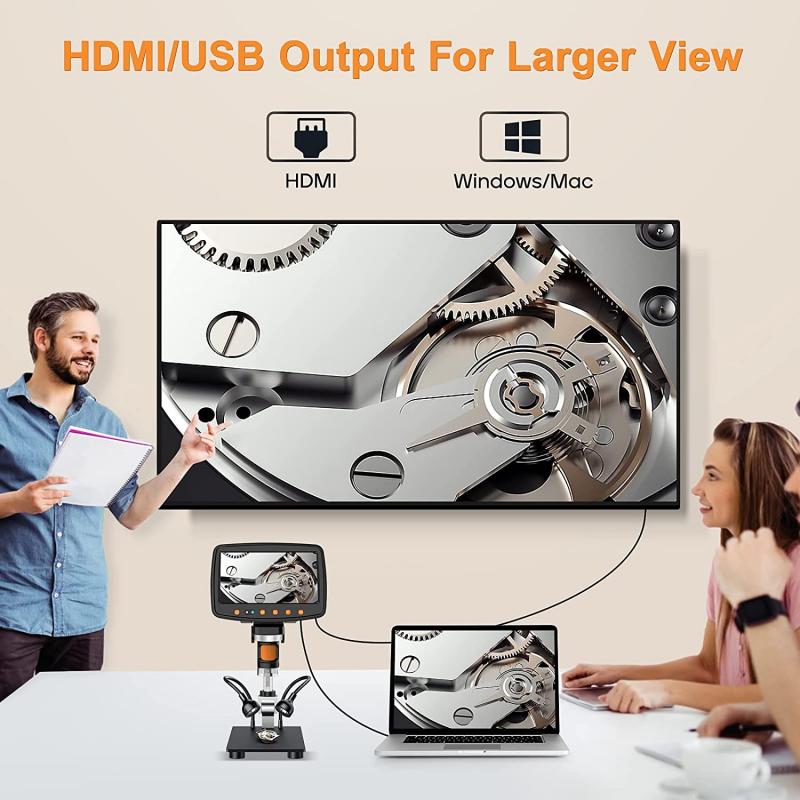
Proper handling and care of the microscope

2、 Adjusting the focus and magnification settings correctly

How to safely use a microscope:

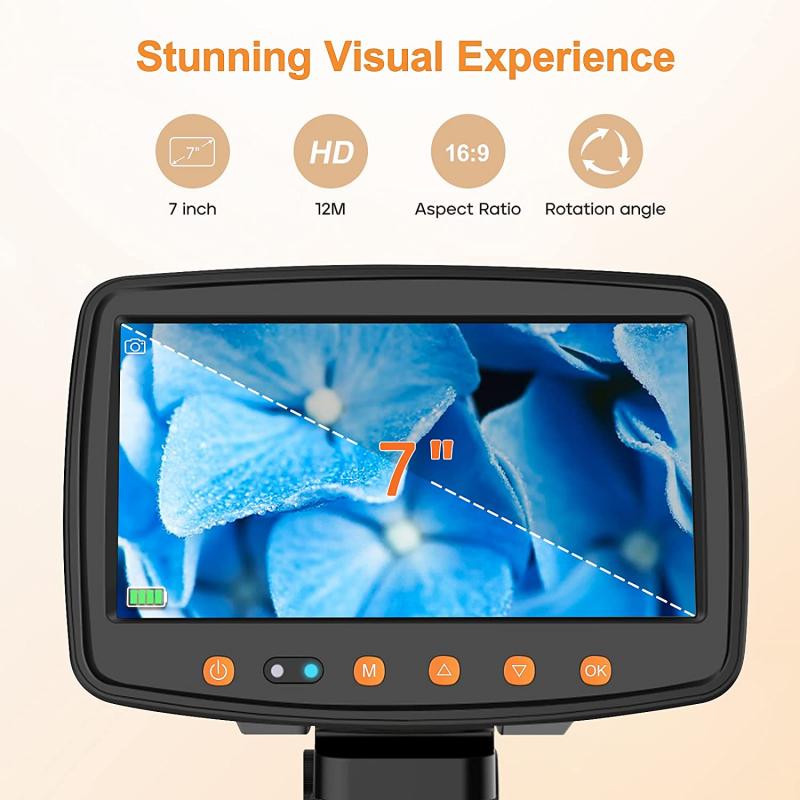
1. Adjusting the focus and magnification settings correctly: Before using a microscope, it is important to adjust the focus and magnification settings correctly. Start by placing a slide on the stage and securing it with the stage clips. Use the coarse adjustment knob to bring the slide into focus at the lowest magnification. Once the image is clear, use the fine adjustment knob to further refine the focus. Gradually increase the magnification by rotating the objective lenses, ensuring that the image remains in focus at each level.

It is crucial to follow safety guidelines while using a microscope to protect both yourself and the equipment. Here are some additional points to consider:

2. Proper handling: Always handle the microscope with care, using both hands to support it. Avoid placing excessive pressure on the stage or the lenses, as this can damage the delicate components.

3. Cleanliness: Keep the microscope clean by using lens paper or a soft cloth to wipe the lenses. Avoid using harsh chemicals or abrasive materials that could scratch the lenses. Additionally, ensure that your hands are clean and dry before handling the microscope to prevent smudges or contamination.

4. Light source: If using a microscope with a light source, be cautious when adjusting the brightness. Start with a low intensity and gradually increase it to avoid damaging your eyes or overheating the specimen.

5. Storage: When not in use, store the microscope in a clean and dry environment. Cover it with a dust cover to protect it from dust and other contaminants.

Remember, always refer to the manufacturer's instructions and guidelines specific to your microscope model for the safest and most accurate usage.
Adjusting the focus and magnification settings correctly

3、 Using appropriate lighting techniques for optimal viewing

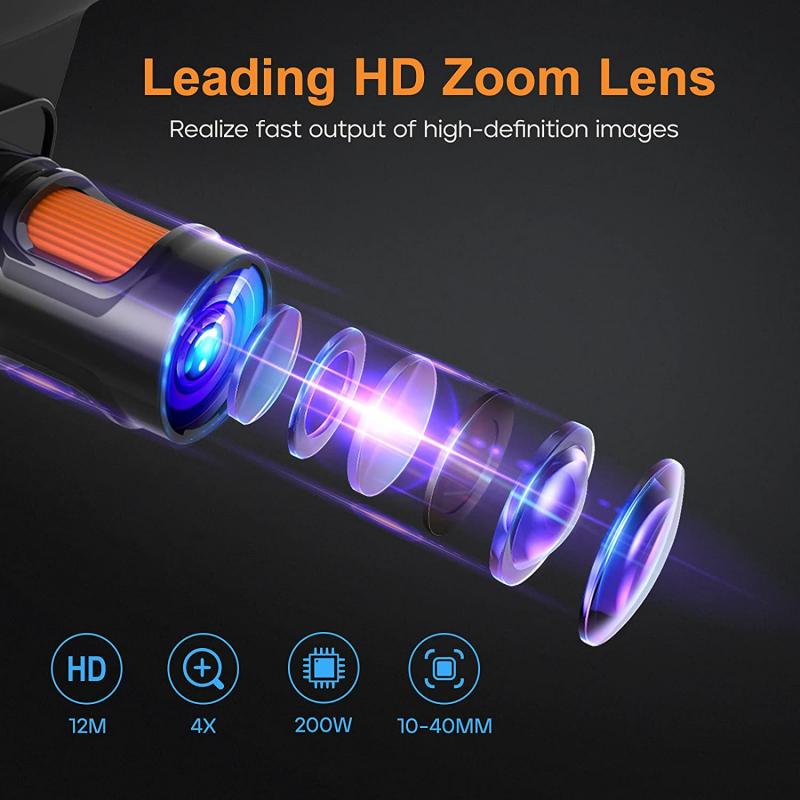
Using appropriate lighting techniques for optimal viewing is an essential aspect of safely using a microscope. Proper lighting not only ensures clear and accurate observations but also helps prevent eye strain and potential damage to the microscope and specimens. Here are some guidelines to follow when using a microscope:

1. Adjust the light intensity: Begin by setting the light intensity to a low level and gradually increase it until the specimen is adequately illuminated. Avoid using excessive light as it can cause glare and distort the image.

2. Use the correct light source: Microscopes typically have two types of light sources - transmitted and reflected. Transmitted light is used for transparent or translucent specimens, while reflected light is suitable for opaque objects. Select the appropriate light source based on the nature of your specimen.

3. Position the light source correctly: Ensure that the light source is properly aligned with the condenser and diaphragm. Adjust the position of the light so that it evenly illuminates the specimen without casting shadows or causing hotspots.

4. Utilize the condenser: The condenser is a lens system located beneath the stage that helps focus and direct light onto the specimen. Adjust the condenser's height and aperture to achieve optimal illumination and contrast.

5. Use filters if necessary: Some microscopes have built-in filters that can enhance the quality of the image. For example, a blue filter can reduce yellowish tints, while a polarizing filter can minimize glare and improve contrast.

6. Avoid prolonged exposure: Limit the duration of microscope use to prevent overheating of the light source and potential damage to the specimen. If the microscope becomes warm, allow it to cool down before continuing.

7. Clean the microscope regularly: Dust and debris can accumulate on the light source, condenser, and lenses, affecting the quality of the image. Clean these components regularly using a soft, lint-free cloth or lens paper to maintain optimal performance.

It is important to note that the latest advancements in microscope technology, such as LED lighting and digital imaging, have significantly improved the lighting techniques and overall user experience. These advancements offer better control over lighting intensity, color temperature, and even allow for real-time image analysis and sharing. Staying updated with the latest developments in microscope lighting can further enhance the safety and effectiveness of microscope usage.
Using appropriate lighting techniques for optimal viewing

4、 Preparing and mounting specimens for observation

Preparing and mounting specimens for observation is an essential step in safely using a microscope. By following proper procedures, you can ensure accurate and clear observations while also protecting yourself and the microscope.

Firstly, it is crucial to handle specimens with care. Use clean, sterile tools to collect and transfer specimens to prevent contamination. Avoid touching the specimen directly with your hands, as oils and dirt can interfere with the observation. Additionally, ensure that the specimen is small enough to fit on the microscope slide and is properly prepared according to the specific requirements of the specimen type.

Next, prepare a clean microscope slide by wiping it with a lint-free cloth or lens paper. Place a drop of mounting medium, such as water or a specialized mounting solution, in the center of the slide. Gently place the specimen onto the drop, taking care not to damage or distort it. If necessary, use a fine needle or tweezers to manipulate the specimen into the desired position.

Once the specimen is mounted, carefully lower a coverslip onto the slide, starting from one edge and slowly lowering it to avoid trapping air bubbles. Press down gently to ensure the coverslip is flat and secure. Excess mounting medium can be removed by gently blotting the slide with a tissue.

Finally, before placing the slide on the microscope stage, ensure that the objective lens is in the lowest position to prevent accidental contact with the slide. Slowly raise the objective lens while observing through the eyepiece until the specimen comes into focus. Adjust the focus and magnification as needed for a clear view.

It is important to note that the latest point of view emphasizes the use of proper personal protective equipment (PPE) when handling specimens. This includes wearing gloves, lab coats, and safety goggles to protect against potential hazards. Additionally, proper disposal of used slides and specimens is essential to prevent the spread of any potential pathogens.

By following these guidelines and incorporating the latest safety recommendations, you can safely prepare and mount specimens for observation under a microscope.

Preparing and mounting specimens for observation

Leave your comment
Cancel reply
Note: HTML is not translated!
Related products
Adult optical monocular microscope, Kentfaith 40X-2000X magnification, dual LED illumination, high-power scientific handheld portable high-definition microscope, for viewing mites and bacteria, household use
£124.99 £107.99
M42 Lenses to Minolta A / Sony A Camera Mount Adapter
59
£39.99
Minolta A / Sony A Lenses to Fuji X Mount Camera Adapter
36
£43.99 £35.99
Minolta A / Sony A Lenses to Pentax Q Camera Mount Adapter
52
£31.99 £22.99
Minolta A / Sony A Lenses to Nikon Z Mount Camera Adapter
62
£55.99 £45.99
Minolta A / Sony A Lenses to Canon EOS R Mount Camera Adapter
69
£55.99 £40.00
Digital Microscope for Kids, Kentfaith 1000X Handheld Kids Microscope with 6 Adjustable LED Lights, 2'' LCD Screen Mini Portable Microscope USB to PC for Kids 8-12, 32GB SD Card Including
32
£61.99 £48.99
Minolta A / Sony A Lenses to Nikon 1 Camera Mount Adapter with Tripod Mount
77
£38.99 £27.99
Minolta A / Sony A Lenses to Pentax Q Camera Mount Adapter with tripod mount
52
£37.99 £26.99
Phone Microscope with CPL Lens/LED Light , KentfaithThe Best Portable 200X Pocket Microscope with Universal Phone Clip Compatible with iPhone/Andriod Phone- to Enjoy Microworld for Kids and Adults
18
£37.99 £29.99
Guess you like products
52mm Black Mist 1/4 & CPL Filter 2 in 1 Black Diffusion Circular Polarizing Effect Filter with 18 Multi-Layer Coatings Nano-Klear Series
26
£27.99 £22.99
Smart Car Recorder , 1080P Full HD, Kentfaith Car Smart Car Recorder, Sony IMX307, Built-in G Sensor, WDR, Powerful Night Vision 24H Monitoring (with low voltage connection cable)
106
£59.99 £36.99
49mm Variable ND2-400 (1-9 Stops) & Black Mist 1/4 Filter with 18 Multi-Coatings for Camera Lenses Nano-Klear Series
8
£41.99 £34.99
72mm Black Diffusion Mist 1/4 & Variable ND2-32 2-in-1 Filter Cinematic Effect Neutral Density Filter for Camera Lens with 18 Multi-Layer Coatings - Nano-Klear Series
5
£44.39 £37.99
Adult metal detector, professional high-precision IP68 waterproof, metal detector with LCD display, 5 modes and 9.4 inch detection panel
21
£123.99 £98.99
K&F Concept Protective Case for Insta-360 X5, Soft Silicone Protective All-Round Shockproof Lens Cover, Waterproof, Anti-Scratch, Slim Fit, Lightweight
£19.99 £14.99
18 in 1 Lens Filter Step Ring Set 9pcs Step Up Ring & 9pcs Step Down Ring
222
£35.99 £22.99
Mini Body Camera Video Audio Recorder with WiFi Wearable Bodycam 180° Lens Kentfaith
13
£66.24 £45.99
40.5mm True Color  Variable ND2-32 (1-5 Stops) and CPL Circular Polarizing Lens Filter 2 in 1 for Camera Lens Neutral Density Polarizer Filter Nano-X Series
40.5mm True Color Variable ND2-32 (1-5 Stops) and CPL Circular Polarizing Lens Filter 2 in 1 for Camera Lens Neutral Density Polarizer Filter Nano-X Series
28
£98.56 £66.99
M42 Lenses to Minolta A / Sony A Camera Mount Adapter
59
£39.99
Related articles
How To Safely Clean Airpods ?
How To Use A Microscope Pdf ?
How To Use A Microscope Correctly ?
How To Use A Microscope Ks3 ?
How To Use A Microscope Worksheet Answers ?
How To Use A Microscope Easy Steps ?
How To Use A Transmission Electron Microscope ?
How To Use A Microscope Bbc Bitesize ?
How To Use A Light Microscope Gcse ?
What Are Cpl Filters Used For ?
Guess you like articles
How To Make Hidden Cameras Wireless?
How To Remove Sport.camera Case ?
How To Open Samsung Adaptive Fast Charger ?
How Are Camera Lens Mounts So Strong ?
Which Indoor Wifi Camera?
How To Connect Sricam Ip Camera To Wifi ?
What's In My Travel Bag ?
What Is A Body Tube On A Microscope ?
What Camera Records 24 7 ?
What Does Herpes Look Like Under A Microscope ?
Related categories
digital Microscope UK digital microscope UK microscope with screen Sony A mount lens adapter​ accessories for a drone Sony E mount adapter variable ND and CPL filter​ bird feeder with camera UK insta360 go 3 nd filter set​ ND1000 Filter
Popular products
kids portable microscope led screen microscope dual viewing microscope digital video microscope sony camera adapter minolta md to leica m adapter minolta nikon adapter canon adapter sony sony minolta mount nikon 1 mount adapter​
Related searches
Things To Use As A Tripod Electron Microscope For Home Use Mirror On A Microscope Magnification Of A Microscope Resolution Of A Microscope Magnification In A Microscope Condenser On A Microscope Focus On A Microscope Objective On A Microscope Optical Microscope A Level
Blog Category
  • Camera Reviews
  • News & Reviews
    • News
  • Tutorials
    • Animal Photography
    • Food Photography
  • Inspiration
    • Travel
    • Travel Stories
    • Photography Tricks
Search Article
Latest from the Blog
How To Repair Flood Lights?
How to Attach a Camera Strap: A Step-by-Step Guide for Every Photographer
​What is ND Filter in Photography?
How Do You Connect Bluetooth Earbuds?
How To Detect Wireless Spy Cameras?
Digital Cameras That Can Go Underwater?
Which Colour Lens Filter To Use?
How Do Metal Detectors Work?
How To Change Wifi On Camera?
Can Wifi Camera Work Without Internet?
Powered By K&F Concept © 2025