kfconcept

K&F Concept UK
K&F Concept United Kingdom    Blog >

Enjoy Your Selected Digital Life

Recently Viewed
  • Recently Viewed
  • Recently Viewed list is empty.

Compare (0) 0
  • Compare
  • You have not chosen any products to compare.

  • Compare
Currency: GBP
  • Currency

Log Into Your Account

Account

Order History

Wish List

Login

Forgotten Password?

Or connect with

Register Account

Already have an Account?Log In

  • Shopping Cart
  • Your shopping cart is empty!

  • Register/Login to purchase, earn points
  • Favorite
  • Your wish list is empty.

  • Register/Login to like, earn points
  • Tripods
    • Aluminum Tripods
    • Carbon Fiber Tripods
    • Travel Tripods
    • Video Tripods
    • Monopods
    • Lightweight Tripods
    • Mini Tripod
    • Tripod Accessories
    • Gimbal Stabilizers
    • Tripod Head
    • Tripod Kit
    • Action Camera Mounts
    • Phone Tripods
    • Studio Parts
      • Camera Flash
      • Photography Fill Light
      • Ring light
      • Soft Box
      • Tripod Light Stands
      • Reflectors
    • Clearance Tripods
  • Lens Filters
    • UV Filters
      • Nano-Xcel Series
        • MCUV
        • Ultra-low Reflectivity MCUV Filters
        • MCUV Super Hard
        • Explosion-proof MCUV - Nano-Xcel
        • MCUV+Lens Cap+Cleaning Cloth
        • Super Hard&Ultra Low Reflection MCUV Filters - Nano-Xcel
        • MCUV - Magnetic Series
      • Nano-Dazzle Series
        • MCUV
        • MCUV+Lens Cap+Cleaning Cloth
      • Nano-Klear Series
        • MCUV
        • Ultra Thin Frame MCUV Filters
        • MCUV+Lens Cap+Cleaning Cloth
      • Nano-Xcel Pro Series
        • MCUV
    • CPL Filters
      • Nano-Xcel Series
        • CPL
        • CPL True Color
        • Ultra-low Reflectivity CPL
        • CPL+Lens Cap+Cleaning Cloth
        • Magnetic CPL
          • Magnetic CPL + Apater ring + Cap - Nano-X
        • True Color Ultra-low Reflectivity CPL - Nano-Xcel
      • Nano-Dazzle Series
        • CPL
        • CPL+Lens Cap+Cleaning Cloth - Nano-Dazzle
      • Nano-Klear Series
        • CPL
        • Ultra Thin Frame CPL Filters
        • CPL+Lens Cap+Cleaning Cloth
        • CPL+Lens Cap - Nano-Klear
      • Nano-Xcel Pro Series
        • CPL
    • Neutral Density Filters
      • Neutral Density (Solid) Filters
        • ND8 (3 stops) - Nano-Xcel Series
        • ND64 (6 stops) - Nano-Xcel Series
        • ND1000 (10 stops) - Nano-Xcel Series
        • ND100000 (16.6 stops) - Nano-Xcel Series
        • ND1000000 (20 stops) - Nano-Xcel Series
        • ND100000 (16.6 stops) - Nano-Klear Series
        • ND1000000 (20 stops) - Nano-Klear Series
        • Solid ND - Magnetic Series
      • Graduated Neutral Density
        • 100mm GND Filter
          • Soft GND8 Filters - Nano-Xcel Series
          • Hard GND8 Filters - Nano-Xcel Series
          • Reverse GND8 Filters - Nano-Xcel Series
          • Soft GND16 Filters - Nano-Xcel Series
          • Reverse GND16 Filters - Nano-Xcel Series
          • Soft GND8 Filters - Nano-Xcel Pro Series
          • Hard GND8 Filters - Nano-Xcel Pro Series
          • Reverse GND8 Filters - Nano-Xcel Pro Series
          • Soft GND16 Filters - Nano-Xcel Pro Series
          • Reverse GND16 Filters - Nano-Xcel Pro Series
        • Circular GND Filter
          • GND8
          • GND16
      • 2 in 1 Filters
        • ND2-ND32&CPL Filters - Nano-Xcel Series
        • ND2-ND32&CPL Filters - Nano Dazzle Series
        • ND2-32&CPL Filters - Nano-Klear Series
        • ND2-ND32&CPL Filter - Nano-X Pro
        • ND2-ND32&CPL True Color Filters - Nano-Xcel Series
        • ND4-ND64&CPL Filter
      • 3 in 1 Filters
        • ND2-32&CPL&Black Mist 1/4 Filters - Nano-Xcel Series
        • ND2-32&CPL&Black Mist 1/4 Filters - Nano-Klear Series
      • Variable Neutral Density
        • Nano-Xcel Series
          • ND2-ND32 - Nano-Xcel
          • ND2-ND32 True Color - Nano-Xcel
          • ND2-ND400 - Nano-Xcel
          • ND8-ND128 - Nano-Xcel
          • ND32-ND512 - Nano-Xcel
          • ND3-ND1000 - Nano-Xcel
          • ND2-32 True Color Ultra-Low Reflection - Nano-Xcel
          • ND2-400 Ultra-Low Reflection - Nano-Xcel
        • Nano-Dazzle Series
          • ND2-ND32 - Nano-Dazzle
          • ND2-ND400 - Nano-Dazzle
          • ND3-ND1000 - Nano-Dazzle
          • ND8-ND2000 - Nano-Dazzle
        • Nano-Klear Series
          • ND2-ND32 - Nano-Klear
          • ND2-ND400 - Nano-Klear
          • ND2-ND2000 - Nano-Klear
          • True Color ND2-ND400 - Nano-Klear
        • Nano-Xcel Pro Series
          • ND2-ND32 - Nano-Xcel Pro
        • Nano-B Series
          • ND2-ND400 - Nano-B
    • Black Mist & Soft Focus Filters
      • Black Mist Filters
        • Black Mist 1/8
          • Black Mist 1/8 - Nano-Xcel Series
          • Black Mist 1/8 - Nano-Dazzle Series
          • Black Mist 1/8 - Nano-Klear Series
          • Black Mist 1/8 - Nano-Xcel Pro Series
          • Black Mist 1/8+Lens Cap+Cleaning Cloth - Nano-Klear Series
        • Black Mist 1/4
          • Black Mist 1/4 - Nano-Xcel Series
          • Black Mist 1/4 - Nano-Dazzle Series
          • Black Mist 1/4 - Nano-Klear Series
          • Black Mist 1/4 - Nano-Xcel Pro Series
          • Black Mist 1/4+Lens Cap+Cleaning Cloth - Nano-Klear Series
        • Black Mist 1/2
          • Black Mist 1/2 - Nano-Xcel Series
          • Black Mist 1/2 - Nano-Klear Series
        • Black Mist 1
          • Black Mist 1 - Nano-Xcel Series
          • Black Mist 1 - Nano-Klear Series
        • Black Mist Kit
          • Black Mist 1/4 + 1/8 Nano Xcel Series
          • Black Mist 1/4 + 1/8 - Nano Klear Series
          • Black Mist 1/4 + CPL - Nano Klear Series
        • Black Mist & CPL
          • Black Mist 1/4&CPL - Nano-Klear Series
        • Black-Mist & VND
          • Black Mist 1/4 & ND2-32 Filters - Nano-Klear Series
          • Black Mist 1/4 & ND2-400 Filters - Nano-Xcel Series
          • Black Mist 1/4 & ND2-32 Filters - Nano-Xcel Series
          • Black Mist 1/8 & ND2-32 Filters - Nano-Klear Series
          • Black Mist 1/4 & ND2-400 Filters - Nano-Klear Series
      • White Mist Filters
        • White Mist 1/4 - Nano-Xcel Series
        • White Mist 1/4 - Nano-Klear Series
      • Shimmer Diffusion
        • Shimmer Diffusion 1 - Nano-Xcel Series
        • Shimmer Diffusion 1 - Nano-Klear Series
    • Light Pollution Cut Filter
      • Light Pollution Cut Filter - Circular
      • Light Pollution Cut Filter - Square
    • Magnetic Lens Filters
      • MCUV Filters
        • Magnetic MCUV - Nano-Klear Series
        • Magnetic MCUV+Lens Caps - Nano-Xcel Series
      • CPL Filters
        • Magnetic CPL + Adapter Ring
        • Magnetic CPL+Adapter Ring - Nano-Klear Series
      • Black-Mist
        • Black Mist 1/8 Filters - Nano-Xcel Series
        • Black Mist 1/4 Filters - Nano-Xcel Series
      • Neutral Density (Solid) Filter
        • Magnetic ND8 - Nano-Xcel Series
        • Magnetic ND64 - Nano-Xcel Series
        • Magnetic ND1000 - Nano-Xcel Series
      • Unlimited Variable ND Filter
        • Magnetic ND2-ND32 - Nano-Xcel Series
        • Magnetic ND8-ND128 Filters - Nano-Xcel Series
      • Accessories
        • Magnetic Adapter Ring
        • Magnetic Filter Ring
        • Magnetic Cap
      • Kits
        • MCUV+CPL+ND1000+Adapter Ring - Nano-Xcel Series
        • CPL+ND8+ND64+Adapter Ring+Lens Cap - Nano-Xcel Series
        • GND8+ND8+ND64+ND1000+Adapter Ring - Nano-Xcel Series
        • CPL+VND2-32+Black Mist 1/4+Magnetic Ring+Lens Cap - Nano-Xcel Series
    • Square Filter System
      • Basic System
        • Square ND Filters
          • ND4 Filters - Nano-Xcel Series
          • ND16 Filters - Nano-Xcel Series
          • ND1000 Filters - Nano-Xcel Series
          • ND2000 Filters - Nano-Xcel Series
          • ND32000 Filters - Nano-Xcel Series
          • Full Color ND8 Filters - Nano-Xcel Series
          • Full Color ND64 Filters - Nano-Xcel Series
        • Square GND Filters
        • Light Pollution Cut Filter
          • Light Pollution Cut Filter - Nano-Xcel Series
        • Square Black Mist Filters
          • Square Black Mist 1 - Nano-Xcel Series
          • Square Black Mist 1/4 - Nano-Xcel Series
          • Square Black Mist 1/8 - Nano-Xcel Series
        • Brackets and Accessories
          • Adapter Ring - Nano-Xcel Series
        • Kits
          • 100mm Square Filter System - Nano-Xcel Series
          • 100mm ND1000+Holder Kit - Nano-Xcel Series
          • 100mm ND1000+Soft GND8+Holder Kit - Nano-Xcel Series
          • 100mm Soft GND8+Holder Kit - Nano-Xcel Series
      • Professional System
        • ND
          • Full Color ND8 Filters - Nano-Xcel Pro Series
          • Full Color ND64 Filters - Nano-Xcel Pro Series
          • Full Color ND1000 Filters - Nano-Xcel Pro Series
        • GND
        • PL
        • Black Mist 1/4&CPL - Nano-Xcel Pro Series
        • Light Pollution Cut Filter
          • Light Pollution Cut Filter - Nano-Xcel Pro Series
        • Kits
          • 100mm ND1000+Holder Kit - Nano-Xcel Pro Series
          • 100mm ND1000+Soft GND8+Holder Kit - Nano-Xcel Pro Series
          • 100mm ND8+ND64+ND1000+Holder Kit - Nano-Xcel Pro Series
          • 100mm Holder Kit - Nano-Xcel Pro Series
        • Brackets and Accessories
          • 100x100mm Square Filter Protect Frame - Nano-Xcel Pro Series
          • 100x150mm Square Filter Protect Frame - Nano-Xcel Pro Series
          • Adapter Ring - Nano-Xcel Pro Series
    • Drone Filter
      • DJI Air 3S
      • DJI Avata2
      • DJI Flip
      • DJI Mavic 3 Pro
      • DJI NEO
      • DJI Mini 1/2/SE
      • DJI Mini 4 Pro Filters
      • DJI Mavic 3
      • DJI Mini 3 PRO
      • DJI Avata
      • DJI Mavic 4 Pro
      • DJI Mini 5 Pro
      • DJI Air 2S
    • Effects Filters
      • Prism Filters
        • Central Prism Filters
          • Central Pentagonal Filters - Nano-Basic Series
          • Central Hexagonal Filters - Nano-Basic Series
        • Ordinary Prism Filters
          • Triangular Filtres - Nano-Basic Series
        • Single Linear Prisms
      • Streak Filters
        • Blue Streak Filters - Nano-Xcel Series
        • Gold Streak Filters - Nano-Xcel Series
        • Colorful Streak Filters - Nano-B Series
        • Blue Streak Filters - Nano-Klear Series
      • Star Filter
        • Star Filters 4-8 Points - Nano-Klear Series
        • Star Filter Kits 4+6+8 Points - Nano-Klear Series
        • 4-Point Fine-Line Star Filters - Nano-Klear Series
        • 6-Point Fine-Line Star Filters - Nano-Klear Series
      • Kaleidoscope Filters
        • Kaleidoscope Filters - Nano-Basic Series
        • Handheld Kaleidoscope Filters - Nano-B Series
      • Motion Blur Filters
        • Directional Motion Blur - Nano-Basic Series
        • Bidirectional Motion Blur - Nano-Basic Series
        • Handheld Motion Blur Filters - Nano-Basic Series
      • Spiral Filters
        • Spiral Halo Filters - Nano-B Series
        • Handheld Spiral Filters - Nano-Basic Series
      • Diopter Filters
        • Centerfield Split Diopter Filters - Nano-Basic Series
        • Handheld Diopter Filters - Nano-Basic Series
    • Filter Accessories
      • Lens Hoods
      • Rings Kits
        • Step Up Rings
        • Step Down Rings
      • Filter Holders & Frames
      • Filter Holder Adapter Rings
        • Filter Adapter Rings
      • Filter Pouches
      • Lens Caps
        • Caps for Magnetic Filters
        • Caps for Variable ND Filters
        • Anti-lost Lens Cap
          • 4 in 1
          • 5 in 1
          • 9 in 1
      • Polarized Film
    • Filter Kit
      • Black Diffusion 1/4 + 1/8
      • Screw-In Filters
        • MCUV+CPL Filter - Nano-Klear Series
        • MCUV+CPL+Lens Cap - Nano-Klear Series
        • MCUV+CPL+Metal Lens Cap - Nano-Xcel Series
        • MCUV+CPL+ND1000+Lens Cap - Nano-Dazzle Series
        • MCUV+CPL+ND2-400 - Nano-Klear Series
        • ND8+ND64+ND1000 - Nano-Dazzle Series
        • MCUV+CPL+ND4 - Nano-Klear Series
        • ND1000+CPL - Nano-Klear Series
        • ND4+ND8+ND64+ND1000 - Nano-Xcel Series
        • MCUV+CPL
      • Magnetic Filters
      • Square Filters
    • Action Camera Filters
      • DJI Osmo Action 4 / Action 5 Pro
      • DJI Osmo Action 6
      • DJI Osmo Nano
      • DJI Osmo Pocket 3
      • GoPro HERO 4K
      • GOPRO Hero 9/10/11/12/13 Filters
      • Insta360 Ace pro 2
      • Insta360 Go Ultra
      • Insta360 GO3
      • Insta360 GO3S
      • Action Camera Accessories
        • DJI Osmo Action 3/4/5 Pro
        • Head Strap & Chest Mount
        • Insta360 X5
        • Magnetic Neck Mount
        • DJI Osmo 360
        • DJI Osmo Pocket 3 Charging Base
        • DJI Osmo Pocket 3
    • Phone Lens Filters
    • Matte Box & Filter Systems
      • Neutral Density (Solid) Filters
        • ND4 - Nano-Xcel Series
        • ND8 - Nano-Xcel Series
        • ND16 - Nano-Xcel Series
        • ND32 - Nano-Xcel Series
        • ND64 - Nano-Xcel Series
        • ND8+ND64 - Nano-Xcel Series
      • UV Filters
      • Black Mist Filters
        • Black Mist 1/4 - Nano-Xcel Series
        • Black Mist 1/8 - Nano-Xcel Series
      • Blue Streak Filters
      • Accessories
      • Kits
        • Matte Box - Nano-Xcel Series
        • Matte Box Pro - Nano-Xcel Series
        • Matte Box+ND8 Square Filter - Nano-Xcel Series
        • Matte Box+ND4+ND32 Square Filter - Nano-Xcel Series
        • Matte Box+Black Mist 1/4 Square Filter - Nano-Xcel Series
    • Brand-specific Filters
      • Fujifilm X100
      • Ricoh GR
  • Lens Adapters
    • PL Mount Lenses
    • A Mount Body(Sony/Minolta)
    • Fujifilm X Mount Body
    • Fujifilm G (GFX) Mount Body
    • C-Mount Body
    • Leica M Mount Body
    • MFT(M4/3) Mount Body
    • Pentax K Mount Body
    • Pentax Q Mount Body
    • Samsung NX Mount Body
    • Nikon F Mount Body
    • Nikon 1 Mount Body
    • Nikon Z Mount Body
    • Canon EOS EF/EF-S Mount Body
    • Canon EOS M Mount Body
    • Canon RF Mount Body
    • Sony E Mount Body
    • L-Mount Alliance (Leica)
  • Camera
    • Digital Camera & Camcorders
      • Digital Cameras & Camcorders
      • Underwater Cameras
      • Action Cameras
      • Kids’ Cameras
      • Time lapse camera
    • Wildlife Camera
      • Wifi Trail Cameras
      • Non-Cellular Trail Cameras
      • Accessories
      • Cellular Trail Cameras
    • Surveillance Cameras
      • 4G Camera
      • Battery Camera
      • Baby Monitor
      • WiFi Camera
      • Feeder Camera
      • Floodlight camera
      • Monitoring Detector
    • Camera Lenses
    • On-Dash Camera
    • Fishing camera
    • Memory Cards
      • Micro SD Card
      • SD Card
    • Camera Accessories
      • Camera Caps
      • Camera Screen Protectors
        • Canon
        • Sony
        • Fujifilm
        • Nikon
        • Olympus
        • Ricoh
        • GoPro
        • DJI Osmo Pocket 3
      • Camera Hot Shoe Covers
      • Camera Viewfinder Eyecups
        • Nikon
        • Sony
        • Canon
      • Adjustment Iris
  • Camera Bags
    • Camera Backpacks
    • Camera Shoulder Bags
    • Camera Cases
    • Digital Storage Bag
    • Lens Cases
    • Camera Straps
    • Backpack Accessories
  • Camera Battery
    • Sony
    • Canon
    • Nikon
    • FUJIFILM
    • Ricoh
    • Gopro
    • Osmo Action
    • Lumix
    • V Mount Battery
    • Memory Card Case
  • Optics
    • Microscope
      • Optical Microscope
      • Digital Microscope
      • Kids' Microscopes
    • Binoculars
    • Monocular
    • Telescope
    • Night Vision Goggles
    • Rangefinder
  • Endoscope
    • Professional Endoscope
    • Household Endoscope
    • Portable Endoscope
    • Otoscope/Oral Endoscope
  • More
    • Cleaning Kits
    • Digital Voice Recorders
    • Language Translator Device
    • Smart Glasses
    • Metal Detectors
    • Light
      • Video fill light
      • Live Ring Light
      • Outdoor Lighting
    • Motorcycle Bluetooth Headset
    • Laser Engraver Machine
    • Headphones
    • Weather Station & Household Sensors
    • Microphone
    • Drone Accessories
      • DJI Air 2S Accessories
      • DJI Air 3 Accessories
      • DJI Avata Accessories
      • DJI Drone Universal Accessories
      • DJI Mavic Mini 2/Mini 2 SE/Mini Accessories
      • DJI Mavic Mini 3 Accessories
      • DJI Mini 3 Pro Accessories
    • Smart Watch
    • Smart lock
    • Studio
    • Solar Panels
  • Deals
    • Specials
    • Coupon
    • New Arrivals
  • Home
  • Blog
  • How To Use A Microphone For Public Speaking ?

How To Use A Microphone For Public Speaking ?

K&f concept 2023-11-13 02:01:40 0 Comments

To use a microphone for public speaking, start by familiarizing yourself with the microphone and its controls. Adjust the height and angle of the microphone stand to ensure it is at a comfortable level for you. Position the microphone close to your mouth, about 4-6 inches away, to ensure clear and consistent sound.

Speak directly into the microphone and project your voice to ensure that your audience can hear you clearly. Avoid speaking too loudly or too softly, as this can distort the sound or make it difficult for the audience to hear you.

If the microphone has an on/off switch, make sure it is turned on before you start speaking. Test the microphone before your presentation to ensure it is working properly and adjust the volume if necessary.

Remember to maintain a consistent distance from the microphone and avoid moving too far away or turning your head away from it while speaking. This will help ensure that your voice remains clear and audible throughout your presentation.

Lastly, be mindful of any feedback or background noise that may occur when using a microphone. Adjust the microphone or ask for assistance if needed to minimize any distractions and ensure a successful public speaking experience.

1、 Microphone Types and Their Functions in Public Speaking

Microphone Types and Their Functions in Public Speaking

Using a microphone effectively is crucial for public speakers to ensure their message is heard clearly by the audience. There are various types of microphones available, each with its own functions and benefits. Understanding these microphone types and how to use them can greatly enhance a speaker's performance.

1. Handheld Microphones: These are the most common microphones used in public speaking. They offer convenience and mobility, allowing the speaker to move around the stage freely. Hold the microphone close to your mouth, ensuring it is positioned correctly for optimal sound pickup. Maintain a consistent distance to avoid volume fluctuations.

2. Lavalier Microphones: Also known as lapel microphones, these are small, clip-on microphones that can be attached to clothing. Lavalier microphones provide hands-free operation, allowing the speaker to have natural gestures and movements. Position the microphone near the chest area, ensuring it is not obstructed by clothing or jewelry.

3. Headset Microphones: These microphones are worn over the head, with a boom arm positioned near the mouth. Headset microphones offer excellent sound quality and are ideal for speakers who need to use both hands during their presentation. Adjust the microphone to ensure it is positioned correctly for optimal sound pickup.

4. Podium Microphones: These microphones are typically mounted on a podium or lectern. They are stationary and provide a consistent sound pickup for speakers who prefer to stay in one place. Position yourself close to the microphone and speak directly into it to ensure clear and audible sound.

5. Wireless Microphones: These microphones offer freedom of movement without the constraints of cables. They can be handheld, lavalier, or headset microphones. When using wireless microphones, be mindful of potential interference and ensure the microphone is properly synced with the receiver.

In recent times, with the rise of virtual events and online presentations, the use of microphones has become even more important. It is essential to choose a high-quality microphone that can capture clear audio and minimize background noise. Additionally, speakers should familiarize themselves with the technical aspects of microphone usage in virtual settings, such as adjusting microphone sensitivity and positioning.

In conclusion, understanding the different types of microphones and their functions is crucial for public speakers. By selecting the appropriate microphone and using it correctly, speakers can ensure their message is delivered clearly and effectively to their audience, whether in-person or virtually.

Microphone Types and Their Functions in Public Speaking

2、 Proper Microphone Placement for Effective Public Speaking

Proper Microphone Placement for Effective Public Speaking

Using a microphone effectively is crucial for public speaking, as it ensures that your voice is projected clearly and reaches the entire audience. Here are some key tips on how to use a microphone for public speaking:

1. Familiarize yourself with the microphone: Before your speech, take a few moments to understand the microphone you will be using. Learn about its features, such as on/off switches, volume controls, and any additional settings. This will help you feel more comfortable and confident during your presentation.

2. Position the microphone correctly: Hold the microphone at an appropriate distance from your mouth, usually around 4-6 inches. Avoid holding it too close, as it can cause distortion, and don't hold it too far away, as your voice may not be adequately amplified. Experiment with the distance during sound checks to find the optimal position.

3. Speak directly into the microphone: Ensure that you are speaking directly into the microphone, with the sound entering from the front. Avoid speaking across or away from the microphone, as it can result in muffled or uneven sound projection.

4. Adjust the microphone for your height: If you are using a podium or stand-mounted microphone, adjust its height to suit your stature. The microphone should be positioned at mouth level, allowing you to speak comfortably without straining or bending down.

5. Use proper microphone technique: Maintain a consistent distance from the microphone throughout your speech. Avoid moving your head too much or turning away from the microphone, as it can cause fluctuations in volume and clarity. Speak clearly and project your voice, allowing the microphone to capture your words effectively.

6. Be mindful of feedback: Feedback occurs when the sound from the speakers is picked up by the microphone, creating a high-pitched squeal. To prevent feedback, avoid standing too close to the speakers or pointing the microphone directly at them. If feedback does occur, adjust the microphone position or ask the sound technician for assistance.

7. Practice with the microphone: Before your actual presentation, practice using the microphone in a similar setting. This will help you become more comfortable with its operation and ensure that you are aware of any potential issues or adjustments that need to be made.

In recent times, with the rise of virtual presentations and online conferences, it is also important to consider microphone placement for digital public speaking. When using a microphone for virtual presentations, ensure that it is positioned close to your mouth and that the audio settings are optimized for clear sound transmission. Additionally, be mindful of any background noise or distractions that may affect the audio quality.

Remember, using a microphone effectively is not just about technicalities but also about projecting confidence and connecting with your audience. Practice, adapt to the situation, and always strive for clear and impactful communication.
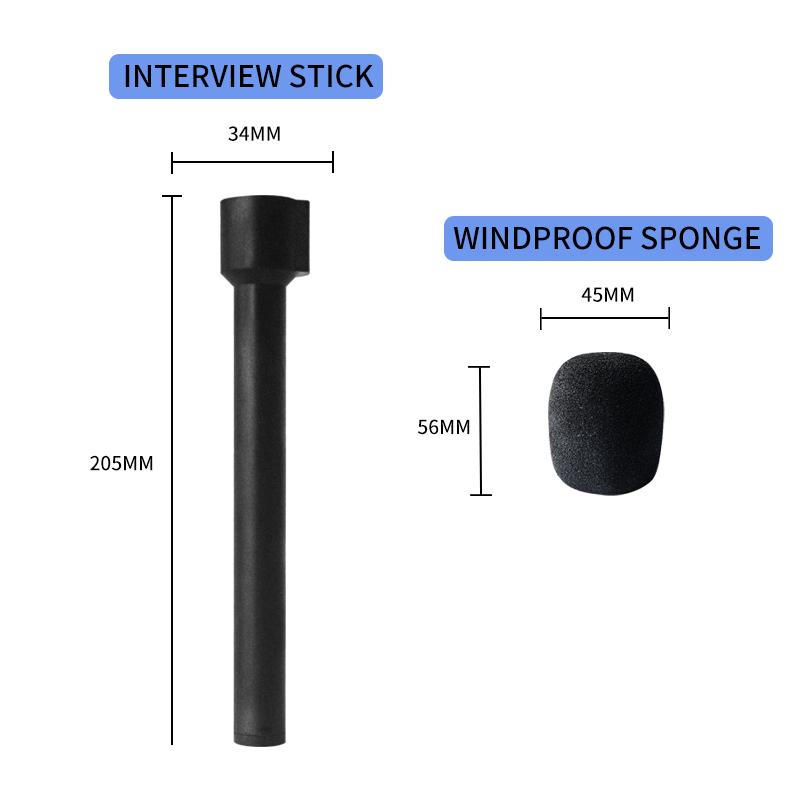
Proper Microphone Placement for Effective Public Speaking

3、 Adjusting Microphone Settings for Clear Public Speaking Delivery

Adjusting Microphone Settings for Clear Public Speaking Delivery

Using a microphone effectively is crucial for delivering a clear and impactful public speech. Whether you are speaking in a small conference room or a large auditorium, proper microphone usage can enhance your voice projection and ensure that your message reaches the audience clearly. Here are some tips on how to use a microphone for public speaking:

1. Familiarize yourself with the microphone: Before your speech, take a few moments to understand the different parts of the microphone. Learn how to hold it correctly and adjust the height or angle if necessary. This will help you feel more comfortable and confident during your presentation.

2. Test the microphone: Prior to your speech, test the microphone to ensure it is working properly. Speak into it at a normal volume and ask someone in the audience to provide feedback on the sound quality. Adjust the microphone settings accordingly to achieve the desired volume and clarity.

3. Maintain an appropriate distance: Stand at a comfortable distance from the microphone, usually around 6-12 inches. This distance may vary depending on the type of microphone being used. Avoid getting too close to the microphone as it can cause distortion or unwanted noise.

4. Speak clearly and project your voice: Enunciate your words clearly and project your voice to ensure that your message is heard by everyone in the audience. Remember to speak at a consistent volume and avoid sudden changes in volume that can be jarring for the listeners.

5. Use proper microphone technique: Hold the microphone close to your mouth, but not too close to avoid plosive sounds. Speak into the microphone at a slight angle, rather than directly into it, to minimize the impact of breath sounds.

6. Adjust the microphone settings as needed: If you notice any issues with the sound quality during your speech, don't hesitate to make adjustments. Increase the volume if you feel you are not being heard clearly, or decrease it if you are causing distortion. Experiment with the settings to find the optimal balance.

In recent times, with the rise of virtual public speaking events, it is also important to consider microphone settings for online presentations. Ensure that your microphone is properly connected and set as the default audio input device on your computer. Test the audio quality in advance and make any necessary adjustments to ensure clear and crisp sound during your virtual speech.

Remember, using a microphone effectively is not just about technicalities, but also about maintaining a confident and engaging presence on stage. Practice using a microphone during rehearsals to become comfortable with it and deliver your speech with confidence and clarity.
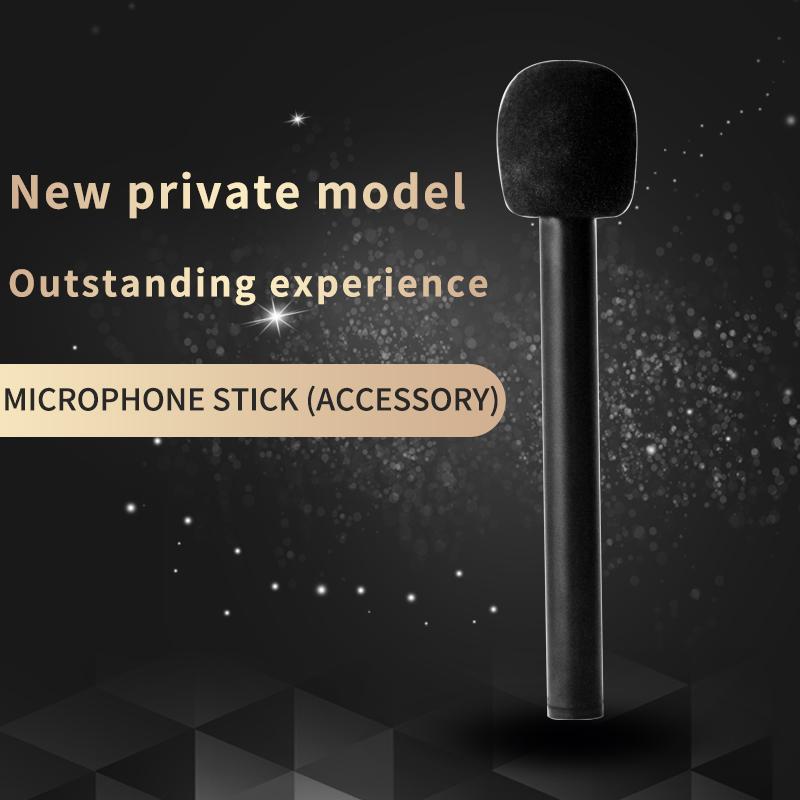
Adjusting Microphone Settings for Clear Public Speaking Delivery

4、 Techniques for Holding and Handling a Microphone During Public Speaking

Techniques for Holding and Handling a Microphone During Public Speaking

Using a microphone effectively is crucial for public speakers to ensure their message is heard clearly by the audience. Here are some techniques for holding and handling a microphone during public speaking:

1. Familiarize yourself with the microphone: Before your speech, take a few moments to become comfortable with the microphone. Understand its features, such as the on/off switch, volume control, and any other adjustments it may have.

2. Hold the microphone correctly: Hold the microphone firmly but not too tightly. Keep it at a comfortable distance from your mouth, usually around 4-6 inches. Avoid covering the microphone with your hand or fingers, as this can muffle the sound.

3. Maintain a consistent distance: Maintain a consistent distance from the microphone throughout your speech. Moving too close can cause distortion, while moving too far away can make it difficult for the audience to hear you clearly.

4. Speak directly into the microphone: Speak directly into the microphone to ensure your voice is captured clearly. Avoid turning your head away or speaking to the side, as this can result in a decrease in volume or clarity.

5. Adjust your volume and projection: Use the microphone's volume control to adjust your volume as needed. However, be mindful not to speak too loudly or too softly. Project your voice confidently, allowing the microphone to amplify your natural speaking voice.

6. Practice with the microphone: Practice using a microphone before your actual speech. This will help you become more comfortable and familiar with its operation, ensuring a smoother delivery during your presentation.

7. Be mindful of feedback: Feedback can occur if the microphone is too close to a speaker or sound source. To avoid this, be aware of your positioning and the positioning of any other audio equipment in the room.

In today's digital age, advancements in microphone technology have led to the development of wireless and lapel microphones, which offer greater mobility and convenience for public speakers. These options can provide more flexibility in movement while still ensuring clear and amplified sound.

Remember, the key to using a microphone effectively for public speaking is practice. By familiarizing yourself with the microphone and implementing these techniques, you can confidently deliver your message to the audience, ensuring that your voice is heard loud and clear.


Techniques for Holding and Handling a Microphone During Public Speaking

Leave your comment
Cancel reply
Note: HTML is not translated!
Related products
M42 Lenses to Minolta A / Sony A Camera Mount Adapter
59
£39.99
Minolta A / Sony A Lenses to Fuji X Mount Camera Adapter
36
£43.99 £35.99
Minolta A / Sony A Lenses to Pentax Q Camera Mount Adapter
52
£31.99 £22.99
Minolta A / Sony A Lenses to Nikon Z Mount Camera Adapter
62
£55.99 £45.99
Minolta A / Sony A Lenses to Canon EOS R Mount Camera Adapter
69
£55.99 £40.00
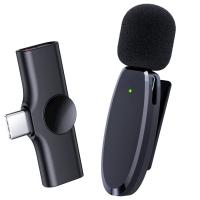
AP004 Wireless Lavalier Microphone for Android - USB C Mini Wireless Lavalier Microphone for Recording, YouTube Videos, Live Streaming, Vlogging (No App or Bluetooth Required)
£16.99
Minolta A / Sony A Lenses to Nikon 1 Camera Mount Adapter with Tripod Mount
77
£38.99 £27.99
Minolta A / Sony A Lenses to Pentax Q Camera Mount Adapter with tripod mount
52
£37.99 £26.99
S13 Wireless Lavalier Microphone for iPhone iPad, Charging Case with Battery Indicator, Plug and Play Wireless Microphone with 2 Microphones for Video Recording, Tiktok, YouTube, Auto Sync and Noise Cancellation
£29.99
S13 Wireless lavalier microphone for Type-C, charging case with battery indicator, plug-and-play wireless microphone with 2 microphones for video recording, Tiktok, YouTube, auto-sync and noise cancellation
£29.99
Guess you like products
K&F Concept 29 Slots Memory Card Case, Water-Resistant CF SD SIM Card Case Holder for 8 x SD 4 x CF/XQDs 12 x Micro SD (TF) 2 x Nano SIM 2 x Micro SIM and 1 SIM Card
5
£13.00 £10.99
Lens Mount Adapter Compatible with Hasselblad Mount Lens to EF Lens Camera Body HB- EOS
60
£59.20
Lens Mount Adapter for Minolta Rokkor SR MD MC Mount Lens to Nikon Z Mount Z6 Z7 Mirrorless Cameras-(MD-Nikon Z)
65
£55.99 £40.00
55mm MCUV Lens Protection Filter with Lens Cap Optical Glass Ultra Slim 18 Multi-Layer Coatings Nano-Klear Series
£13.99 £9.99
49mm Magnetic MCUV Filter,HD Waterproof Scratch-Resistant Anti-Reflection Green Film with Magnetic Metal Cover Nano-Xcel series
18
£41.99 £32.99
FD to EOS R Mount Adapter, Compatible with Canon FD/FL Mount Lens and Compatible with Canon EOS R Mount Cameras
72
£55.99 £40.00
K&F Concept Dual Ball Heads Magic Arm, Articulating Mini Magic Arm with 1/4
26
£15.99 £12.99
72mm ND8 (3 Stop) ND Lens Filter Camera Filter 3-Stop Neutral Density Filter Nano-Xcel series
32
£64.99 £39.99
67mm Lens Filter Kit UV + CPL +Lens Cap + 3 Cleaning Cloths, Filter Set Ultraviolet Polarizing Cover Kit with Lens Filter Pouch Nano-Klear
10
£48.99 £30.99
43mm Center Pinch Lens Cap Ordinary Lens Cap with String (No String)*1+Vacuum Cleaning Cloth*2+Digital Camera Anti-lost String*1, 4 in 1 Set
16
£9.00 £7.99
Related articles
How To Use A Microphone For Youtube Videos ?
What Microphone To Use For Asmr ?
What Microphone To Use For Youtube?
How To Use A Bluetooth Microphone ?
Wireless Lavalier Microphone For Iphone How To Use ?
How To Use A Microphone With Iphone?
How To Use A Wireless Lavalier Microphone?
How To Access Public Surveillance Cameras ?
How To Use The Wireless Microphone ?
How To Transfer Camcorder Dvd To Computer ?
Guess you like articles
How To Connect Adt Doorbell Camera To Wifi ?
How To Choose Lens Uv Filter ?
Where To Buy Tripod Near Me ?
How Many Objective Lenses Are On A Microscope ?
What Is A Ca Lens Filter For ?
How To Record Streamed Music ?
When Was The First Digital Slr Camera Invented ?
How To Travel With Camera Batteries ?
What Makes A Good Spotting Scope ?
Can I Use Duracell Batteries In Blink Camera ?
Related categories
accessories for a drone Bluetooth microphone Sony A mount lens adapter​ Sony E mount adapter variable ND and CPL filter​ speedlight flash for canon camera monopod​ camera lens tripod stand for lights
Popular products
sony camera adapter minolta md to leica m adapter minolta nikon adapter canon adapter sony sony minolta mount nikon 1 mount adapter​ pentax q mount adapter​ iphone portable microphone ai intelligent camera​ sony a mount adapter
Related searches
Things To Use As A Tripod Microphone For A Tablet A Microphone For Gaming Simple To Use Digital Camera Headphones To Use With Tv Simple To Use Smart Watch Simple To Use Dash Cam Earphones To Use With Tv Telescope For Home Use Earphones For Office Use
Blog Category
  • Camera Reviews
  • News & Reviews
    • News
  • Tutorials
    • Animal Photography
    • Food Photography
  • Inspiration
    • Travel
    • Travel Stories
    • Photography Tricks
Search Article
Latest from the Blog
Black Friday Offers by Kentfaith
How To Power On Bluetooth Earbuds?
How Do Metal Detectors Work?
How to Attach a Camera Strap: A Step-by-Step Guide for Every Photographer
Where To Set Up Trail Cameras?
How To Setup Wireless Mini Video Camera?
How to Choose Phone Tripod?
What Is a Neutral Density Filter?
Exploring the new Sony A7M5 camera: What are the upgrades and is it worth buying?
How Deep Can Metal Detectors Detect Gold?
Powered By K&F Concept © 2025