Can Rear View Camera On Car Record?
Rear-view cameras: those nifty little devices that have spared many a driver from an awkward "oops" moment involving parked cars, poles, or an unsuspecting trash can left behind after garbage day. As these cameras increasingly become standard equipment in modern vehicles, drivers are not just relying on them for better visibility — but also wondering if these cameras can double as recording devices.
Let’s break it down. Can your rear-view camera actually *record footage* like a dash cam does? What are you missing out on? And, if it can’t record, can you make it record? To answer these questions, I’ll dig into technical details, vehicle systems, and aftermarket options for the curious gearheads out there. Buckle up — this is going to be a wild ride.
Rear-View Camera vs. Dash Cam: Not the Same Thing
First off, let’s clear up potential misunderstandings. Rear-view cameras in cars serve one main purpose: to display a live feed of what's behind your vehicle while you reverse. They’re connected to your car’s infotainment system or dashboard display, usually springing to life the moment you throw the car into reverse. This camera is *not designed for recording*. Instead, it’s about giving you a safer, wider view when backing up.
Dash cams, on the other hand, are explicitly designed to record continuous footage, front and/or rear-facing, depending on your setup. They typically come equipped with SD card slots for storage, loop recording functionality, and sometimes even advanced features like collision detection or GPS tracking.
If you’re staring at your rear-view camera feed thinking, “There must be a way to save this,” there’s some nuance there. Most stock rear-view cameras are not set up to record video as-is — not because it’s impossible, but because it’s not part of their intended design or functionality.
Why Rear-View Cameras Don’t Typically Record
Rear-view cameras are built into cars with simplicity in mind: live video and nothing else. Let’s consider the reasons manufacturers generally don’t bother giving them recording capabilities:
1. Legal and Privacy Concerns: Recording video at all times, even when the car is running, could bring up thorny questions about privacy. Imagine someone being inadvertently filmed standing behind your parked car — does your footage violate their rights? Automakers prefer not to open themselves up to liability over recording without consent.
2. Technical Limitations: Rear-view cameras often lack built-in storage or connectivity for recording systems. They also have relatively low resolution compared to dash cams, since their primary job is to provide functional visibility rather than high-definition footage.
3. Cost Considerations: Integrating recording features adds complexity — storage, software controls, higher video standards, etc. All of this translates to increased production costs. For consumers, it could make vehicle prices climb, including for drivers who don’t want this feature.
4. Specialized Purpose: A rear-view camera’s job is hyper-specific: help drivers reverse safely. Anything beyond this basic function is viewed as outside of scope.
“But I *Want* My Rear-View Camera to Record!”
Let’s say you’ve made up your mind that it’s a good idea to record rearview footage. Maybe you want an added layer of protection for accidents, parking disputes, or vandalism. Here’s the bad news: retrofitting your factory-installed rear-view camera to enable recording *isn’t a plug-and-play maneuver*. Most systems were designed to stream live video only, and don’t have the architecture for recording functionality.
The good news? You have options! Here are the best ways to capture rear-facing footage without hacking your existing rear-view camera system:
Option 1: Add a Rear-Facing Dash Cam
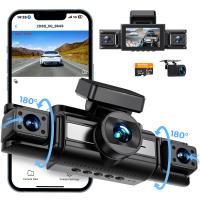
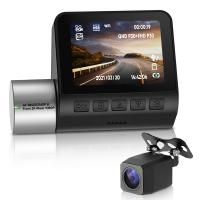
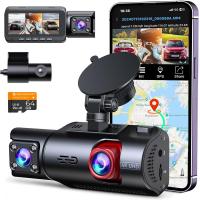
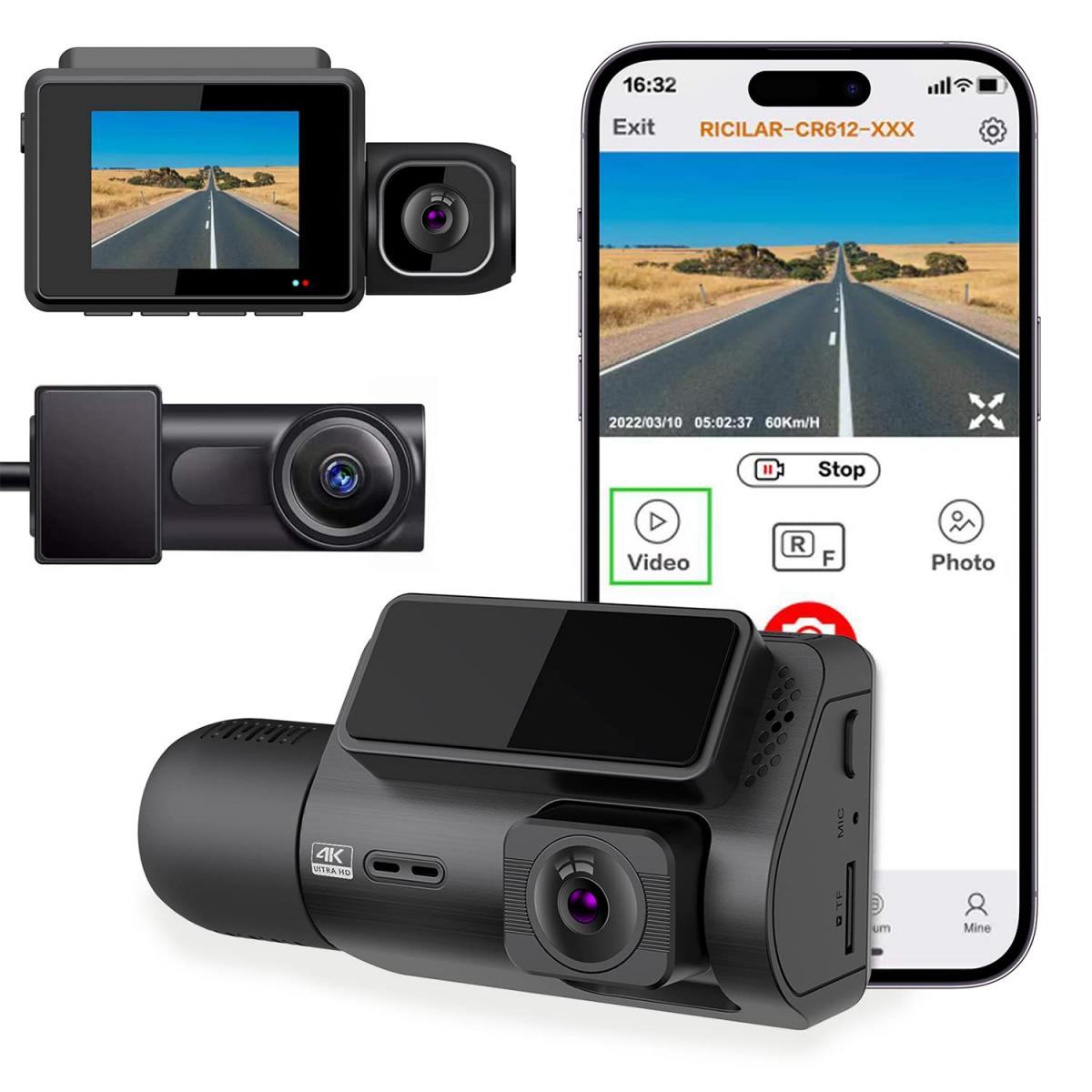
The most straightforward (and effective) way to get rear-facing footage is by installing a dash cam that includes a rear camera component. Many dual-camera dash cams offer simultaneous recording from both front and rear perspectives. The rear camera may be mounted inside the car’s back window or outside — sometimes near your license plate frame, similar to a rear-view camera.
Some brands such as Thinkware, Nextbase, and BlackVue offer excellent dual-camera setups with superb resolution, cloud connectivity, and easy installation. By investing in one of these systems, you're getting dedicated recording functionality, often with features like motion detection and parking mode.
Option 2: Integrate Aftermarket Tech with Your Factory Rear-View Camera
If you absolutely insist on repurposing your car’s built-in rear-view camera, third-party kits and modules exist to make it happen. These systems tap into your car’s rear-view camera feed, allowing it to record video. Examples include video capture modules that plug into your vehicle’s OEM wiring harness, passing the live feed to an external storage unit.
Pros:
- You preserve the factory-installed rear-view camera.
- The setup uses your camera’s existing angle and mounting.
Cons:
- It voids your warranty in many cases.
- Installation can be messy and requires technical expertise.
- These systems aren't widely available for all car models.
Option 3: Use a Monitoring Service or Specialty Equipment
Some high-end vehicles, particularly luxury models, offer services that record video via onboard cameras. For example, Tesla’s “Sentry Mode,” while not part of its rear-view camera, uses external cameras to monitor and record suspicious activity around the vehicle when parked. Other high-tech cars are moving in a similar direction.
While this type of system is rare and primarily found in premium brands, it hints at a possible future where rear-view cameras and other external cameras may merge functional roles with recording.
FAQs on Rear-View Camera Recording
Q: Will recording rear-view footage drain my car battery?
A: If you retrofit recording functionality or use a dedicated rear-facing dash cam, yes, it may use your car’s battery when parked. Many dash cams offer parking modes designed to minimize power consumption or automatically shut off when voltage drops too low.
Q: Can I use a USB adapter to hack my rear-view camera feed?
A: Potentially, but it depends on your car model and camera system. However, this approach is far from universal, and you'll face compatibility, warranty, and legal issues.
Q: Do any cars come stock with rear-view camera recording capabilities?
A: Some vehicles offer built-in surveillance as part of parking or security features; however, these systems usually leverage a broader array of external cameras, not just the rear-view camera.
A Peek Into the Future
Looking ahead, the divide between rear-view cameras and recording systems may shrink. As cars increasingly adopt advanced sensor arrays for driver assistance, manufacturers may start combining their functionalities. However, until that day comes, your best bet for capturing rear-facing video will likely remain external dash cam solutions or third-party integrations.
So, while your trusty rear-view camera can't record footage as-is, fear not! With a little ingenuity (and maybe some additional spending), recording while reversing or protecting your parked car is well within reach. Whether through aftermarket tech or high-quality dash cams, you don’t have to give up your dream of rear-view camera functionality doubling as evidence collection.
Drive safe, park in well-lit areas, and remember — those trash cans aren’t *that* invisible.