kfconcept

K&F Concept UK
K&F Concept United Kingdom    Blog >

Enjoy Your Selected Digital Life

Recently Viewed
  • Recently Viewed
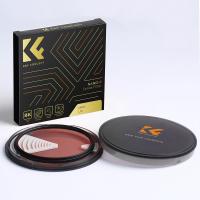
  • 46mm Variable Neutral Density ND8-ND2000 ND Filter for Camera Lenses with Multi-Resistant Coating, Waterproof Nano-Dazzle Series
    46mm Variable Neutral Density ND8-ND2000 ND Filter for Camera Lenses with Multi-Resistant Coating, Waterproof Nano-Dazzle Series
    £30.99
Compare (0) 0
  • Compare
  • You have not chosen any products to compare.

  • Compare
Currency: GBP
  • Currency

Log Into Your Account

Account

Order History

Wish List

Login

Forgotten Password?

Or connect with

Register Account

Already have an Account?Log In

  • Shopping Cart
  • Your shopping cart is empty!

  • Register/Login to purchase, earn points
  • Favorite
  • Your wish list is empty.

  • Register/Login to like, earn points
  • Tripods
    • Aluminum Tripods
    • Carbon Fiber Tripods
    • Travel Tripods
    • Video Tripods
    • Monopods
    • Lightweight Tripods
    • Mini Tripod
    • Tripod Accessories
    • Gimbal Stabilizers
    • Tripod Head
    • Tripod Kit
    • Action Camera Mounts
    • Phone Tripods
    • Studio Parts
      • Camera Flash
      • Photography Fill Light
      • Ring light
      • Soft Box
      • Tripod Light Stands
      • Reflectors
    • Clearance Tripods
  • Lens Filters
    • UV Filters
      • Nano-Xcel Series
        • MCUV
        • Ultra-low Reflectivity MCUV Filters
        • MCUV Super Hard
        • Explosion-proof MCUV - Nano-Xcel
        • MCUV+Lens Cap+Cleaning Cloth
        • Super Hard&Ultra Low Reflection MCUV Filters - Nano-Xcel
        • MCUV - Magnetic Series
      • Nano-Dazzle Series
        • MCUV
        • MCUV+Lens Cap+Cleaning Cloth
      • Nano-Klear Series
        • MCUV
        • Ultra Thin Frame MCUV Filters
        • MCUV+Lens Cap+Cleaning Cloth
      • Nano-Xcel Pro Series
        • MCUV
    • CPL Filters
      • Nano-Xcel Series
        • CPL
        • CPL True Color
        • Ultra-low Reflectivity CPL
        • CPL+Lens Cap+Cleaning Cloth
        • Magnetic CPL
          • Magnetic CPL + Apater ring + Cap - Nano-X
        • True Color Ultra-low Reflectivity CPL - Nano-Xcel
      • Nano-Dazzle Series
        • CPL
        • CPL+Lens Cap+Cleaning Cloth - Nano-Dazzle
      • Nano-Klear Series
        • CPL
        • Ultra Thin Frame CPL Filters
        • CPL+Lens Cap+Cleaning Cloth
        • CPL+Lens Cap - Nano-Klear
      • Nano-Xcel Pro Series
        • CPL
    • Neutral Density Filters
      • Neutral Density (Solid) Filters
        • ND8 (3 stops) - Nano-Xcel Series
        • ND64 (6 stops) - Nano-Xcel Series
        • ND1000 (10 stops) - Nano-Xcel Series
        • ND100000 (16.6 stops) - Nano-Xcel Series
        • ND1000000 (20 stops) - Nano-Xcel Series
        • ND100000 (16.6 stops) - Nano-Klear Series
        • ND1000000 (20 stops) - Nano-Klear Series
        • Solid ND - Magnetic Series
      • Graduated Neutral Density
        • 100mm GND Filter
          • Soft GND8 Filters - Nano-Xcel Series
          • Hard GND8 Filters - Nano-Xcel Series
          • Reverse GND8 Filters - Nano-Xcel Series
          • Soft GND16 Filters - Nano-Xcel Series
          • Reverse GND16 Filters - Nano-Xcel Series
          • Soft GND8 Filters - Nano-Xcel Pro Series
          • Hard GND8 Filters - Nano-Xcel Pro Series
          • Reverse GND8 Filters - Nano-Xcel Pro Series
          • Soft GND16 Filters - Nano-Xcel Pro Series
          • Reverse GND16 Filters - Nano-Xcel Pro Series
        • Circular GND Filter
          • GND8
          • GND16
      • 2 in 1 Filters
        • ND2-ND32&CPL Filters - Nano-Xcel Series
        • ND2-ND32&CPL Filters - Nano Dazzle Series
        • ND2-32&CPL Filters - Nano-Klear Series
        • ND2-ND32&CPL Filter - Nano-X Pro
        • ND2-ND32&CPL True Color Filters - Nano-Xcel Series
        • ND4-ND64&CPL Filter
      • 3 in 1 Filters
        • ND2-32&CPL&Black Mist 1/4 Filters - Nano-Xcel Series
        • ND2-32&CPL&Black Mist 1/4 Filters - Nano-Klear Series
      • Variable Neutral Density
        • Nano-Xcel Series
          • ND2-ND32 - Nano-Xcel
          • ND2-ND32 True Color - Nano-Xcel
          • ND2-ND400 - Nano-Xcel
          • ND8-ND128 - Nano-Xcel
          • ND32-ND512 - Nano-Xcel
          • ND3-ND1000 - Nano-Xcel
          • ND2-32 True Color Ultra-Low Reflection - Nano-Xcel
          • ND2-400 Ultra-Low Reflection - Nano-Xcel
        • Nano-Dazzle Series
          • ND2-ND32 - Nano-Dazzle
          • ND2-ND400 - Nano-Dazzle
          • ND3-ND1000 - Nano-Dazzle
          • ND8-ND2000 - Nano-Dazzle
        • Nano-Klear Series
          • ND2-ND32 - Nano-Klear
          • ND2-ND400 - Nano-Klear
          • ND2-ND2000 - Nano-Klear
          • True Color ND2-ND400 - Nano-Klear
        • Nano-Xcel Pro Series
          • ND2-ND32 - Nano-Xcel Pro
        • Nano-B Series
          • ND2-ND400 - Nano-B
    • Black Mist & Soft Focus Filters
      • Black Mist Filters
        • Black Mist 1/8
          • Black Mist 1/8 - Nano-Xcel Series
          • Black Mist 1/8 - Nano-Dazzle Series
          • Black Mist 1/8 - Nano-Klear Series
          • Black Mist 1/8 - Nano-Xcel Pro Series
          • Black Mist 1/8+Lens Cap+Cleaning Cloth - Nano-Klear Series
        • Black Mist 1/4
          • Black Mist 1/4 - Nano-Xcel Series
          • Black Mist 1/4 - Nano-Dazzle Series
          • Black Mist 1/4 - Nano-Klear Series
          • Black Mist 1/4 - Nano-Xcel Pro Series
          • Black Mist 1/4+Lens Cap+Cleaning Cloth - Nano-Klear Series
        • Black Mist 1/2
          • Black Mist 1/2 - Nano-Xcel Series
          • Black Mist 1/2 - Nano-Klear Series
        • Black Mist 1
          • Black Mist 1 - Nano-Xcel Series
          • Black Mist 1 - Nano-Klear Series
        • Black Mist Kit
          • Black Mist 1/4 + 1/8 Nano Xcel Series
          • Black Mist 1/4 + 1/8 - Nano Klear Series
          • Black Mist 1/4 + CPL - Nano Klear Series
        • Black Mist & CPL
          • Black Mist 1/4&CPL - Nano-Klear Series
        • Black-Mist & VND
          • Black Mist 1/4 & ND2-32 Filters - Nano-Klear Series
          • Black Mist 1/4 & ND2-400 Filters - Nano-Xcel Series
          • Black Mist 1/4 & ND2-32 Filters - Nano-Xcel Series
          • Black Mist 1/8 & ND2-32 Filters - Nano-Klear Series
          • Black Mist 1/4 & ND2-400 Filters - Nano-Klear Series
      • White Mist Filters
        • White Mist 1/4 - Nano-Xcel Series
        • White Mist 1/4 - Nano-Klear Series
      • Shimmer Diffusion
        • Shimmer Diffusion 1 - Nano-Xcel Series
        • Shimmer Diffusion 1 - Nano-Klear Series
    • Light Pollution Cut Filter
      • Light Pollution Cut Filter - Circular
      • Light Pollution Cut Filter - Square
    • Magnetic Lens Filters
      • MCUV Filters
        • Magnetic MCUV - Nano-Klear Series
        • Magnetic MCUV+Lens Caps - Nano-Xcel Series
      • CPL Filters
        • Magnetic CPL + Adapter Ring
        • Magnetic CPL+Adapter Ring - Nano-Klear Series
      • Black-Mist
        • Black Mist 1/8 Filters - Nano-Xcel Series
        • Black Mist 1/4 Filters - Nano-Xcel Series
      • Neutral Density (Solid) Filter
        • Magnetic ND8 - Nano-Xcel Series
        • Magnetic ND64 - Nano-Xcel Series
        • Magnetic ND1000 - Nano-Xcel Series
      • Unlimited Variable ND Filter
        • Magnetic ND2-ND32 - Nano-Xcel Series
        • Magnetic ND8-ND128 Filters - Nano-Xcel Series
      • Accessories
        • Magnetic Adapter Ring
        • Magnetic Filter Ring
        • Magnetic Cap
      • Kits
        • MCUV+CPL+ND1000+Adapter Ring - Nano-Xcel Series
        • CPL+ND8+ND64+Adapter Ring+Lens Cap - Nano-Xcel Series
        • GND8+ND8+ND64+ND1000+Adapter Ring - Nano-Xcel Series
        • CPL+VND2-32+Black Mist 1/4+Magnetic Ring+Lens Cap - Nano-Xcel Series
    • Square Filter System
      • Basic System
        • Square ND Filters
          • ND4 Filters - Nano-Xcel Series
          • ND16 Filters - Nano-Xcel Series
          • ND1000 Filters - Nano-Xcel Series
          • ND2000 Filters - Nano-Xcel Series
          • ND32000 Filters - Nano-Xcel Series
          • Full Color ND8 Filters - Nano-Xcel Series
          • Full Color ND64 Filters - Nano-Xcel Series
        • Square GND Filters
        • Light Pollution Cut Filter
          • Light Pollution Cut Filter - Nano-Xcel Series
        • Square Black Mist Filters
          • Square Black Mist 1 - Nano-Xcel Series
          • Square Black Mist 1/4 - Nano-Xcel Series
          • Square Black Mist 1/8 - Nano-Xcel Series
        • Brackets and Accessories
          • Adapter Ring - Nano-Xcel Series
        • Kits
          • 100mm Square Filter System - Nano-Xcel Series
          • 100mm ND1000+Holder Kit - Nano-Xcel Series
          • 100mm ND1000+Soft GND8+Holder Kit - Nano-Xcel Series
          • 100mm Soft GND8+Holder Kit - Nano-Xcel Series
      • Professional System
        • ND
          • Full Color ND8 Filters - Nano-Xcel Pro Series
          • Full Color ND64 Filters - Nano-Xcel Pro Series
          • Full Color ND1000 Filters - Nano-Xcel Pro Series
        • GND
        • PL
        • Black Mist 1/4&CPL - Nano-Xcel Pro Series
        • Light Pollution Cut Filter
          • Light Pollution Cut Filter - Nano-Xcel Pro Series
        • Kits
          • 100mm ND1000+Holder Kit - Nano-Xcel Pro Series
          • 100mm ND1000+Soft GND8+Holder Kit - Nano-Xcel Pro Series
          • 100mm ND8+ND64+ND1000+Holder Kit - Nano-Xcel Pro Series
          • 100mm Holder Kit - Nano-Xcel Pro Series
        • Brackets and Accessories
          • 100x100mm Square Filter Protect Frame - Nano-Xcel Pro Series
          • 100x150mm Square Filter Protect Frame - Nano-Xcel Pro Series
          • Adapter Ring - Nano-Xcel Pro Series
    • Drone Filter
      • DJI Air 3S
      • DJI Avata2
      • DJI Flip
      • DJI Mavic 3 Pro
      • DJI NEO
      • DJI Mini 1/2/SE
      • DJI Mini 4 Pro Filters
      • DJI Mavic 3
      • DJI Mini 3 PRO
      • DJI Avata
      • DJI Mavic 4 Pro
      • DJI Mini 5 Pro
      • DJI Air 2S
    • Effects Filters
      • Prism Filters
        • Central Prism Filters
          • Central Pentagonal Filters - Nano-Basic Series
          • Central Hexagonal Filters - Nano-Basic Series
        • Ordinary Prism Filters
          • Triangular Filtres - Nano-Basic Series
        • Single Linear Prisms
      • Streak Filters
        • Blue Streak Filters - Nano-Xcel Series
        • Gold Streak Filters - Nano-Xcel Series
        • Colorful Streak Filters - Nano-B Series
        • Blue Streak Filters - Nano-Klear Series
      • Star Filter
        • Star Filters 4-8 Points - Nano-Klear Series
        • Star Filter Kits 4+6+8 Points - Nano-Klear Series
        • 4-Point Fine-Line Star Filters - Nano-Klear Series
        • 6-Point Fine-Line Star Filters - Nano-Klear Series
      • Kaleidoscope Filters
        • Kaleidoscope Filters - Nano-Basic Series
        • Handheld Kaleidoscope Filters - Nano-B Series
      • Motion Blur Filters
        • Directional Motion Blur - Nano-Basic Series
        • Bidirectional Motion Blur - Nano-Basic Series
        • Handheld Motion Blur Filters - Nano-Basic Series
      • Spiral Filters
        • Spiral Halo Filters - Nano-B Series
        • Handheld Spiral Filters - Nano-Basic Series
      • Diopter Filters
        • Centerfield Split Diopter Filters - Nano-Basic Series
        • Handheld Diopter Filters - Nano-Basic Series
    • Filter Accessories
      • Lens Hoods
      • Rings Kits
        • Step Up Rings
        • Step Down Rings
      • Filter Holders & Frames
      • Filter Holder Adapter Rings
        • Filter Adapter Rings
      • Filter Pouches
      • Lens Caps
        • Caps for Magnetic Filters
        • Caps for Variable ND Filters
        • Anti-lost Lens Cap
          • 4 in 1
          • 5 in 1
          • 9 in 1
      • Polarized Film
    • Filter Kit
      • Black Diffusion 1/4 + 1/8
      • Screw-In Filters
        • MCUV+CPL Filter - Nano-Klear Series
        • MCUV+CPL+Lens Cap - Nano-Klear Series
        • MCUV+CPL+Metal Lens Cap - Nano-Xcel Series
        • MCUV+CPL+ND1000+Lens Cap - Nano-Dazzle Series
        • MCUV+CPL+ND2-400 - Nano-Klear Series
        • ND8+ND64+ND1000 - Nano-Dazzle Series
        • MCUV+CPL+ND4 - Nano-Klear Series
        • ND1000+CPL - Nano-Klear Series
        • ND4+ND8+ND64+ND1000 - Nano-Xcel Series
        • MCUV+CPL
      • Magnetic Filters
      • Square Filters
    • Action Camera Filters
      • DJI Osmo Action 4 / Action 5 Pro
      • DJI Osmo Action 6
      • DJI Osmo Nano
      • DJI Osmo Pocket 3
      • GoPro HERO 4K
      • GOPRO Hero 9/10/11/12/13 Filters
      • Insta360 Ace pro 2
      • Insta360 Go Ultra
      • Insta360 GO3
      • Insta360 GO3S
      • Action Camera Accessories
        • DJI Osmo Action 3/4/5 Pro
        • Head Strap & Chest Mount
        • Insta360 X5
        • Magnetic Neck Mount
        • DJI Osmo 360
        • DJI Osmo Pocket 3 Charging Base
        • DJI Osmo Pocket 3
    • Phone Lens Filters
    • Matte Box & Filter Systems
      • Neutral Density (Solid) Filters
        • ND4 - Nano-Xcel Series
        • ND8 - Nano-Xcel Series
        • ND16 - Nano-Xcel Series
        • ND32 - Nano-Xcel Series
        • ND64 - Nano-Xcel Series
        • ND8+ND64 - Nano-Xcel Series
      • UV Filters
      • Black Mist Filters
        • Black Mist 1/4 - Nano-Xcel Series
        • Black Mist 1/8 - Nano-Xcel Series
      • Blue Streak Filters
      • Accessories
      • Kits
        • Matte Box - Nano-Xcel Series
        • Matte Box Pro - Nano-Xcel Series
        • Matte Box+ND8 Square Filter - Nano-Xcel Series
        • Matte Box+ND4+ND32 Square Filter - Nano-Xcel Series
        • Matte Box+Black Mist 1/4 Square Filter - Nano-Xcel Series
    • Brand-specific Filters
      • Fujifilm X100
      • Ricoh GR
  • Lens Adapters
    • PL Mount Lenses
    • A Mount Body(Sony/Minolta)
    • Fujifilm X Mount Body
    • Fujifilm G (GFX) Mount Body
    • C-Mount Body
    • Leica M Mount Body
    • MFT(M4/3) Mount Body
    • Pentax K Mount Body
    • Pentax Q Mount Body
    • Samsung NX Mount Body
    • Nikon F Mount Body
    • Nikon 1 Mount Body
    • Nikon Z Mount Body
    • Canon EOS EF/EF-S Mount Body
    • Canon EOS M Mount Body
    • Canon RF Mount Body
    • Sony E Mount Body
    • L-Mount Alliance (Leica)
  • Camera
    • Digital Camera & Camcorders
      • Digital Cameras & Camcorders
      • Underwater Cameras
      • Action Cameras
      • Kids’ Cameras
      • Time lapse camera
    • Wildlife Camera
      • Wifi Trail Cameras
      • Non-Cellular Trail Cameras
      • Accessories
      • Cellular Trail Cameras
    • Surveillance Cameras
      • 4G Camera
      • Battery Camera
      • Baby Monitor
      • WiFi Camera
      • Feeder Camera
      • Floodlight camera
      • Monitoring Detector
    • Camera Lenses
    • On-Dash Camera
    • Fishing camera
    • Memory Cards
      • Micro SD Card
      • SD Card
    • Camera Accessories
      • Camera Caps
      • Camera Screen Protectors
        • Canon
        • Sony
        • Fujifilm
        • Nikon
        • Olympus
        • Ricoh
        • GoPro
        • DJI Osmo Pocket 3
      • Camera Hot Shoe Covers
      • Camera Viewfinder Eyecups
        • Nikon
        • Sony
        • Canon
      • Adjustment Iris
  • Camera Bags
    • Camera Backpacks
    • Camera Shoulder Bags
    • Camera Cases
    • Digital Storage Bag
    • Lens Cases
    • Camera Straps
    • Backpack Accessories
  • Camera Battery
    • Sony
    • Canon
    • Nikon
    • FUJIFILM
    • Ricoh
    • Gopro
    • Osmo Action
    • Lumix
    • V Mount Battery
    • Memory Card Case
  • Optics
    • Microscope
      • Optical Microscope
      • Digital Microscope
      • Kids' Microscopes
    • Binoculars
    • Monocular
    • Telescope
    • Night Vision Goggles
    • Rangefinder
  • Endoscope
    • Professional Endoscope
    • Household Endoscope
    • Portable Endoscope
    • Otoscope/Oral Endoscope
  • More
    • Cleaning Kits
    • Digital Voice Recorders
    • Language Translator Device
    • Smart Glasses
    • Metal Detectors
    • Light
      • Video fill light
      • Live Ring Light
      • Outdoor Lighting
    • Motorcycle Bluetooth Headset
    • Laser Engraver Machine
    • Headphones
    • Weather Station & Household Sensors
    • Microphone
    • Drone Accessories
      • DJI Air 2S Accessories
      • DJI Air 3 Accessories
      • DJI Avata Accessories
      • DJI Drone Universal Accessories
      • DJI Mavic Mini 2/Mini 2 SE/Mini Accessories
      • DJI Mavic Mini 3 Accessories
      • DJI Mini 3 Pro Accessories
    • Smart Watch
    • Smart lock
    • Studio
    • Solar Panels
  • Deals
    • Specials
    • Coupon
    • New Arrivals
  • Home
  • Blog
  • How To Attach A Webcam To A Tripod ?

How To Attach A Webcam To A Tripod ?

K&f concept 2023-09-26 10:50:08 0 Comments

To attach a webcam to a tripod, you will need a tripod with a standard 1/4-inch screw mount and a webcam with a compatible mounting option. Most webcams have a threaded hole on the bottom for mounting purposes.

First, ensure that your tripod is set up and stable. Then, locate the mounting hole on the bottom of your webcam. It is usually located in the center or towards one side.

Next, align the mounting hole of the webcam with the screw mount on the tripod head. Insert the screw into the mounting hole and turn it clockwise to secure the webcam onto the tripod. Make sure to tighten it securely, but be careful not to overtighten and damage the webcam.

Once the webcam is securely attached, adjust the tripod head to position the webcam at the desired angle and tighten any knobs or locks to hold it in place. Finally, test the stability of the setup and make any necessary adjustments to ensure a steady and level position for your webcam.

1、 Tripod Mounting Options for Attaching a Webcam Securely

Tripod Mounting Options for Attaching a Webcam Securely

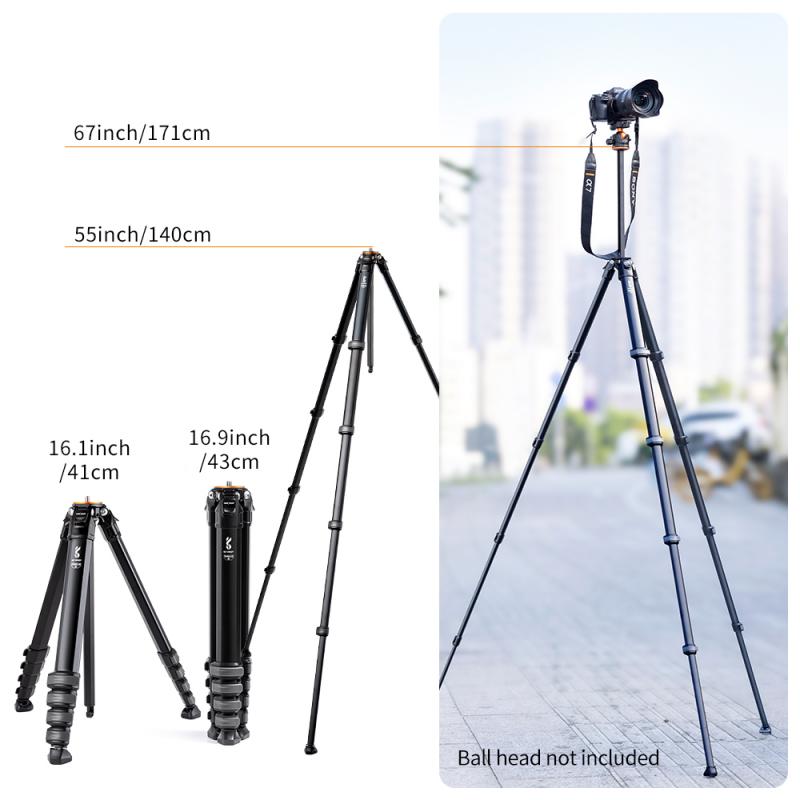
Attaching a webcam to a tripod can greatly enhance the quality and stability of your video recordings or live streams. There are several tripod mounting options available that can securely hold your webcam in place. Here's a guide on how to attach a webcam to a tripod:

1. Tripod Mount: Many webcams come with a standard tripod mount built-in. This allows you to directly attach the webcam to the tripod using the screw thread on the bottom of the camera. Simply align the mount with the tripod's screw and tighten it securely.

2. Tripod Adapter: If your webcam doesn't have a tripod mount, you can use a tripod adapter. These adapters are small accessories that attach to the bottom of your webcam and provide a standard tripod mount. They are widely available and can be easily screwed onto the camera.

3. Clamp Mount: Another option is to use a clamp mount. These mounts have a clamp mechanism that can securely hold your webcam in place. They can be attached to the tripod's legs or any other stable surface. Clamp mounts are versatile and allow you to position your webcam at different angles.

4. Flexible Tripod: A flexible tripod, also known as a gorilla pod, is a great option for attaching a webcam. These tripods have flexible legs that can be wrapped around objects or positioned on uneven surfaces. They usually come with a standard tripod mount, making it easy to attach your webcam.

5. Magnetic Mount: Some webcams come with a magnetic base, allowing you to attach them to metal surfaces. If your tripod has a metal plate or a magnetic surface, you can simply place the webcam on it and it will stay securely in place.

It's important to ensure that your webcam is securely attached to the tripod to avoid any accidental falls or instability during use. Always double-check the tightness of the mount or adapter before starting your recording or streaming session.

In conclusion, attaching a webcam to a tripod can be done using various mounting options such as tripod mounts, tripod adapters, clamp mounts, flexible tripods, or magnetic mounts. Choose the option that best suits your webcam and tripod setup to ensure a secure and stable attachment.
Tripod Mounting Options for Attaching a Webcam Securely

2、 Using an Adapter to Connect Webcam to Tripod

Using an Adapter to Connect Webcam to Tripod

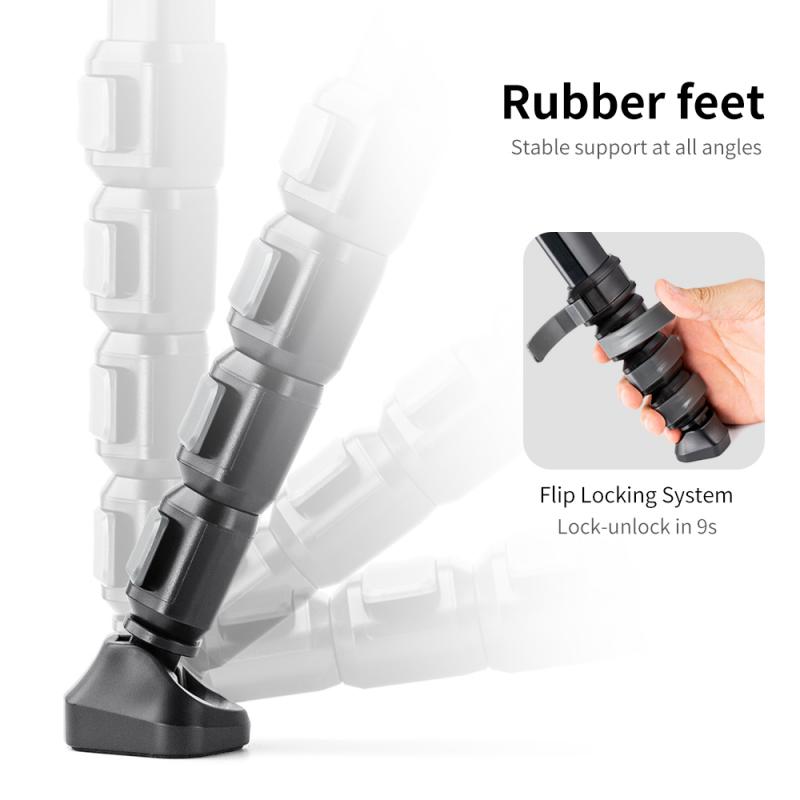
Attaching a webcam to a tripod can greatly enhance the quality of your video calls, live streaming, or content creation. While webcams are typically designed to be mounted on top of computer monitors, they can also be easily connected to tripods using an adapter. Here's a step-by-step guide on how to attach a webcam to a tripod:

1. Check the compatibility: Ensure that your webcam has a standard tripod mount thread, which is usually 1/4-inch in size. Most modern webcams come with this feature, but it's always good to double-check.

2. Purchase an adapter: If your webcam doesn't have a tripod mount thread, you will need to purchase an adapter. These adapters are readily available online or at electronics stores. Look for one that is compatible with your webcam model.

3. Screw the adapter onto the tripod: Attach the adapter to the tripod by screwing it onto the tripod's mounting plate. Make sure it is securely tightened to avoid any wobbling or instability.

4. Connect the webcam to the adapter: If your webcam has a tripod mount thread, simply screw it onto the adapter. If you are using an adapter, attach it to the webcam according to the instructions provided with the adapter.

5. Adjust the position: Once the webcam is securely attached, adjust the tripod's height and angle to achieve the desired framing. Ensure that the webcam is stable and level.

6. Test the setup: Connect your webcam to your computer and test the setup by launching your preferred video conferencing or streaming software. Make any necessary adjustments to the webcam's position or settings to optimize the video quality.

It's worth noting that some webcams come with built-in tripod mounts or flexible stands that can be easily adjusted to sit on a tripod. These options provide added convenience and flexibility when it comes to positioning your webcam.

In conclusion, attaching a webcam to a tripod is a simple process that can greatly improve your video quality and overall experience. Whether you're using an adapter or a webcam with a built-in tripod mount, following these steps will ensure a stable and professional setup for your video calls or content creation.
Using an Adapter to Connect Webcam to Tripod

3、 DIY Methods for Attaching Webcam to Tripod

DIY Methods for Attaching Webcam to Tripod

Attaching a webcam to a tripod can greatly enhance your video quality and stability, whether you're streaming, video conferencing, or recording content. Here are some DIY methods to securely attach your webcam to a tripod:

1. Tripod Mount: Check if your webcam has a standard tripod mount screw hole at the bottom. If it does, you can simply screw it onto the tripod's mounting plate. Most webcams have a 1/4"-20 thread, which is the standard size for tripod mounts.

2. Adhesive Mounts: If your webcam lacks a tripod mount, you can use adhesive mounts. These mounts come with a sticky backing that adheres to the bottom of your webcam. Once attached, you can then screw the mount onto the tripod's mounting plate. Ensure the adhesive is strong enough to hold the weight of your webcam.

3. Clamp Mounts: Another option is to use a clamp mount. These mounts have a clamp mechanism that securely grips onto the webcam. You can then attach the clamp to the tripod's mounting plate. Clamp mounts provide flexibility in positioning your webcam and are suitable for webcams without a tripod mount.

4. Flexible Tripod: Consider using a flexible tripod with bendable legs. These tripods have a universal mount that can hold various devices, including webcams. You can wrap the tripod's legs around objects or adjust them to different angles, providing versatility in positioning your webcam.

5. Adapter Plates: In some cases, you may need an adapter plate to connect your webcam to a tripod. These plates come with different mounting options, allowing you to attach devices with non-standard tripod mounts.

Always ensure that the tripod is stable and secure before attaching your webcam. Additionally, be mindful of the weight capacity of your tripod to avoid any accidents or damage.

As technology evolves, new methods and accessories may become available for attaching webcams to tripods. Stay updated with the latest innovations and recommendations from manufacturers to ensure the best setup for your specific webcam model.
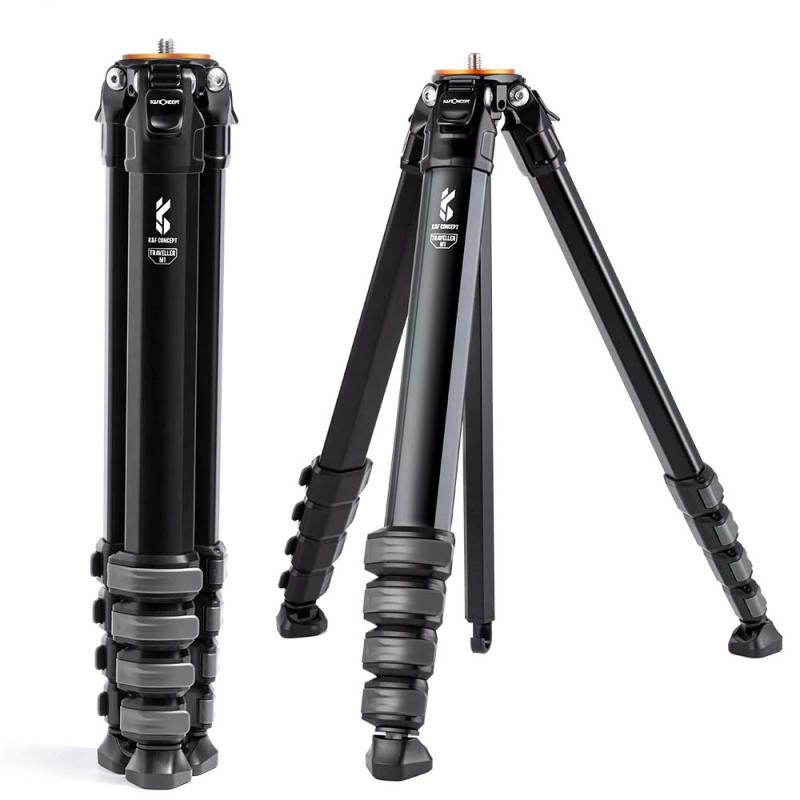
DIY Methods for Attaching Webcam to Tripod

4、 Tripod Compatibility and Webcam Mounting Considerations

To attach a webcam to a tripod, you will need to consider tripod compatibility and webcam mounting options. Here's a step-by-step guide to help you with the process:

1. Tripod Compatibility: Ensure that your tripod has a standard 1/4-inch screw mount, as most webcams come with a compatible mounting hole. This is the most common size and should fit most tripods. However, some tripods may have different screw sizes, so check the specifications of both your tripod and webcam to ensure compatibility.

2. Webcam Mounting Considerations: Most webcams come with a built-in mounting bracket or clip that allows you to attach them to various surfaces. However, these mounting options may not be compatible with tripods. In such cases, you will need to purchase a separate webcam mount or adapter that can be attached to the tripod.

3. Webcam Mount or Adapter: Look for a webcam mount or adapter that is specifically designed for tripods. These accessories usually have a 1/4-inch screw on one end to attach to the tripod and a compatible mounting bracket on the other end to hold the webcam securely.

4. Attaching the Webcam: Once you have the appropriate mount or adapter, simply screw it onto the tripod using the 1/4-inch screw. Then, attach the webcam to the mounting bracket or clip on the other end of the mount/adapter. Ensure that the webcam is securely fastened to prevent any accidental falls or movements during use.

5. Adjusting the Webcam: Most tripods allow you to adjust the height and angle of the webcam. Use the tripod's adjustable legs and head to position the webcam according to your needs. Make sure the webcam is stable and level before starting any recording or streaming.

It's worth noting that with the rise of remote work and online meetings, many webcams now come with built-in tripod mounts or flexible stands that eliminate the need for additional mounting accessories. Always check the specifications of your webcam to see if it already has tripod compatibility.
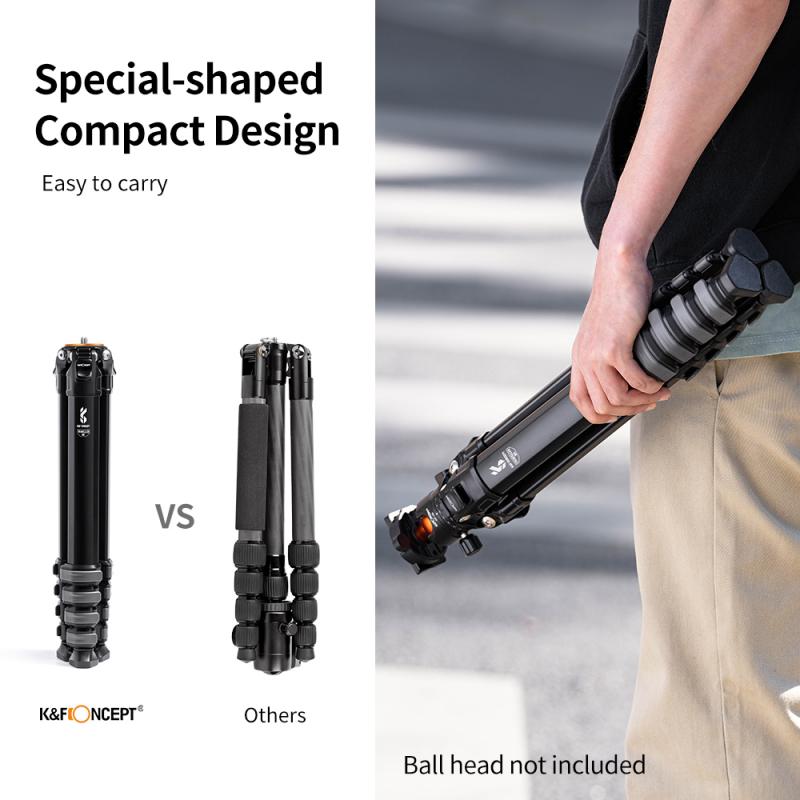

Tripod Compatibility and Webcam Mounting Considerations

Leave your comment
Cancel reply
Note: HTML is not translated!
Related products
Minolta A / Sony A Lenses to Nikon 1 Camera Mount Adapter with Tripod Mount
77
£38.99 £27.99
Minolta A / Sony A Lenses to Pentax Q Camera Mount Adapter with tripod mount
52
£37.99 £26.99
M42 Lenses to Minolta A / Sony A Camera Mount Adapter
59
£39.99
Minolta A / Sony A Lenses to Fuji X Mount Camera Adapter
36
£43.99 £35.99
Minolta A / Sony A Lenses to Pentax Q Camera Mount Adapter
52
£31.99 £22.99
Minolta A / Sony A Lenses to Leica M Camera Mount Adapter
49
£52.99
Minolta A / Sony A Lenses to Nikon Z Mount Camera Adapter
62
£55.99 £45.99
Minolta A / Sony A Lenses to Canon EOS M Camera Mount Adapter
56
£43.99 £31.50
Minolta A / Sony A Lenses to Canon EOS R Mount Camera Adapter
69
£55.99 £40.00
Sony A Mount Lenses to Sony E Mount Camera Adapter
139
£43.99 £32.99
Guess you like products
Replaceable cleaning pen set (cleaning pen + silicone head + APS-C cleaning stick*6) reddot design award
17
£49.00 £21.99
F91R 4K 60fps Touch Screen Action Camera, Underwater Waterproof Camera 170° Wide Angle WiFi Sports Cam with Accessories Kit
£71.99 £41.98
77MM CPL Filter 28 Layer Slim Circular Polarizing Filter Multi-coated Polarized MRC Filter
156
£52.99 £48.99
Fuji X100 Lens Hood+Lens Cap Compatible with Fuji X100, X100F, X100S, X100T, X100V, X100VI
21
£35.99 £29.99
72mm-82mm Magnetic Lens Filter Adapter Ring
8
£24.99
KM-D600H Golf Rangefinder with Slope, 6X Rechargeable Laser Rangefinder with Charging Cable, 1000 Yards Flag Lock, Slope On/Off, Continuous Scan Support - Tournament Legal Golf Rangefinder 1000M
7
£115.00 £72.99
52mm Black Mist 1/4 & CPL Filter 2 in 1 Black Diffusion Circular Polarizing Effect Filter with 18 Multi-Layer Coatings Nano-Klear Series
26
£27.99 £22.99
100mm Handheld Kaleidoscope Filter, Semicircular Special Effects Filter with 3pcs Vacuum Cleaning Cloths Nano-B Series
£32.99 £29.99
55mm Solar Filter 20-Stops,ND1000000 Solid Neutral Density Filter Solar Filter For Eclipse With 18 Multi-Layer Coatings For Dslr Camera Nano-Klear
25
£19.99 £17.99
Real-Time Translator Earbuds, 2-Way, 132 Languages/Accents, Voice/Video Call Translation, AI Note Taker, LCD Touchscreen Kentfaith
12
£74.99 £59.99
Related articles
How To Attach A Dslr To A Tripod ?
How To Attach A Camera To A Tripod ?
How To Attach A Gopro To A Tripod ?
How To Attach A Tripod To A Backpack ?
How To Attach A Camera To Axis Tripod ?
How To Attach A Mobile Tripod To Phone ?
How To Attach Tripod ?
How To Make A Camcorder A Webcam ?
How To Turn A Camcorder Into A Webcam ?
What Does The Military Use For Night Vision ?
Guess you like articles
How To Dispose Of Old Digital Cameras ?
Present For Someone Who Likes Photography ?
How Samsung Adapted To Changes In Market Environemnt ?
How To Clean Earwax From Airpods Mesh ?
How Long Do Uv Filters Take To Work ?
Sony Hdr-cx450 Camcorder What Memory Card ?
Pet Camera When Wifi Router Not Accessible ?
How To Connect Iegeek Camera To Wifi ?
How To Clean Microscope Lens Objective ?
Related categories
Sony A mount lens adapter​ accessories for a drone Sony E mount adapter variable ND and CPL filter​ Aluminum Tripod video tripod​ lightweight travel tripod mini camera tripod​ telephone tripod carbon filter camera tripod
Popular products
sony camera adapter minolta md to leica m adapter minolta nikon adapter canon adapter sony sony minolta mount sony a mount adapter sigma sony adapter sony AF a to E adapter lte security camera outdoor pentax q adapter
Related searches
Attach A Camera Strap Webcam On A Tripod Parts To A Telescope Things To Use As A Tripod Sony A To Ef Adapter Sony A Mount To E Minolta Md To A Mount M42 To Sony A Mount Sony A To Nex Adapter Sony A Mount To Canon
Blog Category
  • Camera Reviews
  • News & Reviews
    • News
  • Tutorials
    • Animal Photography
    • Food Photography
  • Inspiration
    • Travel
    • Travel Stories
    • Photography Tricks
Search Article
Latest from the Blog
Black Friday Offers by Kentfaith
Where To Set Up Trail Cameras?
How Deep Can Metal Detectors Detect Gold?
Do You Need ND Filters for Drone?
What Sd Card For Dslr Camera?
How to Choose Phone Tripod?
What Does Led Light Stand For?
Can You Use Wireless Earbuds In Car?
Dash Cam That Records When Vehicle Is Off?
Star Filter Review: Add Sparkle and Character to Your Shots
Powered By K&F Concept © 2025