kfconcept

K&F Concept UK
K&F Concept United Kingdom    Blog >

Enjoy Your Selected Digital Life

Recently Viewed
  • Recently Viewed
  • Recently Viewed list is empty.

Compare (0) 0
  • Compare
  • You have not chosen any products to compare.

  • Compare
Currency: GBP
  • Currency

Log Into Your Account

Account

Order History

Wish List

Login

Forgotten Password?

Or connect with

Register Account

Already have an Account?Log In

  • Shopping Cart
  • Your shopping cart is empty!

  • Register/Login to purchase, earn points
  • Favorite
  • Your wish list is empty.

  • Register/Login to like, earn points
  • Tripods
    • Aluminum Tripods
    • Carbon Fiber Tripods
    • Travel Tripods
    • Video Tripods
    • Monopods
    • Lightweight Tripods
    • Mini Tripod
    • Tripod Accessories
    • Gimbal Stabilizers
    • Tripod Head
    • Tripod Kit
    • Action Camera Mounts
    • Phone Tripods
    • Studio Parts
      • Camera Flash
      • Photography Fill Light
      • Ring light
      • Soft Box
      • Tripod Light Stands
      • Reflectors
    • Clearance Tripods
  • Lens Filters
    • UV Filters
      • Nano-Xcel Series
        • MCUV
        • Ultra-low Reflectivity MCUV Filters
        • MCUV Super Hard
        • Explosion-proof MCUV - Nano-Xcel
        • MCUV+Lens Cap+Cleaning Cloth
        • Super Hard&Ultra Low Reflection MCUV Filters - Nano-Xcel
        • MCUV - Magnetic Series
      • Nano-Dazzle Series
        • MCUV
        • MCUV+Lens Cap+Cleaning Cloth
      • Nano-Klear Series
        • MCUV
        • Ultra Thin Frame MCUV Filters
        • MCUV+Lens Cap+Cleaning Cloth
      • Nano-Xcel Pro Series
        • MCUV
    • CPL Filters
      • Nano-Xcel Series
        • CPL
        • CPL True Color
        • Ultra-low Reflectivity CPL
        • CPL+Lens Cap+Cleaning Cloth
        • Magnetic CPL
          • Magnetic CPL + Apater ring + Cap - Nano-X
        • True Color Ultra-low Reflectivity CPL - Nano-Xcel
      • Nano-Dazzle Series
        • CPL
        • CPL+Lens Cap+Cleaning Cloth - Nano-Dazzle
      • Nano-Klear Series
        • CPL
        • Ultra Thin Frame CPL Filters
        • CPL+Lens Cap+Cleaning Cloth
        • CPL+Lens Cap - Nano-Klear
      • Nano-Xcel Pro Series
        • CPL
    • Neutral Density Filters
      • Neutral Density (Solid) Filters
        • ND8 (3 stops) - Nano-Xcel Series
        • ND64 (6 stops) - Nano-Xcel Series
        • ND1000 (10 stops) - Nano-Xcel Series
        • ND100000 (16.6 stops) - Nano-Xcel Series
        • ND1000000 (20 stops) - Nano-Xcel Series
        • ND100000 (16.6 stops) - Nano-Klear Series
        • ND1000000 (20 stops) - Nano-Klear Series
        • Solid ND - Magnetic Series
      • Graduated Neutral Density
        • 100mm GND Filter
          • Soft GND8 Filters - Nano-Xcel Series
          • Hard GND8 Filters - Nano-Xcel Series
          • Reverse GND8 Filters - Nano-Xcel Series
          • Soft GND16 Filters - Nano-Xcel Series
          • Reverse GND16 Filters - Nano-Xcel Series
          • Soft GND8 Filters - Nano-Xcel Pro Series
          • Hard GND8 Filters - Nano-Xcel Pro Series
          • Reverse GND8 Filters - Nano-Xcel Pro Series
          • Soft GND16 Filters - Nano-Xcel Pro Series
          • Reverse GND16 Filters - Nano-Xcel Pro Series
        • Circular GND Filter
          • GND8
          • GND16
      • 2 in 1 Filters
        • ND2-ND32&CPL Filters - Nano-Xcel Series
        • ND2-ND32&CPL Filters - Nano Dazzle Series
        • ND2-32&CPL Filters - Nano-Klear Series
        • ND2-ND32&CPL Filter - Nano-X Pro
        • ND2-ND32&CPL True Color Filters - Nano-Xcel Series
        • ND4-ND64&CPL Filter
      • 3 in 1 Filters
        • ND2-32&CPL&Black Mist 1/4 Filters - Nano-Xcel Series
        • ND2-32&CPL&Black Mist 1/4 Filters - Nano-Klear Series
      • Variable Neutral Density
        • Nano-Xcel Series
          • ND2-ND32 - Nano-Xcel
          • ND2-ND32 True Color - Nano-Xcel
          • ND2-ND400 - Nano-Xcel
          • ND8-ND128 - Nano-Xcel
          • ND32-ND512 - Nano-Xcel
          • ND3-ND1000 - Nano-Xcel
          • ND2-32 True Color Ultra-Low Reflection - Nano-Xcel
          • ND2-400 Ultra-Low Reflection - Nano-Xcel
        • Nano-Dazzle Series
          • ND2-ND32 - Nano-Dazzle
          • ND2-ND400 - Nano-Dazzle
          • ND3-ND1000 - Nano-Dazzle
          • ND8-ND2000 - Nano-Dazzle
        • Nano-Klear Series
          • ND2-ND32 - Nano-Klear
          • ND2-ND400 - Nano-Klear
          • ND2-ND2000 - Nano-Klear
          • True Color ND2-ND400 - Nano-Klear
        • Nano-Xcel Pro Series
          • ND2-ND32 - Nano-Xcel Pro
        • Nano-B Series
          • ND2-ND400 - Nano-B
    • Black Mist & Soft Focus Filters
      • Black Mist Filters
        • Black Mist 1/8
          • Black Mist 1/8 - Nano-Xcel Series
          • Black Mist 1/8 - Nano-Dazzle Series
          • Black Mist 1/8 - Nano-Klear Series
          • Black Mist 1/8 - Nano-Xcel Pro Series
          • Black Mist 1/8+Lens Cap+Cleaning Cloth - Nano-Klear Series
        • Black Mist 1/4
          • Black Mist 1/4 - Nano-Xcel Series
          • Black Mist 1/4 - Nano-Dazzle Series
          • Black Mist 1/4 - Nano-Klear Series
          • Black Mist 1/4 - Nano-Xcel Pro Series
          • Black Mist 1/4+Lens Cap+Cleaning Cloth - Nano-Klear Series
        • Black Mist 1/2
          • Black Mist 1/2 - Nano-Xcel Series
          • Black Mist 1/2 - Nano-Klear Series
        • Black Mist 1
          • Black Mist 1 - Nano-Xcel Series
          • Black Mist 1 - Nano-Klear Series
        • Black Mist Kit
          • Black Mist 1/4 + 1/8 Nano Xcel Series
          • Black Mist 1/4 + 1/8 - Nano Klear Series
          • Black Mist 1/4 + CPL - Nano Klear Series
        • Black Mist & CPL
          • Black Mist 1/4&CPL - Nano-Klear Series
        • Black-Mist & VND
          • Black Mist 1/4 & ND2-32 Filters - Nano-Klear Series
          • Black Mist 1/4 & ND2-400 Filters - Nano-Xcel Series
          • Black Mist 1/4 & ND2-32 Filters - Nano-Xcel Series
          • Black Mist 1/8 & ND2-32 Filters - Nano-Klear Series
          • Black Mist 1/4 & ND2-400 Filters - Nano-Klear Series
      • White Mist Filters
        • White Mist 1/4 - Nano-Xcel Series
        • White Mist 1/4 - Nano-Klear Series
      • Shimmer Diffusion
        • Shimmer Diffusion 1 - Nano-Xcel Series
        • Shimmer Diffusion 1 - Nano-Klear Series
    • Light Pollution Cut Filter
      • Light Pollution Cut Filter - Circular
      • Light Pollution Cut Filter - Square
    • Magnetic Lens Filters
      • MCUV Filters
        • Magnetic MCUV - Nano-Klear Series
        • Magnetic MCUV+Lens Caps - Nano-Xcel Series
      • CPL Filters
        • Magnetic CPL + Adapter Ring
        • Magnetic CPL+Adapter Ring - Nano-Klear Series
      • Black-Mist
        • Black Mist 1/8 Filters - Nano-Xcel Series
        • Black Mist 1/4 Filters - Nano-Xcel Series
      • Neutral Density (Solid) Filter
        • Magnetic ND8 - Nano-Xcel Series
        • Magnetic ND64 - Nano-Xcel Series
        • Magnetic ND1000 - Nano-Xcel Series
      • Unlimited Variable ND Filter
        • Magnetic ND2-ND32 - Nano-Xcel Series
        • Magnetic ND8-ND128 Filters - Nano-Xcel Series
      • Accessories
        • Magnetic Adapter Ring
        • Magnetic Filter Ring
        • Magnetic Cap
      • Kits
        • MCUV+CPL+ND1000+Adapter Ring - Nano-Xcel Series
        • CPL+ND8+ND64+Adapter Ring+Lens Cap - Nano-Xcel Series
        • GND8+ND8+ND64+ND1000+Adapter Ring - Nano-Xcel Series
        • CPL+VND2-32+Black Mist 1/4+Magnetic Ring+Lens Cap - Nano-Xcel Series
    • Square Filter System
      • Basic System
        • Square ND Filters
          • ND4 Filters - Nano-Xcel Series
          • ND16 Filters - Nano-Xcel Series
          • ND1000 Filters - Nano-Xcel Series
          • ND2000 Filters - Nano-Xcel Series
          • ND32000 Filters - Nano-Xcel Series
          • Full Color ND8 Filters - Nano-Xcel Series
          • Full Color ND64 Filters - Nano-Xcel Series
        • Square GND Filters
        • Light Pollution Cut Filter
          • Light Pollution Cut Filter - Nano-Xcel Series
        • Square Black Mist Filters
          • Square Black Mist 1 - Nano-Xcel Series
          • Square Black Mist 1/4 - Nano-Xcel Series
          • Square Black Mist 1/8 - Nano-Xcel Series
        • Brackets and Accessories
          • Adapter Ring - Nano-Xcel Series
        • Kits
          • 100mm Square Filter System - Nano-Xcel Series
          • 100mm ND1000+Holder Kit - Nano-Xcel Series
          • 100mm ND1000+Soft GND8+Holder Kit - Nano-Xcel Series
          • 100mm Soft GND8+Holder Kit - Nano-Xcel Series
      • Professional System
        • ND
          • Full Color ND8 Filters - Nano-Xcel Pro Series
          • Full Color ND64 Filters - Nano-Xcel Pro Series
          • Full Color ND1000 Filters - Nano-Xcel Pro Series
        • GND
        • PL
        • Black Mist 1/4&CPL - Nano-Xcel Pro Series
        • Light Pollution Cut Filter
          • Light Pollution Cut Filter - Nano-Xcel Pro Series
        • Kits
          • 100mm ND1000+Holder Kit - Nano-Xcel Pro Series
          • 100mm ND1000+Soft GND8+Holder Kit - Nano-Xcel Pro Series
          • 100mm ND8+ND64+ND1000+Holder Kit - Nano-Xcel Pro Series
          • 100mm Holder Kit - Nano-Xcel Pro Series
        • Brackets and Accessories
          • 100x100mm Square Filter Protect Frame - Nano-Xcel Pro Series
          • 100x150mm Square Filter Protect Frame - Nano-Xcel Pro Series
          • Adapter Ring - Nano-Xcel Pro Series
    • Drone Filter
      • DJI Air 3S
      • DJI Avata2
      • DJI Flip
      • DJI Mavic 3 Pro
      • DJI NEO
      • DJI Mini 1/2/SE
      • DJI Mini 4 Pro Filters
      • DJI Mavic 3
      • DJI Mini 3 PRO
      • DJI Avata
      • DJI Mavic 4 Pro
      • DJI Mini 5 Pro
      • DJI Air 2S
    • Effects Filters
      • Prism Filters
        • Central Prism Filters
          • Central Pentagonal Filters - Nano-Basic Series
          • Central Hexagonal Filters - Nano-Basic Series
        • Ordinary Prism Filters
          • Triangular Filtres - Nano-Basic Series
        • Single Linear Prisms
      • Streak Filters
        • Blue Streak Filters - Nano-Xcel Series
        • Gold Streak Filters - Nano-Xcel Series
        • Colorful Streak Filters - Nano-B Series
        • Blue Streak Filters - Nano-Klear Series
      • Star Filter
        • Star Filters 4-8 Points - Nano-Klear Series
        • Star Filter Kits 4+6+8 Points - Nano-Klear Series
        • 4-Point Fine-Line Star Filters - Nano-Klear Series
        • 6-Point Fine-Line Star Filters - Nano-Klear Series
      • Kaleidoscope Filters
        • Kaleidoscope Filters - Nano-Basic Series
        • Handheld Kaleidoscope Filters - Nano-B Series
      • Motion Blur Filters
        • Directional Motion Blur - Nano-Basic Series
        • Bidirectional Motion Blur - Nano-Basic Series
        • Handheld Motion Blur Filters - Nano-Basic Series
      • Spiral Filters
        • Spiral Halo Filters - Nano-B Series
        • Handheld Spiral Filters - Nano-Basic Series
      • Diopter Filters
        • Centerfield Split Diopter Filters - Nano-Basic Series
        • Handheld Diopter Filters - Nano-Basic Series
    • Filter Accessories
      • Lens Hoods
      • Rings Kits
        • Step Up Rings
        • Step Down Rings
      • Filter Holders & Frames
      • Filter Holder Adapter Rings
        • Filter Adapter Rings
      • Filter Pouches
      • Lens Caps
        • Caps for Magnetic Filters
        • Caps for Variable ND Filters
        • Anti-lost Lens Cap
          • 4 in 1
          • 5 in 1
          • 9 in 1
      • Polarized Film
    • Filter Kit
      • Black Diffusion 1/4 + 1/8
      • Screw-In Filters
        • MCUV+CPL Filter - Nano-Klear Series
        • MCUV+CPL+Lens Cap - Nano-Klear Series
        • MCUV+CPL+Metal Lens Cap - Nano-Xcel Series
        • MCUV+CPL+ND1000+Lens Cap - Nano-Dazzle Series
        • MCUV+CPL+ND2-400 - Nano-Klear Series
        • ND8+ND64+ND1000 - Nano-Dazzle Series
        • MCUV+CPL+ND4 - Nano-Klear Series
        • ND1000+CPL - Nano-Klear Series
        • ND4+ND8+ND64+ND1000 - Nano-Xcel Series
        • MCUV+CPL
      • Magnetic Filters
      • Square Filters
    • Action Camera Filters
      • DJI Osmo Action 4 / Action 5 Pro
      • DJI Osmo Action 6
      • DJI Osmo Nano
      • DJI Osmo Pocket 3
      • GoPro HERO 4K
      • GOPRO Hero 9/10/11/12/13 Filters
      • Insta360 Ace pro 2
      • Insta360 Go Ultra
      • Insta360 GO3
      • Insta360 GO3S
      • Action Camera Accessories
        • DJI Osmo Action 3/4/5 Pro
        • Head Strap & Chest Mount
        • Insta360 X5
        • Magnetic Neck Mount
        • DJI Osmo 360
        • DJI Osmo Pocket 3 Charging Base
        • DJI Osmo Pocket 3
    • Phone Lens Filters
    • Matte Box & Filter Systems
      • Neutral Density (Solid) Filters
        • ND4 - Nano-Xcel Series
        • ND8 - Nano-Xcel Series
        • ND16 - Nano-Xcel Series
        • ND32 - Nano-Xcel Series
        • ND64 - Nano-Xcel Series
        • ND8+ND64 - Nano-Xcel Series
      • UV Filters
      • Black Mist Filters
        • Black Mist 1/4 - Nano-Xcel Series
        • Black Mist 1/8 - Nano-Xcel Series
      • Blue Streak Filters
      • Accessories
      • Kits
        • Matte Box - Nano-Xcel Series
        • Matte Box Pro - Nano-Xcel Series
        • Matte Box+ND8 Square Filter - Nano-Xcel Series
        • Matte Box+ND4+ND32 Square Filter - Nano-Xcel Series
        • Matte Box+Black Mist 1/4 Square Filter - Nano-Xcel Series
    • Brand-specific Filters
      • Fujifilm X100
      • Ricoh GR
  • Lens Adapters
    • PL Mount Lenses
    • A Mount Body(Sony/Minolta)
    • Fujifilm X Mount Body
    • Fujifilm G (GFX) Mount Body
    • C-Mount Body
    • Leica M Mount Body
    • MFT(M4/3) Mount Body
    • Pentax K Mount Body
    • Pentax Q Mount Body
    • Samsung NX Mount Body
    • Nikon F Mount Body
    • Nikon 1 Mount Body
    • Nikon Z Mount Body
    • Canon EOS EF/EF-S Mount Body
    • Canon EOS M Mount Body
    • Canon RF Mount Body
    • Sony E Mount Body
    • L-Mount Alliance (Leica)
  • Camera
    • Digital Camera & Camcorders
      • Digital Cameras & Camcorders
      • Underwater Cameras
      • Action Cameras
      • Kids’ Cameras
      • Time lapse camera
    • Wildlife Camera
      • Wifi Trail Cameras
      • Non-Cellular Trail Cameras
      • Accessories
      • Cellular Trail Cameras
    • Surveillance Cameras
      • 4G Camera
      • Battery Camera
      • Baby Monitor
      • WiFi Camera
      • Feeder Camera
      • Floodlight camera
      • Monitoring Detector
    • Camera Lenses
    • On-Dash Camera
    • Fishing camera
    • Memory Cards
      • Micro SD Card
      • SD Card
    • Camera Accessories
      • Camera Caps
      • Camera Screen Protectors
        • Canon
        • Sony
        • Fujifilm
        • Nikon
        • Olympus
        • Ricoh
        • GoPro
        • DJI Osmo Pocket 3
      • Camera Hot Shoe Covers
      • Camera Viewfinder Eyecups
        • Nikon
        • Sony
        • Canon
      • Adjustment Iris
  • Camera Bags
    • Camera Backpacks
    • Camera Shoulder Bags
    • Camera Cases
    • Digital Storage Bag
    • Lens Cases
    • Camera Straps
    • Backpack Accessories
  • Camera Battery
    • Sony
    • Canon
    • Nikon
    • FUJIFILM
    • Ricoh
    • Gopro
    • Osmo Action
    • Lumix
    • V Mount Battery
    • Memory Card Case
  • Optics
    • Microscope
      • Optical Microscope
      • Digital Microscope
      • Kids' Microscopes
    • Binoculars
    • Monocular
    • Telescope
    • Night Vision Goggles
    • Rangefinder
  • Endoscope
    • Professional Endoscope
    • Household Endoscope
    • Portable Endoscope
    • Otoscope/Oral Endoscope
  • More
    • Cleaning Kits
    • Digital Voice Recorders
    • Language Translator Device
    • Smart Glasses
    • Metal Detectors
    • Light
      • Video fill light
      • Live Ring Light
      • Outdoor Lighting
    • Motorcycle Bluetooth Headset
    • Laser Engraver Machine
    • Headphones
    • Weather Station & Household Sensors
    • Microphone
    • Drone Accessories
      • DJI Air 2S Accessories
      • DJI Air 3 Accessories
      • DJI Avata Accessories
      • DJI Drone Universal Accessories
      • DJI Mavic Mini 2/Mini 2 SE/Mini Accessories
      • DJI Mavic Mini 3 Accessories
      • DJI Mini 3 Pro Accessories
    • Smart Watch
    • Smart lock
    • Studio
    • Solar Panels
  • Deals
    • Specials
    • Coupon
    • New Arrivals
  • Home
  • Blog
  • How To Copy Negatives With A Digital Camera ?

How To Copy Negatives With A Digital Camera ?

K&f concept 2023-11-23 11:02:55 0 Comments

To copy negatives with a digital camera, you will need a light source, a negative holder, and a digital camera with a macro lens or a lens capable of close-up photography. Set up the light source behind the negative, ensuring it evenly illuminates the entire frame. Place the negative in a negative holder to keep it flat and steady. Position your digital camera on a tripod or stable surface, and adjust the settings for proper exposure and focus. Align the camera with the negative, making sure it is parallel and centered. Take a photo of the negative, ensuring the entire frame is captured. Transfer the image to a computer and use photo editing software to invert the colors and make any necessary adjustments.

1、 Understanding the basics of negative scanning with a digital camera

Understanding the basics of negative scanning with a digital camera

Negative scanning with a digital camera is a convenient and cost-effective way to convert your film negatives into digital files. Here are the steps to copy negatives using a digital camera:

1. Gather the necessary equipment: You will need a digital camera with a macro lens or a dedicated film scanner attachment, a light source such as a lightbox or a window, a tripod, and a computer with photo editing software.

2. Set up your workspace: Find a well-lit area with a stable surface for your camera and negatives. Ensure that the light source is evenly illuminating the negatives.

3. Clean the negatives: Use a soft brush or compressed air to remove any dust or debris from the negatives. This will help ensure a clean and clear scan.

4. Position the negatives: Place the negatives on the light source, emulsion side up. Use a negative holder or a glass plate to keep them flat and prevent them from moving during the scanning process.

5. Set up your camera: Mount your camera on a tripod and position it directly above the negatives. Adjust the camera settings to capture the best possible image, such as using a low ISO, a small aperture for increased depth of field, and a longer shutter speed to avoid noise.

6. Capture the image: Use the camera's live view function to preview and focus on the negatives. Take multiple shots of each negative, adjusting the focus and exposure as needed.

7. Transfer and edit the images: Transfer the captured images to your computer and import them into your preferred photo editing software. Adjust the levels, colors, and sharpness to enhance the scanned negatives.

8. Save and archive: Save the edited images in a high-quality format such as TIFF or RAW to preserve the details and allow for further editing if needed. Organize and backup your digital negatives for future use.

It's important to note that the latest point of view on negative scanning with a digital camera is that it can produce satisfactory results for personal use or online sharing. However, for professional or archival purposes, dedicated film scanners are still considered the best option as they offer higher resolution and more advanced features specifically designed for negative scanning.
Understanding the basics of negative scanning with a digital camera

2、 Choosing the right equipment for copying negatives with a digital camera

Choosing the right equipment for copying negatives with a digital camera is essential to ensure accurate and high-quality results. Here's a guide on how to copy negatives with a digital camera:

1. Camera: Select a digital camera with a high-resolution sensor and manual controls. A camera with at least 12 megapixels is recommended to capture fine details.

2. Lens: Use a macro lens or a lens with a close focusing distance to capture the negatives with maximum sharpness and detail. A lens with a focal length between 50mm and 100mm is ideal for this purpose.

3. Lighting: Set up a light source that provides even illumination across the negative. Avoid using direct sunlight as it can cause reflections and uneven lighting. A lightbox or a light table specifically designed for negative copying can be used.

4. Negative Holder: Use a negative holder or a film holder to keep the negatives flat and in position during the copying process. This helps to prevent any movement or distortion.

5. Tripod: Mount your camera on a sturdy tripod to eliminate camera shake and ensure stability. This is crucial for capturing sharp and clear images of the negatives.

6. Settings: Set your camera to manual mode to have full control over exposure, focus, and white balance. Adjust the ISO to the lowest possible setting to minimize noise.

7. Post-processing: After capturing the negatives, transfer the images to a computer and use photo editing software to invert the colors and make any necessary adjustments. This will convert the negatives into positive images.

It's worth noting that advancements in technology have led to the development of specialized negative scanners that offer more convenience and efficiency in copying negatives. These scanners often come with software that automatically converts the negatives into positive images, saving time and effort.

In conclusion, choosing the right equipment and following the steps mentioned above will help you copy negatives with a digital camera effectively. However, considering the latest advancements in negative scanning technology may provide an even more efficient and streamlined process.
Choosing the right equipment for copying negatives with a digital camera

3、 Setting up proper lighting and positioning for negative copying

To copy negatives with a digital camera, there are a few key steps to follow. The first step is to set up proper lighting and positioning for the negative copying process. This is crucial to ensure accurate reproduction of the original image.

Proper lighting is essential to eliminate any glare or reflections on the negative. It is recommended to use diffused light sources, such as softboxes or light tents, to evenly illuminate the negative. This helps to capture the details and colors accurately. Additionally, positioning the light sources at a 45-degree angle to the negative helps to minimize any unwanted shadows.

Next, position the negative correctly. It should be placed flat on a light table or a lightbox specifically designed for negative copying. This ensures that the negative remains in focus and prevents any distortion during the copying process.

Once the lighting and positioning are set up, it's time to capture the image using a digital camera. Place the camera on a tripod to avoid any camera shake and ensure sharp images. Adjust the camera settings to capture the negative accurately. This includes setting the ISO to the lowest possible value, using a small aperture for maximum depth of field, and adjusting the shutter speed accordingly.

It is worth noting that advancements in technology have made negative copying easier and more efficient. Some digital cameras now come with built-in negative scanning capabilities, allowing for direct copying without the need for additional equipment. These cameras often have dedicated modes or settings specifically designed for negative copying, making the process even more straightforward.

In conclusion, setting up proper lighting and positioning for negative copying is crucial to achieve accurate and high-quality results. With the latest advancements in digital camera technology, the process has become more accessible and efficient, making it easier for photographers and enthusiasts to preserve and digitize their negatives.
Setting up proper lighting and positioning for negative copying

4、 Adjusting camera settings for optimal negative reproduction

To copy negatives with a digital camera, there are a few steps you can follow to ensure optimal reproduction.

1. Set up a proper workspace: Find a well-lit area with a neutral background to minimize reflections and color casts. Use a tripod to keep the camera steady and level.

2. Clean the negatives: Use compressed air or a soft brush to remove any dust or debris from the negatives. This will help prevent unwanted artifacts in the final image.

3. Adjust camera settings: Set the camera to manual mode to have full control over the exposure. Start by setting a low ISO to minimize noise. Use a small aperture (high f-stop) to maximize depth of field and ensure sharpness throughout the negative. Adjust the shutter speed to achieve a proper exposure.

4. Use a light source: Place the negatives on a light table or use a backlighting device specifically designed for negative reproduction. This will help illuminate the negatives evenly and reveal the details.

5. Focus and frame: Use the camera's autofocus or manual focus to ensure the negatives are sharp. Frame the negative within the camera's viewfinder or LCD screen, making sure to include the entire image without any cropping.

6. Capture the image: Use the camera's self-timer or a remote shutter release to minimize camera shake when capturing the image. Take multiple shots to increase the chances of getting a perfectly exposed and focused image.

7. Post-processing: Transfer the captured images to a computer and use photo editing software to invert the negatives into positive images. Adjust the levels, contrast, and color balance as needed to achieve the desired result.

It's worth noting that advancements in technology have led to the development of specialized film scanners that can provide higher-quality negative reproductions compared to using a digital camera. However, if you don't have access to a film scanner, following the steps above can still yield satisfactory results.

Adjusting camera settings for optimal negative reproduction

Leave your comment
Cancel reply
Note: HTML is not translated!
Related products
Minolta A / Sony A Lenses to Nikon 1 Camera Mount Adapter with Tripod Mount
77
£38.99 £27.99
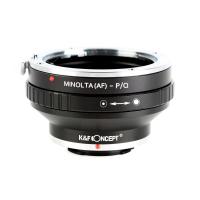
Minolta A / Sony A Lenses to Pentax Q Camera Mount Adapter with tripod mount
52
£37.99 £26.99
M42 Lenses to Minolta A / Sony A Camera Mount Adapter
59
£39.99
Minolta A / Sony A Lenses to Fuji X Mount Camera Adapter
36
£43.99 £35.99
Minolta A / Sony A Lenses to Pentax Q Camera Mount Adapter
52
£31.99 £22.99
Minolta A / Sony A Lenses to Leica M Camera Mount Adapter
49
£52.99
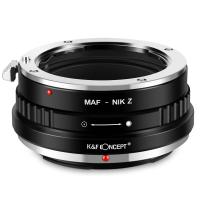
Minolta A / Sony A Lenses to Nikon Z Mount Camera Adapter
62
£55.99 £45.99
Minolta A / Sony A Lenses to Canon EOS M Camera Mount Adapter
56
£43.99 £31.50
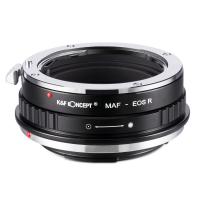
Minolta A / Sony A Lenses to Canon EOS R Mount Camera Adapter
69
£55.99 £40.00
Sony A Mount Lenses to Sony E Mount Camera Adapter
139
£43.99 £32.99
Guess you like products
72mm Variable ND2-ND400 Filter+ Cleaning Cloth+ Filter Cap
18
£57.99 £35.99
70 inch Solar Tripod Carbon Fiber Travel Tripod Max Height 33lbs Load For Eclipse
£270.83 £225.99
52mm MCUV Filter ultra-thin Trapezoid Patterned Frame Coating with a Vacuum Cleaning Cloth Nano-Klear
90
£16.99 £9.99
Adult professional metal detector, professional treasure hunting gold detector, IP68 waterproof 10 inch detection plate, high-precision Kentfaith
57
£114.99 £106.99
10.1-inch IPS high-definition display HDMI digital electron microscope, 10-1300 magnification, HDMI on screen display, with wireless infrared remote control, compatible with PC
35
£207.99 £165.99
SNDWAY SW-1500A Golf Rangefinder Telescope Rangefinder Distance Measuring Angle Measuring Altitude Measuring Speed Support Flagpole Locking Naked Eye Focusing 1500m Measuring Distance
16
£199.00 £133.99
82mm Black Diffusion Mist Effect 1/4 & Variable ND2-32(1-5 Stops) & Circular Polarizing Filter CPL 3 in 1 Lens Filter with 18 Multi-Coatings Nano-Klear Series
38
£53.27 £49.99
Olympus OM Lenses to Sony E Lens Mount Adapter K&F Concept M16101 Lens Adapter
125
£32.99 £23.99
62mm Black Diffusion Mist Effect 1/4 & Variable ND2-32(1-5 Stops) & Circular Polarizing Filter CPL 3 in 1 Lens Filter with 18 Multi-Coatings Nano-Klear Series
38
£41.28 £37.99
K&F Concept Square ND16 Filter, 100 * 100 * 2mm Neutral Density Filters Multi-Coated Glass Waterproof 4 f-stop Gray ND
172
£88.99 £59.99
Related articles
How To Copy Negatives With Digital Camera ?
How To Photograph Negatives With Digital Camera ?
How To Copy 35mm Slides With Digital Camera ?
How To Clean Film Negatives ?
How To Make A Digital Camera With Paper ?
How To Make A Digital Camera With Cardboard ?
How To Photograph Documents With A Digital Camera ?
How To Copy Camera Raw Filter Attributes ?
How To Copy Camcorder Tapes To Computer ?
Which Lens In Microscope ?
Guess you like articles
How To Compare Digital Camera Processor Speed ?
How Much Is Digital Camera World Magazine ?
How To Make A Microscope With A Bottle ?
How To Connect Crosstour Camera To Wifi ?
How Does A Non Laser Rangefinder Work ?
How To Connect Multiple Wifi Cameras ?
How To See Onion Cells Under Microscope ?
Are Ear Cleaning Endoscopes Safe ?
Which Compact Digital Camera To Buy ?
What Uv Filter For Fuji Xt3 ?
Related categories
digital Microscope UK digital video camera Camera Accessories bird feeder with camera UK digital microscope UK Bluetooth earphones and mic Sony A mount lens adapter​ accessories for a drone microscope with screen mini recording device
Popular products
sony camera adapter minolta md to leica m adapter minolta nikon adapter canon adapter sony sony minolta mount sony a mount adapter sigma sony adapter digital video microscope digital camera vlogging sony AF a to E adapter
Related searches
Instant Camera With Digital Copy Disposable Camera Digital Copy Copy Stand For Digital Camera Copy Stand With Lights Copy Stands For Digital Cameras Digital Camera With A Flip Screen Scanning Film With A Digital Camera Photo Copy Stand With Lights A Digital Video Camera Choose A Digital Camera
Blog Category
  • Camera Reviews
  • News & Reviews
    • News
  • Tutorials
    • Animal Photography
    • Food Photography
  • Inspiration
    • Travel
    • Travel Stories
    • Photography Tricks
Search Article
Latest from the Blog
How to Choose Phone Tripod?
How Do Wireless Outdoor Security Cameras Work?
Where Can You Use a Metal Detector?
What Does Rgb Stand For In Led Lights?
How To Hide Gold From Metal Detector?
How To Setup Wireless Mini Video Camera?
Do You Need ND Filters for Drone?
How Bright Is A Red Light Camera Flash?
Digital Cameras That Can Go Underwater?
How To Mount Go Pro On Tripod?
Powered By K&F Concept © 2025