kfconcept

K&F Concept UK
K&F Concept United Kingdom    Blog >

Enjoy Your Selected Digital Life

Recently Viewed
  • Recently Viewed
  • 55mm Variable Lens Filter ND32-ND512 No X Spot Cross-wire Ultra-thin Nano-Xcel Series
    55mm Variable Lens Filter ND32-ND512 No X Spot Cross-wire Ultra-thin Nano-Xcel Series
    £42.99
    82mm Microlight Mirror,shimmer diffusion,Optical Glass, Ultra-Clear, Anti-scratch Glimmer Glass Anti-reflection Waterproof Green Film Nano-Xcel Series
    82mm Microlight Mirror,shimmer diffusion,Optical Glass, Ultra-Clear, Anti-scratch Glimmer Glass Anti-reflection Waterproof Green Film Nano-Xcel Series
    £89.99
Compare (0) 0
  • Compare
  • You have not chosen any products to compare.

  • Compare
Currency: GBP
  • Currency

Log Into Your Account

Account

Order History

Wish List

Login

Forgotten Password?

Or connect with

Register Account

Already have an Account?Log In

  • Shopping Cart
  • Your shopping cart is empty!

  • Register/Login to purchase, earn points
  • Favorite
  • Your wish list is empty.

  • Register/Login to like, earn points
  • Tripods
    • Aluminum Tripods
    • Carbon Fiber Tripods
    • Travel Tripods
    • Video Tripods
    • Monopods
    • Lightweight Tripods
    • Mini Tripod
    • Tripod Accessories
    • Gimbal Stabilizers
    • Tripod Head
    • Tripod Kit
    • Action Camera Mounts
    • Phone Tripods
    • Studio Parts
      • Camera Flash
      • Photography Fill Light
      • Ring light
      • Soft Box
      • Tripod Light Stands
      • Reflectors
    • Clearance Tripods
  • Lens Filters
    • UV Filters
      • Nano-Xcel Series
        • MCUV
        • Ultra-low Reflectivity MCUV Filters
        • MCUV Super Hard
        • Explosion-proof MCUV - Nano-Xcel
        • MCUV+Lens Cap+Cleaning Cloth
        • Super Hard&Ultra Low Reflection MCUV Filters - Nano-Xcel
        • MCUV - Magnetic Series
      • Nano-Dazzle Series
        • MCUV
        • MCUV+Lens Cap+Cleaning Cloth
      • Nano-Klear Series
        • MCUV
        • Ultra Thin Frame MCUV Filters
        • MCUV+Lens Cap+Cleaning Cloth
      • Nano-Xcel Pro Series
        • MCUV
    • CPL Filters
      • Nano-Xcel Series
        • CPL
        • CPL True Color
        • Ultra-low Reflectivity CPL
        • CPL+Lens Cap+Cleaning Cloth
        • Magnetic CPL
          • Magnetic CPL + Apater ring + Cap - Nano-X
        • True Color Ultra-low Reflectivity CPL - Nano-Xcel
      • Nano-Dazzle Series
        • CPL
        • CPL+Lens Cap+Cleaning Cloth - Nano-Dazzle
      • Nano-Klear Series
        • CPL
        • Ultra Thin Frame CPL Filters
        • CPL+Lens Cap+Cleaning Cloth
        • CPL+Lens Cap - Nano-Klear
      • Nano-Xcel Pro Series
        • CPL
    • Neutral Density Filters
      • Neutral Density (Solid) Filters
        • ND8 (3 stops) - Nano-Xcel Series
        • ND64 (6 stops) - Nano-Xcel Series
        • ND1000 (10 stops) - Nano-Xcel Series
        • ND100000 (16.6 stops) - Nano-Xcel Series
        • ND1000000 (20 stops) - Nano-Xcel Series
        • ND100000 (16.6 stops) - Nano-Klear Series
        • ND1000000 (20 stops) - Nano-Klear Series
        • Solid ND - Magnetic Series
      • Graduated Neutral Density
        • 100mm GND Filter
          • Soft GND8 Filters - Nano-Xcel Series
          • Hard GND8 Filters - Nano-Xcel Series
          • Reverse GND8 Filters - Nano-Xcel Series
          • Soft GND16 Filters - Nano-Xcel Series
          • Reverse GND16 Filters - Nano-Xcel Series
          • Soft GND8 Filters - Nano-Xcel Pro Series
          • Hard GND8 Filters - Nano-Xcel Pro Series
          • Reverse GND8 Filters - Nano-Xcel Pro Series
          • Soft GND16 Filters - Nano-Xcel Pro Series
          • Reverse GND16 Filters - Nano-Xcel Pro Series
        • Circular GND Filter
          • GND8
          • GND16
      • 2 in 1 Filters
        • ND2-ND32&CPL Filters - Nano-Xcel Series
        • ND2-ND32&CPL Filters - Nano Dazzle Series
        • ND2-32&CPL Filters - Nano-Klear Series
        • ND2-ND32&CPL Filter - Nano-X Pro
        • ND2-ND32&CPL True Color Filters - Nano-Xcel Series
        • ND4-ND64&CPL Filter
      • 3 in 1 Filters
        • ND2-32&CPL&Black Mist 1/4 Filters - Nano-Xcel Series
        • ND2-32&CPL&Black Mist 1/4 Filters - Nano-Klear Series
      • Variable Neutral Density
        • Nano-Xcel Series
          • ND2-ND32 - Nano-Xcel
          • ND2-ND32 True Color - Nano-Xcel
          • ND2-ND400 - Nano-Xcel
          • ND8-ND128 - Nano-Xcel
          • ND32-ND512 - Nano-Xcel
          • ND3-ND1000 - Nano-Xcel
          • ND2-32 True Color Ultra-Low Reflection - Nano-Xcel
          • ND2-400 Ultra-Low Reflection - Nano-Xcel
        • Nano-Dazzle Series
          • ND2-ND32 - Nano-Dazzle
          • ND2-ND400 - Nano-Dazzle
          • ND3-ND1000 - Nano-Dazzle
          • ND8-ND2000 - Nano-Dazzle
        • Nano-Klear Series
          • ND2-ND32 - Nano-Klear
          • ND2-ND400 - Nano-Klear
          • ND2-ND2000 - Nano-Klear
          • True Color ND2-ND400 - Nano-Klear
        • Nano-Xcel Pro Series
          • ND2-ND32 - Nano-Xcel Pro
        • Nano-B Series
          • ND2-ND400 - Nano-B
    • Black Mist & Soft Focus Filters
      • Black Mist Filters
        • Black Mist 1/8
          • Black Mist 1/8 - Nano-Xcel Series
          • Black Mist 1/8 - Nano-Dazzle Series
          • Black Mist 1/8 - Nano-Klear Series
          • Black Mist 1/8 - Nano-Xcel Pro Series
          • Black Mist 1/8+Lens Cap+Cleaning Cloth - Nano-Klear Series
        • Black Mist 1/4
          • Black Mist 1/4 - Nano-Xcel Series
          • Black Mist 1/4 - Nano-Dazzle Series
          • Black Mist 1/4 - Nano-Klear Series
          • Black Mist 1/4 - Nano-Xcel Pro Series
          • Black Mist 1/4+Lens Cap+Cleaning Cloth - Nano-Klear Series
        • Black Mist 1/2
          • Black Mist 1/2 - Nano-Xcel Series
          • Black Mist 1/2 - Nano-Klear Series
        • Black Mist 1
          • Black Mist 1 - Nano-Xcel Series
          • Black Mist 1 - Nano-Klear Series
        • Black Mist Kit
          • Black Mist 1/4 + 1/8 Nano Xcel Series
          • Black Mist 1/4 + 1/8 - Nano Klear Series
          • Black Mist 1/4 + CPL - Nano Klear Series
        • Black Mist & CPL
          • Black Mist 1/4&CPL - Nano-Klear Series
        • Black-Mist & VND
          • Black Mist 1/4 & ND2-32 Filters - Nano-Klear Series
          • Black Mist 1/4 & ND2-400 Filters - Nano-Xcel Series
          • Black Mist 1/4 & ND2-32 Filters - Nano-Xcel Series
          • Black Mist 1/8 & ND2-32 Filters - Nano-Klear Series
          • Black Mist 1/4 & ND2-400 Filters - Nano-Klear Series
      • White Mist Filters
        • White Mist 1/4 - Nano-Xcel Series
        • White Mist 1/4 - Nano-Klear Series
      • Shimmer Diffusion
        • Shimmer Diffusion 1 - Nano-Xcel Series
        • Shimmer Diffusion 1 - Nano-Klear Series
    • Light Pollution Cut Filter
      • Light Pollution Cut Filter - Circular
      • Light Pollution Cut Filter - Square
    • Magnetic Lens Filters
      • MCUV Filters
        • Magnetic MCUV - Nano-Klear Series
        • Magnetic MCUV+Lens Caps - Nano-Xcel Series
      • CPL Filters
        • Magnetic CPL + Adapter Ring
        • Magnetic CPL+Adapter Ring - Nano-Klear Series
      • Black-Mist
        • Black Mist 1/8 Filters - Nano-Xcel Series
        • Black Mist 1/4 Filters - Nano-Xcel Series
      • Neutral Density (Solid) Filter
        • Magnetic ND8 - Nano-Xcel Series
        • Magnetic ND64 - Nano-Xcel Series
        • Magnetic ND1000 - Nano-Xcel Series
      • Unlimited Variable ND Filter
        • Magnetic ND2-ND32 - Nano-Xcel Series
        • Magnetic ND8-ND128 Filters - Nano-Xcel Series
      • Accessories
        • Magnetic Adapter Ring
        • Magnetic Filter Ring
        • Magnetic Cap
      • Kits
        • MCUV+CPL+ND1000+Adapter Ring - Nano-Xcel Series
        • CPL+ND8+ND64+Adapter Ring+Lens Cap - Nano-Xcel Series
        • GND8+ND8+ND64+ND1000+Adapter Ring - Nano-Xcel Series
        • CPL+VND2-32+Black Mist 1/4+Magnetic Ring+Lens Cap - Nano-Xcel Series
    • Square Filter System
      • Basic System
        • Square ND Filters
          • ND4 Filters - Nano-Xcel Series
          • ND16 Filters - Nano-Xcel Series
          • ND1000 Filters - Nano-Xcel Series
          • ND2000 Filters - Nano-Xcel Series
          • ND32000 Filters - Nano-Xcel Series
          • Full Color ND8 Filters - Nano-Xcel Series
          • Full Color ND64 Filters - Nano-Xcel Series
        • Square GND Filters
        • Light Pollution Cut Filter
          • Light Pollution Cut Filter - Nano-Xcel Series
        • Square Black Mist Filters
          • Square Black Mist 1 - Nano-Xcel Series
          • Square Black Mist 1/4 - Nano-Xcel Series
          • Square Black Mist 1/8 - Nano-Xcel Series
        • Brackets and Accessories
          • Adapter Ring - Nano-Xcel Series
        • Kits
          • 100mm Square Filter System - Nano-Xcel Series
          • 100mm ND1000+Holder Kit - Nano-Xcel Series
          • 100mm ND1000+Soft GND8+Holder Kit - Nano-Xcel Series
          • 100mm Soft GND8+Holder Kit - Nano-Xcel Series
      • Professional System
        • ND
          • Full Color ND8 Filters - Nano-Xcel Pro Series
          • Full Color ND64 Filters - Nano-Xcel Pro Series
          • Full Color ND1000 Filters - Nano-Xcel Pro Series
        • GND
        • PL
        • Black Mist 1/4&CPL - Nano-Xcel Pro Series
        • Light Pollution Cut Filter
          • Light Pollution Cut Filter - Nano-Xcel Pro Series
        • Kits
          • 100mm ND1000+Holder Kit - Nano-Xcel Pro Series
          • 100mm ND1000+Soft GND8+Holder Kit - Nano-Xcel Pro Series
          • 100mm ND8+ND64+ND1000+Holder Kit - Nano-Xcel Pro Series
          • 100mm Holder Kit - Nano-Xcel Pro Series
        • Brackets and Accessories
          • 100x100mm Square Filter Protect Frame - Nano-Xcel Pro Series
          • 100x150mm Square Filter Protect Frame - Nano-Xcel Pro Series
          • Adapter Ring - Nano-Xcel Pro Series
    • Drone Filter
      • DJI Air 3S
      • DJI Avata2
      • DJI Flip
      • DJI Mavic 3 Pro
      • DJI NEO
      • DJI Mini 1/2/SE
      • DJI Mini 4 Pro Filters
      • DJI Mavic 3
      • DJI Mini 3 PRO
      • DJI Avata
      • DJI Mavic 4 Pro
      • DJI Mini 5 Pro
      • DJI Air 2S
    • Effects Filters
      • Prism Filters
        • Central Prism Filters
          • Central Pentagonal Filters - Nano-Basic Series
          • Central Hexagonal Filters - Nano-Basic Series
        • Ordinary Prism Filters
          • Triangular Filtres - Nano-Basic Series
        • Single Linear Prisms
      • Streak Filters
        • Blue Streak Filters - Nano-Xcel Series
        • Gold Streak Filters - Nano-Xcel Series
        • Colorful Streak Filters - Nano-B Series
        • Blue Streak Filters - Nano-Klear Series
      • Star Filter
        • Star Filters 4-8 Points - Nano-Klear Series
        • Star Filter Kits 4+6+8 Points - Nano-Klear Series
        • 4-Point Fine-Line Star Filters - Nano-Klear Series
        • 6-Point Fine-Line Star Filters - Nano-Klear Series
      • Kaleidoscope Filters
        • Kaleidoscope Filters - Nano-Basic Series
        • Handheld Kaleidoscope Filters - Nano-B Series
      • Motion Blur Filters
        • Directional Motion Blur - Nano-Basic Series
        • Bidirectional Motion Blur - Nano-Basic Series
        • Handheld Motion Blur Filters - Nano-Basic Series
      • Spiral Filters
        • Spiral Halo Filters - Nano-B Series
        • Handheld Spiral Filters - Nano-Basic Series
      • Diopter Filters
        • Centerfield Split Diopter Filters - Nano-Basic Series
        • Handheld Diopter Filters - Nano-Basic Series
    • Filter Accessories
      • Lens Hoods
      • Rings Kits
        • Step Up Rings
        • Step Down Rings
      • Filter Holders & Frames
      • Filter Holder Adapter Rings
        • Filter Adapter Rings
      • Filter Pouches
      • Lens Caps
        • Caps for Magnetic Filters
        • Caps for Variable ND Filters
        • Anti-lost Lens Cap
          • 4 in 1
          • 5 in 1
          • 9 in 1
      • Polarized Film
    • Filter Kit
      • Black Diffusion 1/4 + 1/8
      • Screw-In Filters
        • MCUV+CPL Filter - Nano-Klear Series
        • MCUV+CPL+Lens Cap - Nano-Klear Series
        • MCUV+CPL+Metal Lens Cap - Nano-Xcel Series
        • MCUV+CPL+ND1000+Lens Cap - Nano-Dazzle Series
        • MCUV+CPL+ND2-400 - Nano-Klear Series
        • ND8+ND64+ND1000 - Nano-Dazzle Series
        • MCUV+CPL+ND4 - Nano-Klear Series
        • ND1000+CPL - Nano-Klear Series
        • ND4+ND8+ND64+ND1000 - Nano-Xcel Series
        • MCUV+CPL
      • Magnetic Filters
      • Square Filters
    • Action Camera Filters
      • DJI Osmo Action 4 / Action 5 Pro
      • DJI Osmo Action 6
      • DJI Osmo Nano
      • DJI Osmo Pocket 3
      • GoPro HERO 4K
      • GOPRO Hero 9/10/11/12/13 Filters
      • Insta360 Ace pro 2
      • Insta360 Go Ultra
      • Insta360 GO3
      • Insta360 GO3S
      • Action Camera Accessories
        • DJI Osmo Action 3/4/5 Pro
        • Head Strap & Chest Mount
        • Insta360 X5
        • Magnetic Neck Mount
        • DJI Osmo 360
        • DJI Osmo Pocket 3 Charging Base
        • DJI Osmo Pocket 3
    • Phone Lens Filters
    • Matte Box & Filter Systems
      • Neutral Density (Solid) Filters
        • ND4 - Nano-Xcel Series
        • ND8 - Nano-Xcel Series
        • ND16 - Nano-Xcel Series
        • ND32 - Nano-Xcel Series
        • ND64 - Nano-Xcel Series
        • ND8+ND64 - Nano-Xcel Series
      • UV Filters
      • Black Mist Filters
        • Black Mist 1/4 - Nano-Xcel Series
        • Black Mist 1/8 - Nano-Xcel Series
      • Blue Streak Filters
      • Accessories
      • Kits
        • Matte Box - Nano-Xcel Series
        • Matte Box Pro - Nano-Xcel Series
        • Matte Box+ND8 Square Filter - Nano-Xcel Series
        • Matte Box+ND4+ND32 Square Filter - Nano-Xcel Series
        • Matte Box+Black Mist 1/4 Square Filter - Nano-Xcel Series
    • Brand-specific Filters
      • Fujifilm X100
      • Ricoh GR
  • Lens Adapters
    • PL Mount Lenses
    • A Mount Body(Sony/Minolta)
    • Fujifilm X Mount Body
    • Fujifilm G (GFX) Mount Body
    • C-Mount Body
    • Leica M Mount Body
    • MFT(M4/3) Mount Body
    • Pentax K Mount Body
    • Pentax Q Mount Body
    • Samsung NX Mount Body
    • Nikon F Mount Body
    • Nikon 1 Mount Body
    • Nikon Z Mount Body
    • Canon EOS EF/EF-S Mount Body
    • Canon EOS M Mount Body
    • Canon RF Mount Body
    • Sony E Mount Body
    • L-Mount Alliance (Leica)
  • Camera
    • Digital Camera & Camcorders
      • Digital Cameras & Camcorders
      • Underwater Cameras
      • Action Cameras
      • Kids’ Cameras
      • Time lapse camera
    • Wildlife Camera
      • Wifi Trail Cameras
      • Non-Cellular Trail Cameras
      • Accessories
      • Cellular Trail Cameras
    • Surveillance Cameras
      • 4G Camera
      • Battery Camera
      • Baby Monitor
      • WiFi Camera
      • Feeder Camera
      • Floodlight camera
      • Monitoring Detector
    • Camera Lenses
    • On-Dash Camera
    • Fishing camera
    • Memory Cards
      • Micro SD Card
      • SD Card
    • Camera Accessories
      • Camera Caps
      • Camera Screen Protectors
        • Canon
        • Sony
        • Fujifilm
        • Nikon
        • Olympus
        • Ricoh
        • GoPro
        • DJI Osmo Pocket 3
      • Camera Hot Shoe Covers
      • Camera Viewfinder Eyecups
        • Nikon
        • Sony
        • Canon
      • Adjustment Iris
  • Camera Bags
    • Camera Backpacks
    • Camera Shoulder Bags
    • Camera Cases
    • Digital Storage Bag
    • Lens Cases
    • Camera Straps
    • Backpack Accessories
  • Camera Battery
    • Sony
    • Canon
    • Nikon
    • FUJIFILM
    • Ricoh
    • Gopro
    • Osmo Action
    • Lumix
    • V Mount Battery
    • Memory Card Case
  • Optics
    • Microscope
      • Optical Microscope
      • Digital Microscope
      • Kids' Microscopes
    • Binoculars
    • Monocular
    • Telescope
    • Night Vision Goggles
    • Rangefinder
  • Endoscope
    • Professional Endoscope
    • Household Endoscope
    • Portable Endoscope
    • Otoscope/Oral Endoscope
  • More
    • Cleaning Kits
    • Digital Voice Recorders
    • Language Translator Device
    • Smart Glasses
    • Metal Detectors
    • Light
      • Video fill light
      • Live Ring Light
      • Outdoor Lighting
    • Motorcycle Bluetooth Headset
    • Laser Engraver Machine
    • Headphones
    • Weather Station & Household Sensors
    • Microphone
    • Drone Accessories
      • DJI Air 2S Accessories
      • DJI Air 3 Accessories
      • DJI Avata Accessories
      • DJI Drone Universal Accessories
      • DJI Mavic Mini 2/Mini 2 SE/Mini Accessories
      • DJI Mavic Mini 3 Accessories
      • DJI Mini 3 Pro Accessories
    • Smart Watch
    • Smart lock
    • Studio
    • Solar Panels
  • Deals
    • Specials
    • Coupon
    • New Arrivals
  • Home
  • Blog
  • How To Photograph Documents With A Digital Camera ?

How To Photograph Documents With A Digital Camera ?

K&f concept 2024-01-29 01:23:02 0 Comments

To photograph documents with a digital camera, follow these steps:

1. Place the document on a flat surface with good lighting. Avoid shadows and glare.

2. Set your camera to the highest resolution possible. This will ensure that the text is clear and legible.

3. Use a tripod or stabilize your camera to avoid blurry images.

4. Zoom in on the document to fill the frame. This will help capture all the details.

5. Adjust the focus to ensure that the text is sharp and clear.

6. Take the photo and review it to ensure that the text is legible.

7. If necessary, edit the photo to adjust the brightness, contrast, or color balance.

8. Save the photo in a high-quality format, such as JPEG or TIFF.

By following these steps, you can easily photograph documents with a digital camera and create high-quality images that are easy to read and share.

1、 Camera settings for document photography

How to photograph documents with a digital camera:

1. Choose a well-lit area: Make sure the area where you are photographing the document is well-lit. Natural light is best, but if that's not possible, use a lamp or other light source to illuminate the document.

2. Use a tripod: To avoid blurry images, use a tripod to keep the camera steady. This is especially important if you are using a slow shutter speed or a high aperture.

3. Set the camera to manual mode: In manual mode, you can control the settings of the camera to get the best possible image. Set the ISO to the lowest possible setting to reduce noise in the image.

4. Adjust the aperture: Set the aperture to a high number (such as f/8 or higher) to ensure that the entire document is in focus.

5. Use a remote shutter release: A remote shutter release will help you avoid camera shake when taking the photo.

6. Use a white balance card: A white balance card will help you get accurate colors in your image.

7. Crop and adjust the image: After taking the photo, crop and adjust the image as needed to get the best possible result.

Camera settings for document photography:

When photographing documents, it's important to use the right camera settings to get the best possible image. Here are some tips:

1. Use a high aperture: A high aperture (such as f/8 or higher) will ensure that the entire document is in focus.

2. Use a low ISO: A low ISO will reduce noise in the image.

3. Use a tripod: A tripod will keep the camera steady and avoid blurry images.

4. Use a remote shutter release: A remote shutter release will help you avoid camera shake when taking the photo.

5. Use a white balance card: A white balance card will help you get accurate colors in your image.

6. Shoot in RAW: Shooting in RAW will give you more flexibility when editing the image later.

7. Adjust the exposure: Adjust the exposure as needed to get the best possible result.

In conclusion, photographing documents with a digital camera requires attention to detail and the right camera settings. By following these tips, you can get clear, accurate images of your documents.
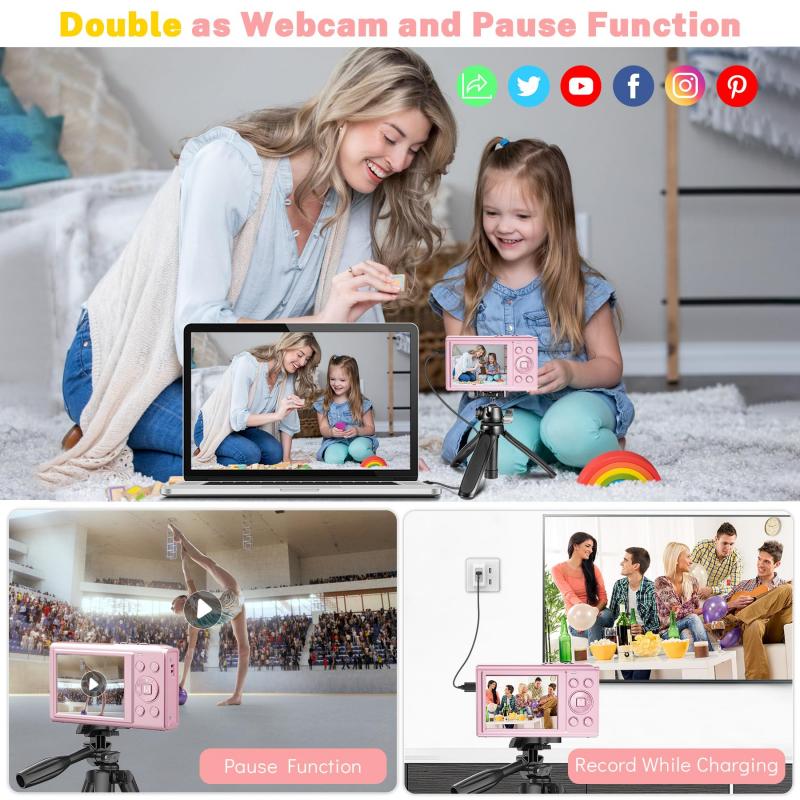
Camera settings for document photography

2、 Lighting techniques for document photography

How to photograph documents with a digital camera:

1. Use a tripod: To ensure that your images are sharp and clear, use a tripod to stabilize your camera.

2. Use a flat surface: Place your document on a flat surface to avoid any distortion or shadows.

3. Use natural light: Natural light is the best option for document photography. Place your document near a window or outside in the shade.

4. Use a high-resolution camera: A high-resolution camera will capture all the details of your document.

5. Use the right settings: Set your camera to manual mode and adjust the aperture, shutter speed, and ISO to get the best results.

6. Use a remote shutter release: A remote shutter release will prevent any camera shake and ensure that your images are sharp.

Lighting techniques for document photography:

1. Backlighting: Place a light source behind your document to create a backlight effect. This will make the text stand out and create a dramatic effect.

2. Diffused lighting: Use a diffuser to soften the light and reduce any harsh shadows. This will create a more even and natural-looking image.

3. Side lighting: Place a light source to the side of your document to create a sense of depth and texture.

4. Overhead lighting: Use an overhead light source to create a flat and even lighting effect.

5. Light tent: Use a light tent to diffuse the light and create a soft and even lighting effect. This is especially useful for photographing glossy or reflective documents.

In conclusion, when photographing documents with a digital camera, it is important to use a tripod, natural light, and the right settings. For more creative and professional-looking images, try using different lighting techniques such as backlighting, diffused lighting, side lighting, overhead lighting, or a light tent. With these tips, you can capture clear and detailed images of your documents.
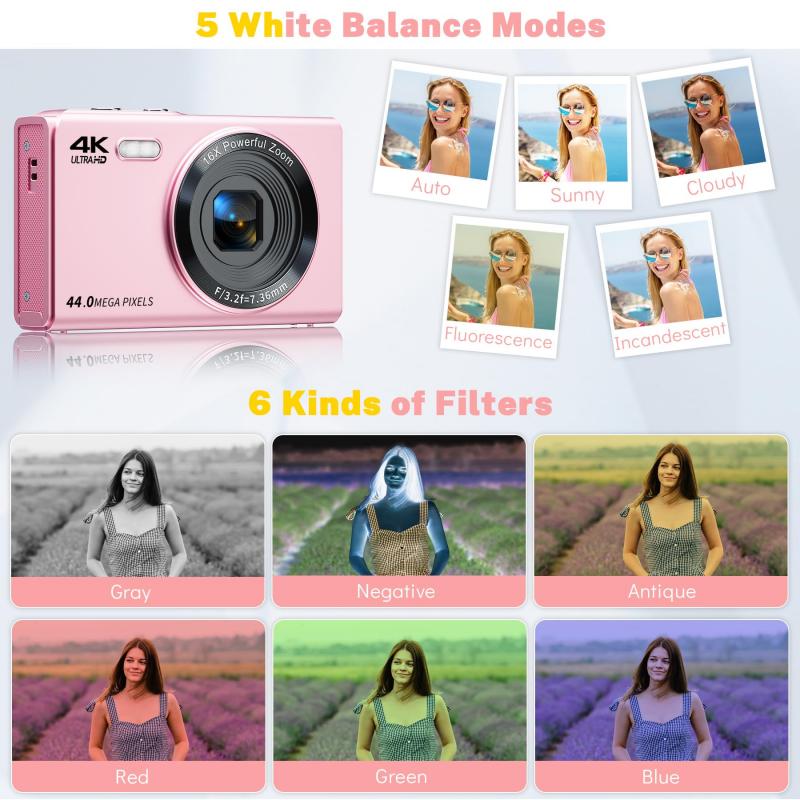
Lighting techniques for document photography

3、 Positioning and framing documents for photography

Positioning and framing documents for photography is an important aspect of capturing clear and legible images of documents with a digital camera. To begin with, it is important to ensure that the document is placed on a flat surface to avoid any distortion or blurring of the text. The camera should be positioned directly above the document to capture a straight-on image. This can be achieved by using a tripod or by placing the camera on a stable surface.

It is also important to ensure that the document is well-lit to avoid any shadows or glare. Natural light is ideal, but if this is not possible, artificial lighting can be used. It is important to avoid using the camera's flash as this can cause reflections and glare on the document.

When framing the document, it is important to ensure that the entire document is in the frame. This can be achieved by zooming out or by moving the camera further away from the document. It is also important to ensure that the document is centered in the frame to avoid any distortion or skewing of the text.

In addition to these basic tips, there are a few other things to keep in mind when photographing documents with a digital camera. Firstly, it is important to use a high-resolution camera to ensure that the text is clear and legible. Secondly, it is important to use a neutral background to avoid any distractions or reflections. Finally, it is important to take multiple shots of the document to ensure that at least one image is clear and legible.

Overall, positioning and framing documents for photography is an important aspect of capturing clear and legible images of documents with a digital camera. By following these basic tips, you can ensure that your images are clear, legible, and professional-looking.
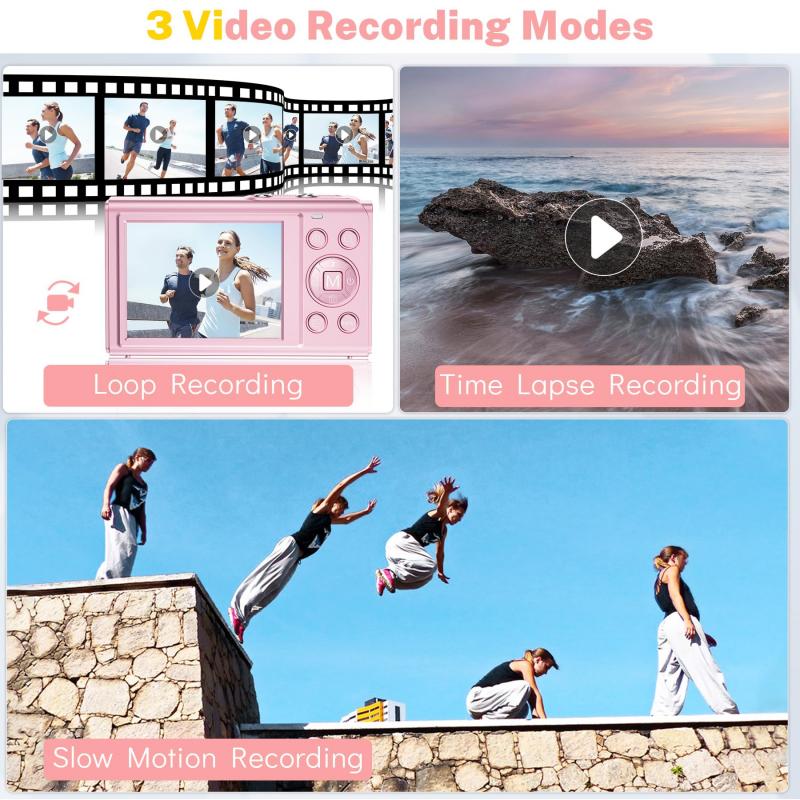
Positioning and framing documents for photography

4、 Editing and enhancing document images

How to photograph documents with a digital camera:

1. Choose a well-lit area: Make sure the area where you are photographing the document is well-lit. Natural light is best, but if that's not possible, use a lamp or other light source to illuminate the document.

2. Use a tripod: To avoid blurry images, use a tripod to keep the camera steady. If you don't have a tripod, try propping the camera up on a stable surface.

3. Set the camera to manual mode: Set the camera to manual mode so you can control the settings. Adjust the aperture, shutter speed, and ISO to get the best possible image.

4. Use a white background: Place the document on a white background to make it stand out. A piece of white paper or a white tablecloth works well.

5. Zoom in: Zoom in on the document to capture all the details. Make sure the text is in focus and easy to read.

Editing and enhancing document images:

Once you have taken the photo, you may need to edit and enhance the image to make it look better. Here are some tips:

1. Crop the image: Use a photo editing software to crop the image and remove any unnecessary background.

2. Adjust the brightness and contrast: Adjust the brightness and contrast to make the text stand out.

3. Remove any shadows: Use the clone tool to remove any shadows or other imperfections.

4. Convert to black and white: If the document is in color, consider converting it to black and white to make it easier to read.

5. Save the image as a PDF: Once you have edited the image, save it as a PDF so it can be easily shared and printed.

In today's digital age, photographing documents with a digital camera has become a popular way to store and share important information. With the right techniques and editing tools, you can create high-quality images that are easy to read and share.
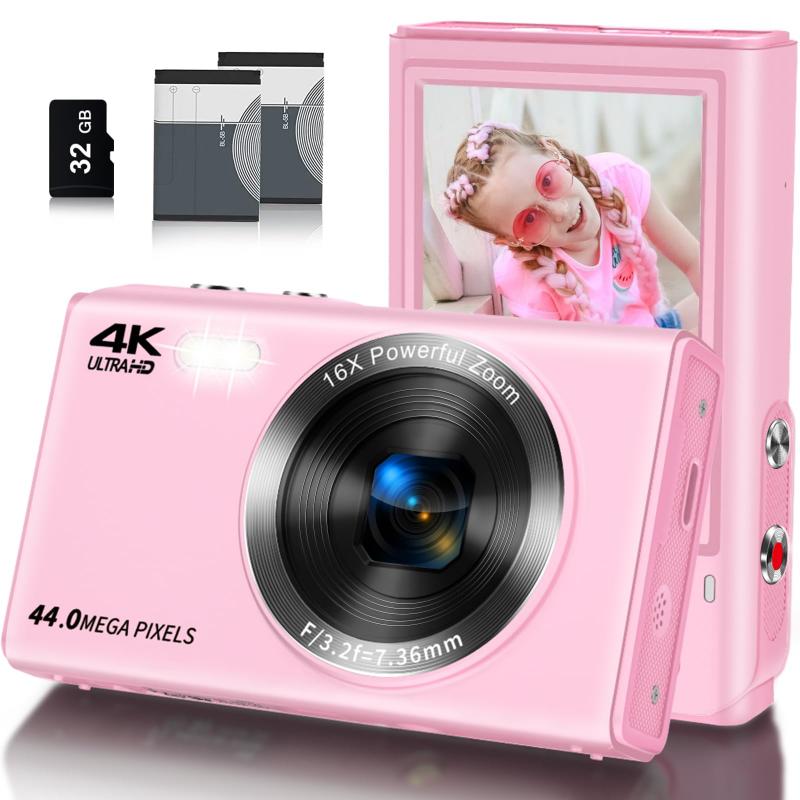

Editing and enhancing document images

Leave your comment
Cancel reply
Note: HTML is not translated!
Related products
Minolta A / Sony A Lenses to Nikon 1 Camera Mount Adapter with Tripod Mount
77
£38.99 £27.99
Minolta A / Sony A Lenses to Pentax Q Camera Mount Adapter with tripod mount
52
£37.99 £26.99
M42 Lenses to Minolta A / Sony A Camera Mount Adapter
59
£39.99
Minolta A / Sony A Lenses to Fuji X Mount Camera Adapter
36
£43.99 £35.99
Minolta A / Sony A Lenses to Pentax Q Camera Mount Adapter
52
£31.99 £22.99
Minolta A / Sony A Lenses to Leica M Camera Mount Adapter
49
£52.99
Minolta A / Sony A Lenses to Nikon Z Mount Camera Adapter
62
£55.99 £45.99
Minolta A / Sony A Lenses to Canon EOS M Camera Mount Adapter
56
£43.99 £31.50
Minolta A / Sony A Lenses to Canon EOS R Mount Camera Adapter
69
£55.99 £40.00
Sony A Mount Lenses to Sony E Mount Camera Adapter
139
£43.99 £32.99
Guess you like products
K&F CONCEPT Mini On-Camera Flash GN12, 5600K, 2000mAh Built-in Battery, Compatible with Canon, Fuji, Sony, Nikon, Panasonic, Olympus, Pentax & Other DSLR/Mirrorless Cameras with Standard Hot Shoe.

2
£59.99 £39.99
K&F Concept Backpack Rain Cover with Reflective Strip Waterproof Rucksack Rain Cover for Hiking, Camping, Traveling, Biking
16
£15.09 £9.99
32X Macro Lens for iPhone Android 40-90mm Focus Distance with CPL & Starlight Filter Kentfaith
13
£68.74 £49.99
High Precision Lens Mount Adapter for Minolta (SR / MD / MC) Series Lens to Sony E Series Mount Camera, MD-NEX FIT ART
96
£55.99 £39.99
46mm CPL Filter Circular Polarizer Filter with Lens Cap Optical Glass Ultra Slim 18 Multi-Layer for Camera Lens Nano-Klear Series
14
£19.53 £11.99
DJI Mavic 3 Classic Filter 4pcs Set (ND8&PL + ND16&PL + ND32&PL + ND64&PL) with Single-sided Anti-reflection Green Film Waterproof and Scratch-resistant
27
£45.99 £37.99
Microphone handheld stick
£9.99 £7.99
Exakta Lenses to Fuji X Mount Camera Adapter
62
£53.99 £39.99
100x100mm Filter Protection Holder 2 Pack - Nano-Xcel PRO Series
43
£27.99 £19.98
Cleaning stick set K&F Concept 16mm APS-C format cleaning stick set (10PCS cleaning stick)
£14.99
Related articles
How To Photograph Negatives With Digital Camera ?
How To Photograph Planets With Your Digital Camera ?
How Does A Digital Camera Digitise Documents ?
How To Photograph Lightning Compact Digital Camera ?
How To Photograph Waterfalls With Nd Filters ?
How To Photograph Through A Microscope ?
How To Make A Digital Camera With Paper ?
How To Make A Digital Camera With Cardboard ?
How To Copy Negatives With A Digital Camera ?
Which Is The Best Garden Wildlife Camera ?
Guess you like articles
How To Carry A Camera In A Backpack ?
How Can You Blind A Surveillance Camera ?
Which Is The Best Microscope ?
What Voltage Are Nikon Camera Batteries ?
How To Take Photos With Binoculars ?
How To Calculate Image Size Microscope ?
How Long Do Ring Camera Batteries Last ?
Monopod Selfie Stick How To Use Iphone?
What Are Night Vision Glasses ?
What Can You See Through A Telescope ?
Related categories
digital Microscope UK digital video camera Camera Accessories bird feeder with camera UK digital microscope UK Bluetooth earphones and mic Sony A mount lens adapter​ accessories for a drone microscope with screen mini recording device
Popular products
sony camera adapter minolta md to leica m adapter minolta nikon adapter canon adapter sony sony minolta mount sony a mount adapter sigma sony adapter digital video microscope digital camera vlogging sony AF a to E adapter
Related searches
Digital Camera With A Flip Screen Scanning Film With A Digital Camera A Digital Video Camera Choose A Digital Camera Digital Cameras With A Film Look Parts To A Telescope Parts Of A Digital Camera Back Of A Digital Camera Nikon Coolpix A Digital Camera Paper Like A Digital Camera
Blog Category
  • Camera Reviews
  • News & Reviews
    • News
  • Tutorials
    • Animal Photography
    • Food Photography
  • Inspiration
    • Travel
    • Travel Stories
    • Photography Tricks
Search Article
Latest from the Blog
What Are Uv Lens Filters For?
How To Set Up Digital Camera As Webcam?
How To Setup Wireless Mini Video Camera?
What Sd Card For Dslr Camera?
How to Use A Spy Camera Detector?
How To Power On Bluetooth Earbuds?
How To Play Videos From An Action Camera?
Can Wifi Camera Work Without Internet?
What Does Led Light Stand For?
How to Attach a Camera Strap: A Step-by-Step Guide for Every Photographer
Powered By K&F Concept © 2025