kfconcept

K&F Concept UK
K&F Concept United Kingdom    Blog >

Enjoy Your Selected Digital Life

Recently Viewed
  • Recently Viewed
  • ZHIYUN Weebill S, 3-Axis Handheld Gimbal Stabilizer for Mirrorless and DSLR Camera for Canon 5DIV 5DIII EOS R Sony A7M3 A7R3 A7 III A9 Panasonic S1 GH5s Nikon Z6
    ZHIYUN Weebill S, 3-Axis Handheld Gimbal Stabilizer for Mirrorless and DSLR Camera for Canon 5DIV 5DIII EOS R Sony A7M3 A7R3 A7 III A9 Panasonic S1 GH5s Nikon Z6
    £319.99 £289.99
    49mm MCUV Lens Protection Filter with Filter Cap Cleaning Cloth Optical Glass Ultra Slim 28 Multi-Layer Coatings Nano-Xcel Series
    49mm MCUV Lens Protection Filter with Filter Cap Cleaning Cloth Optical Glass Ultra Slim 28 Multi-Layer Coatings Nano-Xcel Series
    £18.99
    72mm MCUV Lens Protection Filter with Filter Cap Cleaning Cloth Optical Glass Ultra Slim 28 Multi-Layer Coatings Nano-Xcel Series
    72mm MCUV Lens Protection Filter with Filter Cap Cleaning Cloth Optical Glass Ultra Slim 28 Multi-Layer Coatings Nano-Xcel Series
    £21.99
    37mm ND4-ND64 (2-6 Stop) Variable ND Filter and CPL Circular Polarizing Filter 2 in 1 with 28 Layers of Anti-reflection Green Film, Two Orange Levers Nano-Xcel Series
    37mm ND4-ND64 (2-6 Stop) Variable ND Filter and CPL Circular Polarizing Filter 2 in 1 with 28 Layers of Anti-reflection Green Film, Two Orange Levers Nano-Xcel Series
    £81.99 £64.99
    67mm Lens Filter Kit Neutral Density ND8+ND64+CPL Circular Polarizer for Professional Camera Lens with Multiple Layer Nano Coated Nano-Dazzle Series
    67mm Lens Filter Kit Neutral Density ND8+ND64+CPL Circular Polarizer for Professional Camera Lens with Multiple Layer Nano Coated Nano-Dazzle Series
    £67.49 £62.49
    40.5mm Lens Filter Kit Neutral Density ND8+ND64+CPL Circular Polarizer for Professional Camera Lens with Multiple Layer Nano Coated Nano-Dazzle Series
    40.5mm Lens Filter Kit Neutral Density ND8+ND64+CPL Circular Polarizer for Professional Camera Lens with Multiple Layer Nano Coated Nano-Dazzle Series
    £26.99
    82mm Black Mist 1/4 Filter + Lens Cap, Mist Cinematic Effect Filter with 18 Multi-Layer Coatings for Video, Vlog, Portrait Photography Nano-Klear Series
    82mm Black Mist 1/4 Filter + Lens Cap, Mist Cinematic Effect Filter with 18 Multi-Layer Coatings for Video, Vlog, Portrait Photography Nano-Klear Series
    £36.99
    43mm Black Mist 1/4 Filter + Lens Cap, Mist Cinematic Effect Filter with 18 Multi-Layer Coatings for Video, Vlog, Portrait Photography Nano-Klear Series
    43mm Black Mist 1/4 Filter + Lens Cap, Mist Cinematic Effect Filter with 18 Multi-Layer Coatings for Video, Vlog, Portrait Photography Nano-Klear Series
    £21.99
    46mm Lens Filter Kit Neutral Density ND8+ND64+CPL Circular Polarizer for Professional Camera Lens with Multiple Layer Nano Coated Nano-Dazzle Series
    46mm Lens Filter Kit Neutral Density ND8+ND64+CPL Circular Polarizer for Professional Camera Lens with Multiple Layer Nano Coated Nano-Dazzle Series
    £47.99 £42.99
    82mm Variable ND2-400 (1-9 Stops) & Black Mist 1/4 Filter with 18 Multi-Coatings for Camera Lenses Nano-Klear Series
    82mm Variable ND2-400 (1-9 Stops) & Black Mist 1/4 Filter with 18 Multi-Coatings for Camera Lenses Nano-Klear Series
    £39.99
Compare (0) 0
  • Compare
  • You have not chosen any products to compare.

  • Compare
Currency: GBP
  • Currency

Log Into Your Account

Account

Order History

Wish List

Login

Forgotten Password?

Or connect with

Register Account

Already have an Account?Log In

  • Shopping Cart
  • Your shopping cart is empty!

  • Register/Login to purchase, earn points
  • Favorite
  • Your wish list is empty.

  • Register/Login to like, earn points
  • Tripods
    • Aluminum Tripods
    • Carbon Fiber Tripods
    • Travel Tripods
    • Video Tripods
    • Monopods
    • Lightweight Tripods
    • Mini Tripod
    • Tripod Accessories
    • Gimbal Stabilizers
    • Tripod Head
    • Tripod Kit
    • Action Camera Mounts
    • Phone Tripods
    • Studio Parts
      • Camera Flash
      • Photography Fill Light
      • Ring light
      • Soft Box
      • Tripod Light Stands
      • Reflectors
    • Clearance Tripods
  • Lens Filters
    • UV Filters
      • Nano-Xcel Series
        • MCUV
        • Ultra-low Reflectivity MCUV Filters
        • MCUV Super Hard
        • Explosion-proof MCUV - Nano-Xcel
        • MCUV+Lens Cap+Cleaning Cloth
        • Super Hard&Ultra Low Reflection MCUV Filters - Nano-Xcel
        • MCUV - Magnetic Series
      • Nano-Dazzle Series
        • MCUV
        • MCUV+Lens Cap+Cleaning Cloth
      • Nano-Klear Series
        • MCUV
        • Ultra Thin Frame MCUV Filters
        • MCUV+Lens Cap+Cleaning Cloth
      • Nano-Xcel Pro Series
        • MCUV
    • CPL Filters
      • Nano-Xcel Series
        • CPL
        • CPL True Color
        • Ultra-low Reflectivity CPL
        • CPL+Lens Cap+Cleaning Cloth
        • Magnetic CPL
          • Magnetic CPL + Apater ring + Cap - Nano-X
        • True Color Ultra-low Reflectivity CPL - Nano-Xcel
      • Nano-Dazzle Series
        • CPL
        • CPL+Lens Cap+Cleaning Cloth - Nano-Dazzle
      • Nano-Klear Series
        • CPL
        • Ultra Thin Frame CPL Filters
        • CPL+Lens Cap+Cleaning Cloth
        • CPL+Lens Cap - Nano-Klear
      • Nano-Xcel Pro Series
        • CPL
    • Neutral Density Filters
      • Neutral Density (Solid) Filters
        • ND8 (3 stops) - Nano-Xcel Series
        • ND64 (6 stops) - Nano-Xcel Series
        • ND1000 (10 stops) - Nano-Xcel Series
        • ND100000 (16.6 stops) - Nano-Xcel Series
        • ND1000000 (20 stops) - Nano-Xcel Series
        • ND100000 (16.6 stops) - Nano-Klear Series
        • ND1000000 (20 stops) - Nano-Klear Series
        • Solid ND - Magnetic Series
      • Graduated Neutral Density
        • 100mm GND Filter
          • Soft GND8 Filters - Nano-Xcel Series
          • Hard GND8 Filters - Nano-Xcel Series
          • Reverse GND8 Filters - Nano-Xcel Series
          • Soft GND16 Filters - Nano-Xcel Series
          • Reverse GND16 Filters - Nano-Xcel Series
          • Soft GND8 Filters - Nano-Xcel Pro Series
          • Hard GND8 Filters - Nano-Xcel Pro Series
          • Reverse GND8 Filters - Nano-Xcel Pro Series
          • Soft GND16 Filters - Nano-Xcel Pro Series
          • Reverse GND16 Filters - Nano-Xcel Pro Series
        • Circular GND Filter
          • GND8
          • GND16
      • 2 in 1 Filters
        • ND2-ND32&CPL Filters - Nano-Xcel Series
        • ND2-ND32&CPL Filters - Nano Dazzle Series
        • ND2-32&CPL Filters - Nano-Klear Series
        • ND2-ND32&CPL Filter - Nano-X Pro
        • ND2-ND32&CPL True Color Filters - Nano-Xcel Series
        • ND4-ND64&CPL Filter
      • 3 in 1 Filters
        • ND2-32&CPL&Black Mist 1/4 Filters - Nano-Xcel Series
        • ND2-32&CPL&Black Mist 1/4 Filters - Nano-Klear Series
      • Variable Neutral Density
        • Nano-Xcel Series
          • ND2-ND32 - Nano-Xcel
          • ND2-ND32 True Color - Nano-Xcel
          • ND2-ND400 - Nano-Xcel
          • ND8-ND128 - Nano-Xcel
          • ND32-ND512 - Nano-Xcel
          • ND3-ND1000 - Nano-Xcel
          • ND2-32 True Color Ultra-Low Reflection - Nano-Xcel
          • ND2-400 Ultra-Low Reflection - Nano-Xcel
        • Nano-Dazzle Series
          • ND2-ND32 - Nano-Dazzle
          • ND2-ND400 - Nano-Dazzle
          • ND3-ND1000 - Nano-Dazzle
          • ND8-ND2000 - Nano-Dazzle
        • Nano-Klear Series
          • ND2-ND32 - Nano-Klear
          • ND2-ND400 - Nano-Klear
          • ND2-ND2000 - Nano-Klear
          • True Color ND2-ND400 - Nano-Klear
        • Nano-Xcel Pro Series
          • ND2-ND32 - Nano-Xcel Pro
        • Nano-B Series
          • ND2-ND400 - Nano-B
    • Black Mist & Soft Focus Filters
      • Black Mist Filters
        • Black Mist 1/8
          • Black Mist 1/8 - Nano-Xcel Series
          • Black Mist 1/8 - Nano-Dazzle Series
          • Black Mist 1/8 - Nano-Klear Series
          • Black Mist 1/8 - Nano-Xcel Pro Series
          • Black Mist 1/8+Lens Cap+Cleaning Cloth - Nano-Klear Series
        • Black Mist 1/4
          • Black Mist 1/4 - Nano-Xcel Series
          • Black Mist 1/4 - Nano-Dazzle Series
          • Black Mist 1/4 - Nano-Klear Series
          • Black Mist 1/4 - Nano-Xcel Pro Series
          • Black Mist 1/4+Lens Cap+Cleaning Cloth - Nano-Klear Series
        • Black Mist 1/2
          • Black Mist 1/2 - Nano-Xcel Series
          • Black Mist 1/2 - Nano-Klear Series
        • Black Mist 1
          • Black Mist 1 - Nano-Xcel Series
          • Black Mist 1 - Nano-Klear Series
        • Black Mist Kit
          • Black Mist 1/4 + 1/8 Nano Xcel Series
          • Black Mist 1/4 + 1/8 - Nano Klear Series
          • Black Mist 1/4 + CPL - Nano Klear Series
        • Black Mist & CPL
          • Black Mist 1/4&CPL - Nano-Klear Series
        • Black-Mist & VND
          • Black Mist 1/4 & ND2-32 Filters - Nano-Klear Series
          • Black Mist 1/4 & ND2-400 Filters - Nano-Xcel Series
          • Black Mist 1/4 & ND2-32 Filters - Nano-Xcel Series
          • Black Mist 1/8 & ND2-32 Filters - Nano-Klear Series
          • Black Mist 1/4 & ND2-400 Filters - Nano-Klear Series
      • White Mist Filters
        • White Mist 1/4 - Nano-Xcel Series
        • White Mist 1/4 - Nano-Klear Series
      • Shimmer Diffusion
        • Shimmer Diffusion 1 - Nano-Xcel Series
        • Shimmer Diffusion 1 - Nano-Klear Series
    • Light Pollution Cut Filter
      • Light Pollution Cut Filter - Circular
      • Light Pollution Cut Filter - Square
    • Magnetic Lens Filters
      • MCUV Filters
        • Magnetic MCUV - Nano-Klear Series
        • Magnetic MCUV+Lens Caps - Nano-Xcel Series
      • CPL Filters
        • Magnetic CPL + Adapter Ring
        • Magnetic CPL+Adapter Ring - Nano-Klear Series
      • Black-Mist
        • Black Mist 1/8 Filters - Nano-Xcel Series
        • Black Mist 1/4 Filters - Nano-Xcel Series
      • Neutral Density (Solid) Filter
        • Magnetic ND8 - Nano-Xcel Series
        • Magnetic ND64 - Nano-Xcel Series
        • Magnetic ND1000 - Nano-Xcel Series
      • Unlimited Variable ND Filter
        • Magnetic ND2-ND32 - Nano-Xcel Series
        • Magnetic ND8-ND128 Filters - Nano-Xcel Series
      • Accessories
        • Magnetic Adapter Ring
        • Magnetic Filter Ring
        • Magnetic Cap
      • Kits
        • MCUV+CPL+ND1000+Adapter Ring - Nano-Xcel Series
        • CPL+ND8+ND64+Adapter Ring+Lens Cap - Nano-Xcel Series
        • GND8+ND8+ND64+ND1000+Adapter Ring - Nano-Xcel Series
        • CPL+VND2-32+Black Mist 1/4+Magnetic Ring+Lens Cap - Nano-Xcel Series
    • Square Filter System
      • Basic System
        • Square ND Filters
          • ND4 Filters - Nano-Xcel Series
          • ND16 Filters - Nano-Xcel Series
          • ND1000 Filters - Nano-Xcel Series
          • ND2000 Filters - Nano-Xcel Series
          • ND32000 Filters - Nano-Xcel Series
          • Full Color ND8 Filters - Nano-Xcel Series
          • Full Color ND64 Filters - Nano-Xcel Series
        • Square GND Filters
        • Light Pollution Cut Filter
          • Light Pollution Cut Filter - Nano-Xcel Series
        • Square Black Mist Filters
          • Square Black Mist 1 - Nano-Xcel Series
          • Square Black Mist 1/4 - Nano-Xcel Series
          • Square Black Mist 1/8 - Nano-Xcel Series
        • Brackets and Accessories
          • Adapter Ring - Nano-Xcel Series
        • Kits
          • 100mm Square Filter System - Nano-Xcel Series
          • 100mm ND1000+Holder Kit - Nano-Xcel Series
          • 100mm ND1000+Soft GND8+Holder Kit - Nano-Xcel Series
          • 100mm Soft GND8+Holder Kit - Nano-Xcel Series
      • Professional System
        • ND
          • Full Color ND8 Filters - Nano-Xcel Pro Series
          • Full Color ND64 Filters - Nano-Xcel Pro Series
          • Full Color ND1000 Filters - Nano-Xcel Pro Series
        • GND
        • PL
        • Black Mist 1/4&CPL - Nano-Xcel Pro Series
        • Light Pollution Cut Filter
          • Light Pollution Cut Filter - Nano-Xcel Pro Series
        • Kits
          • 100mm ND1000+Holder Kit - Nano-Xcel Pro Series
          • 100mm ND1000+Soft GND8+Holder Kit - Nano-Xcel Pro Series
          • 100mm ND8+ND64+ND1000+Holder Kit - Nano-Xcel Pro Series
          • 100mm Holder Kit - Nano-Xcel Pro Series
        • Brackets and Accessories
          • 100x100mm Square Filter Protect Frame - Nano-Xcel Pro Series
          • 100x150mm Square Filter Protect Frame - Nano-Xcel Pro Series
          • Adapter Ring - Nano-Xcel Pro Series
    • Drone Filter
      • DJI Air 3S
      • DJI Avata2
      • DJI Flip
      • DJI Mavic 3 Pro
      • DJI NEO
      • DJI Mini 1/2/SE
      • DJI Mini 4 Pro Filters
      • DJI Mavic 3
      • DJI Mini 3 PRO
      • DJI Avata
      • DJI Mavic 4 Pro
      • DJI Mini 5 Pro
      • DJI Air 2S
    • Effects Filters
      • Prism Filters
        • Central Prism Filters
          • Central Pentagonal Filters - Nano-Basic Series
          • Central Hexagonal Filters - Nano-Basic Series
        • Ordinary Prism Filters
          • Triangular Filtres - Nano-Basic Series
        • Single Linear Prisms
      • Streak Filters
        • Blue Streak Filters - Nano-Xcel Series
        • Gold Streak Filters - Nano-Xcel Series
        • Colorful Streak Filters - Nano-B Series
        • Blue Streak Filters - Nano-Klear Series
      • Star Filter
        • Star Filters 4-8 Points - Nano-Klear Series
        • Star Filter Kits 4+6+8 Points - Nano-Klear Series
        • 4-Point Fine-Line Star Filters - Nano-Klear Series
        • 6-Point Fine-Line Star Filters - Nano-Klear Series
      • Kaleidoscope Filters
        • Kaleidoscope Filters - Nano-Basic Series
        • Handheld Kaleidoscope Filters - Nano-B Series
      • Motion Blur Filters
        • Directional Motion Blur - Nano-Basic Series
        • Bidirectional Motion Blur - Nano-Basic Series
        • Handheld Motion Blur Filters - Nano-Basic Series
      • Spiral Filters
        • Spiral Halo Filters - Nano-B Series
        • Handheld Spiral Filters - Nano-Basic Series
      • Diopter Filters
        • Centerfield Split Diopter Filters - Nano-Basic Series
        • Handheld Diopter Filters - Nano-Basic Series
    • Filter Accessories
      • Lens Hoods
      • Rings Kits
        • Step Up Rings
        • Step Down Rings
      • Filter Holders & Frames
      • Filter Holder Adapter Rings
        • Filter Adapter Rings
      • Filter Pouches
      • Lens Caps
        • Caps for Magnetic Filters
        • Caps for Variable ND Filters
        • Anti-lost Lens Cap
          • 4 in 1
          • 5 in 1
          • 9 in 1
      • Polarized Film
    • Filter Kit
      • Black Diffusion 1/4 + 1/8
      • Screw-In Filters
        • MCUV+CPL Filter - Nano-Klear Series
        • MCUV+CPL+Lens Cap - Nano-Klear Series
        • MCUV+CPL+Metal Lens Cap - Nano-Xcel Series
        • MCUV+CPL+ND1000+Lens Cap - Nano-Dazzle Series
        • MCUV+CPL+ND2-400 - Nano-Klear Series
        • ND8+ND64+ND1000 - Nano-Dazzle Series
        • MCUV+CPL+ND4 - Nano-Klear Series
        • ND1000+CPL - Nano-Klear Series
        • ND4+ND8+ND64+ND1000 - Nano-Xcel Series
        • MCUV+CPL
      • Magnetic Filters
      • Square Filters
    • Action Camera Filters
      • DJI Osmo Action 4 / Action 5 Pro
      • DJI Osmo Action 6
      • DJI Osmo Nano
      • DJI Osmo Pocket 3
      • GoPro HERO 4K
      • GOPRO Hero 9/10/11/12/13 Filters
      • Insta360 Ace pro 2
      • Insta360 Go Ultra
      • Insta360 GO3
      • Insta360 GO3S
      • Action Camera Accessories
        • DJI Osmo Action 3/4/5 Pro
        • Head Strap & Chest Mount
        • Insta360 X5
        • Magnetic Neck Mount
        • DJI Osmo 360
        • DJI Osmo Pocket 3 Charging Base
        • DJI Osmo Pocket 3
    • Phone Lens Filters
    • Matte Box & Filter Systems
      • Neutral Density (Solid) Filters
        • ND4 - Nano-Xcel Series
        • ND8 - Nano-Xcel Series
        • ND16 - Nano-Xcel Series
        • ND32 - Nano-Xcel Series
        • ND64 - Nano-Xcel Series
        • ND8+ND64 - Nano-Xcel Series
      • UV Filters
      • Black Mist Filters
        • Black Mist 1/4 - Nano-Xcel Series
        • Black Mist 1/8 - Nano-Xcel Series
      • Blue Streak Filters
      • Accessories
      • Kits
        • Matte Box - Nano-Xcel Series
        • Matte Box Pro - Nano-Xcel Series
        • Matte Box+ND8 Square Filter - Nano-Xcel Series
        • Matte Box+ND4+ND32 Square Filter - Nano-Xcel Series
        • Matte Box+Black Mist 1/4 Square Filter - Nano-Xcel Series
    • Brand-specific Filters
      • Fujifilm X100
      • Ricoh GR
  • Lens Adapters
    • PL Mount Lenses
    • A Mount Body(Sony/Minolta)
    • Fujifilm X Mount Body
    • Fujifilm G (GFX) Mount Body
    • C-Mount Body
    • Leica M Mount Body
    • MFT(M4/3) Mount Body
    • Pentax K Mount Body
    • Pentax Q Mount Body
    • Samsung NX Mount Body
    • Nikon F Mount Body
    • Nikon 1 Mount Body
    • Nikon Z Mount Body
    • Canon EOS EF/EF-S Mount Body
    • Canon EOS M Mount Body
    • Canon RF Mount Body
    • Sony E Mount Body
    • L-Mount Alliance (Leica)
  • Camera
    • Digital Camera & Camcorders
      • Digital Cameras & Camcorders
      • Underwater Cameras
      • Action Cameras
      • Kids’ Cameras
      • Time lapse camera
    • Wildlife Camera
      • Wifi Trail Cameras
      • Non-Cellular Trail Cameras
      • Accessories
      • Cellular Trail Cameras
    • Surveillance Cameras
      • 4G Camera
      • Battery Camera
      • Baby Monitor
      • WiFi Camera
      • Feeder Camera
      • Floodlight camera
      • Monitoring Detector
    • Camera Lenses
    • On-Dash Camera
    • Fishing camera
    • Memory Cards
      • Micro SD Card
      • SD Card
    • Camera Accessories
      • Camera Caps
      • Camera Screen Protectors
        • Canon
        • Sony
        • Fujifilm
        • Nikon
        • Olympus
        • Ricoh
        • GoPro
        • DJI Osmo Pocket 3
      • Camera Hot Shoe Covers
      • Camera Viewfinder Eyecups
        • Nikon
        • Sony
        • Canon
      • Adjustment Iris
  • Camera Bags
    • Camera Backpacks
    • Camera Shoulder Bags
    • Camera Cases
    • Digital Storage Bag
    • Lens Cases
    • Camera Straps
    • Backpack Accessories
  • Camera Battery
    • Sony
    • Canon
    • Nikon
    • FUJIFILM
    • Ricoh
    • Gopro
    • Osmo Action
    • Lumix
    • V Mount Battery
    • Memory Card Case
  • Optics
    • Microscope
      • Optical Microscope
      • Digital Microscope
      • Kids' Microscopes
    • Binoculars
    • Monocular
    • Telescope
    • Night Vision Goggles
    • Rangefinder
  • Endoscope
    • Professional Endoscope
    • Household Endoscope
    • Portable Endoscope
    • Otoscope/Oral Endoscope
  • More
    • Cleaning Kits
    • Digital Voice Recorders
    • Language Translator Device
    • Smart Glasses
    • Metal Detectors
    • Light
      • Video fill light
      • Live Ring Light
      • Outdoor Lighting
    • Motorcycle Bluetooth Headset
    • Laser Engraver Machine
    • Headphones
    • Weather Station & Household Sensors
    • Microphone
    • Drone Accessories
      • DJI Air 2S Accessories
      • DJI Air 3 Accessories
      • DJI Avata Accessories
      • DJI Drone Universal Accessories
      • DJI Mavic Mini 2/Mini 2 SE/Mini Accessories
      • DJI Mavic Mini 3 Accessories
      • DJI Mini 3 Pro Accessories
    • Smart Watch
    • Smart lock
    • Studio
    • Solar Panels
  • Deals
    • Specials
    • Coupon
    • New Arrivals
  • Home
  • Blog
  • How To Setup A Ring Floodlight Camera ?

How To Setup A Ring Floodlight Camera ?

K&f concept 2023-09-28 09:53:13 0 Comments

To set up a Ring Floodlight Camera, follow these steps:

1. Download the Ring app: Install the Ring app on your smartphone or tablet from the App Store or Google Play Store.

2. Create a Ring account: Open the app and create a new Ring account if you don't have one already.

3. Add a device: Tap on the "Set up a device" option in the app and select "Security Cams" from the list.

4. Scan the QR code: Use your phone's camera to scan the QR code on the back of the Floodlight Camera or enter the device's serial number manually.

5. Connect to Wi-Fi: Follow the on-screen instructions to connect the camera to your Wi-Fi network. Make sure you have a stable internet connection.

6. Install the camera: Mount the Floodlight Camera in the desired location using the provided hardware. Ensure it is securely attached and positioned correctly.

7. Adjust settings: Customize the camera's settings in the Ring app, such as motion detection sensitivity, notifications, and recording preferences.

8. Test and finalize: Test the camera by triggering the motion sensors or manually activating the lights. Adjust any settings as needed.

Once the setup is complete, you can use the Ring app to monitor your Floodlight Camera, receive alerts, and access recorded footage.

1、 Choosing the right location for your Ring floodlight camera

Choosing the right location for your Ring floodlight camera is crucial to ensure optimal performance and security. Here's a step-by-step guide on how to set it up:

1. Assess your property: Take a walk around your property and identify areas that require surveillance. Look for vulnerable entry points, dark corners, or blind spots where the camera can provide maximum coverage.

2. Mounting height: The ideal mounting height for a Ring floodlight camera is 9-10 feet above the ground. This height allows for a wide field of view while minimizing the risk of tampering or damage.

3. Power source: Ensure that there is a power source nearby, as the Ring floodlight camera requires a constant power supply. If there isn't an existing power source, you may need to hire an electrician to install one.

4. Wi-Fi signal strength: Check the Wi-Fi signal strength in the chosen location. A strong and stable Wi-Fi connection is essential for the camera to function properly. If the signal is weak, consider installing a Wi-Fi extender or relocating the router.

5. Mounting the camera: Follow the manufacturer's instructions to securely mount the camera. Use the provided screws and brackets to attach it to a wall or eave. Ensure that the camera is level and facing the desired area.

6. Adjusting the settings: Once the camera is mounted, download the Ring app and follow the on-screen instructions to connect the camera to your Wi-Fi network. Adjust the camera's motion detection sensitivity, field of view, and other settings according to your preferences.

Remember to regularly check for firmware updates and test the camera's functionality to ensure it is working effectively. Additionally, consider the latest advancements in security technology and consult with professionals for any specific concerns or requirements.
Choosing the right location for your Ring floodlight camera

2、 Mounting and installing the Ring floodlight camera

Mounting and installing the Ring floodlight camera is a relatively straightforward process that can be completed by following a few simple steps. Here's a guide on how to set up the Ring floodlight camera:

1. Choose the installation location: Select a suitable location for your Ring floodlight camera. It should be positioned high enough to capture a wide field of view and provide optimal security coverage.

2. Turn off the power: Before starting the installation, turn off the power supply to the existing light fixture at the breaker box. This step is crucial for safety reasons.

3. Remove the existing light fixture: Unscrew and remove the old light fixture from the mounting bracket. Disconnect the wires carefully, ensuring not to damage them.

4. Attach the mounting bracket: Use the provided screws to attach the mounting bracket to the electrical box. Ensure it is securely fastened.

5. Connect the wires: Connect the wires from the electrical box to the corresponding wires on the Ring floodlight camera. Follow the provided instructions or consult a professional if you are unsure about the wiring process.

6. Mount the camera: Align the camera with the mounting bracket and secure it in place using the provided screws. Ensure it is firmly attached and properly aligned.

7. Restore power: Once the installation is complete, restore power to the electrical box by turning on the breaker.

8. Set up the camera: Download the Ring app on your smartphone and follow the on-screen instructions to connect the floodlight camera to your Wi-Fi network. This will enable you to access the camera's live feed and customize its settings.

It's important to note that the specific installation process may vary slightly depending on the model of the Ring floodlight camera you have. Always refer to the manufacturer's instructions for the most accurate and up-to-date information.
Mounting and installing the Ring floodlight camera

3、 Connecting the camera to your home Wi-Fi network

To set up a Ring Floodlight Camera, follow these steps:

1. Download the Ring app: Start by downloading the Ring app on your smartphone or tablet. The app is available for both iOS and Android devices.

2. Create a Ring account: Open the app and create a new Ring account. If you already have a Ring account, simply log in.

3. Add a new device: Tap on the "Set up a device" option in the app and select "Security Cams" from the list of available devices. Then, choose the Ring Floodlight Camera.

4. Connect the camera to power: Before connecting the camera to your Wi-Fi network, make sure it is properly connected to a power source. This can be done by wiring it to an existing electrical box or using a plug-in adapter.

5. Put the camera in setup mode: Press and release the small button on the top of the camera to put it in setup mode. The light on the camera will start flashing, indicating that it is ready to connect.

6. Connect to Wi-Fi: In the Ring app, select your home Wi-Fi network from the list of available networks and enter the password. The app will then connect the camera to your Wi-Fi network.

7. Customize settings: Once the camera is connected, you can customize various settings such as motion detection sensitivity, camera zones, and notifications. These settings can be adjusted in the Ring app.

8. Mount the camera: Finally, mount the camera in the desired location. The Ring Floodlight Camera comes with mounting hardware and instructions to help you securely install it.

It's worth noting that the setup process may vary slightly depending on the specific model of the Ring Floodlight Camera and any updates to the Ring app. Always refer to the manufacturer's instructions for the most accurate and up-to-date information.
Connecting the camera to your home Wi-Fi network

4、 Setting up the Ring app and creating an account

To set up a Ring Floodlight Camera, you will first need to download the Ring app and create an account. The Ring app is available for both iOS and Android devices and can be downloaded from the respective app stores.

Once you have downloaded the app, open it and select "Create Account" to begin the setup process. You will be prompted to enter your email address and create a password. After creating your account, you will receive a verification email. Click on the link in the email to verify your account.

Next, open the Ring app and select "Set Up a Device." Choose "Security Cams" from the list of available devices and then select "Floodlight Cam." Follow the on-screen instructions to connect your Floodlight Camera to your Wi-Fi network. You will need to enter your Wi-Fi network name and password.

Once your Floodlight Camera is connected to your Wi-Fi network, you can customize its settings through the Ring app. You can adjust motion detection sensitivity, set up motion zones, and enable notifications for any activity detected by the camera.

Additionally, you can integrate your Floodlight Camera with other Ring devices, such as the Ring Video Doorbell, to create a comprehensive home security system. This allows you to monitor and control all your Ring devices from a single app.

Setting up a Ring Floodlight Camera is a straightforward process that can be completed in just a few minutes. The Ring app provides a user-friendly interface that allows you to easily manage and customize your camera's settings.

Setting up the Ring app and creating an account

Leave your comment
Cancel reply
Note: HTML is not translated!
Related products
M42 Lenses to Minolta A / Sony A Camera Mount Adapter
59
£39.99
Minolta A / Sony A Lenses to Fuji X Mount Camera Adapter
36
£43.99 £35.99
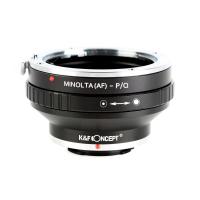
Minolta A / Sony A Lenses to Pentax Q Camera Mount Adapter
52
£31.99 £22.99
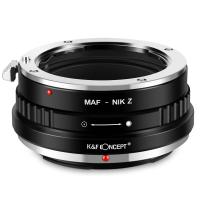
Minolta A / Sony A Lenses to Nikon Z Mount Camera Adapter
62
£55.99 £45.99
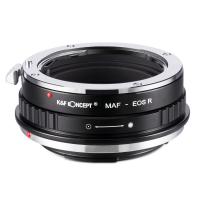
Minolta A / Sony A Lenses to Canon EOS R Mount Camera Adapter
69
£55.99 £40.00
Minolta A / Sony A Lenses to Nikon 1 Camera Mount Adapter with Tripod Mount
77
£38.99 £27.99
Minolta A / Sony A Lenses to Pentax Q Camera Mount Adapter with tripod mount
52
£37.99 £26.99
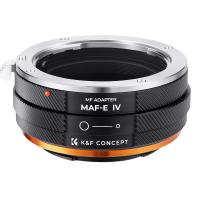
K&F Concept Sony Alpha A and Minolta AF Lens Mount to Sony E Camera Body Adapter Ring, matte lacquer, MAF-E FIT ART
75
£45.99
Sony A Mount Lenses to Sony E Mount Camera Adapter
139
£43.99 £32.99
Pentax K/M/A/FA/DA Lenses to Sony E Mount Camera Adapter
117
£50.99 £36.70
Guess you like products
K&F Concept Camera Backpack Hardshell DSLR Photography Camera Bag with 15-15.6 Inch Laptop Compartment Waterproof Camera Case Compatible for Canon/Nikon/Sony/DJI Mavic Drone - Backpack 22L Nature Wander 10 (Red)
9
£89.99 £72.99
R6 Digital Night Vision Binoculars, 1080p Full HD Photo Night Vision Goggles for Day and Night Observation for Hunting, Camping, Surveillance Kentfaith
53
£149.99 £55.99
46mm Variable ND Filter, Fader ND2 to ND400 Adjustable HD Neutral Density Grey Filter with Cleaning Cloth for Camera Lenses
186
£43.00 £20.99
49mm Black Diffusion 1/8 Filter High Definition Waterproof Anti-Reflection Green film Nano-Dazzle series
27
£64.99 £39.99
82mm Black Mist 1/4 + ND2-400 Variable ND Filter with Double-sided 28-layer Anti-reflection Green Film and Lever Nano-Xcel Series
116
£355.00 £149.99
Ricoh Lens Filter Adapter Ring 42-49mm, With Kf 49mm Lens Cover *1, Suitable for Ricoh Gr Model, Nano-X Series
£14.99 £11.99
40.5mm UV Lens Filter - 28 Multi-Layer Coatings HD MCUV Scratch-Resistant Ultraviolet Protection Filters for DSLR Camera Lens Nano-Xcel series
50
£24.99 £19.99
Hourglass set with handle for metal detection
3
£26.24 £20.99
49mm Black Mist Filter 1/4 + 3pcs Cleaning Cloth with 18 Multi-Layer Coatings Nano-Klear
36
£32.99 £19.99
62''/1.6m Aluminum Camera Tripod Detachable Monopod with Quick Release Plate, Ball Head and Compact Travel Carrying Bag  SA254M1 for DSLR
62''/1.6m Aluminum Camera Tripod Detachable Monopod with Quick Release Plate, Ball Head and Compact Travel Carrying Bag SA254M1 for DSLR
80
£102.99 £79.99
Related articles
How To Install Ring Camera Floodlight ?
How To Wire A Ring Floodlight Camera Uk ?
How To Set Up A Ring Floodlight Camera ?
How To Install A Ring Floodlight Camera Uk ?
How To Install A Ring Floodlight Security Camera ?
How To Install Ring Wired Floodlight Camera ?
How To Adjust Ring Floodlight Camera Angle ?
How To Turn Off Ring Floodlight Camera ?
How Much To Install Ring Floodlight Camera?
How To Dowwnload Camcorder To Pc ?
Guess you like articles
Are Ring Cameras Battery Powered ?
What Does 8x42 Binoculars Mean ?
What Is A Digital Camera?
What Does Each Part Of A Microscope Do ?
Can Menopause Cause Microscopic Blood In Urine ?
What Do Uv Filters Do For Dslr ?
Which Aa Batteries Are Best For Digital Cameras ?
Where To Get Binoculars Near Me ?
How To Clean A Keyboard ?
Why Are Golf Rangefinders So Expensive ?
Related categories
wireless floodlight camera​ ring flash Sony A mount lens adapter​ accessories for a drone Selfie Ring Light Ring Adapter Kit Smart Door Ring Sony E mount adapter variable ND and CPL filter​ camera filter adapter rings​
Popular products
sony camera adapter minolta md to leica m adapter minolta nikon adapter canon adapter sony sony minolta mount nikon 1 mount adapter​ pentax q mount adapter​ sony AF a to E adapter step ring adapter step down filter ring adapter
Related searches
Ring Floodlight Camera Battery Ring Floodlight Camera Parts New Ring Floodlight Camera Ring Floodlight No Camera Ring Floodlight Camera White Ring Floodlight Camera Extension Ring Floodlight Camera Mount Softbox Lighting Setup Ring Floodlight Camera Flashing Blue Ring Solar Floodlight With Camera
Blog Category
  • Camera Reviews
  • News & Reviews
    • News
  • Tutorials
    • Animal Photography
    • Food Photography
  • Inspiration
    • Travel
    • Travel Stories
    • Photography Tricks
Search Article
Latest from the Blog
Dash Cam That Records When Vehicle Is Off?
How to Clean Bird Feeders – A Comprehensive Guide for Healthy Backyard Birding
Black Friday Offers by Kentfaith
How To Fix Camera On Tripod Stand?
How To Hide Gold From Metal Detector?
How To Hide Outdoor Cameras?
How To Install Video Surveillance Cameras?
How to Clean Carbon Fiber Tripod?
How To Use A Camera Simple For Kids?
How Do You Connect Bluetooth Earbuds?
Powered By K&F Concept © 2025