kfconcept

K&F Concept UK
K&F Concept United Kingdom    Blog >

Enjoy Your Selected Digital Life

Recently Viewed
  • Recently Viewed
  • Recently Viewed list is empty.

Compare (0) 0
  • Compare
  • You have not chosen any products to compare.

  • Compare
Currency: GBP
  • Currency

Log Into Your Account

Account

Order History

Wish List

Login

Forgotten Password?

Or connect with

Register Account

Already have an Account?Log In

  • Shopping Cart
  • Your shopping cart is empty!

  • Register/Login to purchase, earn points
  • Favorite
  • Your wish list is empty.

  • Register/Login to like, earn points
  • Tripods
    • Aluminum Tripods
    • Carbon Fiber Tripods
    • Travel Tripods
    • Video Tripods
    • Monopods
    • Lightweight Tripods
    • Mini Tripod
    • Tripod Accessories
    • Gimbal Stabilizers
    • Tripod Head
    • Tripod Kit
    • Action Camera Mounts
    • Phone Tripods
    • Studio Parts
      • Camera Flash
      • Photography Fill Light
      • Ring light
      • Soft Box
      • Tripod Light Stands
      • Reflectors
    • Clearance Tripods
  • Lens Filters
    • UV Filters
      • Nano-Xcel Series
        • MCUV
        • Ultra-low Reflectivity MCUV Filters
        • MCUV Super Hard
        • Explosion-proof MCUV - Nano-Xcel
        • MCUV+Lens Cap+Cleaning Cloth
        • Super Hard&Ultra Low Reflection MCUV Filters - Nano-Xcel
        • MCUV - Magnetic Series
      • Nano-Dazzle Series
        • MCUV
        • MCUV+Lens Cap+Cleaning Cloth
      • Nano-Klear Series
        • MCUV
        • Ultra Thin Frame MCUV Filters
        • MCUV+Lens Cap+Cleaning Cloth
      • Nano-Xcel Pro Series
        • MCUV
    • CPL Filters
      • Nano-Xcel Series
        • CPL
        • CPL True Color
        • Ultra-low Reflectivity CPL
        • CPL+Lens Cap+Cleaning Cloth
        • Magnetic CPL
          • Magnetic CPL + Apater ring + Cap - Nano-X
        • True Color Ultra-low Reflectivity CPL - Nano-Xcel
      • Nano-Dazzle Series
        • CPL
        • CPL+Lens Cap+Cleaning Cloth - Nano-Dazzle
      • Nano-Klear Series
        • CPL
        • Ultra Thin Frame CPL Filters
        • CPL+Lens Cap+Cleaning Cloth
        • CPL+Lens Cap - Nano-Klear
      • Nano-Xcel Pro Series
        • CPL
    • Neutral Density Filters
      • Neutral Density (Solid) Filters
        • ND8 (3 stops) - Nano-Xcel Series
        • ND64 (6 stops) - Nano-Xcel Series
        • ND1000 (10 stops) - Nano-Xcel Series
        • ND100000 (16.6 stops) - Nano-Xcel Series
        • ND1000000 (20 stops) - Nano-Xcel Series
        • ND100000 (16.6 stops) - Nano-Klear Series
        • ND1000000 (20 stops) - Nano-Klear Series
        • Solid ND - Magnetic Series
      • Graduated Neutral Density
        • 100mm GND Filter
          • Soft GND8 Filters - Nano-Xcel Series
          • Hard GND8 Filters - Nano-Xcel Series
          • Reverse GND8 Filters - Nano-Xcel Series
          • Soft GND16 Filters - Nano-Xcel Series
          • Reverse GND16 Filters - Nano-Xcel Series
          • Soft GND8 Filters - Nano-Xcel Pro Series
          • Hard GND8 Filters - Nano-Xcel Pro Series
          • Reverse GND8 Filters - Nano-Xcel Pro Series
          • Soft GND16 Filters - Nano-Xcel Pro Series
          • Reverse GND16 Filters - Nano-Xcel Pro Series
        • Circular GND Filter
          • GND8
          • GND16
      • 2 in 1 Filters
        • ND2-ND32&CPL Filters - Nano-Xcel Series
        • ND2-ND32&CPL Filters - Nano Dazzle Series
        • ND2-32&CPL Filters - Nano-Klear Series
        • ND2-ND32&CPL Filter - Nano-X Pro
        • ND2-ND32&CPL True Color Filters - Nano-Xcel Series
        • ND4-ND64&CPL Filter
      • 3 in 1 Filters
        • ND2-32&CPL&Black Mist 1/4 Filters - Nano-Xcel Series
        • ND2-32&CPL&Black Mist 1/4 Filters - Nano-Klear Series
      • Variable Neutral Density
        • Nano-Xcel Series
          • ND2-ND32 - Nano-Xcel
          • ND2-ND32 True Color - Nano-Xcel
          • ND2-ND400 - Nano-Xcel
          • ND8-ND128 - Nano-Xcel
          • ND32-ND512 - Nano-Xcel
          • ND3-ND1000 - Nano-Xcel
          • ND2-32 True Color Ultra-Low Reflection - Nano-Xcel
          • ND2-400 Ultra-Low Reflection - Nano-Xcel
        • Nano-Dazzle Series
          • ND2-ND32 - Nano-Dazzle
          • ND2-ND400 - Nano-Dazzle
          • ND3-ND1000 - Nano-Dazzle
          • ND8-ND2000 - Nano-Dazzle
        • Nano-Klear Series
          • ND2-ND32 - Nano-Klear
          • ND2-ND400 - Nano-Klear
          • ND2-ND2000 - Nano-Klear
          • True Color ND2-ND400 - Nano-Klear
        • Nano-Xcel Pro Series
          • ND2-ND32 - Nano-Xcel Pro
        • Nano-B Series
          • ND2-ND400 - Nano-B
    • Black Mist & Soft Focus Filters
      • Black Mist Filters
        • Black Mist 1/8
          • Black Mist 1/8 - Nano-Xcel Series
          • Black Mist 1/8 - Nano-Dazzle Series
          • Black Mist 1/8 - Nano-Klear Series
          • Black Mist 1/8 - Nano-Xcel Pro Series
          • Black Mist 1/8+Lens Cap+Cleaning Cloth - Nano-Klear Series
        • Black Mist 1/4
          • Black Mist 1/4 - Nano-Xcel Series
          • Black Mist 1/4 - Nano-Dazzle Series
          • Black Mist 1/4 - Nano-Klear Series
          • Black Mist 1/4 - Nano-Xcel Pro Series
          • Black Mist 1/4+Lens Cap+Cleaning Cloth - Nano-Klear Series
        • Black Mist 1/2
          • Black Mist 1/2 - Nano-Xcel Series
          • Black Mist 1/2 - Nano-Klear Series
        • Black Mist 1
          • Black Mist 1 - Nano-Xcel Series
          • Black Mist 1 - Nano-Klear Series
        • Black Mist Kit
          • Black Mist 1/4 + 1/8 Nano Xcel Series
          • Black Mist 1/4 + 1/8 - Nano Klear Series
          • Black Mist 1/4 + CPL - Nano Klear Series
        • Black Mist & CPL
          • Black Mist 1/4&CPL - Nano-Klear Series
        • Black-Mist & VND
          • Black Mist 1/4 & ND2-32 Filters - Nano-Klear Series
          • Black Mist 1/4 & ND2-400 Filters - Nano-Xcel Series
          • Black Mist 1/4 & ND2-32 Filters - Nano-Xcel Series
          • Black Mist 1/8 & ND2-32 Filters - Nano-Klear Series
          • Black Mist 1/4 & ND2-400 Filters - Nano-Klear Series
      • White Mist Filters
        • White Mist 1/4 - Nano-Xcel Series
        • White Mist 1/4 - Nano-Klear Series
      • Shimmer Diffusion
        • Shimmer Diffusion 1 - Nano-Xcel Series
        • Shimmer Diffusion 1 - Nano-Klear Series
    • Light Pollution Cut Filter
      • Light Pollution Cut Filter - Circular
      • Light Pollution Cut Filter - Square
    • Magnetic Lens Filters
      • MCUV Filters
        • Magnetic MCUV - Nano-Klear Series
        • Magnetic MCUV+Lens Caps - Nano-Xcel Series
      • CPL Filters
        • Magnetic CPL + Adapter Ring
        • Magnetic CPL+Adapter Ring - Nano-Klear Series
      • Black-Mist
        • Black Mist 1/8 Filters - Nano-Xcel Series
        • Black Mist 1/4 Filters - Nano-Xcel Series
      • Neutral Density (Solid) Filter
        • Magnetic ND8 - Nano-Xcel Series
        • Magnetic ND64 - Nano-Xcel Series
        • Magnetic ND1000 - Nano-Xcel Series
      • Unlimited Variable ND Filter
        • Magnetic ND2-ND32 - Nano-Xcel Series
        • Magnetic ND8-ND128 Filters - Nano-Xcel Series
      • Accessories
        • Magnetic Adapter Ring
        • Magnetic Filter Ring
        • Magnetic Cap
      • Kits
        • MCUV+CPL+ND1000+Adapter Ring - Nano-Xcel Series
        • CPL+ND8+ND64+Adapter Ring+Lens Cap - Nano-Xcel Series
        • GND8+ND8+ND64+ND1000+Adapter Ring - Nano-Xcel Series
        • CPL+VND2-32+Black Mist 1/4+Magnetic Ring+Lens Cap - Nano-Xcel Series
    • Square Filter System
      • Basic System
        • Square ND Filters
          • ND4 Filters - Nano-Xcel Series
          • ND16 Filters - Nano-Xcel Series
          • ND1000 Filters - Nano-Xcel Series
          • ND2000 Filters - Nano-Xcel Series
          • ND32000 Filters - Nano-Xcel Series
          • Full Color ND8 Filters - Nano-Xcel Series
          • Full Color ND64 Filters - Nano-Xcel Series
        • Square GND Filters
        • Light Pollution Cut Filter
          • Light Pollution Cut Filter - Nano-Xcel Series
        • Square Black Mist Filters
          • Square Black Mist 1 - Nano-Xcel Series
          • Square Black Mist 1/4 - Nano-Xcel Series
          • Square Black Mist 1/8 - Nano-Xcel Series
        • Brackets and Accessories
          • Adapter Ring - Nano-Xcel Series
        • Kits
          • 100mm Square Filter System - Nano-Xcel Series
          • 100mm ND1000+Holder Kit - Nano-Xcel Series
          • 100mm ND1000+Soft GND8+Holder Kit - Nano-Xcel Series
          • 100mm Soft GND8+Holder Kit - Nano-Xcel Series
      • Professional System
        • ND
          • Full Color ND8 Filters - Nano-Xcel Pro Series
          • Full Color ND64 Filters - Nano-Xcel Pro Series
          • Full Color ND1000 Filters - Nano-Xcel Pro Series
        • GND
        • PL
        • Black Mist 1/4&CPL - Nano-Xcel Pro Series
        • Light Pollution Cut Filter
          • Light Pollution Cut Filter - Nano-Xcel Pro Series
        • Kits
          • 100mm ND1000+Holder Kit - Nano-Xcel Pro Series
          • 100mm ND1000+Soft GND8+Holder Kit - Nano-Xcel Pro Series
          • 100mm ND8+ND64+ND1000+Holder Kit - Nano-Xcel Pro Series
          • 100mm Holder Kit - Nano-Xcel Pro Series
        • Brackets and Accessories
          • 100x100mm Square Filter Protect Frame - Nano-Xcel Pro Series
          • 100x150mm Square Filter Protect Frame - Nano-Xcel Pro Series
          • Adapter Ring - Nano-Xcel Pro Series
    • Drone Filter
      • DJI Air 3S
      • DJI Avata2
      • DJI Flip
      • DJI Mavic 3 Pro
      • DJI NEO
      • DJI Mini 1/2/SE
      • DJI Mini 4 Pro Filters
      • DJI Mavic 3
      • DJI Mini 3 PRO
      • DJI Avata
      • DJI Mavic 4 Pro
      • DJI Mini 5 Pro
      • DJI Air 2S
    • Effects Filters
      • Prism Filters
        • Central Prism Filters
          • Central Pentagonal Filters - Nano-Basic Series
          • Central Hexagonal Filters - Nano-Basic Series
        • Ordinary Prism Filters
          • Triangular Filtres - Nano-Basic Series
        • Single Linear Prisms
      • Streak Filters
        • Blue Streak Filters - Nano-Xcel Series
        • Gold Streak Filters - Nano-Xcel Series
        • Colorful Streak Filters - Nano-B Series
        • Blue Streak Filters - Nano-Klear Series
      • Star Filter
        • Star Filters 4-8 Points - Nano-Klear Series
        • Star Filter Kits 4+6+8 Points - Nano-Klear Series
        • 4-Point Fine-Line Star Filters - Nano-Klear Series
        • 6-Point Fine-Line Star Filters - Nano-Klear Series
      • Kaleidoscope Filters
        • Kaleidoscope Filters - Nano-Basic Series
        • Handheld Kaleidoscope Filters - Nano-B Series
      • Motion Blur Filters
        • Directional Motion Blur - Nano-Basic Series
        • Bidirectional Motion Blur - Nano-Basic Series
        • Handheld Motion Blur Filters - Nano-Basic Series
      • Spiral Filters
        • Spiral Halo Filters - Nano-B Series
        • Handheld Spiral Filters - Nano-Basic Series
      • Diopter Filters
        • Centerfield Split Diopter Filters - Nano-Basic Series
        • Handheld Diopter Filters - Nano-Basic Series
    • Filter Accessories
      • Lens Hoods
      • Rings Kits
        • Step Up Rings
        • Step Down Rings
      • Filter Holders & Frames
      • Filter Holder Adapter Rings
        • Filter Adapter Rings
      • Filter Pouches
      • Lens Caps
        • Caps for Magnetic Filters
        • Caps for Variable ND Filters
        • Anti-lost Lens Cap
          • 4 in 1
          • 5 in 1
          • 9 in 1
      • Polarized Film
    • Filter Kit
      • Black Diffusion 1/4 + 1/8
      • Screw-In Filters
        • MCUV+CPL Filter - Nano-Klear Series
        • MCUV+CPL+Lens Cap - Nano-Klear Series
        • MCUV+CPL+Metal Lens Cap - Nano-Xcel Series
        • MCUV+CPL+ND1000+Lens Cap - Nano-Dazzle Series
        • MCUV+CPL+ND2-400 - Nano-Klear Series
        • ND8+ND64+ND1000 - Nano-Dazzle Series
        • MCUV+CPL+ND4 - Nano-Klear Series
        • ND1000+CPL - Nano-Klear Series
        • ND4+ND8+ND64+ND1000 - Nano-Xcel Series
        • MCUV+CPL
      • Magnetic Filters
      • Square Filters
    • Action Camera Filters
      • DJI Osmo Action 4 / Action 5 Pro
      • DJI Osmo Action 6
      • DJI Osmo Nano
      • DJI Osmo Pocket 3
      • GoPro HERO 4K
      • GOPRO Hero 9/10/11/12/13 Filters
      • Insta360 Ace pro 2
      • Insta360 Go Ultra
      • Insta360 GO3
      • Insta360 GO3S
      • Action Camera Accessories
        • DJI Osmo Action 3/4/5 Pro
        • Head Strap & Chest Mount
        • Insta360 X5
        • Magnetic Neck Mount
        • DJI Osmo 360
        • DJI Osmo Pocket 3 Charging Base
        • DJI Osmo Pocket 3
    • Phone Lens Filters
    • Matte Box & Filter Systems
      • Neutral Density (Solid) Filters
        • ND4 - Nano-Xcel Series
        • ND8 - Nano-Xcel Series
        • ND16 - Nano-Xcel Series
        • ND32 - Nano-Xcel Series
        • ND64 - Nano-Xcel Series
        • ND8+ND64 - Nano-Xcel Series
      • UV Filters
      • Black Mist Filters
        • Black Mist 1/4 - Nano-Xcel Series
        • Black Mist 1/8 - Nano-Xcel Series
      • Blue Streak Filters
      • Accessories
      • Kits
        • Matte Box - Nano-Xcel Series
        • Matte Box Pro - Nano-Xcel Series
        • Matte Box+ND8 Square Filter - Nano-Xcel Series
        • Matte Box+ND4+ND32 Square Filter - Nano-Xcel Series
        • Matte Box+Black Mist 1/4 Square Filter - Nano-Xcel Series
    • Brand-specific Filters
      • Fujifilm X100
      • Ricoh GR
  • Lens Adapters
    • PL Mount Lenses
    • A Mount Body(Sony/Minolta)
    • Fujifilm X Mount Body
    • Fujifilm G (GFX) Mount Body
    • C-Mount Body
    • Leica M Mount Body
    • MFT(M4/3) Mount Body
    • Pentax K Mount Body
    • Pentax Q Mount Body
    • Samsung NX Mount Body
    • Nikon F Mount Body
    • Nikon 1 Mount Body
    • Nikon Z Mount Body
    • Canon EOS EF/EF-S Mount Body
    • Canon EOS M Mount Body
    • Canon RF Mount Body
    • Sony E Mount Body
    • L-Mount Alliance (Leica)
  • Camera
    • Digital Camera & Camcorders
      • Digital Cameras & Camcorders
      • Underwater Cameras
      • Action Cameras
      • Kids’ Cameras
      • Time lapse camera
    • Wildlife Camera
      • Wifi Trail Cameras
      • Non-Cellular Trail Cameras
      • Accessories
      • Cellular Trail Cameras
    • Surveillance Cameras
      • 4G Camera
      • Battery Camera
      • Baby Monitor
      • WiFi Camera
      • Feeder Camera
      • Floodlight camera
      • Monitoring Detector
    • Camera Lenses
    • On-Dash Camera
    • Fishing camera
    • Memory Cards
      • Micro SD Card
      • SD Card
    • Camera Accessories
      • Camera Caps
      • Camera Screen Protectors
        • Canon
        • Sony
        • Fujifilm
        • Nikon
        • Olympus
        • Ricoh
        • GoPro
        • DJI Osmo Pocket 3
      • Camera Hot Shoe Covers
      • Camera Viewfinder Eyecups
        • Nikon
        • Sony
        • Canon
      • Adjustment Iris
  • Camera Bags
    • Camera Backpacks
    • Camera Shoulder Bags
    • Camera Cases
    • Digital Storage Bag
    • Lens Cases
    • Camera Straps
    • Backpack Accessories
  • Camera Battery
    • Sony
    • Canon
    • Nikon
    • FUJIFILM
    • Ricoh
    • Gopro
    • Osmo Action
    • Lumix
    • V Mount Battery
    • Memory Card Case
  • Optics
    • Microscope
      • Optical Microscope
      • Digital Microscope
      • Kids' Microscopes
    • Binoculars
    • Monocular
    • Telescope
    • Night Vision Goggles
    • Rangefinder
  • Endoscope
    • Professional Endoscope
    • Household Endoscope
    • Portable Endoscope
    • Otoscope/Oral Endoscope
  • More
    • Cleaning Kits
    • Digital Voice Recorders
    • Language Translator Device
    • Smart Glasses
    • Metal Detectors
    • Light
      • Video fill light
      • Live Ring Light
      • Outdoor Lighting
    • Motorcycle Bluetooth Headset
    • Laser Engraver Machine
    • Headphones
    • Weather Station & Household Sensors
    • Microphone
    • Drone Accessories
      • DJI Air 2S Accessories
      • DJI Air 3 Accessories
      • DJI Avata Accessories
      • DJI Drone Universal Accessories
      • DJI Mavic Mini 2/Mini 2 SE/Mini Accessories
      • DJI Mavic Mini 3 Accessories
      • DJI Mini 3 Pro Accessories
    • Smart Watch
    • Smart lock
    • Studio
    • Solar Panels
  • Deals
    • Specials
    • Coupon
    • New Arrivals
  • Home
  • Blog
  • How Todo Filter On Android Camera ?

How Todo Filter On Android Camera ?

K&f concept 2023-08-18 02:45:46 0 Comments

To apply a filter on the Android camera, you can use the CameraX library, which is part of the Android Jetpack. CameraX provides an easy-to-use API for working with the camera on Android devices.

To implement a filter, you can use the ImageAnalysis use case provided by CameraX. This use case allows you to access each frame from the camera stream and apply image processing operations, such as filters, on it. You can use libraries like OpenCV or GPUImage to apply various filters to the camera frames.

First, you need to set up CameraX in your project by adding the necessary dependencies and initializing the camera. Then, you can create an ImageAnalysis use case and set a listener to receive each frame from the camera. In the listener, you can apply the desired filter to the image data and display it on the screen or save it to a file.

Remember to handle the camera permissions and lifecycle properly in your app. CameraX provides convenient APIs for managing these aspects as well.

1、 Camera Filters: Overview of different filter options for Android cameras.

Camera Filters: Overview of different filter options for Android cameras.

Android cameras offer a wide range of filter options that allow users to enhance their photos and videos with various effects. These filters can transform ordinary images into stunning works of art, adding a touch of creativity and uniqueness to your shots. Here is an overview of different filter options available on Android cameras:

1. Built-in Filters: Most Android camera apps come with a set of built-in filters that can be applied in real-time while capturing photos or videos. These filters include popular options like black and white, sepia, vintage, and more. They are easy to use and can instantly change the mood and tone of your images.

2. Third-Party Apps: There are numerous third-party camera apps available on the Google Play Store that offer a wide range of filters. These apps often provide more advanced options, allowing users to customize the intensity and style of the filters. Some popular third-party camera apps include VSCO, Snapseed, and Adobe Lightroom.

3. Manual Adjustments: In addition to pre-set filters, many Android camera apps also allow users to manually adjust various parameters such as brightness, contrast, saturation, and color temperature. This gives users more control over the final look of their photos and videos.

4. AI-Powered Filters: With advancements in artificial intelligence, some Android camera apps now offer AI-powered filters that can automatically enhance your images. These filters analyze the scene and make adjustments to improve the overall quality of the photo, such as enhancing colors, reducing noise, and improving sharpness.

5. Real-Time AR Filters: Augmented Reality (AR) filters have gained popularity in recent years, allowing users to add fun and interactive elements to their photos and videos. These filters can overlay virtual objects, masks, and animations onto the real-world scene, creating unique and entertaining visuals.

In conclusion, Android cameras provide a wide range of filter options to enhance your photos and videos. Whether you prefer pre-set filters, manual adjustments, AI-powered enhancements, or AR filters, there is something for everyone. Experimenting with different filters can add a creative touch to your photography and make your images stand out.
Camera Filters: Overview of different filter options for Android cameras.

2、 Built-in Filters: Explanation of pre-installed filter options on Android cameras.

Built-in Filters: Explanation of pre-installed filter options on Android cameras.

Android cameras come equipped with a range of built-in filters that allow users to enhance their photos and add creative effects. These filters provide a quick and easy way to transform ordinary images into visually appealing masterpieces. Here is a breakdown of some of the most common pre-installed filter options found on Android cameras:

1. Black and White: This classic filter removes color from the image, giving it a timeless and dramatic look. It is perfect for capturing moody landscapes or adding a vintage touch to portraits.

2. Sepia: The sepia filter adds a warm, brownish tone to the image, reminiscent of old-fashioned photographs. It can be used to create a nostalgic or vintage feel.

3. Vintage: This filter mimics the look of old film cameras, adding a grainy texture and faded colors. It is great for creating a retro vibe or adding a touch of nostalgia to your photos.

4. HDR: High Dynamic Range (HDR) filters are designed to capture a wider range of light and dark tones in a scene. They enhance the details and colors, resulting in more vibrant and dynamic images.

5. Pop Art: This filter adds bold and vibrant colors to the image, giving it a pop art-inspired look. It is perfect for creating eye-catching and artistic photos.

6. Vignette: The vignette filter darkens the edges of the image, drawing the viewer's attention to the center. It can add a sense of depth and focus to your photos.

7. Beauty: This filter smoothens the skin and enhances facial features, giving a more polished and flawless appearance. It is commonly used for selfies and portrait photography.

It is important to note that the availability of these filters may vary depending on the Android device and camera app being used. Additionally, many third-party camera apps offer a wider range of filters and customization options for users to explore.

In recent years, there has been a growing trend towards using AI-powered filters on Android cameras. These filters use artificial intelligence algorithms to automatically enhance photos by adjusting colors, tones, and other parameters. They can intelligently detect and optimize various elements in the image, resulting in more professional-looking photos with minimal effort.

Overall, the built-in filters on Android cameras provide a convenient way to add creativity and enhance the visual appeal of your photos. Whether you prefer classic black and white or want to experiment with vibrant pop art effects, these filters offer a wide range of options to suit your artistic vision.
Built-in Filters: Explanation of pre-installed filter options on Android cameras.

3、 Third-Party Filter Apps: Overview of external apps for adding filters to Android camera.

Third-Party Filter Apps: Overview of external apps for adding filters to Android camera.

Adding filters to your Android camera can enhance your photography and give your images a unique and professional look. While the default camera app on Android devices may have some basic filters built-in, third-party filter apps offer a wider range of options and customization.

To add filters to your Android camera, you can explore various third-party apps available on the Google Play Store. These apps provide a plethora of filters, effects, and editing tools to enhance your photos. Some popular options include VSCO, Snapseed, Adobe Lightroom, and Camera MX.

VSCO is known for its wide range of filters inspired by film photography. It offers a minimalist interface and allows users to adjust the intensity of filters and make further edits to their images. Snapseed, developed by Google, offers a comprehensive set of editing tools along with a variety of filters. It allows users to fine-tune their images with precision.

Adobe Lightroom is a powerful editing app that offers a wide range of filters and advanced editing tools. It also provides the option to sync your edits across devices using Adobe Creative Cloud. Camera MX is another popular app that offers real-time filters and effects, allowing you to preview and capture images with different styles.

To use these third-party filter apps, simply download and install them from the Google Play Store. Once installed, open the app and grant necessary permissions. You can then access the camera within the app and apply filters in real-time or during post-processing.

In conclusion, third-party filter apps provide a wide range of options for adding filters to your Android camera. These apps offer a variety of filters, effects, and editing tools to enhance your photos and give them a professional touch. Explore the options available on the Google Play Store and find the app that suits your preferences and style.
Third-Party Filter Apps: Overview of external apps for adding filters to Android camera.

4、 Manual Filter Adjustment: How to manually adjust filter settings on Android camera.

To apply filters on the Android camera, you can either use the built-in filters provided by the camera app or manually adjust the filter settings. Here's how to manually adjust filter settings on Android camera:

1. Open the camera app on your Android device.

2. Look for the filter icon, usually represented by a square or three overlapping circles. Tap on it to access the filter options.

3. Once you're in the filter menu, you may see a list of pre-set filters to choose from. However, to manually adjust the filter settings, look for an option like "Manual" or "Customize."

4. Tap on the "Manual" or "Customize" option to access the manual filter adjustment settings.

5. In the manual adjustment settings, you will typically find options to control parameters such as brightness, contrast, saturation, temperature, and tint.

6. Adjust these parameters according to your preference by sliding the corresponding sliders or using the plus and minus buttons.

7. As you make adjustments, the camera app will show you a live preview of the filtered image.

8. Once you're satisfied with the adjustments, tap the capture button to take a photo or start recording a video with the applied filter settings.

It's worth noting that the availability and interface of manual filter adjustment settings may vary depending on the camera app and Android device you're using. Some camera apps may offer more advanced manual adjustment options, while others may have a simpler interface. Additionally, third-party camera apps available on the Google Play Store may provide even more extensive filter customization options.

In recent years, smartphone cameras have become increasingly sophisticated, offering a wide range of filter options and manual adjustment settings. This allows users to have more control over the final look of their photos and videos. Additionally, advancements in artificial intelligence and computational photography have enabled real-time filter previews, making it easier to experiment with different filter settings and choose the perfect look for your images.
Manual Filter Adjustment: How to manually adjust filter settings on Android camera.
Leave your comment
Cancel reply
Note: HTML is not translated!
Related products
K&F CONCEPT Portable LED Video Light, 3000K-10000K Dual Color Temperature Rechargeable, Clip-on Video Light, Suitable for Mobile Phone, iPhone, Android, iPad, Laptop, Suitable for Selfie, Vlog, Video Conference
111
£59.00 £29.99
8" Wireless CarPlay Screen Android Auto Car Stereo with 1080P Backup Camera Kentfaith
13
£137.49 £109.99
Digital Camera for Microscopes 5 Megapixel Color CMOS for Windows Mac OS Android Phones Kentfaith
12
£81.24 £64.99
32X Macro Lens for iPhone Android 40-90mm Focus Distance with CPL & Starlight Filter Kentfaith
13
£68.74 £49.99
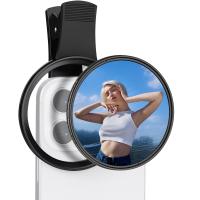
67mm Clip-on CPL Phone Camera Lens Filter Kit Applicable to All Mobile Phone Models
48
£20.42 £18.99
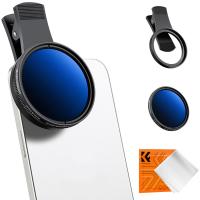
Clip-On ND Filter(1-9 stops) For Phone & 52mm Camera lens Adjustable Neutral Density Filter Compatible with iPhone Mobile Camera Filter
10
£31.99 £26.99
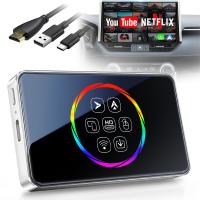
Wireless Carplay Adapter Android Auto Netflix YouTube Streaming Plug & Play Kentfaith
13
£108.74 £86.99
67mm Clip-on ND2-32 Phone Camera Lens Filter Kit Applicable to All Mobile Phone Models
48
£38.18 £33.99
Clip-On Magnetic VND Filter (1-5 Stop) For Phone & 67mm Camera lens Variable Neutral Density Filter Compatible with iPhone Mobile Camera Filter
10
£55.99 £49.99
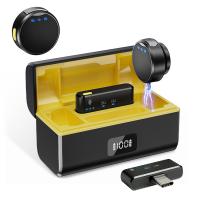
Wireless Lavalier Microphone for iPhone & Android 48kHz 24bit HiFi Audio Noise Cancelling
16
£99.99 £79.99
Guess you like products
55mm Magnetic Black Mist Filter 1/8 Suction Filter,with Magnetic Attachment Ring and Magnetic Metal Cover
38
£134.99 £98.99
62mm 3pcs Professional Lens Filter Kit (MCUV/CPL/ND4) + Filter Pouch for DSLR Camera Lens Nano-Klear
46
£46.99 £36.99
K&F Concept EN-EL14 Battery and Battery Charger for Nikon EN-EL14 EN-EL14a Battery Compatible with Nikon D3500 D5600 D3200 D3300 D3400 D5500 Coolpix P7800 P7700 P7200 P7100 P7000 (1050mAh*2)
73
£47.00 £29.99
4K 32MP tracking hunting camera, 100° wide-angle motion sensor triggered in 0.2 seconds, 46 940nm low-light LED lights, IP67 waterproof, 2.31-inch display with 64G SD card and quick-install tree spikes, multi-function card reader combination set
15
£189.99 £95.99
Mini Voice Recorder, Sound-activated & Magnetic, 128 GB 1600H Capacity with AI Noise Cancelling Kentfaith
14
£69.99 £55.99
M42 Series Lens to Sigma, Leica, Panasonic L-mount Camera Adapter
77
£25.99
100x100mm Filter Protection Holder 2 Pack - Nano-Xcel PRO Series
43
£27.99 £19.98
82mm Soft Graduated ND16 Lens Filter Ultra-Clear Optical Glass Multi-Coated
78
£57.99 £35.99
62mm MCUV Filter Brass Frame Multifunctional HD Ultra-Thin Brass Frame 36-Layer Anti-Reflection Green Film Nano-Xcel PRO Series
20
£118.99 £72.99
4-In-1 Carbon Monoxide & Gas Detector Plug In, with Temperature & Humidity Monitor, Kentfaith
£68.74 £54.99
Related articles
How To Do Filter On Android Camera ?
How To Use Filters On Android Camera?
How To Get Iphone Camera Filters On Android ?
How To Install Endoscope On Android ?
How Do I Get Loop Camcorder On Android ?
Are Wifi Reversing Camera Android ?
How To Use Android Endoscope ?
How To Connect Wifi Camera To Android Phone ?
How To Connect Digital Camera To Android Phone?
Which Electron Microscope Has The Highest Resolution ?
Guess you like articles
How Wireless Camera Works ?
What Lenses Fit Canon 2000d ?
What's Better 8x42 Or 10x42 Binoculars ?
Which Monopod To Buy ?
What Are The Best Rangefinders ?
How Many Camera Batteries Can I Fly With ?
How To Clean A Camera ?
Are Camera Bags Still In Style 2021 ?
What Is A Digital Slr Camera Mean ?
How To Put Beauty Filter On Iphone Camera ?
Related categories
DJI Mavic 3 Pro filters​ CPL camera filter​ camera CPL filter​ UV Filter For Camera camera filter holder camera lens filter fuji lens filter phone filter UV Protection Lens Filter
Popular products
iPhone nd filter polarization filter for iPhone clip on mic bluetooth thermal mobile camera magnetic iphone tripod iphone x camera lens camera lens cap nikon canon camera lens cap fujifilm fixed lens camera sony camera lens cap
Related searches
Usb Webcam On Android External Microphone On Android Nd Filter On Camera Filter On Iphone Camera Filter On Discord Camera Filter On Camera Phone Clip On Microphone For Android Android Games On Sd Card Music On Sd Card Android Polarizing Filter For Android
Blog Category
  • Camera Reviews
  • News & Reviews
    • News
  • Tutorials
    • Animal Photography
    • Food Photography
  • Inspiration
    • Travel
    • Travel Stories
    • Photography Tricks
Search Article
Latest from the Blog
How To Detect Wireless Spy Cameras?
How Bright Is A Red Light Camera Flash?
How To Setup Wireless Mini Video Camera?
How To Mount Go Pro On Tripod?
Digital Cameras That Can Go Underwater?
How To Install Video Surveillance Cameras?
What Games Are On The Retro Handheld Console?
How Deep Can Metal Detectors Detect Gold?
How To Hide Outdoor Cameras?
How to Clean Carbon Fiber Tripod?
Powered By K&F Concept © 2025