kfconcept

K&F Concept UK
K&F Concept United Kingdom    Blog >

Enjoy Your Selected Digital Life

Recently Viewed
  • Recently Viewed
  • Recently Viewed list is empty.

Compare (0) 0
  • Compare
  • You have not chosen any products to compare.

  • Compare
Currency: GBP
  • Currency

Log Into Your Account

Account

Order History

Wish List

Login

Forgotten Password?

Or connect with

Register Account

Already have an Account?Log In

  • Shopping Cart
  • Your shopping cart is empty!

  • Register/Login to purchase, earn points
  • Favorite
  • Your wish list is empty.

  • Register/Login to like, earn points
  • Tripods
    • Aluminum Tripods
    • Carbon Fiber Tripods
    • Travel Tripods
    • Video Tripods
    • Monopods
    • Lightweight Tripods
    • Mini Tripod
    • Tripod Accessories
    • Gimbal Stabilizers
    • Tripod Head
    • Tripod Kit
    • Action Camera Mounts
    • Phone Tripods
    • Studio Parts
      • Camera Flash
      • Photography Fill Light
      • Ring light
      • Soft Box
      • Tripod Light Stands
      • Reflectors
    • Clearance Tripods
  • Lens Filters
    • UV Filters
      • Nano-Xcel Series
        • MCUV
        • Ultra-low Reflectivity MCUV Filters
        • MCUV Super Hard
        • Explosion-proof MCUV - Nano-Xcel
        • MCUV+Lens Cap+Cleaning Cloth
        • Super Hard&Ultra Low Reflection MCUV Filters - Nano-Xcel
        • MCUV - Magnetic Series
      • Nano-Dazzle Series
        • MCUV
        • MCUV+Lens Cap+Cleaning Cloth
      • Nano-Klear Series
        • MCUV
        • Ultra Thin Frame MCUV Filters
        • MCUV+Lens Cap+Cleaning Cloth
      • Nano-Xcel Pro Series
        • MCUV
    • CPL Filters
      • Nano-Xcel Series
        • CPL
        • CPL True Color
        • Ultra-low Reflectivity CPL
        • CPL+Lens Cap+Cleaning Cloth
        • Magnetic CPL
          • Magnetic CPL + Apater ring + Cap - Nano-X
        • True Color Ultra-low Reflectivity CPL - Nano-Xcel
      • Nano-Dazzle Series
        • CPL
        • CPL+Lens Cap+Cleaning Cloth - Nano-Dazzle
      • Nano-Klear Series
        • CPL
        • Ultra Thin Frame CPL Filters
        • CPL+Lens Cap+Cleaning Cloth
        • CPL+Lens Cap - Nano-Klear
      • Nano-Xcel Pro Series
        • CPL
    • Neutral Density Filters
      • Neutral Density (Solid) Filters
        • ND8 (3 stops) - Nano-Xcel Series
        • ND64 (6 stops) - Nano-Xcel Series
        • ND1000 (10 stops) - Nano-Xcel Series
        • ND100000 (16.6 stops) - Nano-Xcel Series
        • ND1000000 (20 stops) - Nano-Xcel Series
        • ND100000 (16.6 stops) - Nano-Klear Series
        • ND1000000 (20 stops) - Nano-Klear Series
        • Solid ND - Magnetic Series
      • Graduated Neutral Density
        • 100mm GND Filter
          • Soft GND8 Filters - Nano-Xcel Series
          • Hard GND8 Filters - Nano-Xcel Series
          • Reverse GND8 Filters - Nano-Xcel Series
          • Soft GND16 Filters - Nano-Xcel Series
          • Reverse GND16 Filters - Nano-Xcel Series
          • Soft GND8 Filters - Nano-Xcel Pro Series
          • Hard GND8 Filters - Nano-Xcel Pro Series
          • Reverse GND8 Filters - Nano-Xcel Pro Series
          • Soft GND16 Filters - Nano-Xcel Pro Series
          • Reverse GND16 Filters - Nano-Xcel Pro Series
        • Circular GND Filter
          • GND8
          • GND16
      • 2 in 1 Filters
        • ND2-ND32&CPL Filters - Nano-Xcel Series
        • ND2-ND32&CPL Filters - Nano Dazzle Series
        • ND2-32&CPL Filters - Nano-Klear Series
        • ND2-ND32&CPL Filter - Nano-X Pro
        • ND2-ND32&CPL True Color Filters - Nano-Xcel Series
        • ND4-ND64&CPL Filter
      • 3 in 1 Filters
        • ND2-32&CPL&Black Mist 1/4 Filters - Nano-Xcel Series
        • ND2-32&CPL&Black Mist 1/4 Filters - Nano-Klear Series
      • Variable Neutral Density
        • Nano-Xcel Series
          • ND2-ND32 - Nano-Xcel
          • ND2-ND32 True Color - Nano-Xcel
          • ND2-ND400 - Nano-Xcel
          • ND8-ND128 - Nano-Xcel
          • ND32-ND512 - Nano-Xcel
          • ND3-ND1000 - Nano-Xcel
          • ND2-32 True Color Ultra-Low Reflection - Nano-Xcel
          • ND2-400 Ultra-Low Reflection - Nano-Xcel
        • Nano-Dazzle Series
          • ND2-ND32 - Nano-Dazzle
          • ND2-ND400 - Nano-Dazzle
          • ND3-ND1000 - Nano-Dazzle
          • ND8-ND2000 - Nano-Dazzle
        • Nano-Klear Series
          • ND2-ND32 - Nano-Klear
          • ND2-ND400 - Nano-Klear
          • ND2-ND2000 - Nano-Klear
          • True Color ND2-ND400 - Nano-Klear
        • Nano-Xcel Pro Series
          • ND2-ND32 - Nano-Xcel Pro
        • Nano-B Series
          • ND2-ND400 - Nano-B
    • Black Mist & Soft Focus Filters
      • Black Mist Filters
        • Black Mist 1/8
          • Black Mist 1/8 - Nano-Xcel Series
          • Black Mist 1/8 - Nano-Dazzle Series
          • Black Mist 1/8 - Nano-Klear Series
          • Black Mist 1/8 - Nano-Xcel Pro Series
          • Black Mist 1/8+Lens Cap+Cleaning Cloth - Nano-Klear Series
        • Black Mist 1/4
          • Black Mist 1/4 - Nano-Xcel Series
          • Black Mist 1/4 - Nano-Dazzle Series
          • Black Mist 1/4 - Nano-Klear Series
          • Black Mist 1/4 - Nano-Xcel Pro Series
          • Black Mist 1/4+Lens Cap+Cleaning Cloth - Nano-Klear Series
        • Black Mist 1/2
          • Black Mist 1/2 - Nano-Xcel Series
          • Black Mist 1/2 - Nano-Klear Series
        • Black Mist 1
          • Black Mist 1 - Nano-Xcel Series
          • Black Mist 1 - Nano-Klear Series
        • Black Mist Kit
          • Black Mist 1/4 + 1/8 Nano Xcel Series
          • Black Mist 1/4 + 1/8 - Nano Klear Series
          • Black Mist 1/4 + CPL - Nano Klear Series
        • Black Mist & CPL
          • Black Mist 1/4&CPL - Nano-Klear Series
        • Black-Mist & VND
          • Black Mist 1/4 & ND2-32 Filters - Nano-Klear Series
          • Black Mist 1/4 & ND2-400 Filters - Nano-Xcel Series
          • Black Mist 1/4 & ND2-32 Filters - Nano-Xcel Series
          • Black Mist 1/8 & ND2-32 Filters - Nano-Klear Series
          • Black Mist 1/4 & ND2-400 Filters - Nano-Klear Series
      • White Mist Filters
        • White Mist 1/4 - Nano-Xcel Series
        • White Mist 1/4 - Nano-Klear Series
      • Shimmer Diffusion
        • Shimmer Diffusion 1 - Nano-Xcel Series
        • Shimmer Diffusion 1 - Nano-Klear Series
    • Light Pollution Cut Filter
      • Light Pollution Cut Filter - Circular
      • Light Pollution Cut Filter - Square
    • Magnetic Lens Filters
      • MCUV Filters
        • Magnetic MCUV - Nano-Klear Series
        • Magnetic MCUV+Lens Caps - Nano-Xcel Series
      • CPL Filters
        • Magnetic CPL + Adapter Ring
        • Magnetic CPL+Adapter Ring - Nano-Klear Series
      • Black-Mist
        • Black Mist 1/8 Filters - Nano-Xcel Series
        • Black Mist 1/4 Filters - Nano-Xcel Series
      • Neutral Density (Solid) Filter
        • Magnetic ND8 - Nano-Xcel Series
        • Magnetic ND64 - Nano-Xcel Series
        • Magnetic ND1000 - Nano-Xcel Series
      • Unlimited Variable ND Filter
        • Magnetic ND2-ND32 - Nano-Xcel Series
        • Magnetic ND8-ND128 Filters - Nano-Xcel Series
      • Accessories
        • Magnetic Adapter Ring
        • Magnetic Filter Ring
        • Magnetic Cap
      • Kits
        • MCUV+CPL+ND1000+Adapter Ring - Nano-Xcel Series
        • CPL+ND8+ND64+Adapter Ring+Lens Cap - Nano-Xcel Series
        • GND8+ND8+ND64+ND1000+Adapter Ring - Nano-Xcel Series
        • CPL+VND2-32+Black Mist 1/4+Magnetic Ring+Lens Cap - Nano-Xcel Series
    • Square Filter System
      • Basic System
        • Square ND Filters
          • ND4 Filters - Nano-Xcel Series
          • ND16 Filters - Nano-Xcel Series
          • ND1000 Filters - Nano-Xcel Series
          • ND2000 Filters - Nano-Xcel Series
          • ND32000 Filters - Nano-Xcel Series
          • Full Color ND8 Filters - Nano-Xcel Series
          • Full Color ND64 Filters - Nano-Xcel Series
        • Square GND Filters
        • Light Pollution Cut Filter
          • Light Pollution Cut Filter - Nano-Xcel Series
        • Square Black Mist Filters
          • Square Black Mist 1 - Nano-Xcel Series
          • Square Black Mist 1/4 - Nano-Xcel Series
          • Square Black Mist 1/8 - Nano-Xcel Series
        • Brackets and Accessories
          • Adapter Ring - Nano-Xcel Series
        • Kits
          • 100mm Square Filter System - Nano-Xcel Series
          • 100mm ND1000+Holder Kit - Nano-Xcel Series
          • 100mm ND1000+Soft GND8+Holder Kit - Nano-Xcel Series
          • 100mm Soft GND8+Holder Kit - Nano-Xcel Series
      • Professional System
        • ND
          • Full Color ND8 Filters - Nano-Xcel Pro Series
          • Full Color ND64 Filters - Nano-Xcel Pro Series
          • Full Color ND1000 Filters - Nano-Xcel Pro Series
        • GND
        • PL
        • Black Mist 1/4&CPL - Nano-Xcel Pro Series
        • Light Pollution Cut Filter
          • Light Pollution Cut Filter - Nano-Xcel Pro Series
        • Kits
          • 100mm ND1000+Holder Kit - Nano-Xcel Pro Series
          • 100mm ND1000+Soft GND8+Holder Kit - Nano-Xcel Pro Series
          • 100mm ND8+ND64+ND1000+Holder Kit - Nano-Xcel Pro Series
          • 100mm Holder Kit - Nano-Xcel Pro Series
        • Brackets and Accessories
          • 100x100mm Square Filter Protect Frame - Nano-Xcel Pro Series
          • 100x150mm Square Filter Protect Frame - Nano-Xcel Pro Series
          • Adapter Ring - Nano-Xcel Pro Series
    • Drone Filter
      • DJI Air 3S
      • DJI Avata2
      • DJI Flip
      • DJI Mavic 3 Pro
      • DJI NEO
      • DJI Mini 1/2/SE
      • DJI Mini 4 Pro Filters
      • DJI Mavic 3
      • DJI Mini 3 PRO
      • DJI Avata
      • DJI Mavic 4 Pro
      • DJI Mini 5 Pro
      • DJI Air 2S
    • Effects Filters
      • Prism Filters
        • Central Prism Filters
          • Central Pentagonal Filters - Nano-Basic Series
          • Central Hexagonal Filters - Nano-Basic Series
        • Ordinary Prism Filters
          • Triangular Filtres - Nano-Basic Series
        • Single Linear Prisms
      • Streak Filters
        • Blue Streak Filters - Nano-Xcel Series
        • Gold Streak Filters - Nano-Xcel Series
        • Colorful Streak Filters - Nano-B Series
        • Blue Streak Filters - Nano-Klear Series
      • Star Filter
        • Star Filters 4-8 Points - Nano-Klear Series
        • Star Filter Kits 4+6+8 Points - Nano-Klear Series
        • 4-Point Fine-Line Star Filters - Nano-Klear Series
        • 6-Point Fine-Line Star Filters - Nano-Klear Series
      • Kaleidoscope Filters
        • Kaleidoscope Filters - Nano-Basic Series
        • Handheld Kaleidoscope Filters - Nano-B Series
      • Motion Blur Filters
        • Directional Motion Blur - Nano-Basic Series
        • Bidirectional Motion Blur - Nano-Basic Series
        • Handheld Motion Blur Filters - Nano-Basic Series
      • Spiral Filters
        • Spiral Halo Filters - Nano-B Series
        • Handheld Spiral Filters - Nano-Basic Series
      • Diopter Filters
        • Centerfield Split Diopter Filters - Nano-Basic Series
        • Handheld Diopter Filters - Nano-Basic Series
    • Filter Accessories
      • Lens Hoods
      • Rings Kits
        • Step Up Rings
        • Step Down Rings
      • Filter Holders & Frames
      • Filter Holder Adapter Rings
        • Filter Adapter Rings
      • Filter Pouches
      • Lens Caps
        • Caps for Magnetic Filters
        • Caps for Variable ND Filters
        • Anti-lost Lens Cap
          • 4 in 1
          • 5 in 1
          • 9 in 1
      • Polarized Film
    • Filter Kit
      • Black Diffusion 1/4 + 1/8
      • Screw-In Filters
        • MCUV+CPL Filter - Nano-Klear Series
        • MCUV+CPL+Lens Cap - Nano-Klear Series
        • MCUV+CPL+Metal Lens Cap - Nano-Xcel Series
        • MCUV+CPL+ND1000+Lens Cap - Nano-Dazzle Series
        • MCUV+CPL+ND2-400 - Nano-Klear Series
        • ND8+ND64+ND1000 - Nano-Dazzle Series
        • MCUV+CPL+ND4 - Nano-Klear Series
        • ND1000+CPL - Nano-Klear Series
        • ND4+ND8+ND64+ND1000 - Nano-Xcel Series
        • MCUV+CPL
      • Magnetic Filters
      • Square Filters
    • Action Camera Filters
      • DJI Osmo Action 4 / Action 5 Pro
      • DJI Osmo Action 6
      • DJI Osmo Nano
      • DJI Osmo Pocket 3
      • GoPro HERO 4K
      • GOPRO Hero 9/10/11/12/13 Filters
      • Insta360 Ace pro 2
      • Insta360 Go Ultra
      • Insta360 GO3
      • Insta360 GO3S
      • Action Camera Accessories
        • DJI Osmo Action 3/4/5 Pro
        • Head Strap & Chest Mount
        • Insta360 X5
        • Magnetic Neck Mount
        • DJI Osmo 360
        • DJI Osmo Pocket 3 Charging Base
        • DJI Osmo Pocket 3
    • Phone Lens Filters
    • Matte Box & Filter Systems
      • Neutral Density (Solid) Filters
        • ND4 - Nano-Xcel Series
        • ND8 - Nano-Xcel Series
        • ND16 - Nano-Xcel Series
        • ND32 - Nano-Xcel Series
        • ND64 - Nano-Xcel Series
        • ND8+ND64 - Nano-Xcel Series
      • UV Filters
      • Black Mist Filters
        • Black Mist 1/4 - Nano-Xcel Series
        • Black Mist 1/8 - Nano-Xcel Series
      • Blue Streak Filters
      • Accessories
      • Kits
        • Matte Box - Nano-Xcel Series
        • Matte Box Pro - Nano-Xcel Series
        • Matte Box+ND8 Square Filter - Nano-Xcel Series
        • Matte Box+ND4+ND32 Square Filter - Nano-Xcel Series
        • Matte Box+Black Mist 1/4 Square Filter - Nano-Xcel Series
    • Brand-specific Filters
      • Fujifilm X100
      • Ricoh GR
  • Lens Adapters
    • PL Mount Lenses
    • A Mount Body(Sony/Minolta)
    • Fujifilm X Mount Body
    • Fujifilm G (GFX) Mount Body
    • C-Mount Body
    • Leica M Mount Body
    • MFT(M4/3) Mount Body
    • Pentax K Mount Body
    • Pentax Q Mount Body
    • Samsung NX Mount Body
    • Nikon F Mount Body
    • Nikon 1 Mount Body
    • Nikon Z Mount Body
    • Canon EOS EF/EF-S Mount Body
    • Canon EOS M Mount Body
    • Canon RF Mount Body
    • Sony E Mount Body
    • L-Mount Alliance (Leica)
  • Camera
    • Digital Camera & Camcorders
      • Digital Cameras & Camcorders
      • Underwater Cameras
      • Action Cameras
      • Kids’ Cameras
      • Time lapse camera
    • Wildlife Camera
      • Wifi Trail Cameras
      • Non-Cellular Trail Cameras
      • Accessories
      • Cellular Trail Cameras
    • Surveillance Cameras
      • 4G Camera
      • Battery Camera
      • Baby Monitor
      • WiFi Camera
      • Feeder Camera
      • Floodlight camera
      • Monitoring Detector
    • Camera Lenses
    • On-Dash Camera
    • Fishing camera
    • Memory Cards
      • Micro SD Card
      • SD Card
    • Camera Accessories
      • Camera Caps
      • Camera Screen Protectors
        • Canon
        • Sony
        • Fujifilm
        • Nikon
        • Olympus
        • Ricoh
        • GoPro
        • DJI Osmo Pocket 3
      • Camera Hot Shoe Covers
      • Camera Viewfinder Eyecups
        • Nikon
        • Sony
        • Canon
      • Adjustment Iris
  • Camera Bags
    • Camera Backpacks
    • Camera Shoulder Bags
    • Camera Cases
    • Digital Storage Bag
    • Lens Cases
    • Camera Straps
    • Backpack Accessories
  • Camera Battery
    • Sony
    • Canon
    • Nikon
    • FUJIFILM
    • Ricoh
    • Gopro
    • Osmo Action
    • Lumix
    • V Mount Battery
    • Memory Card Case
  • Optics
    • Microscope
      • Optical Microscope
      • Digital Microscope
      • Kids' Microscopes
    • Binoculars
    • Monocular
    • Telescope
    • Night Vision Goggles
    • Rangefinder
  • Endoscope
    • Professional Endoscope
    • Household Endoscope
    • Portable Endoscope
    • Otoscope/Oral Endoscope
  • More
    • Cleaning Kits
    • Digital Voice Recorders
    • Language Translator Device
    • Smart Glasses
    • Metal Detectors
    • Light
      • Video fill light
      • Live Ring Light
      • Outdoor Lighting
    • Motorcycle Bluetooth Headset
    • Laser Engraver Machine
    • Headphones
    • Weather Station & Household Sensors
    • Microphone
    • Drone Accessories
      • DJI Air 2S Accessories
      • DJI Air 3 Accessories
      • DJI Avata Accessories
      • DJI Drone Universal Accessories
      • DJI Mavic Mini 2/Mini 2 SE/Mini Accessories
      • DJI Mavic Mini 3 Accessories
      • DJI Mini 3 Pro Accessories
    • Smart Watch
    • Smart lock
    • Studio
    • Solar Panels
  • Deals
    • Specials
    • Coupon
    • New Arrivals
  • Home
  • Blog
  • Samsung Travel Adapter How To Open ?

Samsung Travel Adapter How To Open ?

K&f concept 2023-09-14 02:24:16 0 Comments

To open a Samsung travel adapter, you can follow these steps:

1. Hold the adapter firmly in your hand.

2. Locate the two prongs on the adapter.

3. Press the release button or lever, if there is one, located near the prongs.

4. While holding the release button or lever, gently pull the prongs apart.

5. The prongs should now be separated, allowing you to plug the adapter into a power outlet.

Please note that the exact method of opening a Samsung travel adapter may vary depending on the specific model you have. It is always recommended to refer to the user manual or instructions provided by Samsung for detailed guidance.

1、 "Samsung travel adapter: Opening instructions and troubleshooting tips"

Samsung travel adapters are designed to provide a convenient and reliable way to charge your devices while traveling. Opening the adapter is a simple process that can be done by following a few steps.

To open a Samsung travel adapter, start by holding the adapter firmly in one hand. Then, using your other hand, locate the two prongs on the back of the adapter. These prongs are used to plug the adapter into a power outlet.

Next, gently push down on the prongs and slide them outwards. This will release the prongs from their locked position and allow them to extend fully. Once the prongs are fully extended, you can plug the adapter into a power outlet and connect your device using a compatible charging cable.

If you encounter any difficulties while opening the Samsung travel adapter, there are a few troubleshooting tips you can try. First, ensure that you are applying enough pressure to push down on the prongs. Sometimes, they can be a bit stiff, especially if the adapter is new.

If the prongs still won't extend, check for any obstructions or debris that may be preventing them from sliding out. Use a soft cloth or compressed air to clean the prongs and remove any dirt or dust.

If the adapter still doesn't open, it is recommended to contact Samsung customer support for further assistance. They will be able to provide you with specific instructions based on your adapter model and help troubleshoot any issues you may be experiencing.

In conclusion, opening a Samsung travel adapter is a straightforward process that involves pushing down on the prongs and sliding them outwards. If you encounter any difficulties, try applying more pressure or cleaning the prongs. If the problem persists, reach out to Samsung customer support for further assistance.

2、 "Step-by-step guide: Opening a Samsung travel adapter safely"

Step-by-step guide: Opening a Samsung travel adapter safely

Opening a Samsung travel adapter may seem like a simple task, but it is important to do it safely to avoid any damage or injury. Here is a step-by-step guide to help you open a Samsung travel adapter safely:

1. Ensure that the travel adapter is unplugged from the power source. This is crucial to prevent any electrical shocks or accidents.

2. Examine the travel adapter carefully to locate any screws or clips that may be holding it together. Most Samsung travel adapters have screws on the back or sides that need to be removed.

3. Use a small screwdriver or a suitable tool to unscrew the screws. Be gentle and make sure not to apply too much force, as it may damage the adapter.

4. Once the screws are removed, carefully separate the two halves of the adapter. You may need to use a plastic opening tool or your fingers to pry them apart gently.

5. Take note of the internal components and their positions. This can be helpful if you are planning to repair or replace any parts.

6. If you need to access the circuit board or any other internal components, proceed with caution. Avoid touching any exposed wires or components to prevent any electrical mishaps.

7. After you have finished inspecting or repairing the adapter, carefully reassemble the two halves and secure them with the screws.

It is important to note that opening a Samsung travel adapter may void any warranty it may have. If your adapter is still under warranty, it is recommended to contact Samsung or an authorized service center for assistance.

In conclusion, opening a Samsung travel adapter requires caution and attention to detail. By following these steps, you can safely open the adapter to inspect or repair it if necessary.

3、 "Unlocking the secrets: Opening a Samsung travel adapter effortlessly"

Unlocking the secrets: Opening a Samsung travel adapter effortlessly

Opening a Samsung travel adapter may seem like a daunting task, but with a few simple steps, you can unlock its secrets effortlessly. The latest point of view on this matter emphasizes the importance of safety and caution while handling electronic devices.

To begin, ensure that the travel adapter is unplugged from any power source. This is crucial to avoid any potential electrical shocks or accidents. Once you have taken this precautionary step, examine the adapter carefully. You will notice a small groove or indentation on one side of the adapter. This is the key to opening it.

Using your fingernail or a small tool, gently insert it into the groove and apply slight pressure. Be cautious not to exert too much force, as this may damage the adapter. As you apply pressure, you will feel the adapter start to separate. Continue to apply gentle pressure along the groove until the adapter fully opens.

It is important to note that not all Samsung travel adapters are designed the same way. Some may have a different mechanism for opening, such as a latch or a sliding panel. In such cases, refer to the user manual or contact Samsung customer support for specific instructions.

Once the adapter is open, you may find additional features or compartments inside. Some adapters have built-in USB ports or storage compartments for cables. Take a moment to explore these features and make the most of your travel adapter.

In conclusion, opening a Samsung travel adapter can be done effortlessly by following a few simple steps. Prioritize safety by ensuring the adapter is unplugged before attempting to open it. Use caution and apply gentle pressure along the designated groove or follow the specific instructions provided by Samsung. By unlocking the secrets of your travel adapter, you can enhance your travel experience and make the most of its features.

4、 "Cracking the code: Opening a Samsung travel adapter like a pro"

Cracking the code: Opening a Samsung travel adapter like a pro

Opening a Samsung travel adapter may seem like a daunting task, but with a few simple steps, you can do it like a pro. The latest point of view on this matter suggests that it is important to exercise caution and follow the instructions carefully to avoid any damage to the adapter or yourself.

Firstly, it is crucial to ensure that the adapter is not connected to any power source. Safety should always be the top priority when dealing with electrical devices. Once you have confirmed that the adapter is disconnected, you can proceed with the following steps.

Start by examining the adapter for any visible screws or clips. Some Samsung travel adapters have a small screw on the back or sides that need to be removed before opening. Use a small screwdriver to carefully unscrew these screws and set them aside in a safe place.

If there are no visible screws, gently pry open the adapter using a flathead screwdriver or a plastic opening tool. Insert the tool into the seam between the two halves of the adapter and apply gentle pressure to separate them. Be cautious not to use excessive force as it may cause damage.

Once you have successfully opened the adapter, you may find the internal components, such as the circuit board and wiring. However, it is important to note that tampering with these components can void the warranty and may be dangerous if you are not experienced in handling electrical devices.

In conclusion, opening a Samsung travel adapter requires careful attention to detail and adherence to safety precautions. It is always recommended to consult the user manual or seek professional assistance if you are unsure about any step of the process.
Leave your comment
Cancel reply
Note: HTML is not translated!
Related products
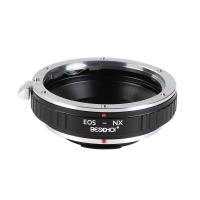
Beschoi Canon EOS EF Lens to Samsung NX SLR Camera Body K&F Concept Lens Mount Adapter
£26.99 £22.99
Air Conduction Headphones Open-ear Comfort Bluetooth 5.4, 42H Playtime Kentfaith
14
£34.99 £27.99
Translator Earbuds Real-Time, 150 Languages, Free Offline Translation, 5 Translation Modes, Open-Ear Style, ENC, Kentfaith
15
£139.99 £109.99
Contax to Fuji Adapter,Fujifilm Contax,C/Y to FX
67
£35.99 £26.60
K&F Concept iPad Tablet and Cellphone Tripod Mount Adapter Holder, Adjustable Clamp for iPhone15/14/13/12 Pro Max, iPad,iPad Mini 1/2/3/4/5/6,iPad Air,iPad Pro,Surface,Samsung Tab 7.0 Series and More
43
£21.99 £17.99
AI to L/M Adapter, Lens Mount Adapter Compatible with Nikon AI F Lens to Leica M Mount Camera Body
23
£52.99 £38.10
M42 to M4/3 Adapter, Lens Mount Adapter for M42 Mount Lens to Micro 4/3 M43 MFT Mount Mirrorless Cameras
222
£26.99 £20.99
T2 Lenses to Nikon Camera Mount Adapter
57
£18.99
FD to L Mount Adapter, Manual Focus Adapter Compatible with Canon FD FL 35mm Lens to L Mount Camera Body (Canon FD)
90
£35.99 £25.99
Clip-On Magnetic CPL Filter Kit For iPhone and Samsung Galaxy S22 S23 Ultra & 67mm Camera lens Magnetic Circular Polarizers Polarizing Filter Compatible with iPhone Mobile Camera Filter
10
£38.99 £34.99
Guess you like products
77mm Ultra-Low Reflectivity Circular Polarizer Filter with 28 Multi-Layer Coatings Ultra-Slim HD Nano-Xcel Series
21
£58.99 £49.99
1920P Dual Lens Endoscope Inspection Camera for 4.5in Display/PC/Phone/Pad, 16.4ft/5m Cable 8 LEDs for Sewer Drain Pipe Kentfaith
31
£99.99 £79.99
40.5mm Black Mist Filter 1/8 + 3pcs Cleaning Cloth with 18 Multi-Layer Coatings Nano-Klear
64
£32.99 £19.99
72mm CPL+MCUV+Lens Cap Circular Polarizing Filter MCUV Protection Lens Filters Kit with 28 Multi-Layer Coatings for Camera Lens Nano-Xcel Series
£50.99 £45.99
Minolta A / Sony A Lenses to Nikon 1 Camera Mount Adapter with Tripod Mount
77
£38.99 £27.99
K&F Concept M16125 high-precision lens adapter ring, coated with matt paint, secondary oxidation orange, OM-M4/3
59
£52.99 £37.99
Wildlife Trail Camera with Night Vision 0.2S Trigger Motion Activated 24MP 1296P IP66 Waterproof Hunting Camera for Outdoor & Home security | digital camouflage
69
£79.99 £43.99
K&F CONCEPT Mini On-Camera Flash GN12, 5600K, 2000mAh Built-in Battery, Compatible with Canon, Fuji, Sony, Nikon, Panasonic, Olympus, Pentax & Other DSLR/Mirrorless Cameras with Standard Hot Shoe.
2
£59.99 £39.99
AI Smart Glasses Real-Time Translation 164 Languages Music Bluetooth 5.4  for Men & Women Kentfaith
AI Smart Glasses Real-Time Translation 164 Languages Music Bluetooth 5.4 for Men & Women Kentfaith
14
£74.99 £59.99
9 inch/1000x LCD Digital Microscope,Microscope with 12MP Camera,Micro Welding Microscope for Adults,Wired Remote Control,Windows/Mac OS Compatible Kentfaith
28
£183.99 £119.99
Related articles
How To Open Samsung Power Adapter ?
How To Use Travel Adapter Samsung ?
What Is Travel Adapter Samsung ?
How To Open Samsung Adaptive Fast Charger ?
How To Repair Samsung Adapter ?
How To Use Samsung Otg Adapter ?
How To Use Samsung Hdtv Adapter ?
How To Check Samsung Adapter Original ?
How To Fix Samsung Charger Adapter ?
How To Enable Usb Endoscope On Galaxy S8 ?
Guess you like articles
How To Take Overhead Shots With A Tripod ?
Where To Fit Magnetic Filter ?
How To Change Battery In Adt Doorbell Camera?
How To Use A Circular Polariser Filter ?
How To Attach Digital Camera To Tripod ?
How To Capture From Tape Camcorder ?
How To Fit Samsung Tv To Wall Mount ?
How To Put Nikon Camera In Bag?
How To See Bacteria Under A Microscope ?
How To Setup P2p Wifi Camera ?
Related categories
Samsung NX mount lightweight travel tripod Sony E mount adapter variable ND and CPL filter​ Ring Adapter Kit lens filter adapter ring micro four thirds lens adapter adapter rings for filters​ lens adapter for Pentax K mount​ filter holder adapter rings
Popular products
samsung nx mount adapter​ canon ef to samsung nx smart adapter quality bluetooth headphones fujifilm mount adapter nikon camera mount m42 lens adapter canon eos r adapter leica m42 mount e mount adapter mft camera mount
Related searches
Touch To Open Smart Lock Bluetooth Headset For Samsung Phone Fujifilm World Travel Adapter Travel Tripod Open Ear Bluetooth Headphones Open Source Smart Watch Open Source Security Camera Open Back Gaming Headphones Wired Open Ear Headphones Wireless Open Air Headphones
Blog Category
  • Camera Reviews
  • News & Reviews
    • News
  • Tutorials
    • Animal Photography
    • Food Photography
  • Inspiration
    • Travel
    • Travel Stories
    • Photography Tricks
Search Article
Latest from the Blog
How To Play Videos From An Action Camera?
How Do You Connect Bluetooth Earbuds?
Where To Set Up Trail Cameras?
How Deep Can Metal Detectors Detect Gold?
​What is ND Filter in Photography?
What Are Uv Lens Filters For?
How To Detect Wireless Spy Cameras?
How To Change Wifi On Camera?
How To Hide Gold From Metal Detector?
How To Repair Flood Lights?
Powered By K&F Concept © 2025