What Size Sd Card For Dash Camera?
Deciding what size SD card to use for your dash camera can feel like navigating a labyrinth of cryptic specifications and technical jargon. But don’t worry—by the end of this article, you’ll understand exactly how to choose the right card for your dash cam without winding up in a corner of frustration. Let’s unravel the details of storage, video quality, recording loops, and technical compatibility to ensure you’re not just making an educated choice but actually future-proofing your decision.
A Crash Course on Dash Cam Data Storage
Dash cams record video in a loop, meaning they overwrite old footage with new footage when the SD card fills up. The size of the SD card determines how much footage your dash cam can store before it starts overwriting. In simple terms, the larger your SD card, the longer you can retain video files—whether it's scenic drives or evidence you may eventually need.
However, bigger isn’t always better. Overloading your card size could result in wasted resources, inefficiencies, or even compatibility issues. Dash cams aren’t toddlers—they won’t cry if you give them too much—but some models will refuse to work with oversized SD cards.
What Determines the Right SD Card Size?
The best SD card for your dash cam depends on factors such as:
1. Video Resolution: Higher resolutions produce larger file sizes.
2. Recording Time Needed: Whether you want only a few hours or a few days of footage stored before overwriting begins.
3. Compatibility: Many dash cams specify a maximum card size they can support.
4. Endurance: Dash cams continuously overwrite data, so your SD card must be durable enough to handle this wear and tear.
5. Budget: Larger capacity often means higher costs, but the type and durability of the card also impact pricing.
Let’s dig into these factors in greater detail.
Factor #1: Video Resolution and File Size
Dash cams increasingly offer HD (1080p), Full HD (1440p), or even 4K resolutions. Here's a quick breakdown of how video resolution relates to file sizes:
1080p (HD) typically captures footage using around 1 GB per hour.
1440p (Full HD) can use approximately 1.5-2 GB per hour.
4K Ultra HD eats up storage at about 4-6 GB per hour.
If your dash cam records in lower resolutions—like 720p—storage requirements will be more forgiving. But considering the trend toward higher-quality imagery (because, let’s face it, grainy footage doesn’t make for compelling courtroom evidence), be prepared to invest in an SD card that matches modern resolution demands.
Factor #2: Recording Length and Loop Settings
Ask yourself: How long do you need to retain footage before it gets overwritten? The need varies:
Casual Daily Driving: Perhaps you ease into your favorite coffee joint after work and all you need is footage of a couple of hours of driving—good news! A 32 GB card works well for short-term storage in HD resolution.
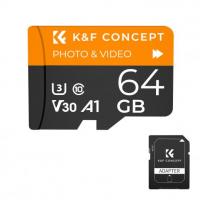
Road Trips or Taxi/Rideshare Drivers: If you're logging longer driving hours, consider a 64 GB or 128 GB SD card. These sizes can store over 12-20 hours of HD footage.
High Resolution Enthusiasts: Filming in 4K demands even heftier storage—settle for nothing less than 128 GB, and if the dash cam supports it, consider 256 GB or even 512 GB.
Let’s illustrate this practically: If you're recording 1080p footage at 1 GB/hour, a 32 GB card holds roughly 32 hours of video before looping. If you bump your resolution up to 1440p, expect about 16 hours. For 4K, you might only get 8 hours with that same card size.
Factor #3: Compatibility Between Dash Cam and SD Cards
Dash cams aren’t universal in their support for SD card sizes. Many entry-level models limit storage to 32 GB or 64 GB cards via microSDHC format, while advanced models handle larger SDXC cards up to 128 GB, 256 GB, or higher.
Before you swipe your credit card, check the technical specifications of your dash cam. Most will clearly state the maximum SD card capacity supported in their user manuals. Dash cams older than three to five years tend to cap at 32 GB—though this restriction may feel restrictive to modern file sizes.
Factor #4: High-Endurance SD Cards and Their Crucial Role
Dash cams are relentless in their writing cycles, recording files and overwriting them on repeat. This continuous use leads to significant wear on your SD card. Ordinary SD cards often fail prematurely under such strain, so endurance-focused SD cards are specifically engineered for durability. They’re built to withstand frequent overwriting, extreme temperature fluctuations, and long-term usage.
Die-hard examples include options like the Samsung PRO Endurance or SanDisk High Endurance microSD cards. Yes, they cost slightly more than generic versions, but trust me—you’ll thank yourself when your card doesn’t give up on life during a crash investigation.
Factor #5: Balancing Budget and Longevity
Dash cam users often face the predictable temptation: buy the cheapest card. While a bargain feels good at checkout, saving pennies upfront may lose you critical footage down the road. A dash cam is not a "one-time-use" product—it’s an investment. By extension, your SD card should match that level of commitment.
Invest in reputable brands such as SanDisk, Samsung, Transcend, or Kingston. Ensure the card specification is Grade 10 or UHS-I/UHS-II for fast data writing speeds. Spending an extra $15-$20 on a reliable, high-performance SD card versus a generic no-name option can save you from data failure headaches.
The SD Card Sweet Spot—Sizes Simplified
For die-hard data nerds, here’s a quick cheat-sheet for choosing the right size:
1. 32 GB: Ideal for HD recording (1080p) with limited daily driving or older model dash cams.
2. 64 GB: Great for HD use with moderate driving or higher resolution cameras (up to 1440p).
3. 128 GB: Handles long trips or constant driving in Full HD or 4K recording settings.
4. 256 GB and Beyond: Perfect for premium dash cams with 4K recording and extensive data storage requirements.
Bonus Pro Tip: Regular Maintenance
Even the most robust SD cards need occasional TLC. Routinely formatting your SD card to clear out residual data will ensure optimal dash cam performance. Most dash cams allow in-device formatting, which beats fumbling around for your laptop when troubleshooting.
Moreover, if your dash cam frequently misses recording key moments, it’s time to inspect your SD card’s health. High-endurance formats tend to offer longer life spans, but prolonged use will eventually wear any card down.
The Verdict: Strike the Right Balance
Selecting the right SD card size for your dash camera boils down to your video quality preference, how much footage you need stored, and whether your dash cam can handle the card size you’re eyeing. While many casual drivers can safely go with 32 GB or 64 GB cards, high-resolution setups and heavy daily driving might call for 128 GB or 256 GB.
When in doubt, invest in high-endurance cards—they resist the strains of continuous overwriting, extreme weather, and long-term use. Your dash cam can’t record its own heroic deeds if its SD card is taking sick days.
![4K Digital Camera for Photography & Video [Autofocus and Stabilisation] 48MP 16X Digital Zoom 3” 180° Flip Screen Vlog Camera with 32G SD Card, Flash Kentfaith](https://img.kentfaith.de/cache/catalog/products/de/GW41.0065/GW41.0065-1-200x200.jpg "4K Digital Camera for Photography & Video [Autofocus and Stabilisation] 48MP 16X Digital Zoom 3” 180° Flip Screen Vlog Camera with 32G SD Card, Flash Kentfaith")