kfconcept

K&F Concept UK
K&F Concept United Kingdom    Blog >

Enjoy Your Selected Digital Life

Recently Viewed
  • Recently Viewed
  • 62mm Variable ND Filter ND2-ND400 Multi Coated Neutral Density Filter Optical Glass with Blue Coating for DSLR Camera Lens Slim Nano-Klear
    62mm Variable ND Filter ND2-ND400 Multi Coated Neutral Density Filter Optical Glass with Blue Coating for DSLR Camera Lens Slim Nano-Klear
    £29.99
    40.5mm Variable ND Filter ND2-ND400 Multi Coated Neutral Density Filter Optical Glass with Blue Coating for DSLR Camera Lens Slim Nano-Klear
    40.5mm Variable ND Filter ND2-ND400 Multi Coated Neutral Density Filter Optical Glass with Blue Coating for DSLR Camera Lens Slim Nano-Klear
    £23.99
    82mm True Color Ultra-Low Reflectivity CPL Filter Polarizer Lens Filter Circular Polarizing for Camera Lenses with 28 Multi-Coated Nano-Xcel Series
    82mm True Color Ultra-Low Reflectivity CPL Filter Polarizer Lens Filter Circular Polarizing for Camera Lenses with 28 Multi-Coated Nano-Xcel Series
    £82.99
Compare (0) 0
  • Compare
  • You have not chosen any products to compare.

  • Compare
Currency: GBP
  • Currency

Log Into Your Account

Account

Order History

Wish List

Login

Forgotten Password?

Or connect with

Register Account

Already have an Account?Log In

  • Shopping Cart
  • Your shopping cart is empty!

  • Register/Login to purchase, earn points
  • Favorite
  • Your wish list is empty.

  • Register/Login to like, earn points
  • Tripods
    • Aluminum Tripods
    • Carbon Fiber Tripods
    • Travel Tripods
    • Video Tripods
    • Monopods
    • Lightweight Tripods
    • Mini Tripod
    • Tripod Accessories
    • Gimbal Stabilizers
    • Tripod Head
    • Tripod Kit
    • Action Camera Mounts
    • Phone Tripods
    • Studio Parts
      • Camera Flash
      • Photography Fill Light
      • Ring light
      • Soft Box
      • Tripod Light Stands
      • Reflectors
    • Clearance Tripods
  • Lens Filters
    • UV Filters
      • Nano-Xcel Series
        • MCUV
        • Ultra-low Reflectivity MCUV Filters
        • MCUV Super Hard
        • Explosion-proof MCUV - Nano-Xcel
        • MCUV+Lens Cap+Cleaning Cloth
        • Super Hard&Ultra Low Reflection MCUV Filters - Nano-Xcel
        • MCUV - Magnetic Series
      • Nano-Dazzle Series
        • MCUV
        • MCUV+Lens Cap+Cleaning Cloth
      • Nano-Klear Series
        • MCUV
        • Ultra Thin Frame MCUV Filters
        • MCUV+Lens Cap+Cleaning Cloth
      • Nano-Xcel Pro Series
        • MCUV
    • CPL Filters
      • Nano-Xcel Series
        • CPL
        • CPL True Color
        • Ultra-low Reflectivity CPL
        • CPL+Lens Cap+Cleaning Cloth
        • Magnetic CPL
          • Magnetic CPL + Apater ring + Cap - Nano-X
        • True Color Ultra-low Reflectivity CPL - Nano-Xcel
      • Nano-Dazzle Series
        • CPL
        • CPL+Lens Cap+Cleaning Cloth - Nano-Dazzle
      • Nano-Klear Series
        • CPL
        • Ultra Thin Frame CPL Filters
        • CPL+Lens Cap+Cleaning Cloth
        • CPL+Lens Cap - Nano-Klear
      • Nano-Xcel Pro Series
        • CPL
    • Neutral Density Filters
      • Neutral Density (Solid) Filters
        • ND8 (3 stops) - Nano-Xcel Series
        • ND64 (6 stops) - Nano-Xcel Series
        • ND1000 (10 stops) - Nano-Xcel Series
        • ND100000 (16.6 stops) - Nano-Xcel Series
        • ND1000000 (20 stops) - Nano-Xcel Series
        • ND100000 (16.6 stops) - Nano-Klear Series
        • ND1000000 (20 stops) - Nano-Klear Series
        • Solid ND - Magnetic Series
      • Graduated Neutral Density
        • 100mm GND Filter
          • Soft GND8 Filters - Nano-Xcel Series
          • Hard GND8 Filters - Nano-Xcel Series
          • Reverse GND8 Filters - Nano-Xcel Series
          • Soft GND16 Filters - Nano-Xcel Series
          • Reverse GND16 Filters - Nano-Xcel Series
          • Soft GND8 Filters - Nano-Xcel Pro Series
          • Hard GND8 Filters - Nano-Xcel Pro Series
          • Reverse GND8 Filters - Nano-Xcel Pro Series
          • Soft GND16 Filters - Nano-Xcel Pro Series
          • Reverse GND16 Filters - Nano-Xcel Pro Series
        • Circular GND Filter
          • GND8
          • GND16
      • 2 in 1 Filters
        • ND2-ND32&CPL Filters - Nano-Xcel Series
        • ND2-ND32&CPL Filters - Nano Dazzle Series
        • ND2-32&CPL Filters - Nano-Klear Series
        • ND2-ND32&CPL Filter - Nano-X Pro
        • ND2-ND32&CPL True Color Filters - Nano-Xcel Series
        • ND4-ND64&CPL Filter
      • 3 in 1 Filters
        • ND2-32&CPL&Black Mist 1/4 Filters - Nano-Xcel Series
        • ND2-32&CPL&Black Mist 1/4 Filters - Nano-Klear Series
      • Variable Neutral Density
        • Nano-Xcel Series
          • ND2-ND32 - Nano-Xcel
          • ND2-ND32 True Color - Nano-Xcel
          • ND2-ND400 - Nano-Xcel
          • ND8-ND128 - Nano-Xcel
          • ND32-ND512 - Nano-Xcel
          • ND3-ND1000 - Nano-Xcel
          • ND2-32 True Color Ultra-Low Reflection - Nano-Xcel
          • ND2-400 Ultra-Low Reflection - Nano-Xcel
        • Nano-Dazzle Series
          • ND2-ND32 - Nano-Dazzle
          • ND2-ND400 - Nano-Dazzle
          • ND3-ND1000 - Nano-Dazzle
          • ND8-ND2000 - Nano-Dazzle
        • Nano-Klear Series
          • ND2-ND32 - Nano-Klear
          • ND2-ND400 - Nano-Klear
          • ND2-ND2000 - Nano-Klear
          • True Color ND2-ND400 - Nano-Klear
        • Nano-Xcel Pro Series
          • ND2-ND32 - Nano-Xcel Pro
        • Nano-B Series
          • ND2-ND400 - Nano-B
    • Black Mist & Soft Focus Filters
      • Black Mist Filters
        • Black Mist 1/8
          • Black Mist 1/8 - Nano-Xcel Series
          • Black Mist 1/8 - Nano-Dazzle Series
          • Black Mist 1/8 - Nano-Klear Series
          • Black Mist 1/8 - Nano-Xcel Pro Series
          • Black Mist 1/8+Lens Cap+Cleaning Cloth - Nano-Klear Series
        • Black Mist 1/4
          • Black Mist 1/4 - Nano-Xcel Series
          • Black Mist 1/4 - Nano-Dazzle Series
          • Black Mist 1/4 - Nano-Klear Series
          • Black Mist 1/4 - Nano-Xcel Pro Series
          • Black Mist 1/4+Lens Cap+Cleaning Cloth - Nano-Klear Series
        • Black Mist 1/2
          • Black Mist 1/2 - Nano-Xcel Series
          • Black Mist 1/2 - Nano-Klear Series
        • Black Mist 1
          • Black Mist 1 - Nano-Xcel Series
          • Black Mist 1 - Nano-Klear Series
        • Black Mist Kit
          • Black Mist 1/4 + 1/8 Nano Xcel Series
          • Black Mist 1/4 + 1/8 - Nano Klear Series
          • Black Mist 1/4 + CPL - Nano Klear Series
        • Black Mist & CPL
          • Black Mist 1/4&CPL - Nano-Klear Series
        • Black-Mist & VND
          • Black Mist 1/4 & ND2-32 Filters - Nano-Klear Series
          • Black Mist 1/4 & ND2-400 Filters - Nano-Xcel Series
          • Black Mist 1/4 & ND2-32 Filters - Nano-Xcel Series
          • Black Mist 1/8 & ND2-32 Filters - Nano-Klear Series
          • Black Mist 1/4 & ND2-400 Filters - Nano-Klear Series
      • White Mist Filters
        • White Mist 1/4 - Nano-Xcel Series
        • White Mist 1/4 - Nano-Klear Series
      • Shimmer Diffusion
        • Shimmer Diffusion 1 - Nano-Xcel Series
        • Shimmer Diffusion 1 - Nano-Klear Series
    • Light Pollution Cut Filter
      • Light Pollution Cut Filter - Circular
      • Light Pollution Cut Filter - Square
    • Magnetic Lens Filters
      • MCUV Filters
        • Magnetic MCUV - Nano-Klear Series
        • Magnetic MCUV+Lens Caps - Nano-Xcel Series
      • CPL Filters
        • Magnetic CPL + Adapter Ring
        • Magnetic CPL+Adapter Ring - Nano-Klear Series
      • Black-Mist
        • Black Mist 1/8 Filters - Nano-Xcel Series
        • Black Mist 1/4 Filters - Nano-Xcel Series
      • Neutral Density (Solid) Filter
        • Magnetic ND8 - Nano-Xcel Series
        • Magnetic ND64 - Nano-Xcel Series
        • Magnetic ND1000 - Nano-Xcel Series
      • Unlimited Variable ND Filter
        • Magnetic ND2-ND32 - Nano-Xcel Series
        • Magnetic ND8-ND128 Filters - Nano-Xcel Series
      • Accessories
        • Magnetic Adapter Ring
        • Magnetic Filter Ring
        • Magnetic Cap
      • Kits
        • MCUV+CPL+ND1000+Adapter Ring - Nano-Xcel Series
        • CPL+ND8+ND64+Adapter Ring+Lens Cap - Nano-Xcel Series
        • GND8+ND8+ND64+ND1000+Adapter Ring - Nano-Xcel Series
        • CPL+VND2-32+Black Mist 1/4+Magnetic Ring+Lens Cap - Nano-Xcel Series
    • Square Filter System
      • Basic System
        • Square ND Filters
          • ND4 Filters - Nano-Xcel Series
          • ND16 Filters - Nano-Xcel Series
          • ND1000 Filters - Nano-Xcel Series
          • ND2000 Filters - Nano-Xcel Series
          • ND32000 Filters - Nano-Xcel Series
          • Full Color ND8 Filters - Nano-Xcel Series
          • Full Color ND64 Filters - Nano-Xcel Series
        • Square GND Filters
        • Light Pollution Cut Filter
          • Light Pollution Cut Filter - Nano-Xcel Series
        • Square Black Mist Filters
          • Square Black Mist 1 - Nano-Xcel Series
          • Square Black Mist 1/4 - Nano-Xcel Series
          • Square Black Mist 1/8 - Nano-Xcel Series
        • Brackets and Accessories
          • Adapter Ring - Nano-Xcel Series
        • Kits
          • 100mm Square Filter System - Nano-Xcel Series
          • 100mm ND1000+Holder Kit - Nano-Xcel Series
          • 100mm ND1000+Soft GND8+Holder Kit - Nano-Xcel Series
          • 100mm Soft GND8+Holder Kit - Nano-Xcel Series
      • Professional System
        • ND
          • Full Color ND8 Filters - Nano-Xcel Pro Series
          • Full Color ND64 Filters - Nano-Xcel Pro Series
          • Full Color ND1000 Filters - Nano-Xcel Pro Series
        • GND
        • PL
        • Black Mist 1/4&CPL - Nano-Xcel Pro Series
        • Light Pollution Cut Filter
          • Light Pollution Cut Filter - Nano-Xcel Pro Series
        • Kits
          • 100mm ND1000+Holder Kit - Nano-Xcel Pro Series
          • 100mm ND1000+Soft GND8+Holder Kit - Nano-Xcel Pro Series
          • 100mm ND8+ND64+ND1000+Holder Kit - Nano-Xcel Pro Series
          • 100mm Holder Kit - Nano-Xcel Pro Series
        • Brackets and Accessories
          • 100x100mm Square Filter Protect Frame - Nano-Xcel Pro Series
          • 100x150mm Square Filter Protect Frame - Nano-Xcel Pro Series
          • Adapter Ring - Nano-Xcel Pro Series
    • Drone Filter
      • DJI Air 3S
      • DJI Avata2
      • DJI Flip
      • DJI Mavic 3 Pro
      • DJI NEO
      • DJI Mini 1/2/SE
      • DJI Mini 4 Pro Filters
      • DJI Mavic 3
      • DJI Mini 3 PRO
      • DJI Avata
      • DJI Mavic 4 Pro
      • DJI Mini 5 Pro
      • DJI Air 2S
    • Effects Filters
      • Prism Filters
        • Central Prism Filters
          • Central Pentagonal Filters - Nano-Basic Series
          • Central Hexagonal Filters - Nano-Basic Series
        • Ordinary Prism Filters
          • Triangular Filtres - Nano-Basic Series
        • Single Linear Prisms
      • Streak Filters
        • Blue Streak Filters - Nano-Xcel Series
        • Gold Streak Filters - Nano-Xcel Series
        • Colorful Streak Filters - Nano-B Series
        • Blue Streak Filters - Nano-Klear Series
      • Star Filter
        • Star Filters 4-8 Points - Nano-Klear Series
        • Star Filter Kits 4+6+8 Points - Nano-Klear Series
        • 4-Point Fine-Line Star Filters - Nano-Klear Series
        • 6-Point Fine-Line Star Filters - Nano-Klear Series
      • Kaleidoscope Filters
        • Kaleidoscope Filters - Nano-Basic Series
        • Handheld Kaleidoscope Filters - Nano-B Series
      • Motion Blur Filters
        • Directional Motion Blur - Nano-Basic Series
        • Bidirectional Motion Blur - Nano-Basic Series
        • Handheld Motion Blur Filters - Nano-Basic Series
      • Spiral Filters
        • Spiral Halo Filters - Nano-B Series
        • Handheld Spiral Filters - Nano-Basic Series
      • Diopter Filters
        • Centerfield Split Diopter Filters - Nano-Basic Series
        • Handheld Diopter Filters - Nano-Basic Series
    • Filter Accessories
      • Lens Hoods
      • Rings Kits
        • Step Up Rings
        • Step Down Rings
      • Filter Holders & Frames
      • Filter Holder Adapter Rings
        • Filter Adapter Rings
      • Filter Pouches
      • Lens Caps
        • Caps for Magnetic Filters
        • Caps for Variable ND Filters
        • Anti-lost Lens Cap
          • 4 in 1
          • 5 in 1
          • 9 in 1
      • Polarized Film
    • Filter Kit
      • Black Diffusion 1/4 + 1/8
      • Screw-In Filters
        • MCUV+CPL Filter - Nano-Klear Series
        • MCUV+CPL+Lens Cap - Nano-Klear Series
        • MCUV+CPL+Metal Lens Cap - Nano-Xcel Series
        • MCUV+CPL+ND1000+Lens Cap - Nano-Dazzle Series
        • MCUV+CPL+ND2-400 - Nano-Klear Series
        • ND8+ND64+ND1000 - Nano-Dazzle Series
        • MCUV+CPL+ND4 - Nano-Klear Series
        • ND1000+CPL - Nano-Klear Series
        • ND4+ND8+ND64+ND1000 - Nano-Xcel Series
        • MCUV+CPL
      • Magnetic Filters
      • Square Filters
    • Action Camera Filters
      • DJI Osmo Action 4 / Action 5 Pro
      • DJI Osmo Action 6
      • DJI Osmo Nano
      • DJI Osmo Pocket 3
      • GoPro HERO 4K
      • GOPRO Hero 9/10/11/12/13 Filters
      • Insta360 Ace pro 2
      • Insta360 Go Ultra
      • Insta360 GO3
      • Insta360 GO3S
      • Action Camera Accessories
        • DJI Osmo Action 3/4/5 Pro
        • Head Strap & Chest Mount
        • Insta360 X5
        • Magnetic Neck Mount
        • DJI Osmo 360
        • DJI Osmo Pocket 3 Charging Base
        • DJI Osmo Pocket 3
    • Phone Lens Filters
    • Matte Box & Filter Systems
      • Neutral Density (Solid) Filters
        • ND4 - Nano-Xcel Series
        • ND8 - Nano-Xcel Series
        • ND16 - Nano-Xcel Series
        • ND32 - Nano-Xcel Series
        • ND64 - Nano-Xcel Series
        • ND8+ND64 - Nano-Xcel Series
      • UV Filters
      • Black Mist Filters
        • Black Mist 1/4 - Nano-Xcel Series
        • Black Mist 1/8 - Nano-Xcel Series
      • Blue Streak Filters
      • Accessories
      • Kits
        • Matte Box - Nano-Xcel Series
        • Matte Box Pro - Nano-Xcel Series
        • Matte Box+ND8 Square Filter - Nano-Xcel Series
        • Matte Box+ND4+ND32 Square Filter - Nano-Xcel Series
        • Matte Box+Black Mist 1/4 Square Filter - Nano-Xcel Series
    • Brand-specific Filters
      • Fujifilm X100
      • Ricoh GR
  • Lens Adapters
    • PL Mount Lenses
    • A Mount Body(Sony/Minolta)
    • Fujifilm X Mount Body
    • Fujifilm G (GFX) Mount Body
    • C-Mount Body
    • Leica M Mount Body
    • MFT(M4/3) Mount Body
    • Pentax K Mount Body
    • Pentax Q Mount Body
    • Samsung NX Mount Body
    • Nikon F Mount Body
    • Nikon 1 Mount Body
    • Nikon Z Mount Body
    • Canon EOS EF/EF-S Mount Body
    • Canon EOS M Mount Body
    • Canon RF Mount Body
    • Sony E Mount Body
    • L-Mount Alliance (Leica)
  • Camera
    • Digital Camera & Camcorders
      • Digital Cameras & Camcorders
      • Underwater Cameras
      • Action Cameras
      • Kids’ Cameras
      • Time lapse camera
    • Wildlife Camera
      • Wifi Trail Cameras
      • Non-Cellular Trail Cameras
      • Accessories
      • Cellular Trail Cameras
    • Surveillance Cameras
      • 4G Camera
      • Battery Camera
      • Baby Monitor
      • WiFi Camera
      • Feeder Camera
      • Floodlight camera
      • Monitoring Detector
    • Camera Lenses
    • On-Dash Camera
    • Fishing camera
    • Memory Cards
      • Micro SD Card
      • SD Card
    • Camera Accessories
      • Camera Caps
      • Camera Screen Protectors
        • Canon
        • Sony
        • Fujifilm
        • Nikon
        • Olympus
        • Ricoh
        • GoPro
        • DJI Osmo Pocket 3
      • Camera Hot Shoe Covers
      • Camera Viewfinder Eyecups
        • Nikon
        • Sony
        • Canon
      • Adjustment Iris
  • Camera Bags
    • Camera Backpacks
    • Camera Shoulder Bags
    • Camera Cases
    • Digital Storage Bag
    • Lens Cases
    • Camera Straps
    • Backpack Accessories
  • Camera Battery
    • Sony
    • Canon
    • Nikon
    • FUJIFILM
    • Ricoh
    • Gopro
    • Osmo Action
    • Lumix
    • V Mount Battery
    • Memory Card Case
  • Optics
    • Microscope
      • Optical Microscope
      • Digital Microscope
      • Kids' Microscopes
    • Binoculars
    • Monocular
    • Telescope
    • Night Vision Goggles
    • Rangefinder
  • Endoscope
    • Professional Endoscope
    • Household Endoscope
    • Portable Endoscope
    • Otoscope/Oral Endoscope
  • More
    • Cleaning Kits
    • Digital Voice Recorders
    • Language Translator Device
    • Smart Glasses
    • Metal Detectors
    • Light
      • Video fill light
      • Live Ring Light
      • Outdoor Lighting
    • Motorcycle Bluetooth Headset
    • Laser Engraver Machine
    • Headphones
    • Weather Station & Household Sensors
    • Microphone
    • Drone Accessories
      • DJI Air 2S Accessories
      • DJI Air 3 Accessories
      • DJI Avata Accessories
      • DJI Drone Universal Accessories
      • DJI Mavic Mini 2/Mini 2 SE/Mini Accessories
      • DJI Mavic Mini 3 Accessories
      • DJI Mini 3 Pro Accessories
    • Smart Watch
    • Smart lock
    • Studio
    • Solar Panels
  • Deals
    • Specials
    • Coupon
    • New Arrivals
  • Home
  • Blog
  • How To Clean A Macbook Pro ?

How To Clean A Macbook Pro ?

K&f concept 2023-12-06 10:36:48 0 Comments

To clean a MacBook Pro, start by shutting it down and unplugging it from the power source. Use a soft, lint-free cloth to gently wipe the exterior surfaces of the laptop, including the screen, keyboard, and trackpad. Avoid using excessive pressure or any abrasive materials that could damage the device.

For more thorough cleaning, you can dampen the cloth slightly with water or a mild, non-abrasive cleaning solution specifically designed for electronics. Be sure to wring out any excess liquid before wiping the laptop to prevent moisture from entering the device.

To clean the keyboard, you can use compressed air to blow away any dust or debris that may have accumulated between the keys. Additionally, you can use a small brush or cotton swabs lightly moistened with isopropyl alcohol to clean the keys and remove any stubborn stains.

Remember to allow the MacBook Pro to dry completely before turning it back on or plugging it in. It is also recommended to consult the official Apple support website or user manual for specific cleaning instructions for your particular model.

1、 Cleaning the exterior of a MacBook Pro

Cleaning the exterior of a MacBook Pro is a crucial step in maintaining its sleek appearance and ensuring its longevity. Here's a step-by-step guide on how to clean a MacBook Pro:

1. Shut down your MacBook Pro and unplug it from the power source. It's important to clean the device when it's turned off to avoid any potential damage.

2. Use a soft, lint-free cloth to gently wipe the exterior surfaces of your MacBook Pro. Microfiber cloths are ideal for this task as they effectively remove dust and smudges without scratching the surface. Avoid using paper towels or rough fabrics that could cause scratches.

3. If there are stubborn stains or fingerprints, slightly dampen the cloth with water. Make sure it's not dripping wet, as excess moisture can damage the device. Gently wipe the affected areas in a circular motion.

4. For more stubborn stains or grime, you can use a mild, non-abrasive cleaning solution specifically designed for electronics. Apply a small amount of the solution to the cloth and wipe the affected areas gently. Avoid spraying the solution directly onto the MacBook Pro.

5. Pay special attention to the keyboard and trackpad. Use a can of compressed air to remove any debris or dust particles that may have accumulated between the keys. Be careful not to blow the air too forcefully, as it could damage the keys.

6. Finally, let your MacBook Pro air dry for a few minutes before turning it back on and plugging it in.

It's worth noting that Apple recommends avoiding the use of harsh chemicals, abrasive materials, or excessive moisture when cleaning your MacBook Pro. Additionally, always refer to the latest guidelines provided by Apple for the most up-to-date information on cleaning your specific model.
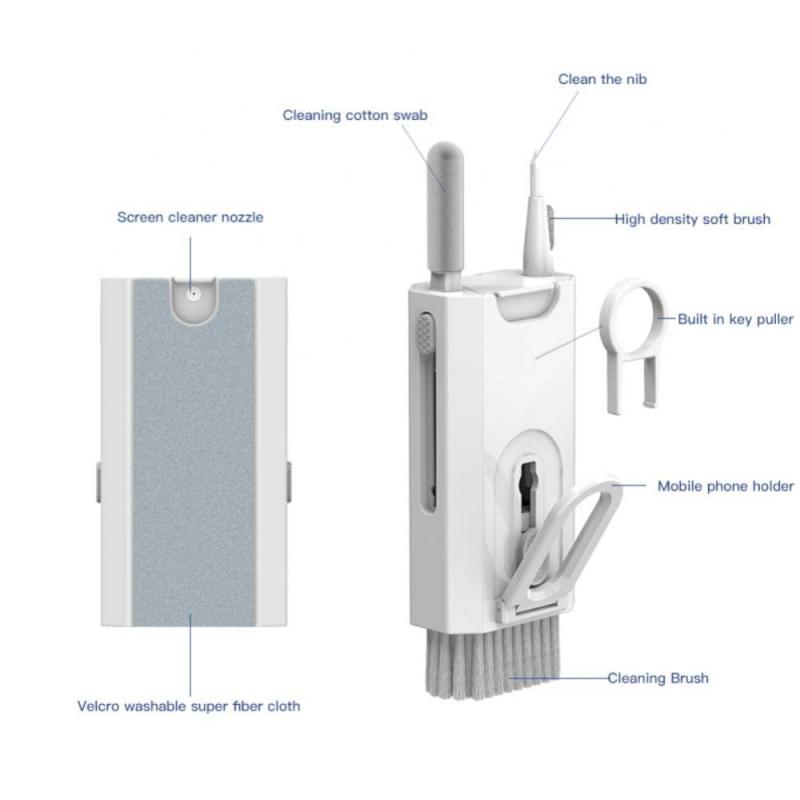
Cleaning the exterior of a MacBook Pro

2、 Cleaning the screen of a MacBook Pro

Cleaning the screen of a MacBook Pro is a crucial step in maintaining its overall appearance and functionality. With regular use, the screen can accumulate dust, fingerprints, and smudges, which can affect the clarity and visibility of the display. Here's a step-by-step guide on how to clean a MacBook Pro screen effectively:

1. Turn off your MacBook Pro and unplug it from the power source. This will ensure your safety and prevent any damage to the device.

2. Use a microfiber cloth or a soft, lint-free cloth to gently wipe the screen. Avoid using paper towels or rough materials, as they can scratch the screen. Start from the top and work your way down, using light pressure.

3. If there are stubborn smudges or fingerprints, dampen the cloth slightly with distilled water or a screen-cleaning solution specifically designed for electronics. Avoid using regular household cleaners, as they may contain chemicals that can damage the screen.

4. Gently wipe the screen in a circular motion, focusing on the affected areas. Be careful not to apply too much pressure, as it can damage the screen or push liquid into the device.

5. Once you've cleaned the screen, use a dry microfiber cloth to remove any excess moisture. Make sure the screen is completely dry before turning on your MacBook Pro.

It's important to note that Apple recommends avoiding the use of any cleaning products directly on the screen. However, if you prefer using a screen-cleaning solution, make sure it is specifically designed for electronics and follow the manufacturer's instructions.

Regularly cleaning your MacBook Pro screen will not only enhance its visual appeal but also prolong its lifespan. By following these steps, you can keep your screen looking pristine and enjoy a clear and vibrant display.
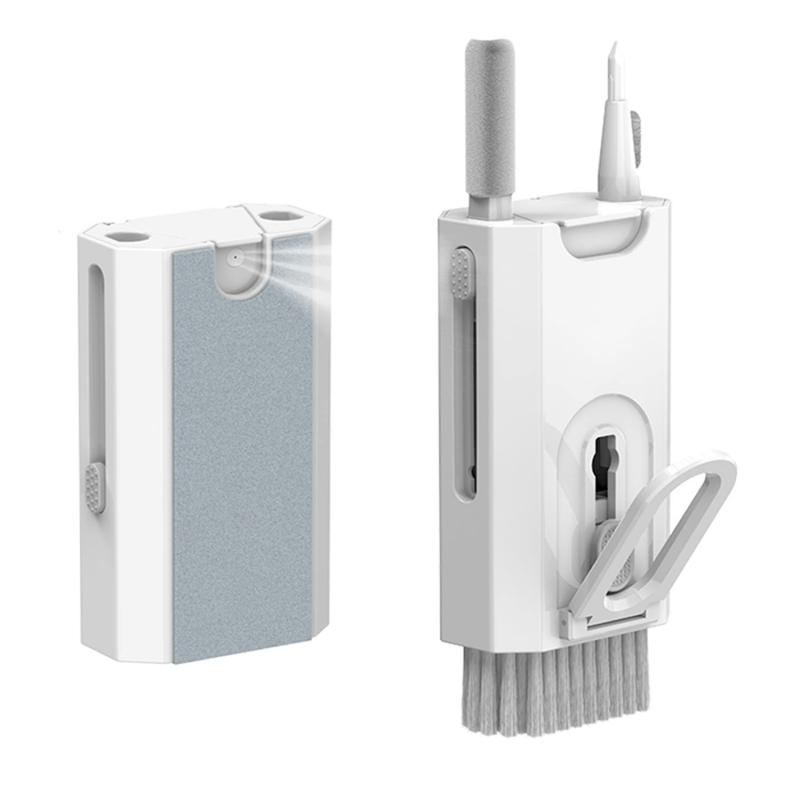
Cleaning the screen of a MacBook Pro

3、 Cleaning the keyboard of a MacBook Pro

Cleaning the keyboard of a MacBook Pro is an essential maintenance task that should be performed regularly to keep your device in optimal condition. Here's a step-by-step guide on how to clean a MacBook Pro keyboard:

1. Shut down your MacBook Pro and unplug it from the power source. This is crucial to avoid any electrical damage during the cleaning process.

2. Use a can of compressed air to blow away any loose debris or dust particles from the keyboard. Hold the can upright and spray short bursts of air between the keys. This will help dislodge any dirt that may have accumulated.

3. Dampen a lint-free cloth or microfiber cloth with a small amount of isopropyl alcohol. Make sure the cloth is not dripping wet, as excess liquid can damage the keyboard.

4. Gently wipe the keys and the surrounding areas with the damp cloth. Use a circular motion to remove any grime or stains. Be careful not to apply too much pressure, as it may cause the keys to become loose or damaged.

5. For stubborn stains or sticky residue, you can use a cotton swab dipped in isopropyl alcohol. Rub the affected area gently until the stain is removed.

6. Allow the keyboard to air dry for a few minutes before turning on your MacBook Pro.

It's important to note that Apple recently updated its guidelines regarding cleaning MacBook keyboards. They now recommend avoiding the use of compressed air, as it may push debris further into the keyboard mechanism. Instead, they suggest using a soft, lint-free cloth to clean the keyboard. Additionally, Apple advises against using any liquids directly on the keyboard, including isopropyl alcohol. Instead, they recommend using a cloth lightly dampened with water. Always refer to the latest guidelines from Apple to ensure you are following the most up-to-date cleaning instructions for your MacBook Pro.
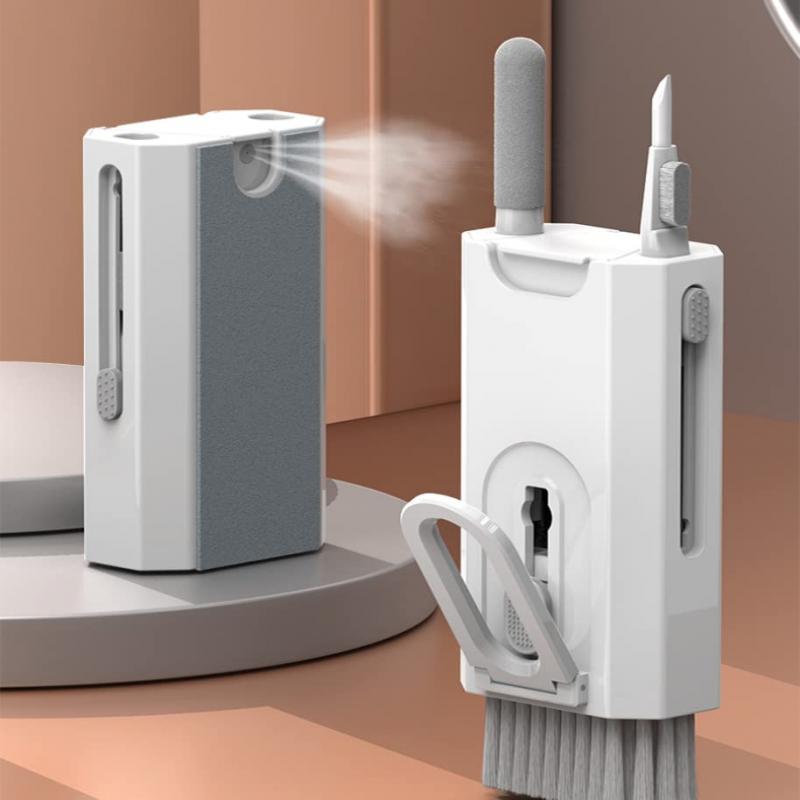
Cleaning the keyboard of a MacBook Pro

4、 Cleaning the trackpad of a MacBook Pro

Cleaning the trackpad of a MacBook Pro is a relatively simple process that can help maintain its functionality and appearance. Here's a step-by-step guide on how to clean a MacBook Pro trackpad:

1. Turn off your MacBook Pro and unplug it from the power source. This is important to avoid any potential damage while cleaning.

2. Use a soft, lint-free cloth or microfiber cloth to gently wipe the trackpad. Start by removing any visible dirt or debris. Be careful not to apply too much pressure as it may damage the trackpad.

3. Moisten the cloth slightly with water or a mild cleaning solution specifically designed for electronics. Avoid using harsh chemicals or abrasive cleaners as they can damage the trackpad's surface.

4. Gently wipe the trackpad in a circular motion, ensuring you cover the entire surface. Take extra care around the edges and corners.

5. If there are stubborn stains or marks on the trackpad, you can use isopropyl alcohol on a cloth to remove them. Apply a small amount of alcohol to the cloth and gently rub the affected area. Be cautious not to let any liquid seep into the trackpad.

6. Once you have cleaned the trackpad, use a dry cloth to remove any excess moisture. Ensure that the trackpad is completely dry before turning on your MacBook Pro.

It's worth noting that Apple recommends avoiding excessive moisture when cleaning the trackpad. Additionally, the latest MacBook Pro models feature a Force Touch trackpad, which is more resistant to dirt and debris. However, it's still important to regularly clean and maintain it to ensure optimal performance.

Remember to consult your MacBook Pro's user manual or Apple's official support website for specific cleaning instructions tailored to your device.
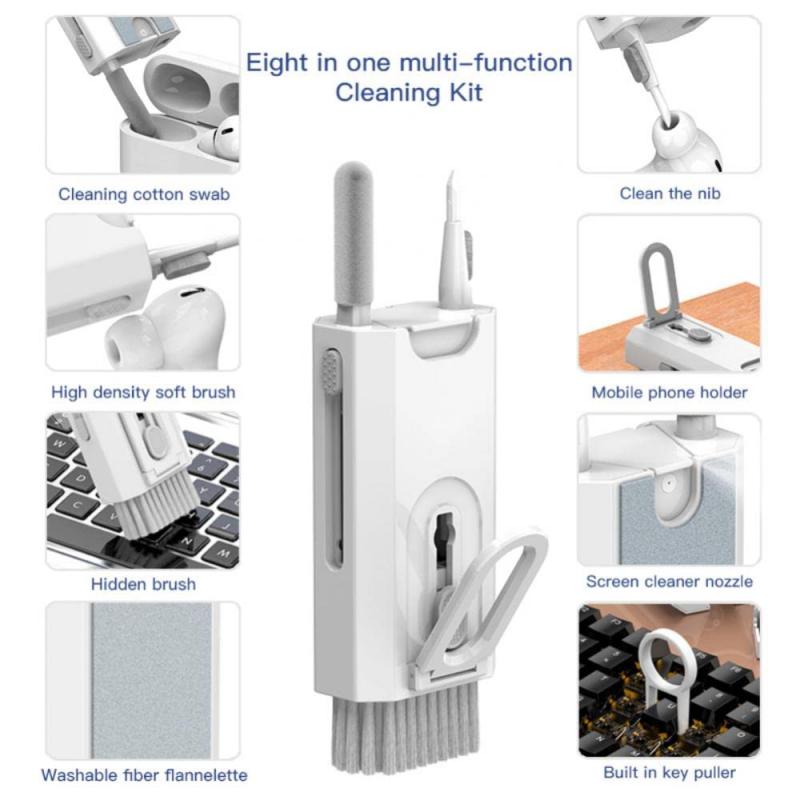
Cleaning the trackpad of a MacBook Pro

Leave your comment
Cancel reply
Note: HTML is not translated!
Related products
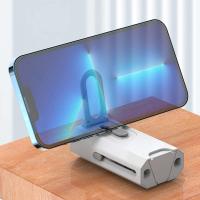
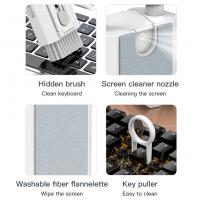
8-in-1 Cleaning Kit, Multifunctional Electronic Cleaning Kit Cleaning Brush Tool for Airpod Pro / Keyboard / Earbuds / MacBook / Headphones / Earphones / iPad / iPhone
£21.00 £12.99
M42 Lenses to Minolta A / Sony A Camera Mount Adapter
59
£39.99
Minolta A / Sony A Lenses to Fuji X Mount Camera Adapter
36
£43.99 £35.99
Minolta A / Sony A Lenses to Pentax Q Camera Mount Adapter
52
£31.99 £22.99
Minolta A / Sony A Lenses to Nikon Z Mount Camera Adapter
62
£55.99 £45.99
Minolta A / Sony A Lenses to Canon EOS R Mount Camera Adapter
69
£55.99 £40.00
Minolta A / Sony A Lenses to Nikon 1 Camera Mount Adapter with Tripod Mount
77
£38.99 £27.99
Minolta A / Sony A Lenses to Pentax Q Camera Mount Adapter with tripod mount
52
£37.99 £26.99
Sony A Mount Lenses to Sony E Mount Camera Adapter
139
£43.99 £32.99
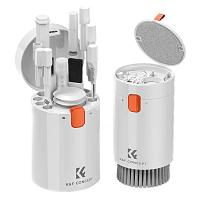
K&F Concept Laptop Mobile Screen 20-in-1 Cleaning Kit, Computer Keyboard Brush Cleaning Spray, Suitable for iPhone AirPods MacBook iPad
59
£12.99 £12.99
Guess you like products
52mm Black Mist 1/4 + ND8-128 Variable ND Filter with Double-sided 28-layer Anti-reflection Green Film and Lever Nano-Xcel Series
116
£138.99 £75.99
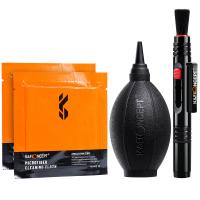
3in1 DSLR Camera Cleaning Kit (Lens Dust Blower Cleaner + Cleaning Pen + Macrofiber Cleaning Cloth)
8
£17.99 £15.99
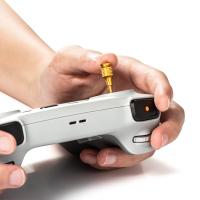
DJI Mini 3 Pro Remote Control Rocker Joystick for DJI Mini 3/DJI Mini 3 pro/DJI Mavic 3 Pro/DJI Mavic 3 Classic/DJI RC Aluminum Controller Stick Replacement Accessories (golden)
£14.99 £11.99
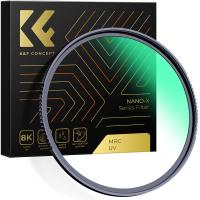
62mm UV Lens Filter - 28 Multi-Layer Coatings HD MCUV Scratch-Resistant Ultraviolet Protection Filters for DSLR Camera Lens Nano-Xcel series
50
£29.99 £23.99
62-67mm Step Up Ring Aviation-grade Aluminum Filter Adapter Ring 2-pack with a Cleaning Cloth
77
£7.99 £6.49
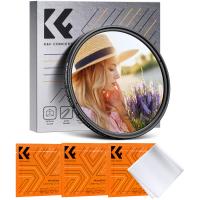
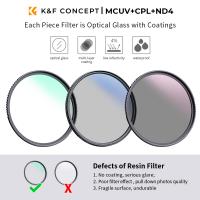
62mm Lens Filter Kit UV + CPL +Lens Cap + 3 Cleaning Cloths, Filter Set Ultraviolet Polarizing Cover Kit with Lens Filter Pouch Nano-Klear
10
£46.99 £30.99
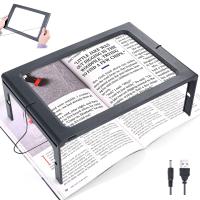
Magnifier for reading, 3x luminous magnifier with 12 LED lights, foldable magnifier with 2 power modes, provides evenly illuminated reading area, suitable for reading, low vision and the elderly
£23.99
82mm Variable ND2-400 (1-9 Stops) & Black Mist 1/4 Filter with 18 Multi-Coatings for Camera Lenses Nano-Klear Series
8
£51.50 £39.99
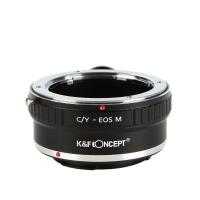
Contax Yashica Lenses to Canon EOS M Camera Mount Adapter with tripod mount
26
£33.99 £27.60
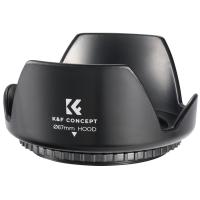
67mm Threaded Screw-in Lens Hood Universal with Cleaning Cloth
7
£9.99 £8.99
Related articles
Macbook Pro How To Clean Keyboard ?
How To Keep Macbook Pro Clean ?
How To Clean Your Macbook Pro Screen?
How To Clean Macbook Pro Keyboard 2017 ?
How To Clean Apple Macbook Pro Keyboard ?
How Do I Clean My Macbook Pro ?
How To Clean Macbook Pro Keyboard And Screen ?
How Clean Macbook ?
How Clean Macbook ?
How To Clean A Macbook Keyboard ?
How Do You Clean Microscope Lenses ?
Guess you like articles
How To Use Security Camera ?
Can You Get Cctv Without Wifi?
How To Use Nvr With Ip Camera ?
What Power Binoculars For Long Distance Viewing?
What Size Filter Nikon 18-55mm Kit Lens ?
How To Set Up Camera Tripod ?
What Is Bright Field Microscope ?
What Size Spotting Scope Do I Need ?
What Is Endoscopic Ultrasound Procedure ?
Exploring the new Sony A7M5 camera: What are the upgrades and is it worth buying?
Related categories
Sony A mount lens adapter​ accessories for a drone black pro mist 1 filter Sony E mount adapter variable ND and CPL filter​ dji mini 3 pro filters​ black pro mist and nd filter​ DJI Mini 4 Pro Filters black mist + polarizer Black Mist 1/2
Popular products
electronic cleaning kit​ sony camera adapter minolta md to leica m adapter minolta nikon adapter canon adapter sony sony minolta mount nikon 1 mount adapter​ pentax q mount adapter​ sony a mount adapter pentax k mount to fuji x adapter
Related searches
Macbook Pro To Projector Macbook Pro External Speakers Headphones On Macbook Pro Earphones For Macbook Pro Macbook Pro Microphone Port Webcam On Macbook Pro Macbook Pro Camera Lens Apple Macbook Pro Microphone Bluetooth Microphone Macbook Pro Tripod For Macbook Pro
Blog Category
  • Camera Reviews
  • News & Reviews
    • News
  • Tutorials
    • Animal Photography
    • Food Photography
  • Inspiration
    • Travel
    • Travel Stories
    • Photography Tricks
Search Article
Latest from the Blog
Can You Use Wireless Earbuds In Car?
How to Attach a Camera Strap: A Step-by-Step Guide for Every Photographer
How To Install Video Surveillance Cameras?
What Is Exposure On Dash Cam?
How to Use A Spy Camera Detector?
Where To Set Up Trail Cameras?
Which Colour Lens Filter To Use?
What Games Are On The Retro Handheld Console?
Secure Camera Which Works On Home Wifi?
How To Hide Outdoor Cameras?
Powered By K&F Concept © 2025