kfconcept

K&F Concept UK
K&F Concept United Kingdom    Blog >

Enjoy Your Selected Digital Life

Recently Viewed
  • Recently Viewed
  • Recently Viewed list is empty.

Compare (0) 0
  • Compare
  • You have not chosen any products to compare.

  • Compare
Currency: GBP
  • Currency

Log Into Your Account

Account

Order History

Wish List

Login

Forgotten Password?

Or connect with

Register Account

Already have an Account?Log In

  • Shopping Cart
  • Your shopping cart is empty!

  • Register/Login to purchase, earn points
  • Favorite
  • Your wish list is empty.

  • Register/Login to like, earn points
  • Tripods
    • Aluminum Tripods
    • Carbon Fiber Tripods
    • Travel Tripods
    • Video Tripods
    • Monopods
    • Lightweight Tripods
    • Mini Tripod
    • Tripod Accessories
    • Gimbal Stabilizers
    • Tripod Head
    • Tripod Kit
    • Action Camera Mounts
    • Phone Tripods
    • Studio Parts
      • Camera Flash
      • Photography Fill Light
      • Ring light
      • Soft Box
      • Tripod Light Stands
      • Reflectors
    • Clearance Tripods
  • Lens Filters
    • UV Filters
      • Nano-Xcel Series
        • MCUV
        • Ultra-low Reflectivity MCUV Filters
        • MCUV Super Hard
        • Explosion-proof MCUV - Nano-Xcel
        • MCUV+Lens Cap+Cleaning Cloth
        • Super Hard&Ultra Low Reflection MCUV Filters - Nano-Xcel
        • MCUV - Magnetic Series
      • Nano-Dazzle Series
        • MCUV
        • MCUV+Lens Cap+Cleaning Cloth
      • Nano-Klear Series
        • MCUV
        • Ultra Thin Frame MCUV Filters
        • MCUV+Lens Cap+Cleaning Cloth
      • Nano-Xcel Pro Series
        • MCUV
    • CPL Filters
      • Nano-Xcel Series
        • CPL
        • CPL True Color
        • Ultra-low Reflectivity CPL
        • CPL+Lens Cap+Cleaning Cloth
        • Magnetic CPL
          • Magnetic CPL + Apater ring + Cap - Nano-X
        • True Color Ultra-low Reflectivity CPL - Nano-Xcel
      • Nano-Dazzle Series
        • CPL
        • CPL+Lens Cap+Cleaning Cloth - Nano-Dazzle
      • Nano-Klear Series
        • CPL
        • Ultra Thin Frame CPL Filters
        • CPL+Lens Cap+Cleaning Cloth
        • CPL+Lens Cap - Nano-Klear
      • Nano-Xcel Pro Series
        • CPL
    • Neutral Density Filters
      • Neutral Density (Solid) Filters
        • ND8 (3 stops) - Nano-Xcel Series
        • ND64 (6 stops) - Nano-Xcel Series
        • ND1000 (10 stops) - Nano-Xcel Series
        • ND100000 (16.6 stops) - Nano-Xcel Series
        • ND1000000 (20 stops) - Nano-Xcel Series
        • ND100000 (16.6 stops) - Nano-Klear Series
        • ND1000000 (20 stops) - Nano-Klear Series
        • Solid ND - Magnetic Series
      • Graduated Neutral Density
        • 100mm GND Filter
          • Soft GND8 Filters - Nano-Xcel Series
          • Hard GND8 Filters - Nano-Xcel Series
          • Reverse GND8 Filters - Nano-Xcel Series
          • Soft GND16 Filters - Nano-Xcel Series
          • Reverse GND16 Filters - Nano-Xcel Series
          • Soft GND8 Filters - Nano-Xcel Pro Series
          • Hard GND8 Filters - Nano-Xcel Pro Series
          • Reverse GND8 Filters - Nano-Xcel Pro Series
          • Soft GND16 Filters - Nano-Xcel Pro Series
          • Reverse GND16 Filters - Nano-Xcel Pro Series
        • Circular GND Filter
          • GND8
          • GND16
      • 2 in 1 Filters
        • ND2-ND32&CPL Filters - Nano-Xcel Series
        • ND2-ND32&CPL Filters - Nano Dazzle Series
        • ND2-32&CPL Filters - Nano-Klear Series
        • ND2-ND32&CPL Filter - Nano-X Pro
        • ND2-ND32&CPL True Color Filters - Nano-Xcel Series
        • ND4-ND64&CPL Filter
      • 3 in 1 Filters
        • ND2-32&CPL&Black Mist 1/4 Filters - Nano-Xcel Series
        • ND2-32&CPL&Black Mist 1/4 Filters - Nano-Klear Series
      • Variable Neutral Density
        • Nano-Xcel Series
          • ND2-ND32 - Nano-Xcel
          • ND2-ND32 True Color - Nano-Xcel
          • ND2-ND400 - Nano-Xcel
          • ND8-ND128 - Nano-Xcel
          • ND32-ND512 - Nano-Xcel
          • ND3-ND1000 - Nano-Xcel
          • ND2-32 True Color Ultra-Low Reflection - Nano-Xcel
          • ND2-400 Ultra-Low Reflection - Nano-Xcel
        • Nano-Dazzle Series
          • ND2-ND32 - Nano-Dazzle
          • ND2-ND400 - Nano-Dazzle
          • ND3-ND1000 - Nano-Dazzle
          • ND8-ND2000 - Nano-Dazzle
        • Nano-Klear Series
          • ND2-ND32 - Nano-Klear
          • ND2-ND400 - Nano-Klear
          • ND2-ND2000 - Nano-Klear
          • True Color ND2-ND400 - Nano-Klear
        • Nano-Xcel Pro Series
          • ND2-ND32 - Nano-Xcel Pro
        • Nano-B Series
          • ND2-ND400 - Nano-B
    • Black Mist & Soft Focus Filters
      • Black Mist Filters
        • Black Mist 1/8
          • Black Mist 1/8 - Nano-Xcel Series
          • Black Mist 1/8 - Nano-Dazzle Series
          • Black Mist 1/8 - Nano-Klear Series
          • Black Mist 1/8 - Nano-Xcel Pro Series
          • Black Mist 1/8+Lens Cap+Cleaning Cloth - Nano-Klear Series
        • Black Mist 1/4
          • Black Mist 1/4 - Nano-Xcel Series
          • Black Mist 1/4 - Nano-Dazzle Series
          • Black Mist 1/4 - Nano-Klear Series
          • Black Mist 1/4 - Nano-Xcel Pro Series
          • Black Mist 1/4+Lens Cap+Cleaning Cloth - Nano-Klear Series
        • Black Mist 1/2
          • Black Mist 1/2 - Nano-Xcel Series
          • Black Mist 1/2 - Nano-Klear Series
        • Black Mist 1
          • Black Mist 1 - Nano-Xcel Series
          • Black Mist 1 - Nano-Klear Series
        • Black Mist Kit
          • Black Mist 1/4 + 1/8 Nano Xcel Series
          • Black Mist 1/4 + 1/8 - Nano Klear Series
          • Black Mist 1/4 + CPL - Nano Klear Series
        • Black Mist & CPL
          • Black Mist 1/4&CPL - Nano-Klear Series
        • Black-Mist & VND
          • Black Mist 1/4 & ND2-32 Filters - Nano-Klear Series
          • Black Mist 1/4 & ND2-400 Filters - Nano-Xcel Series
          • Black Mist 1/4 & ND2-32 Filters - Nano-Xcel Series
          • Black Mist 1/8 & ND2-32 Filters - Nano-Klear Series
          • Black Mist 1/4 & ND2-400 Filters - Nano-Klear Series
      • White Mist Filters
        • White Mist 1/4 - Nano-Xcel Series
        • White Mist 1/4 - Nano-Klear Series
      • Shimmer Diffusion
        • Shimmer Diffusion 1 - Nano-Xcel Series
        • Shimmer Diffusion 1 - Nano-Klear Series
    • Light Pollution Cut Filter
      • Light Pollution Cut Filter - Circular
      • Light Pollution Cut Filter - Square
    • Magnetic Lens Filters
      • MCUV Filters
        • Magnetic MCUV - Nano-Klear Series
        • Magnetic MCUV+Lens Caps - Nano-Xcel Series
      • CPL Filters
        • Magnetic CPL + Adapter Ring
        • Magnetic CPL+Adapter Ring - Nano-Klear Series
      • Black-Mist
        • Black Mist 1/8 Filters - Nano-Xcel Series
        • Black Mist 1/4 Filters - Nano-Xcel Series
      • Neutral Density (Solid) Filter
        • Magnetic ND8 - Nano-Xcel Series
        • Magnetic ND64 - Nano-Xcel Series
        • Magnetic ND1000 - Nano-Xcel Series
      • Unlimited Variable ND Filter
        • Magnetic ND2-ND32 - Nano-Xcel Series
        • Magnetic ND8-ND128 Filters - Nano-Xcel Series
      • Accessories
        • Magnetic Adapter Ring
        • Magnetic Filter Ring
        • Magnetic Cap
      • Kits
        • MCUV+CPL+ND1000+Adapter Ring - Nano-Xcel Series
        • CPL+ND8+ND64+Adapter Ring+Lens Cap - Nano-Xcel Series
        • GND8+ND8+ND64+ND1000+Adapter Ring - Nano-Xcel Series
        • CPL+VND2-32+Black Mist 1/4+Magnetic Ring+Lens Cap - Nano-Xcel Series
    • Square Filter System
      • Basic System
        • Square ND Filters
          • ND4 Filters - Nano-Xcel Series
          • ND16 Filters - Nano-Xcel Series
          • ND1000 Filters - Nano-Xcel Series
          • ND2000 Filters - Nano-Xcel Series
          • ND32000 Filters - Nano-Xcel Series
          • Full Color ND8 Filters - Nano-Xcel Series
          • Full Color ND64 Filters - Nano-Xcel Series
        • Square GND Filters
        • Light Pollution Cut Filter
          • Light Pollution Cut Filter - Nano-Xcel Series
        • Square Black Mist Filters
          • Square Black Mist 1 - Nano-Xcel Series
          • Square Black Mist 1/4 - Nano-Xcel Series
          • Square Black Mist 1/8 - Nano-Xcel Series
        • Brackets and Accessories
          • Adapter Ring - Nano-Xcel Series
        • Kits
          • 100mm Square Filter System - Nano-Xcel Series
          • 100mm ND1000+Holder Kit - Nano-Xcel Series
          • 100mm ND1000+Soft GND8+Holder Kit - Nano-Xcel Series
          • 100mm Soft GND8+Holder Kit - Nano-Xcel Series
      • Professional System
        • ND
          • Full Color ND8 Filters - Nano-Xcel Pro Series
          • Full Color ND64 Filters - Nano-Xcel Pro Series
          • Full Color ND1000 Filters - Nano-Xcel Pro Series
        • GND
        • PL
        • Black Mist 1/4&CPL - Nano-Xcel Pro Series
        • Light Pollution Cut Filter
          • Light Pollution Cut Filter - Nano-Xcel Pro Series
        • Kits
          • 100mm ND1000+Holder Kit - Nano-Xcel Pro Series
          • 100mm ND1000+Soft GND8+Holder Kit - Nano-Xcel Pro Series
          • 100mm ND8+ND64+ND1000+Holder Kit - Nano-Xcel Pro Series
          • 100mm Holder Kit - Nano-Xcel Pro Series
        • Brackets and Accessories
          • 100x100mm Square Filter Protect Frame - Nano-Xcel Pro Series
          • 100x150mm Square Filter Protect Frame - Nano-Xcel Pro Series
          • Adapter Ring - Nano-Xcel Pro Series
    • Drone Filter
      • DJI Air 3S
      • DJI Avata2
      • DJI Flip
      • DJI Mavic 3 Pro
      • DJI NEO
      • DJI Mini 1/2/SE
      • DJI Mini 4 Pro Filters
      • DJI Mavic 3
      • DJI Mini 3 PRO
      • DJI Avata
      • DJI Mavic 4 Pro
      • DJI Mini 5 Pro
      • DJI Air 2S
    • Effects Filters
      • Prism Filters
        • Central Prism Filters
          • Central Pentagonal Filters - Nano-Basic Series
          • Central Hexagonal Filters - Nano-Basic Series
        • Ordinary Prism Filters
          • Triangular Filtres - Nano-Basic Series
        • Single Linear Prisms
      • Streak Filters
        • Blue Streak Filters - Nano-Xcel Series
        • Gold Streak Filters - Nano-Xcel Series
        • Colorful Streak Filters - Nano-B Series
        • Blue Streak Filters - Nano-Klear Series
      • Star Filter
        • Star Filters 4-8 Points - Nano-Klear Series
        • Star Filter Kits 4+6+8 Points - Nano-Klear Series
        • 4-Point Fine-Line Star Filters - Nano-Klear Series
        • 6-Point Fine-Line Star Filters - Nano-Klear Series
      • Kaleidoscope Filters
        • Kaleidoscope Filters - Nano-Basic Series
        • Handheld Kaleidoscope Filters - Nano-B Series
      • Motion Blur Filters
        • Directional Motion Blur - Nano-Basic Series
        • Bidirectional Motion Blur - Nano-Basic Series
        • Handheld Motion Blur Filters - Nano-Basic Series
      • Spiral Filters
        • Spiral Halo Filters - Nano-B Series
        • Handheld Spiral Filters - Nano-Basic Series
      • Diopter Filters
        • Centerfield Split Diopter Filters - Nano-Basic Series
        • Handheld Diopter Filters - Nano-Basic Series
    • Filter Accessories
      • Lens Hoods
      • Rings Kits
        • Step Up Rings
        • Step Down Rings
      • Filter Holders & Frames
      • Filter Holder Adapter Rings
        • Filter Adapter Rings
      • Filter Pouches
      • Lens Caps
        • Caps for Magnetic Filters
        • Caps for Variable ND Filters
        • Anti-lost Lens Cap
          • 4 in 1
          • 5 in 1
          • 9 in 1
      • Polarized Film
    • Filter Kit
      • Black Diffusion 1/4 + 1/8
      • Screw-In Filters
        • MCUV+CPL Filter - Nano-Klear Series
        • MCUV+CPL+Lens Cap - Nano-Klear Series
        • MCUV+CPL+Metal Lens Cap - Nano-Xcel Series
        • MCUV+CPL+ND1000+Lens Cap - Nano-Dazzle Series
        • MCUV+CPL+ND2-400 - Nano-Klear Series
        • ND8+ND64+ND1000 - Nano-Dazzle Series
        • MCUV+CPL+ND4 - Nano-Klear Series
        • ND1000+CPL - Nano-Klear Series
        • ND4+ND8+ND64+ND1000 - Nano-Xcel Series
        • MCUV+CPL
      • Magnetic Filters
      • Square Filters
    • Action Camera Filters
      • DJI Osmo Action 4 / Action 5 Pro
      • DJI Osmo Action 6
      • DJI Osmo Nano
      • DJI Osmo Pocket 3
      • GoPro HERO 4K
      • GOPRO Hero 9/10/11/12/13 Filters
      • Insta360 Ace pro 2
      • Insta360 Go Ultra
      • Insta360 GO3
      • Insta360 GO3S
      • Action Camera Accessories
        • DJI Osmo Action 3/4/5 Pro
        • Head Strap & Chest Mount
        • Insta360 X5
        • Magnetic Neck Mount
        • DJI Osmo 360
        • DJI Osmo Pocket 3 Charging Base
        • DJI Osmo Pocket 3
    • Phone Lens Filters
    • Matte Box & Filter Systems
      • Neutral Density (Solid) Filters
        • ND4 - Nano-Xcel Series
        • ND8 - Nano-Xcel Series
        • ND16 - Nano-Xcel Series
        • ND32 - Nano-Xcel Series
        • ND64 - Nano-Xcel Series
        • ND8+ND64 - Nano-Xcel Series
      • UV Filters
      • Black Mist Filters
        • Black Mist 1/4 - Nano-Xcel Series
        • Black Mist 1/8 - Nano-Xcel Series
      • Blue Streak Filters
      • Accessories
      • Kits
        • Matte Box - Nano-Xcel Series
        • Matte Box Pro - Nano-Xcel Series
        • Matte Box+ND8 Square Filter - Nano-Xcel Series
        • Matte Box+ND4+ND32 Square Filter - Nano-Xcel Series
        • Matte Box+Black Mist 1/4 Square Filter - Nano-Xcel Series
    • Brand-specific Filters
      • Fujifilm X100
      • Ricoh GR
  • Lens Adapters
    • PL Mount Lenses
    • A Mount Body(Sony/Minolta)
    • Fujifilm X Mount Body
    • Fujifilm G (GFX) Mount Body
    • C-Mount Body
    • Leica M Mount Body
    • MFT(M4/3) Mount Body
    • Pentax K Mount Body
    • Pentax Q Mount Body
    • Samsung NX Mount Body
    • Nikon F Mount Body
    • Nikon 1 Mount Body
    • Nikon Z Mount Body
    • Canon EOS EF/EF-S Mount Body
    • Canon EOS M Mount Body
    • Canon RF Mount Body
    • Sony E Mount Body
    • L-Mount Alliance (Leica)
  • Camera
    • Digital Camera & Camcorders
      • Digital Cameras & Camcorders
      • Underwater Cameras
      • Action Cameras
      • Kids’ Cameras
      • Time lapse camera
    • Wildlife Camera
      • Wifi Trail Cameras
      • Non-Cellular Trail Cameras
      • Accessories
      • Cellular Trail Cameras
    • Surveillance Cameras
      • 4G Camera
      • Battery Camera
      • Baby Monitor
      • WiFi Camera
      • Feeder Camera
      • Floodlight camera
      • Monitoring Detector
    • Camera Lenses
    • On-Dash Camera
    • Fishing camera
    • Memory Cards
      • Micro SD Card
      • SD Card
    • Camera Accessories
      • Camera Caps
      • Camera Screen Protectors
        • Canon
        • Sony
        • Fujifilm
        • Nikon
        • Olympus
        • Ricoh
        • GoPro
        • DJI Osmo Pocket 3
      • Camera Hot Shoe Covers
      • Camera Viewfinder Eyecups
        • Nikon
        • Sony
        • Canon
      • Adjustment Iris
  • Camera Bags
    • Camera Backpacks
    • Camera Shoulder Bags
    • Camera Cases
    • Digital Storage Bag
    • Lens Cases
    • Camera Straps
    • Backpack Accessories
  • Camera Battery
    • Sony
    • Canon
    • Nikon
    • FUJIFILM
    • Ricoh
    • Gopro
    • Osmo Action
    • Lumix
    • V Mount Battery
    • Memory Card Case
  • Optics
    • Microscope
      • Optical Microscope
      • Digital Microscope
      • Kids' Microscopes
    • Binoculars
    • Monocular
    • Telescope
    • Night Vision Goggles
    • Rangefinder
  • Endoscope
    • Professional Endoscope
    • Household Endoscope
    • Portable Endoscope
    • Otoscope/Oral Endoscope
  • More
    • Cleaning Kits
    • Digital Voice Recorders
    • Language Translator Device
    • Smart Glasses
    • Metal Detectors
    • Light
      • Video fill light
      • Live Ring Light
      • Outdoor Lighting
    • Motorcycle Bluetooth Headset
    • Laser Engraver Machine
    • Headphones
    • Weather Station & Household Sensors
    • Microphone
    • Drone Accessories
      • DJI Air 2S Accessories
      • DJI Air 3 Accessories
      • DJI Avata Accessories
      • DJI Drone Universal Accessories
      • DJI Mavic Mini 2/Mini 2 SE/Mini Accessories
      • DJI Mavic Mini 3 Accessories
      • DJI Mini 3 Pro Accessories
    • Smart Watch
    • Smart lock
    • Studio
    • Solar Panels
  • Deals
    • Specials
    • Coupon
    • New Arrivals
  • Home
  • Blog
  • How To Connect Smart Camera With Phone ?

How To Connect Smart Camera With Phone ?

K&f concept 2023-12-29 06:46:11 0 Comments

To connect a smart camera with a phone, you typically need to follow these steps:

1. Install the camera's mobile app: Download and install the mobile app provided by the camera manufacturer on your phone. This app is usually available on the App Store (for iOS devices) or Google Play Store (for Android devices).

2. Create an account: Open the app and create an account if required. This step may involve providing your email address, creating a password, and agreeing to the terms of service.

3. Connect the camera to Wi-Fi: Power on the smart camera and ensure it is connected to a stable Wi-Fi network. Most cameras have a setup button or QR code that you need to scan using the app to establish the connection.

4. Add the camera to the app: Once the camera is connected to Wi-Fi, use the app to add the camera to your account. This process may involve scanning a QR code on the camera or entering a unique identification number.

5. Follow on-screen instructions: The app will guide you through the remaining setup process, which may include naming the camera, setting up motion detection or other features, and configuring notifications.

Once the setup is complete, you should be able to view the camera's live feed, access recorded footage, and control various settings directly from your phone through the app.

1、 Wireless connectivity options for connecting smart camera with phone

Wireless connectivity options for connecting a smart camera with a phone have evolved significantly in recent years, providing users with more convenience and flexibility. Here are some of the latest methods to connect a smart camera with a phone:

1. Wi-Fi: Most modern smart cameras come equipped with built-in Wi-Fi capabilities. This allows the camera to create its own wireless network, which can be accessed by a smartphone through a dedicated app. Users can connect their phone to the camera's Wi-Fi network and control it remotely, view live footage, and even adjust settings.

2. Bluetooth: Some smart cameras also offer Bluetooth connectivity, which enables a direct connection between the camera and the phone. Bluetooth can be used for quick and easy pairing, allowing users to transfer photos and videos from the camera to the phone without the need for an internet connection.

3. NFC (Near Field Communication): NFC is a technology that enables devices to establish a connection simply by touching or bringing them close together. Some smart cameras and phones support NFC, allowing for seamless pairing and file transfer by tapping the two devices together.

4. Cloud-based services: Many smart cameras offer cloud storage options, allowing users to upload their photos and videos to a remote server. This enables easy access to the media from any device with an internet connection, including smartphones. Users can view and download their content directly to their phone through a dedicated app.

5. Mobile data: In cases where the smart camera has its own SIM card slot or supports mobile data connectivity, users can access the camera remotely using their phone's cellular network. This allows for real-time monitoring and control, even when there is no Wi-Fi or Bluetooth available.

It's important to note that the specific wireless connectivity options may vary depending on the brand and model of the smart camera. Therefore, it is recommended to consult the camera's user manual or manufacturer's website for detailed instructions on how to connect it with a phone.
Wireless connectivity options for connecting smart camera with phone

2、 Using a dedicated mobile app for smart camera-phone connection

Using a dedicated mobile app for smart camera-phone connection is the most common and convenient method to connect a smart camera with a phone. These apps are specifically designed to establish a seamless connection between the camera and the phone, allowing users to control and access the camera's features remotely.

To connect a smart camera with a phone using a dedicated mobile app, follow these steps:

1. Download the mobile app: Visit the app store on your phone and search for the app that corresponds to your smart camera model. Download and install the app on your phone.

2. Connect the camera to Wi-Fi: Ensure that your smart camera is connected to a stable Wi-Fi network. Most smart cameras have a built-in Wi-Fi feature that allows them to connect to your home network.

3. Launch the app: Open the app on your phone and follow the on-screen instructions to create an account or log in if you already have one.

4. Add the camera: In the app, there will be an option to add a new camera. Tap on it and follow the instructions to connect the camera to the app. This usually involves scanning a QR code or entering the camera's unique identification number.

5. Connect the camera to the app: Once the camera is successfully added, the app will automatically connect to the camera using the Wi-Fi network. You will be able to see a live feed from the camera on your phone's screen.

6. Customize settings: Depending on the app and camera model, you may have the option to customize various settings such as motion detection, notifications, and recording preferences.

7. Access camera remotely: With the camera connected to the app, you can now access and control it remotely from your phone. This includes features like live viewing, recording, taking snapshots, and adjusting camera angles.

It is important to note that the process may vary slightly depending on the brand and model of your smart camera. Always refer to the user manual or manufacturer's website for specific instructions.

In recent years, smart camera technology has advanced significantly, and many apps now offer additional features such as facial recognition, two-way audio communication, and integration with voice assistants like Amazon Alexa or Google Assistant. These advancements have made it easier than ever to connect and control smart cameras using dedicated mobile apps.
Using a dedicated mobile app for smart camera-phone connection

3、 Setting up a direct Wi-Fi connection between smart camera and phone

Setting up a direct Wi-Fi connection between a smart camera and a phone is a relatively straightforward process that allows you to conveniently access and control your camera from your mobile device. Here's a step-by-step guide on how to connect a smart camera with a phone:

1. Ensure that both your smart camera and phone are connected to the same Wi-Fi network. This is crucial for the initial setup process.

2. Download and install the dedicated app for your smart camera on your phone. Most smart camera manufacturers provide their own apps, which can be found on the respective app stores.

3. Launch the app and follow the on-screen instructions to create an account or sign in if you already have one.

4. Once you're logged in, the app will guide you through the process of connecting your camera to your phone. This typically involves selecting your camera model from a list, entering the Wi-Fi network credentials, and waiting for the camera to establish a connection.

5. Once the connection is established, you should be able to see a live feed from your smart camera on your phone's screen. You can now control various camera settings, view recorded footage, and even receive notifications for motion detection or other events.

It's worth noting that some smart cameras also support direct Wi-Fi connections without the need for a pre-existing Wi-Fi network. In such cases, you can follow similar steps but select the option to set up a direct connection instead of connecting to an existing network.

As technology advances, new features and improvements are constantly being introduced to smart cameras and their accompanying apps. It's always a good idea to consult the user manual or the manufacturer's website for the latest instructions and updates specific to your smart camera model.
Setting up a direct Wi-Fi connection between smart camera and phone

4、 Utilizing Bluetooth technology for smart camera-phone pairing

Utilizing Bluetooth technology for smart camera-phone pairing is a convenient and efficient way to connect your smart camera with your phone. Bluetooth allows for wireless communication between devices, eliminating the need for cables or complicated setup processes.

To connect your smart camera with your phone via Bluetooth, follow these steps:

1. Ensure that both your smart camera and phone have Bluetooth capabilities. Most modern smartphones and smart cameras come equipped with Bluetooth technology.

2. Turn on Bluetooth on both devices. On your phone, go to the settings menu and enable Bluetooth. On your smart camera, access the settings or connectivity options and activate Bluetooth.

3. On your phone, search for available Bluetooth devices. This can usually be done by going to the Bluetooth settings menu and selecting "Scan" or "Search for devices."

4. Once your smart camera appears in the list of available devices, select it to initiate the pairing process. You may be prompted to enter a passcode or confirm a pairing request on both devices.

5. Once the pairing is successful, your smart camera and phone will be connected via Bluetooth. You can now use your phone to control the camera, transfer photos wirelessly, or access additional features and settings.

It is important to note that Bluetooth technology has evolved over the years, with the latest version being Bluetooth 5.2. This version offers improved speed, range, and stability compared to previous iterations. Therefore, if your smart camera and phone support Bluetooth 5.2, you can expect a more seamless and reliable connection.

In addition to Bluetooth, some smart cameras also offer Wi-Fi connectivity, which provides even more functionality and flexibility. Wi-Fi allows for faster data transfer, remote control capabilities, and the ability to upload photos directly to cloud storage or social media platforms.

In conclusion, connecting your smart camera with your phone using Bluetooth technology is a straightforward process that offers convenience and flexibility. With the latest advancements in Bluetooth technology, the pairing experience has become more reliable and efficient, enhancing the overall user experience.
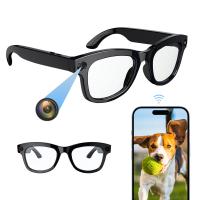
Utilizing Bluetooth technology for smart camera-phone pairing

Leave your comment
Cancel reply
Note: HTML is not translated!
Related products
Smart Camera Glasses, HD 1080P, EIS Stabilization, WiFi Connect, Translation, 4H Playtime, Kentfaith
15
£87.49 £69.99
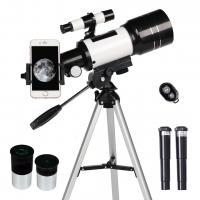
Children's astronomical telescope,70mm aperture and 300mm focal length, with tripod, smart phone holder and Bluetooth remote control Kentfaith
9
£81.99 £63.83
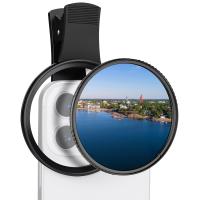
67mm Clip-on CPL Phone Camera Lens Filter Kit Applicable to All Mobile Phone Models
48
£20.42 £18.99
67mm Clip-on ND2-32 Phone Camera Lens Filter Kit Applicable to All Mobile Phone Models
48
£38.18 £33.99
67mm Clip-on Black Mist 1/4 Phone Camera Lens Filter Kit Applicable to All Mobile Phone Models
£35.99 £32.99
67mm Clip-on Black Mist 1/8 Phone Camera Lens Filter Kit Applicable to All Mobile Phone Models
48
£38.99 £32.99
Camera Sunglasses, HD 1080P, EIS Stabilization, WiFi Connect, Translation, 4H Playtime, Kentfaith
16
£87.49 £69.99
Phone Microscope with CPL Lens/LED Light , KentfaithThe Best Portable 200X Pocket Microscope with Universal Phone Clip Compatible with iPhone/Andriod Phone- to Enjoy Microworld for Kids and Adults
18
£37.99 £29.99
67mm Clip-on CPL&Black Mist 1/4 2-in-1 Phone Camera Lens Filter Kit Applicable to All Mobile Phone Models
48
£38.99 £32.99
4K Video Camera, 64MP Photos, WiFi Connect, 28X Zoom, Wireless Mic, Full Color NV, Kentfaith
17
£174.99 £139.99
Guess you like products
82mm UV Lens Filter HD MCUV Ultraviolet 28 Multi-Coated Filters (Nano-Xcel series Toughened Glass)
45
£62.00 £32.99
K&F Concept 6.1 inch Magnetic Lens Filter Mount Adapter Compatible with iPhone and 67mm Threaded Filters, Compatible with 16/15/14/13/12, 16/15/14/13/12 Pro (Filter Not Included)
£24.99 £22.99
CarPlay for Motorcycle Android Auto Dash Cam Front and Rear GPS Navigation Kentfaith
12
£231.24 £184.99
K&F Concept Lens Mount Adapter,Nikon/Nikkor AI/F mount Lens to Nikon 1-Series Camera, Fits for Nikon 1 J1 J5 S1 V1, Nikon-Nikon 1 adapter ring
88
£35.99 £26.00
62-67mm Brass Filter Adapter Ring, Step-Up Ring Compatible with All 62mm & 67mm Camera Lens
10
£26.00 £15.99
32GB Multi-functional Recorder,Active Noise Reduction Voice Recorder,Mp3 Playback,Video Playback,Suitable for Lectures,Meetings,Interviews,Classes
£69.99 £38.99
43mm MCUV+CPL+ND2-400 (1-9 Stops) Lens Filter Kit - 18-Layer Coated Optical Glass with Pouch & Cleaning Cloth - Nano-Klear Series
21
£45.99 £39.99
55mm Black Mist Filter 1/4, high definition, waterproof anti-reflection green film, Nano-Dazzle Series
10
£73.99 £44.99
58-77mm Brass Filter Adapter Ring, Step-Up Ring Compatible with All 58mm & 77mm Camera Lens
10
£33.00 £19.99
Kentfaith 12x50 Monocular Smartphone Digiscoping Kit,FMC Coating and BAK4 Prism, with Smartphone Holder and Tripod
11
£28.99 £18.99
Related articles
How To Connect Wifi Smart Camera ?
How To Connect Wifi Camera To Smart Tv ?
How To Connect A Wifi Smart Net Camera ?
How To Connect Unv Camera To Phone ?
How To Connect Camcorder To Samsung Smart Tv?
How To Connect Wifi Panorama Camera To Phone ?
How To Connect Wifi Camera To Android Phone ?
How To Connect Phone To Camera Without Wifi ?
How To Connect Digital Camera To Android Phone?
What Does Lice Look Like Under A Microscope ?
Guess you like articles
How To Hack Into Wifi Camera ?
What Are The Best Cheap Night Vision Goggles ?
What Size Batteries Do Blink Cameras Take ?
How To Use Focus Camera Strap ?
How To Take Video With Tripod ?
Endoscopic Instruments Are Sterilized By ?
How To Use Jvc Compact Vhs Camcorder ?
Are Spotting Scopes Good For Astronomy?
What Is A Phone Tripod ?
Metal Detector How To Open Battery?
Related categories
phone filter camera lens telephone tripod smart and sport watch bird feeder with camera UK Smart Door Ring Bluetooth earphones and mic microscope with screen
Popular products
camera for eyeglasses motorcycle bluetooth devices wireless earphone case smart watch in pink sunglasses recorder black smart wrist watch cell light microscope 4g video surveillance camera motorcycle headphones bluetooth phone stand for tripod
Related searches
Smart Watch Connect To Phone Connect Phone With Smart Watch Smart Band Watch Connect To Phone Smart Watch 6 Connect To Phone Outdoor Camera Connect To Phone Smart Watch To Connect With Iphone Apeman Projector Connect To Phone 4k Action Camera Connect To Phone Digital Cameras That Connect To Phone Smart Watches That Connect To Iphone
Blog Category
  • Camera Reviews
  • News & Reviews
    • News
  • Tutorials
    • Animal Photography
    • Food Photography
  • Inspiration
    • Travel
    • Travel Stories
    • Photography Tricks
Search Article
Latest from the Blog
Surveillance Where Hidden Cameras Monitor?
What Is a Neutral Density Filter?
Which Colour Lens Filter To Use?
What Are Uv Lens Filters For?
How To Change Wifi On Camera?
Digital Cameras That Can Go Underwater?
What Size Binoculars For Hunting?
Secure Camera Which Works On Home Wifi?
Dash Cam That Records When Vehicle Is Off?
How Do Metal Detectors Work?
Powered By K&F Concept © 2025