kfconcept

K&F Concept UK
K&F Concept United Kingdom    Blog >

Enjoy Your Selected Digital Life

Recently Viewed
  • Recently Viewed
  • Recently Viewed list is empty.

Compare (0) 0
  • Compare
  • You have not chosen any products to compare.

  • Compare
Currency: GBP
  • Currency

Log Into Your Account

Account

Order History

Wish List

Login

Forgotten Password?

Or connect with

Register Account

Already have an Account?Log In

  • Shopping Cart
  • Your shopping cart is empty!

  • Register/Login to purchase, earn points
  • Favorite
  • Your wish list is empty.

  • Register/Login to like, earn points
  • Tripods
    • Aluminum Tripods
    • Carbon Fiber Tripods
    • Travel Tripods
    • Video Tripods
    • Monopods
    • Lightweight Tripods
    • Mini Tripod
    • Tripod Accessories
    • Gimbal Stabilizers
    • Tripod Head
    • Tripod Kit
    • Action Camera Mounts
    • Phone Tripods
    • Studio Parts
      • Camera Flash
      • Photography Fill Light
      • Ring light
      • Soft Box
      • Tripod Light Stands
      • Reflectors
    • Clearance Tripods
  • Lens Filters
    • UV Filters
      • Nano-Xcel Series
        • MCUV
        • Ultra-low Reflectivity MCUV Filters
        • MCUV Super Hard
        • Explosion-proof MCUV - Nano-Xcel
        • MCUV+Lens Cap+Cleaning Cloth
        • Super Hard&Ultra Low Reflection MCUV Filters - Nano-Xcel
        • MCUV - Magnetic Series
      • Nano-Dazzle Series
        • MCUV
        • MCUV+Lens Cap+Cleaning Cloth
      • Nano-Klear Series
        • MCUV
        • Ultra Thin Frame MCUV Filters
        • MCUV+Lens Cap+Cleaning Cloth
      • Nano-Xcel Pro Series
        • MCUV
    • CPL Filters
      • Nano-Xcel Series
        • CPL
        • CPL True Color
        • Ultra-low Reflectivity CPL
        • CPL+Lens Cap+Cleaning Cloth
        • Magnetic CPL
          • Magnetic CPL + Apater ring + Cap - Nano-X
        • True Color Ultra-low Reflectivity CPL - Nano-Xcel
      • Nano-Dazzle Series
        • CPL
        • CPL+Lens Cap+Cleaning Cloth - Nano-Dazzle
      • Nano-Klear Series
        • CPL
        • Ultra Thin Frame CPL Filters
        • CPL+Lens Cap+Cleaning Cloth
        • CPL+Lens Cap - Nano-Klear
      • Nano-Xcel Pro Series
        • CPL
    • Neutral Density Filters
      • Neutral Density (Solid) Filters
        • ND8 (3 stops) - Nano-Xcel Series
        • ND64 (6 stops) - Nano-Xcel Series
        • ND1000 (10 stops) - Nano-Xcel Series
        • ND100000 (16.6 stops) - Nano-Xcel Series
        • ND1000000 (20 stops) - Nano-Xcel Series
        • ND100000 (16.6 stops) - Nano-Klear Series
        • ND1000000 (20 stops) - Nano-Klear Series
        • Solid ND - Magnetic Series
      • Graduated Neutral Density
        • 100mm GND Filter
          • Soft GND8 Filters - Nano-Xcel Series
          • Hard GND8 Filters - Nano-Xcel Series
          • Reverse GND8 Filters - Nano-Xcel Series
          • Soft GND16 Filters - Nano-Xcel Series
          • Reverse GND16 Filters - Nano-Xcel Series
          • Soft GND8 Filters - Nano-Xcel Pro Series
          • Hard GND8 Filters - Nano-Xcel Pro Series
          • Reverse GND8 Filters - Nano-Xcel Pro Series
          • Soft GND16 Filters - Nano-Xcel Pro Series
          • Reverse GND16 Filters - Nano-Xcel Pro Series
        • Circular GND Filter
          • GND8
          • GND16
      • 2 in 1 Filters
        • ND2-ND32&CPL Filters - Nano-Xcel Series
        • ND2-ND32&CPL Filters - Nano Dazzle Series
        • ND2-32&CPL Filters - Nano-Klear Series
        • ND2-ND32&CPL Filter - Nano-X Pro
        • ND2-ND32&CPL True Color Filters - Nano-Xcel Series
        • ND4-ND64&CPL Filter
      • 3 in 1 Filters
        • ND2-32&CPL&Black Mist 1/4 Filters - Nano-Xcel Series
        • ND2-32&CPL&Black Mist 1/4 Filters - Nano-Klear Series
      • Variable Neutral Density
        • Nano-Xcel Series
          • ND2-ND32 - Nano-Xcel
          • ND2-ND32 True Color - Nano-Xcel
          • ND2-ND400 - Nano-Xcel
          • ND8-ND128 - Nano-Xcel
          • ND32-ND512 - Nano-Xcel
          • ND3-ND1000 - Nano-Xcel
          • ND2-32 True Color Ultra-Low Reflection - Nano-Xcel
          • ND2-400 Ultra-Low Reflection - Nano-Xcel
        • Nano-Dazzle Series
          • ND2-ND32 - Nano-Dazzle
          • ND2-ND400 - Nano-Dazzle
          • ND3-ND1000 - Nano-Dazzle
          • ND8-ND2000 - Nano-Dazzle
        • Nano-Klear Series
          • ND2-ND32 - Nano-Klear
          • ND2-ND400 - Nano-Klear
          • ND2-ND2000 - Nano-Klear
          • True Color ND2-ND400 - Nano-Klear
        • Nano-Xcel Pro Series
          • ND2-ND32 - Nano-Xcel Pro
        • Nano-B Series
          • ND2-ND400 - Nano-B
    • Black Mist & Soft Focus Filters
      • Black Mist Filters
        • Black Mist 1/8
          • Black Mist 1/8 - Nano-Xcel Series
          • Black Mist 1/8 - Nano-Dazzle Series
          • Black Mist 1/8 - Nano-Klear Series
          • Black Mist 1/8 - Nano-Xcel Pro Series
          • Black Mist 1/8+Lens Cap+Cleaning Cloth - Nano-Klear Series
        • Black Mist 1/4
          • Black Mist 1/4 - Nano-Xcel Series
          • Black Mist 1/4 - Nano-Dazzle Series
          • Black Mist 1/4 - Nano-Klear Series
          • Black Mist 1/4 - Nano-Xcel Pro Series
          • Black Mist 1/4+Lens Cap+Cleaning Cloth - Nano-Klear Series
        • Black Mist 1/2
          • Black Mist 1/2 - Nano-Xcel Series
          • Black Mist 1/2 - Nano-Klear Series
        • Black Mist 1
          • Black Mist 1 - Nano-Xcel Series
          • Black Mist 1 - Nano-Klear Series
        • Black Mist Kit
          • Black Mist 1/4 + 1/8 Nano Xcel Series
          • Black Mist 1/4 + 1/8 - Nano Klear Series
          • Black Mist 1/4 + CPL - Nano Klear Series
        • Black Mist & CPL
          • Black Mist 1/4&CPL - Nano-Klear Series
        • Black-Mist & VND
          • Black Mist 1/4 & ND2-32 Filters - Nano-Klear Series
          • Black Mist 1/4 & ND2-400 Filters - Nano-Xcel Series
          • Black Mist 1/4 & ND2-32 Filters - Nano-Xcel Series
          • Black Mist 1/8 & ND2-32 Filters - Nano-Klear Series
          • Black Mist 1/4 & ND2-400 Filters - Nano-Klear Series
      • White Mist Filters
        • White Mist 1/4 - Nano-Xcel Series
        • White Mist 1/4 - Nano-Klear Series
      • Shimmer Diffusion
        • Shimmer Diffusion 1 - Nano-Xcel Series
        • Shimmer Diffusion 1 - Nano-Klear Series
    • Light Pollution Cut Filter
      • Light Pollution Cut Filter - Circular
      • Light Pollution Cut Filter - Square
    • Magnetic Lens Filters
      • MCUV Filters
        • Magnetic MCUV - Nano-Klear Series
        • Magnetic MCUV+Lens Caps - Nano-Xcel Series
      • CPL Filters
        • Magnetic CPL + Adapter Ring
        • Magnetic CPL+Adapter Ring - Nano-Klear Series
      • Black-Mist
        • Black Mist 1/8 Filters - Nano-Xcel Series
        • Black Mist 1/4 Filters - Nano-Xcel Series
      • Neutral Density (Solid) Filter
        • Magnetic ND8 - Nano-Xcel Series
        • Magnetic ND64 - Nano-Xcel Series
        • Magnetic ND1000 - Nano-Xcel Series
      • Unlimited Variable ND Filter
        • Magnetic ND2-ND32 - Nano-Xcel Series
        • Magnetic ND8-ND128 Filters - Nano-Xcel Series
      • Accessories
        • Magnetic Adapter Ring
        • Magnetic Filter Ring
        • Magnetic Cap
      • Kits
        • MCUV+CPL+ND1000+Adapter Ring - Nano-Xcel Series
        • CPL+ND8+ND64+Adapter Ring+Lens Cap - Nano-Xcel Series
        • GND8+ND8+ND64+ND1000+Adapter Ring - Nano-Xcel Series
        • CPL+VND2-32+Black Mist 1/4+Magnetic Ring+Lens Cap - Nano-Xcel Series
    • Square Filter System
      • Basic System
        • Square ND Filters
          • ND4 Filters - Nano-Xcel Series
          • ND16 Filters - Nano-Xcel Series
          • ND1000 Filters - Nano-Xcel Series
          • ND2000 Filters - Nano-Xcel Series
          • ND32000 Filters - Nano-Xcel Series
          • Full Color ND8 Filters - Nano-Xcel Series
          • Full Color ND64 Filters - Nano-Xcel Series
        • Square GND Filters
        • Light Pollution Cut Filter
          • Light Pollution Cut Filter - Nano-Xcel Series
        • Square Black Mist Filters
          • Square Black Mist 1 - Nano-Xcel Series
          • Square Black Mist 1/4 - Nano-Xcel Series
          • Square Black Mist 1/8 - Nano-Xcel Series
        • Brackets and Accessories
          • Adapter Ring - Nano-Xcel Series
        • Kits
          • 100mm Square Filter System - Nano-Xcel Series
          • 100mm ND1000+Holder Kit - Nano-Xcel Series
          • 100mm ND1000+Soft GND8+Holder Kit - Nano-Xcel Series
          • 100mm Soft GND8+Holder Kit - Nano-Xcel Series
      • Professional System
        • ND
          • Full Color ND8 Filters - Nano-Xcel Pro Series
          • Full Color ND64 Filters - Nano-Xcel Pro Series
          • Full Color ND1000 Filters - Nano-Xcel Pro Series
        • GND
        • PL
        • Black Mist 1/4&CPL - Nano-Xcel Pro Series
        • Light Pollution Cut Filter
          • Light Pollution Cut Filter - Nano-Xcel Pro Series
        • Kits
          • 100mm ND1000+Holder Kit - Nano-Xcel Pro Series
          • 100mm ND1000+Soft GND8+Holder Kit - Nano-Xcel Pro Series
          • 100mm ND8+ND64+ND1000+Holder Kit - Nano-Xcel Pro Series
          • 100mm Holder Kit - Nano-Xcel Pro Series
        • Brackets and Accessories
          • 100x100mm Square Filter Protect Frame - Nano-Xcel Pro Series
          • 100x150mm Square Filter Protect Frame - Nano-Xcel Pro Series
          • Adapter Ring - Nano-Xcel Pro Series
    • Drone Filter
      • DJI Air 3S
      • DJI Avata2
      • DJI Flip
      • DJI Mavic 3 Pro
      • DJI NEO
      • DJI Mini 1/2/SE
      • DJI Mini 4 Pro Filters
      • DJI Mavic 3
      • DJI Mini 3 PRO
      • DJI Avata
      • DJI Mavic 4 Pro
      • DJI Mini 5 Pro
      • DJI Air 2S
    • Effects Filters
      • Prism Filters
        • Central Prism Filters
          • Central Pentagonal Filters - Nano-Basic Series
          • Central Hexagonal Filters - Nano-Basic Series
        • Ordinary Prism Filters
          • Triangular Filtres - Nano-Basic Series
        • Single Linear Prisms
      • Streak Filters
        • Blue Streak Filters - Nano-Xcel Series
        • Gold Streak Filters - Nano-Xcel Series
        • Colorful Streak Filters - Nano-B Series
        • Blue Streak Filters - Nano-Klear Series
      • Star Filter
        • Star Filters 4-8 Points - Nano-Klear Series
        • Star Filter Kits 4+6+8 Points - Nano-Klear Series
        • 4-Point Fine-Line Star Filters - Nano-Klear Series
        • 6-Point Fine-Line Star Filters - Nano-Klear Series
      • Kaleidoscope Filters
        • Kaleidoscope Filters - Nano-Basic Series
        • Handheld Kaleidoscope Filters - Nano-B Series
      • Motion Blur Filters
        • Directional Motion Blur - Nano-Basic Series
        • Bidirectional Motion Blur - Nano-Basic Series
        • Handheld Motion Blur Filters - Nano-Basic Series
      • Spiral Filters
        • Spiral Halo Filters - Nano-B Series
        • Handheld Spiral Filters - Nano-Basic Series
      • Diopter Filters
        • Centerfield Split Diopter Filters - Nano-Basic Series
        • Handheld Diopter Filters - Nano-Basic Series
    • Filter Accessories
      • Lens Hoods
      • Rings Kits
        • Step Up Rings
        • Step Down Rings
      • Filter Holders & Frames
      • Filter Holder Adapter Rings
        • Filter Adapter Rings
      • Filter Pouches
      • Lens Caps
        • Caps for Magnetic Filters
        • Caps for Variable ND Filters
        • Anti-lost Lens Cap
          • 4 in 1
          • 5 in 1
          • 9 in 1
      • Polarized Film
    • Filter Kit
      • Black Diffusion 1/4 + 1/8
      • Screw-In Filters
        • MCUV+CPL Filter - Nano-Klear Series
        • MCUV+CPL+Lens Cap - Nano-Klear Series
        • MCUV+CPL+Metal Lens Cap - Nano-Xcel Series
        • MCUV+CPL+ND1000+Lens Cap - Nano-Dazzle Series
        • MCUV+CPL+ND2-400 - Nano-Klear Series
        • ND8+ND64+ND1000 - Nano-Dazzle Series
        • MCUV+CPL+ND4 - Nano-Klear Series
        • ND1000+CPL - Nano-Klear Series
        • ND4+ND8+ND64+ND1000 - Nano-Xcel Series
        • MCUV+CPL
      • Magnetic Filters
      • Square Filters
    • Action Camera Filters
      • DJI Osmo Action 4 / Action 5 Pro
      • DJI Osmo Action 6
      • DJI Osmo Nano
      • DJI Osmo Pocket 3
      • GoPro HERO 4K
      • GOPRO Hero 9/10/11/12/13 Filters
      • Insta360 Ace pro 2
      • Insta360 Go Ultra
      • Insta360 GO3
      • Insta360 GO3S
      • Action Camera Accessories
        • DJI Osmo Action 3/4/5 Pro
        • Head Strap & Chest Mount
        • Insta360 X5
        • Magnetic Neck Mount
        • DJI Osmo 360
        • DJI Osmo Pocket 3 Charging Base
        • DJI Osmo Pocket 3
    • Phone Lens Filters
    • Matte Box & Filter Systems
      • Neutral Density (Solid) Filters
        • ND4 - Nano-Xcel Series
        • ND8 - Nano-Xcel Series
        • ND16 - Nano-Xcel Series
        • ND32 - Nano-Xcel Series
        • ND64 - Nano-Xcel Series
        • ND8+ND64 - Nano-Xcel Series
      • UV Filters
      • Black Mist Filters
        • Black Mist 1/4 - Nano-Xcel Series
        • Black Mist 1/8 - Nano-Xcel Series
      • Blue Streak Filters
      • Accessories
      • Kits
        • Matte Box - Nano-Xcel Series
        • Matte Box Pro - Nano-Xcel Series
        • Matte Box+ND8 Square Filter - Nano-Xcel Series
        • Matte Box+ND4+ND32 Square Filter - Nano-Xcel Series
        • Matte Box+Black Mist 1/4 Square Filter - Nano-Xcel Series
    • Brand-specific Filters
      • Fujifilm X100
      • Ricoh GR
  • Lens Adapters
    • PL Mount Lenses
    • A Mount Body(Sony/Minolta)
    • Fujifilm X Mount Body
    • Fujifilm G (GFX) Mount Body
    • C-Mount Body
    • Leica M Mount Body
    • MFT(M4/3) Mount Body
    • Pentax K Mount Body
    • Pentax Q Mount Body
    • Samsung NX Mount Body
    • Nikon F Mount Body
    • Nikon 1 Mount Body
    • Nikon Z Mount Body
    • Canon EOS EF/EF-S Mount Body
    • Canon EOS M Mount Body
    • Canon RF Mount Body
    • Sony E Mount Body
    • L-Mount Alliance (Leica)
  • Camera
    • Digital Camera & Camcorders
      • Digital Cameras & Camcorders
      • Underwater Cameras
      • Action Cameras
      • Kids’ Cameras
      • Time lapse camera
    • Wildlife Camera
      • Wifi Trail Cameras
      • Non-Cellular Trail Cameras
      • Accessories
      • Cellular Trail Cameras
    • Surveillance Cameras
      • 4G Camera
      • Battery Camera
      • Baby Monitor
      • WiFi Camera
      • Feeder Camera
      • Floodlight camera
      • Monitoring Detector
    • Camera Lenses
    • On-Dash Camera
    • Fishing camera
    • Memory Cards
      • Micro SD Card
      • SD Card
    • Camera Accessories
      • Camera Caps
      • Camera Screen Protectors
        • Canon
        • Sony
        • Fujifilm
        • Nikon
        • Olympus
        • Ricoh
        • GoPro
        • DJI Osmo Pocket 3
      • Camera Hot Shoe Covers
      • Camera Viewfinder Eyecups
        • Nikon
        • Sony
        • Canon
      • Adjustment Iris
  • Camera Bags
    • Camera Backpacks
    • Camera Shoulder Bags
    • Camera Cases
    • Digital Storage Bag
    • Lens Cases
    • Camera Straps
    • Backpack Accessories
  • Camera Battery
    • Sony
    • Canon
    • Nikon
    • FUJIFILM
    • Ricoh
    • Gopro
    • Osmo Action
    • Lumix
    • V Mount Battery
    • Memory Card Case
  • Optics
    • Microscope
      • Optical Microscope
      • Digital Microscope
      • Kids' Microscopes
    • Binoculars
    • Monocular
    • Telescope
    • Night Vision Goggles
    • Rangefinder
  • Endoscope
    • Professional Endoscope
    • Household Endoscope
    • Portable Endoscope
    • Otoscope/Oral Endoscope
  • More
    • Cleaning Kits
    • Digital Voice Recorders
    • Language Translator Device
    • Smart Glasses
    • Metal Detectors
    • Light
      • Video fill light
      • Live Ring Light
      • Outdoor Lighting
    • Motorcycle Bluetooth Headset
    • Laser Engraver Machine
    • Headphones
    • Weather Station & Household Sensors
    • Microphone
    • Drone Accessories
      • DJI Air 2S Accessories
      • DJI Air 3 Accessories
      • DJI Avata Accessories
      • DJI Drone Universal Accessories
      • DJI Mavic Mini 2/Mini 2 SE/Mini Accessories
      • DJI Mavic Mini 3 Accessories
      • DJI Mini 3 Pro Accessories
    • Smart Watch
    • Smart lock
    • Studio
    • Solar Panels
  • Deals
    • Specials
    • Coupon
    • New Arrivals
  • Home
  • Blog
  • How To Focus A Microscope ?

How To Focus A Microscope ?

K&f concept 2023-10-13 10:17:44 0 Comments

To focus a microscope, start by placing a slide on the stage and securing it with the stage clips. Turn on the microscope's light source and adjust the intensity if necessary. Use the coarse adjustment knob to lower the objective lens close to the slide. Look through the eyepiece and use the coarse adjustment knob to move the objective lens away from the slide until the image comes into view. Then, use the fine adjustment knob to sharpen the focus and bring the image into clear view. Adjust the condenser and diaphragm to optimize the lighting and contrast if needed. Finally, switch to a higher magnification objective lens and repeat the focusing process for finer details.

1、 Adjusting the Coarse Focus Knob

To focus a microscope, one of the key steps is adjusting the Coarse Focus Knob. This knob is typically located on the side or bottom of the microscope and is used to bring the specimen into initial focus. By following the steps below, you can effectively use the Coarse Focus Knob to achieve a clear image:

1. Start by placing a slide with the specimen on the stage of the microscope and secure it in place using the stage clips.

2. Look through the eyepiece and use the Coarse Focus Knob to lower the objective lens as close to the slide as possible without touching it. This will bring the specimen into the field of view.

3. While looking through the eyepiece, slowly turn the Coarse Focus Knob in one direction. As you do this, you will notice the image becoming blurry and then gradually coming into focus. Continue turning until the image is as clear as possible.

4. If the image is still not in focus, try adjusting the lighting. Increase or decrease the intensity of the light source to improve visibility.

5. Once you have achieved a clear image using the Coarse Focus Knob, you can fine-tune the focus using the Fine Focus Knob. This knob allows for precise adjustments to bring out finer details of the specimen.

It is important to note that different microscopes may have slight variations in the location and design of the Coarse Focus Knob. Therefore, it is always recommended to refer to the microscope's user manual for specific instructions.

In recent years, advancements in microscope technology have led to the development of digital microscopes. These microscopes often come with built-in autofocus capabilities, eliminating the need for manual adjustments. However, the basic principles of focusing a microscope remain the same, regardless of the type of microscope being used.
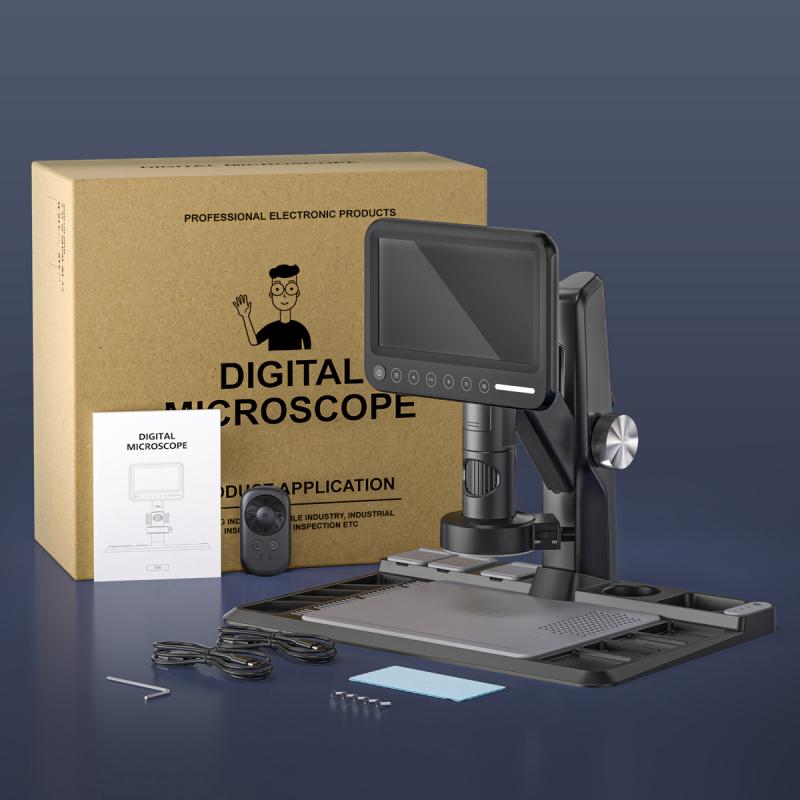
Adjusting the Coarse Focus Knob

2、 Fine-Tuning with the Fine Focus Knob

To focus a microscope, one can use the method of fine-tuning with the fine focus knob. This knob is typically located on the side or underneath the stage of the microscope. The fine focus knob allows for precise adjustments to bring the specimen into sharp focus.

To begin, start by placing a slide with the specimen on the stage of the microscope. Adjust the stage height using the coarse focus knob until the slide is close to the objective lens. Then, look through the eyepiece and use the coarse focus knob to bring the specimen into rough focus. This will give you a general idea of where the specimen is located.

Once the specimen is roughly in focus, it is time to use the fine focus knob for fine-tuning. Gently turn the fine focus knob in small increments, either clockwise or counterclockwise, depending on the direction that brings the specimen into sharper focus. Take your time and make small adjustments to avoid overshooting the focus point.

As you turn the fine focus knob, you will notice the image becoming clearer and more detailed. Continue adjusting until the specimen is in sharp focus. It is important to note that different microscopes may have slightly different mechanisms for the fine focus knob, so it is always a good idea to refer to the microscope's manual for specific instructions.

In recent years, advancements in microscope technology have led to the development of digital microscopes. These microscopes often have additional features such as autofocus capabilities, which can automatically adjust the focus for optimal clarity. However, the fine focus knob method remains a fundamental technique for focusing a microscope and is still widely used in both traditional and digital microscopes.

In conclusion, focusing a microscope using the fine focus knob involves making small adjustments to bring the specimen into sharp focus. This method allows for precise control and is a fundamental technique in microscopy.
Fine-Tuning with the Fine Focus Knob

3、 Using the Condenser to Enhance Focus

Using the Condenser to Enhance Focus

Focusing a microscope is a crucial step in obtaining clear and detailed images. One of the key components that can help enhance focus is the condenser. The condenser is located beneath the stage and is responsible for directing and focusing the light onto the specimen.

To focus a microscope using the condenser, follow these steps:

1. Start by placing a slide with a specimen on the stage and securing it with the stage clips.

2. Adjust the objective lens to the lowest magnification (usually 4x or 10x) and bring the specimen into rough focus using the coarse focus knob.

3. Once the specimen is roughly in focus, adjust the condenser height. Raise or lower the condenser using the condenser focus knob until the light is focused on the specimen. This will help improve the contrast and clarity of the image.

4. Fine-tune the focus using the fine focus knob. Slowly turn the knob in small increments until the image becomes sharp and clear.

5. If necessary, adjust the condenser aperture. The condenser aperture controls the amount of light that passes through the specimen. Opening the aperture wider can increase the brightness but may reduce the contrast. Closing it slightly can enhance contrast but may require longer exposure times.

It is important to note that the optimal settings for the condenser may vary depending on the specific microscope and specimen being observed. Therefore, it is recommended to consult the microscope's user manual for specific instructions.

In recent years, advancements in microscope technology have led to the development of automated focusing systems. These systems use algorithms and sensors to automatically adjust the focus, eliminating the need for manual adjustments. This can greatly improve the efficiency and accuracy of focusing, especially when dealing with complex or time-sensitive experiments.

In conclusion, focusing a microscope using the condenser is a fundamental technique for obtaining clear and detailed images. By adjusting the condenser height and aperture, along with fine-tuning the focus using the fine focus knob, one can enhance the clarity and contrast of the specimen. Additionally, the emergence of automated focusing systems has revolutionized the field, making focusing more efficient and precise.
Using the Condenser to Enhance Focus

4、 Adjusting the Iris Diaphragm for Optimal Focus

Adjusting the Iris Diaphragm for Optimal Focus

Focusing a microscope is a crucial step in obtaining clear and detailed images. One important aspect of this process is adjusting the iris diaphragm, which controls the amount of light entering the microscope. By properly adjusting the iris diaphragm, you can optimize the focus and clarity of your specimen.

To begin, ensure that your microscope is set up correctly and the specimen is in place. Start by adjusting the coarse focus knob to bring the specimen into view. Once the specimen is visible, you can proceed to adjust the iris diaphragm.

Locate the iris diaphragm control, usually located near the base of the microscope. This control consists of a rotating disk with adjustable openings. Begin by opening the diaphragm fully, allowing maximum light to enter the microscope. This will provide a bright image but may result in decreased contrast.

Next, gradually close the iris diaphragm until you achieve the desired level of contrast. By reducing the amount of light entering the microscope, you can enhance the visibility of fine details in your specimen. It is important to strike a balance between brightness and contrast to achieve optimal focus.

Additionally, it is worth noting that the optimal adjustment of the iris diaphragm may vary depending on the specific microscope and specimen being observed. Some microscopes may have additional features, such as a condenser, which can further enhance focus and clarity. Therefore, it is recommended to consult the microscope's user manual for specific instructions and to experiment with different settings to find the best results.

In conclusion, adjusting the iris diaphragm is an essential step in focusing a microscope. By controlling the amount of light entering the microscope, you can optimize the focus and clarity of your specimen. Remember to strike a balance between brightness and contrast to achieve the best results.


Adjusting the Iris Diaphragm for Optimal Focus

Leave your comment
Cancel reply
Note: HTML is not translated!
Related products
M42 Lenses to Minolta A / Sony A Camera Mount Adapter
59
£39.99
Minolta A / Sony A Lenses to Fuji X Mount Camera Adapter
36
£43.99 £35.99
Minolta A / Sony A Lenses to Pentax Q Camera Mount Adapter
52
£31.99 £22.99
Minolta A / Sony A Lenses to Nikon Z Mount Camera Adapter
62
£55.99 £45.99
Minolta A / Sony A Lenses to Canon EOS R Mount Camera Adapter
69
£55.99 £40.00
Digital Microscope for Kids, Kentfaith 1000X Handheld Kids Microscope with 6 Adjustable LED Lights, 2'' LCD Screen Mini Portable Microscope USB to PC for Kids 8-12, 32GB SD Card Including
32
£61.99 £48.99
Minolta A / Sony A Lenses to Nikon 1 Camera Mount Adapter with Tripod Mount
77
£38.99 £27.99
Minolta A / Sony A Lenses to Pentax Q Camera Mount Adapter with tripod mount
52
£37.99 £26.99
FD to L Mount Adapter, Manual Focus Adapter Compatible with Canon FD FL 35mm Lens to L Mount Camera Body (Canon FD)
90
£35.99 £25.99
K&F Concept NIK(G) to L Mount Adapter, Manual Focus Adapter Compatible with Nikon F (G-Type) Lens to L Mount Camera Body
71
£29.99
Guess you like products
Action Camera Selfie Neck Mount for GoPro hero AKSO DJI action Action Camera and Phone Neck Mount for Video Shooting Accessories
£29.99 £16.99
Adult metal detector, professional high-precision IP68 waterproof, metal detector with LCD display, 5 modes and 9.4 inch detection panel
21
£123.99 £98.99
 RGB Two-in-One Fill Light & Power Bank with 4000mAh Battery – Perfect for SLR Cameras, Mobile Photography, Vlogging, and Stunning Photo Sessions
RGB Two-in-One Fill Light & Power Bank with 4000mAh Battery – Perfect for SLR Cameras, Mobile Photography, Vlogging, and Stunning Photo Sessions
4
£69.99 £49.99
K&F CONCEPT Magnetic Metal Phone Mount with Cold Shoe Mount, Adjustable Rotatable Phone Holder Adapter Compatible with iPhone 16/15/14/13 Serie, Camera Monitoring, Tripods, Stabilizers
17
£29.99 £22.99
K&F Concept M14101 Contax Yashica Lenses to Sony E Lens Mount Adapter
122
£35.99 £26.99
Flash sale: 900£ for 1000£ gift certificate, can use with coupon codes,Can be stacked with any offer
£1,000.00 £900.00
49mm UV Lens Filter - 28 Multi-Layer Coatings HD MCUV Scratch-Resistant Ultraviolet Protection Filters for DSLR Camera Lens Nano-Xcel series
50
£28.99 £22.99
Pocket Mini Small Microscope, 60x-120x Handheld Microscope LED Lighted Zoom
56
£19.99 £15.99
K&F Concept 2 in 1 Sling Bag Everyday Shoulder Bag & Multifunction Photography Crossbody Camera DSLR Backpack Portable Bag - Sling Bag 10L Urban Wander 01 (Pink)
37
£71.99 £39.99
Offline Voice Translator Device with 144 Languages 5" Touch Screen ChatGPT Integrated Kentfaith
28
£87.49 £69.99
Related articles
How To Properly Focus A Microscope ?
How To Adjust Microscope Focus ?
How To Focus In Microscope ?
How To Focus A Monocular ?
What Are The Steps To Focus A Microscope ?
How To Focus A Digital Camera ?
How To Focus A Rangefinder Camera ?
What Is The Coarse Focus On A Microscope ?
What Does Fine Focus Do In A Microscope ?
Can I Use A Camcorder As A Webcam ?
Guess you like articles
Why Buy A Trail Wildlife Camera ?
What Are The Different Types Of Lens Filters ?
Are Viruses Visible With A Light Microscope?
How Does A Scanning Probe Microscope Work ?
How To Clean Microscope Objective ?
How To Use Nd Filters Fuji Xe2 ?
How Do 360 Cameras Work ?
How To Mount Gopro 8 On Tripod ?
Why Won't My Victure Camera Connect To Wifi ?
How To Cut Foam For Camera Case ?
Related categories
digital Microscope UK digital microscope UK microscope with screen Sony A mount lens adapter​ accessories for a drone Sony E mount adapter variable ND and CPL filter​ action camera filters battery operated surveillance camera outdoor Screw-In Filter
Popular products
digital video microscope sony camera adapter minolta md to leica m adapter minolta nikon adapter canon adapter sony sony minolta mount nikon 1 mount adapter​ pentax q mount adapter​ child's microscope electronics microscope
Related searches
Focus On A Microscope Depth Of Focus Microscope Mirror On A Microscope Magnification Of A Microscope Resolution Of A Microscope Magnification In A Microscope Condenser On A Microscope Objective On A Microscope Optical Microscope A Level Stage Of A Microscope
Blog Category
  • Camera Reviews
  • News & Reviews
    • News
  • Tutorials
    • Animal Photography
    • Food Photography
  • Inspiration
    • Travel
    • Travel Stories
    • Photography Tricks
Search Article
Latest from the Blog
What Sd Card For Dslr Camera?
How To Play Videos From An Action Camera?
Where To Set Up Trail Cameras?
How To Repair Flood Lights?
Do You Need ND Filters for Drone?
Can You Use Wireless Earbuds In Car?
What Are Uv Lens Filters For?
How to Attach a Camera Strap: A Step-by-Step Guide for Every Photographer
Black Friday Offers by Kentfaith
How to Make a Bird Feeder – And When to Buy Rather Than Build
Powered By K&F Concept © 2025