How To Mount Outdoor Camera?
Installing an outdoor security camera might sound like a straightforward endeavor, but as with many things in life: the devil is in the details. Mounting your camera correctly isn’t just about aesthetics; it’s about functionality, durability, and ensuring your camera delivers on its promise of keeping an eye on your property effectively. Here’s a guide to mounting your outdoor camera like a pro so that you can achieve optimal performance while avoiding rookie mistakes.
First, evaluate your location. Not all spots on your property are created equal. Identify the primary areas where you need surveillance — entryways, driveways, garage doors, backyards, or vulnerable blind spots. When choosing a location, keep three critical factors in mind: field of view, protection from the elements, and accessibility.
Step 1: Plan the Position
For effective surveillance, position the camera approximately 8-10 feet above the ground. At this height, the camera is unlikely to be tampered with but is still low enough to capture detailed images, including facial features. If possible, angle the camera slightly downwards to widen its detection range.
Avoid pointing your camera directly at the sun or reflective surfaces like windows, as glare can disrupt its functionality. Keep in mind the natural flow of movement around your property — cameras should be pointed toward paths people are likely to take, such as walkways or driveways.
Step 2: Consider Power Supply
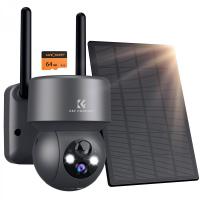
Is your outdoor camera battery-powered or wired? If it’s battery-powered, your task will be easier — just make sure the location you choose allows quick access for recharging or replacing the battery without risking life and limb. For wired cameras, proximity to power outlets or the ability to run concealed cables is essential.
If venturing into the wires and cables territory sounds intimidating, fret not. Most modern outdoor cameras come with weatherproof extension cables, which let you achieve neat installations without compromising the camera’s weather resistance.
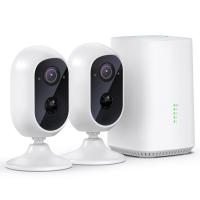
What about Wi-Fi? Some cameras rely on a strong Wi-Fi connection to relay footage. Test for signal strength at your desired location before committing. Nothing is more frustrating than mounting your camera only to discover its connection is weak. If connectivity issues arise, consider getting a Wi-Fi extender.
Step 3: Weatherproofing and Durability
The great outdoors is full of surprises — ranging from dramatic temperature fluctuations to relentless rainstorms. Protecting your camera against the elements is non-negotiable. While most outdoor cameras come rated with an IP (Ingress Protection) score, ensuring proper installation amplifies their resistance against water, dust, and other environmental challenges. Many cameras are marketed as “weatherproof,” but this often means they can withstand rain, not a full-on hurricane. Check your camera’s specifications for IP ratings like IP65 for protection against dust and low-pressure water jets.
Choose mounting surfaces that aren’t prone to instability. Wooden walls, cement surfaces, or brick provide excellent bases for camera mounts. Avoid placing it on weaker, flexible materials like corrugated metal that could deform over time.
Also, make sure cables — if any — are tucked securely away, preferably in conduits or weatherproof housing. Dangling wires are not only a safety hazard but they’re also vulnerable to curious critters who might chew through them.
Step 4: Gather Your Tools
Before diving in headfirst, make sure you’ve assembled the right tools for the job. A basic installation toolkit might include:
- Power drill (with appropriate drill bits, depending on your mounting surface)
- Anchors and screws (often provided with your camera)
- Screwdriver
- Ladder or step stool (depending on the mounting height)
Don’t underestimate the importance of having a sturdy ladder. Remember: you’re mounting the camera at a height to deter tampering… don’t become tampered with yourself due to instability.
Step 5: Install the Mounting Bracket
Now, to the actual business. Start by securing the mounting bracket to the wall. This step varies depending on the type of surface you’re working with. For concrete or brick, you’ll likely need anchors to secure the bracket firmly. For softer surfaces like wood, screws might be enough.
Using a pencil, mark out the locations for the holes on the wall. Drill into these spots carefully — this might seem trivial, but rushing through it could result in uneven alignment later. Once the holes are drilled and anchors are in place, use screws to secure the mounting base tightly.
Step 6: Mount the Camera and Adjust
With the mounting base securely in place, it’s finally time to attach the camera. This part is typically straightforward — the camera clicks or locks into the mount provided during installation. Once attached, you can begin adjusting the angle for optimal coverage.
Use your camera’s live feed (accessible via a paired app, hub, or computer) to tweak the position while ensuring essential zones are within view. Check for blind spots — particularly areas close to the fixture — and ensure no obstructions block your view during heavy weather conditions, such as an overhanging roof.
Some cameras include a swivel mechanism that allows tilt, rotation, and pan adjustments. Take advantage of this feature to find that sweet spot where the camera can see everything it needs to… without the neighbor’s backyard ending up in your footage rotation.
Step 7: Connect and Configure
With the hardware secured, move on to connecting the camera. Plug it into a nearby power source if it’s wired, or start pairing it with your app or Wi-Fi network if it’s wireless. Depending on your model, this step may include scanning a QR code, entering your Wi-Fi credentials, or following prompts in the mobile application.
Once connected, configure your settings: motion detection zones, sensitivity levels, and recording preferences. Some cameras come with adjustable schedules, which you can use to specify times for active monitoring. Enable alerts so that the camera immediately notifies you of any activity detected in its field of view.
Finally, test the camera’s night vision functionality (most outdoor cameras have this feature). Walk across its field of view during the evening hours and confirm it records clearly under low light.
Step 8: Perform Regular Maintenance
Mounting the camera is only half the battle. Over time, dirt, bird droppings, and spider webs can reduce its performance. Clean the lens regularly using a non-abrasive cloth. Additionally, after major weather events, check that your mount remains secure, and inspect cables for wear or damage.
Periodically reviewing its angle and field of vision ensures it stays optimally aligned as your property’s needs evolve.
Pro Tip: Smart Placement and Decoy Deterrents
Here’s a nugget to chew on: criminals don’t typically study camera angles before trespassing. However, if they spot a camera, they might hesitate. Installing visible decoy cameras alongside your functional ones can create an even stronger deterrent effect. Just make sure the real cameras remain discreet, covering the actual entry points while the decoys stand out as obvious “bait.”
And that’s the gist. Mounting an outdoor security camera isn’t rocket science, but nailing it makes all the difference. From planning its positioning to taking into account power supply challenges and weatherproofing, small details accumulate into a big payoff: a reliable source of security for your home or business. Plus, let’s be honest — there’s something immensely satisfying about knowing every corner of your property is under surveillance while you sit back with a coffee as your Wi-Fi-connected camera sends live footage in HD.
Now go ahead. Install that camera. Sleep better knowing you’ve turned your outdoor spaces into indisputably monitored territories. Save the world, one lens-adjustment at a time!