kfconcept

K&F Concept UK
K&F Concept United Kingdom    Blog >

Enjoy Your Selected Digital Life

Recently Viewed
  • Recently Viewed
  • Exakta Lenses to M43 MFT Mount Camera Adapter
    Exakta Lenses to M43 MFT Mount Camera Adapter
    £49.99 £36.60
Compare (0) 0
  • Compare
  • You have not chosen any products to compare.

  • Compare
Currency: GBP
  • Currency

Log Into Your Account

Account

Order History

Wish List

Login

Forgotten Password?

Or connect with

Register Account

Already have an Account?Log In

  • Shopping Cart
  • Your shopping cart is empty!

  • Register/Login to purchase, earn points
  • Favorite
  • Your wish list is empty.

  • Register/Login to like, earn points
  • Tripods
    • Aluminum Tripods
    • Carbon Fiber Tripods
    • Travel Tripods
    • Video Tripods
    • Monopods
    • Lightweight Tripods
    • Mini Tripod
    • Tripod Accessories
    • Gimbal Stabilizers
    • Tripod Head
    • Tripod Kit
    • Action Camera Mounts
    • Phone Tripods
    • Studio Parts
      • Camera Flash
      • Photography Fill Light
      • Ring light
      • Soft Box
      • Tripod Light Stands
      • Reflectors
    • Clearance Tripods
  • Lens Filters
    • UV Filters
      • Nano-Xcel Series
        • MCUV
        • Ultra-low Reflectivity MCUV Filters
        • MCUV Super Hard
        • Explosion-proof MCUV - Nano-Xcel
        • MCUV+Lens Cap+Cleaning Cloth
        • Super Hard&Ultra Low Reflection MCUV Filters - Nano-Xcel
        • MCUV - Magnetic Series
      • Nano-Dazzle Series
        • MCUV
        • MCUV+Lens Cap+Cleaning Cloth
      • Nano-Klear Series
        • MCUV
        • Ultra Thin Frame MCUV Filters
        • MCUV+Lens Cap+Cleaning Cloth
      • Nano-Xcel Pro Series
        • MCUV
    • CPL Filters
      • Nano-Xcel Series
        • CPL
        • CPL True Color
        • Ultra-low Reflectivity CPL
        • CPL+Lens Cap+Cleaning Cloth
        • Magnetic CPL
          • Magnetic CPL + Apater ring + Cap - Nano-X
        • True Color Ultra-low Reflectivity CPL - Nano-Xcel
      • Nano-Dazzle Series
        • CPL
        • CPL+Lens Cap+Cleaning Cloth - Nano-Dazzle
      • Nano-Klear Series
        • CPL
        • Ultra Thin Frame CPL Filters
        • CPL+Lens Cap+Cleaning Cloth
        • CPL+Lens Cap - Nano-Klear
      • Nano-Xcel Pro Series
        • CPL
    • Neutral Density Filters
      • Neutral Density (Solid) Filters
        • ND8 (3 stops) - Nano-Xcel Series
        • ND64 (6 stops) - Nano-Xcel Series
        • ND1000 (10 stops) - Nano-Xcel Series
        • ND100000 (16.6 stops) - Nano-Xcel Series
        • ND1000000 (20 stops) - Nano-Xcel Series
        • ND100000 (16.6 stops) - Nano-Klear Series
        • ND1000000 (20 stops) - Nano-Klear Series
        • Solid ND - Magnetic Series
      • Graduated Neutral Density
        • 100mm GND Filter
          • Soft GND8 Filters - Nano-Xcel Series
          • Hard GND8 Filters - Nano-Xcel Series
          • Reverse GND8 Filters - Nano-Xcel Series
          • Soft GND16 Filters - Nano-Xcel Series
          • Reverse GND16 Filters - Nano-Xcel Series
          • Soft GND8 Filters - Nano-Xcel Pro Series
          • Hard GND8 Filters - Nano-Xcel Pro Series
          • Reverse GND8 Filters - Nano-Xcel Pro Series
          • Soft GND16 Filters - Nano-Xcel Pro Series
          • Reverse GND16 Filters - Nano-Xcel Pro Series
        • Circular GND Filter
          • GND8
          • GND16
      • 2 in 1 Filters
        • ND2-ND32&CPL Filters - Nano-Xcel Series
        • ND2-ND32&CPL Filters - Nano Dazzle Series
        • ND2-32&CPL Filters - Nano-Klear Series
        • ND2-ND32&CPL Filter - Nano-X Pro
        • ND2-ND32&CPL True Color Filters - Nano-Xcel Series
        • ND4-ND64&CPL Filter
      • 3 in 1 Filters
        • ND2-32&CPL&Black Mist 1/4 Filters - Nano-Xcel Series
        • ND2-32&CPL&Black Mist 1/4 Filters - Nano-Klear Series
      • Variable Neutral Density
        • Nano-Xcel Series
          • ND2-ND32 - Nano-Xcel
          • ND2-ND32 True Color - Nano-Xcel
          • ND2-ND400 - Nano-Xcel
          • ND8-ND128 - Nano-Xcel
          • ND32-ND512 - Nano-Xcel
          • ND3-ND1000 - Nano-Xcel
          • ND2-32 True Color Ultra-Low Reflection - Nano-Xcel
          • ND2-400 Ultra-Low Reflection - Nano-Xcel
        • Nano-Dazzle Series
          • ND2-ND32 - Nano-Dazzle
          • ND2-ND400 - Nano-Dazzle
          • ND3-ND1000 - Nano-Dazzle
          • ND8-ND2000 - Nano-Dazzle
        • Nano-Klear Series
          • ND2-ND32 - Nano-Klear
          • ND2-ND400 - Nano-Klear
          • ND2-ND2000 - Nano-Klear
          • True Color ND2-ND400 - Nano-Klear
        • Nano-Xcel Pro Series
          • ND2-ND32 - Nano-Xcel Pro
        • Nano-B Series
          • ND2-ND400 - Nano-B
    • Black Mist & Soft Focus Filters
      • Black Mist Filters
        • Black Mist 1/8
          • Black Mist 1/8 - Nano-Xcel Series
          • Black Mist 1/8 - Nano-Dazzle Series
          • Black Mist 1/8 - Nano-Klear Series
          • Black Mist 1/8 - Nano-Xcel Pro Series
          • Black Mist 1/8+Lens Cap+Cleaning Cloth - Nano-Klear Series
        • Black Mist 1/4
          • Black Mist 1/4 - Nano-Xcel Series
          • Black Mist 1/4 - Nano-Dazzle Series
          • Black Mist 1/4 - Nano-Klear Series
          • Black Mist 1/4 - Nano-Xcel Pro Series
          • Black Mist 1/4+Lens Cap+Cleaning Cloth - Nano-Klear Series
        • Black Mist 1/2
          • Black Mist 1/2 - Nano-Xcel Series
          • Black Mist 1/2 - Nano-Klear Series
        • Black Mist 1
          • Black Mist 1 - Nano-Xcel Series
          • Black Mist 1 - Nano-Klear Series
        • Black Mist Kit
          • Black Mist 1/4 + 1/8 Nano Xcel Series
          • Black Mist 1/4 + 1/8 - Nano Klear Series
          • Black Mist 1/4 + CPL - Nano Klear Series
        • Black Mist & CPL
          • Black Mist 1/4&CPL - Nano-Klear Series
        • Black-Mist & VND
          • Black Mist 1/4 & ND2-32 Filters - Nano-Klear Series
          • Black Mist 1/4 & ND2-400 Filters - Nano-Xcel Series
          • Black Mist 1/4 & ND2-32 Filters - Nano-Xcel Series
          • Black Mist 1/8 & ND2-32 Filters - Nano-Klear Series
          • Black Mist 1/4 & ND2-400 Filters - Nano-Klear Series
      • White Mist Filters
        • White Mist 1/4 - Nano-Xcel Series
        • White Mist 1/4 - Nano-Klear Series
      • Shimmer Diffusion
        • Shimmer Diffusion 1 - Nano-Xcel Series
        • Shimmer Diffusion 1 - Nano-Klear Series
    • Light Pollution Cut Filter
      • Light Pollution Cut Filter - Circular
      • Light Pollution Cut Filter - Square
    • Magnetic Lens Filters
      • MCUV Filters
        • Magnetic MCUV - Nano-Klear Series
        • Magnetic MCUV+Lens Caps - Nano-Xcel Series
      • CPL Filters
        • Magnetic CPL + Adapter Ring
        • Magnetic CPL+Adapter Ring - Nano-Klear Series
      • Black-Mist
        • Black Mist 1/8 Filters - Nano-Xcel Series
        • Black Mist 1/4 Filters - Nano-Xcel Series
      • Neutral Density (Solid) Filter
        • Magnetic ND8 - Nano-Xcel Series
        • Magnetic ND64 - Nano-Xcel Series
        • Magnetic ND1000 - Nano-Xcel Series
      • Unlimited Variable ND Filter
        • Magnetic ND2-ND32 - Nano-Xcel Series
        • Magnetic ND8-ND128 Filters - Nano-Xcel Series
      • Accessories
        • Magnetic Adapter Ring
        • Magnetic Filter Ring
        • Magnetic Cap
      • Kits
        • MCUV+CPL+ND1000+Adapter Ring - Nano-Xcel Series
        • CPL+ND8+ND64+Adapter Ring+Lens Cap - Nano-Xcel Series
        • GND8+ND8+ND64+ND1000+Adapter Ring - Nano-Xcel Series
        • CPL+VND2-32+Black Mist 1/4+Magnetic Ring+Lens Cap - Nano-Xcel Series
    • Square Filter System
      • Basic System
        • Square ND Filters
          • ND4 Filters - Nano-Xcel Series
          • ND16 Filters - Nano-Xcel Series
          • ND1000 Filters - Nano-Xcel Series
          • ND2000 Filters - Nano-Xcel Series
          • ND32000 Filters - Nano-Xcel Series
          • Full Color ND8 Filters - Nano-Xcel Series
          • Full Color ND64 Filters - Nano-Xcel Series
        • Square GND Filters
        • Light Pollution Cut Filter
          • Light Pollution Cut Filter - Nano-Xcel Series
        • Square Black Mist Filters
          • Square Black Mist 1 - Nano-Xcel Series
          • Square Black Mist 1/4 - Nano-Xcel Series
          • Square Black Mist 1/8 - Nano-Xcel Series
        • Brackets and Accessories
          • Adapter Ring - Nano-Xcel Series
        • Kits
          • 100mm Square Filter System - Nano-Xcel Series
          • 100mm ND1000+Holder Kit - Nano-Xcel Series
          • 100mm ND1000+Soft GND8+Holder Kit - Nano-Xcel Series
          • 100mm Soft GND8+Holder Kit - Nano-Xcel Series
      • Professional System
        • ND
          • Full Color ND8 Filters - Nano-Xcel Pro Series
          • Full Color ND64 Filters - Nano-Xcel Pro Series
          • Full Color ND1000 Filters - Nano-Xcel Pro Series
        • GND
        • PL
        • Black Mist 1/4&CPL - Nano-Xcel Pro Series
        • Light Pollution Cut Filter
          • Light Pollution Cut Filter - Nano-Xcel Pro Series
        • Kits
          • 100mm ND1000+Holder Kit - Nano-Xcel Pro Series
          • 100mm ND1000+Soft GND8+Holder Kit - Nano-Xcel Pro Series
          • 100mm ND8+ND64+ND1000+Holder Kit - Nano-Xcel Pro Series
          • 100mm Holder Kit - Nano-Xcel Pro Series
        • Brackets and Accessories
          • 100x100mm Square Filter Protect Frame - Nano-Xcel Pro Series
          • 100x150mm Square Filter Protect Frame - Nano-Xcel Pro Series
          • Adapter Ring - Nano-Xcel Pro Series
    • Drone Filter
      • DJI Air 3S
      • DJI Avata2
      • DJI Flip
      • DJI Mavic 3 Pro
      • DJI NEO
      • DJI Mini 1/2/SE
      • DJI Mini 4 Pro Filters
      • DJI Mavic 3
      • DJI Mini 3 PRO
      • DJI Avata
      • DJI Mavic 4 Pro
      • DJI Mini 5 Pro
      • DJI Air 2S
    • Effects Filters
      • Prism Filters
        • Central Prism Filters
          • Central Pentagonal Filters - Nano-Basic Series
          • Central Hexagonal Filters - Nano-Basic Series
        • Ordinary Prism Filters
          • Triangular Filtres - Nano-Basic Series
        • Single Linear Prisms
      • Streak Filters
        • Blue Streak Filters - Nano-Xcel Series
        • Gold Streak Filters - Nano-Xcel Series
        • Colorful Streak Filters - Nano-B Series
        • Blue Streak Filters - Nano-Klear Series
      • Star Filter
        • Star Filters 4-8 Points - Nano-Klear Series
        • Star Filter Kits 4+6+8 Points - Nano-Klear Series
        • 4-Point Fine-Line Star Filters - Nano-Klear Series
        • 6-Point Fine-Line Star Filters - Nano-Klear Series
      • Kaleidoscope Filters
        • Kaleidoscope Filters - Nano-Basic Series
        • Handheld Kaleidoscope Filters - Nano-B Series
      • Motion Blur Filters
        • Directional Motion Blur - Nano-Basic Series
        • Bidirectional Motion Blur - Nano-Basic Series
        • Handheld Motion Blur Filters - Nano-Basic Series
      • Spiral Filters
        • Spiral Halo Filters - Nano-B Series
        • Handheld Spiral Filters - Nano-Basic Series
      • Diopter Filters
        • Centerfield Split Diopter Filters - Nano-Basic Series
        • Handheld Diopter Filters - Nano-Basic Series
    • Filter Accessories
      • Lens Hoods
      • Rings Kits
        • Step Up Rings
        • Step Down Rings
      • Filter Holders & Frames
      • Filter Holder Adapter Rings
        • Filter Adapter Rings
      • Filter Pouches
      • Lens Caps
        • Caps for Magnetic Filters
        • Caps for Variable ND Filters
        • Anti-lost Lens Cap
          • 4 in 1
          • 5 in 1
          • 9 in 1
      • Polarized Film
    • Filter Kit
      • Black Diffusion 1/4 + 1/8
      • Screw-In Filters
        • MCUV+CPL Filter - Nano-Klear Series
        • MCUV+CPL+Lens Cap - Nano-Klear Series
        • MCUV+CPL+Metal Lens Cap - Nano-Xcel Series
        • MCUV+CPL+ND1000+Lens Cap - Nano-Dazzle Series
        • MCUV+CPL+ND2-400 - Nano-Klear Series
        • ND8+ND64+ND1000 - Nano-Dazzle Series
        • MCUV+CPL+ND4 - Nano-Klear Series
        • ND1000+CPL - Nano-Klear Series
        • ND4+ND8+ND64+ND1000 - Nano-Xcel Series
        • MCUV+CPL
      • Magnetic Filters
      • Square Filters
    • Action Camera Filters
      • DJI Osmo Action 4 / Action 5 Pro
      • DJI Osmo Action 6
      • DJI Osmo Nano
      • DJI Osmo Pocket 3
      • GoPro HERO 4K
      • GOPRO Hero 9/10/11/12/13 Filters
      • Insta360 Ace pro 2
      • Insta360 Go Ultra
      • Insta360 GO3
      • Insta360 GO3S
      • Action Camera Accessories
        • DJI Osmo Action 3/4/5 Pro
        • Head Strap & Chest Mount
        • Insta360 X5
        • Magnetic Neck Mount
        • DJI Osmo 360
        • DJI Osmo Pocket 3 Charging Base
        • DJI Osmo Pocket 3
    • Phone Lens Filters
    • Matte Box & Filter Systems
      • Neutral Density (Solid) Filters
        • ND4 - Nano-Xcel Series
        • ND8 - Nano-Xcel Series
        • ND16 - Nano-Xcel Series
        • ND32 - Nano-Xcel Series
        • ND64 - Nano-Xcel Series
        • ND8+ND64 - Nano-Xcel Series
      • UV Filters
      • Black Mist Filters
        • Black Mist 1/4 - Nano-Xcel Series
        • Black Mist 1/8 - Nano-Xcel Series
      • Blue Streak Filters
      • Accessories
      • Kits
        • Matte Box - Nano-Xcel Series
        • Matte Box Pro - Nano-Xcel Series
        • Matte Box+ND8 Square Filter - Nano-Xcel Series
        • Matte Box+ND4+ND32 Square Filter - Nano-Xcel Series
        • Matte Box+Black Mist 1/4 Square Filter - Nano-Xcel Series
    • Brand-specific Filters
      • Fujifilm X100
      • Ricoh GR
  • Lens Adapters
    • PL Mount Lenses
    • A Mount Body(Sony/Minolta)
    • Fujifilm X Mount Body
    • Fujifilm G (GFX) Mount Body
    • C-Mount Body
    • Leica M Mount Body
    • MFT(M4/3) Mount Body
    • Pentax K Mount Body
    • Pentax Q Mount Body
    • Samsung NX Mount Body
    • Nikon F Mount Body
    • Nikon 1 Mount Body
    • Nikon Z Mount Body
    • Canon EOS EF/EF-S Mount Body
    • Canon EOS M Mount Body
    • Canon RF Mount Body
    • Sony E Mount Body
    • L-Mount Alliance (Leica)
  • Camera
    • Digital Camera & Camcorders
      • Digital Cameras & Camcorders
      • Underwater Cameras
      • Action Cameras
      • Kids’ Cameras
      • Time lapse camera
    • Wildlife Camera
      • Wifi Trail Cameras
      • Non-Cellular Trail Cameras
      • Accessories
      • Cellular Trail Cameras
    • Surveillance Cameras
      • 4G Camera
      • Battery Camera
      • Baby Monitor
      • WiFi Camera
      • Feeder Camera
      • Floodlight camera
      • Monitoring Detector
    • Camera Lenses
    • On-Dash Camera
    • Fishing camera
    • Memory Cards
      • Micro SD Card
      • SD Card
    • Camera Accessories
      • Camera Caps
      • Camera Screen Protectors
        • Canon
        • Sony
        • Fujifilm
        • Nikon
        • Olympus
        • Ricoh
        • GoPro
        • DJI Osmo Pocket 3
      • Camera Hot Shoe Covers
      • Camera Viewfinder Eyecups
        • Nikon
        • Sony
        • Canon
      • Adjustment Iris
  • Camera Bags
    • Camera Backpacks
    • Camera Shoulder Bags
    • Camera Cases
    • Digital Storage Bag
    • Lens Cases
    • Camera Straps
    • Backpack Accessories
  • Camera Battery
    • Sony
    • Canon
    • Nikon
    • FUJIFILM
    • Ricoh
    • Gopro
    • Osmo Action
    • Lumix
    • V Mount Battery
    • Memory Card Case
  • Optics
    • Microscope
      • Optical Microscope
      • Digital Microscope
      • Kids' Microscopes
    • Binoculars
    • Monocular
    • Telescope
    • Night Vision Goggles
    • Rangefinder
  • Endoscope
    • Professional Endoscope
    • Household Endoscope
    • Portable Endoscope
    • Otoscope/Oral Endoscope
  • More
    • Cleaning Kits
    • Digital Voice Recorders
    • Language Translator Device
    • Smart Glasses
    • Metal Detectors
    • Light
      • Video fill light
      • Live Ring Light
      • Outdoor Lighting
    • Motorcycle Bluetooth Headset
    • Laser Engraver Machine
    • Headphones
    • Weather Station & Household Sensors
    • Microphone
    • Drone Accessories
      • DJI Air 2S Accessories
      • DJI Air 3 Accessories
      • DJI Avata Accessories
      • DJI Drone Universal Accessories
      • DJI Mavic Mini 2/Mini 2 SE/Mini Accessories
      • DJI Mavic Mini 3 Accessories
      • DJI Mini 3 Pro Accessories
    • Smart Watch
    • Smart lock
    • Studio
    • Solar Panels
  • Deals
    • Specials
    • Coupon
    • New Arrivals
  • Home
  • Blog
  • How Do You Hook Up A Surveillance Camera ?

How Do You Hook Up A Surveillance Camera ?

K&f concept 2023-10-17 09:23:33 0 Comments

To hook up a surveillance camera, you typically need to follow these steps:

1. Choose the location: Determine where you want to install the camera and ensure it has a clear view of the area you want to monitor.

2. Mount the camera: Use the appropriate mounting hardware to securely attach the camera to a wall, ceiling, or other suitable surface.

3. Connect the camera to power: Plug the camera into a power outlet using the provided power adapter or use a PoE (Power over Ethernet) connection if supported.

4. Connect the camera to a recording device: Depending on the camera type, you may need to connect it to a digital video recorder (DVR), network video recorder (NVR), or a computer with surveillance software installed.

5. Configure the camera: Follow the manufacturer's instructions to set up the camera, including adjusting the viewing angle, configuring any necessary settings, and connecting it to your network if applicable.

6. Test the camera: Ensure that the camera is functioning properly by checking the live feed on your recording device or software.

7. Fine-tune the setup: Make any necessary adjustments to the camera's position or settings to optimize its performance.

Note: The specific steps may vary depending on the camera model and the recording device you are using. It is recommended to consult the camera's user manual for detailed instructions.

1、 Camera Placement and Field of View

Camera placement and field of view are crucial factors when it comes to setting up a surveillance camera. To ensure optimal coverage and effectiveness, it is important to consider the following steps:

1. Determine the purpose: Identify the specific areas you want to monitor and the objectives of your surveillance system. This will help you decide the number and type of cameras required.

2. Conduct a site survey: Assess the location where you plan to install the cameras. Consider factors such as lighting conditions, potential obstructions, and the distance between the camera and the target area.

3. Choose the right camera: Select a camera that suits your needs. There are various types available, including dome cameras, bullet cameras, and PTZ (pan-tilt-zoom) cameras. Each has different features and capabilities, so choose one that aligns with your requirements.

4. Mounting the camera: Install the camera at an appropriate height and angle to capture the desired field of view. Ensure it is securely mounted to prevent tampering or damage.

5. Adjust the field of view: Position the camera to cover the intended area effectively. Consider the camera's focal length, lens type, and viewing angle to achieve the desired coverage.

6. Test and adjust: Once the camera is installed, test its functionality and adjust the settings as needed. Ensure that the camera captures clear images and videos, and that the field of view covers the desired area adequately.

The latest point of view in surveillance camera placement emphasizes the importance of considering privacy concerns. It is essential to respect individuals' privacy rights and comply with local laws and regulations. Additionally, advancements in technology have introduced features like motion detection, facial recognition, and remote access, which enhance the effectiveness and convenience of surveillance systems.
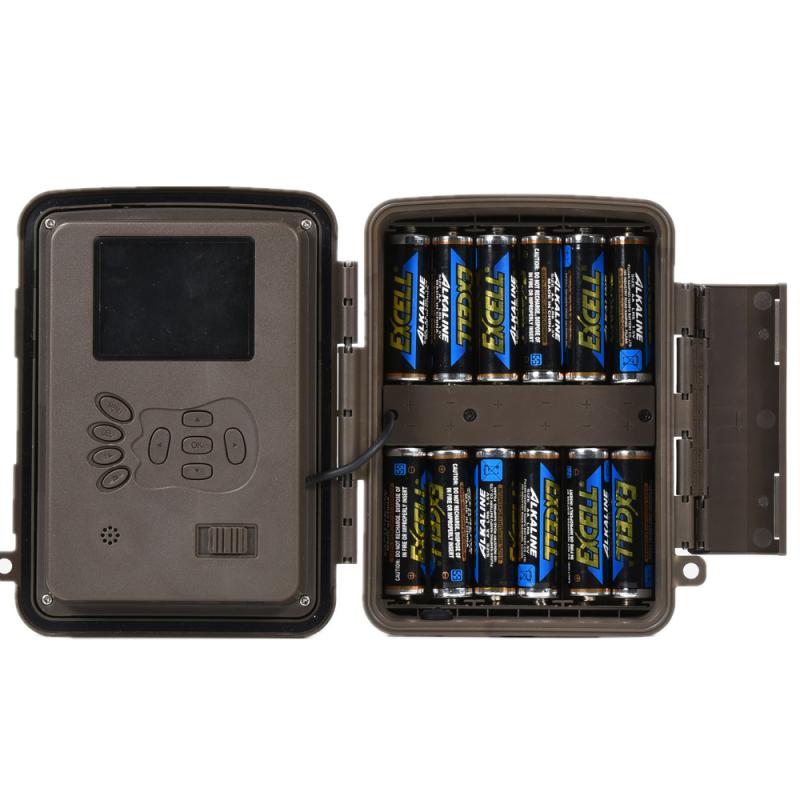
Camera Placement and Field of View

2、 Power and Connectivity Setup

To hook up a surveillance camera, you need to consider two main aspects: power and connectivity setup. Let's delve into each of these aspects to understand the process better.

Power Setup:

Firstly, you need to ensure a reliable power source for your surveillance camera. Most cameras can be powered using either a direct electrical connection or through Power over Ethernet (PoE) technology. If you opt for a direct electrical connection, you will need to locate a nearby power outlet and connect the camera using the provided power adapter. On the other hand, PoE cameras can be powered through an Ethernet cable, which simplifies the setup process by combining power and data transmission.

Connectivity Setup:

Once the power is sorted, you need to establish a connection between the camera and your monitoring device. This can be done using either a wired or wireless connection. For a wired setup, you will need to run an Ethernet cable from the camera to your router or network switch. This ensures a stable and reliable connection, especially for high-resolution cameras or when dealing with large distances.

Alternatively, wireless cameras offer more flexibility in terms of installation. These cameras connect to your Wi-Fi network, eliminating the need for physical cables. However, it's important to ensure a strong and stable Wi-Fi signal in the camera's location to avoid connectivity issues.

In recent years, advancements in surveillance technology have introduced features like cloud storage, remote access, and smart integration. These advancements have made it easier to set up and manage surveillance cameras. Many cameras now come with user-friendly mobile apps that allow you to monitor your property remotely and receive notifications in case of any suspicious activity.

In conclusion, hooking up a surveillance camera involves ensuring a reliable power source and establishing a connection to your monitoring device. With the latest advancements in technology, setting up and managing surveillance cameras has become more convenient and accessible to users.
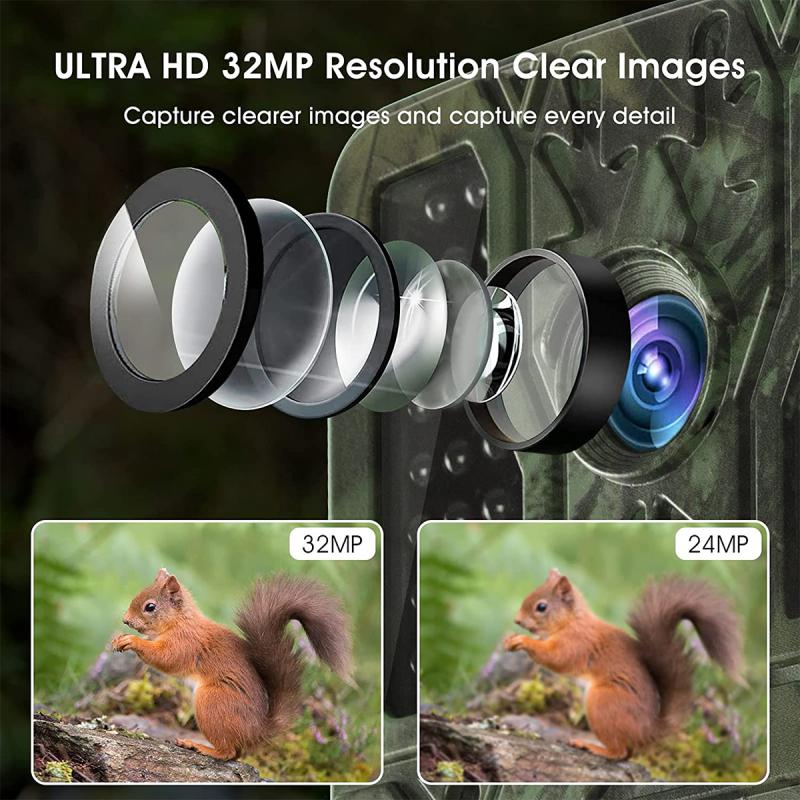
Power and Connectivity Setup

3、 Mounting and Installation

Mounting and installation are key steps in setting up a surveillance camera system. To begin, you will need to select the appropriate location for your camera. Consider areas that require monitoring, such as entrances, parking lots, or high-traffic areas. Once you have determined the location, follow these steps to hook up your surveillance camera:

1. Choose the right camera: Select a camera that suits your needs, whether it's a wired or wireless camera, indoor or outdoor, and with the desired resolution and features.

2. Prepare the necessary equipment: Gather the camera, mounting brackets, screws, power supply, and cables required for installation.

3. Mount the camera: Use the mounting brackets to secure the camera in the desired location. Ensure it is positioned correctly for optimal coverage and adjust the angle as needed.

4. Connect the cables: If using a wired camera, connect the video cable from the camera to the DVR or monitor. For wireless cameras, follow the manufacturer's instructions to establish a connection.

5. Power the camera: Connect the camera to a power source using the provided power supply. Ensure the power source is reliable and protected from weather conditions if installing an outdoor camera.

6. Adjust camera settings: Once the camera is powered on, access its settings to configure features such as motion detection, recording schedules, and video quality. Consult the camera's user manual for specific instructions.

7. Test the camera: Verify that the camera is functioning properly by checking the live feed on a monitor or through a mobile app if applicable. Adjust the camera's position or settings if necessary.

It's worth noting that advancements in technology have made surveillance camera installation more user-friendly. Many cameras now offer plug-and-play functionality, simplified wireless connections, and intuitive setup processes. Always refer to the manufacturer's instructions for specific guidance on hooking up your surveillance camera.
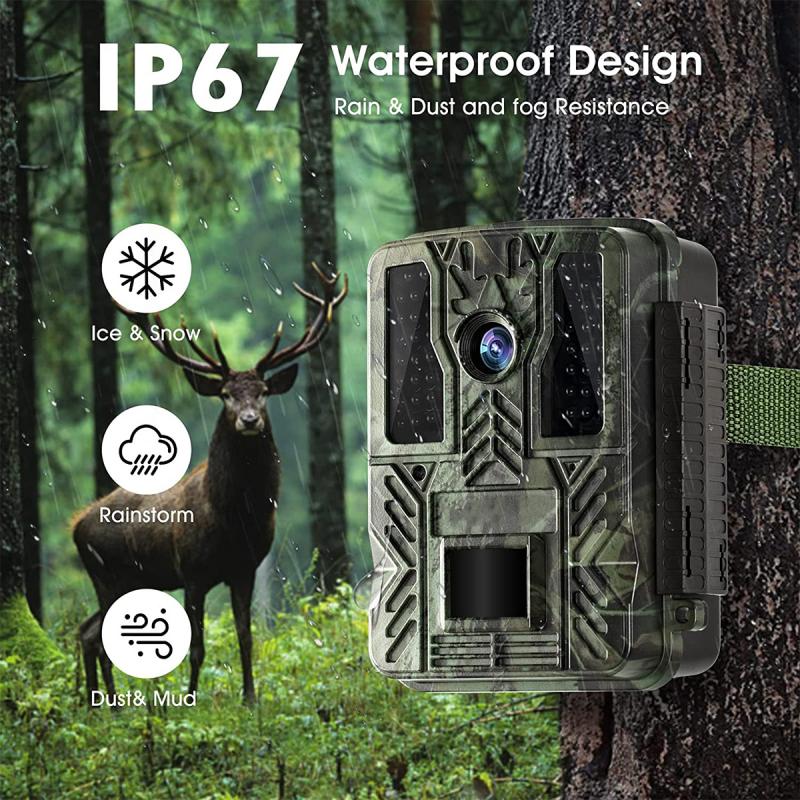
Mounting and Installation

4、 Network Configuration and IP Addressing

To hook up a surveillance camera, you need to consider both the physical installation and the network configuration, including IP addressing.

First, let's discuss the physical installation. Start by selecting an appropriate location for the camera, ensuring it covers the desired area. Mount the camera securely using brackets or other mounting equipment. Connect the camera to a power source, either through a power adapter or by using Power over Ethernet (PoE) technology if supported. PoE allows both power and data to be transmitted over a single Ethernet cable, simplifying the installation process.

Now, let's move on to the network configuration and IP addressing. Most modern surveillance cameras are IP-based, meaning they connect to a network using an Ethernet cable or wirelessly through Wi-Fi. To configure the camera, you typically need to access its web interface using a computer or mobile device connected to the same network.

To assign an IP address to the camera, you have a few options. One common method is to use Dynamic Host Configuration Protocol (DHCP), which automatically assigns IP addresses to devices on the network. If DHCP is not available or not desired, you can manually assign a static IP address to the camera. Ensure the IP address you choose is within the same subnet as your network and does not conflict with any other devices.

Once the camera is connected and configured, you can access its live feed and recordings through a web browser or dedicated surveillance software. Some cameras also offer cloud storage options for remote access and backup.

It's worth noting that the latest advancements in surveillance technology include features like artificial intelligence (AI) for object recognition, facial recognition, and advanced analytics. These technologies enhance the camera's capabilities and provide more accurate and efficient surveillance.

In conclusion, hooking up a surveillance camera involves both physical installation and network configuration, including IP addressing. By following the appropriate steps and considering the latest advancements, you can ensure a successful setup and enjoy the benefits of a reliable surveillance system.
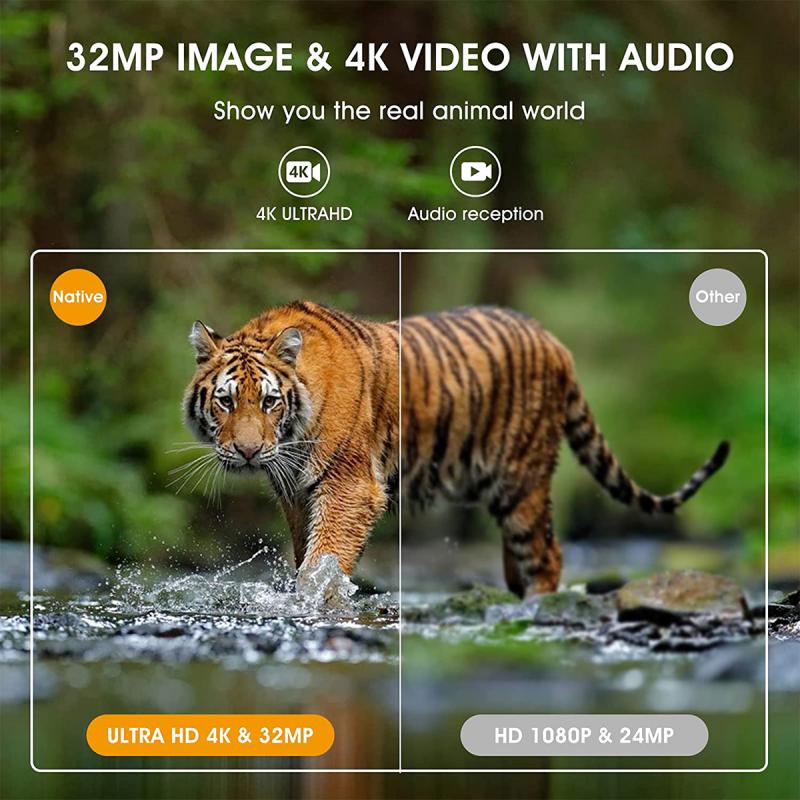
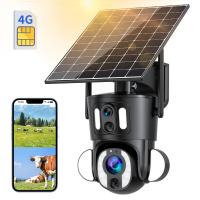
Network Configuration and IP Addressing

Leave your comment
Cancel reply
Note: HTML is not translated!
Related products
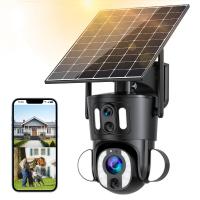
Dual-Lens 4G LTE Security Camera Solar Outdoor Surveillance 10X Optical Zoom Kentfaith
11
£224.99 £179.99
Dual-Lens Security Camera Solar Outdoor Surveillance 10X Optical Zoom 2.4G WiFi Kentfaith
12
£243.74 £194.99
TWS Bluetooth Headset With Microphone Sports Ear Hook LED Display Earbuds
103
£39.99 £25.05
37-40.5mm Step Up Ring Aviation-grade Aluminum Filter Adapter Ring 2-pack with a Cleaning Cloth
77
£7.99 £5.99
39-43mm Step Up Ring Aviation-grade Aluminum Filter Adapter Ring 2-pack with a Cleaning Cloth
77
£7.99 £5.99
43-49mm Step Up Ring Aviation-grade Aluminum Filter Adapter Ring 2-pack with a Cleaning Cloth
77
£7.99 £5.99
49-52mm Step Up Ring Aviation-grade Aluminum Filter Adapter Ring 2-pack with a Cleaning Cloth
77
£7.99 £6.49
43-46mm Step Up Ring Aviation-grade Aluminum Filter Adapter Ring 2-pack with a Cleaning Cloth
77
£7.99 £5.99
49-55mm Step Up Ring Aviation-grade Aluminum Filter Adapter Ring 2-pack with a Cleaning Cloth
77
£7.99 £5.99
52-58mm Step Up Ring Aviation-grade Aluminum Filter Adapter Ring 2-pack with a Cleaning Cloth
77
£7.99 £5.99
Guess you like products
49-52mm Step Up Ring Aviation-grade Aluminum Filter Adapter Ring 2-pack with a Cleaning Cloth
77
£7.99 £6.49
NP-F550 Battery 3500mAh with Type C Direct Rechargeable Battery for Sony CCD-RV100 CCD-RV200 SC5 SC9 TR1 TR940 Digital Cameras such as CN-160 CN-216 CN-304 YN 300 VL600 LED Video
3
£52.99 £29.99
58mm Magnetic Variable ND8-ND128(3-7 Stop) Lens Filters - Nano-Xcel
39
£115.99 £70.49
DJI Mini 3 Pro Remote Control Rocker Joystick for DJI Mini 3/DJI Mini 3 pro/DJI Mavic 3 Pro/DJI Mavic 3 Classic/DJI RC Aluminum Controller Stick Replacement Accessories (golden)
£14.99 £11.99
NV2180 4K HD IR night vision goggle, 3.2" TFT screen, built-in 2600mah rechargeable battery, 8x digital zoom, for hunting, camping, travel, surveillance Kentfaith
£119.00 £69.99
Professional Camera Backpacks with Removable DSLR Case fit up to 15.6" Laptop - 18L
4
£113.99 £76.99
K&F Concept Alpha Camera Sling Bag 10L Photography Shoulder Bag, Compatible with Canon / Nikon / Sony Camears / DJI Mavic Drones,  Sling Bag 10L Urban Wander 01(Green)
K&F Concept Alpha Camera Sling Bag 10L Photography Shoulder Bag, Compatible with Canon / Nikon / Sony Camears / DJI Mavic Drones, Sling Bag 10L Urban Wander 01(Green)
37
£79.91 £45.99
55mm ND & CPL 2 in 1 Lens Filter, ND2-ND32 (1-5 Stop) Variable Neutral Density and Polarizer for Camera Lens Nano-Dazzle Series
29
£57.99 £48.99
Matte Box Kit Compatible with Two 4x5.65" Square Filters Includes 67/72/77/82/95mm Adapter Rings Nano-Xcel Series
12
£69.99 £64.99
Kentfaith 3×25 Opera Binoculars, All Metal With Handle Ladies Retro Small Binoculars
18
£39.99 £29.99
Related articles
How To Hook Up Surveillance Camera To Tv ?
How Do You Set Up A Microscope ?
How To Hook Up Camcorder To Tv ?
How To Set Up A Surveillance Camera?
How To Set Up A Wireless Surveillance Camera ?
How Do You Set Up Wireless Earbuds ?
How Can You Blind A Surveillance Camera ?
What Can A Surveillance Camera Do ?
Surveillance Camera You Can Wear ?
Can The Endoscope Injure Sphincter ?
Guess you like articles
Which Monopod To Buy ?
How To Run Camera Wires Through House ?
How To View Endoscope Wifi ?
What Do You Use To See Far Away ?
Polaroid Camera That You Can Choose To Print ?
What Is An Fd Ef Lens Adapter ?
What Is A T Mount Adapter ?
How To Make Your Own Nd Filter ?
How To Make Wifi Security Camera ?
How To Use Mileseey Rangefinder ?
Related categories
battery operated surveillance camera outdoor Bullet Surveillance Cameras Dome Surveillance Cameras Sony A mount lens adapter​ accessories for a drone baby camera 4g security camera camera monopod​ hunting camera camera gimbal stabilizer​
Popular products
step ring adapter step down filter ring adapter step down adapter ring step up adapter ring lens filter step up ring step up lens adapter ring ring ac adapter 67mm adapter ring 55mm adapter ring 77mm filter adapter ring
Related searches
Solar Panel Hook Up Camera Hook For Backpack Hook Eye Fishing Camera Cameras That Do Time Lapse Things To Do With Binoculars Ring Light To Do Makeup Ear Hook Bluetooth Headphones Earbuds With Ear Hook Wireless Earphones With Hook Headphone Hook For Wall
Blog Category
  • Camera Reviews
  • News & Reviews
    • News
  • Tutorials
    • Animal Photography
    • Food Photography
  • Inspiration
    • Travel
    • Travel Stories
    • Photography Tricks
Search Article
Latest from the Blog
What Are Uv Lens Filters For?
How to Clean Carbon Fiber Tripod?
What Does Led Light Stand For?
How To Setup Wireless Mini Video Camera?
Dash Cam That Records When Vehicle Is Off?
How to Clean Bird Feeders – A Comprehensive Guide for Healthy Backyard Birding
How Do You Connect Bluetooth Earbuds?
Where To Set Up Trail Cameras?
Hunting Camera Setup Guide: How to Install & Position for Perfect Shots
​What is ND Filter in Photography?
Powered By K&F Concept © 2025